Usb-c Cable Not Fast Charging
A USB-C cable that charges slowly usually points to a mismatch between the charger, cable, and device rather than the connector shape itself. Check protocol support, cable rating, port cleanliness, and heat before replacing anything.
If your USB-C cable is not fast charging, the problem is usually not the cable alone. Fast charging depends on the charger, cable, device, and charging protocol all working together.
- USB-C is not the same as fast charging: The cable must support the needed power level and protocol.
- The charger may be the bottleneck: A weak or incompatible adapter can slow charging even with a good cable.
- Damage matters: Fraying, heat, loose connectors, and intermittent charging are signs to replace the cable.
- Device limits are real: Battery health, temperature, and software can reduce charging speed on purpose.
- Verify before buying: Check wattage, amperage, e-marker support, and manufacturer compatibility notes.
USB-C Cable Not Fast Charging: What It Usually Means and How to Fix It
When charging feels slow, the first thing to know is that “USB-C” only describes the connector shape. It does not guarantee fast charging, high wattage, or compatibility with every phone, tablet, laptop, or power bank.
In many cases, the fix is simple: use a charger that supports your device’s fast-charge standard, confirm the cable is rated for the power level you need, and check for heat, debris, or damage. If the cable is old, bent sharply, or from an unknown source, replacing it is often the safest next step.
How USB-C Fast Charging Actually Works in 2026
USB-C fast charging is based on negotiated power, not just a physical plug. Your device and charger communicate to decide how much voltage and current can be delivered safely, and the cable must be able to carry that power without overheating or limiting the handshake.
Power delivery, wattage, and cable rating basics
USB Power Delivery is the most common fast-charging standard across modern phones, tablets, laptops, earbuds cases, handheld gaming devices, and many accessories. The wattage you need depends on the device, and some products require a cable with a higher current rating or an e-marker chip for full performance.
A USB-C cable can fit the port correctly and still charge slowly if it is only rated for basic charging or if the charger falls back to a lower power mode.
Why the charger, cable, and device all have to match
Fast charging is a chain, and the weakest link sets the pace. A high-watt charger will not force fast charging if the phone does not support that protocol, and a capable phone will not charge quickly if the cable or adapter cannot handle the requested power.
Some brands use their own fast-charge systems on top of USB-C standards. Compatibility can vary by model, firmware, and even the specific charger family, so check the manufacturer’s support page or manual before assuming full speed.
Quick Diagnosis: The Most Common Reasons a USB-C Cable Charges Slowly
Most slow-charging complaints come from one of three places: the power source, the cable, or the device itself. Start with the easiest checks before replacing parts.
Wrong charger wattage or unsupported fast-charge standard
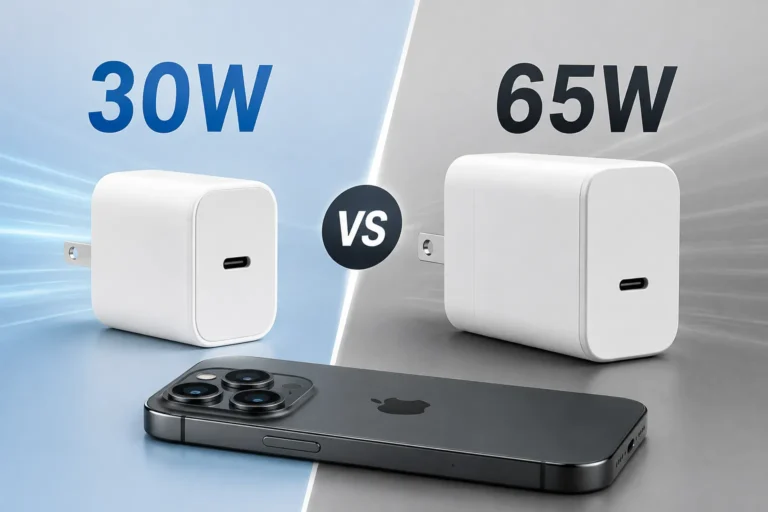
A charger may have a USB-C port but still not support the right fast-charge protocol for your device. For example, some phones need USB Power Delivery, while others can charge faster only with a brand-specific standard or a higher-watt adapter.
Low-quality or damaged cable construction
Cheap cables may be fine for data or low-power charging but struggle under higher loads. Internal wire thickness, connector quality, shielding, and the presence of an e-marker all affect whether the cable can safely deliver the power your device expects.
Stop using a cable that feels hot, has loose connectors, shows fraying, or charges only when bent into a certain position. Those are common signs of wear or internal damage.
Port debris, heat, and power throttling
Lint, dust, and pocket debris can block a USB-C port enough to reduce contact quality and slow charging. Heat can also trigger power throttling, especially during gaming, video calls, navigation, or heavy multitasking while charging.
If a charger, cable, or device becomes unusually hot, disconnect it and let it cool before trying again. Repeated overheating is a sign to inspect the setup and stop using any damaged component.
What to Check Before Replacing the Cable
Before buying a new cable, verify that the issue is not caused by the device settings, charger output, or a dirty port. That saves money and helps you choose the right replacement if you do need one.
Device compatibility and supported charging protocols
Look up the exact model number of your phone, tablet, laptop, or accessory and confirm which charging standards it supports. Official product pages, manuals, and support documents are the best place to check whether the device uses USB Power Delivery, PPS, or a brand-specific fast-charge mode.
- Check the device model and its supported charging protocol
- Confirm the charger output and cable power rating
- Inspect the port for lint, corrosion, or looseness
- Make sure heat, battery health, and software settings are not limiting speed
Cable specs to verify: amperage, wattage, e-marker, and length
For fast charging, the important details are not just “USB-C to USB-C.” Check the cable’s current rating, wattage support, and whether it includes an e-marker chip for higher-power use. Longer cables can be more convenient, but they may also introduce more resistance and reduce charging performance if the cable is not built for the load.
Signs the problem is the charger, battery, or port instead
If multiple cables charge slowly with the same adapter, the charger may be the bottleneck. If one cable works on one device but not another, the device may have a different protocol requirement or a port issue. If charging speed drops only when the battery is nearly full, the battery management system may be intentionally slowing power to reduce heat and wear.
How to Choose a USB-C Cable That Supports Fast Charging
The right cable depends on what you charge most often. A phone-only setup has different needs than a laptop desk, travel kit, or family charging station.
Best-fit cable types for phones, tablets, laptops, and power banks
For phones and smaller accessories, a well-rated USB-C cable from a reputable brand is usually enough. Tablets and laptops often need a higher-watt cable, and some power banks work best with cables that are explicitly rated for the device’s maximum input and output.
| Device type | Best cable focus | What to verify |
|---|---|---|
| Phones | Reliable everyday charging | Protocol support and basic wattage rating |
| Tablets | Faster mid-range charging | Higher wattage and good connector quality |
| Laptops | High-power USB-C cable | E-marker and wattage compatibility |
| Power banks | Input/output matched cable | Supported fast-charge standard |
Durability features: braided jackets, reinforced ends, and certification
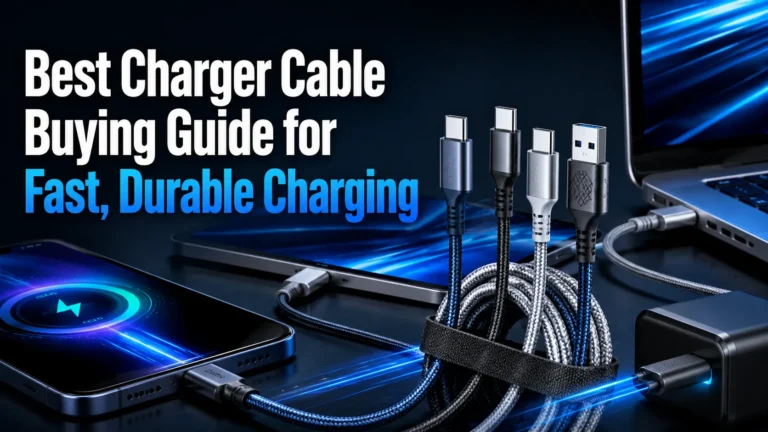
Durability matters because repeated bending is one of the main reasons cables fail. Braided jackets, strain relief at the connector ends, and clear certification or compliance information can improve confidence, though you should still confirm that the product matches your device’s charging standard.
- Choose the shortest cable that still fits your desk, nightstand, or travel setup
- Look for reinforced connector ends if the cable will be unplugged often
- Keep a separate high-power cable for laptops instead of sharing a low-rated one
When a more expensive cable is worth it
Paying more can make sense when you need a cable for a laptop, a high-watt charging brick, or daily heavy use. The extra cost is usually about better materials, stronger connectors, and clearer compliance with higher-power charging needs, not just branding.
Safe Use, Heat Limits, and Common Mistakes to Avoid
Slow charging is sometimes a convenience issue, but it can also be a warning sign. Heat, damage, or mismatched power gear should never be ignored.
When slow charging is a safety warning, not just an inconvenience
If charging is slow because the cable or charger is overheating, disconnect the setup and inspect it. A device that repeatedly warms up too much, charges inconsistently, or stops and starts may need a different cable, a different adapter, or a service check.
Overheating risks, counterfeit cables, and unsafe adapters
Counterfeit or unverified cables can misstate wattage support and may not have the internal protection needed for higher-power charging. The same caution applies to adapters with unclear specifications, loose ports, or no trustworthy manufacturer documentation.
Use only chargers and cables that match the device’s stated charging requirements. If you notice burning smells, discoloration, sparking, or repeated disconnects, stop using the accessory immediately.
How to inspect for wear and when to replace the cable
Check both ends of the cable for bent pins, looseness, cracked housings, and exposed shielding. Replace the cable if it only works at certain angles, if the connector feels unstable, or if the jacket is split near either end.
Do not tape over damaged connectors or continue using a cable that intermittently disconnects. In power gear, intermittent behavior is often a sign of worsening internal wear.
Maintenance and Storage Tips to Keep USB-C Charging Reliable
A good cable can still perform poorly if it is dirty, kinked, or stored carelessly. Basic maintenance helps preserve both charging speed and safety.
Cleaning connectors and preventing dust buildup
Inspect the USB-C port and the cable ends for lint or dust, especially if the device is carried in a pocket, bag, or workshop. Use only safe, dry cleaning methods recommended by the manufacturer, and avoid anything that could bend pins or push debris deeper into the port.
Proper coiling, storage, and bend protection
Do not wrap cables tightly around chargers or fold them into sharp bends. Loose coiling and gentle storage reduce stress on the internal wires and help the cable last longer, especially in backpacks, travel kits, and desk drawers.
If you carry cables every day, keep one dedicated to high-power charging at home and another in your bag. That makes it easier to spot wear early and avoid mixing up low-rated and high-rated cables.
How often to replace a cable in real-world use
There is no universal replacement schedule. Replace a cable when it shows wear, stops charging reliably, or no longer supports the power level your device needs. Heavy daily use, frequent travel, and repeated bending usually shorten cable life more than occasional use.
Final Recommendation: Which USB-C Cable Is Right for Your Setup?
The best cable is the one that matches your device, charger, and use case without creating extra heat or compatibility problems. If you want the safest long-term value, choose a reputable cable with the right wattage rating, clear charging support, and enough durability for your routine.
Best choice for everyday phone charging
A standard, well-made USB-C cable from a known brand is usually enough for most phones, as long as it supports the charger and protocol your phone uses. Focus on verified compatibility and avoid ultra-cheap cables with vague specifications.
Best choice for tablets, laptops, and high-wattage devices
Choose a higher-power USB-C cable with the proper amperage rating and e-marker support when needed. This is the safer pick for laptops, larger tablets, and fast-charging power banks that demand more from the cable.
Best choice if you want the safest long-term value
Look for a cable with clear specs, strong strain relief, and documented compatibility with your exact device category. That combination usually delivers the best balance of charging speed, reliability, and everyday safety.
Frequently Asked Questions
The most common reasons are an underpowered charger, an unsupported charging protocol, a low-rated cable, or a dirty or damaged port. Heat and battery management can also slow charging on purpose.
Check the cable’s wattage or amperage rating, whether it supports USB Power Delivery, and whether an e-marker is listed for higher-power use. Also confirm that your charger and device support the same charging standard.
Yes, especially if the cable is low quality, damaged, too long for the power level, or not rated for your device’s fast-charge mode. A cable can fit the port perfectly and still limit charging speed.
If multiple cables charge slowly with the same adapter, replace or inspect the charger first. If only one cable is slow or unreliable, the cable is the more likely problem.
Stop using it if it feels hot, has frayed insulation, loose connectors, bent pins, or only works when bent a certain way. Those are signs of wear or damage that can affect safety and charging performance.
Use a cable that is explicitly rated for the wattage your device needs and, when required, includes e-marker support. Always confirm compatibility in the manufacturer’s documentation before buying.