Best iPhone Chargers for Couples to Share and Charge Faster
The best iPhone chargers for couples are usually dual USB-C wall chargers, MagSafe dual stands, or compact power banks, depending on whether you care most about speed, tidiness, or portability. Check per-port wattage, cable compatibility, and heat management before buying.
Sharing one charging setup is often easier than buying two separate bricks, especially for couples who charge phones on the same nightstand, desk, or travel bag. For most people looking for iphone chargers for couples, the best choice is a dual-port USB-C wall charger, a MagSafe dual stand for tidy shared spaces, or a compact power bank with enough output to fast charge both phones without slowing to a crawl.
- Best all-around choice: Dual USB-C wall chargers are the most practical shared option for most couples.
- Best for tidy spaces: MagSafe dual stands work well on nightstands and desks, but may charge more slowly.
- Best for travel: Multi-port power banks help when both phones need charging away from outlets.
- Most important spec: Check how power is split between ports, not just the total wattage.
- Safety first: Replace frayed cables, hot adapters, and damaged ports right away.
Best iPhone Chargers for Couples: What Actually Works for Sharing and Fast Charging
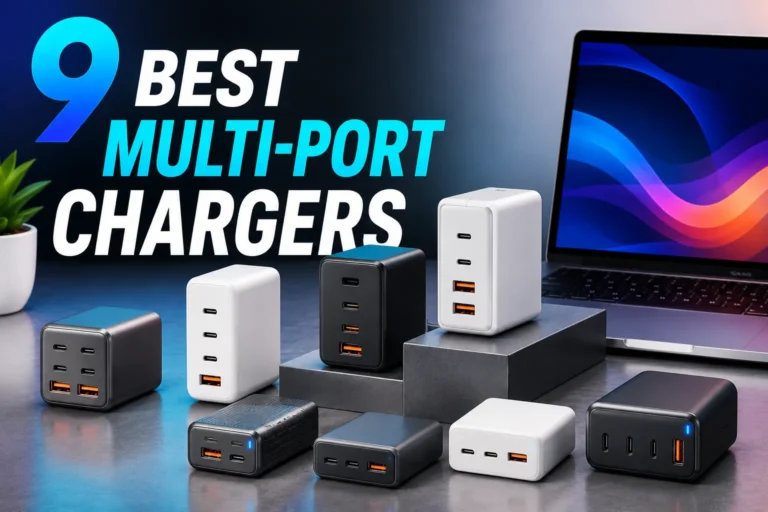
The right charger depends less on “couples” and more on how you both live: bedside charging, commuting, travel, or a shared home office. If you want a broader starting point, our multi-port charger guide for iPhone and USB-C wall chargers for multiple devices can help narrow the field before you decide on a shared setup.
Quick answer: the best options are dual-port USB-C wall chargers, MagSafe dual stands, and compact power banks with at least 20W per device for everyday shared charging
If both people want fast, low-drama charging, look for a charger that can deliver enough power to each phone at the same time. In practice, that usually means a dual USB-C charger, a wireless dock with separate charging spots, or a power bank that clearly states how power is split between ports.
How iPhone Chargers for Couples Work in Real Life
Couples usually run into the same problem: one outlet, two phones, and different charging habits. One person may want a quick top-up before leaving, while the other leaves a phone on the nightstand overnight, so the charger has to balance speed, convenience, and cable management.
Why couples need a shared charging setup instead of two separate single-port chargers
Two single-port chargers can work, but they take up more outlet space and often create cable clutter. A shared charger is usually better when outlets are limited, when both phones charge in the same place, or when you want one neat setup instead of two adapters hanging off a power strip.
How USB-C, MagSafe, Lightning, and mixed-device charging affect speed and convenience
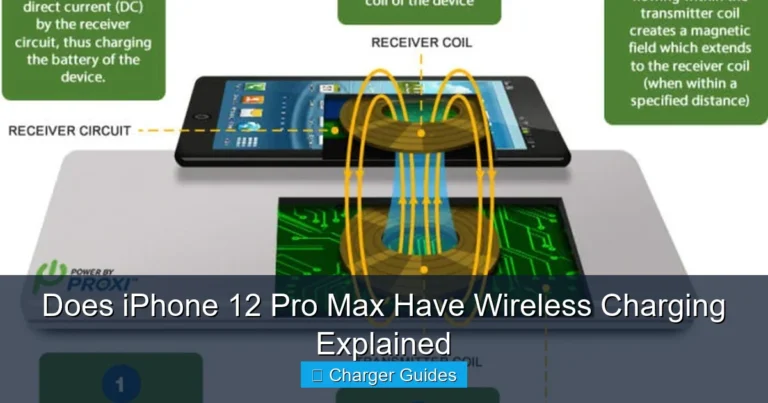
USB-C is the most flexible choice for fast wired charging, but cable compatibility matters. MagSafe is convenient for dropping a phone onto a stand, though wireless charging usually runs warmer and can charge more slowly than a wired connection; if you want a deeper look at that trade-off, see our guide on whether wireless chargers are bad for your phone.
Mixed-device households need to pay attention to cable type. If one phone still uses Lightning and the other uses USB-C, the charger itself may be shared easily, but the cables need to match each device and its supported charging standard.
Typical wattage targets: 20W, 30W, 35W, 45W, and when higher output matters
For many iPhones, 20W per device is a practical baseline for fast wired charging. A 30W or 35W shared charger is often enough for two phones if power is distributed intelligently, while 45W and higher can be useful when one person also charges an iPad, power bank, earbuds case, or another accessory from the same adapter.
Fast-charging behavior varies by iPhone model, cable type, battery temperature, and how the charger splits power between ports. Always confirm the manufacturer’s current specs and your phone’s supported charging limits.
Best Charger Types for Couples to Share and Charge Faster
There is no single best charger for every couple. The right pick depends on whether you care most about speed, tidiness, portability, or the ability to charge away from a wall outlet.
Dual USB-C wall chargers: best for fast, practical bedside or travel charging
For most couples, this is the most balanced option. A good dual USB-C wall charger can keep both phones charged from one outlet, works well on a nightstand or desk, and is easy to pack for trips if the plug folds down.
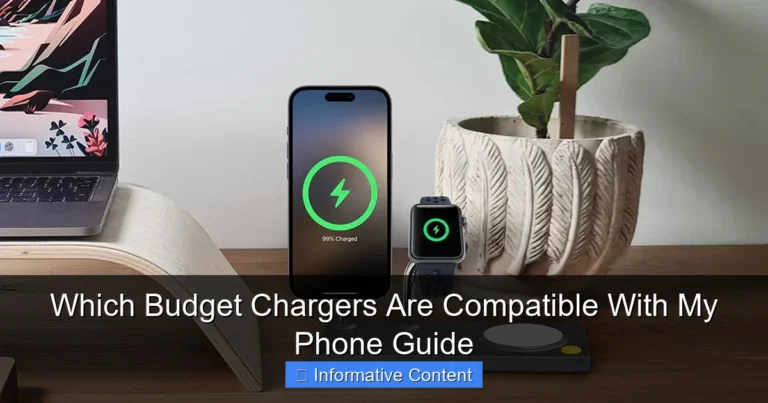
When comparing options, check whether the charger can deliver meaningful power to both ports at the same time or whether one port slows down when the second is in use. If you’re shopping on a budget, our budget iPhone charger guide and compatibility guide for budget chargers are useful companion reads.
MagSafe dual stands and wireless docks: best for tidy desks and nightstands
Wireless stands are the cleanest-looking option because they reduce cable clutter and make it easy to set phones down at the end of the day. They are especially appealing for bedside use, but they usually trade some speed and efficiency for convenience, and the phone may warm up more than it would on a wired charger.
If you choose a MagSafe-style dock, place it where both phones can sit flat and stable, and make sure cases are compatible with magnetic alignment if the manufacturer requires it.
Multi-port power banks: best for commuting, trips, and charging away from outlets
A power bank is the best shared option when you are not near a wall outlet, such as on a flight, road trip, or long day out. Couples who travel together often like this because one battery pack can top up both phones, though the total output may be divided between ports and may charge more slowly than a wall adapter.
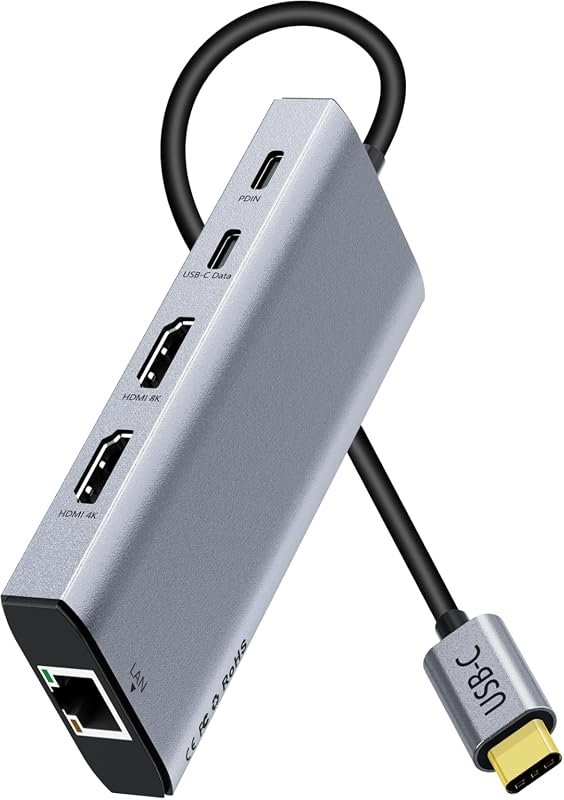
Charging hubs and extension-friendly setups: best for shared spaces with multiple devices
In apartments, home offices, and shared bedrooms, a small charging hub can make one outlet do more work. These setups are especially helpful if you also charge watches, earbuds, tablets, or a second phone, but they should be chosen carefully so the total power draw stays within safe limits.
- One shared setup reduces clutter and outlet competition.
- Dual-port chargers can be faster than two basic single-port bricks.
- Wireless stands make nightstand charging simple and tidy.
- Wireless charging can be slower and warmer than wired charging.
- Some chargers split power in ways that reduce speed for both phones.
- Travel-friendly models may sacrifice port count or power output.
Key Specs to Compare Before Buying
Couples often focus on “how many ports” and miss the details that determine whether both phones actually charge well. The most important specs are total wattage, power distribution, cable compatibility, and safety features.
Wattage and power distribution: how to tell whether both phones can fast charge at once
Look beyond the headline wattage. A charger rated at 35W may not give 35W to each port at the same time; it may split power unevenly or reduce output when both ports are active. The product page or manual should explain whether each port has its own limit or whether the charger shares a total pool of power.
Cable quality and length: USB-C to USB-C, USB-C to Lightning, braided cables, and MFi certification
The charger is only half the setup; the cable matters just as much. USB-C to USB-C is the easiest choice for newer iPhones and accessories, while USB-C to Lightning is still relevant for older iPhone models; if you need a broader cable-and-brick overview, our article on what budget chargers work with iPhone is a helpful reference.
For Lightning accessories, check whether the cable is MFi-certified if that matters for your model and region. Braided cables can be more durable for shared use, but the best length depends on where you charge: bedside, desk, sofa, or car.
Build quality, heat management, and safety protections to look for in 2025
Shared charging setups often run longer than single-device setups, so heat management matters. Look for overcurrent, overvoltage, and temperature protection in the manufacturer’s specifications, and prefer reputable brands that clearly publish safety details and warranty terms.
Stop using a charger that gets unusually hot, smells burnt, rattles, or shows cracked plastic, bent prongs, or loose ports. Heat and damaged insulation are reason enough to replace the adapter or cable.
Port count, plug type, foldable prongs, and travel portability
For couples who travel, foldable prongs and a compact body can matter as much as wattage. In a home setup, a slightly larger charger may be worth it if it keeps cables organized and supports both devices without constant unplugging.
Who These Chargers Fit Best, and Who Should Skip Them
Some couples need one charger for two iPhones, while others need a more flexible setup because their devices and routines are different. The best choice depends on whether you charge in the same place, travel often, or use other accessories alongside your phones.
Best for couples with matching iPhones, mixed iPhone models, or one iPhone and one accessory-heavy setup
Dual chargers work well for matching iPhones because both people usually want similar charging speed. They also work for mixed setups, but the charger may need to balance a newer fast-charging phone with an older model or an accessory like earbuds or a watch.
Best for bedside charging, home office desks, travel bags, and shared apartments
Bedside and desk setups benefit most from tidy dual chargers or wireless stands. Travel bags benefit from compact wall chargers and power banks, while shared apartments often need a charger that can handle multiple devices without turning into a cable pile.
When a single fast charger is enough, and when a dual setup is worth the extra cost
If only one person charges at a time, a single fast charger may be enough. A dual setup is worth it when both phones routinely need power at the same time, when outlet space is limited, or when you want one central place to charge everything overnight.
Real-Use Benefits, Trade-Offs, and Common Mistakes
Good shared charging should make life easier, not more complicated. The main goal is to reduce clutter and waiting time without creating heat, compatibility problems, or unsafe power habits.
Benefits: less outlet clutter, faster top-ups, easier nighttime charging, and fewer cable fights
A shared charger can clean up a nightstand or desk instantly. It also makes it easier for both people to grab a quick charge before leaving, and it reduces the chance that one person is always borrowing the other’s cable.
Trade-offs: wireless speed loss, heat buildup, bulky adapters, and slower charging when power is split
Wireless convenience comes with a speed penalty in many cases, and compact multi-port chargers sometimes sacrifice total output. If both phones are charging while one person is also charging a watch or power bank, the adapter may slow down to stay within its limits.
Common mistakes: using underpowered bricks, poor-quality cables, mixed standards, and unsafe daisy-chaining
One of the biggest mistakes is assuming any USB-C charger will fast charge both phones equally. Another is using cheap cables that don’t match the charger’s output or the phone’s charging standard. Avoid daisy-chaining power strips or extension cords in ways that exceed the manufacturer’s guidance.
Wireless charging efficiency can vary based on case thickness, alignment, and phone position, which is why a perfectly placed MagSafe stand often performs better than a loose pad.
Safety, Care, and Replacement Guidance for Shared Chargers
Because couples often leave chargers plugged in for long periods, basic inspection and care matter more than people expect. A small amount of maintenance can help prevent charging problems and reduce wear on both cables and ports.
Safe-use limits: avoiding overloading, overheating, frayed cables, and damaged ports
Use chargers only within their rated output and follow the manufacturer’s instructions for power strips, extension cords, and travel adapters. If a port feels loose, a cable only works when bent a certain way, or the adapter becomes hot enough to be uncomfortable, treat that as a warning sign.
How to inspect cables, adapters, and charging pads for wear, loose fit, or heat damage
Check for fraying near the connector ends, discoloration on the plug, and any wobble where the cable meets the port. Wireless pads should sit flat, charge consistently, and stay free of dust, coins, or metal objects that could interfere with charging.
Stop using damaged electronics, swollen batteries, frayed cables, overheating chargers, or unstable appliances and follow the manufacturer’s guidance.
Storage and maintenance tips for couples who travel or rotate chargers between rooms
Keep cables loosely coiled instead of tightly wrapped, and store chargers where prongs and ports won’t get bent. If you rotate the setup between bedroom, living room, and travel bag, keep the main cable with the charger so you don’t end up mixing incompatible parts.
When to replace a charger or cable and what warning signs should not be ignored
Replace the charger if it stops delivering stable power, overheats, or shows physical damage. Replace the cable if charging is intermittent, the connector is loose, or the outer jacket is cracked; those issues are usually not worth “living with” in a shared setup.
Final Buying Advice: Best Value Picks and Transparent Recommendation
If you want the most practical answer for couples, start with a dual USB-C wall charger unless you specifically need wireless convenience or portable battery power. That category usually gives the best mix of speed, price flexibility, and everyday usefulness for two phones.
Most couples should choose a dual USB-C wall charger with clear per-port output, because it is the most balanced option for speed, value, and simplicity. If your phones live on a nightstand or desk and you care more about a clean look than maximum speed, a MagSafe dual stand is the better fit; if you travel often, a compact power bank is the smarter second charger.
Best overall setup for most couples
A dual USB-C wall charger with two matching high-quality cables is the most versatile setup for shared charging at home. It keeps both phones ready without adding much clutter, and it is usually easier to live with than a pile of separate adapters.
Best budget option for simple shared charging
A compact dual-port charger from a reputable brand is the best value if you only need basic overnight or desk charging. Just confirm that the charger still delivers acceptable power to both ports when used together, because that is where many low-cost models cut corners.
Best premium option for fast, tidy, and travel-friendly use
A premium MagSafe dual stand or a high-output multi-port charger is ideal if you want a cleaner setup and are willing to pay for convenience. For travelers, a premium compact charger with foldable prongs and a reliable power bank can be the most flexible combination.
Final verdict: the most balanced choice depends on device mix, charging speed needs, and whether convenience or portability matters more
The best iPhone chargers for couples are the ones that match how you share space, not just how many devices you own. If you want more general buying help, compare options against our best chargers for iPhone guide and the wall chargers for iPhone roundup before deciding on a final setup.
Frequently Asked Questions
A dual USB-C wall charger is usually the best all-around choice for two iPhones. It is fast, simple, and easier to share than two separate single-port chargers.
A practical target is at least 20W per device for fast wired charging, though the exact need depends on the iPhone model and how the charger splits power. If one charger must serve both phones at once, check the per-port output rather than only the total wattage.
Yes, especially for nightstands and desks where convenience matters more than maximum speed. They are less cluttered than cables, but wireless charging can run warmer and may charge more slowly than wired charging.
Yes, many power banks can charge two phones at the same time if they have the right ports and output. The charging speed may drop when power is shared, so check the manufacturer’s specs before buying.
USB-C to USB-C is the most flexible choice for newer iPhones and accessories, while USB-C to Lightning still matters for older models. Choose well-made cables and verify any certification the manufacturer says is required for your device.
Replace it if you see fraying, loose ports, unusual heat, intermittent charging, cracks, or burnt smells. Damaged charging gear should not be kept in use, especially in a shared setup that stays plugged in for long periods.