How to Get Water Out of iPhone Charging Port Fast and Safe
If water gets into your iPhone charging port, act fast but stay calm. The safest fix is usually to let the port dry naturally, avoid risky tricks, and watch for warning signs before charging again. This guide shows how to get water out of iPhone charging port the right way, so you can protect your phone, avoid corrosion, and know when to get help.
- Point 1: Do not charge your iPhone if the port is wet. That can cause damage or trigger safety alerts.
- Point 2: The best way to get water out of iPhone charging port is to let it air-dry in a dry, open space.
- Point 3: Gently tapping the phone with the port facing down can help remove trapped drops.
- Point 4: Avoid heat, cotton swabs, compressed air, and rice. These can make the problem worse.
- Point 5: If your iPhone shows a liquid detection alert, wait until the message clears before plugging in a cable.
- Point 6: If charging still fails after drying, the port may have corrosion or dirt buildup.
- Point 7: Fast action matters, but patience matters more when learning how to get water out of iPhone charging port safely.
📑 Table of Contents
- How to Get Water Out of iPhone Charging Port Fast and Safe
- Why Water in the Charging Port Matters
- Fast and Safe Steps to Dry the Port
- What Not to Do
- How to Tell When the Port Is Dry
- When Water Damage Is More Than Just Moisture
- Helpful Accessories and Prevention Tips
- Practical Scenarios: What to Do in Real Life
- Buying Tips for Better Charging Protection
- Conclusion: The Safest Fix Is Usually the Simplest One
How to Get Water Out of iPhone Charging Port Fast and Safe
Water in an iPhone charging port is one of those problems that can ruin your day fast. You plug in your cable, expect a quick charge, and then your phone flashes a warning or refuses to connect. It feels stressful, especially if you need power now.
The good news is that this issue is often fixable. In many cases, the safest answer to how to get water out of iPhone charging port is also the simplest one: stop charging, keep the phone dry, and give it time. That may not sound exciting, but it protects the port, the battery, and the internal parts of your phone.
In this guide, we will walk through the safest steps, what not to do, and when it is time to get help. We will also cover real-world tips, common mistakes, and a few buying ideas for accessories that can help prevent future problems. If you want a clear, practical answer to how to get water out of iPhone charging port, you are in the right place.
Why Water in the Charging Port Matters
The port is small, but the risk is big
The charging port is a tiny space with metal contacts inside. When water gets in, it can block the connection or trigger a liquid detection alert. If you try to charge too soon, the phone may stop charging or, in worse cases, the moisture can cause corrosion over time.
Corrosion is slow damage. You may not notice it right away. But later, the port can become loose, unreliable, or stop working completely. That is why the safest method for how to get water out of iPhone charging port is not force. It is careful drying.
What your iPhone may do
Modern iPhones often detect moisture in the charging port and warn you before charging starts. This is a helpful feature. It is there to protect the device. If you see a warning, treat it as real and do not ignore it. Even if the phone seems fine, the port may still be wet inside.
Some users think the alert is a glitch. Usually, it is not. The phone is simply doing its job. If you are unsure, wait and dry the port before trying again. This is one of the most important parts of how to get water out of iPhone charging port safely.
Fast and Safe Steps to Dry the Port
1. Unplug everything right away
If the cable is connected, remove it immediately. Do not keep it plugged in “just to see if it works.” That can push moisture deeper or create a bad connection. Once unplugged, keep the phone away from more water.
2. Hold the phone with the port facing down
Gently tap the phone against your hand with the charging port facing down. Do this lightly. The goal is to help trapped drops fall out by gravity. Do not shake the phone hard. Strong shaking can spread water to other areas.
3. Wipe the outside only
Use a soft, lint-free cloth to dry the outside of the phone. Focus on the port edge, the frame, and any visible moisture. Do not push the cloth into the port. That can leave fibers behind and make the problem worse.
4. Let it air-dry
This is the core of how to get water out of iPhone charging port. Place the phone in a dry room with normal airflow. Leave it upright or on its side with the port open to air. A fan on a cool setting can help, but do not blast air directly into the port.
Apple recommends natural drying over risky shortcuts. That advice is worth following. A few hours may be enough for a light splash. A full day may be better if the phone was exposed to more water.
5. Wait before charging again
Do not rush this step. Even if the port looks dry, moisture can remain inside. Try charging only when the warning is gone and the port has had enough time to dry. If the alert stays on, keep waiting.
What Not to Do
Avoid heat
Do not use a hair dryer, oven, heater, or hot sunlight. Heat can damage seals, soften glue, and stress the battery. It may also move moisture deeper into the phone.
Skip rice
Rice is a popular myth. It is messy, slow, and not very effective. Tiny grains and dust can get into the port. If you want a real answer for how to get water out of iPhone charging port, rice is not it.
Do not use sharp tools
Needles, pins, toothpicks, and metal objects can scratch the contacts inside the port. That can create permanent damage. If dirt is mixed with water, it is better to let the phone dry first and clean it later with care.
Do not charge “just for a second”
Some people think a quick plug-in will help test the port. It can do the opposite. If moisture is still present, even a short charge attempt may create heat or corrosion. Patience is safer.
How to Tell When the Port Is Dry
Watch for the warning to disappear
If your iPhone shows a liquid detection alert, that message is one of the best clues. When it clears, the phone may be ready. Still, wait a little longer if the exposure was heavy.
Check for normal charging behavior
Once dry, the cable should connect smoothly and the phone should begin charging without error. If you hear repeated disconnect sounds, see intermittent charging, or feel heat near the port, stop and wait more.
Look for other signs of trouble
If the port is still wet, you may notice fogging, residue, or a musty smell. You may also see slow charging or no response at all. These signs suggest the port needs more time or a deeper cleaning later.
When Water Damage Is More Than Just Moisture
Signs of corrosion or deeper damage
If the charging port still does not work after a full drying period, the issue may be more than water. Corrosion can build on the contacts. Dirt and pocket lint can also mix with moisture and block the connection.
In that case, the problem is no longer just how to get water out of iPhone charging port. It may be about cleaning the port, checking the cable, or getting the phone inspected. If the iPhone was dropped into salt water or soda, the risk is even higher because sticky or salty liquid can leave residue behind.
Try a different cable
Sometimes the cable is the real issue. A wet or damaged cable can mimic port problems. Use a known-good cable and charger after the phone is fully dry. If another cable works, the port may be fine.
Know when to seek repair
If the phone still will not charge after 24 to 48 hours, or if you see visible damage, professional help is a smart move. A repair shop can inspect the port, clean corrosion, and test for internal issues before they get worse.
Helpful Accessories and Prevention Tips
Use better charging gear
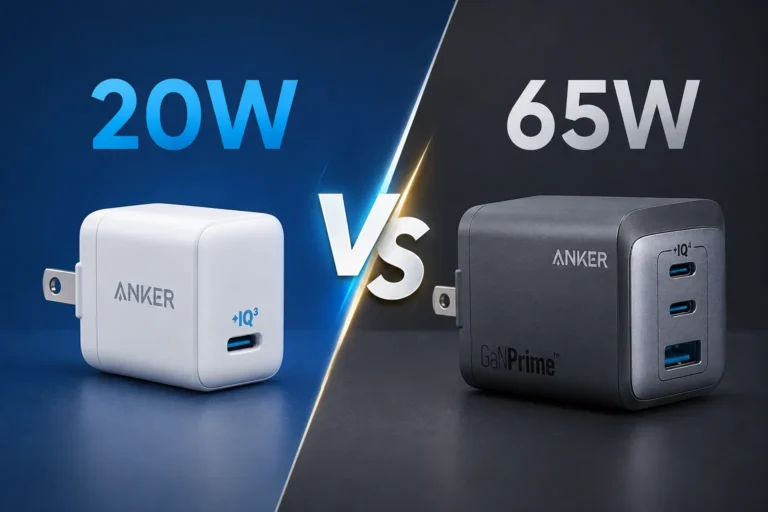
Good accessories can help reduce stress on the port and make charging more reliable. If you use multiple devices at home, a quality charger can help keep cables organized and reduce wear. Our guide on do multi port chargers support fast charging can help if you want a setup that handles more than one device safely.
If you are comparing options, our article on are multi port chargers safe to use is useful for understanding what to look for before you buy.
Consider wireless charging for backup
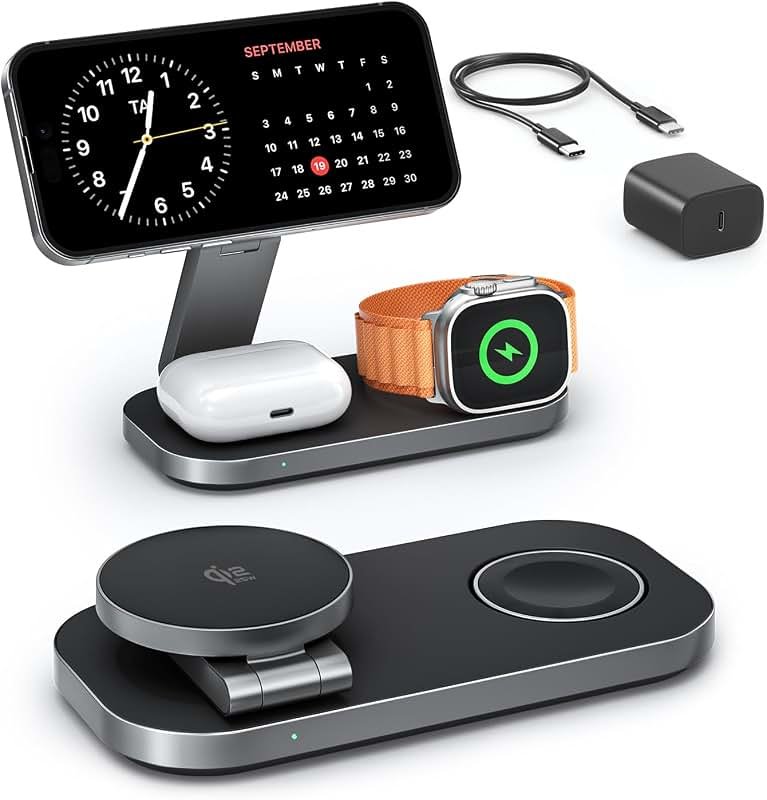
If your iPhone supports wireless charging, that can be a handy backup when the port is wet or acting up. It is not a fix for water damage, but it can keep you powered while the port dries. This is one reason many users keep a wireless pad at home.
Protect the phone in wet environments
If you often use your phone near pools, kitchens, or rainy commutes, think ahead. A waterproof pouch, a case with a tight fit, or a MagSafe battery pack can help reduce exposure. For people who want portable backup power, our guide on what fast charging power banks work with iPhone is a good place to start.
Build better charging habits
Simple habits help a lot. Keep the port clean, avoid charging with wet hands, and do not leave the phone on damp surfaces. If you want more everyday advice, see our guide on best charging habits for iPhone. Small habits can save you from a big repair bill later.
Practical Scenarios: What to Do in Real Life
After a splash at the sink
If a few drops get into the port, the phone may be fine after a short dry period. Unplug it, wipe the outside, and let it sit. This is usually the easiest version of how to get water out of iPhone charging port.
After rain exposure
If the phone was in a pocket during rain, moisture may be more widespread. Remove the case, dry the phone, and wait longer before trying to charge. A longer drying time is safer here.
After a full drop in water
If the iPhone fell into water, do not focus only on the charging port. The whole phone may need attention. Turn it off if possible, dry it carefully, and avoid charging until you are sure it is safe. A full submersion is a bigger problem than a splash.
Buying Tips for Better Charging Protection
Choose certified chargers and cables
Cheap chargers can be unreliable. They may overheat, fit poorly, or wear out the port faster. A certified cable with a snug fit is better for long-term use. If you are shopping for a replacement, make sure it matches your iPhone model and charging needs.
Look for a strong backup power option
A power bank can help when you need to wait for the port to dry. If you travel a lot or work long days, a portable charger is a smart backup. You can compare options in our article on are fast charging power banks worth it to see if one fits your routine.
Balance speed and safety
Fast charging is great, but only when the port is dry and the gear is safe. Do not chase speed at the cost of port health. A stable charger, a clean cable, and careful use matter more than a tiny speed boost.
Conclusion: The Safest Fix Is Usually the Simplest One
If you are wondering how to get water out of iPhone charging port, the answer is usually not a special trick. It is careful drying, patience, and avoiding damage. Unplug the cable, dry the outside, tap out excess water gently, and let the phone air-dry fully before charging again.
That simple process protects the port and lowers the chance of corrosion. It also saves you from common mistakes like using heat, rice, or sharp tools. If the port still does not work after enough drying time, the issue may be deeper, and a repair check is the right next step.
For most people, the best recommendation is clear: do not force it, do not rush it, and do not charge until the phone is truly dry. That is the fastest safe path back to normal use.
Frequently Asked Questions
Wait until the liquid detection alert disappears and the phone has had enough time to air-dry. For a small splash, that may take a few hours, but a full day is often safer if you are unsure.
No, a hair dryer is not recommended. Heat can damage the phone and push moisture deeper into the device, which can make the problem worse.
No, rice is not the best option. It is messy, can leave dust or grains behind, and does not dry the port as effectively as simple air-drying.
The port may still have moisture inside even if it looks dry on the outside. Wait longer, keep the phone in a dry place, and try again later with a known-good cable.
Yes, if your model supports wireless charging, that can be a safe backup while the port dries. It does not fix the wet port, but it can keep your phone powered.
If the phone still will not charge after 24 to 48 hours of drying, or if you see signs of corrosion or damage, it is time for a professional check. A repair expert can inspect the port and clean it safely.

Tech & Gadget Reviewer
Ethan Walker is a tech enthusiast and gadget reviewer with over 8 years of hands-on experience testing consumer electronics, smart home devices, and cutting-edge accessories. He helps readers make smarter buying decisions through honest, in-depth reviews.



One Comment