How to Set Up a Kasa Smart Plug in Minutes Easily
Quick AnswerSet up a Kasa smart plug by plugging it in, adding it in the Kasa app, and connecting it to your 2.4 GHz Wi-Fi network. Then name it, assign a room, and test remote control before creating schedules or automations.
If you want to know how to set up a Kasa smart plug, the short version is simple: plug it in, open the Kasa app, and follow the pairing prompts to connect it to your 2.4 GHz Wi-Fi network. From there, you can name it, place it in a room, and start controlling it remotely or with schedules.
- Setup basics: Plug it in, use the Kasa app, and connect to the correct Wi-Fi band.
- Best use cases: Lamps, fans, seasonal lights, and other simple on/off devices.
- Common issues: Pairing failures usually come from Wi-Fi band mismatch, weak signal, or permissions.
- Safety first: Check load limits and avoid high-power appliances that exceed the plug rating.
- Long-term care: Keep it dry, inspect for heat or damage, and update firmware when appropriate.
How to Set Up a Kasa Smart Plug: Quick Answer and What You’ll Need
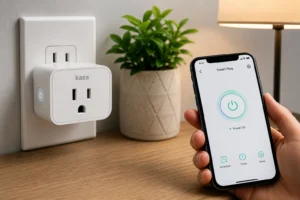
A Kasa smart plug usually takes only a few minutes to set up if your phone, app, and Wi-Fi are ready beforehand. The main things you need are the plug itself, a stable 2.4 GHz home network, the Kasa app, and a compatible outlet that is easy to reach.
- Check the exact Kasa model number and confirm it supports your region and Wi-Fi band.
- Verify the outlet location, power needs, and whether the appliance you plan to control is safe for smart-plug use.
- Install the official Kasa app, sign in, and allow the permissions needed for device setup and local network access.
How a Kasa Smart Plug Works in a Smart Home
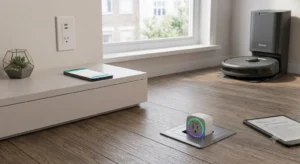
A smart plug acts like a remote-controlled switch between the wall outlet and the device you plug into it. With Kasa, the plug connects to your home Wi-Fi and then responds to commands in the app, automations, and supported voice assistants.
Wi-Fi connection, app control, schedules, and voice assistant support
Once connected, the plug can turn power on and off from your phone, even when you are away from home, as long as the plug stays online. Many Kasa models also support schedules, timers, and routines, which are useful for lamps, fans, and other simple appliances. If you use Alexa, Google Home, or another platform, confirm support for your exact model before assuming voice control will work.
What makes Kasa plugs useful for everyday automation
The biggest advantage is convenience. A smart plug can make an ordinary device feel automated without replacing the appliance itself. That is why many people use them for bedside lamps, holiday lights, coffee makers with a physical on/off switch, and other household items that benefit from simple timing or remote control. For readers comparing smart-home upgrades, it can be helpful to think of smart plugs as one of the easiest entry points, similar in practicality to the ideas discussed in our guide to whether smart lights are worth it.
Before You Begin: Compatibility, App Requirements, and Setup Checklist
Before pairing, it helps to check a few basics so you do not waste time troubleshooting a preventable issue. Most setup problems come from Wi-Fi mismatch, app permissions, or trying to control a device that is not a good candidate for a smart plug.
Device compatibility, Wi-Fi band needs, and outlet placement
Many smart plugs, including a lot of Kasa models, use 2.4 GHz Wi-Fi rather than 5 GHz. That matters because a phone may connect to 5 GHz while the plug needs the 2.4 GHz network from the same router. Outlet placement also matters: if the plug is hidden behind furniture, near heavy appliances, or far from the router, pairing may be less reliable.
Dimensions, power ratings, and what to verify on the label
Smart plugs are not all the same size, and some can block adjacent outlets on a crowded power strip or wall plate. Before use, verify the rated load on the label or in the official manual, and make sure the appliance you want to control stays within that limit. Never guess on power ratings, especially with heaters, high-draw kitchen gear, or anything that gets hot during use.
Kasa app, account setup, and permissions to allow
Download the official Kasa app from the correct app store listing for your phone, then create or sign into your account. During setup, you may need to allow Bluetooth, local network, location, or nearby device permissions depending on your phone and app version. If the app cannot see the plug, those permissions are one of the first things to check.
Step-by-Step: How to Set Up a Kasa Smart Plug in Minutes
The exact screens can vary by model and app version, but the general process is consistent. If you follow the steps in order, most setup issues can be avoided before they start.
Plug in the device and enter pairing mode
Start with the smart plug in an outlet that is easy to reach. If the plug has a status light or pairing indicator, confirm the pattern in the official manual so you know it is ready to connect rather than simply powered on.
Add the plug in the Kasa app and connect it to Wi-Fi
In the app, select the option to add a new device and follow the prompts for a smart plug. If the app asks for network access, do not skip it, because the plug needs to communicate with your router during setup. If you are using a mesh system or a dual-band router, the app may still require you to choose the correct 2.4 GHz network manually.
Name the plug, assign a room, and test remote control
A clear name saves time later, especially if you plan to add more smart devices. After assigning the room, turn the plug on and off in the app a few times to confirm the connection is stable. If you plan to build a broader smart home, that naming habit also helps when you add other devices such as smart bulbs or switches from guides like our roundup of the best smart lights or the best smart light switches.
Best Ways to Use a Kasa Smart Plug at Home
The best smart-plug setups are the ones that solve a daily annoyance. Kasa plugs are especially useful for simple devices that already turn on automatically when power is restored or that only need basic on/off control.
Lights, coffee makers, fans, and seasonal decorations
Many people use smart plugs for table lamps, string lights, fans, and holiday decor. Coffee makers can also work well if the machine has a physical power switch and the manufacturer does not warn against smart-plug control. For seasonal setups, a plug can make it easier to turn decorations on at sunset and off at bedtime without crawling behind furniture.
Scheduling, timers, away mode, and energy-saving routines
Schedules and timers are where smart plugs become more than a remote switch. You can set a lamp to come on before you get home, automate a fan for a fixed period, or create a routine that makes the house look occupied while you are away. If your plug model includes energy-related features, check the app description and manual because those functions vary by model and firmware.
Common Setup Mistakes and Troubleshooting Tips
Most setup issues are fixable without special tools. The key is to work through the likely causes in a safe order instead of repeatedly resetting the device without checking the basics.
Wi-Fi connection failures, app pairing issues, and reset steps
If the plug will not connect, first confirm that your phone is online, the Kasa app is updated, and your Wi-Fi password is correct. Then check whether the plug is still in pairing mode and whether the router is broadcasting a 2.4 GHz network. If needed, use the manufacturer’s reset instructions to return the plug to pairing mode, but avoid improvising reset methods that are not in the manual.
Router placement, 2.4 GHz limits, and signal strength problems
Weak signal can cause failed pairing or unreliable control later. If the outlet is far from the router, behind thick walls, or in a garage or basement, the plug may need a better location or a stronger network. Some users solve this by completing setup near the router first, then moving the plug once it is connected.
Power load mistakes and when not to use a smart plug
Do not use a smart plug for anything that draws more power than the plug is rated to handle. That includes many space heaters, large kitchen appliances, and specialized equipment that the manufacturer says should not be switched by a plug-in controller. If the appliance gets unusually warm, behaves oddly, or has a damaged cord or plug, stop using it and follow the manufacturer’s safety guidance.
Safety, Maintenance, and Long-Term Care
A smart plug can last a long time when it is used within its limits and kept in good condition. The goal is not just to make it work today, but to keep it safe and reliable over months of daily use.
Heat checks, inspection habits, and safe load limits
Occasionally feel the area around the plug and outlet during normal use. Mild warmth can happen, but excessive heat is a warning sign. Also check whether the plug is seated firmly and whether the outlet itself is worn or loose, because poor contact can create reliability and safety problems.
Cleaning, storage, firmware updates, and replacement guidance
Keep the plug dry, dust-free, and away from water exposure. If you store it, pack it gently so the prongs and housing are not bent or cracked. Firmware updates, if offered in the app, are worth reviewing because they may improve stability or fix bugs, but you should still confirm what the update changes before installing it. If the device becomes erratic, overheats, or no longer holds a stable connection after basic troubleshooting, replacement may be the safer option.
Is a Kasa Smart Plug Worth It in 2026? Final Recommendation
For many smart-home beginners, a Kasa smart plug is one of the easiest ways to add automation without replacing existing appliances. It fits best if you want simple app control, scheduling, and voice-assistant convenience for low-risk devices like lamps, fans, and decorative lighting.
Who it fits best, key trade-offs, and value compared with alternatives
The best fit is someone who wants an affordable, low-complexity smart-home upgrade and already has reliable 2.4 GHz Wi-Fi. The main trade-offs are that it still depends on your network, it is limited by the load rating of the plug, and it cannot turn every appliance into a “smart” device. If you need deeper energy monitoring, more advanced automation, or support for a different platform, compare the exact Kasa model against the alternatives before buying.
Transparent verdict for smart home beginners and budget buyers
If your goal is to make one or two everyday devices easier to control, a Kasa smart plug is a practical choice. If your home has weak Wi-Fi, high-power appliances, or a need for broader ecosystem support, it is smarter to verify compatibility first and consider another option that better matches your setup.
Frequently Asked Questions
In many cases, yes. A lot of Kasa smart plugs use 2.4 GHz Wi-Fi, so confirm the exact model before pairing.
The most common causes are the wrong Wi-Fi band, an incorrect password, missing app permissions, or the plug not being in pairing mode. Restarting the app and checking the manual reset steps usually helps.
You can usually turn compatible devices on and off from the app, set schedules, and use timers or voice assistants if your model supports them. The exact features depend on the plug and firmware.
Only if the appliance is within the plug’s rated load and the manufacturer allows plug-based control. Many heaters and high-draw appliances should not be used with smart plugs.
Use the reset method listed in the official manual for your exact model. Avoid guessing, because the reset procedure can vary.
Confirm the model number, Wi-Fi band support, app requirements, load rating, and whether it fits the outlet location you plan to use. Also verify voice assistant and platform support if you need them.