Smart Plug Shore Power Guide for Easy Safe Boating
A smart plug shore power setup lets you control and monitor selected boat loads from an app, but it only makes sense when the device is truly rated for marine use and matched to your boat’s electrical system. The safest approach is to treat it as a convenience and monitoring tool, not a replacement for proper marina power protection, breaker discipline, or a qualified marine electrician’s guidance.
- Match the rating: Verify voltage, amperage, wattage, and surge tolerance before buying.
- Prioritize marine suitability: Weather resistance, corrosion protection, and cable durability matter on boats.
- Use it selectively: Reserve smart switching for non-critical loads and approved circuits.
- Inspect often: Heat, looseness, corrosion, or damage are reasons to stop using the device.
- Check app support: Confirm Wi-Fi, hub, firmware, and phone compatibility in the current manual.
What a Smart Plug Shore Power Is and Why Boaters Use It
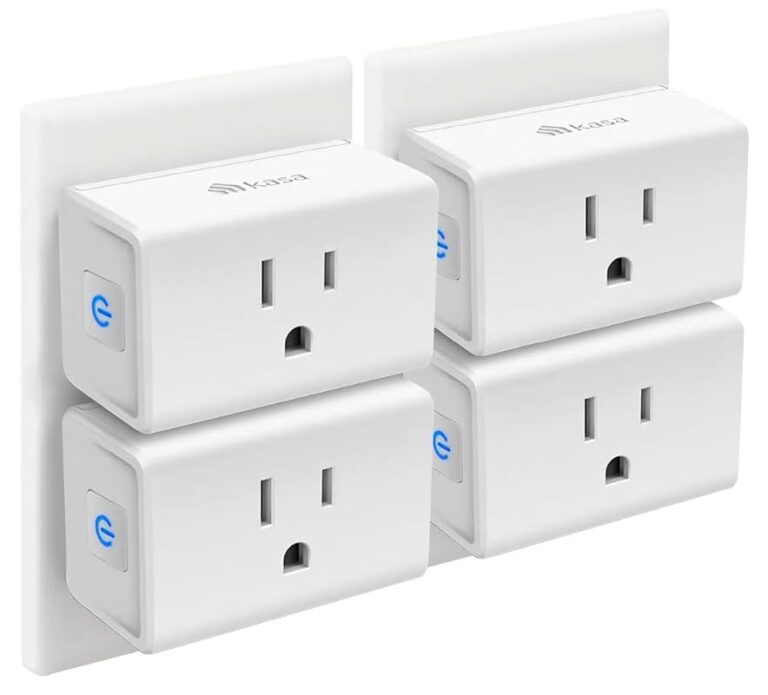
In simple terms, a smart plug shore power device sits in the power path between the marina hookup and the circuit or appliance you want to manage. Depending on the model, it may switch power on and off remotely, track energy use, or send alerts when a load changes unexpectedly.
How smart shore power plugs work with marina hookups and onboard circuits
Most smart plugs for shore power are designed to sit on the dockside or onboard side of a compatible AC circuit, then connect to an app over Wi-Fi, Bluetooth, or a hub-based system. The exact wiring path varies a lot by model and by boat, so the manufacturer’s manual matters more than general smart-home advice.
On a boat, that distinction is important because shore power is not just another household outlet. Voltage, amperage, plug geometry, weather exposure, and corrosion risk all affect whether a device is appropriate, and those details should be checked against the product’s official specifications and your boat’s electrical plan.
Who this guide is for: cruisers, weekend boaters, and liveaboards
This guide is for boat owners who want a clearer way to manage cabin loads, monitor power use, or reduce unnecessary dockside consumption without constantly walking back to the slip. It is also useful for liveaboards who need better awareness of what is running while they are away from the boat.
If you only use your boat occasionally, the biggest value may be simple remote control and peace of mind. If you live aboard or travel often, the real advantage is being able to check status, schedule selected loads, and spot unusual behavior before it becomes a bigger problem.
Key Benefits, Real-World Use Cases, and When It Makes Sense
The appeal of smart shore power is practical: fewer unnecessary trips to the dock, better awareness of what is drawing power, and more control over selected devices. The best use cases are usually narrow and specific, not “automate everything.”
Remote control for cabin loads, battery charging, and climate-related devices
A smart plug can be helpful for turning selected cabin loads on or off, such as a dehumidifier, a small heater where allowed, a charger, or other approved low-risk equipment. Some owners also use automation for battery charging schedules or to avoid leaving certain loads active longer than needed.
That said, remote control only helps when the load is appropriate for automation. If a device is critical to safety or could create a hazard if switched off at the wrong time, it should not be placed behind a casual app command.
Energy monitoring, convenience, and reducing unnecessary dockside power use
Many buyers care about the monitoring side more than the switching side. Energy data can help you see whether a device is cycling more than expected, whether a charger is staying on too long, or whether a shore connection is being used more heavily than planned.
If you like the idea of tracking usage in a broader smart-home setup, it may help to read how app-driven control works in other categories, such as smart light switches and home automation lighting. The same basic rule applies: convenience is only useful when the device remains matched to the load and the environment.
Where it helps most: seasonal storage, slip monitoring, and travel planning
Smart shore power is especially useful when a boat sits unattended for part of the season, when you want to confirm a device is still running at the slip, or when you are planning a trip and want to know what will be active before you arrive. It can also be helpful for people who keep a boat in a marina with limited access hours.
How to Choose the Right Smart Plug for Shore Power
Selection should start with electrical compatibility, then move to build quality, connectivity, and support. A feature-rich app is not very useful if the plug is not rated for the actual environment and load.
Electrical ratings to verify: voltage, amperage, wattage, and surge tolerance
Verify the supported voltage and current rating against your shore-power system and the specific circuit you plan to control. Also check wattage limits and any stated surge tolerance, because motors, compressors, chargers, and climate equipment can create startup spikes that are different from steady-state use.
When a manufacturer does not clearly publish the relevant electrical limits, that is a reason to pause and confirm before buying. For marine power gear, missing specs are not a minor detail.
Marine-ready build quality: weather resistance, corrosion protection, and cable durability
Boats are hard on electronics. Salt air, humidity, vibration, UV exposure, and repeated plugging and unplugging can wear down housings and contacts faster than indoor use would.
Look for a device with a marine-appropriate enclosure, corrosion-resistant materials where applicable, and a cable or connector design that can handle outdoor use. If the product is not explicitly intended for damp or exposed environments, assume it needs additional protection or a different installation location.
Connectivity and app requirements: Wi-Fi range, Bluetooth fallback, hub needs, and remote access
Connectivity is often the difference between a useful smart plug and a frustrating one. Some models rely on local Wi-Fi, some use Bluetooth for setup, and some need a separate hub or bridge to enable remote access.
Before buying, confirm whether the marina Wi-Fi is strong enough, whether your phone OS is supported, and whether remote control works outside local range. App features can also change with firmware updates, subscription policies, or region, so it is smart to check the current app store listing and manual.
Dimensions, plug type, and compatibility with pedestal outlets and onboard adapters
Physical fit matters more on a boat than it does in a home. A plug that is too bulky may block adjacent outlets, strain the cord, or interfere with a pedestal cover.
Check the connector type, orientation, and clearance around the marina pedestal and onboard adapter. If you need a specific adapter or cord style, verify compatibility first rather than assuming a standard household-style smart plug will work.
Warranty, support, and replacement guidance to check before buying
Because marine environments can shorten the life of electronics, warranty terms and support quality are worth reviewing before purchase. Look for clear instructions on replacement parts, app support duration, and what the manufacturer considers normal wear versus a defect.
Setup Guide: Installing and Connecting a Smart Shore Power Plug Safely
Installation should be simple only if the product is designed for your boat’s power setup. If the manual is unclear, or if the device requires changes to fixed wiring, stop and use a qualified marine electrician.
Pre-install checks: shore cord condition, breaker status, and load planning
Inspect the shore cord, connectors, and pedestal outlet before connecting anything new. If you see heat damage, discoloration, looseness, cracked insulation, or corrosion, do not proceed until the issue is addressed.
Also confirm the breaker status and plan the load before turning the system on. A smart plug does not make an overloaded circuit safe; it only gives you another layer of control and visibility.
Basic setup steps: pairing, app login, naming circuits, and scheduling
Best practices for cable routing, strain relief, and keeping connectors dry
Route cables so they are not pinched, stepped on, or left with unnecessary tension. Strain relief is important because repeated movement can loosen connections over time.
Keep connectors dry and protected from spray, puddles, and standing water. If the installation area is exposed, use only the protection method recommended by the manufacturer, and inspect seals regularly for wear.
Safety Rules, Common Mistakes, and Limits of Safe Use
The biggest mistake with smart shore power is assuming “smart” also means “safer no matter what.” In reality, the device still depends on correct ratings, good wiring, and responsible use.
Why overloading, wet connections, and poor cable quality create risk
Overloading can cause heat buildup, nuisance trips, or worse if the system is not designed for the demand. Wet connections and poor cable quality increase the chance of corrosion, resistance, and intermittent faults.
That is why marine electrical safety guidance from the manufacturer and recognized standards bodies should always come first. If a plug or cord feels hot, smells unusual, or behaves inconsistently, stop using it until it is inspected.
Signs of heat, wear, and corrosion that mean inspection or replacement is needed
Watch for discoloration, melting, pitting on contacts, loose fit, repeated disconnects, app reports that do not match reality, or any smell of heat or burning. In marine environments, corrosion can show up before a complete failure, so small changes deserve attention.
If the device depends on a removable accessory, such as a cord, adapter, or mounting part, inspect those pieces too. Sometimes the accessory wears out before the smart plug itself.
What not to automate: high-draw appliances, critical bilge systems, and unknown loads
Do not automate anything you do not fully understand. High-draw appliances, critical bilge systems, emergency equipment, and loads with uncertain behavior are poor candidates for casual remote switching.
If you are unsure whether a device belongs on a smart plug, the safer choice is to leave it on a standard protected circuit and get a marine electrician’s opinion. Convenience should never override essential safety functions.
- Check compatibility, model number, app requirements, dimensions, plug type, wattage, and intended use
- Confirm safety guidance, warranty, return policy, privacy settings, and update support
- Verify the shore cord, pedestal, and onboard circuit are in good condition before installation
Maintenance, Storage, and Seasonal Care for Long-Term Reliability
Regular care matters because marine conditions age electronics faster than indoor conditions. A few simple checks can help the device stay reliable longer and reduce the chance of surprise failures.
Routine inspection checklist for plugs, cords, seals, and app alerts
Inspect the plug body, cord jacket, seals, and connector fit before each trip or at regular intervals during the season. In the app, check for offline alerts, failed schedules, or unusual power readings that might indicate a connection issue.
Any change in fit, heat, or performance should be treated as a maintenance clue rather than something to ignore.
Cleaning, drying, and storing the device between trips or off-season
Clean only according to the manual, usually with a dry or lightly damp cloth and no harsh solvents. Before storage, make sure the unit is fully dry, disconnected, and kept where it will not be crushed, kinked, or exposed to moisture.
If you remove the device for the off-season, store it with its accessories together so you are not missing a critical adapter when boating resumes.
When to update firmware, replace accessories, or retire the unit
Firmware updates can improve reliability or fix bugs, but they should be done through the official app and only after checking the release notes. If the manufacturer ends support, or if the app no longer works reliably with your phone or hub, the device may need replacement even if the hardware still powers on.
Retire the unit if the housing is cracked, the connector is loose, corrosion keeps returning, or the app can no longer control it safely. For marine gear, “still works sometimes” is not a good enough standard.
Best Alternatives, Value Comparison, and Final Recommendation
Smart shore power is only one way to manage boat electricity. The right choice depends on how much control you need, how exposed the installation is, and how comfortable you are with app-based monitoring.
Smart plug versus smart breaker, dock monitor, or standard marine power management
A smart plug is best when you want control over one or two selected loads and the installation can remain simple. A smart breaker or more integrated marine power system is better when you need whole-circuit management, but that usually involves more complexity and professional installation.
A dock monitor can be useful if your main goal is visibility rather than switching. Standard marine power management remains the safest baseline when you do not need remote control at all.
| Option | Best For | Key Consideration |
|---|---|---|
| Smart plug | Selective remote control and monitoring | Must match ratings, fit, and environment |
| Smart breaker | More integrated circuit control | Usually more complex to install |
| Dock monitor | Usage visibility without switching | Less direct control over loads |
| Standard marine power setup | Users who prioritize simplicity | Lowest automation, often highest simplicity |
Ideal user profiles and who should skip smart shore power automation
Best candidates are cruisers, weekend boaters, and liveaboards who want to manage a few non-critical loads, keep an eye on usage, or reduce unnecessary dockside power draw. It is also a good fit for people who are comfortable checking manuals, app permissions, and electrical ratings before buying.
Skip it if your boat’s electrical system is poorly documented, if the installation area is exposed and hard to protect, or if you plan to control critical equipment that should not be interrupted remotely.
Transparent verdict: value, limitations, and the safest buying recommendation for 2026
The best smart plug shore power choice is the one that clearly matches the boat’s electrical rating, connector type, and environmental conditions, with an app you can still rely on over time. If any of those pieces are vague, the safer recommendation is to choose a simpler marine-rated monitoring or power setup instead.
For most buyers, the smartest move is to prioritize marine suitability, clear documentation, and conservative use over extra app features. That gives you the convenience of remote control without turning a power-management tool into an unnecessary risk.
Frequently Asked Questions
It lets you remotely switch or monitor selected AC loads connected to shore power. Many boaters use it for convenience, energy awareness, and basic status checks.
Check the voltage, amperage, plug type, and environmental rating against your shore-power setup. If the manual does not clearly match your circuit, confirm compatibility before buying.
It is better not to automate critical systems such as bilge-related equipment or emergency loads. Use remote switching only for non-critical devices that the manufacturer and your marine electrician consider appropriate.
Overloading, wet connectors, corrosion, and poor cable quality are the biggest concerns. Stop using any device or cord that shows heat damage, looseness, cracks, or unusual behavior.
It depends on the model. Some use Wi-Fi directly, some need Bluetooth for setup, and others require a hub for remote access, so verify the app and connectivity requirements first.
Choose a smart plug for selective control of a few approved loads and a smart breaker for more integrated circuit management. If you want the simplest and safest setup, standard marine power management may be the better choice.