What Fast Charging Power Banks Work with Samsung Devices
Samsung phones work best with fast charging power banks that support USB-C Power Delivery and PPS. If you want the fastest and safest charge, look for a power bank that matches your Samsung model’s charging limits and uses a good USB-C cable. This guide breaks down what works, what to avoid, and how to pick the right one.
What Fast Charging Power Banks Work with Samsung Devices
If you own a Samsung phone, you already know how handy a good power bank can be. It keeps your battery alive on busy days, long trips, and power outages. But not every power bank gives you the fast charge you want. So the big question is simple: what fast charging power banks work with Samsung devices?
The short answer is this: Samsung devices work best with USB-C power banks that support Power Delivery, or PD. For many newer Galaxy phones, PPS support matters too. That is the charging feature that helps Samsung phones charge at their best speed. If you choose the right power bank, you can get fast, safe, and reliable charging almost anywhere.
In this guide, we will keep things simple. You will learn which charging standards matter, which Samsung devices need what, and how to pick the right power bank without wasting money. If you have ever wondered what fast charging power banks work with Samsung, this article has you covered.
Key Takeaways
- Point 1: Samsung devices charge fastest with power banks that support USB-C Power Delivery, especially PPS on newer models.
- Point 2: A power bank’s wattage matters, but your Samsung phone will only draw the power it can safely use.
- Point 3: USB-C to USB-C cables are usually the best choice for fast charging Samsung phones and tablets.
- Point 4: Not every “fast charging” label means true Samsung fast charging, so check for PD, PPS, and supported output levels.
- Point 5: Galaxy S, Z, and some A series phones may need different power levels, so match the power bank to the device.
- Point 6: Wireless and MagSafe-style power banks can work with Samsung, but wired charging is often faster and more efficient.
📑 Table of Contents
- How Samsung Fast Charging Works
- What Specs to Look for in a Samsung-Compatible Power Bank
- Best Types of Fast Charging Power Banks for Samsung
- How to Match the Right Power Bank to Your Samsung Device
- Common Mistakes to Avoid When Buying
- Practical Buying Tips for Samsung Users
- Final Answer: What Fast Charging Power Banks Work with Samsung?
How Samsung Fast Charging Works
USB-C Power Delivery is the main standard
Most modern Samsung phones charge fast with USB-C Power Delivery, often called PD. This is a common charging standard used by many phones, tablets, and even laptops. A PD power bank can send power in a smart way, so your phone gets the right amount it needs.
That is why many people ask what fast charging power banks work with Samsung and end up looking for PD first. It is the safest starting point. A power bank with PD is much more likely to work well than a basic one that only lists generic fast charging.
PPS can unlock better speeds on newer Galaxy phones
Samsung also uses Programmable Power Supply, or PPS, on many newer models. PPS helps the charger adjust voltage in small steps. That can improve charging speed and reduce heat. If you have a Galaxy S, Z, or newer A series model, PPS support is a big plus.
For example, if you have a Galaxy S23, S24, or a recent Fold or Flip model, a PPS-capable power bank can often charge better than one with PD alone. So when people ask what fast charging power banks work with Samsung, the best answer is usually: choose one with PD and PPS if possible.
What Specs to Look for in a Samsung-Compatible Power Bank
Check for USB-C output
USB-C output is the easiest way to get fast charging on Samsung devices. A USB-C to USB-C cable is usually the best match. Many Samsung phones no longer use older USB-A charging as their fastest option. If a power bank only has USB-A, it may still charge your phone, but it may not charge as fast.
So if you want the best answer to what fast charging power banks work with Samsung, start with USB-C. It is the most flexible and future-friendly choice.
Look at wattage, not just capacity
Battery size matters, but wattage tells you how fast the power bank can charge. A 10,000mAh power bank with 20W output can be great for a phone. A larger 20,000mAh model with 45W output can be even better if you want faster charging or need to charge tablets too.
Here is a simple rule. If you only charge a Samsung phone, 20W to 25W is often enough. If you want stronger performance, look for 30W, 45W, or higher. Just remember, your phone will only take what it supports. More wattage does not hurt, but it does not always mean more speed.
Make sure it supports the right Samsung charging mode
Some power banks say “fast charging,” but that may only mean they support a basic quick-charge mode. Samsung phones often do better with PD and PPS. If the product page mentions PD 3.0, PPS, or Samsung Super Fast Charging, that is a strong sign it will work well.
This matters a lot when you are deciding what fast charging power banks work with Samsung. The label should match the charging needs of your phone, not just sound impressive.
Best Types of Fast Charging Power Banks for Samsung
PD power banks for most Samsung phones
For most Galaxy users, a USB-C PD power bank is the safest and smartest pick. It works with a wide range of Samsung phones, from older Galaxy S models to many A series devices. It also works well for tablets and earbuds.
If you want a simple everyday option, this is the type to buy. Many people do not need anything fancy. They just need a dependable power bank that supports fast charging and has a good cable. That is why PD power banks are often the best answer to what fast charging power banks work with Samsung.
PPS power banks for newer Galaxy models
If you own a newer Samsung flagship, choose a power bank with PPS if you can. These models can often take better advantage of Samsung’s faster charging system. The result is a more efficient charge and less waiting around.
For example, a Galaxy S24 Ultra paired with a PPS power bank and a proper USB-C cable can charge much faster than with a basic 15W power bank. If speed matters to you, PPS is worth paying attention to.
Wireless and magnetic power banks
Wireless power banks can work with Samsung phones too, as long as the phone supports wireless charging. Some magnetic-style power banks can attach to Samsung devices with the right case or ring accessory. But wireless charging is usually slower than wired charging.
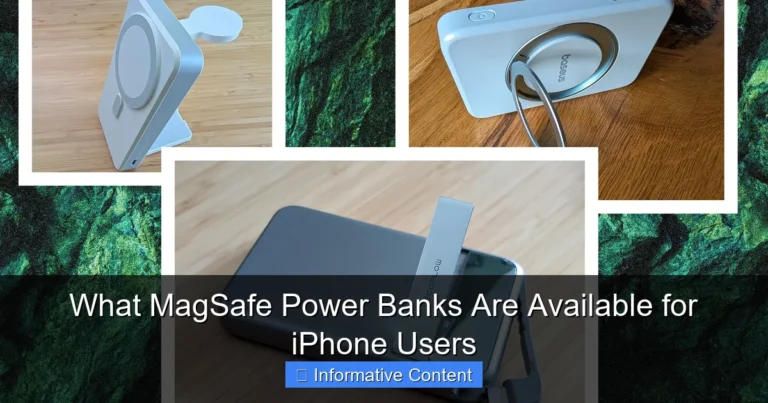
If you want convenience more than top speed, wireless can be fine. If you want the fastest result, wired PD or PPS is better. For more on magnetic options, see our guide on what MagSafe power banks work with Samsung.
How to Match the Right Power Bank to Your Samsung Device
For Galaxy S and Z series
Galaxy S and Z phones are usually the easiest to match with a fast charging power bank. These phones often support higher charging speeds, so a 25W, 30W, or 45W PD/PPS power bank is a smart choice. If your phone supports Samsung Super Fast Charging, make sure the power bank does too.
A good example is a Galaxy S23 paired with a 30W PPS power bank. That setup gives you fast top-ups during travel, work, or school. This is one of the clearest cases where knowing what fast charging power banks work with Samsung saves time and money.
For Galaxy A series
Many Galaxy A phones support fast charging, but not always at the same level as the flagship models. A 20W or 25W power bank is usually enough for most of them. If your A series phone supports PD charging, that is the feature to look for first.
You do not need the most expensive power bank here. You just need one that matches your phone well. That keeps things simple and efficient.
For Samsung tablets and foldables
Samsung tablets and foldable phones can benefit from stronger power banks. A 30W to 45W PD power bank is often a better fit. These devices have larger batteries, so a small low-output power bank may feel too slow.
If you use one power bank for both your phone and tablet, choose a higher-wattage model. That gives you more flexibility. It also helps if you later upgrade your device.
Common Mistakes to Avoid When Buying
Do not trust the word “fast” alone
Many products use the phrase “fast charging,” but that does not always mean Samsung fast charging. Some power banks only support older charging systems. Others may charge your phone, but at a slower rate than expected.
Always check the output specs. Look for PD, PPS, and the wattage level. That is the real answer to what fast charging power banks work with Samsung.
Do not use a weak cable
Even a great power bank can underperform if the cable is poor. Use a good USB-C cable that supports fast charging. A cheap or damaged cable can slow everything down.
If your Samsung phone is charging slowly, the cable may be the problem. Try another one before blaming the power bank.
Do not ignore heat and safety
Fast charging creates heat. That is normal, but too much heat is not good. Choose a power bank from a trusted brand with basic safety features like overcharge protection, short-circuit protection, and temperature control.
That is especially important if you use your phone while charging. A safe power bank helps protect both your battery and your peace of mind.
Practical Buying Tips for Samsung Users
Choose the right size for your day
If you only need one quick top-up, a 10,000mAh power bank is a great everyday choice. It is lighter and easier to carry. If you travel often or charge more than one device, a 20,000mAh model may be better.
Think about how you use your phone. That makes it much easier to decide what fast charging power banks work with Samsung for your life, not just on paper.
Pick a power bank with clear output labels
The best brands list output in a clear way. You should be able to see numbers like 5V, 9V, 12V, 15V, 20V, or PPS ranges. If the listing is vague, that is a warning sign.
Clear specs help you compare products fast. They also reduce the chance of buying the wrong one.
Think about travel and everyday use
If you travel a lot, a compact PD power bank is easy to pack. If you use your phone all day at work, a slightly larger model with pass-through charging may be useful. Pass-through charging lets the power bank charge while it charges your phone, which can be very handy.
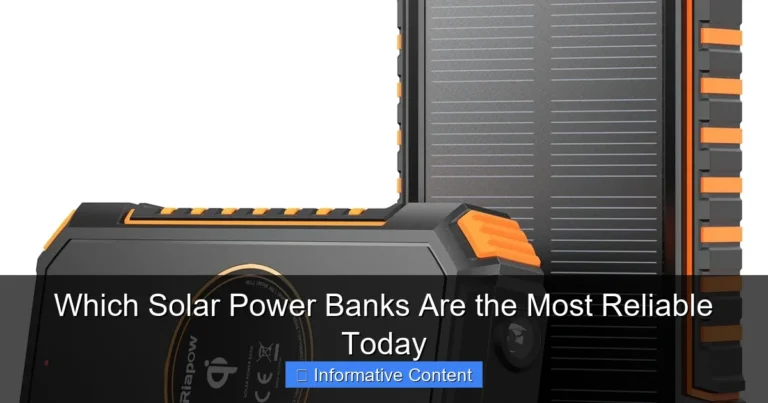
You can also read our guide on solar power banks with fast charging if you want a backup option for outdoor use.
Final Answer: What Fast Charging Power Banks Work with Samsung?
The best fast charging power banks for Samsung are the ones that support USB-C Power Delivery, and for newer Galaxy models, PPS is even better. If you want the simplest choice, pick a reputable USB-C PD power bank with at least 20W output. If you want the best performance for a newer Samsung phone, go for a PPS-capable model with 25W, 30W, or 45W output.
That is the easy way to think about what fast charging power banks work with Samsung. Match the power bank to your phone, use a good USB-C cable, and check the specs before you buy. Do that, and you will get faster charging, fewer surprises, and a much better daily experience.
In the end, the right power bank is not just about battery size. It is about smart charging support. Once you know what to look for, choosing one becomes simple.
Frequently Asked Questions
Do all Samsung phones support fast charging power banks?
Most modern Samsung phones support fast charging, but the exact speed depends on the model. Newer Galaxy S and Z phones usually support higher speeds than many A series phones.
Is PD or PPS better for Samsung devices?
PD is the basic fast charging standard that works with many Samsung devices. PPS is better for newer Galaxy models because it can fine-tune power delivery and improve charging speed.
Can I use a MagSafe-style power bank with Samsung?
Yes, but it depends on the design and your case setup. Wired charging is usually faster, while magnetic and wireless options are better for convenience.
What wattage power bank is best for Samsung phones?
For many Samsung phones, 20W to 25W is a good starting point. Newer flagship models may benefit from 30W or 45W power banks, especially if they support PPS.
Will a higher wattage power bank damage my Samsung phone?
No, not if it is a quality power bank with proper charging standards. Your phone only draws the power it can safely use.
Why is my Samsung charging slowly from a power bank?
The cable, charging standard, or power bank output may be the issue. Check that the power bank supports PD or PPS and use a good USB-C cable for the best results.