Which Gaming Console Supports VR for Best Immersive Play
If you want the most immersive console gaming, VR can change everything. The main answer to which gaming console supports VR is PlayStation, with PS4 and PS5 leading the way for headset-based play. This guide breaks down supported consoles, key specs, real-world performance, and what to buy if you want the smoothest VR setup.
Which Gaming Console Supports VR for Best Immersive Play
VR sounds simple at first. You put on a headset, step into a game, and suddenly you are inside the action. But when people start shopping, one question comes up fast: which gaming console supports VR?
That question matters because not every console can handle virtual reality. Some can. Some cannot. And some support it only with certain headsets or game libraries. If you buy the wrong system, you may end up with a great console and no path to the kind of immersive play you wanted.
This guide makes it easy. We will look at which gaming console supports VR, how the systems compare, what kind of performance to expect, and what to buy if you want the best mix of value and immersion. If you are also building a wider gaming setup, it can help to think about power and accessories too, just like when choosing the right laptop charger or even checking which wall charger is best for your gear. The same idea applies here: the right match makes the whole experience better.
- Point 1: PlayStation is the main console family that supports VR today, especially PS4 and PS5.
- Point 2: PS VR and PS VR2 offer different experiences, with PS VR2 delivering better visuals, tracking, and comfort.
- Point 3: Not every game console supports VR, so buyers should check headset compatibility before shopping.
- Point 4: VR gaming needs more than a console. You also need a headset, compatible games, and enough room to play safely.
- Point 5: PS5 is the strongest console choice for modern VR because it has better speed and smoother frame rates.
- Point 6: Xbox and Nintendo Switch do not support mainstream VR the way PlayStation does.
- Point 7: The best VR setup depends on your budget, your space, and how serious you are about immersive gaming.
📑 Table of Contents
- Which Gaming Console Supports VR Today?
- PlayStation VR Support: PS4 vs PS5
- Why PlayStation Is the Best Console for VR
- PS VR2 Features That Improve Immersion
- What to Consider Before Buying a VR Console
- How PlayStation VR Compares With Other Gaming Options
- Best Buying Advice for Different Types of Players
- Common Mistakes to Avoid
- Conclusion: Which Gaming Console Supports VR Best?
Which Gaming Console Supports VR Today?
The short answer: PlayStation
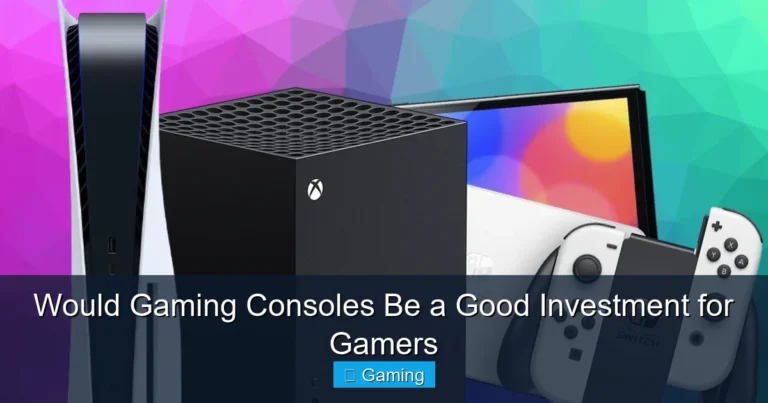
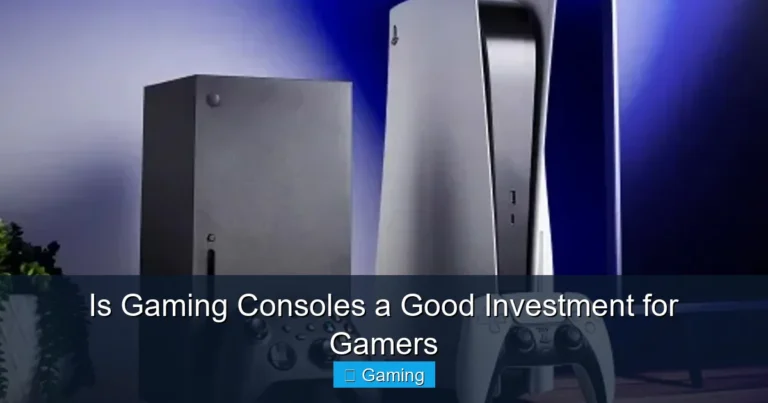
If you want a clear answer to which gaming console supports VR, the best answer is PlayStation. Sony has been the most consistent console maker in the VR space. The PS4 supported PlayStation VR, and the PS5 supports both the original PS VR and the newer PS VR2 with an adapter in some cases.
That makes PlayStation the main console option for people who want a living-room VR setup. It is the most established choice, and it has the widest support for headset-based console VR gaming.
What about Xbox and Nintendo Switch?
Xbox does not offer a mainstream VR headset for its consoles. Nintendo Switch also does not support a full VR system in the same way PlayStation does. Nintendo has had some light VR-style features in special cases, but not a real console VR ecosystem for serious immersive play.
So if your goal is true VR gaming on a home console, PlayStation is the answer. That is the simple truth behind which gaming console supports VR.
PlayStation VR Support: PS4 vs PS5
PS4 and PlayStation VR
The PS4 was the first big console for PlayStation VR. It brought VR gaming to millions of players at a lower entry cost than a gaming PC. The original PS VR headset uses the PlayStation Camera and Move-style motion controls for tracking.
It still has a strong library. Many games were made for it, and some are still fun today. If you already own a PS4 and want to try VR without spending too much, this can be a decent starting point.
PS5 and PS VR2
The PS5 is the better answer for most people asking which gaming console supports VR now. It supports PS VR2, which is Sony’s newer headset. PS VR2 is a much more modern system. It uses inside-out tracking, better displays, haptic feedback, eye tracking, and a simpler setup.
For players who want smoother motion, sharper visuals, and less fuss, PS5 is the stronger pick. It is also the better long-term choice because the hardware is newer and the games are built for more advanced VR features.
Compatibility notes
One thing to know: PS VR2 is made for PS5, not PS4. The original PS VR was built for PS4, but it can also work with PS5 in many cases using the right adapter and setup. That means buyers should check compatibility before they spend money.
If you are comparing gear the same way you would compare which laptop chargers work with all laptops, this is one of those details that saves stress later. VR gear can be picky.
Why PlayStation Is the Best Console for VR
Better hardware matters
VR needs more power than regular console play. The console must push two views at once, keep frame rates high, and reduce lag. If the system stutters, VR can feel uncomfortable fast.
The PS5 handles this better than older consoles. It has faster storage, stronger graphics, and more headroom for modern VR games. That means better loading times, smoother scenes, and fewer performance dips.
Cleaner setup and simpler use
One big reason people like console VR is ease of use. You do not have to build a PC, tune drivers, or worry about graphics settings as much. With PlayStation, the setup is more direct. Plug in the headset, pair the controls, and start playing.
That simplicity is a major win for casual players and families. It makes VR feel less like a tech project and more like a game night feature.
Exclusive VR games
Another reason PlayStation stands out is its game library. Sony has strong VR titles that are built to show off the headset. Some are action games. Some are puzzle games. Some are full adventure experiences that feel very different in VR than on a TV.
When people ask which gaming console supports VR, they often really mean: which console gives me games worth using VR for? On that question, PlayStation also leads.
PS VR2 Features That Improve Immersion
Sharper visuals and better comfort
PS VR2 improves the image in a big way. The display is clearer, colors look richer, and the headset is more comfortable for longer sessions. That matters because VR is more tiring than regular gaming. A lighter, better-balanced headset helps a lot.
You feel the difference in long sessions. Text is easier to read. Environments look more alive. Fast movement is easier to follow.
Eye tracking and haptic feedback
PS VR2 adds features that make games feel more natural. Eye tracking lets games respond to where you look. Haptic feedback in the headset and controllers adds small physical sensations that help sell the illusion.
These are not gimmicks. They make a real difference in immersion. In a racing game, a hit feels more intense. In a shooter, aiming feels more precise. In a story game, the world feels more present.
Inside-out tracking
One of the nicest upgrades is inside-out tracking. The headset tracks your movement without needing a separate camera in the room. That means less setup and fewer cables around the play area.
This is the kind of upgrade that makes VR easier to live with. It is one reason PS5 is the best answer to which gaming console supports VR for most modern buyers.
What to Consider Before Buying a VR Console
Budget
VR is not cheap. You need the console, the headset, and often extra controllers or accessories. If you already own a PS5, adding PS VR2 is easier to justify. If you are starting from zero, the total cost rises fast.
For budget buyers, the older PS4 and PS VR route can still be worth it. It is a lower-cost way to test VR before moving to a newer setup.
Room size and safety
VR needs space. You do not need a giant room, but you do need enough clear area to move your arms and turn safely. A small cluttered space can ruin the fun and raise the risk of bumping into furniture.
Before buying, look at your room layout. Move chairs, clean cables, and make sure pets and kids are not in the play zone during sessions.
Game library
Always check the games first. A headset is only as good as the content you want to play. Some people want horror. Some want fitness. Some want story-driven adventure. Others want rhythm games or shooters.
Make a short list of must-play VR titles before you buy. That will help you choose between PS4 and PS5, and it will also help you decide if the upgrade is worth it.
Comfort and play time
VR can be intense. Some players love long sessions. Others need short breaks. Comfort depends on the headset fit, the weight, the straps, and how well the game runs.
If you are sensitive to motion sickness, start with slower games and shorter sessions. Smooth frame rates and good tracking help a lot.
How PlayStation VR Compares With Other Gaming Options
PlayStation vs gaming PC VR
PC VR can be more powerful, and it often has the widest range of headsets. But it also costs more and takes more setup. You need a strong graphics card, the right ports, and more technical know-how.
PlayStation is easier. It is the better choice for people who want a console-first experience without all the tinkering.
PlayStation vs non-VR consoles
Compared with Xbox and Nintendo Switch, PlayStation is the only major console family with a true VR path. That makes the decision easier if VR is your main goal.
If you mainly play traditional games and only want a little VR on the side, any console might work for you. But if VR is a must-have, PlayStation is the one to buy.
Where accessories fit in
Good accessories can make a big difference. A charging dock, extra controller battery, or a headset stand can keep the setup neat. If you like practical buying guides, our readers often compare gear in the same way they compare laptop power banks that work with all laptops or check which wall charger is fast charging for everyday devices. The same smart-shopping idea applies to VR.
Best Buying Advice for Different Types of Players
For first-time VR buyers
If this is your first VR setup, start with PS5 if your budget allows it. It gives you the best balance of performance, comfort, and future support. Pair it with PS VR2 if you want the cleanest modern experience.
This is the strongest answer to which gaming console supports VR for a new buyer who wants the least hassle and the most polish.
For budget shoppers
If money is tight, a used PS4 with PS VR can still be a fun entry point. You will get access to a real VR ecosystem without paying top dollar. Just check the condition of the headset, cables, and camera before you buy.
Be careful with used gear. VR parts wear down faster than regular console parts because they touch your face and move a lot.
For serious immersive gamers
If you want the best console-based VR experience, choose PS5 with PS VR2. It is the most advanced PlayStation setup and the most future-ready. It is also the best fit for players who care about sharper visuals, better tracking, and stronger game performance.
That is the setup I would recommend to most people who ask which gaming console supports VR and want the best overall answer, not just the cheapest one.
Common Mistakes to Avoid
Buying the wrong headset for your console
Not every headset works on every PlayStation model. PS VR2 is for PS5. The original PS VR was built for PS4, though it can also work with PS5 in some cases. Always check before buying.
Ignoring the total cost
Many buyers look only at the console price. That is not enough. Add the headset, controllers, and any adapters or accessories. The full cost matters more than the base console price.
Skipping game research
Do not buy VR just because it sounds cool. Look at the games first. If there are only one or two titles you care about, the system may not be worth it yet.
Conclusion: Which Gaming Console Supports VR Best?
If you want the clearest answer to which gaming console supports VR, it is PlayStation. PS4 supports the original PlayStation VR, while PS5 supports PS VR2 and offers the best modern VR experience. Xbox and Nintendo Switch do not offer the same full VR support.
For most buyers, PS5 is the best choice. It has the strongest performance, the cleanest setup, and the best path forward for immersive play. If you are on a tighter budget, PS4 with PS VR can still be a good way to get started. But if your goal is the best overall VR console experience, PS5 is the one to beat.
So the final recommendation is simple: choose PlayStation if VR matters to you. Start with PS5 and PS VR2 if you want the best immersive play. Choose PS4 and PS VR only if you are trying to save money and are okay with older hardware.
Frequently Asked Questions
PlayStation supports VR the most. PS4 works with the original PlayStation VR, and PS5 works with PS VR2, which is the newer and better option. That makes PlayStation the main console family for VR gaming.
No, Xbox does not support mainstream VR gaming like PlayStation does. There is no widely used Xbox VR headset ecosystem for console players. If VR is your goal, PlayStation is the better choice.
Nintendo Switch has had limited VR-style features in some cases, but it does not support a full VR console experience. It is not the right choice for serious virtual reality gaming. PlayStation is much better for immersive play.
Yes, PS5 is better for VR than PS4. It has stronger hardware, faster loading, and support for PS VR2. That leads to smoother gameplay and better visuals in most cases.
Yes, the original PS VR can work with PS5 in many cases, but you may need an adapter and the right setup. PS VR2 is the headset made specifically for PS5. Always check compatibility before buying.
Start with the console, then choose the headset that matches it. For most people, that means PS5 first and PS VR2 second. After that, look at the game library and make sure the titles you want are available.

Tech & Gadget Reviewer
Ethan Walker is a tech enthusiast and gadget reviewer with over 8 years of hands-on experience testing consumer electronics, smart home devices, and cutting-edge accessories. He helps readers make smarter buying decisions through honest, in-depth reviews.