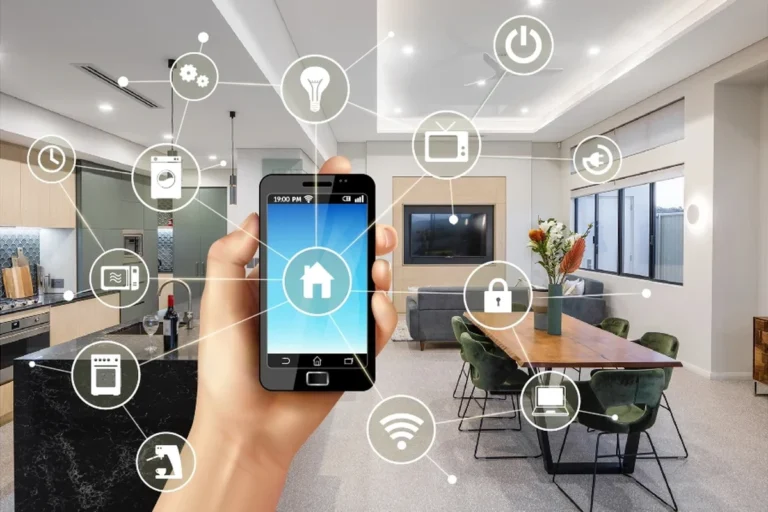
Can You Have Smart Lights for Home Automation?
Yes, you can use smart lights as part of a home automation system. Smart lighting lets you control lights with an app, voice commands, schedules, and automated routines. It is one of the easiest and most popular ways to start building a smart home.
Smart lights work very well for home automation. You can turn lights on or off remotely, create schedules, automate daily routines, improve energy efficiency, and connect lighting with other smart home devices.
As someone who regularly tests smart home gadgets, I believe smart lights are one of the best entry points into home automation. They are easy to install, simple to use, and provide immediate convenience.
Introduction
Hi, I’m Ethan Walker. I spend a lot of time testing tech products, smart gadgets, batteries, and connected devices. One question I hear often is: “Can you have smart lights for home automation?”
The answer is simple. Yes, you can. In fact, smart lighting is often the first step people take when building a smart home.
Smart lights can respond to schedules, motion sensors, voice assistants, and smartphone apps. They make everyday tasks easier and can help reduce energy waste.
What Are Smart Lights?
Smart lights are internet-connected lighting devices. They can communicate with apps, smart home hubs, voice assistants, and automation systems.
Unlike regular bulbs, smart lights can follow rules and schedules. For example, lights can turn on automatically when you arrive home or dim at bedtime.
Many smart lights work without changing your home’s electrical wiring. In most cases, you simply replace the bulb and complete setup through an app.
How Smart Lights Fit Into Home Automation
Home automation means devices perform tasks automatically based on triggers, schedules, or conditions.
Smart lights can become part of many automated routines.
| Automation Trigger | Smart Light Action |
|---|---|
| Sunset | Lights turn on automatically |
| Bedtime | Lights dim gradually |
| Motion detected | Hallway lights activate |
| Leaving home | Lights switch off automatically |
| Voice command | Lights adjust instantly |
Benefits of Using Smart Lights
Smart lighting offers more than simple remote control.
- Convenient control from anywhere
- Custom schedules and routines
- Hands-free voice operation
- Energy-saving features
- Improved home security appearance
- Easy integration with smart homes
- Requires initial setup
- May depend on Wi-Fi quality
- Some features need compatible devices
- Learning curve for beginners
Start with one room first. Learn how automations work before expanding smart lighting throughout your home.
Common Smart Lighting Automations
Most homeowners use smart lights for simple daily routines.
- Wake-up lighting schedules
- Automatic evening lighting
- Movie-night scenes
- Vacation lighting schedules
- Motion-activated pathways
- Security-focused lighting routines
Smart Light Connectivity Comparison
| Connection Type | Advantages |
|---|---|
| Wi-Fi | Easy setup and direct control |
| Bluetooth | Works without internet nearby |
| Hub-Based Systems | Supports larger automation networks |
| Matter-Compatible Devices | Better cross-platform compatibility |
Compatibility With Smart Home Platforms
Before buying smart lights, always verify compatibility with your preferred smart home platform.
When I test smart home devices, compatibility is always my first check. A compatible ecosystem creates smoother automations and fewer setup problems.
Checklist Before Installing Smart Lights
- Verify Wi-Fi coverage
- Confirm platform compatibility
- Install the required app
- Create a secure account
- Update device firmware
- Plan automation routines
How to Set Up Smart Lights for Home Automation
Replace the existing bulb or connect the smart lighting device.
Download the manufacturer’s app and follow setup instructions.
Connect the light to Wi-Fi, Bluetooth, or a compatible hub.
Set schedules, scenes, or triggers based on your daily routine.
Verify that commands, schedules, and automations work correctly.
Troubleshooting Smart Light Problems
| Problem | Possible Solution |
|---|---|
| Light offline | Check internet and power connection |
| Automation not running | Review schedule and trigger settings |
| App cannot find device | Restart device and phone |
| Slow response | Improve network coverage |
| Voice commands fail | Reconnect smart home account |
Keeping device firmware updated can solve many smart lighting issues and improve security.
Smart Lighting Safety Tips
| Safety Area | Recommendation |
|---|---|
| Passwords | Use strong unique passwords |
| Firmware | Install updates regularly |
| Electrical Safety | Follow installation instructions |
| Network Security | Protect your home Wi-Fi network |
| Device Management | Remove unused devices |
Never install smart lighting equipment that exceeds fixture ratings or ignores manufacturer safety instructions.
For additional guidance, you can review resources from FTC, ENERGY STAR, USB-IF, Battery University, and Apple Support.
Did you know? Many smart lighting systems can automatically adjust brightness based on time of day, helping create a more comfortable environment.
Frequently Asked Questions
Yes. Many smart lights connect directly through Wi-Fi or Bluetooth and do not require a dedicated hub.
Smart lights can help reduce energy use by allowing schedules, timers, and automatic shutoff routines.
Yes. Many systems allow remote control through a mobile app when connected to the internet.
No. Most smart bulbs install like regular bulbs and can be set up through an app.
Yes. Many smart home systems allow motion sensors to trigger lighting automations.
Some smart lights use Wi-Fi continuously, while others can operate through Bluetooth or local smart home networks.
They can be secure when you use strong passwords, enable updates, and protect your home network.
The biggest benefit is convenience. Lights can automatically respond to your schedule, location, or smart home routines.
Related Guides
- How smart home automation works
- Understanding smart home hubs
- Beginner’s guide to smart home security
- How to improve Wi-Fi coverage for smart devices
- Matter compatibility explained
Conclusion
So, can you have smart lights for home automation? Absolutely.
Smart lights are one of the simplest and most effective ways to automate your home. They can improve convenience, support energy-saving habits, and work with many smart home systems.
If you are new to home automation, start with one room, learn the basics, and expand gradually. Always follow installation instructions and maintain good network security practices.
- Smart lights are ideal for home automation
- They support schedules, routines, and remote control
- Many models work without a hub
- Compatibility is important before setup
- Good security practices help protect smart devices
Smart lights make home automation easy for beginners. Start small, choose compatible devices, use safe installation practices, and build automations that fit your daily routine.
Author: Ethan Walker