Smart Locker Systems GDPR Compliance for Data Handling
Smart locker systems can be GDPR-friendly if they collect only the data they need, store it for a limited time, and keep admin access tightly controlled. The safest choice is a model with strong security features, clear vendor contracts, and configurable retention settings.
Smart locker systems can be a strong fit for apartments, offices, gyms, and parcel rooms, but GDPR compliance depends less on the locker itself and more on how you collect, store, share, and delete data. The safest approach is to verify what data the system records, who controls it, where it is stored, and how long it is kept before you deploy it.
- Data scope: Verify exactly which logs, IDs, delivery records, and footage the locker system stores.
- Compliance fit: Match the legal basis, retention period, and notices to the real use case.
- Security: Look for encryption, MFA, role-based access, and audit trails for admins.
- Vendor terms: Confirm controller/processor roles, deletion terms, and breach procedures in writing.
- Best use: Smart lockers work best where shared access and auditability matter more than simplicity.
Smart Locker Systems GDPR Compliance for Data Handling: What You Need to Know First
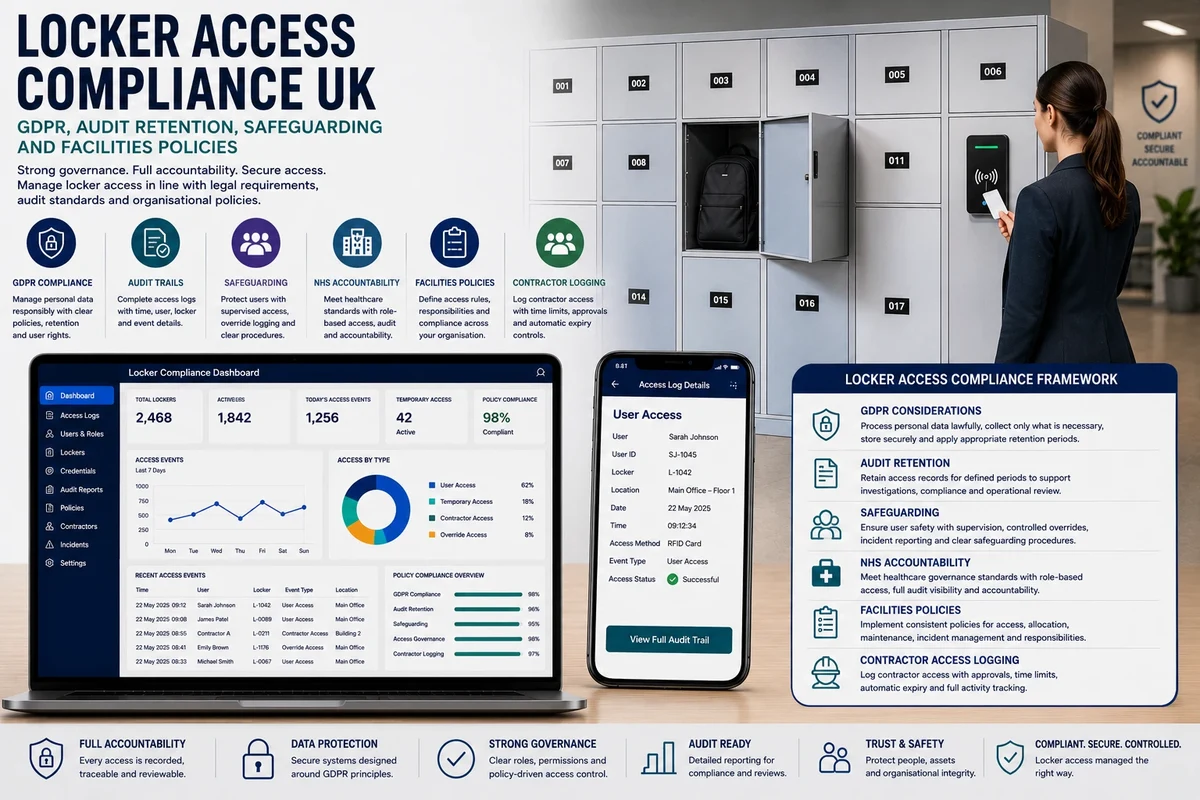
Under GDPR, a smart locker is not just a convenience feature. It is a data-processing system that may handle personal identifiers, access history, delivery information, and sometimes images or video, which means the organization running it must treat privacy and security as part of the product decision.
For property managers, employers, and shared-space operators, the key question is not whether smart lockers are “GDPR compliant” in the abstract. It is whether the specific model, app, cloud service, and admin workflow can be configured to match your legal basis, retention policy, and access-control rules.
How Smart Locker Systems Collect, Store, and Process Personal Data
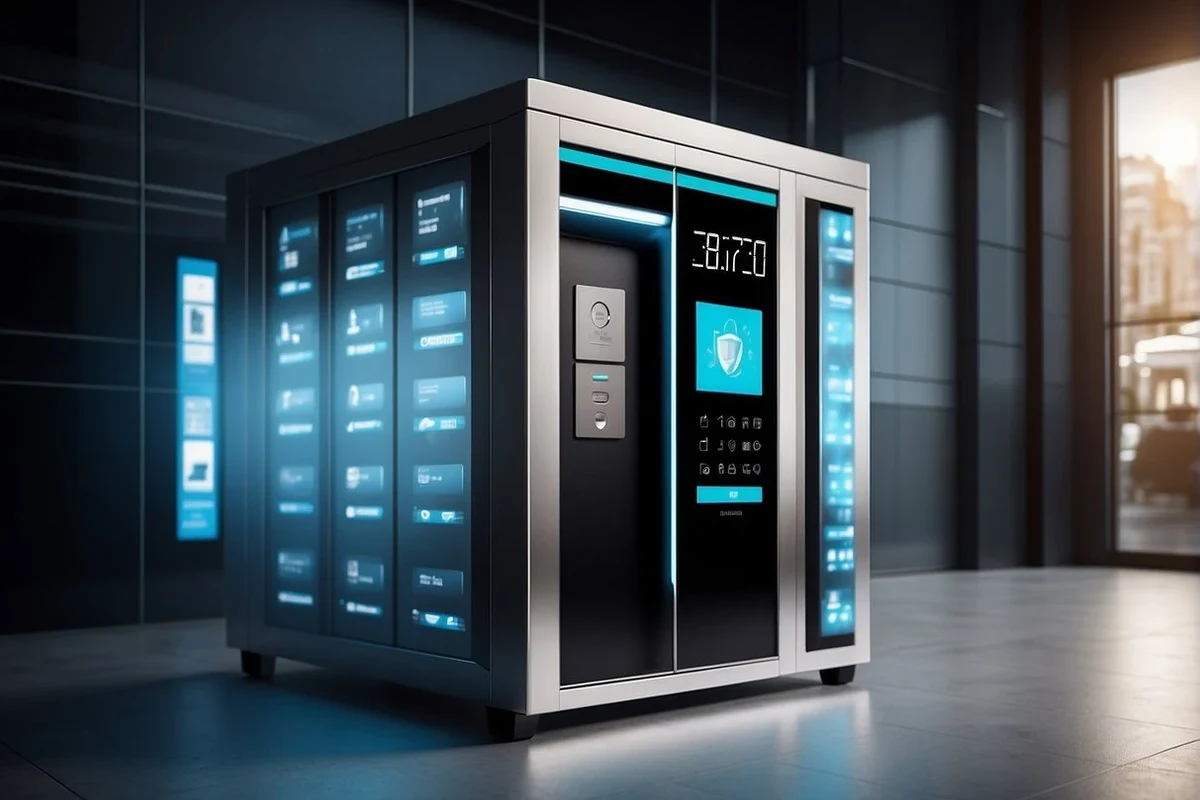
Most smart locker ecosystems combine hardware, software, and a remote management layer. That usually means the locker door or controller captures an event, the app or platform links that event to a user, and the admin dashboard lets staff review activity or resolve exceptions.
Typical data types: access logs, PINs, app accounts, delivery records, camera footage
Depending on the model, a smart locker system may record access timestamps, user IDs, temporary PINs, QR codes, phone numbers, email addresses, delivery recipient names, parcel tracking details, and maintenance records. Some deployments also use cameras for shared-room monitoring or proof-of-access, which can create a much higher privacy burden than a simple code-based locker.
Temporary PINs and one-time access links are often safer than reusable shared codes, but they still count as personal data if they can be tied back to a person. If camera footage is involved, the operator should treat it as a separate high-risk data stream and confirm whether it is actually necessary for the use case.
Do not assume a vendor’s “secure” label covers privacy compliance. A system can be physically secure and still create GDPR problems if it over-collects data, stores it too long, or exposes admin accounts.
Where the data lives: device, cloud platform, mobile app, and admin dashboard
Smart locker data may live in several places at once. The locker controller can store local event logs, the mobile app may cache account details, the vendor cloud platform may retain usage history, and the admin dashboard may expose reports or exports to property staff.
This matters because GDPR obligations apply across the full data chain, not just the locker cabinet. Before deployment, ask whether the vendor uses local-only storage, cloud synchronization, regional hosting, encrypted backups, or third-party analytics tools. If the locker integrates with a broader smart building setup, review the privacy impact of the whole stack, not just the locker app.
Storage location, backup behavior, and data residency can vary by model, firmware, subscription tier, and region. Confirm the current vendor documentation before purchase or rollout.
GDPR Compliance Requirements for Smart Locker Data Handling in 2026
Compliance usually comes down to three practical questions: why are you collecting the data, how little data can you collect, and how long do you need it. If you cannot answer those clearly, the deployment is probably not ready.
Lawful basis, consent, and legitimate interest in locker deployments
In many smart locker deployments, consent is not the best legal basis because access to a locker may be necessary for a service, workplace process, or delivery workflow. Depending on the scenario, operators may rely on contract performance, legitimate interest, or legal obligation, but the choice must be documented and appropriate to the use case.
For example, an apartment parcel room may justify access logs to prevent theft and resolve disputes, while a gym locker system may need a different basis if it tracks member identity for facility security. If cameras or behavioral analytics are involved, the compliance review becomes more demanding and may require a formal assessment.
GDPR compliance often depends on the “least data necessary” principle, not on whether the system is smart enough to collect more.
Data minimization, retention limits, and purpose limitation
Smart locker systems should collect only what is needed to open the locker, complete the delivery, or maintain security. If a vendor offers optional fields, analytics, or location tracking, disable them unless you can justify the business need and explain it in your notices.
Retention is just as important. Access logs that are useful for short dispute windows may not need to be kept for months or years, and delivery records should not remain available after the operational purpose ends. Build a deletion schedule that matches your real workflow, not the vendor’s default setting.
- Set the shortest retention period that still supports dispute resolution and security review.
- Review whether temporary codes expire automatically after use or after a fixed time.
- Turn off optional analytics unless you have a documented need for them.
Processor vs controller responsibilities for property managers and vendors
In many deployments, the property manager, employer, or building operator acts as the controller, while the locker vendor acts as a processor. That means the operator decides why data is collected, and the vendor processes it on that operator’s behalf under a contract.
However, some vendors may act as independent controllers for certain features, such as their own fraud prevention, product analytics, or account administration. This distinction matters because it changes who is responsible for notices, lawful basis, data subject rights, and breach handling. Before signing, confirm the role split in the vendor’s documentation and contract language.
Key Specifications and Decision Criteria Before You Buy or Deploy
When comparing smart locker systems, compliance features should sit alongside physical fit and connectivity. A locker that looks great on paper can become difficult to manage if it lacks audit trails, role controls, or reliable network options.
- Check compatibility, model number, app requirements, dimensions, ports, wattage, and intended use
- Confirm safety guidance, warranty, return policy, privacy settings, and update support
Security features to verify: encryption, role-based access, audit trails, and MFA
At minimum, verify whether data is encrypted in transit and at rest, whether staff accounts can be separated by role, whether the system keeps tamper-resistant audit logs, and whether multi-factor authentication is available for the admin portal. These are not just IT features; they are core privacy controls.
Ask how password resets work, whether shared admin logins are allowed, and whether the vendor supports automatic logoff for inactive sessions. If the platform offers export tools, check whether exports can be limited, watermarked, or restricted to authorized staff.
Connectivity and setup needs: Wi‑Fi, Ethernet, LTE backup, app requirements, and API support
Connectivity affects both reliability and privacy. Wi‑Fi may be easy to deploy, Ethernet may be more stable in fixed installations, and LTE backup can help keep access running during outages if the model supports it.
Also check whether the locker depends on a mobile app, a web portal, or both. If your team needs integration with building management software, delivery systems, or identity platforms, confirm API support and whether the API exposes personal data beyond what you need. For smart building ecosystems, it can help to review related platform compatibility guides such as smart home automation compatibility and platform integration requirements so you can think about the whole network, not just one device category.
Physical considerations: dimensions, capacity, mounting, power needs, and environmental rating
Physical fit still matters because a compliant system that is awkward to install or maintain can create workarounds that weaken privacy and security. Check cabinet dimensions, compartment sizes, mounting requirements, cable routing, power input, and whether the unit is meant for indoor or sheltered use.
Environmental ratings, dust resistance, and temperature limits vary by model. If the locker will sit in a lobby, garage, or semi-outdoor parcel room, confirm the manufacturer’s installation guidance and avoid placing it where moisture, direct sun, or extreme heat could damage electronics or compromise access hardware.
Real-World Benefits and Fit: Who Smart Locker Systems Suit Best
Smart locker systems are best when the workflow is repetitive, shared, and time-sensitive. They are less compelling when the use case is simple, low-volume, or easily handled with a manual process.
Best use cases for apartments, offices, parcel rooms, gyms, and co-working spaces
Apartment buildings often use smart lockers for parcel pickup, visitor deliveries, and resident convenience. Offices may use them for equipment handoff, internal mail, and secure drop-off. Gyms and co-working spaces can use them for member storage, rental items, or access-controlled gear.
In each case, the system should match the actual workflow. A parcel room may need delivery proof and short-term logs, while a co-working space may need time-limited access for rotating members. If you are building a broader smart-home or smart-building setup, the locker should fit alongside other access and automation devices rather than forcing a separate management routine.
Operational gains: fewer missed deliveries, less front-desk workload, better access control
The main benefit is operational consistency. Smart lockers can reduce missed deliveries, cut down on staff interruptions, and make access more traceable when multiple people share a space.
They can also reduce informal handoffs that are hard to audit. That said, the value is strongest when the locker is used consistently and the admin process is well defined. If staff members override the system often, the privacy and maintenance overhead can outweigh the convenience.
Value trade-offs: convenience versus privacy overhead and admin complexity
Every smart locker adds administrative work: account setup, permission management, software updates, retention checks, and incident response planning. The more features the system has, the more carefully it needs to be governed.
- Improves access control and delivery handling
- Creates useful audit trails for disputes
- Can reduce front-desk or reception workload
- Requires ongoing privacy and admin oversight
- May collect more data than a manual process
- Can be harder to manage across multiple users and roles
Common GDPR Mistakes and Data Handling Risks to Avoid
Most compliance failures are not caused by the locker door hardware. They usually come from poor configuration, vague policies, weak contracts, or staff accounts that were never properly locked down.
Over-collecting user data or keeping logs too long
One of the most common mistakes is keeping every access event indefinitely “just in case.” Another is requesting more personal data than the locker workflow truly needs, such as unnecessary phone numbers, extra identifiers, or broad location tracking.
Keep the data set small and the retention window defensible. If you cannot explain why each field exists, remove it or make it optional only when a real business need exists.
Poor vendor contracts, weak access controls, and unsecured admin accounts
Vendor contracts should clearly define processor obligations, breach notification timing, subprocessor handling, deletion terms, and support for data subject requests where applicable. Without that, you may have a technically functional system that is legally hard to govern.
Admin accounts should never be shared casually across staff. Use named accounts, strong passwords, and MFA where available. Remove access promptly when roles change, and review who can export logs or change retention settings.
Missing notices, unclear policies, and inadequate incident response planning
Users should know what data is collected, why it is collected, how long it is kept, and who to contact with privacy questions. If cameras or delivery records are involved, the notice should be especially clear and easy to find.
Incident response also matters. If a locker account is compromised or logs are exposed, the organization should have a clear escalation path, a way to assess the scope, and a process for vendor coordination. For a broader understanding of connected-device privacy, it can help to compare how data flows through other smart categories, such as smart light switch systems and connected lighting platforms, because the same governance habits apply.
Safe Use, Maintenance, and Ongoing Compliance Checks
Compliance is not a one-time setup task. Smart locker data handling should be reviewed regularly, especially after software updates, staff changes, or a shift in how the locker is used.
Routine inspections: locks, sensors, firmware updates, and tamper signs
Physical checks help prevent both security and data problems. Inspect locks, door sensors, power connections, and any visible tamper indicators on a regular schedule, and follow the manufacturer’s maintenance guidance for firmware updates.
If the system depends on battery backup or cellular fallback, verify that those features are still functioning according to the official manual. If a unit shows damage, repeated access failures, or signs of tampering, stop using it until the issue is resolved through the vendor’s supported process.
Stop using damaged electronics, swollen batteries, frayed cables, overheating chargers, or unstable appliances and follow the manufacturer’s guidance.
Data retention reviews, deletion workflows, and backup verification
Set a recurring review for retention rules and deletion workflows. Confirm that expired logs are actually removed from the live system and that backups are handled according to your policy, not left in a hidden archive forever.
If the vendor offers export or restore tools, test them in a controlled way so you know what data comes back during recovery. Backup verification should be part of compliance, because an old backup can quietly reintroduce data that was supposed to be deleted.
Check whether access logs, delivery records, and user accounts expire when they should.
Make sure the app, cloud dashboard, and backups follow the same retention rules.
Staff training, user notices, and periodic DPIA or risk review
Staff should know how to create accounts, reset credentials, handle disputes, and report suspicious access. Users should know where to find the notice and what to do if they believe their data was handled incorrectly.
For higher-risk deployments, a periodic DPIA or similar risk review is wise, especially if the system includes cameras, dense access logs, or large-scale shared use. Even when a formal assessment is not strictly required, a documented risk review helps show that privacy was considered from the start.
Final Recommendation: When Smart Locker Systems Are Worth It and When to Choose an Alternative
Smart locker systems are worth considering when you need controlled access, repeatable handoffs, and a clear audit trail, and when you are ready to manage the privacy side properly. They are a better fit for organized shared spaces than for simple, low-traffic scenarios where manual handling is still easier and less data-intensive.
Best overall choice for compliance-focused buyers
The best choice is a system with configurable retention, role-based access, MFA, encrypted data handling, and clear vendor documentation about controller and processor responsibilities. If the platform also supports local or regional storage options and limited data fields, it is usually easier to align with GDPR principles.
Operators who want secure parcel or access management but need strong privacy controls, named admin accounts, and flexible retention settings.
When simpler access control or manual delivery handling may be the better option
If your space has low parcel volume, few users, or limited staff capacity for privacy oversight, a simpler solution may be better. Manual sign-in, staffed parcel handling, or a basic non-connected locker may reduce data exposure and admin burden while still meeting the practical need.
Before you buy, confirm the official manual, app requirements, warranty terms, privacy notice, and current software support policy. For compliance-focused deployments, the right smart locker is the one that solves the workflow without creating avoidable data-handling risk.
Frequently Asked Questions
They may collect access logs, user IDs, PINs, QR codes, delivery details, and sometimes camera footage. The exact data depends on the model, app, and admin settings.
Usually the building operator, employer, or property manager is the controller, while the vendor acts as a processor for the service. Some vendors may be independent controllers for certain features, so the contract should spell this out.
Keep it only as long as needed for operations, dispute handling, or security review. The right retention period varies by use case, but indefinite storage is rarely justified.
Check for encryption, role-based access, audit logs, and multi-factor authentication for admins. Also confirm how password resets, account removal, and exports are handled.
Not every deployment does, but higher-risk setups often should be reviewed carefully. If cameras, large-scale access logging, or sensitive environments are involved, a DPIA or similar risk assessment is a good idea.
A simpler option can be better when parcel volume is low, user turnover is small, or staff cannot manage the privacy and admin workload. Manual handling or a non-connected locker may reduce data exposure and complexity.