Does iPhone 12 Pro Max Have Wireless Charging Explained
The iPhone 12 Pro Max does have wireless charging, and it supports both standard Qi charging and Apple’s MagSafe system. That makes it easy to charge without a cable, while also giving you a better magnetic alignment experience with the right charger.
If you want simple desk charging, travel-friendly power, or a cleaner setup at home, wireless charging is a useful feature on this phone. The key is knowing the speed limits, what accessories work best, and when a wired charger still makes more sense.
Does iPhone 12 Pro Max Have Wireless Charging Explained
If you have an iPhone 12 Pro Max, you may be asking a simple question: does iPhone 12 Pro Max have wireless charging? The short answer is yes. It supports wireless charging, and it also works with MagSafe, which makes charging easier and more secure than older Qi pads.
That sounds great, but there is more to know. Wireless charging is not just about placing your phone on a pad. The charger type, power adapter, case, and even how you use the phone while it charges can all affect speed and comfort. If you have ever wondered why one charger feels fast and another feels slow, this guide will clear it up.
In this article, we will break down how wireless charging works on the iPhone 12 Pro Max, what speeds to expect, which accessories are worth buying, and when a wired charger may still be the better choice. If you want a cleaner setup at home or a simple way to charge at your desk, this phone gives you solid options.
- Yes, it supports wireless charging: The iPhone 12 Pro Max works with Qi wireless chargers and MagSafe chargers.
- MagSafe is the better option: It uses magnets to line up the phone for a more stable charge.
- Speed depends on the charger: Standard Qi charging is slower than MagSafe with a proper 20W adapter.
- Case choice matters: A MagSafe-compatible case helps the phone charge and align correctly.
- Wired charging is still faster: If you need the quickest top-up, a cable usually wins.
- Wireless charging is convenient: It is great for nightstands, desks, and light daily use.
- Good accessories improve results: The right charger, power adapter, and case can make a big difference.
📑 Table of Contents
- Does iPhone 12 Pro Max Have Wireless Charging?
- How Wireless Charging Works on the iPhone 12 Pro Max
- Wireless Charging Speed and Performance
- Best Ways to Use Wireless Charging on iPhone 12 Pro Max
- What Accessories Work Best with iPhone 12 Pro Max?
- Buying Tips: What to Look for Before You Buy
- Wireless Charging vs Wired Charging on iPhone 12 Pro Max
- Conclusion: Is Wireless Charging Worth It on iPhone 12 Pro Max?
Does iPhone 12 Pro Max Have Wireless Charging?
Yes, it does
The iPhone 12 Pro Max has wireless charging built in. You do not need a special case or extra adapter for the phone itself. Just place it on a compatible wireless charger, and it should start charging right away.
It supports the Qi wireless charging standard, which is used by many brands. It also supports MagSafe, which Apple added to the iPhone 12 lineup. MagSafe uses magnets inside the phone to help it snap into the correct spot on the charger.
Why that matters
This is useful because wireless charging is all about convenience. You can drop the phone on a pad at night, keep it on your desk during the day, or use a stand in the kitchen or office. There is no cable to plug in every time.
For many users, that small change makes a big difference. It reduces wear on the charging port, keeps your space neat, and makes short charging sessions much easier.
How Wireless Charging Works on the iPhone 12 Pro Max
Qi wireless charging support
Qi is the standard wireless charging system used by many phones and accessories. The iPhone 12 Pro Max works with Qi chargers, so you can use plenty of third-party pads and stands. This gives you lots of choice, from budget models to premium stands.
Qi charging is simple. The charger creates a magnetic field, and the phone turns that energy into battery power. It is not as fast as wired charging, but it is very easy to use.
MagSafe support
MagSafe is the more advanced wireless charging option on the iPhone 12 Pro Max. It uses a ring of magnets to line up the phone with the charger. That matters because alignment is one of the biggest problems with wireless charging. If the phone sits slightly off-center, charging can slow down or stop.
With MagSafe, the phone clicks into place. That makes the charge more reliable. It also opens the door to magnetic accessories like stands, wallets, and car mounts.
What you need for best results
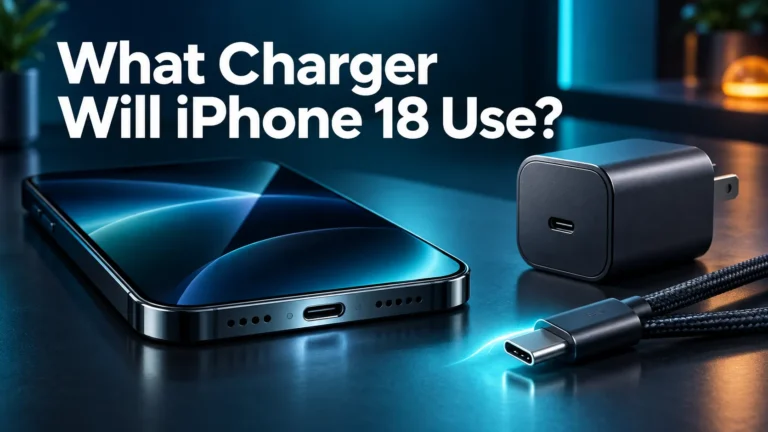
To get the best wireless charging experience, use a MagSafe charger and a 20W or higher USB-C power adapter. If you use a weaker adapter, charging still works, but it may not perform as well.
If you want to compare charging habits and avoid slow top-ups, you may also find why your iPhone is charging slow helpful. It explains common reasons charging speed drops, even when the charger looks fine.
Wireless Charging Speed and Performance
How fast is it?
The iPhone 12 Pro Max can wireless charge, but speed depends on the charger you use. Standard Qi charging is usually slower than MagSafe. MagSafe offers better alignment and can deliver a better charging experience overall, especially with the proper power adapter.
Still, wireless charging is not the fastest way to fill the battery. If you need a quick boost before heading out, a cable is often faster. Wireless charging is best when speed is not your top concern.
Daily use performance
In real life, wireless charging works well for overnight charging and desk charging. You do not need to watch it closely. You can just set the phone down and let it charge while you work, sleep, or relax.
That said, wireless charging can create a little heat. Heat is normal, but too much heat can slow charging. If the phone gets warm, it may charge more slowly than expected. This is one reason many users prefer a MagSafe charger over a random cheap pad.
When wired is still better
If you are in a rush, wired charging still has the edge. A cable gives a more direct power path, and that often means faster charging. So if your battery is very low and you need to leave soon, plug in with a cable.
For everyday comfort, though, wireless charging is a great fit. It is less about raw speed and more about ease.
Best Ways to Use Wireless Charging on iPhone 12 Pro Max
Nightstand charging
This is one of the best uses for wireless charging. You can place the iPhone 12 Pro Max on a MagSafe stand before bed and wake up with a full battery. There is no cable to fumble with in the dark.
This setup is also nice if you use your phone as an alarm clock. A stand keeps the screen visible and the phone easy to grab in the morning.
Desk and work setup
Wireless charging is also great for a desk. If you keep your phone nearby while working, a MagSafe stand or Qi dock makes it easy to top up during the day. You can check messages, answer calls, and keep the battery rising at the same time.
If you are looking for portable charging options, what fast charging power banks work with iPhone is a useful guide. It can help if you want a backup charger for travel or long workdays.
Travel use
Wireless charging can be handy while traveling, especially in hotels or at a temporary desk. A foldable MagSafe stand or a slim Qi pad takes up very little space. That makes it easy to keep your charging setup simple.
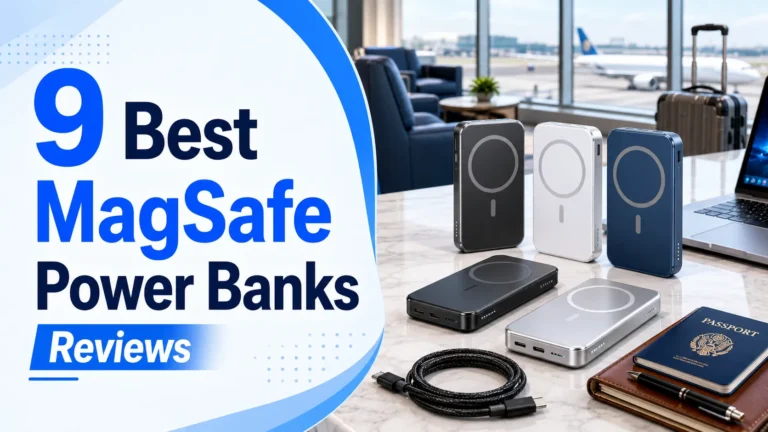
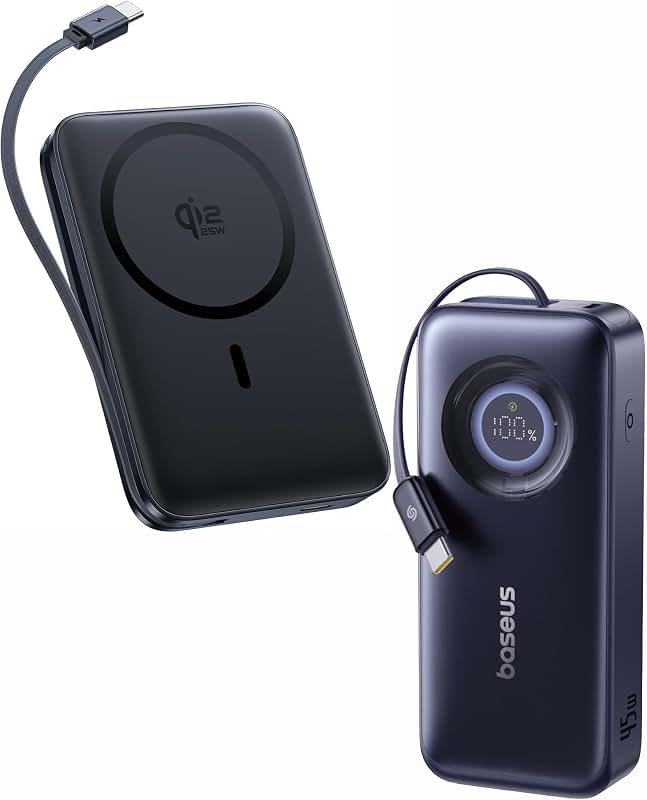
If you travel often, a magnetic power bank can also be a smart choice. For a deeper look at portable options, see what MagSafe power banks work with iPhone. Those are especially useful if you want cable-free charging on the go.
What Accessories Work Best with iPhone 12 Pro Max?
MagSafe chargers
If you want the best wireless charging experience, choose a MagSafe charger. It aligns well, feels secure, and works smoothly with the iPhone 12 Pro Max. This is the most polished option for daily use.
MagSafe chargers are especially good if you move the phone around a lot. The magnets help keep it in place, which reduces accidental misalignment.
Qi wireless pads and stands
Qi chargers still work fine. They are often cheaper and easier to find. If you already own one, there is no reason to replace it unless you want faster or more reliable charging.
Just remember that some Qi pads can be picky about placement. If the phone is not centered, charging may stop or slow down. A stand is often easier than a flat pad because it helps position the phone better.
MagSafe cases
A MagSafe-compatible case is a smart buy if you plan to use magnetic charging often. It helps the magnets work better and keeps the phone aligned. A thick or poorly made case can weaken the magnetic connection.
For users who want a budget-friendly setup, it is worth comparing your options before buying. You may also want to read what budget chargers work with iPhone if you are trying to save money without losing safety or performance.
Buying Tips: What to Look for Before You Buy
Check the power adapter
Many people buy the charger pad but forget the wall adapter. That can hurt performance. For MagSafe, Apple recommends a 20W USB-C power adapter or stronger. Without that, you may not get the best charging speed.
If you already own a USB-C charger from another device, check the wattage first. A good adapter can save money and improve results.
Watch for heat and build quality
Wireless charging makes heat, so charger quality matters. Cheap chargers may run warmer, charge less consistently, or wear out faster. A well-made charger usually feels more stable and safer over time.
Also look for a non-slip surface, a strong magnetic hold, and clear compatibility with the iPhone 12 Pro Max. These small details make daily use much better.
Think about how you charge
Ask yourself where and how you will use it. If you charge overnight, a simple pad may be enough. If you use your phone while it charges, a stand is better. If you travel a lot, a compact MagSafe charger or power bank may be the best fit.
For more general charging advice, best charging habits for iPhone is a useful read. It can help you keep your battery healthy over time.
Wireless Charging vs Wired Charging on iPhone 12 Pro Max
Wireless charging wins on convenience
Wireless charging is easier. No cable. No port wear. No plugging and unplugging all the time. That is the biggest reason people love it.
It is also great for shared spaces. A charging pad can sit on a table and work for anyone with a compatible phone.
Wired charging wins on speed
Wired charging is still the better choice when you need fast results. If your battery is low and time is short, use a cable. It is usually more efficient and more dependable for quick top-ups.
So the real answer is not wireless or wired. It is both. Use wireless for comfort and wired for speed.
The best setup for most users
For most iPhone 12 Pro Max owners, the best setup is simple: use wireless charging at home or at your desk, and keep a cable nearby for emergencies. That gives you the best of both worlds.
If you want a balanced setup, choose a MagSafe charger for daily use and a fast cable charger for backup. That is a smart mix for work, travel, and home life.
Conclusion: Is Wireless Charging Worth It on iPhone 12 Pro Max?
So, does iPhone 12 Pro Max have wireless charging? Yes, it does, and it does it well. The phone supports both Qi and MagSafe, which gives you flexibility and convenience. If you want a clean desk, an easy nightstand setup, or a simple way to top up during the day, wireless charging is a strong feature on this model.
My recommendation is simple. If you already own a Qi charger, it will work. But if you are buying new, go with MagSafe and a proper 20W adapter. That gives you better alignment, better reliability, and a more modern charging experience. For quick charging, keep a cable nearby. For everyday use, wireless charging is absolutely worth it on the iPhone 12 Pro Max.
Frequently Asked Questions
Yes, the iPhone 12 Pro Max has wireless charging. It supports Qi wireless chargers and Apple MagSafe chargers, so you can charge it without plugging in a cable.
It can use most Qi wireless chargers, which are widely available. For the best experience, though, a MagSafe charger is better because it aligns the phone more accurately.
MagSafe is usually the better wireless option because it aligns more precisely and works more consistently. Standard Qi charging still works, but it is often less efficient and can be slower.
No, you do not need a special case for basic wireless charging. If you want the best MagSafe experience, a MagSafe-compatible case is a smart choice because it helps the magnets hold better.
Normal wireless charging should not damage the battery. Like any charging method, heat can affect battery health over time, so it is best to use a quality charger and avoid very hot environments.
Wireless charging is great for convenience, especially at home or at work. A cable is still better when you need faster charging, so many users keep both options available.

Tech & Gadget Reviewer
Ethan Walker is a tech enthusiast and gadget reviewer with over 8 years of hands-on experience testing consumer electronics, smart home devices, and cutting-edge accessories. He helps readers make smarter buying decisions through honest, in-depth reviews.