Are Wireless Chargers Universal for All Devices
Wireless chargers are not universal for every device, but they do work broadly across supported Qi and Qi2 products. The key is to verify your device’s standard, case compatibility, and charger power requirements before buying.
Wireless chargers are not universal for all devices, but many are broadly compatible with phones and accessories that support the Qi or Qi2 standard. The real answer depends on your device’s charging standard, case thickness, coil alignment, and the charger’s power setup.
- Compatibility first: A charger only works if your device supports the same wireless standard.
- Cases matter: Thick, metal, or magnetic accessories can block charging.
- Power still matters: The adapter and cable can affect speed and reliability.
- Wireless is convenient: It is great for desks and nightstands, but usually slower than wired charging.
- Safety counts: Replace damaged cables, hot chargers, or cracked accessories right away.
Are Wireless Chargers Universal? The Short Answer for 2026
For most shoppers, “universal” means “works with a wide range of supported devices,” not “works with everything.” A wireless pad may charge one phone, a pair of earbuds, and a smartwatch, yet still fail with another device that lacks wireless charging hardware or uses a different charging method.
If you want a deeper comparison with wired charging, our guide on whether wall chargers are compatible with all devices can help frame the difference. The same basic rule applies here: compatibility is usually standard-based, but not truly one-size-fits-all.
How Wireless Charging Works and Why “Universal” Has Limits
Wireless charging uses electromagnetic induction. In simple terms, the charger creates a magnetic field, and a compatible device converts that energy back into electrical power for the battery.
That process only works well when the device and charger are designed to speak the same “language.” Even then, placement and power negotiation matter, so a charger can be compatible in theory but inconsistent in everyday use if the coil positions do not line up well.
Qi and Qi2 compatibility explained
Qi is the most common wireless charging standard for phones and accessories. Qi2 is a newer standard that adds magnetic alignment for many supported devices, which can make placement easier and improve consistency compared with older pads that rely on you to find the sweet spot manually.
Still, compatibility is not unlimited. A device may support Qi but only at a lower speed, or it may support a different magnetic accessory system that does not behave the same way on every charger. For that reason, always check the manufacturer’s compatibility list and the official manual before buying.
Wireless charging behavior can vary by phone model, software version, case design, and even the charging adapter feeding the pad. Manufacturer specifications are the best source for the exact supported wattage and accessory limits.
Why device alignment, coil size, and power negotiation matter
Wireless charging depends on the charging coils in both the pad and the device lining up closely enough for efficient energy transfer. If the phone sits too high, too low, or off-center, charging may slow down, stop and restart, or fail altogether.
Power negotiation is another factor. The charger and device communicate to decide how much power to send. That means a charger may advertise a high wattage, but your device will only draw what it is designed to accept. This is one reason fast charging varies so much between brands and models.
Many wireless chargers work best when the device is centered precisely over the coil, which is why stands and magnetic alignment systems often feel more consistent than flat pads.
What Devices Actually Work with Wireless Chargers
The easiest way to think about wireless charging is by device category. Phones are the most common match, but earbuds, some smartwatches, and a smaller set of accessories also support it. If a device does not have built-in wireless charging hardware, a wireless pad will not add that capability by itself.
Phones, earbuds, smartwatches, and other supported gadgets
Most modern smartphones from major brands support some form of wireless charging, though the supported speed and magnetic behavior can differ. Many true wireless earbuds cases also support wireless charging, which is convenient for topping up on a desk or nightstand.
Smartwatches are more complicated. Some use proprietary magnetic pucks or brand-specific chargers instead of generic Qi pads, so you should not assume a watch will work just because it is “wireless.” Tablets, handheld gaming devices, and other electronics may support wireless charging only on selected models, if at all.
Why some cases, accessories, and older devices block charging
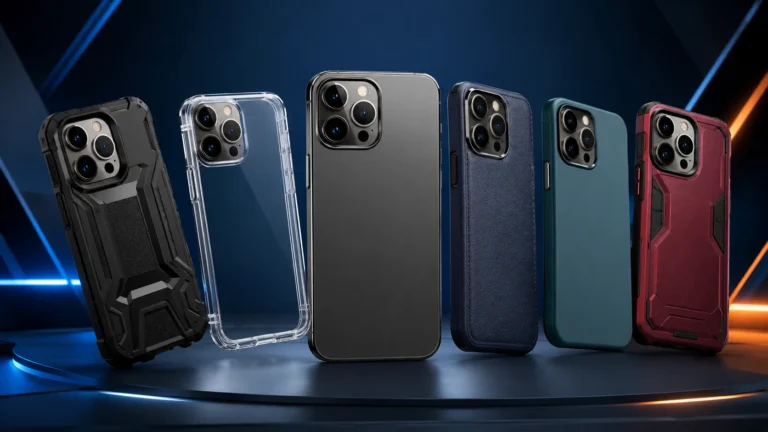
Thick cases can weaken the connection between the charger and the device. Metal plates, credit card holders, pop grips, and some magnetic mounts can also interfere with charging or trigger safety shutdowns.
Older phones may not support wireless charging at all unless they were designed for it from the start. If you are unsure about an older device, check the model page or the official manual rather than assuming a pad will work.
Key Specs to Check Before You Buy
A wireless charger can look simple, but the details matter. The most useful specs are the supported standard, the wattage it can deliver, the type of power adapter it needs, and the physical design that fits your space.
Rated wattage, charging speed, and real-world expectations
Higher wattage does not automatically mean faster charging for your device. The phone or accessory must support that speed, and charging may slow down if the battery is warm, the case is thick, or the device is not aligned properly.
When shopping, treat wattage as a compatibility checkpoint rather than a promise. If the charger supports more power than your device can accept, that is usually fine; the device will negotiate down to its own limit.
Cable quality, power adapter requirements, and heat management
Many wireless chargers are only as good as the cable and wall adapter powering them. If the adapter cannot supply enough stable power, the charger may cycle on and off or charge more slowly than expected.
Heat is also a practical concern. Wireless charging naturally wastes more energy than wired charging, which can create more warmth. Look for clear manufacturer guidance on recommended adapters, and prefer certified cables and reputable power bricks instead of mixing in random low-quality accessories. For more on lower-cost charging gear, see our article on whether budget chargers are safe to use.
Stop using any charger, cable, or adapter that feels unusually hot, smells burnt, or shows frayed insulation, cracked plastic, or loose connectors. Heat buildup can shorten battery life and may indicate a fault.
Build quality, pad size, stand angle, and portability
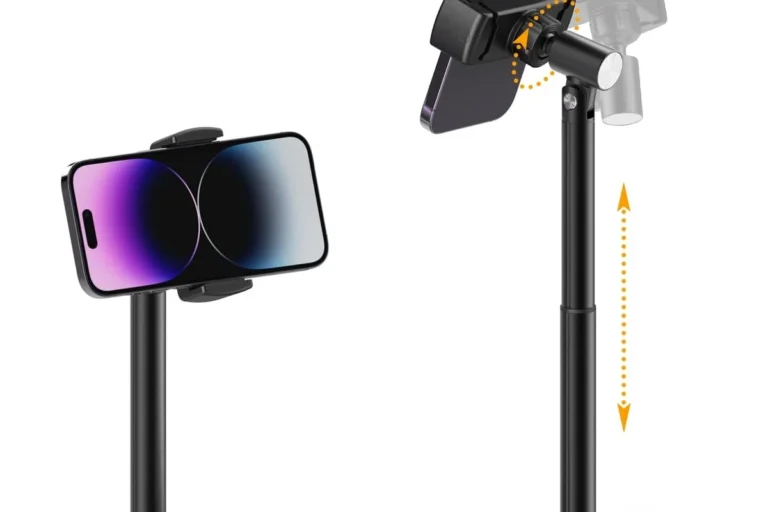
A larger pad can be easier to place a phone on, while a stand may be better for video calls, notifications, and desk use. Travel users often prefer foldable or compact models, but those can trade away surface area and stability.
Build quality matters because a charger that slides around or has a weak hinge can be annoying in daily use. If you plan to keep it on a nightstand or in a home office, choose a model whose shape fits the space without forcing awkward cable routing.
Benefits and Trade-Offs of Going Wireless
Wireless charging is popular because it removes some friction from daily charging. You place the phone down and let it top up, which can be more convenient than plugging and unplugging a cable several times a day.
Convenience, desk organization, and everyday usability
For remote workers, students, and people who keep a phone on a desk or bedside table, wireless charging can reduce cable clutter. It also makes quick top-ups easier because you do not have to line up a connector every time.
That convenience is especially helpful for accessories that get charged often but not for long periods, such as earbuds. A wireless pad can become part of a simple daily routine rather than another cable to manage.
Slower charging, efficiency loss, and placement sensitivity
Wireless charging is usually less efficient than wired charging, so more energy can be lost as heat. In practice, that means slower charging, more warmth, and a stronger dependence on exact placement.
If the device shifts on the pad, charging may pause or restart. That sensitivity is one reason some users love wireless charging for convenience but still keep a cable nearby for times when they need speed.
- Easy drop-and-go charging for supported devices
- Less cable wear from repeated plugging
- Cleaner desks, nightstands, and shared spaces
- Usually slower than wired charging
- More sensitive to alignment and case thickness
- Can generate more heat during use
When wired charging is still the better choice
Wired charging is usually better when you need the fastest possible top-up, are traveling with limited time, or want the most reliable connection. It is also the better fallback when a case, accessory, or device layout makes wireless placement frustrating.
If you are deciding between charging styles for a specific phone, it can help to compare your device’s supported wireless speed with its wired charging options. Our guide on budget chargers compatible with iPhone is useful if you are weighing a low-cost wired alternative.
Common Mistakes That Make Wireless Chargers Seem “Not Universal”
Many compatibility complaints come from setup issues rather than a truly bad charger. Before assuming a charger is incompatible, check the adapter, cable, case, and placement.
Using the wrong power brick or low-quality cable
A wireless pad may need a specific USB-C power adapter to perform properly. If you use an undersized or poor-quality brick, the charger may not deliver enough stable power for the pad to function as intended.
The cable matters too. A damaged or low-grade cable can create intermittent charging, which looks like a compatibility problem even when the real issue is power delivery.
Charging through thick cases, metal plates, or magnets
Thick rugged cases, wallet cases, magnetic rings, and metal accessories can block or weaken wireless charging. Some magnetic systems are designed to work together, but unrelated metal pieces often interfere with the coil field.
If you want to keep a protective case on the phone, look for one that the charger or device maker says is compatible. When that guidance is missing, the safest assumption is that thinner cases work better than bulky ones.
Ignoring heat, misalignment, and foreign-object warnings
Wireless chargers often include foreign-object detection to reduce risk from coins, keys, or other metal items. If the charger stops working or flashes an alert, it may be protecting itself or the device from heat buildup.
Misalignment is another common issue. Even a slightly off-center phone can charge slowly or not at all, especially on flat pads. If you want a more forgiving setup, a magnetic or stand-style charger may be easier to position consistently.
If charging is inconsistent, remove the case first, reconnect the power adapter, and place the device in the center of the pad. That simple check solves many “not compatible” complaints.
Safe Use, Care, and Replacement Guidance
Wireless chargers are low-maintenance, but they still need basic care. Clean contacts, stable placement, and safe power accessories all help the charger last longer and behave more predictably.
How to inspect pads, cables, and adapters for wear
Look for cracked housings, loose ports, frayed cables, bent connectors, and discoloration around the charging surface. These are signs that the accessory may be wearing out or overheating.
If a charger begins to feel unstable, make unusual noises, or charge inconsistently after a cable swap, inspect the entire power chain: outlet, adapter, cable, and pad. It is often easier and safer to replace a suspect accessory than to troubleshoot indefinitely.
Stop using damaged electronics, swollen batteries, frayed cables, overheating chargers, or unstable accessories and follow the manufacturer’s guidance.
Cleaning, storage, and when to replace damaged accessories
Dust and lint can collect on the charging surface, especially on desks, nightstands, and travel bags. A soft, dry cloth is usually the safest starting point, but always follow the manufacturer’s cleaning instructions before using any liquid.
Store chargers where cables will not be sharply bent or crushed. Replace any accessory that has visible damage, repeated connection failures, or heat issues that do not go away after checking the cable and adapter.
Safe-use limits for heat, wattage, and overnight charging
Do not exceed the wattage or adapter requirements listed by the manufacturer. More power is not automatically better, and using the wrong adapter can reduce performance or create unnecessary heat.
Overnight charging is common, but it is still smart to place the charger on a hard, ventilated surface and keep it away from bedding, pets, and clutter. If a device or charger gets unusually hot, unplug it and review the manual before using it again.
- Check the device model, wireless standard, and supported wattage
- Confirm case thickness, magnetic accessory compatibility, and adapter requirements
- Review the manual, warranty terms, and any safety notices before regular use
Final Verdict: Who Should Buy a Wireless Charger in 2026
Wireless chargers are a great fit for people who value convenience, cleaner cable management, and easy daily top-ups. They are especially useful for supported phones and earbuds, and they make sense for desks, nightstands, and shared spaces where quick placement matters more than maximum speed.
They are less ideal for users who want the fastest charging possible or who rely on thick cases and accessories that interfere with alignment. If you are shopping for one, the smartest move is to verify Qi or Qi2 support, match the adapter requirements, and choose a form factor that fits how you actually charge every day.
Wireless chargers are universal only within the limits of the standard your device supports. Buy one if you want convenience and your device is confirmed compatible; stick with wired charging if speed, case flexibility, or maximum reliability matters more.
Frequently Asked Questions
No. Wireless chargers only work with phones that support a compatible standard such as Qi or Qi2, and some phones also have brand-specific limits. Always check the official device specs before buying.
Slow charging is often caused by misalignment, a thick case, or an underpowered adapter. Heat can also reduce charging speed as the device protects the battery.
Many do, but thin cases work best. Thick cases, metal plates, wallet designs, and some magnetic accessories can block or weaken charging.
Check the supported charging standard, wattage, required power adapter, and whether your device is listed as compatible. Also confirm case thickness limits and whether the charger is meant for phones, earbuds, or watches.
Usually yes if you follow the manufacturer’s instructions and use a good-quality charger on a ventilated surface. Stop using the charger if it becomes unusually hot, smells burnt, or shows visible damage.
Replace it if you see frayed cables, cracked plastic, loose ports, repeated charging dropouts, or overheating. Damaged accessories should not be kept in regular use.

One Comment