
Are Chargers Allowed in Check In Baggage? A Simple USA Travel Guide
Regular wall chargers, laptop adapters, and charging cables are generally allowed in checked baggage. Power banks, portable chargers, spare lithium batteries, and battery charging cases must remain in carry-on baggage under current U.S. aviation guidance.
A compact foldable wall charger with two USB-C ports and one USB-A port. It does not contain a power-bank battery.
Keeps chargers, cables, memory cards, adapters, and other small accessories organized instead of loose in luggage.
If a carry-on is gate-checked, take out power banks and spare lithium batteries and keep them with you in the cabin.
Yes, non-battery wall chargers and charging cables are generally allowed in checked baggage. Power banks, portable chargers with lithium batteries, spare lithium batteries, and battery charging cases must go in carry-on baggage.
Quick Answer
If you are asking, are chargers allowed in check in baggage, the answer depends on the charger type. A basic USB wall adapter or laptop AC charger can usually go in checked baggage. A power bank or portable battery charger must go in carry-on baggage only because it contains a lithium battery.
Verdict
Pack wall chargers and cables anywhere, but keep power banks, spare batteries, and battery charging cases in your carry-on. That is the safest and most TSA-friendly choice for USA flights.
Introduction
The confusing part is that travelers use the word “charger” for products that aviation rules treat very differently. A plug-in wall adapter converts outlet power, while a power bank stores energy in a lithium battery.
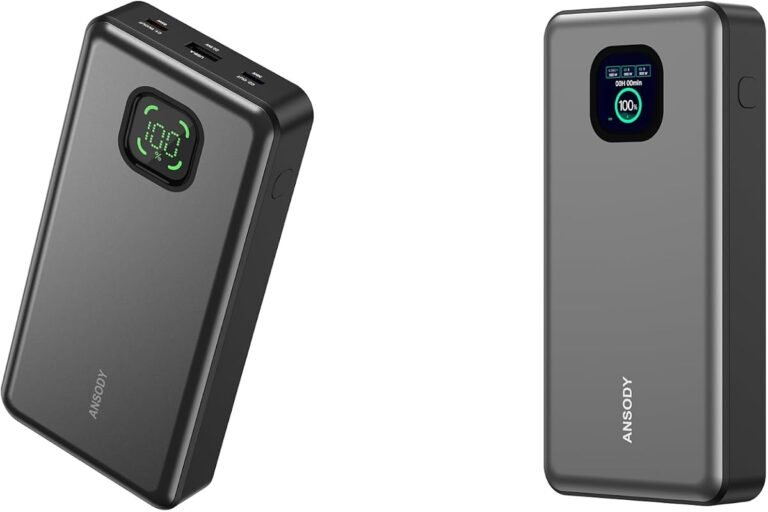
A small phone wall charger is not the same as a 20,000mAh power bank. One is an adapter; the other stores lithium energy. That difference determines where it may be packed.
Yes
Wall chargers are usually allowed in checked bags
No
Power banks are not allowed in checked bags
Carry-on
Best place for spare lithium batteries
Are Chargers Allowed in Checked Baggage?
Regular plug-in chargers are generally allowed in checked baggage. This includes phone wall adapters, USB-C charging blocks, laptop power adapters, and charging cables.
However, TSA says power banks and phone chargers that count as spare lithium batteries are prohibited in checked luggage. FAA guidance also says spare lithium batteries and power banks must be kept with the passenger in the aircraft cabin. You can check the official TSA “What Can I Bring?” page and FAA PackSafe lithium battery guide for the latest wording: TSA power banks guidance and FAA lithium batteries guidance.
Important Warning
Do not pack power banks, portable chargers, or loose lithium batteries in checked baggage. Put them in your carry-on bag and protect the terminals from short circuit.
Charger Types: What Goes Where?
| Item | Checked Baggage | Carry-On | Why |
|---|---|---|---|
| USB wall charger | Usually allowed | Allowed | No battery inside |
| USB-C cable | Allowed | Allowed | Cable only |
| Laptop charger brick | Usually allowed | Allowed | Power adapter, not spare battery |
| Power bank | Not allowed | Allowed with limits | Contains lithium battery |
| Spare laptop battery | Not allowed | Allowed with limits | Spare lithium battery |
| Battery charging phone case | Not allowed | Allowed with limits | Contains lithium battery |
Practical Travel Tip
Keep all battery-based chargers in carry-on and place simple cables and wall plugs in a tech pouch. This makes packing checks faster and clearer.
Why Power Banks Are Treated Differently
A normal wall charger does not store power. It only converts power from an outlet to the voltage your phone, tablet, camera, or laptop needs.
A power bank stores energy inside a lithium-ion battery. Lithium batteries can overheat if damaged, crushed, shorted, or poorly made. That is why aviation rules prefer them in the cabin, where crew can respond quickly if something goes wrong.
| Battery Rating | Current U.S. Passenger Guidance | What to Do |
|---|---|---|
| 100 Wh or less | Spare batteries and power banks must stay in carry-on | Protect terminals and keep the battery accessible |
| More than 100 Wh up to 160 Wh | Airline approval is required; generally limited to two larger spares | Contact the airline before travel |
| More than 160 Wh | Generally prohibited on passenger aircraft | Do not bring it without an authorized transport arrangement |
| Damaged, swollen, or recalled | Must not be carried unless made safe under applicable rules | Leave it home and follow manufacturer guidance |
Airline Rules Can Be Stricter
FAA guidance allows airlines to apply stricter quantity and watt-hour limits. Always review your carrier’s current policy, especially for large or multiple power banks.
Note
The rule is not about the USB port. It is about whether the item contains a lithium battery.
Checked Baggage vs Carry-On: Best Packing Choice
| Packing Choice | Best For | Risk Level | My Recommendation |
|---|---|---|---|
| Checked baggage | Wall chargers, cables, basic adapters | Low | Okay for non-battery items |
| Carry-on bag | Power banks, spare batteries, expensive chargers | Lowest for battery items | Best choice |
| Loose in suitcase | Nothing delicate | Medium | Avoid for fragile tech |
| Tech organizer pouch | Cables, adapters, USB-C hubs | Low | Best for easy access |
Can You Pack Laptop Chargers in Checked Luggage?
Yes, laptop chargers are usually allowed in checked luggage. I still prefer to keep mine in my carry-on because laptop chargers can be expensive, and checked bags can be delayed or handled roughly.
If your laptop has a removable spare battery, that spare battery should go in carry-on baggage, not checked baggage.
Can You Pack Phone Chargers in Checked Luggage?
Yes, a basic phone charger plug and USB cable can go in checked luggage. For example, an iPhone USB-C wall adapter or Samsung USB-C charger is generally fine in checked baggage.
But a phone charging case with a battery is different. Since it contains a battery, keep it in your carry-on.
Compatibility Section
Common travel charger compatibility
For modern USB-C devices, I look for USB Power Delivery support. USB-IF is the group behind USB standards, and their site is useful if you want to understand certified USB technology: USB-IF.
Product Recommendations for Travel Charging

The Anker 735 Charger combines two USB-C ports and one USB-A port. A single USB-C port can provide up to 65W, and its 100–240V input supports common international voltage systems. It is a plug-in adapter, not a power bank.
- Two USB-C ports and one USB-A port
- Up to 65W from one USB-C port
- Compact foldable design
- 100–240V input
- No built-in lithium battery
- Cables are sold separately
- Output is shared between connected devices
- A destination plug adapter may still be required
- Some high-power laptops need more than 65W
Packing Advice
The Anker 735 may generally go in checked baggage because it is a non-battery wall adapter. Keep your main charger in carry-on, however, so you still have power during delays or if checked luggage is lost.

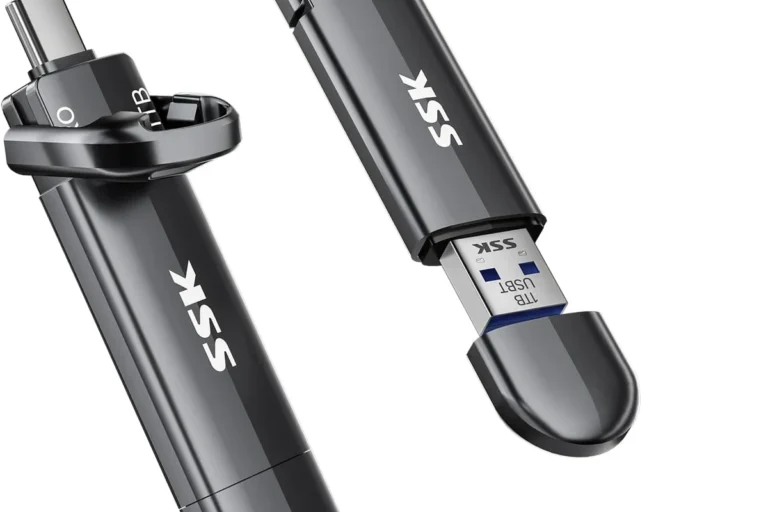
This organizer keeps wall chargers, cables, SD cards, adapters, USB drives, and other small accessories separated and easy to find. It also makes it easier to check that no power bank remains inside before a bag is checked.
- Reduces tangled cables
- Protects small connectors
- Makes airport and hotel unpacking easier
- Useful in checked baggage or carry-on
- The pouch does not change battery rules
- Remove every power bank before checking the bag
- A bulky laptop brick may need more space
- Do not overpack delicate connectors
Pros and Cons of Packing Chargers in Checked Baggage
Pros
- Frees space in your backpack
- Good for extra wall plugs and cables
- Less clutter during security screening
- Works fine for non-battery chargers
Cons
- Not allowed for power banks
- Checked bags can be delayed
- Chargers may get damaged
- You may need your charger during layovers
Step-by-Step Guide: How to Pack Chargers for Flights
1
Separate battery chargers from basic chargers
Separate power banks and battery cases from wall adapters and cables.
2
Put power banks in carry-on
Put every charger with a built-in battery in carry-on baggage.
3
Protect battery terminals
Use a pouch, original box, terminal cover, or separate pocket so metal objects cannot touch the terminals.
4
Pack extra wall chargers in checked luggage
Simple wall chargers and extra cables can go in checked baggage when they are not needed during the journey.
5
Keep one charger with me
Keep one phone charger and cable in your personal item for delays, layovers, or emergencies.
Travel Charger Checklist
Before You Leave for the Airport
- Check if your charger has a battery inside.
- Move power banks to your carry-on bag.
- Check the Wh rating on large power banks.
- Pack cables neatly to avoid damage.
- Keep one phone charger accessible.
- Do not pack damaged or swollen batteries.
- Check your airline’s rules for large batteries.
Troubleshooting Table
| Problem | Likely Cause | What To Do |
|---|---|---|
| TSA finds a power bank in checked bag | Power bank contains lithium battery | Move it to carry-on if allowed |
| Power bank has no Wh label | Rating is unclear | Check manual or avoid flying with it |
| Charger gets hot | Poor charger, overload, or damage | Stop using it and replace it |
| Laptop charger missing after flight | Checked bag delay or loss | Keep essential chargers in carry-on |
| Cable stops working | Cable bent or damaged | Pack a spare certified cable |
Safety Tips for Chargers, Batteries, and Cables
Charging gear looks harmless, but poor-quality chargers and damaged cables can create heat, slow charging, or battery wear. Battery University has helpful educational content on lithium battery behavior and battery care: Battery University.
Safety Warning
Never travel with a swollen power bank, cracked battery pack, burned cable, or charger that smells hot. Replace it before your trip.
Smart Buying Tip
For USA travel, I prefer chargers from known brands with clear wattage labels, USB-C PD support, and built-in safety protections.
Did you know? Some chargers still draw tiny standby power when plugged into the wall with no device connected. ENERGY STAR explains energy-efficient product standards and can help you understand better power use: ENERGY STAR.
FAQ
Are chargers allowed in check in baggage?
Yes, regular wall chargers and charging cables are usually allowed in check in baggage. Power banks and portable chargers with lithium batteries are not allowed in checked baggage and should go in carry-on baggage.
Can I put a phone charger in checked luggage?
Yes, a basic phone wall charger and USB cable can usually go in checked luggage. If the charger has a built-in battery, like a power bank, keep it in your carry-on.
Can I pack a power bank in checked baggage?
No. Power banks contain lithium batteries and must be carried in carry-on baggage only on USA flights.
Can laptop chargers go in checked baggage?
Yes, most laptop charging bricks can go in checked baggage. I still recommend carrying your main laptop charger with you in case your checked bag is delayed.
Are USB-C cables allowed in checked bags?
Yes, USB-C cables, Lightning cables, micro-USB cables, and other charging cables are allowed in checked bags and carry-on bags.
What happens if I accidentally pack a power bank in checked luggage?
Airport security may remove it, ask you to move it to carry-on baggage, or prevent it from traveling in the checked bag. It is better to check your bag before leaving home.
Do chargers need to be removed at TSA security?
Small chargers and cables usually do not need to be removed separately. Large electronics, power banks, or unusual battery items may need extra screening depending on the airport and officer instructions.
Should I pack chargers in checked baggage or carry-on?
For regular wall chargers, either is usually fine. For power banks, spare lithium batteries, expensive laptop chargers, and anything you may need during travel, carry-on is the better choice.
Summary
Regular chargers, wall adapters, and charging cables are usually allowed in checked baggage. Power banks, portable chargers, spare lithium batteries, and battery charging cases are not allowed in checked baggage and should be packed in carry-on baggage only.
Final Takeaway
If your charger plugs into the wall and has no battery, it can usually go in checked baggage. If it stores power, keep it in your carry-on. That simple rule will help you avoid most airport charger problems.
A wall charger can generally go in either bag. Anything that stores lithium power belongs in carry-on. Keep the essential charger accessible and organize extra non-battery accessories.
Check Anker 735 Price

2 Comments