Docusketch Camera Review for Faster Property Photos
Docusketch is most compelling for teams that need faster, more consistent property photos and documentation. If you only shoot occasionally, a smartphone workflow may be the better value.
If you need faster, more consistent property photos, a Docusketch camera setup can be a smart workflow tool, especially for real estate, property management, and inspection teams. The catch is that its value depends less on one spec and more on whether the camera, app, subscription, and your phone or tablet all fit your process.
- Best use case: Repetitive real estate, property management, and inspection workflows.
- Main strength: Guided capture can improve consistency and reduce retakes.
- Key risk: Results depend on app compatibility, connectivity, and setup quality.
- Buyer’s check: Verify subscription terms, warranty, and supported devices before purchase.
Docusketch Camera Review: What It Does and Whether It’s Worth Buying
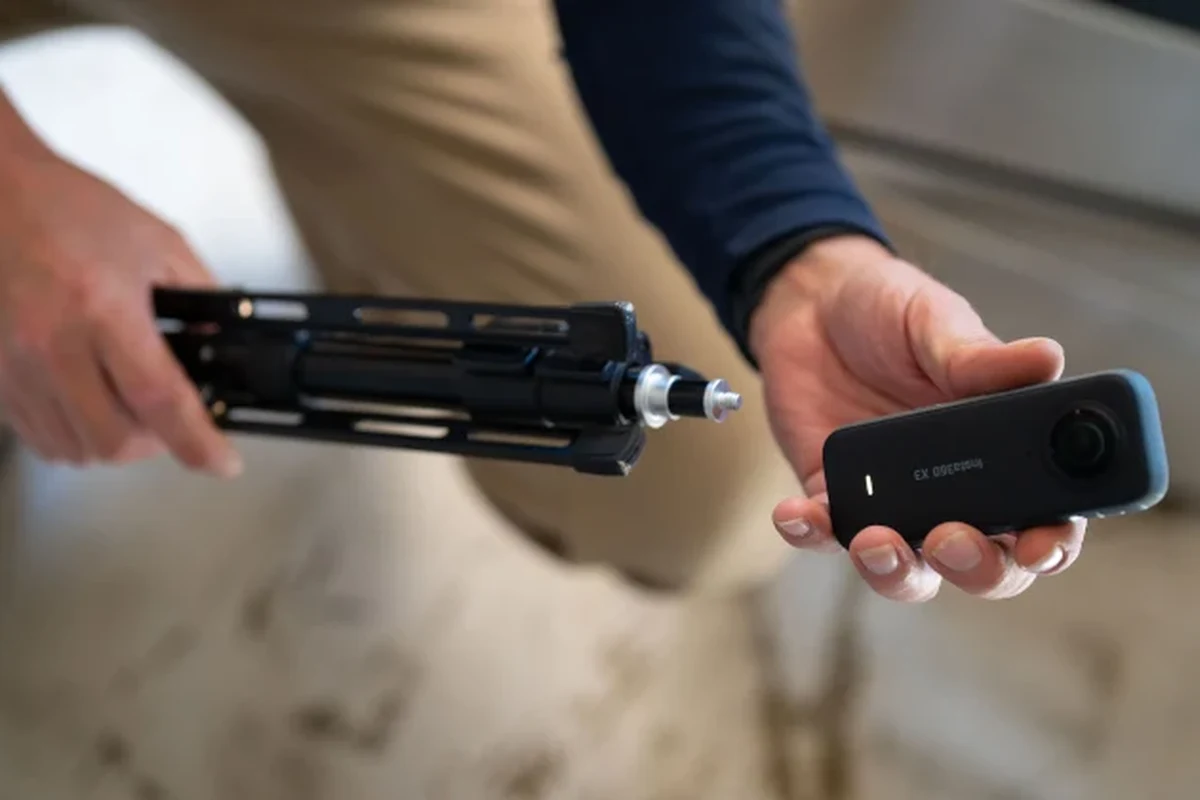
A Docusketch camera system is designed to help users capture property spaces more efficiently than a manual walk-through with a phone or DSLR. Instead of treating it like a standalone camera review only, it is better to think of it as a capture workflow: hardware plus software plus a repeatable method.
Quick verdict for busy property photographers
For teams that regularly document homes, apartments, rental units, or inspection sites, Docusketch can be worth considering because it aims to reduce retakes and standardize output. If you only need a few casual listing photos now and then, a good smartphone workflow may be simpler and cheaper.
Who should consider a Docusketch camera setup in 2026
This type of setup is best for real estate agents, property managers, insurance or inspection professionals, and service teams that need a consistent visual record. It is less compelling for hobby users who do not need guided capture, floor-plan support, or a structured documentation process.
- Confirm the exact camera model, app version, and supported phone or tablet operating system.
- Verify whether your workflow needs floor plans, stitched panoramas, cloud upload, or only still photos.
- Check subscription terms, storage limits, warranty coverage, and support availability before committing.
How the Docusketch Camera System Works for Faster Property Photos
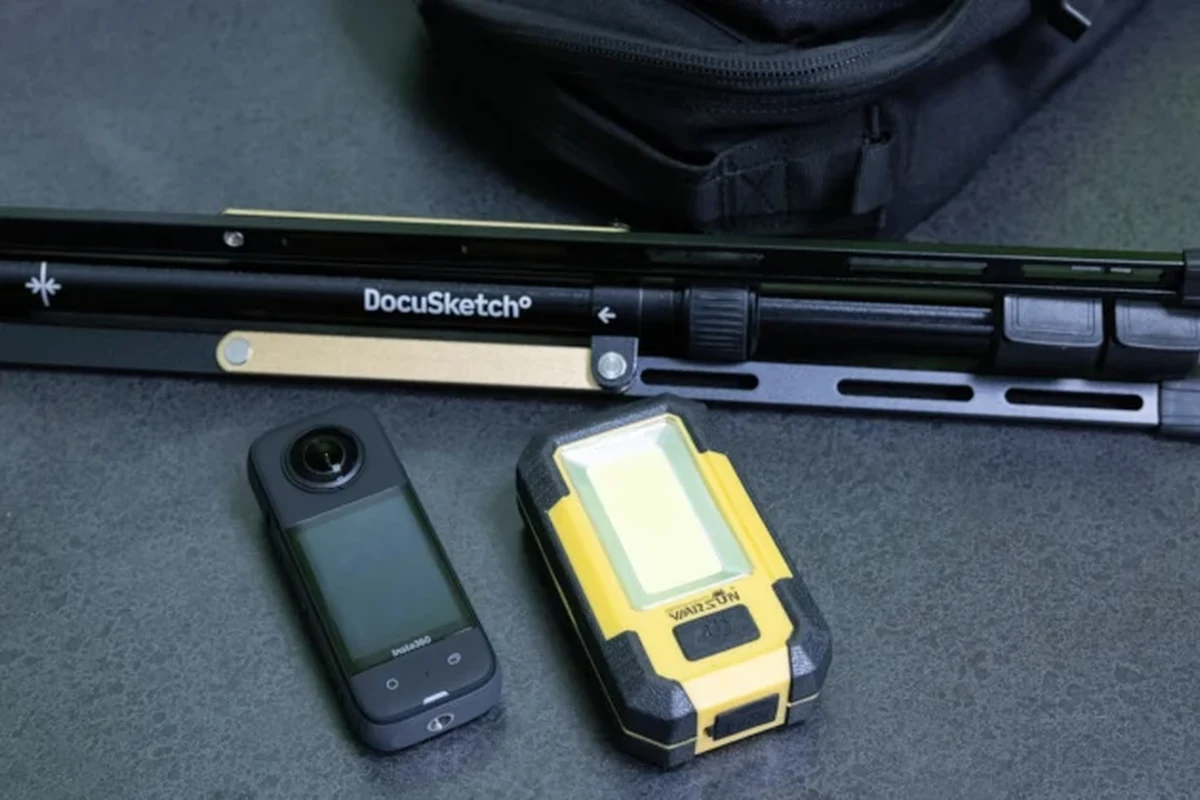
The main appeal of Docusketch is workflow speed. The system is built to guide capture, organize images, and help produce a more uniform result than a free-form photo session, though the exact features can vary by package, app version, and service plan.
Capture workflow: guided shots, stitching, and floor plan support
In practical terms, a guided workflow can help users move from room to room with fewer guesswork steps. Instead of deciding every angle from scratch, the app or system may prompt the user through a sequence of shots, then organize or stitch content for a property presentation or documentation record.
Guided capture tools are often most helpful in repetitive jobs, because consistency usually matters more than having the most advanced camera settings.
If floor plan support is part of the package you are considering, verify whether it is included or tied to a separate plan. Buyers should also confirm whether stitched views, measurements, or exports are generated automatically or need manual review.
App requirements, connectivity, and device compatibility to verify
Compatibility is one of the most important buying checks. Confirm which phones or tablets are supported, whether the app needs a specific operating system version, and whether Wi-Fi, cellular data, or Bluetooth is required for pairing and uploads.
Also verify how the system behaves in low-signal environments, because property work often happens in buildings with weak connectivity. If uploads depend on cloud processing, timing and network quality can affect how fast the final output is available.
Key Specs and Buying Criteria to Check Before You Choose
Because Docusketch is part camera and part software platform, the useful specs are not limited to megapixels. Buyers should also check storage, upload behavior, accessory support, and the practical size of the setup.
Camera resolution, lens quality, storage needs, and upload performance
Resolution matters, but only as part of the bigger image pipeline. Lens quality, low-light behavior, stabilization, file handling, and upload speed can affect results just as much as the headline camera spec.
Upload performance can matter more than many shoppers expect. If the system sends files to the cloud for processing, slow Wi-Fi or large file sizes may delay delivery, especially during multi-property days.
Setup dimensions, portability, battery life, and power considerations
For field work, portability is a real buying factor. Check whether the camera and any mounts fit comfortably into your bag, whether the setup is awkward in small rooms, and whether the power method matches your day’s schedule.
If your team moves between many properties, prioritize a setup that is quick to deploy, easy to charge, and simple to pack without exposing lenses or cables to damage.
Battery life claims should be read carefully because real-world runtime depends on room count, app use, screen brightness, wireless activity, and file uploads. If the device uses external power or a removable battery, confirm what is included and what must be purchased separately.
Subscription, warranty, and support details buyers should confirm
Many property capture systems rely on software subscriptions, and that can change the total cost significantly. Before buying, confirm what is included in the base package, what requires a recurring plan, and whether exports or advanced features are locked behind higher tiers.
Subscription terms, app features, and support policies can vary by region, reseller, and software version, so the official product page and current terms are the safest reference points.
Warranty and support matter because this is a workflow tool, not just a camera. If the device is mission-critical for listings or inspections, check turnaround times, replacement coverage, and whether support is available by chat, email, or phone.
Real-World Benefits for Real Estate, Property Management, and Inspection Work
The strongest case for Docusketch is operational: it can help teams work faster and more consistently. That is especially useful when the same type of space must be documented again and again in a predictable format.
Speed, consistency, and reduced retakes compared with manual photo workflows
Guided capture can reduce decision fatigue. Instead of asking, “Did I get the right angle?” at every step, users follow a repeatable process that may lower the chance of missing rooms, forgetting a detail, or taking a poor sequence that needs to be redone.
- Can speed up repetitive property documentation
- May reduce inconsistent framing across team members
- Useful for standardized deliverables
- Depends on app, phone, and network reliability
- May be overkill for occasional users
- Quality still depends on lighting and setup discipline
That consistency can save time later too. Fewer retakes and less sorting often means less editing overhead, which is important for teams handling multiple units, listings, or inspections per day.
How it helps teams standardize listings and documentation
Standardization is one of the biggest hidden benefits. When multiple staff members capture properties, a guided system can help each person produce similar image sets, which makes it easier to compare units, archive records, or hand off work between team members.
Teams that need repeatable property documentation and want a more structured workflow than a phone-only approach, while accepting app and subscription dependencies.
For documentation-heavy work, that consistency can be more valuable than having the highest-end camera hardware. The right tool is the one that helps your team finish the job correctly every time.
Limitations, Trade-Offs, and Common Mistakes to Avoid
No property camera system eliminates the basics of good photography. Lighting, room layout, and user setup still matter, and those factors can limit results even when the software is well designed.
Lighting challenges, motion blur, and room layout constraints
Dark rooms, mixed lighting, reflective surfaces, and narrow spaces can all make capture harder. If the camera or app depends on the user moving too quickly, motion blur and inconsistent framing may show up in the final output.
Avoid using damaged chargers, swollen batteries, frayed cables, or overheating power accessories. Stop using the equipment and follow the manufacturer’s guidance if you notice heat, swelling, odor, or unstable behavior.
Room layout also matters. Tight hallways, cluttered spaces, and highly irregular floor plans can complicate guided capture or stitching, so buyers should expect some manual judgment to remain part of the process.
Evidence limits: what review claims can and cannot prove without verified testing
Because no verified first-hand testing evidence is available here, claims about image quality, speed, battery life, or app reliability should be treated as informed analysis rather than measured proof. The safest approach is to compare the official specification sheet, app listing, support documents, and warranty terms before purchasing.
That also means you should be cautious with broad claims from any source. Real-world performance can change with firmware updates, phone model, room size, internet quality, and how carefully the system is set up.
Common setup errors that slow down capture or reduce photo quality
Some of the most common problems are simple: using an unsupported phone, skipping app permissions, undercharging the device before a shoot, or trying to capture in poor light without adjusting the room first. These mistakes can create delays even if the hardware itself is fine.
- Update the app and firmware before a busy shoot day.
- Test one room first to confirm pairing, upload, and export behavior.
- Keep a clean lens and a charged backup power source if the manufacturer allows it.
Safe Use, Care, and Storage for the Camera and Accessories
Good care helps protect both image quality and device lifespan. Since this is field gear, the biggest risks are usually dust, drops, heat, cable wear, and poor storage between jobs.
Handling, cleaning, and transport tips to protect lenses and sensors
Use a soft, non-abrasive cloth for exterior cleaning and follow the manufacturer’s guidance for lens care. Keep the camera capped or stored in a padded compartment when not in use, and avoid placing it loosely in a bag with keys, chargers, or metal tools.
Stop using damaged electronics, swollen batteries, frayed cables, overheating chargers, or unstable accessories and follow the manufacturer’s guidance.
If the camera includes a sensor or lens that is sensitive to dust, clean only as directed in the manual. Improper cleaning can do more harm than good.
Battery safety, charging limits, cable quality, and heat inspection
Use only the charging method and adapter type approved by the manufacturer. If the system uses USB charging, quality cables and a stable power source matter because loose or low-grade cables can interrupt charging or cause excess heat.
Check the device and charger during charging sessions. If anything becomes unusually hot, smells odd, or behaves unpredictably, stop using it and inspect the setup before the next charge.
Replacement guidance for worn mounts, cables, and power accessories
Mounts, clamps, cables, and adapters wear out faster than the camera body in many field kits. Replace any accessory that shows cracking, fraying, bent connectors, or poor fit, especially if it affects stability or charging reliability.
When possible, use replacement parts recommended by the manufacturer or a clearly compatible equivalent from a reputable source. For business use, keeping a spare cable and spare mount can prevent avoidable downtime.
Alternatives and Value Comparison: Is Docusketch the Right Fit?
Docusketch is not automatically the best answer for every property workflow. The right choice depends on how much structure you need, how often you capture spaces, and whether you value speed over maximum creative control.
How it compares with smartphone capture, 360 cameras, and traditional DSLR workflows
Smartphone capture is the simplest and cheapest route, and many users already know how to do it. A 360 camera can be useful for immersive coverage, while a DSLR workflow offers more manual control and potentially higher creative flexibility, but each of those options typically requires more user judgment and editing discipline.
| Option | Best For | Key Consideration |
|---|---|---|
| Smartphone capture | Occasional listings and low-budget users | Lowest cost, but consistency depends on the photographer |
| Docusketch camera setup | Teams needing repeatable property documentation | Workflow benefits may depend on app and subscription |
| 360 camera | Immersive coverage and walkthrough-style content | May not replace standard listing photos |
| DSLR workflow | Users wanting manual control and flexible editing | Slower and more skill-dependent |
Best-fit user profiles by budget, team size, and production volume
If your budget is tight and your volume is low, a smartphone workflow may be the better value. If you shoot many properties, need standardized output, or manage multiple staff members, a guided system can justify itself through time savings and process consistency.
The middle ground is important too. Some teams may prefer to keep smartphones for simple jobs and reserve a structured capture system for higher-volume listings or documentation-heavy assignments.
Final Recommendation: When the Docusketch Camera Makes Sense in 2026
Docusketch makes the most sense for users who care about repeatable property capture, faster workflows, and standardized results more than they care about having a standalone camera with no software dependency. It is a practical choice for teams that can benefit from guided capture and are willing to confirm compatibility, subscription terms, and support details before buying.
Transparent verdict based on workflow needs, cost, and expected results
Choose Docusketch if your work is repetitive, documentation-heavy, and time-sensitive. Choose a simpler smartphone, 360, or DSLR workflow if you need lower cost, fewer app dependencies, or more creative control than a guided system provides.
Frequently Asked Questions
It is best for real estate, property management, and inspection teams that need repeatable property documentation. Occasional users may find a smartphone workflow simpler and cheaper.
Check the exact camera model, app requirements, supported phones or tablets, subscription terms, warranty, and export options. Confirm the official compatibility list because support can vary by version or region.
Not always. It is more of a guided workflow tool than a pure camera replacement, so it is strongest when speed and consistency matter more than manual control.
Lighting, room layout, app reliability, and network quality can all affect results. Without verified first-hand testing, claims about image quality or speed should be treated as dependent on setup and conditions.
Clean lenses gently, store the device in a padded case, and replace worn cables or mounts promptly. Follow the manufacturer’s charging guidance and stop using any accessory that overheats or looks damaged.
Yes, because software access, cloud features, and support can affect the total value more than the camera hardware alone. Confirm current pricing, warranty coverage, and update support before you commit.