Does Blink Video Doorbell Work with iPhone Easily
Yes, Blink Video Doorbell works with iPhone through the Blink app. It is a good fit if you want simple alerts and remote viewing, but not if you need full Apple HomeKit integration.
If you’re asking does Blink Video Doorbell work with iPhone, the short answer is yes: it works through the Blink iOS app, and most iPhone users can view live video, get motion alerts, and talk through the doorbell from their phone. The bigger question is whether it fits your setup, because the experience depends on your iPhone model, iOS version, Wi‑Fi quality, and whether you want simple app control or deeper Apple ecosystem support.
- iPhone support: Blink works through the official iOS app for setup, alerts, live view, and clips.
- Main limitation: Apple HomeKit-style integration is not the same as basic iPhone compatibility.
- Setup matters: Wi‑Fi strength, app permissions, and account security affect performance.
- Best fit: Budget-conscious buyers who want a simple smart doorbell experience.
Does Blink Video Doorbell Work with iPhone? Quick Answer and What to Expect
Yes, Blink Video Doorbell is designed to work with iPhone through the official Blink app for iOS. In practice, that means you can receive notifications, open live view, review clips, and use two-way audio from your phone, but some features depend on your subscription, power setup, and network conditions.
If you want a broader Apple-friendly comparison, it can help to look at what video doorbell works best with Apple before you decide. That is especially useful if you care about Siri, Home app workflows, or a more tightly integrated smart-home setup.
How Blink Video Doorbell Connects to iPhone in 2026
For iPhone owners, the connection path is straightforward: install the Blink app, sign in or create an account, add the doorbell, and connect it to your home Wi‑Fi. The app is the main control center, so the overall experience is less about the phone itself and more about whether your internet, permissions, and account setup are done correctly.
Required app: Blink app for iOS
The Blink Video Doorbell does not rely on a built-in iPhone feature to work. Instead, it uses the Blink app from the App Store, where you manage device setup, notifications, live view, clip access, and account settings.
App features can change with Blink updates, iOS updates, and region-specific service settings. Before buying or installing, confirm the current App Store listing and Blink support pages for the latest compatibility details.
iPhone compatibility, iOS version, and account setup
Most modern iPhones should be compatible as long as they can run the current Blink iOS app version supported by the manufacturer. Because iOS support can change over time, it is smart to verify the app’s current minimum iOS requirement before you commit to the doorbell.
Account setup usually includes creating a Blink account, linking the doorbell, and confirming your phone number or email if prompted. If you share the system with family members, check whether Blink’s account-sharing or multi-user options match your household needs.
Wi-Fi, notification, and internet requirements
Blink doorbells depend on steady Wi‑Fi and a reliable internet connection for alerts and remote access. If your router is far from the front door, or if your network has dead spots, the iPhone app may still work but notifications and live view can lag or fail intermittently.
Before mounting the doorbell, test Wi‑Fi strength at the installation spot using your iPhone. If the signal is weak there, consider a router adjustment, mesh node, or a different mounting location.
Key Features iPhone Users Can Use with Blink Video Doorbell
Once set up, the main iPhone-friendly features are easy to understand: alerts, live video, audio talkback, and recorded clips. These are the features most people care about day to day, and they are the ones that determine whether the doorbell feels useful or merely “connected.”
Live view, motion alerts, two-way audio, and video clips
With the Blink app on iPhone, you can usually open live view when someone rings the bell or when motion is detected. Motion alerts can be convenient for package deliveries, visitors, and unexpected activity, while two-way audio lets you speak to someone at the door without opening it.
Recorded clips are helpful if you miss a notification or want to review what happened later. Keep in mind that clip access can depend on Blink’s storage setup and subscription plan, so the exact experience may vary.
Many video doorbells are limited more by Wi‑Fi quality than by the phone itself. A strong iPhone and a weak front-door signal can still create slow alerts or choppy live video.
Alexa integration and what iPhone users should know
Blink is commonly associated with Amazon’s smart-home ecosystem, so Alexa integration is often part of the appeal. iPhone users can still benefit from that, but Alexa support is separate from iPhone support; using Blink on an iPhone does not automatically give you Apple Home app controls.
If your household already uses Echo devices, the setup can feel convenient. If your smart home is centered on Apple devices, you should confirm whether the features you want are available outside the Blink app before buying.
Cloud storage, local options, and subscription differences
Storage is one of the most important practical differences to understand. Blink’s clip storage and recording features can vary based on whether you use a subscription, local sync options, or a specific bundle supported by your setup.
That matters for iPhone users because the app is only as useful as the footage it can show you later. If you want to compare value across brands, our guide to how much a video doorbell costs can help frame the purchase beyond the sticker price alone.
- Check the current Blink app requirements for iPhone and iOS.
- Confirm whether you need cloud storage, local storage, or a subscription.
- Verify Wi‑Fi strength at the front door before installation.
- Review notification permissions on your iPhone so alerts can arrive properly.
Who Blink Video Doorbell Fits Best
Blink is not trying to be the most advanced video doorbell on the market. It is usually a better fit for people who want a simple, budget-aware, app-controlled system rather than a premium smart-home platform with every possible integration.
Best for budget-conscious iPhone owners
If you want an iPhone-compatible video doorbell without paying for a more feature-heavy ecosystem, Blink is often appealing. The value case is strongest when you mainly need alerts, basic video access, and remote communication rather than advanced automations.
Best for simple smart home setups
Blink works well for households that prefer a straightforward setup: one app, one doorbell, and a few useful core functions. That simplicity can be a real advantage for renters, busy families, students, and remote workers who just want to know who is at the door.
Not ideal for users who want full Apple HomeKit support
If your priority is Apple HomeKit-style integration, Blink is usually not the first choice. iPhone compatibility does not automatically mean Apple ecosystem depth, so buyers who want Siri routines, Home app control, or tighter Apple-centric automation should verify support carefully before deciding.
For shoppers comparing broader options, our guide to the best video doorbell guide is a useful next stop. It is especially helpful if you are choosing between app simplicity, battery life, and smart-home integration.
Blink is best for iPhone owners who want a simple, affordable, app-based doorbell experience and can live without deep Apple HomeKit integration.
Setup Guide for iPhone Owners: What You Need Before Installing
Good setup matters more than most people expect. A doorbell can be “compatible” with iPhone and still feel frustrating if the mounting spot is awkward, the power choice is wrong, or the app permissions are incomplete.
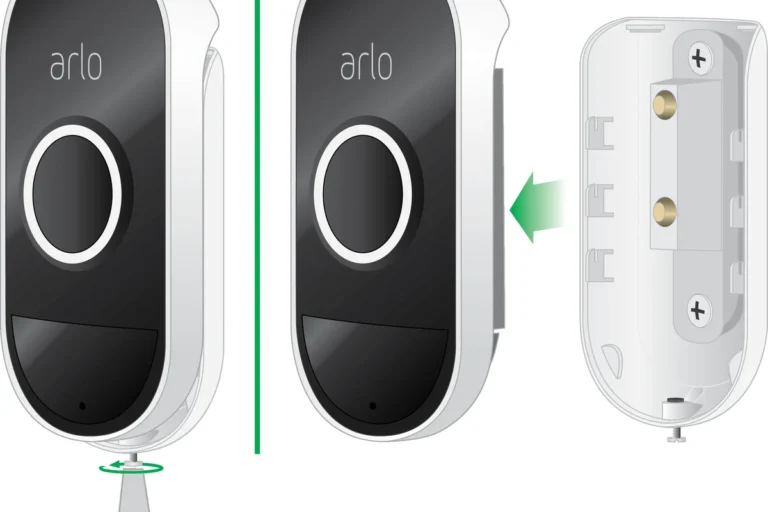
Doorbell dimensions, mounting space, and placement checks
Before installation, confirm that the doorframe or wall area has enough room for the mount and that the camera angle will actually capture visitors. Placement affects everything from motion detection to how clearly the camera sees packages, faces, and the walkway.
Also check whether the doorbell will sit too close to a screen door, a decorative trim piece, or a bright light source. Those details can affect motion detection and image quality more than the iPhone app itself.
Power options: battery or wired installation
Depending on the specific Blink Video Doorbell version and your home wiring, you may have battery-powered or wired installation options. The right choice depends on whether you want easier installation or less battery maintenance over time.
Follow the manufacturer’s wiring instructions exactly if you use a wired setup. If you are unsure about household wiring, turn off power at the breaker and consult a qualified professional rather than guessing.
App permissions, notifications, and account security
On iPhone, notification permissions are essential. If alerts are delayed or missing, check whether the Blink app is allowed to send notifications, use background activity as permitted by iOS, and access your network correctly.
Account security also matters. Use a strong password, enable two-factor authentication if Blink offers it for your account, and review shared-user access periodically so only the right people can see camera activity.
- Test notifications before finalizing the mount so you can fix setup issues early.
- Keep the camera lens clear of dirt, spider webs, and weather buildup.
- Update the Blink app and your iPhone regularly to reduce compatibility problems.
- Recheck motion settings after installation because porch layout can change detection behavior.
Real-World Benefits and Practical Trade-Offs for iPhone Users
On paper, iPhone compatibility is easy to confirm. In real life, the experience depends on convenience, battery upkeep, image quality, and how much delay you can tolerate between motion events and phone alerts.
Convenience, portability, and remote access on iPhone
The biggest benefit for iPhone owners is convenience. You can check the doorbell from almost anywhere, which is useful for package deliveries, guests, pet sitters, and people who work away from home or move between locations often.
That portability also helps if multiple family members need access. As long as the account is configured properly and permissions are set the way you want, the iPhone becomes a practical remote control for the front door.
Battery life expectations and charging considerations
If your Blink setup uses batteries, battery life will depend heavily on motion activity, temperature, Wi‑Fi strength, and how often you use live view. Busy entryways and cold weather can shorten runtime, so battery expectations should be treated as usage-dependent rather than fixed.
If you want a deeper look at battery-related options, our article on video doorbells with the best battery life may help you compare alternatives. That comparison matters if you do not want frequent charging or battery swaps.
Video quality, connectivity, and response-speed limits
Even a good iPhone cannot fix slow home internet or a weak signal at the door. If your network is inconsistent, you may notice delayed notifications, slower live view startup, or reduced confidence in motion alerts.
Video quality, clip length, and response speed can vary by firmware, app version, Wi‑Fi signal, and subscription setup. Confirm current specs before buying if those details matter to you.
Common Problems, Mistakes, and Safe Use Tips
Most issues people blame on the iPhone are actually setup or connectivity problems. A careful installation and a few regular checks usually prevent the most common frustrations.
Connection drops, delayed alerts, and motion-zone issues
If the connection drops, start with the basics: check router range, reboot the network equipment if needed, and confirm the Blink app still has the right permissions on iPhone. Delayed alerts often come from weak Wi‑Fi, power-saving settings, or motion zones that are set too broadly or too narrowly.
Motion settings deserve special attention because a porch with trees, traffic, or direct sunlight can trigger too many alerts. If notifications become noisy, adjust the detection area rather than ignoring the problem.
Battery care, inspection, and replacement guidance
For battery-powered versions, inspect the battery compartment and contacts during routine maintenance. If a battery looks swollen, damaged, or behaves unusually, stop using it and follow the manufacturer’s replacement guidance.
Stop using damaged electronics, swollen batteries, frayed cables, overheating chargers, or unstable devices and follow the manufacturer’s guidance.
Weather exposure, cable quality, and safe power limits
Outdoor electronics need careful handling. Make sure any cable, adapter, or power accessory used with the doorbell is rated for the intended environment and installed according to the manufacturer’s instructions.
Do not improvise with unapproved power gear or leave exposed connections where they can get wet. If your installation involves weather exposure, check the manual for sealing, mounting, and cable-routing guidance before powering it on.
- Blink Video Doorbell unit
- Mounting hardware and bracket
- Battery or power connection parts, if included
- Quick-start guide and safety instructions
Value, Alternatives, and Final Recommendation
Blink can be a smart choice for iPhone users, but only if your expectations match what the system is built to do. It is strongest as a simple, budget-friendly doorbell camera rather than a premium Apple-first smart-home device.
How Blink compares with other iPhone-friendly video doorbells
Compared with more Apple-centric options, Blink usually wins on simplicity and often on budget appeal, while losing ground on deeper smart-home integration. Compared with other mainstream doorbells, the right choice depends on whether you care more about app usability, storage model, battery upkeep, or ecosystem support.
| Option | Best For | Key Consideration |
|---|---|---|
| Blink Video Doorbell | Simple iPhone use | Check storage and Apple integration limits |
| Apple-friendly alternatives | Home app users | Verify HomeKit or Apple ecosystem support |
| Battery-focused competitors | Low-maintenance owners | Compare runtime, charging, and motion activity |
Warranty details, maintenance needs, and long-term value
Before buying, confirm the current warranty terms, return window, and any subscription requirements that affect long-term value. Maintenance is usually light, but it still includes lens cleaning, battery checks if applicable, app updates, and occasional inspection of the mount and wiring.
If you are also comparing where to buy, our guide on where to buy a video doorbell can help you think through retailer options and support policies. That is useful because availability and bundle contents can vary by seller.
Transparent verdict for 2026 iPhone buyers
Blink Video Doorbell does work with iPhone, and it can be a good fit if you want straightforward app access, motion alerts, and basic smart-home convenience. Choose it if you value simplicity and budget-minded functionality, but look elsewhere if full Apple HomeKit-style integration is a must-have.
Blink is a sensible iPhone-compatible video doorbell for homeowners and renters who want easy remote monitoring without a complicated setup. Just verify the current iOS app requirements, storage model, Wi‑Fi strength, and Apple ecosystem support before you buy.
Frequently Asked Questions
Yes, Blink Video Doorbell works with iPhone through the official Blink iOS app. You can usually view live video, receive alerts, and manage settings from the app.
Check the current Blink app’s minimum iOS requirement, App Store compatibility, and account setup steps. It is also smart to confirm notification permissions and Wi‑Fi strength at the installation spot.
Blink iPhone compatibility does not automatically mean full Apple HomeKit support. If Home app control or Siri automation is important, verify current compatibility before buying.
Some storage and recording features can depend on Blink’s subscription or local storage options. Check the current plan details so you know what clip access and history you will get.
Delayed alerts are often caused by weak Wi-Fi, network congestion, or notification settings on the iPhone. Motion settings and power-saving behavior can also affect how quickly alerts arrive.
Yes, Blink is often a good fit for iPhone users who want straightforward app control and basic smart-home features. It is less ideal for buyers who want deep Apple ecosystem integration.