Can You Use Ring Motion Sensor with Pets
Yes, a Ring motion sensor can work with pets, but placement and settings matter a lot. It is best for hallways, entryways, and other paths where pets are less likely to cross the main detection zone.
Yes, you can use a Ring motion sensor with pets, but the results depend on your pet’s size, where you mount the sensor, and how you configure motion settings in the app. For many homes, the goal is not to eliminate every pet-triggered alert, but to place and tune the sensor so it ignores normal pet movement while still catching real activity.
- Placement matters most: Aim the sensor at human traffic, not pet hangout zones.
- PIR limits are real: It detects heat changes and motion, not whether the mover is a pet or.
- Large pets are harder to ignore: Bigger animals and furniture-climbing pets can trigger alerts more often.
- Environment affects accuracy: Sunlight, HVAC airflow, and reflective surfaces can cause false triggers.
Can You Use Ring Motion Sensor with Pets? Quick Answer and What to Expect
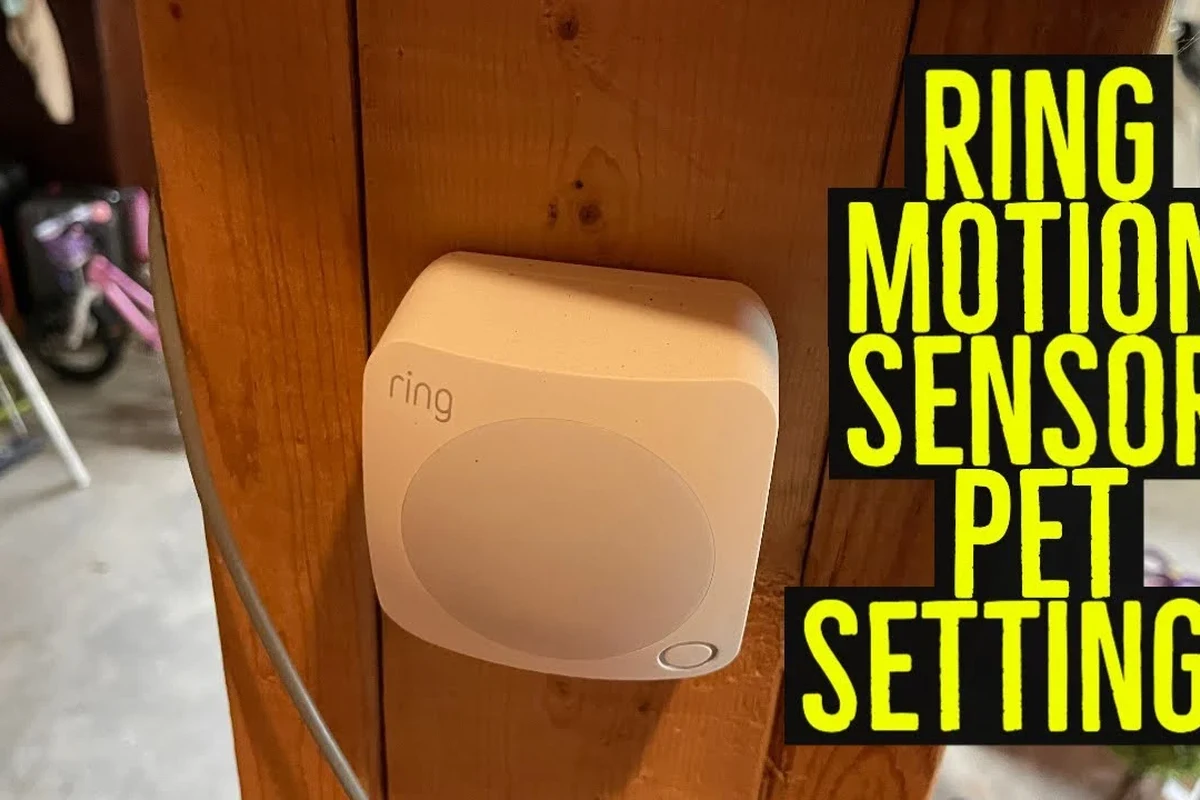
A Ring motion sensor can work in a pet home, especially if the pet is small to medium-sized and the sensor is positioned to avoid low-level movement. If your pet is large, jumps on furniture, or moves through the sensor’s strongest detection zone, false alerts are more likely unless you adjust placement and sensitivity carefully.
In practice, the best setup is usually a combination of smart placement, app settings, and realistic expectations. Motion sensors are designed to detect movement, not to “identify” pets versus people, so success depends on how the infrared detection area intersects with your home layout.
How Ring Motion Sensors Detect Movement: PIR Basics, Zones, and Sensitivity
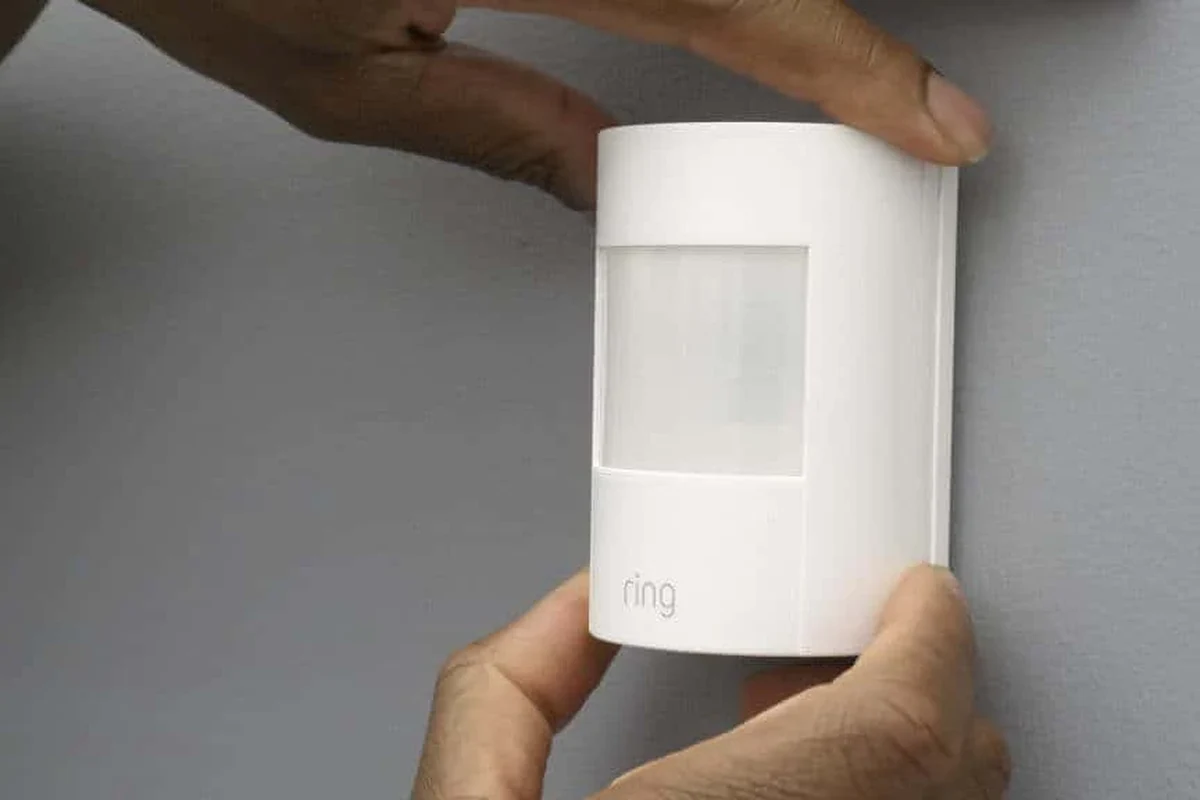
Most Ring motion sensors use passive infrared, or PIR, detection. In simple terms, the sensor looks for changes in heat patterns across its field of view, which is why it can react to a person walking by, a pet crossing close to the unit, or even warm air moving in a strong stream.
PIR sensors do not “see” objects the way a camera does. They detect changes in infrared energy, so the shape of the room, the mount height, and the direction a pet moves all affect whether the sensor triggers.
Why pet size, distance, and walking path matter
Smaller pets are often easier to ignore because they may stay below the sensor’s most active detection area, especially when the sensor is mounted higher on a wall. Larger dogs can be a different story because their body heat and movement may overlap with the sensor’s active zone more often.
Distance matters too. A pet moving close to the sensor can trigger it more easily than one moving farther away, and a pet walking straight across the field of view may be more noticeable than one moving directly toward or away from the sensor. That is why hallway placement and angle matter so much.
PIR motion sensors are usually more likely to trigger on side-to-side movement than on slow movement directly toward the sensor.
Which Ring Motion Sensor Setup Works Best for Homes with Dogs or Cats
The best setup is usually one that watches human traffic paths instead of open pet play areas. That means choosing locations where people enter, pass through, or linger, while avoiding spots where pets naturally roam close to the sensor all day.
For pet households, the most reliable setup is often a compromise: you may not cover every corner of the home, but you can still monitor key zones without constant nuisance alerts.
Ideal placement for hallways, entryways, and pet traffic areas
Hallways and entryways are often the most practical places because they concentrate human movement and can be easier to aim away from floor-level pet paths. Mounting the sensor according to the manufacturer’s instructions is important, since height and angle strongly influence detection.
If your pet tends to stay on the floor, try to place the sensor so its main detection zone starts above that level. Avoid aiming it directly at stairs, sofas, or furniture that pets climb, because elevated surfaces can bring them back into the active zone.
When to choose motion alerts versus camera-based detection
Motion alerts are useful when you want simple, fast awareness of movement in a specific area. Camera-based detection can be better if you want visual confirmation, activity history, or smarter filtering, though camera performance also depends on lighting, subscription features, and app settings.
If you mainly want to know whether someone entered a room or opened a doorway, a motion sensor can be enough. If you need to tell pets from people more confidently, a camera with person detection may be the more practical choice, depending on the model and plan you choose.
Place the sensor where it watches human traffic, not pet lounge areas. That one decision usually matters more than any app setting.
Key Specs and Decision Criteria to Check Before Buying or Installing
Before you install anything, check the exact Ring model, because motion behavior, mounting options, and app features can vary by device generation and firmware. The official product page and manual are the best places to confirm current compatibility and setup steps.
For pet homes, the most important specs are not flashy marketing features. Focus on detection geometry, mounting flexibility, battery requirements, and whether the sensor works smoothly with your existing Ring app and smart home setup.
Detection range, angle, mounting height, battery life, and app compatibility
Detection range and angle tell you how much space the sensor can cover, but those numbers only help if you can place the unit where pets will not constantly cross the active zone. Mounting height is especially important because a sensor placed too low may react to pets more often, while one placed too high may miss slower movement.
Battery life is another practical factor. Actual runtime varies by usage, signal strength, temperature, and how often the sensor triggers, so it is smart to treat manufacturer estimates as guidance rather than a guarantee. App compatibility matters too, especially if you use multiple phones or share access with family members.
Connectivity, smart home integration, and subscription considerations
Connectivity quality affects reliability. If the sensor depends on a stable wireless link, weak signal strength can lead to delayed alerts or missed events, so it is worth checking the placement of your hub, router, or base station before final installation.
Smart home integrations can be useful if you want the sensor to trigger lights, routines, or other devices, but those features vary by platform and account setup. Subscription needs also differ by product category, so confirm what is included before assuming advanced notifications or history features are available.
Real-World Benefits for Pet Owners
For pet owners, a motion sensor can provide helpful awareness without requiring a camera in every room. It may tell you when someone comes in, when a child gets home, or when activity happens in a space you want to monitor more quietly.
That can be especially useful for people who work from home, travel, or want a simple alert system for entry points and shared spaces. The key is to use the sensor as part of a setup plan, not as a standalone magic filter for pet movement.
Better awareness of home activity, intruder alerts, and routine monitoring
Motion alerts can help you notice unexpected movement in a hallway, mudroom, or side entrance. For routines, they can also help you track whether a family member arrived home or whether a door area is being used at unusual times.
Because motion sensors are usually quick to trigger and easy to check in the app, they can be a lightweight way to stay aware of home activity. That simplicity is often the main reason people choose them over more complex camera setups.
How pet-friendly setup can reduce false alarms
False alarms are usually reduced by keeping pets out of the strongest part of the detection zone, narrowing the sensor’s focus to people paths, and avoiding placement near heat sources. Even small changes, such as angling the sensor away from a couch or moving it farther from a pet bed, can make a noticeable difference.
It also helps to think in terms of “acceptable alerts.” A pet-friendly setup does not always mean zero triggers; it means fewer unhelpful alerts and a better signal-to-noise ratio for the events you actually care about.
- Simple way to monitor entryways and traffic areas
- Can work well when mounted and aimed carefully
- Useful for routine awareness without a full camera setup
- Pets can still trigger alerts if they cross the active zone
- Performance depends heavily on room layout and placement
- Does not identify pets versus people on its own
Limitations, Common Mistakes, and Safety Considerations
The biggest limitation is that a motion sensor cannot truly understand what moved. It only knows that something changed in its detection field, so bright sun, warm air, reflections, and pet movement can all create confusing results.
Common mistakes are usually placement-related: mounting too low, pointing toward a pet bed, or placing the sensor where a dog naturally runs across the room. Those errors are often more important than the brand name itself.
False triggers from pet movement, sunlight, HVAC, and reflective surfaces
Pets can trigger alerts when they move close to the sensor, but environmental factors can also be a problem. Sunlight shifting across a room, HVAC vents blowing warm or cool air, and reflective surfaces near windows or appliances may all affect PIR behavior.
If you notice frequent false alerts, look first at the room itself. A sensor that seems “too sensitive” may actually be reacting to heat changes, moving shadows, or a bad angle rather than to the pet alone.
Safe use around curious pets, cords, batteries, and mounting hardware
Keep cords, batteries, and mounting parts out of reach where possible, especially if your pet likes to chew or bat at small objects. Use only the mounting method and power accessories recommended by the manufacturer, and replace damaged parts promptly.
If a battery compartment will be accessible to a pet, make sure it is closed securely. For any electronics near animals, stop using the device if you notice overheating, loose parts, cracked housing, or other damage.
Do not leave loose batteries, small screws, or dangling cables where pets can reach them. If any part is damaged, unstable, or overheating, follow the manufacturer’s guidance before using it again.
Setup, Maintenance, and Troubleshooting Tips for Reliable Performance
A pet-friendly setup usually takes a little tuning after installation. The good news is that small adjustments often make a big difference, and most of them are safe to do through the app or by repositioning the sensor.
It is also worth checking the official manual and app help pages if your model offers specific motion zones, sensitivity settings, or activity logs. Those details can change by firmware or product generation.
Calibration, app settings, battery checks, and sensor cleaning
Start with the manufacturer’s recommended installation height and angle, then review any motion sensitivity or alert settings in the app. If the model supports it, reduce alerts in areas where pets naturally move and keep notifications focused on the spaces that matter most.
Battery checks matter more than many people expect. Weak batteries can lead to unreliable alerts, and dust on the sensor window can interfere with performance, so wipe the unit gently according to the manual and inspect it periodically for loose mounting or wear.
Use the recommended height and angle first, then adjust only if alerts are too frequent or too weak.
Watch where your pet naturally walks and make sure that path is not the center of the detection zone.
Fine-tune alerts so you get useful activity updates without constant noise.
What to do if pets still trigger alerts or motion is missed
If pets still trigger alerts, move the sensor higher, angle it away from the floor, or relocate it to a narrower traffic area. If motion is missed, the sensor may be too high, too far away, blocked by furniture, or affected by weak connectivity or low battery.
When troubleshooting, change one thing at a time so you can tell what helped. If the issue continues, compare your setup with the official installation guide and compatibility notes before assuming the sensor is defective.
Stop using damaged electronics, swollen batteries, frayed cables, overheating chargers, or unstable mounts and follow the manufacturer’s guidance.
Final Recommendation: Is a Ring Motion Sensor a Good Fit for Pet Households?
For many pet households, the answer is yes, as long as you use the sensor in the right place and accept that some tuning may be needed. It tends to work best in hallways, entryways, and other controlled paths where pets are less likely to cross the main detection zone.
If your home has large dogs, open floor plans, lots of furniture climbing, or strong sunlight and HVAC movement, you may need more careful setup or a different type of device. In those cases, a camera-based system or a sensor with more flexible motion filtering may be the better fit.
Best-for scenarios, trade-offs, and when to consider alternatives
A Ring motion sensor is a strong choice if you want simple alerts, basic home awareness, and a setup that can be tuned around pet movement. It is less ideal if you want perfect pet discrimination, because PIR sensors are designed to detect motion changes, not classify animals.
Consider an alternative if your top priority is visual identification, advanced activity zones, or fewer false alerts in a busy pet environment. Before buying or installing, confirm the exact model’s app features, mounting guidance, and compatibility so you know what the sensor can realistically do in your home.
- Ring motion sensors can work with pets, but placement and setup matter more than the brand name.
- Hallways, entryways, and pet-avoidant traffic paths are usually the best locations.
- Large pets, sunlight, HVAC, and reflective surfaces can increase false alerts.
- Check the manual, app settings, and compatibility details before you install.
Frequently Asked Questions
Sometimes, but not perfectly. Success depends on pet size, mounting height, room layout, and how the sensor’s detection zone lines up with your pet’s path.
Hallways, entryways, and narrow traffic paths usually work best. Avoid pointing the sensor at pet beds, couches, stairs, or other places where pets move close to the unit.
Pets can trigger PIR sensors when they cross the active zone, especially if they are large or close to the sensor. Sunlight, HVAC airflow, and reflective surfaces can also cause false alerts.
Use motion alerts if you want simple activity awareness in a specific area. Choose a camera-based setup if you want visual confirmation or more advanced detection features, depending on the model and plan.
Check the exact model, mounting instructions, app compatibility, battery requirements, and any subscription-dependent features. Also confirm current manufacturer guidance and support details before installation.
Mount the sensor at the recommended height, aim it away from floor-level pet paths, and avoid heat sources or bright moving sunlight. If alerts continue, adjust placement one change at a time and retest.