7 Best USB-C Hubs for MacBook Air: Top Picks for Charging Tech
Affiliate disclosure: As an Amazon Associate, Gadget Makers Blog may earn from qualifying purchases. This does not change the price you pay.
If you use a MacBook Air and keep running into port limits, a USB-C hub can make everyday charging and accessory use much easier. The challenge is choosing one that fits your setup without blocking charging, creating display confusion, or adding ports you will never use.
This guide compares seven USB-C hub options for MacBook Air setups, including HDMI, card readers, charging and extra USB ports. We have not performed hands-on tests of these hubs. Treat product-specific specifications as listing claims to confirm with the manufacturer; prices, ratings and availability can change.
Choose a hub for your exact MacBook Air chip, display setup and required ports. A larger HDMI resolution or PD wattage printed on a hub does not establish compatibility with your Mac or its actual charging speed. The seven options below are a comparison shortlist, with no independently verified overall winner.
Before choosing a hub, check whether your USB-C setup can support two monitors and what can reduce charging through a USB-C hub. If an existing hub is unreliable, use our USB-C hub disconnection troubleshooting guide before replacing it.
Quick Product Comparison
Price comparison check: Open the current listing for each exact model and compare the item price, shipping, any coupon conditions and return terms. This page does not provide a live price ranking. Confirm the manufacturer’s model number and compatibility before choosing the cheaper offer.
| Product | Image | Best For | Check Price |
|---|---|---|---|
| 1. VENTION 6-in-2 USB C Hub | 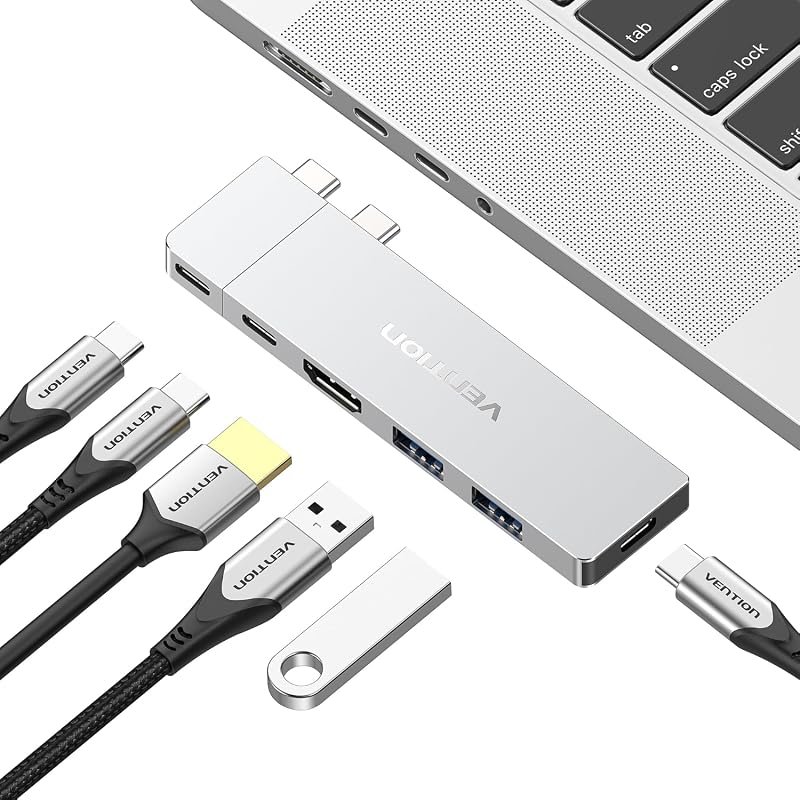 | Users who want high-end display support and a compact hub | Check Price |
| 2. USB C Hub Adapter 8-in-2 | 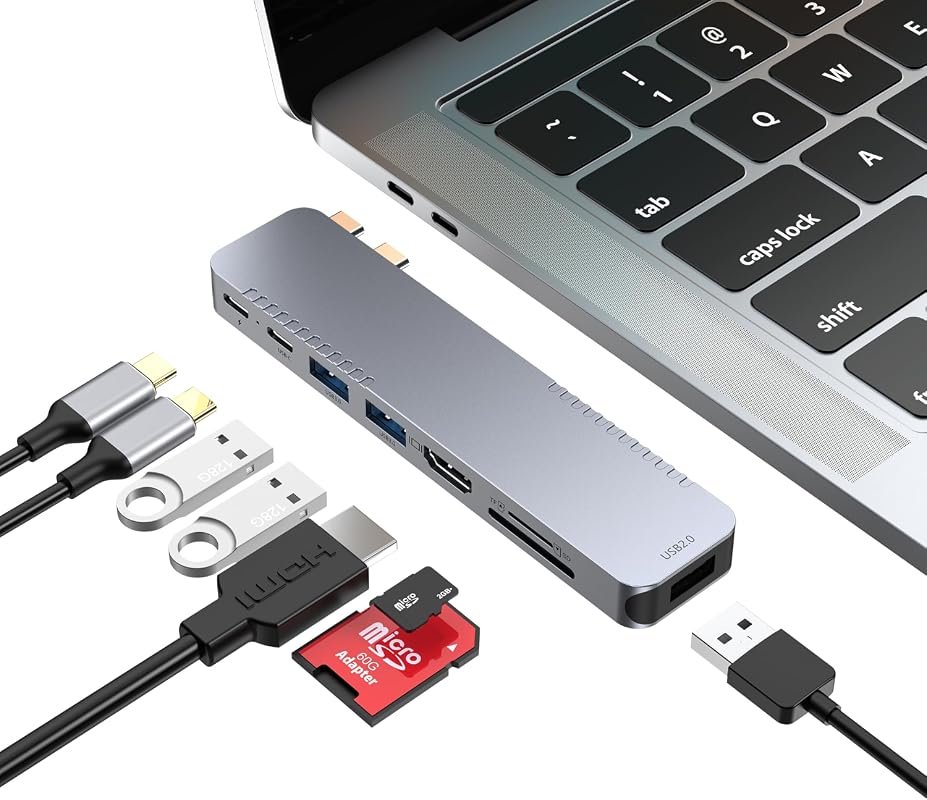 | MacBook Air users who want dual-display flexibility and MagSafe awareness | Check Price |
| 3. UANTIN 7-in-1 USB C Hub | 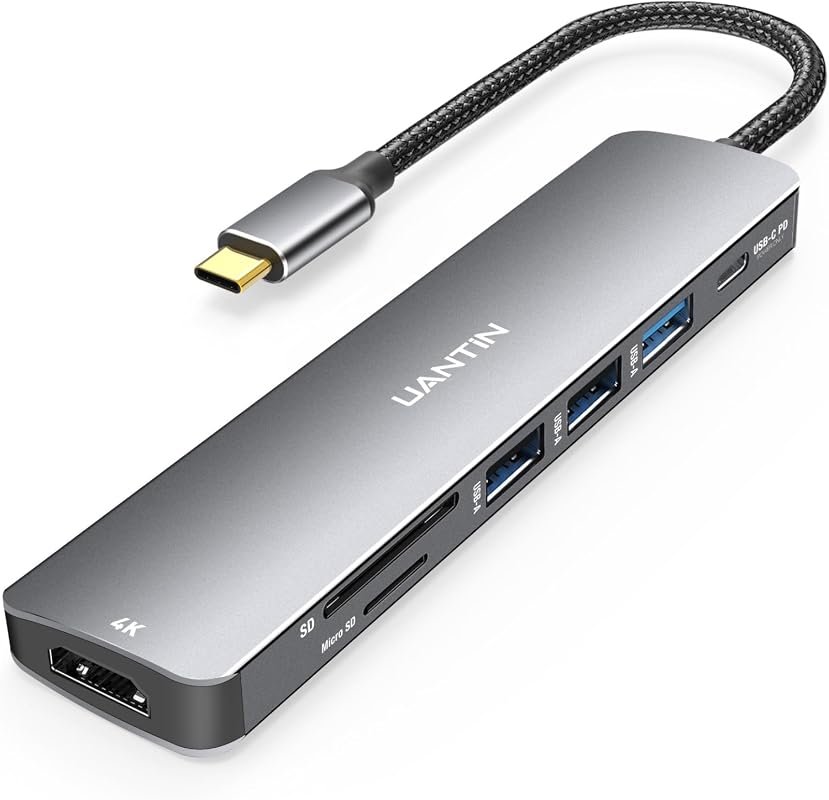 | Shoppers comparing HDMI, USB-A and card-reader ports | Check Price |
| 4. USB C Hub Adapter 8-in-2 | 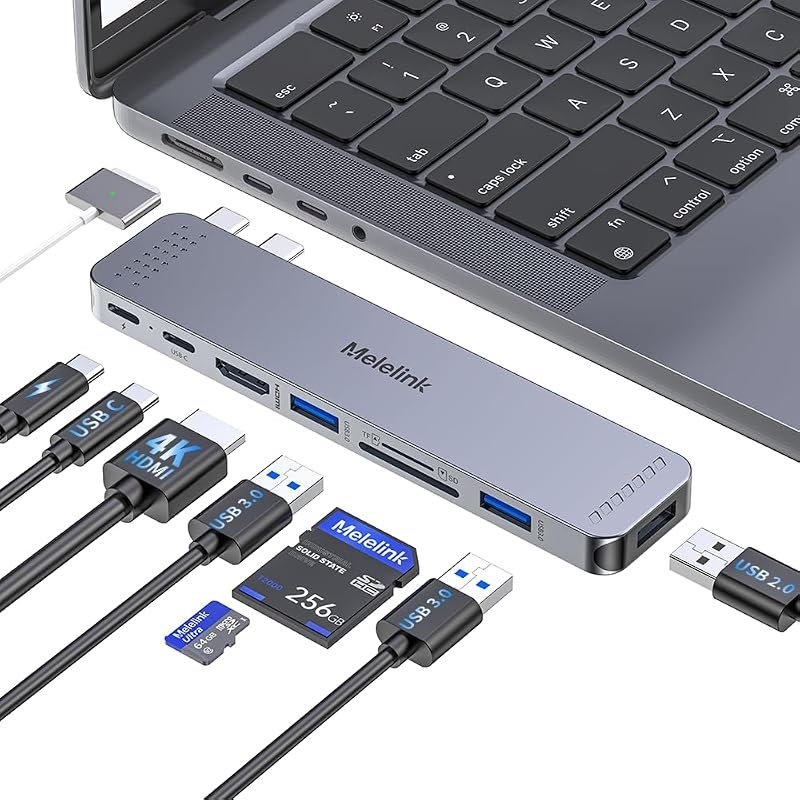 | Users who want a compact 8-in-2 layout with 4K@60Hz HDMI | Check Price |
| 5. UGREEN 5-in-1 USB C Hub | 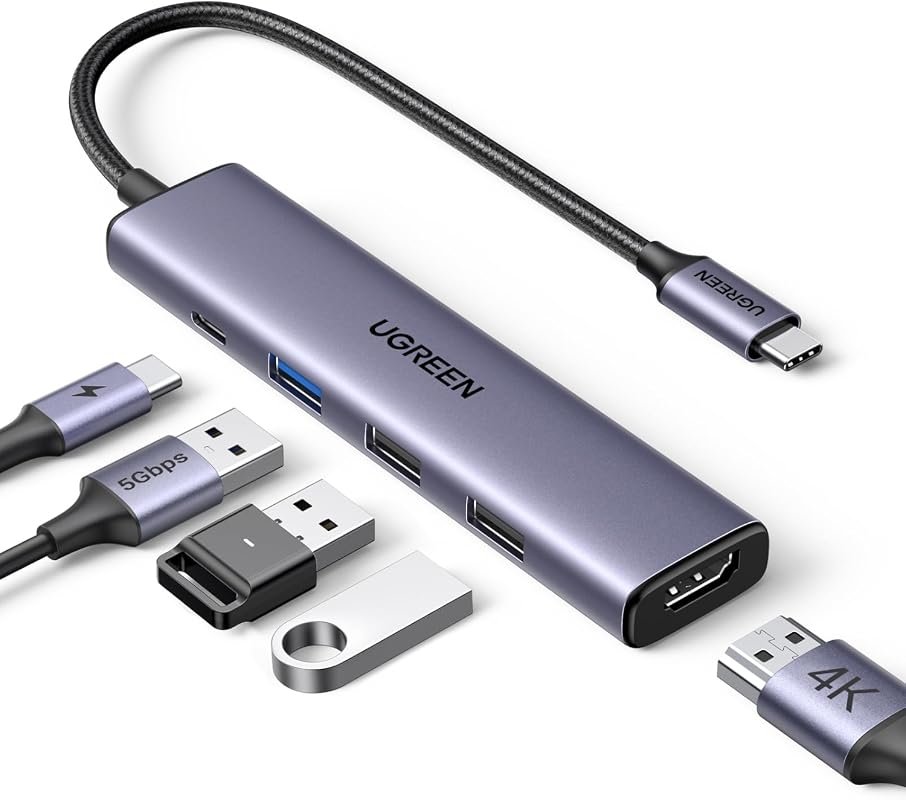 | Minimal setups that mainly need charging, HDMI, and a few USB ports | Check Price |
| 6. USB C Hub Multiport Adapter | 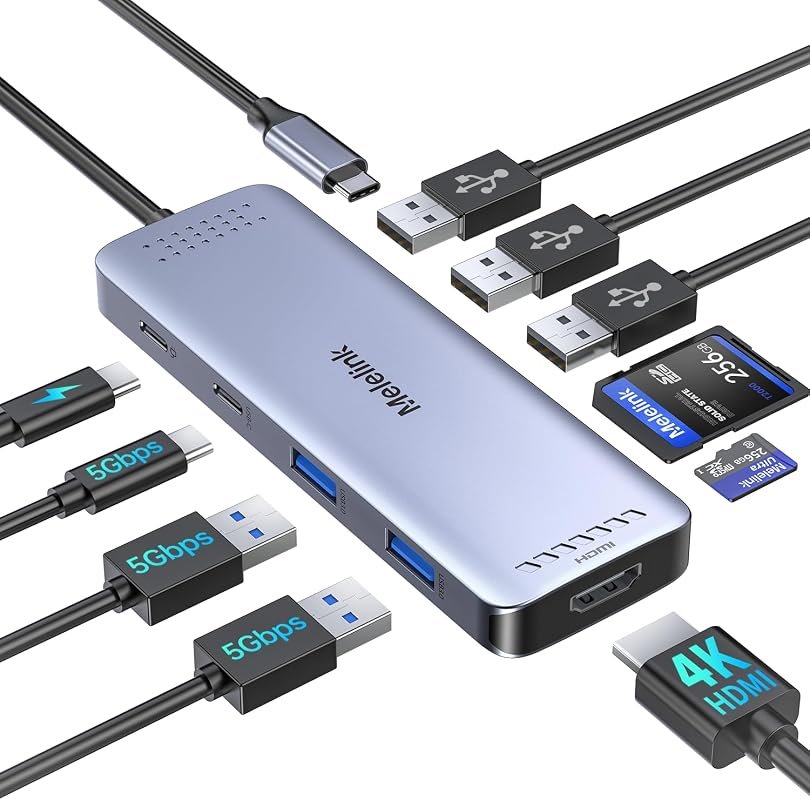 | People who want the most ports for cards, USB devices, and charging | Check Price |
| 7. USB C Hub 7-in-2 | 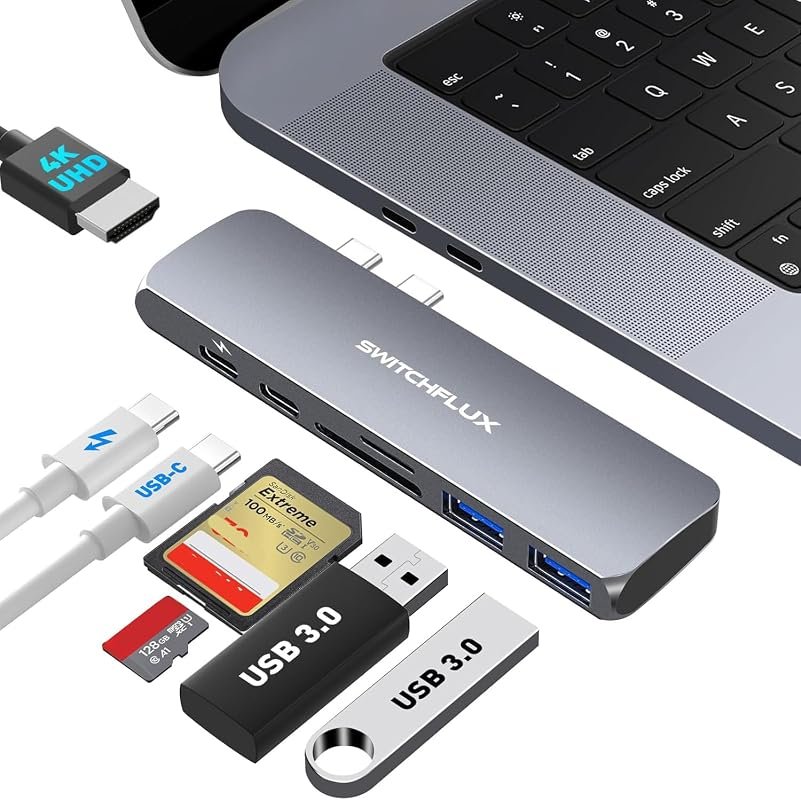 | Older MacBook Air owners checking a two-port connector layout | Check Price |
MacBook Air Display Compatibility: Check Your Chip First
| MacBook Air chip | Native external-display support | Buying check |
|---|---|---|
| M1 or M2 | One external display, up to 6K at 60Hz. | Two HDMI sockets on a hub do not establish support for two independent extended desktops. |
| M3 | Up to two external displays with the laptop lid closed, subject to Apple’s setup requirements. | Use compatible displays, power, an external keyboard and mouse or trackpad, and macOS Sonoma 14.3 or later for MacBook Air. Opening the lid disables the second external display in this setup. |
| M4 | Up to two external displays alongside the built-in display. | Verify the supported dock and connection path as well as display resolution and refresh rate. |
This table covers the listed chips only. For another generation, check its exact Apple specification rather than extending these limits by assumption. A supported hub can route displays but does not increase the Mac’s native display count. Also distinguish a hub’s advertised PD input from the output available to the laptop; confirm both in its manual.
Official sources: Apple’s M1 MacBook Air specifications, M2 MacBook Air specifications, M3 dual-monitor setup and MacBook Air display support guidance. These sources describe the Mac, not an endorsement of a listed hub.
What to Check Before Buying a USB-C Hub for MacBook Air
Charging pass-through and power behavior
For a MacBook Air, look for a hub that clearly states its power delivery behavior and whether part of the input is reserved for the hub itself. If you use a phone charger, external drive, or display setup at the same time, that split matters.
Display output and monitor limits
Many shoppers want HDMI for a monitor or TV, but the supported resolution and refresh rate can vary widely. If you plan to use more than one external display, verify chip compatibility and the current listing details before buying.
Port mix for phone accessories and charging tech
Think about whether you need USB-A for legacy cables, USB-C for newer accessories, SD or TF card readers for content transfer, or extra data ports for a phone and peripherals. Pick the layout that matches your daily carry, not just the longest spec list.
MacBook Air fit and case clearance
Several listings note that a bottom case can interfere with fit. If your MacBook Air uses a protective shell, check the product page carefully for clearance notes and connector style before ordering.
Travel-friendly size versus desk expansion
A compact hub is easier to pack with a charger, cable, and phone accessories. A larger multiport dock can be better for a desk, but only if you will actually use the extra ports.
Compatibility with your exact MacBook model
Some hubs are listed for broad MacBook Air ranges, while others call out specific generations. Verify your model year, chip, and operating system on the current Amazon listing or manufacturer page before checkout.
- Match the hub to your most common setup first: charging plus one display, or charging plus cards and USB accessories.
- If you use a phone with USB-C, confirm whether the hub supports the accessory pattern you need, such as data transfer or pass-through charging.
- Keep a short, certified USB-C cable in your bag so the hub does not become the weak link in your charging setup.
Our Top 7 Best Usb-C Hub For Macbook Air Picks and Reviews
1. VENTION 6-in-2 USB C Hub for MacBook with 8K HDMI and 140W PD
This six-port hub is built for MacBook Air users who want strong display support and a compact layout. The listing emphasizes high-speed transmission, multiple USB-C functions, and a durable aluminum alloy shell.
Key Features That Stand Out
- Supports up to 80Gbps bandwidth and 8K@240Hz video output on compatible Thunderbolt-enabled hosts.
- Includes 2 USB-C ports, 2 USB-A 3.0 ports, and 1 USB 3.2 Gen 1 Type-C port for accessory expansion.
- Features a detachable magnetic USB-C connector for easier attachment and detachment.
- Offers HDMI output with 4K@60Hz and 8K support depending on the connection mode.
- Uses an aluminum alloy shell for durability and heat dissipation.
Why It Stands Out
This model stands out for shoppers who want a more premium-feeling hub without jumping to a much larger dock. The combination of display support, charging-oriented USB-C ports, and a magnetic connector makes it attractive for desk setups and mobile carry.
Best For
Pros and Cons
- Broad port selection for a compact six-in-two design.
- Magnetic detachable connector may be convenient for frequent plug and unplug use.
- Aluminum shell should appeal to buyers who prefer a sturdier finish.
- Bottom-case fit can be an issue, so MacBook Air owners should verify clearance.
- Some top-end display claims depend on Thunderbolt-enabled host compatibility.
2. USB C Hub Adapter for MacBook Pro/Air 8-in-2 Docking Station with 4K HDMI
This 8-in-2 docking station is aimed at MacBook Air and MacBook Pro users who want a balanced mix of display, charging, and storage support. The listing also notes MagSafe port compatibility awareness and broad MacBook generation support.
Key Features That Stand Out
- Includes 4K@30Hz HDMI and Thunderbolt 4/3 support up to 5K@60Hz.
- Provides 100W power delivery with 85W reserved for laptop charging and 15W for peripherals.
- Offers fast data transfer up to 40Gbps on Thunderbolt 4/3 and simultaneous SD/TF card reading.
- Designed not to block the MagSafe port charging connection.
- Plug-and-play operation with no drivers required.
Why It Stands Out
This is a strong alternative if you want a more traditional dock layout and care about keeping the MagSafe area usable. It also gives you a clear charging split, which is useful when you connect storage or multiple accessories.
Best For
Pros and Cons
- Good mix of HDMI, charging, and card-reader features.
- Does not block MagSafe charging according to the listing.
- Useful if you regularly move photos or files from SD and TF media.
- MacBook M1, M2, and M3 display limitations are called out in the listing.
- Bottom-case fit may need verification.
3. UANTIN 7-in-1 USB C Hub Multiport Adapter for Laptop and Mac Devices
This 7-in-1 listing combines HDMI, USB-A, card reading and USB-C charging pass-through. Confirm its exact specifications and compare the current delivered price with alternatives that offer the ports you need.
Key Features That Stand Out
- Expands one USB-C or Thunderbolt port into HDMI, three USB-A ports, SD/TF card reader, and USB-C PD.
- Supports 4K@30Hz HDMI and 1080p@120Hz high refresh output.
- Offers up to 100W PD input for pass-through charging.
- USB 3.0 ports support up to 5Gbps data transfer.
- Plug-and-play design with no driver requirement.
Why It Stands Out
Consider this option if its listed ports cover your school, travel or desk setup. Compare the current delivered price and exact HDMI and charging specifications before deciding whether it offers good value.
Best For
Pros and Cons
- Compare the current delivered price with equivalent port configurations.
- Useful blend of HDMI, USB-A, and card-reader ports.
- Simple plug-and-play setup.
- HDMI is limited to 4K@30Hz in the product listing.
- Check whether its port speeds and HDMI mode meet your requirements.
4. USB C Hub Adapter for MacBook Pro/Air M1-M5 8-in-2 with 4K HDMI
This 8-in-2 hub is built for MacBook Air owners who want a stronger video-output option than many budget hubs provide. It combines 4K@60Hz HDMI with card readers, charging, and multiple USB data ports.
Key Features That Stand Out
- Offers 4K@60Hz HDMI and a Thunderbolt 3 port with 5K@60Hz support.
- Includes 2 USB 3.0 ports, USB-C, USB 2.0, and SD/Micro SD card readers.
- Supports 100W PD charging with 85W output noted in the listing.
- Allows SD and Micro SD cards to be read at the same time.
- Listed for MacBook Air models from 2018 to 2026.
Why It Stands Out
This is a good fit if you care more about monitor quality than having the absolute cheapest hub. The 4K@60Hz HDMI detail makes it especially relevant for desk users and frequent presenters.
Best For
Pros and Cons
- Higher HDMI refresh support than many competing hubs.
- Good card-reader flexibility for photo and video workflows.
- Broad MacBook Air generation coverage in the listing.
- Bottom-case fit still needs checking.
- Display limitations for some MacBook chip generations are noted.
5. UGREEN 5-in-1 USB C Hub with 4K HDMI and 100W Power Delivery
This is a streamlined hub for MacBook Air shoppers who only need a few essential ports. It focuses on HDMI, charging, and a small set of USB-A connections without adding card readers or extra bulk.
Key Features That Stand Out
- Includes 4K HDMI, one 100W USB-C PD port, one 5Gbps USB-A data port, and two USB-A 2.0 ports.
- Supports up to 95W pass-through charging with 5W reserved for hub functions.
- HDMI supports up to 4K 30Hz, with host-device video-output support required.
- Compatible with Windows, MacOS, and Linux according to the listing.
- Works with a wide range of USB-C devices, including MacBook Air and iPhone 15 models.
Why It Stands Out
This hub is appealing if you want a simpler accessory that handles the most common tasks without unnecessary extras. It is also useful for phone-accessory setups where the main need is charging, one display, and a couple of USB peripherals.
Best For
Pros and Cons
- Simple, compact feature set.
- Broad compatibility across operating systems and USB-C devices.
- Useful for users who do not need card readers.
- Only one USB-A port is listed as high-speed.
- HDMI is capped at 4K 30Hz in the product listing.
6. USB C Hub Multiport Adapter for MacBook Pro/Air 10-in-1 with 4K HDMI
This 10-in-1 adapter is the most port-heavy option in the roundup, which makes it a strong match for users who juggle several accessories. It is also one of the more flexible choices for card readers and mixed USB device use.
Key Features That Stand Out
- Includes 4K@60Hz HDMI, two USB 3.0 ports, three USB 2.0 ports, one USB-C data port, and Micro SD/TF card reader.
- Supports 100W PD charging.
- Compatible with MacBook Pro/Air, iPad Pro, iPhone 15 Pro/Pro Max, and other USB-C devices with a full-function port.
- Offers 5Gbps data transfer on the USB 3.0 and USB-C data ports.
- Allows only one HDD/SSD according to the listing.
Why It Stands Out
If you want one hub to handle more of your desktop accessories, this is the most expansive option here. It is especially relevant for creators, students, and phone users who move files often.
Best For
Pros and Cons
- Largest port count in this roundup.
- Strong fit for card transfers and mixed USB accessories.
- Works across several USB-C device types, not just MacBook Air.
- More ports can mean more complexity than some users need.
- One external drive limit is worth noting.
7. USB C Hub for MacBook Pro/Air M1 M2 7-in-2 with 4K HDMI
This 7-in-2 listing is aimed at specified older MacBook Pro and Air models. Its advertised features include HDMI, data transfer, charging and card access; verify connector fit and the exact model range before comparing price.
Key Features That Stand Out
- Expands two USB-C ports into Thunderbolt 3, USB-C data, HDMI, two USB 3.0 ports, and SD/TF reader.
- HDMI supports 4K@30Hz or 1080p.
- Thunderbolt 3 port supports up to 40Gb/s data transfer, 5K@60Hz display output, and up to 100W power delivery.
- USB-C data port supports 5Gbps transfer.
- Listed for MacBook Pro/Air 2016-2022 models.
Why It Stands Out
Check current pricing, seller identity and the manufacturer’s model-specific compatibility notes. This listing’s value and reliability have not been independently tested here.
Best For
Pros and Cons
- Compare the current delivered price with equivalent port configurations.
- Useful core port selection for older MacBook Air models.
- Includes both charging and card-reader support.
- Check recent reviews for the exact model and seller.
- Review counts alone do not establish reliability or compatibility.
If your MacBook Air uses a bottom case or shell cover, verify hub clearance before buying. Several listings note that the connector may not fit properly with a case installed, and a poor fit can make the hub feel loose or unstable.
Complete Roundup for Best Usb-C Hub For Macbook Air
Budget hubs suit light daily use, with core HDMI, charging, and USB expansion, though display and port options stay limited.
Mid-range models balance better display support, more ports, and broader compatibility for desk work, travel, and phone accessories.
Premium picks usually add stronger display support, more flexible connectors, or larger port counts for heavier multitasking.
Compatibility and intended use
For MacBook Air shoppers, the best fit depends on whether you need a dock for a monitor, a travel hub for charging and accessories, or a file-transfer tool for phone photos and memory cards. The product listings vary in MacBook generation support, so check the model range carefully.
Do This
- Check your MacBook Air model year and confirm the hub supports your display and charging needs.
- Use certified cables and follow the listed power guidance when connecting chargers and accessories.
- Verify whether your setup needs HDMI, card readers, USB-A, or USB-C data ports before choosing.
- Do not assume every hub supports dual external monitors on every MacBook Air chip.
- Do not ignore bottom-case fit notes or port-sharing limits.
- Do not overload a hub with more high-power devices than the listing allows.
Practical tips for safer everyday use
- Keep hubs ventilated when charging and transferring files at the same time.
- Use the shortest practical cable run for cleaner desk setups and fewer loose connections.
- For phone accessories, confirm whether the hub supports the exact task you need, such as data transfer, display output, or pass-through charging.
Before ordering, match the hub to your MacBook Air generation, your need for HDMI or card readers, and whether your case leaves enough room for the connector.
- Match the MacBook Air chip and required display mode before comparing hub specifications.
- Check host charging output separately from the hub’s advertised PD input.
- Confirm the exact model, connector clearance, return policy and current price before ordering.
- The product order is a shortlist, not a measured performance ranking.
Frequently Asked Questions About Best Usb-C Hub For Macbook Air
There is no independently verified overall winner in this comparison. Choose for your exact MacBook Air chip, monitor resolution and refresh rate, charging needs and required ports, then verify the hub manufacturer’s compatibility information.
Compare current delivered prices for hubs that meet your required ports and display mode. This guide does not establish a current lowest-priced option; avoid paying for features your setup cannot use.
No. M1 and M2 MacBook Air models natively support one external display. M3 models can support two with the lid closed and Apple’s setup requirements met. M4 models support up to two external displays alongside the built-in display. A hub does not increase the Mac’s native display limit; verify the exact dock, connection mode, resolution and refresh rate.
Maybe, but you need to check the fit notes carefully. Multiple listings warn that a bottom case can interfere with the connector, which may affect stability or prevent proper installation.
The UGREEN 5-in-1 and the UANTIN 7-in-1 are both practical for simple phone-accessory setups because they keep the port mix focused. If you need card readers too, the 10-in-1 option gives you more flexibility.
Check your MacBook Air model, your display needs, and whether the hub supports the exact port types you plan to use. It is also smart to confirm power delivery details and any case-clearance notes on the current listing.
Start with your MacBook Air chip and monitor requirements, then compare the exact hub model, host charging output and port layout. An overall winner cannot be established here without verifying those requirements and testing the products.
Compare the total delivered price, exact model, required ports, return terms and warranty support. The less expensive choice is useful only if it meets your MacBook Air display and charging requirements.
This is a specification and compatibility comparison, not a hands-on product test. Apple documentation supports the Mac display limits below; it does not validate the individual hubs in this shortlist. Product-specific claims, current prices, seller details and compatibility still require confirmation before purchase.