Can You Have 2 Ring Video Doorbells at Once
Yes, you can usually have two Ring video doorbells on one account and in the same app. The main things to verify are Wi‑Fi strength, power compatibility, and whether the second doorbell adds real coverage instead of duplicating the first.
Yes—most homes can have two Ring video doorbells at once, as long as each unit is compatible with your wiring, Wi‑Fi, and Ring app setup. The real question is not whether you can install two, but whether your home layout and network can support them well.
- Yes, it’s possible: Two Ring doorbells can usually be managed from one app and one household account.
- Coverage matters most: The second unit is most useful for side doors, back doors, garages, or other.
- Check compatibility first: Verify power type, transformer limits, Wi‑Fi signal, and mounting clearance before buying.
- Expect more alerts: Two devices can increase notifications, so naming and permission settings become more important.
- Maintenance still matters: Keep lenses clean, mounts secure, and batteries or wiring in good condition.
Can You Have 2 Ring Video Doorbells at Once? Quick Answer and What It Means for Your Home
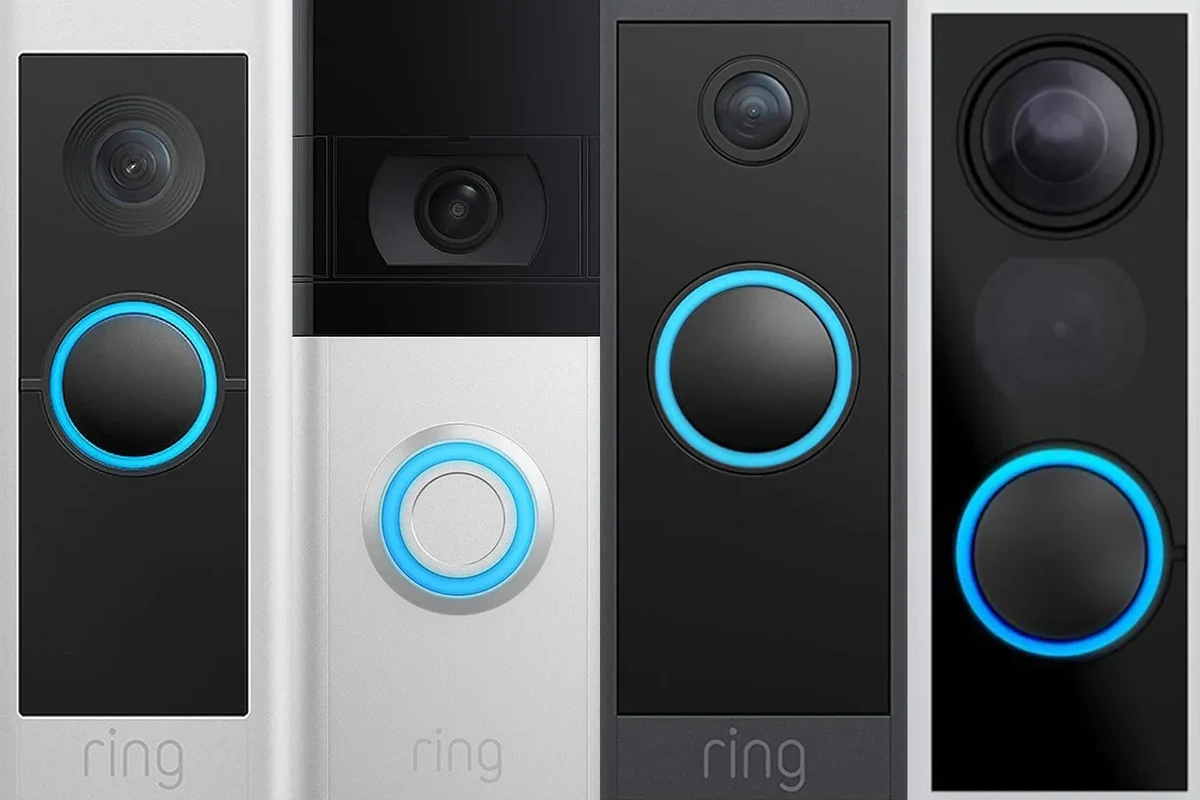
In practical terms, two Ring doorbells can work together on the same account and in the same app, so you can monitor more than one entrance from one place. That makes sense for homes with a front door and side door, a basement entrance, a detached garage entry, or any layout where one camera leaves a blind spot.
The main limits are usually not the app itself. They tend to be power, Wi‑Fi strength, mounting space, and whether your chosen models fit the same wiring or battery setup you already have. If you are still deciding which model to buy, it can help to compare the options first with a guide like the best Ring video doorbell for home and broader buying advice in what kind of video doorbell should I buy.
How Multiple Ring Video Doorbells Work on One Account and in the Same App
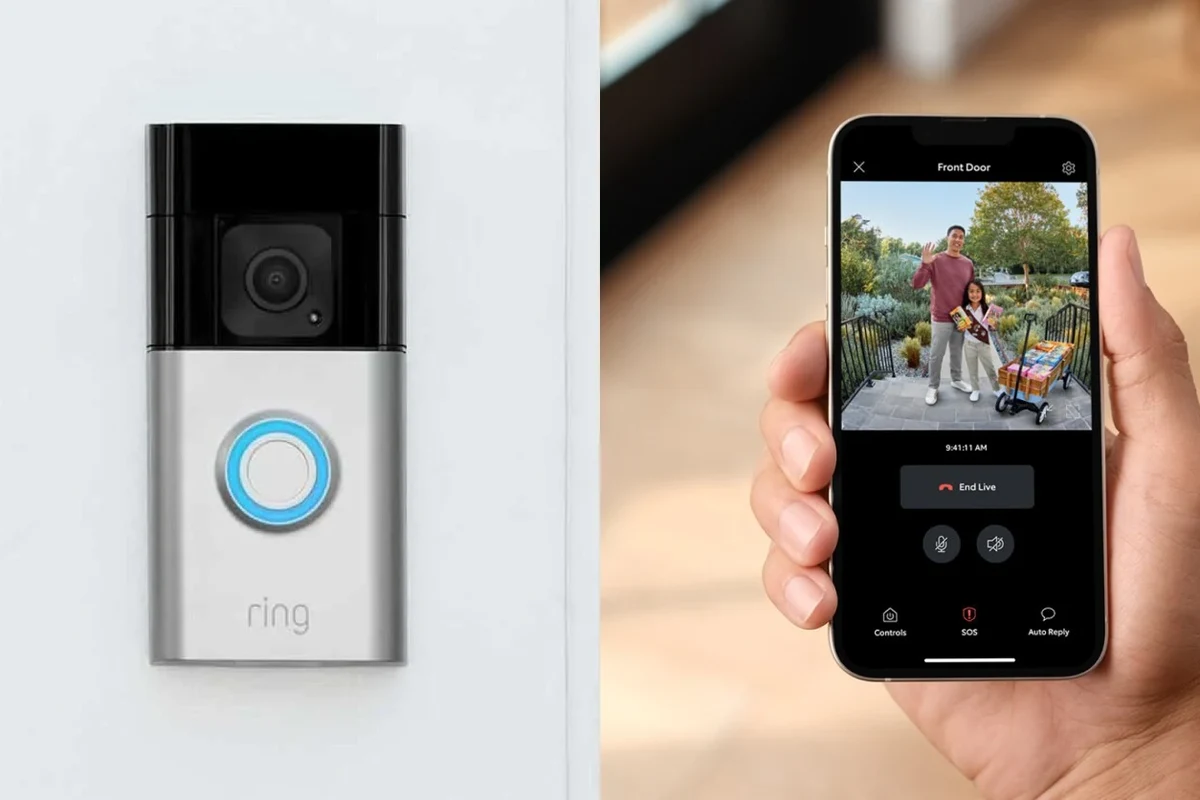
Ring’s ecosystem is designed so one household can manage multiple devices from one app. That usually means you can see both live views, receive alerts from both, and review footage from each doorbell separately, as long as each device is added correctly to the account and assigned a clear name.
The experience is still shaped by the app version, phone settings, and how your home network is configured. Features can vary by model and by subscription tier, so it is wise to confirm current Ring app requirements and device compatibility before you buy a second unit.
Device naming, live view, alerts, and sharing access across family members
When two doorbells are installed, the first thing to do is give each one a specific name such as “Front Door” and “Side Gate.” That simple step helps prevent confusion when an alert comes in, especially if several people share the account.
Use names that match the actual entrance, not just “Doorbell 1” and “Doorbell 2.” Clear labels make alerts, history, and shared access much easier to manage.
Live view should be treated as a separate camera feed for each location. If you share access with family members, roommates, or a caregiver, review permissions carefully so everyone sees only the devices they need. That is especially important in homes where one entrance faces a private area, shared driveway, or neighbor’s property.
Wi‑Fi requirements, signal strength, and why placement matters for reliability
Two doorbells place more demand on your Wi‑Fi than one, even if each device uses only modest bandwidth. If the signal is weak at one entrance, you may see delayed notifications, dropped live view sessions, or inconsistent video uploads.
Range depends on your router, walls, exterior materials, interference, and the exact Ring model. A strong signal at the front door does not guarantee the same result at the side or rear entrance.
Placement matters because doorbells are often mounted near brick, metal, stucco, or thick siding that can reduce wireless performance. If one location is far from the router, consider whether you need a mesh system, a closer access point, or a different mounting position before adding a second device.
Who Benefits Most from Installing Two Ring Doorbells
Two doorbells make the most sense when your home has more than one meaningful entry point. In those cases, a second device can reduce blind spots and make it easier to see who approaches from different directions.
Front door plus side door, duplex homes, larger properties, and multi-entry setups
Homes with a front door and side door are the most obvious fit. Duplexes, rental properties with separate entrances, larger homes with a back or garage entry, and properties with deliveries arriving from different access points can also benefit from two cameras.
If you manage a home office, run a small business from a residence, or frequently receive packages, two doorbells can help you keep an eye on both visitor traffic and parcel drop-offs. For households with pets or children, it can also make it easier to tell whether someone is at the front door while you are in another part of the home.
When one doorbell may be enough instead
One doorbell may be enough if all visitors use the same entrance and the camera already covers the approach clearly. In that case, a second unit can become redundant rather than helpful.
It may also be smarter to invest in better placement, a stronger Wi‑Fi setup, or a different angle kit before buying another device. If your goal is simply to improve overall home security, it can be worth reading whether video doorbells are worth it for home security before deciding on a second unit.
Key Setup and Compatibility Checks Before Buying a Second Ring Doorbell
Before purchasing another Ring doorbell, it helps to verify the power source, the mounting space, and the app and subscription features you expect to use. These checks prevent common problems such as incompatible wiring, poor battery performance, or a camera view blocked by trim or door hardware.
- Check compatibility, model number, app requirements, dimensions, ports, wattage, and intended use
- Confirm safety guidance, warranty, return policy, privacy settings, and update support
Power source options, transformer limits, and battery vs wired considerations
Ring models may use battery power, wired power, or a combination depending on the exact product. If you already have a wired doorbell, do not assume every Ring model will fit the same transformer or chime setup without confirmation from the official specifications.
Battery models are often easier to place, but they may need periodic charging and can be affected by cold weather, frequent motion events, or heavy live-view use. Wired models can be more convenient long term, but only if the existing wiring and transformer are suitable for the device you choose.
Do not modify home wiring or transformer components unless you are qualified to do so. If wiring appears damaged, loose, or overheated, stop using the device and follow the manufacturer’s guidance or consult a licensed professional.
App requirements, subscription needs, and device compatibility by Ring ecosystem
Ring features can depend on the app, the account setup, and whether you use a paid plan for recorded video history or advanced features. If you want event history from both doorbells, confirm the current subscription terms before relying on those features.
For smart home devices, account setup and software updates can matter as much as hardware. A doorbell that is technically compatible may still behave differently depending on app permissions, notification settings, and firmware version.
It is also worth checking whether your existing Ring accessories, chime devices, or smart-home integrations work with the second unit in the same way. If you use Alexa or another connected platform, verify current compatibility in the official documentation rather than assuming every feature carries over automatically.
Mounting dimensions, angle kits, and doorbell placement clearance
Two doorbells only help if both can see what matters. Before buying, check the mounting area for clearance around the door frame, screen door, trim, lighting fixtures, and any nearby walls that could block the field of view.
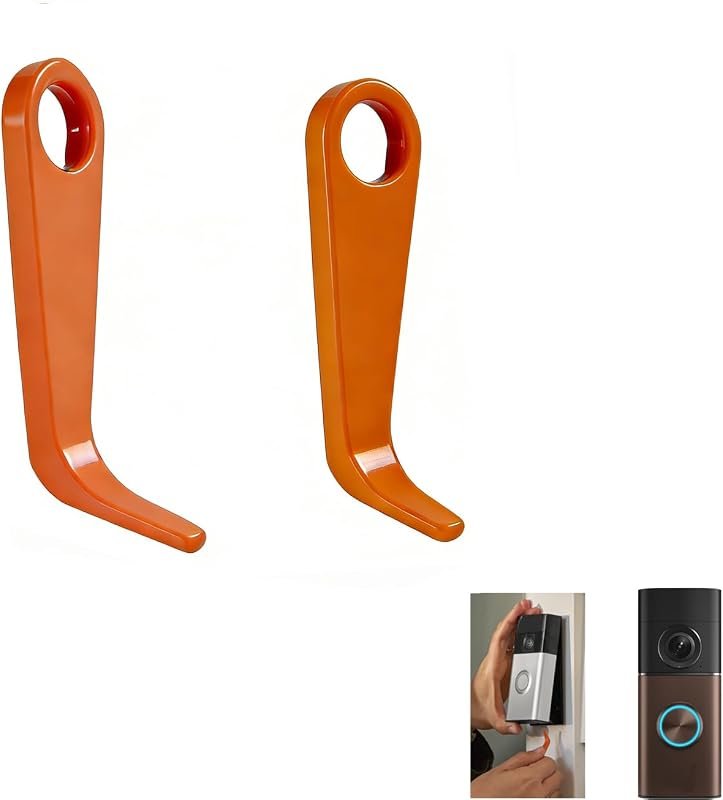
Angle kits or wedge mounts may improve the view if the doorbell faces a walkway at an awkward angle. The exact accessory needed depends on the model and the entryway layout, so confirm dimensions and accessory compatibility before ordering.
Benefits of Using Two Ring Video Doorbells in Real-World Use
Two doorbells can improve everyday convenience, not just security. In many homes, the biggest gain is better awareness of who is approaching from different directions without having to guess which entrance was used.
Better coverage of different entrances and fewer blind spots
With two units, you can separate coverage by entry point instead of forcing one camera to do everything. That usually means fewer blind spots around side doors, back doors, garages, or secondary walkways.
This can be especially useful for homes where deliveries are left at one entrance while guests use another. The result is a cleaner view of each area and less chance that a visitor or package is missed because the camera was pointed the wrong way.
Improved convenience for deliveries, guests, and package monitoring
When one doorbell covers the front door and the other covers a delivery-heavy side or garage entrance, it becomes easier to keep track of packages. You also get a better record of which entrance a guest used, which can help with coordination in busy households.
If deliveries are a major concern, place the second doorbell where it can see the drop-off area and part of the approach path. That often matters more than pointing it directly at the door itself.
How two doorbells can help with security routines and household coordination
Two devices can support simple routines such as checking the back entry after dark, reviewing motion alerts before opening the door, or confirming whether a child, roommate, or visitor arrived at the side entrance. For busy households, that can reduce uncertainty and repeated trips to the same doorway.
Some users also appreciate having separate alert patterns for different entrances, though the exact notification behavior depends on app settings. That makes it easier to tell whether activity is happening at the front door or somewhere less visible.
Limitations, Trade-Offs, and Common Mistakes to Avoid
Two doorbells are not automatically better than one. If you do not plan the setup carefully, you can end up with extra alerts, more maintenance, and very little added value.
Wi‑Fi congestion, notification overload, and battery drain issues
Adding another camera can increase Wi‑Fi traffic and notification volume. In a home with many connected devices, that may create more lag or make it harder to notice which alert actually matters.
Battery-powered units can also drain faster if they see frequent motion, long live-view sessions, or poor signal strength. That is one reason placement and router coverage are so important before you commit to a second doorbell.
Overlapping camera views, poor mounting angles, and privacy concerns
Overlapping views can reduce the benefit of a second device. If both cameras see nearly the same walkway, you may not gain meaningful coverage, and you may increase the chance of capturing areas you did not intend to monitor.
Review camera angles from the sidewalk, neighboring property lines, and interior windows before finalizing placement. Reposition the device if it records more than you need or creates avoidable privacy concerns.
Forgetting subscription tiers, shared-user permissions, and storage limits
Some users assume that adding a second doorbell automatically doubles all features. In reality, storage, event history, and advanced alerts may depend on the plan and the account settings you choose.
Shared-user permissions can also create confusion if one family member can see both devices and another can only see one. Review the account structure early so you do not discover access problems after installation.
- Better coverage for multiple entrances
- Cleaner separation of alerts and footage
- Useful for deliveries, guests, and busy households
- Needs stronger Wi‑Fi and careful placement
- May increase notifications and maintenance
- Subscription and compatibility details can vary
Safe Use, Maintenance, and Long-Term Care for Ring Doorbells
Once two doorbells are installed, basic maintenance helps keep them reliable. A little routine care can reduce false alerts, preserve image quality, and make it easier to spot problems early.
Cleaning the lens, checking mounts, inspecting wiring, and replacing batteries
Wipe the lens gently with a soft, dry or slightly damp microfiber cloth when dirt or pollen builds up. Avoid harsh cleaners that could damage the finish or leave residue on the camera cover.
Check the mount from time to time to make sure the doorbell is still secure and aimed correctly. If your model uses batteries, follow the manufacturer’s charging and replacement guidance, and stop using any battery that appears swollen, damaged, or unusually hot.
Weather exposure, heat/cold performance, and when to verify warranty coverage
Outdoor electronics face sun, rain, humidity, dust, and temperature swings, so performance can vary by climate. Cold weather may affect battery life, while direct sun or enclosed mounting spots can increase heat exposure.
If a doorbell starts behaving oddly after weather exposure, verify the warranty terms and current support guidance before assuming the issue is minor. It is also smart to check the official manual for cleaning, seasonal care, and any model-specific limitations.
Final Recommendation: Is Two Ring Video Doorbells Worth It for Your Home?
Two Ring video doorbells are worth considering if your home has more than one important entrance and your Wi‑Fi, power setup, and mounting layout can support both devices cleanly. The setup is most valuable when each doorbell covers a different approach, not when the cameras simply duplicate the same view.
If you are comparing models, confirm the current compatibility details, subscription requirements, and installation limits before you buy. For many households, the best decision is a second doorbell only when it solves a real coverage problem; otherwise, a better placement or a stronger network may deliver more value with less complexity.
Choose two Ring video doorbells if you need separate coverage for front, side, back, or garage entries and you are ready to manage the extra setup. If your home has one main approach or weak Wi‑Fi at the second location, a single well-placed doorbell may be the smarter choice.
For readers comparing options across the Ring lineup, it may also help to review Ring video doorbell cost guidance and whether Ring is worth it in 2026 before making a final purchase decision.
Frequently Asked Questions
Yes, most Ring setups can manage two doorbells under one account in the same app. The exact experience can vary by model, app version, and subscription features.
No, they usually work on the same home network. What matters most is whether each mounting location has a strong enough signal for reliable alerts and video uploads.
One doorbell is often enough if all visitors use the same main entrance. A second unit makes more sense when you need coverage for a side door, back door, garage, or other separate entry.
Not always, but compatibility depends on the exact models you choose. Some homes can mix battery and wired devices, while others need to verify transformer and installation limits first.
Yes, adding a second device can increase alerts and make notification management more important. Naming each doorbell clearly and adjusting alert settings can help reduce confusion.
Check power compatibility, Wi‑Fi strength, mounting clearance, app requirements, and any subscription features you plan to use. It is also smart to confirm the current official specifications and warranty terms before purchasing.