Does Blink Video Doorbell Ring Inside House Explained
No, the Blink Video Doorbell does not usually ring inside the house by default like a traditional chime. Indoor ringing depends on your Blink setup, app alerts, and any connected Alexa or chime devices.
If you’re asking does Blink video doorbell ring inside house, the short answer is: not by default in the same way a traditional wired doorbell does. Indoor ringing depends on how you set up the Blink app, whether you use a Sync Module, and whether you connect Alexa devices or compatible chimes.
- Default behavior: Blink typically sends app notifications first, not a built-in indoor chime.
- Indoor ringing: Usually requires Alexa, a compatible chime, or another connected alert device.
- Reliability: Wi‑Fi strength, permissions, and app settings affect whether you hear alerts inside.
- Best fit: Works well for smart-home users who want flexible alerts and app-based control.
- Before buying: Verify model compatibility, wiring needs, and the exact indoor alert method you want.
Does Blink Video Doorbell Ring Inside House? Quick Answer and What It Means
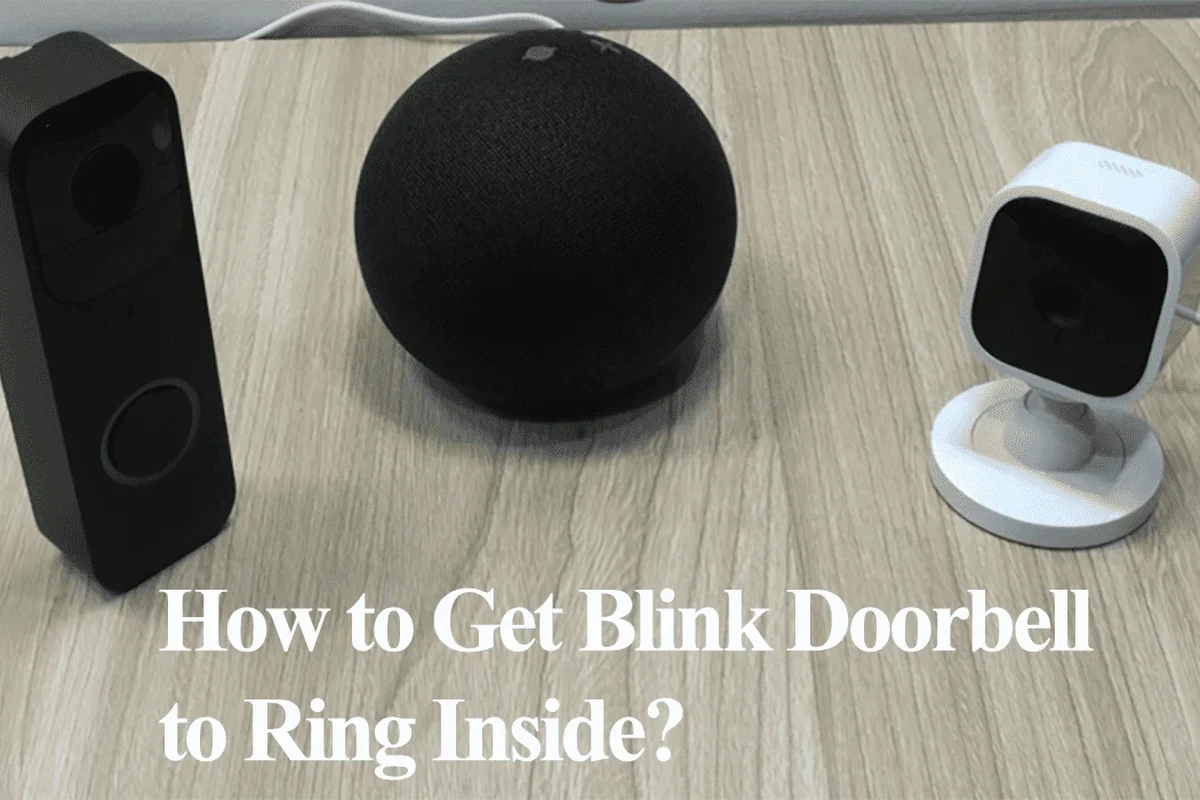
Blink’s doorbell is designed to send alerts through the app and, in some setups, through connected smart-home devices. That means the “inside ring” experience is usually something you configure rather than something that happens automatically out of the box.
For many households, the real question is not whether the doorbell can notify you, but how it notifies you. If you rely on a phone, tablet, Echo device, or a separate indoor chime, your setup choices matter more than the doorbell button itself.
If you are still comparing models and budgets, it helps to understand the broader cost and fit of video doorbells first. Our guide on how much a video doorbell costs can help with that decision.
How the Blink Video Doorbell Alerts You: Chime, App Notifications, and Alexa Integration
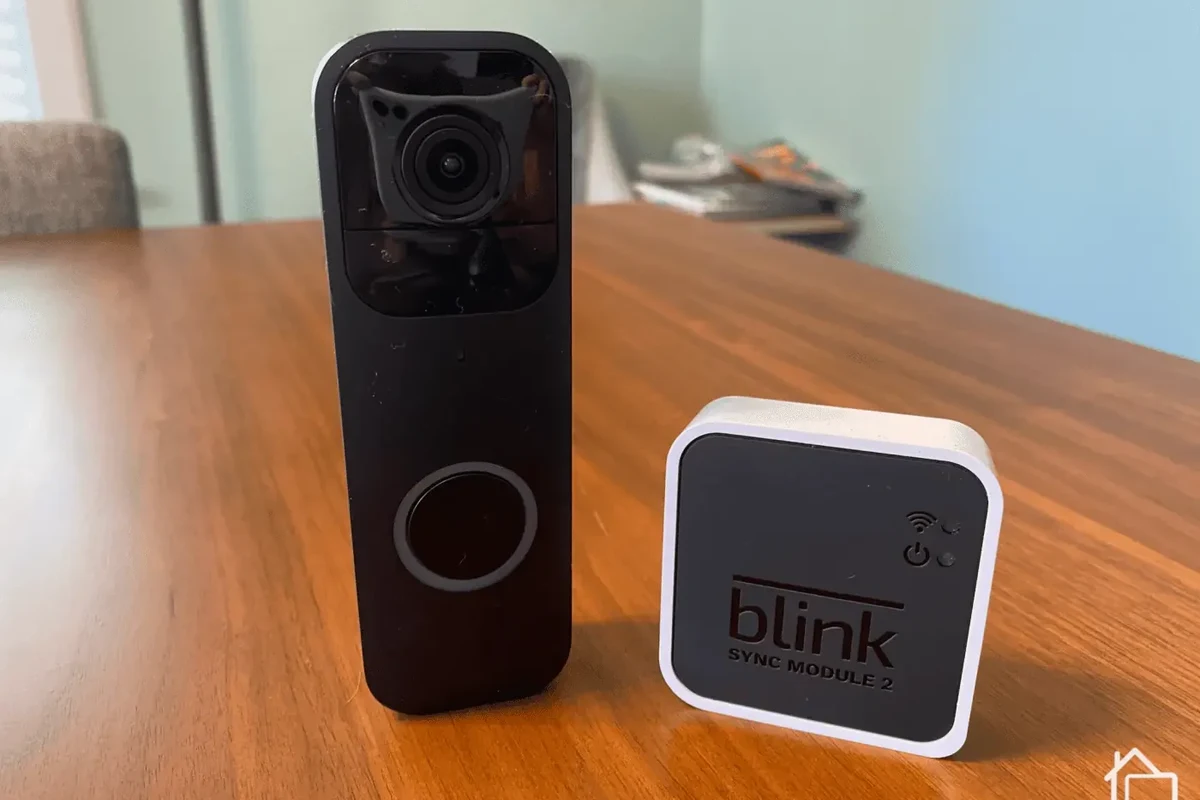
Blink notifications can come through more than one channel, and that is why indoor ringing varies from home to home. The app can send push alerts to your phone, while compatible Alexa devices may announce the doorbell event or act as an indoor chime, depending on your setup and current software support.
What happens by default when someone presses the button
By default, the Blink Video Doorbell is meant to alert you through the Blink app and associated account settings. In many cases, that means you get a phone notification first, not a mechanical chime inside the house.
Alert behavior can vary by app version, region, firmware, and whether the doorbell is battery-powered or wired. Always verify the current behavior in the official Blink app and product documentation.
If you are expecting a classic “ding-dong” sound from an indoor unit, you may need additional hardware or a smart-home speaker. That distinction is important for apartments, larger homes, basements, and noisy households where phone-only alerts are easy to miss.
How indoor ringing depends on your setup and connected devices
Indoor ringing usually depends on whether your Blink system is connected to a compatible accessory or ecosystem. In practical terms, the doorbell can be part of a larger alert chain: button press, cloud event, app alert, and then a chime or voice announcement inside the home.
Many smart doorbells do not include a built-in indoor chime, because manufacturers expect users to rely on app alerts, smart speakers, or separate chime accessories.
That flexibility is useful, but it also means the result depends on your network, permissions, and linked devices. If Alexa announcements are turned off, your phone is on silent, or the chime accessory is not paired correctly, the indoor alert may never happen.
Setup Guide: How to Make a Blink Video Doorbell Ring Inside Your House
To get indoor ringing, you need to build the alert path intentionally. The basic idea is simple: set up the doorbell in the app, make sure it stays connected to Wi‑Fi, and then add the indoor alert method you want, such as Alexa announcements or a compatible chime solution.
App requirements, account setup, and Wi‑Fi connectivity
Start with the official Blink app and a valid account. The doorbell needs a stable Wi‑Fi connection to send event notifications reliably, and weak signal strength can create delays or missed alerts.
Use the current official Blink app and follow the pairing steps for your specific doorbell model.
Check that your router signal reaches the doorbell location before final mounting.
Allow push alerts and any in-app permissions needed for sound, background refresh, or device discovery.
For homes with spotty coverage, a mesh system or better router placement may improve reliability more than any setting change. If your indoor alert is delayed, the bottleneck is often network quality rather than the doorbell itself.
Using the Blink Sync Module, Alexa devices, and compatible chimes
Depending on the Blink model and current feature support, a Sync Module may be part of the setup. In some homes, that module helps coordinate the system and can improve how reliably alerts flow to the app and linked devices.
- Check the exact Blink doorbell model and whether it requires a Sync Module for your preferred features
- Confirm Alexa device compatibility, if you want voice announcements or indoor chime behavior
- Verify whether your indoor chime plan depends on a separate accessory or a smart speaker
- Review the current app settings for motion, doorbell press alerts, and sound permissions
If you already use Alexa in the home, that can be the easiest path to indoor awareness. If you want a dedicated chime sound in multiple rooms, a separate compatible chime solution may be more practical than relying on one speaker in the kitchen.
Placement tips for reliable indoor alerts
Placement matters more than many buyers expect. The doorbell should have a strong enough connection to your network, and indoor alert devices should be placed where people can actually hear them.
- Place the router or mesh node so the front door has a steady signal, not just “barely connected” coverage.
- Put smart speakers in common rooms, not only in a bedroom or office you rarely use.
- Test doorbell press alerts during a quiet time before relying on them for daily use.
Also think about household noise. A chime that works in a quiet apartment may be too soft in a busy home with kids, pets, a TV, or a home office.
Key Specs and Decision Criteria to Check Before You Buy
Because indoor ringing depends on the whole ecosystem, the most useful specs are not just camera resolution or button design. You should also verify power options, compatibility with your existing wiring, network requirements, and whether the alert method matches your household.
Power source, battery life, and replacement guidance
Blink doorbells are commonly chosen for battery-based convenience, but battery behavior varies with motion activity, temperature, signal strength, and how often the doorbell is used. If your front door gets a lot of traffic, battery life may be shorter than you expect.
Stop using damaged electronics, swollen batteries, frayed cables, overheating chargers, or unstable appliances and follow the manufacturer’s guidance.
Before buying, check how the battery is charged or replaced, whether a spare is supported, and what the manufacturer recommends for long-term care. If you plan to keep the doorbell outdoors year-round, battery access and seasonal maintenance matter as much as the camera feature list.
Dimensions, mounting, and compatibility with your existing doorbell wiring
Mounting is another decision point that affects indoor ringing indirectly. A poorly mounted doorbell can have weak Wi‑Fi, awkward viewing angles, or wiring limitations that keep it from working the way you expected.
If you are replacing a wired doorbell, do not assume the old chime will work automatically. Confirm the exact compatibility list and installation instructions before you remove anything.
Connectivity, video quality, and motion detection settings
Connectivity is what makes the indoor ring possible, while video quality and motion settings shape how useful the alerts feel in daily life. Faster notifications are usually more valuable than higher resolution if your main goal is simply hearing someone at the door.
Motion sensitivity can also affect how often you get alerts. Too sensitive, and you may get notification fatigue; too low, and you may miss visitors or deliveries. If you want broader smart-doorbell comparisons before choosing, our guide to the best video doorbell guide can help you narrow the field.
Who the Blink Video Doorbell Fits Best in 2026
The Blink Video Doorbell is best for people who want flexible smart alerts without overcomplicating the setup. It can make sense for renters, homeowners, students, and budget-conscious users who are comfortable managing alerts through an app or smart speaker rather than a built-in mechanical chime.
Best for renters, homeowners, and budget-conscious smart-home users
Renters often like battery-based installation because it can be less invasive than rewiring. Homeowners may appreciate the lower-friction setup for side doors, garages, or secondary entrances where a full wired system is not necessary.
If you are comparing value across brands, you may also want to review best value video doorbell options and whether Ring is worth it for your needs. The right choice depends less on brand name and more on how you want alerts to work inside the house.
Choose Blink if you want a straightforward smart doorbell, app-based alerts, and flexible indoor notification options without needing a traditional chime to be the centerpiece.
When another doorbell or a wired chime system may be a better fit
If your top priority is a guaranteed, loud indoor chime with minimal setup, a more traditional wired doorbell system may be easier. Some homes also benefit from doorbells that integrate more directly with existing chime hardware or broader smart-home ecosystems.
That is especially true for larger homes, older houses with existing wiring, or families who do not want to depend on phones and cloud notifications. In those cases, a different model may feel more dependable day to day.
Real-World Benefits, Limitations, and Common Mistakes
The biggest benefit of Blink-style alerting is flexibility. You can get notified on your phone, through a speaker, or via a connected indoor device, which is useful when people are spread across the house or working in different rooms.
Convenience, remote alerts, and hands-free indoor awareness
For remote workers, parents, pet owners, and people who move around the house a lot, hands-free alerts are a real advantage. You do not have to keep staring at your phone, and you can place indoor speakers where they are most likely to be heard.
- Flexible indoor alert options
- Useful for app-based smart-home setups
- Can fit renter-friendly installations
- No guaranteed indoor ring by default
- Depends on Wi‑Fi and app permissions
- May require extra devices for the best experience
Limitations: no indoor ring by default, Wi‑Fi dependence, and notification delays
The main limitation is that indoor ringing is not always native or automatic. If your Wi‑Fi drops, the app is muted, or cloud notifications are delayed, the doorbell may still work at the door but fail to alert you inside on time.
That is why buyers should think in terms of reliability, not just features. A smart doorbell is only as useful as the network, settings, and devices behind it.
Common setup mistakes that prevent indoor ringing
Many “it doesn’t ring inside” complaints come from simple setup issues. The most common ones are missed notification permissions, low speaker volume, disabled Alexa announcements, weak Wi‑Fi, or assuming the old wired chime will work without checking compatibility.
After setup, press the doorbell and test every alert path one by one: phone notification, speaker announcement, and any indoor chime accessory.
If one path fails, isolate the problem before changing multiple settings at once. That makes troubleshooting much faster and avoids accidental misconfiguration.
Safe Use, Maintenance, and Long-Term Value
Like any outdoor smart device, a video doorbell needs occasional attention. Dirt, weather, battery wear, loose mounting, and software updates can all affect how well it works over time.
Battery care, inspection, and when to replace components
Check the battery and mount periodically, especially if the device is used heavily or exposed to temperature swings. If the battery no longer holds a charge well, replace it according to the manufacturer’s instructions rather than forcing it to keep going.
Also inspect the housing, button, and mounting bracket after storms or seasonal changes. A loose mount can reduce performance and create avoidable wear.
Weather exposure, mounting security, and routine cleaning
Keep the camera lens and button area clean so notifications and video quality stay useful. Use only manufacturer-approved cleaning guidance and avoid sprays or liquids that could enter the device.
Do not install or service the doorbell in unsafe weather, and do not use damaged cables, swollen batteries, or loose mounts. If the device shows signs of heat damage, moisture intrusion, or physical damage, stop using it and follow the maker’s instructions.
For outdoor electronics, secure mounting matters as much as software. A stable mount helps preserve alignment, signal quality, and long-term reliability.
Warranty details to verify before purchase
Warranty terms can vary by seller, region, and product bundle, so verify them before you buy. It is also smart to check the official support pages for firmware updates, recall notices, and current compatibility notes.
If you are still deciding between models, compare the warranty and support structure alongside the alert method. For some buyers, long-term peace of mind is worth more than a slightly cheaper upfront price.
Final Verdict: Should You Buy Blink Video Doorbell for Indoor Ringing?
Blink is a solid choice if you want smart alerts, flexible installation, and the option to build an indoor notification system around your home. It is less ideal if you want a simple, built-in indoor chime that works like an old-school doorbell without extra setup.
Transparent recommendation based on use case, budget, and expectations
If your expectation is “press the button and the house rings automatically,” confirm the exact indoor alert method before buying. If you are comfortable using the app, Alexa, or a compatible chime accessory, Blink can be a practical and budget-aware option for everyday use.
For shoppers comparing alternatives, also consider whether you want stronger wired-chime support, better battery life, or a more privacy-focused setup. The best choice is the one that matches how your household actually hears and responds to visitors.
Frequently Asked Questions
Usually, it sends app notifications first rather than a traditional indoor chime. Indoor ringing depends on your setup and connected devices.
Yes, if your Blink account and Alexa devices are linked and the feature is supported in your setup. The exact behavior can vary by device, app version, and region.
It depends on the Blink model and the alert method you want. Check the current compatibility guidance in the official app or product documentation.
Common causes include disabled notifications, low speaker volume, weak Wi-Fi, or a device that is not paired correctly. Test each alert path separately to find the issue.
Often yes, because battery-based installation can be more flexible than rewiring. Just confirm mounting rules and landlord permissions before installation.
Check the exact model, power option, app requirements, Wi-Fi strength, and whether you need Alexa or a separate chime accessory. Also verify warranty and current compatibility notes.