Can You Use Ring Video Doorbell Without a Doorbell Guide
Yes, you can use a Ring Video Doorbell without an existing doorbell, especially with a battery-powered model. The main trade-off is that you may rely on app alerts and periodic charging instead of a traditional indoor chime.
Yes — a Ring Video Doorbell can work even if you do not have an existing doorbell or chime wiring. In that setup, the device relies on its own power source and the Ring app for alerts, so the main question is not “will it work?” but “which model and setup fit your home?”
If you are comparing options, it also helps to understand whether you want a battery model, a hardwired model, or a system that still supports a traditional indoor chime. That decision affects installation, upkeep, and how you receive notifications day to day.
- No wiring needed: Battery-powered Ring models are the easiest option for homes without a doorbell circuit.
- Wi‑Fi still matters: Strong signal and correct app setup are essential for reliable alerts and video.
- Expect upkeep: Battery charging, mount checks, and cleaning are part of long-term use.
- Chime support varies: Some setups use phone alerts only unless you add a compatible accessory.
- Verify before buying: Confirm model compatibility, power method, and current features in the official documentation.
Can You Use a Ring Video Doorbell Without a Doorbell? Quick Answer and What It Means
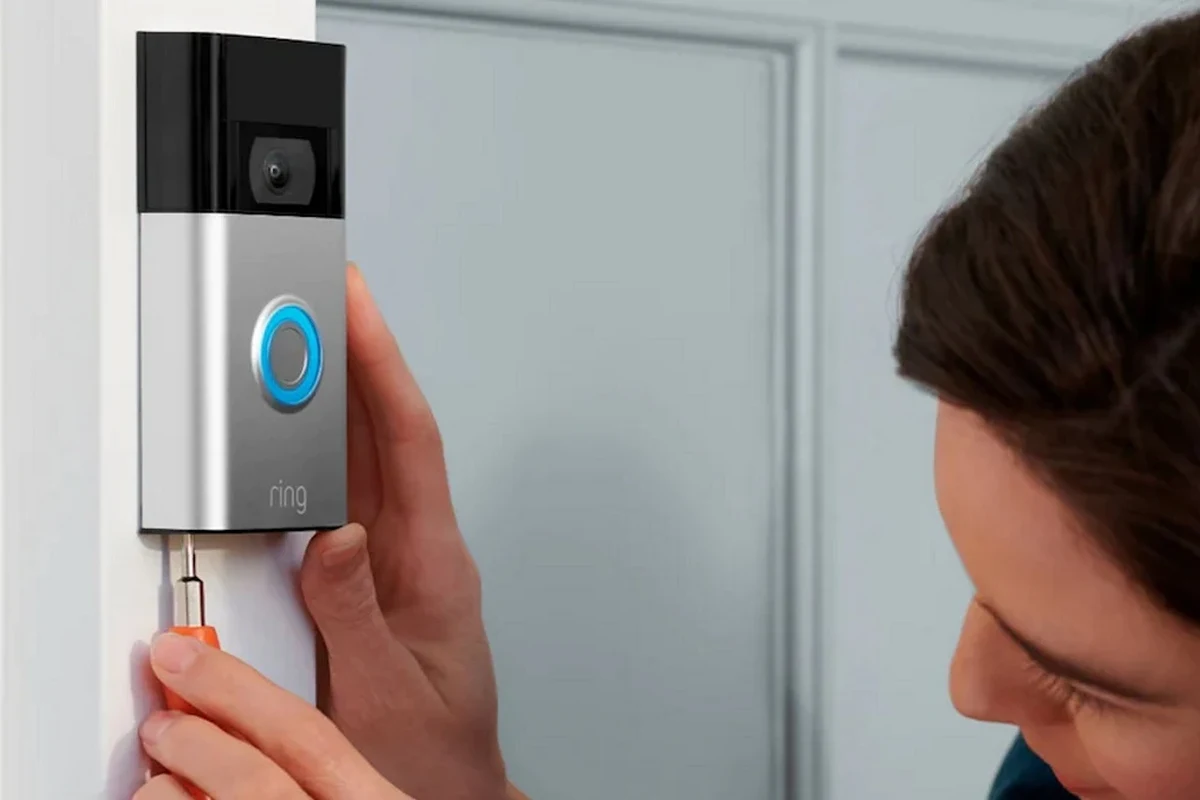
You can use a Ring Video Doorbell without an existing doorbell in many homes, apartments, rentals, and newer properties that never had chime wiring. In practical terms, the camera, motion detection, and app alerts can still function as long as the device has power and a working Wi‑Fi connection.
What you lose is the old-school doorbell experience. If there is no wired chime or compatible accessory, you will usually depend on your phone, tablet, or Ring-compatible speaker notifications instead of a mechanical indoor chime.
How a Ring Video Doorbell Works Without Existing Doorbell Wiring
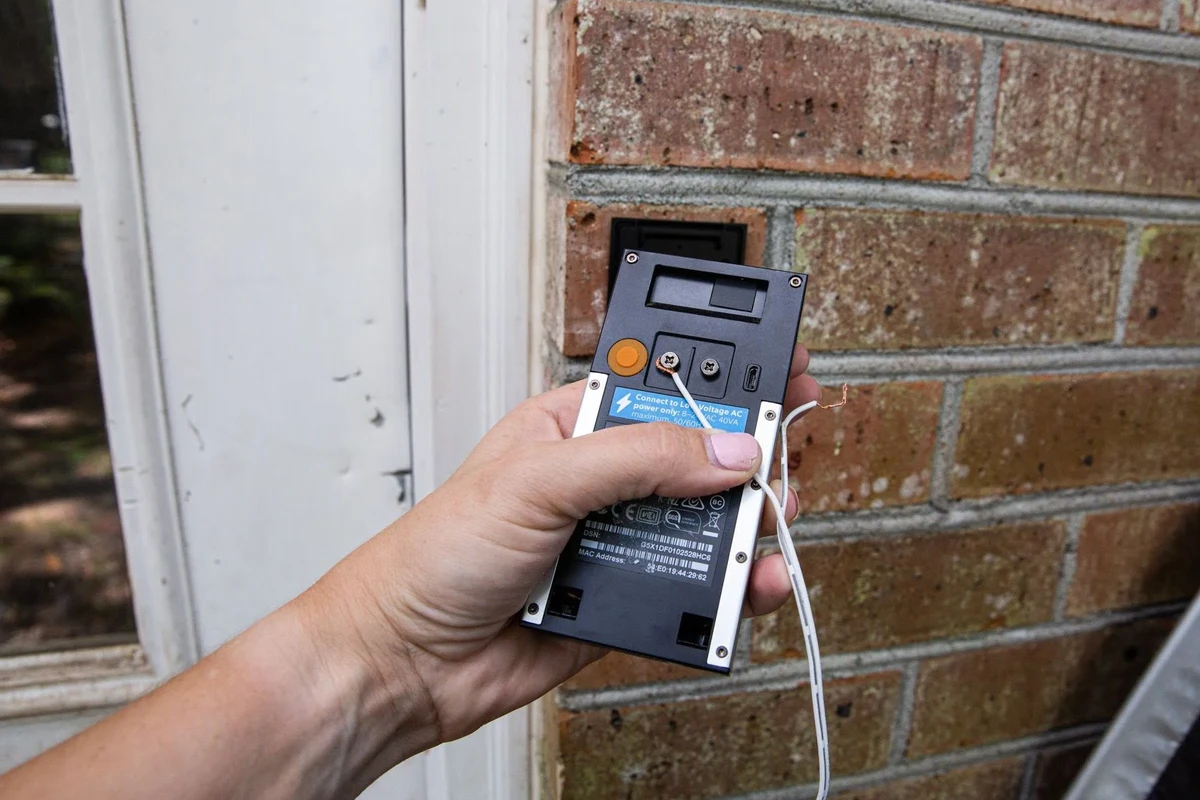
Ring devices are designed around two basic power paths: battery power or wired power. If your home has no doorbell wiring, the battery-powered route is usually the simplest because it does not require a transformer, chime box, or existing doorbell circuit.
The device still needs Wi‑Fi, the Ring app, and a Ring account to send notifications, show live video, and save clips according to the plan and settings you choose. Exact features can vary by model, firmware, app version, and region, so it is worth checking the current product page and manual before you buy.
Battery-powered vs hardwired Ring models
Battery-powered Ring doorbells are the most straightforward choice when there is no doorbell. You charge the battery, mount the unit, connect it to the app, and place it where it can see visitors and receive a stable wireless signal.
Hardwired Ring models can also be used in some homes without a traditional chime, but they still need the right electrical setup. If the wiring is missing, incomplete, or outdated, confirm compatibility in the official documentation before assuming the model will run the way you want.
Some Ring models support both battery and wired power, while others are more limited. Model names, included accessories, and supported chime options can change, so verify the exact SKU before purchase.
What powers the device and what does not
Power keeps the doorbell camera, motion sensors, and wireless connection active. It does not replace Wi‑Fi, which is still essential for app alerts, configuration, and remote viewing.
Also, the presence of power alone does not guarantee a full doorbell experience. If you want indoor ringing, you may need a compatible Ring Chime, a smart speaker integration, or another supported accessory depending on the model.
Many smart doorbells can operate without a traditional chime because the notification path has shifted from house wiring to app-based alerts.
Who This Setup Is Best For in 2026
Using a Ring Video Doorbell without an existing doorbell is especially useful for people who want modern alerts without reworking home wiring. It is often a better fit for flexible living situations than for homeowners who specifically want a built-in chime at the front door.
Renters, apartments, and homes without chime wiring
Renters and apartment residents often benefit the most because they may not be allowed to alter wiring or install a permanent chime system. A battery model can be easier to remove later, which matters if you plan to move.
Homes without chime wiring are another natural fit. That includes older properties where the wiring is incomplete, as well as newer builds that rely on app notifications and smart home devices instead of a traditional doorbell circuit.
Users who want app-based alerts instead of a traditional chime
If you already keep your phone nearby or use smart speakers around the house, app-based alerts may be enough. This setup is practical for remote workers, students, caregivers, or anyone who wants to see motion and visitors in real time.
If you want to compare broader fit and value, our guides on whether Ring Video Doorbell is worth it and video doorbells in home security can help you decide whether the category itself makes sense before you choose a model.
Key Setup Requirements to Check Before Buying
The biggest mistake people make is assuming “wireless” means “no setup.” In reality, the doorbell still needs a strong network, a suitable mounting spot, and a charging or power plan that matches your routine.
- Check the exact Ring model, app requirements, and whether it supports battery, hardwired, or dual-power use
- Confirm Wi‑Fi strength at the front door, mounting clearance, and whether the included hardware fits your surface
- Review battery charging steps, cable safety, warranty terms, and any accessory needed for indoor chime alerts
Wi‑Fi strength, app compatibility, and Ring account setup
Strong Wi‑Fi at the installation spot matters because the doorbell must send motion alerts and video reliably. A weak signal can cause delayed notifications, dropped live views, or poor responsiveness in the app.
Before buying, confirm that your phone or tablet supports the current Ring app version and that you are comfortable using a Ring account for setup and daily control. If you use multiple devices in the home, check whether each one can receive alerts the way you expect.
Mounting space, dimensions, and installation surface
Even without existing wiring, the doorbell still needs a secure, visible location. Check the mounting surface, door frame width, nearby trim, and viewing angle so the camera can capture faces and packages without being blocked by walls or screen doors.
If you are comparing models, review the official dimensions, included bracket, and any wedge or corner kit options. Those accessories can make a major difference in how well the camera sees your entryway.
Battery charging, power options, and safe cable use
If you choose a battery model, plan for periodic charging. How often that happens depends on motion activity, temperature, Wi‑Fi quality, live-view use, and notification settings, so published battery expectations should always be treated as estimates rather than guarantees.
Use only manufacturer-approved or appropriately rated charging accessories. Avoid damaged cables, loose adapters, or makeshift power setups, and do not place charging equipment where it can overheat, get wet, or be chewed by pets.
If a battery swells, the cable frays, the device overheats, or the unit behaves unpredictably, stop using it and follow the manufacturer’s guidance. Do not attempt unsafe battery repair or modification.
Benefits and Real-World Trade-Offs of Using Ring Without a Doorbell
This setup is attractive because it solves a practical problem with minimal home changes. Still, the convenience of skipping wiring comes with some trade-offs that affect everyday use, maintenance, and total ownership effort.
Convenience, motion alerts, and video access
The biggest benefit is flexibility. You can add front-door monitoring where there was no doorbell before, which is useful for package delivery, visitor screening, pet monitoring, and general awareness when you are away from home.
Motion alerts and video history can also be more useful than a traditional chime alone because they tell you what happened, not just that someone pressed a button. For buyers comparing total value, our guides on video doorbell cost and Ring Video Doorbell cost are useful for understanding how the hardware and optional services affect budget.
Limitations: no existing chime, battery upkeep, and subscription considerations
The main limitation is convenience inside the home. Without a wired chime or compatible accessory, you may miss a notification if your phone is muted, out of reach, or not signed in to the right account.
Battery upkeep is another real consideration. A battery-powered doorbell is easy to install, but it adds a charging routine, and heavy activity or poor signal can increase how often you need to recharge.
Finally, some video history, alert filtering, and cloud-based features may depend on subscription terms or app settings. Because plans and features can change, check the current Ring plan details before you buy if recording history matters to you.
- No need for existing doorbell wiring in many setups
- Easy to add alerts and video monitoring to more homes
- Works well for renters and homes with limited installation options
- May rely on app alerts instead of a built-in indoor chime
- Battery models require periodic charging
- Some features may depend on subscription or accessory choices
Common Mistakes and Troubleshooting Tips
Most problems with a no-doorbell setup come from signal quality, placement, or power management. Before assuming the device is faulty, check the basics in the official app and manual.
Weak signal, incorrect mounting, and missed notifications
If alerts arrive late or video loads slowly, test the Wi‑Fi at the door location. A router that works well in the living room may still be too far away to support a dependable camera feed at the front entrance.
Mounting mistakes are also common. If the camera points too high, too low, or toward a reflective surface, motion detection and visitor framing can be less useful than expected. Repositioning the bracket is often more effective than changing app settings first.
If notifications seem inconsistent, check phone notification permissions, battery-saver settings, and whether the Ring app is allowed to run in the background on your device.
Battery drainage, overheating checks, and replacement guidance
Battery drain can speed up when motion zones are too broad, live view is used often, or the signal is weak. Cold weather can also reduce battery performance, so real-world runtime may differ from what a spec sheet suggests.
Inspect the device and charging gear regularly for heat, swelling, cracks, or corrosion. If the battery no longer holds a useful charge or the unit becomes unreliable, check the warranty terms and replacement options rather than trying unsafe repairs.
Stop using damaged electronics, swollen batteries, frayed cables, overheating chargers, or unstable mounts and follow the manufacturer’s guidance.
Safety, Maintenance, and Long-Term Care
A doorbell camera may seem simple, but long-term reliability depends on weather exposure, cleaning, app updates, and occasional inspection. Treat it like any outdoor electronics device: small issues can become bigger ones if ignored.
Weather exposure, cleaning, and periodic inspection
Check the lens and housing periodically for dirt, spider webs, moisture, or debris that can affect image quality or motion sensing. Use only cleaning methods recommended by the manufacturer, and avoid spraying liquids directly into the device unless the manual explicitly allows it.
It is also smart to inspect the mount after strong wind, heavy rain, or extreme temperature changes. Even if the camera still powers on, a loose angle can make the footage less useful.
- Clean the lens gently and keep the camera’s view clear of trim, plants, and decorations
- Review app permissions and firmware update prompts after installation
- Recheck the mount and battery condition seasonally
When to replace batteries, cables, or the device itself
Replace charging cables if they are bent, frayed, or no longer fit securely. If a battery charges slowly, drains unusually fast, or shows physical damage, stop using it and follow the product’s safety guidance.
As for the device itself, replacement becomes more reasonable when the camera is no longer supported, the app experience is unreliable, or parts and accessories are difficult to find. Before replacing anything, confirm current warranty coverage and support status with the manufacturer.
Final Verdict: Is a Ring Video Doorbell Worth It Without a Doorbell?
Yes, it can be worth it if you want front-door video and alerts without rewiring your home. The setup is especially practical when you value convenience, live in a rental, or simply want a modern notification system more than a traditional chime.
Best-fit recommendation by user type
Choose a battery-powered Ring model if you want the easiest no-wiring setup and do not mind periodic charging. Choose a hardwired or dual-power model only if you have verified compatible wiring and want to reduce battery maintenance.
Renters, apartments, and homes without doorbell wiring that still want app-based alerts and video access. The main trade-off is battery upkeep or reliance on phone notifications instead of a built-in chime.
Alternatives if you want wired chime support or lower upkeep
If you want a more traditional indoor chime, look for a model and accessory combination that explicitly supports one, or consider a wired video doorbell if your home already has the right infrastructure. If you want lower upkeep, compare battery life, subscription requirements, and installation complexity across brands before deciding.
For readers still comparing options, our guide to the best battery-operated video doorbells can help narrow the field, while wired video doorbell options are better if your priority is minimizing charging.
Frequently Asked Questions
Yes, many Ring Video Doorbell models can work without existing wiring if they have battery power or a compatible power setup. You will still need Wi‑Fi, the Ring app, and a Ring account for alerts and video access.
No, you do not always need a traditional chime. If you do not have one, you can usually rely on phone notifications or a compatible accessory, depending on the model.
Usually yes, because battery models are the easiest to install when there is no existing doorbell wiring. They do require periodic charging, so maintenance is higher than a fully wired setup.
Check Wi‑Fi strength, app compatibility, mounting space, power options, and whether you want indoor chime support. Also review the current manual and product page for model-specific requirements.
Missed notifications are often caused by weak Wi‑Fi, phone permission settings, battery saver modes, or app background restrictions. Recheck the network, app settings, and doorbell placement before assuming the device is faulty.
The main downsides are battery upkeep, reliance on app alerts, and the possible lack of a traditional indoor chime. Some features may also depend on subscription terms or accessory support.