Does Ring Video Doorbell Work with Google Home Easily
Yes, Ring Video Doorbell can work with Google Home, but the integration is usually partial rather than fully native. It’s a good fit if you want alerts and smart-display convenience, and less ideal if you want every Ring feature inside Google Home.
If you’re asking does Ring video doorbell work with Google Home, the short answer is yes, but with limits. Ring can connect to Google Home for useful smart-home convenience, yet it does not deliver every Ring feature inside Google’s ecosystem, so the best experience depends on the exact model, your app setup, and what you expect Google Home to do.
- Basic compatibility: Ring can connect with Google Home for convenient alerts and display use.
- Feature limits: Advanced Ring controls usually stay in the Ring app.
- Model matters: Battery and wired versions can behave differently in real homes.
- Setup depends on apps: Updated Ring and Google Home apps are usually required.
- Best fit: Great for convenience, but not the best choice for users who want fully native.
Does Ring Video Doorbell Work with Google Home? Quick Answer and What to Expect
Ring video doorbells can work with Google Home for basic integration, especially if you want doorbell alerts on a smart display or a voice assistant-friendly setup. However, the connection is not the same as having a fully native Google Home doorbell, so some actions and video features may be limited, delayed, or dependent on Ring’s current app and cloud support.
For most households, the key question is not just whether the devices connect, but what you want that connection to accomplish. If you mainly want notifications, quick status checks, or to see who is at the door on a compatible display, Ring can be a practical fit; if you want deep Google Home automation, you should verify the current feature set before buying.
How Ring and Google Home Connect in 2026
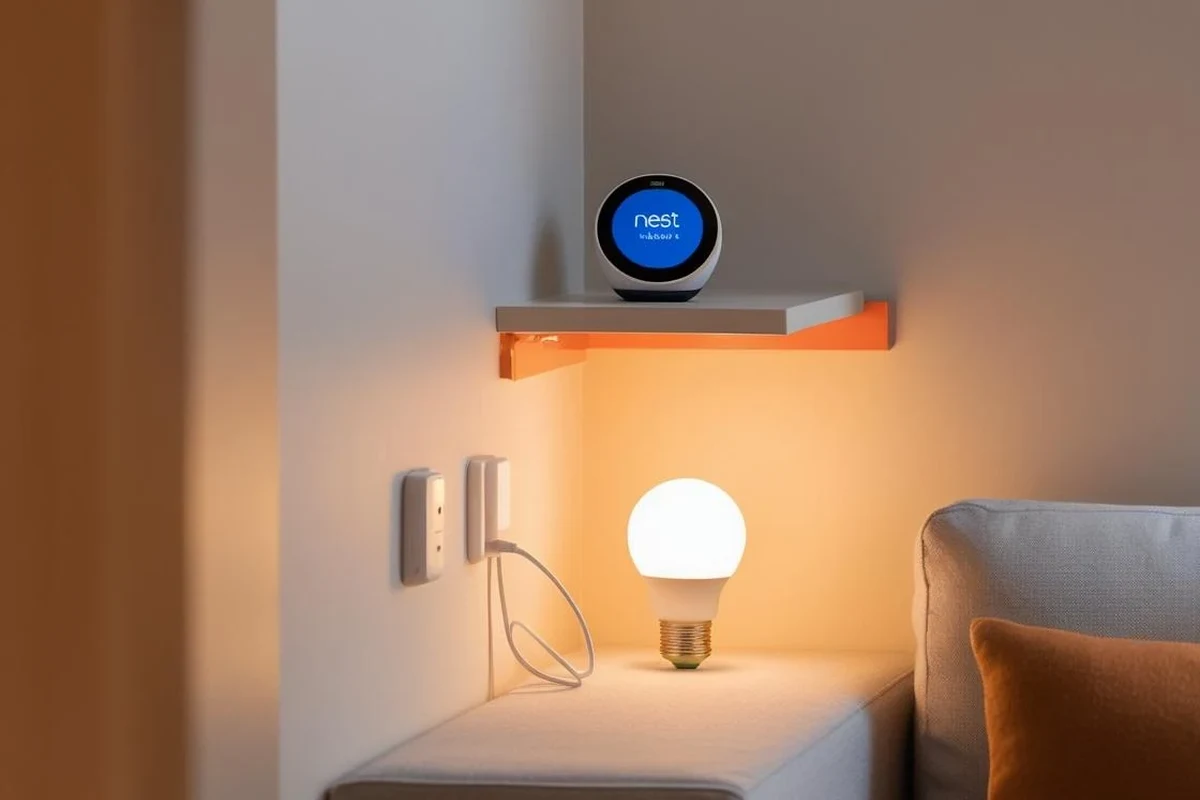
Ring and Google Home generally connect through account linking in the official apps, with cloud services handling much of the communication. That means the setup is usually straightforward, but it also means your experience can vary by Ring model, Google Home device, region, app version, and firmware updates.
What Google Home Can and Cannot Do with Ring
In many setups, Google Home can help you monitor Ring doorbell activity, receive alerts, and view supported devices on compatible smart displays. Some users also rely on voice commands for quick status checks, though the exact command support can change over time and may not work the same way across all speakers and displays.
What Google Home typically cannot do is replace the Ring app entirely. Advanced Ring features such as detailed event history, certain motion settings, package-specific tools, and account-level security controls usually remain in the Ring app rather than the Google Home app.
Google Home is best as a convenience layer, not a full replacement for the Ring app.
Account Linking, App Requirements, and Connectivity Basics
To connect the two platforms, you typically need a Ring account, a Google account, the current Ring app, and the Google Home app installed on a compatible phone or tablet. You may also need the latest device firmware and a stable internet connection, because smart-doorbell integrations rely on cloud communication rather than simple local pairing.
If you are already building a broader smart-home setup, it helps to think of Ring as one piece of the system instead of the center of it. For readers comparing ecosystems, our guide on integrating smart speakers with home lighting systems shows how cross-platform connections often work best when each device has a clear role.
Feature availability can vary by Ring model, Google Home device, country, language support, and app updates. Always confirm current compatibility in the official Ring and Google Home support pages before relying on a specific function.
Which Ring Video Doorbell Models Fit Best with Google Home
Not every Ring doorbell behaves identically with Google Home, even when the product family is broadly supported. Power source, generation, and whether the unit is battery-powered or wired can affect how consistently it stays online and how quickly events appear in your smart-home ecosystem.
Compatibility Differences by Model and Power Type
Battery-powered Ring doorbells are often easier to install, which makes them appealing for renters and quick upgrades. The trade-off is that battery management matters more, and a low battery can interrupt the reliability of notifications and live-view access through connected platforms.
Wired models can be a better long-term choice for homes that already have doorbell wiring and want fewer charging interruptions. That said, wiring compatibility, transformer requirements, and installation rules can differ by home, so readers should confirm the official installation guidance before assuming a wired model is automatically the better option.
Battery or wired, depending on the model and your existing doorbell setup
Confirm current voice, display, and notification support for your exact model
Ring app, Google Home app, and current firmware/software updates
Who This Setup Is Best For
This setup is best for people who already use Google Home for speakers, displays, routines, or voice prompts and want a doorbell that fits into that environment without rebuilding their whole smart home. It is also a good match for families who want visible front-door alerts in common areas, or for renters who need a flexible camera-doorbell solution.
If your top priority is a doorbell that feels native to Google Home from day one, you may want to compare other ecosystems too. Our related guide on what smart lights work with Google Home is a useful example of how platform support can be broad but still model-dependent.
Ring with Google Home is best for users who want practical alerts and display convenience, but can live with partial integration and app-based management for advanced settings.
Setup Guide: Linking Ring Video Doorbell to Google Home
Setup is usually manageable if both apps are updated and your accounts are in good standing. The most common problems come from missed permissions, outdated firmware, or trying to link the wrong device profile.
Step-by-Step Setup Flow
Install the latest Ring and Google Home app versions before linking accounts, since older versions may not show the current integration prompts.
Make sure the Ring doorbell is connected to Wi-Fi and showing normal status in the Ring app before you try to add it to Google Home.
Use the official add-device or linked-services flow in Google Home, then sign in to your Ring account when prompted.
Place the doorbell in the correct home or room group, then review notification, microphone, and display permissions if the app asks for them.
If the doorbell does not appear immediately, sign out and back in only through the official apps, then refresh device discovery after confirming Wi-Fi and firmware status.
Common Setup Mistakes and How to Avoid Them
A frequent mistake is assuming the doorbell will automatically appear in Google Home after installation. In reality, account linking may need to be completed from the correct menu, and some features only become visible after permissions are approved.
Another common issue is weak Wi-Fi at the front door. Even if the Ring app opens, a marginal signal can still cause delays, dropped notifications, or unreliable live view on displays and speakers.
- Check the exact Ring model, power type, and current Google Home support
- Confirm Wi-Fi strength at the door and app permissions on your phone
- Review installation instructions, warranty terms, and update support
Real-World Benefits of Using Ring with Google Home
The biggest advantage of this pairing is convenience. Instead of checking your phone every time there is motion or a visitor, you can bring doorbell activity into the same smart-home environment you already use for alarms, lights, and speakers.
Voice Control, Alerts, and Smart Display Convenience
For homes with a Google smart display, seeing a doorbell alert on the screen can be more useful than getting a notification buried on a phone. This is especially helpful when you are cooking, working from home, gaming, or managing kids and do not want to stop and open another app.
Voice prompts can also help in everyday situations, although they are best treated as a convenience feature rather than a mission-critical security tool. If you are building a larger connected home, our article on using smart lights with Google Home shows how simple automation can make alerts easier to notice.
Everyday Use Cases for Families, Renters, and Busy Homes
Families often like the shared visibility. A parent in the kitchen, a teen in the living room, and someone working in a home office can all benefit from the same doorbell notifications without juggling separate apps.
Renters may appreciate the easier installation path of battery models, while busy households may value the ability to glance at a display instead of reaching for a phone. For people who already use Google Home routines, the integration can make the doorbell feel more integrated into the home’s daily rhythm.
- Place smart displays where you can see them from common rooms, not just near the front door.
- Keep the Ring app installed even if you mainly use Google Home, because advanced settings usually live there.
- Check battery level or wired power status regularly so the integration stays dependable.
Limitations, Trade-Offs, and Safety Considerations
Ring and Google Home can work together, but the pairing has trade-offs that matter if you expect full-feature parity. The biggest limitations usually involve feature access, cloud dependence, and the fact that some controls remain split across two apps.
Feature Gaps, Privacy Concerns, and Reliability Limits
Some users are surprised that Google Home does not expose every Ring function. Depending on the current software support, you may be able to see alerts or access a live view on certain devices, but still need the Ring app for event history, motion zones, and account-level device management.
Privacy is another reason to stay cautious. Use strong passwords, two-factor authentication, and permission review in both ecosystems, and keep firmware updated through official channels. If you are comparing broader smart-home options, our guide to smart lights compatible with Google Home can help you think through platform consistency before expanding your setup.
Safe Use, Power Limits, and Maintenance Checks
For battery models, follow the manufacturer’s charging and storage instructions, and do not continue using a damaged battery or cable. For wired models, use only the power setup approved for the specific doorbell and your home’s existing wiring conditions.
Routine maintenance matters more than many buyers expect. Wipe the exterior as directed in the manual, keep the lens and motion area clear, check for loose mounting, and inspect the device after severe weather or any power interruption.
Stop using damaged electronics, swollen batteries, frayed cables, overheating chargers, or unstable mounts and follow the manufacturer’s guidance before reinstalling or charging again.
How Ring Compares with Other Video Doorbells for Google Home Users
If Google Home integration is one of your top priorities, Ring is not the only option worth considering. The best choice depends on whether you value ecosystem fit, subscription features, installation ease, or long-term flexibility.
Best Alternatives if Google Home Integration Is a Priority
Some buyers prefer doorbells that are designed around broader smart-home compatibility from the start. Others prioritize local control, simpler display support, or tighter integration with their existing Google devices, even if that means choosing a different brand than Ring.
Before deciding, compare the official compatibility notes for each model rather than relying on broad marketing claims. A doorbell that supports Google Home in one region or firmware version may not offer the same experience everywhere.
| Option | Best For | Key Consideration |
|---|---|---|
| Ring Video Doorbell | Users who already like Ring’s app and want Google Home convenience | Google Home support is useful but not always complete |
| Google-friendly alternatives | Buyers who want a more native Google Home experience | Verify current support, subscription needs, and display compatibility |
| Wired smart doorbells | Homes that want stable power and less charging upkeep | Installation and existing wiring must match manufacturer guidance |
Value, Warranty, and Long-Term Ownership Factors
Long-term value depends less on the logo and more on support quality. Check warranty terms, software update history, replacement-part availability, and whether the brand continues to support the model you are considering.
For many buyers, the real question is whether the convenience of Ring plus Google Home outweighs the extra app management. If you are already committed to Google Home and want a different smart-home path, it may be worth comparing a few doorbells before buying rather than trying to force one ecosystem to behave like another.
Final Verdict: Is Ring a Good Choice for Google Home in 2026?
Ring is a good choice for Google Home users who want practical front-door alerts, smart-display convenience, and a familiar app experience, as long as they are comfortable with partial integration. It is less ideal for buyers who want every doorbell feature to live inside Google Home or who expect a fully seamless, native-style experience.
In other words, Ring works with Google Home easily enough for everyday convenience, but the best results come from treating it as a connected accessory rather than a fully unified platform device. If that fits your home, it can be a solid, flexible option; if not, a more Google-centric doorbell may be the better long-term buy.
Frequently Asked Questions
Yes, many Ring video doorbells can be linked to Google Home for basic smart-home convenience. Exact visibility and feature support can vary by model, app version, and region.
Google Home may provide alerts, device visibility, and support on compatible smart displays. Advanced Ring controls usually still live in the Ring app.
Yes, you typically need both official apps to link accounts and manage settings. The Ring app is still important for device management, updates, and many advanced features.
Both can work, but wired models may offer steadier power while battery models are easier to install. The better option depends on your home wiring, Wi-Fi strength, and how often you want to recharge.
Common causes include outdated apps, weak Wi-Fi, missing permissions, or a device that is not fully online in the Ring app. Check the official support steps and confirm current compatibility for your exact model.
Ring can be a good choice if you want convenience and already use Ring features, but it is not always the most native Google Home option. If deep Google Home integration matters most, compare alternatives before buying.