ServiceNow Smart Locker Benefits for Modern Workplaces
A ServiceNow smart locker helps workplaces control shared items with faster access, better tracking, and less manual coordination. It is most useful when the locker solves a real workflow problem and the integration requirements are verified first.
A ServiceNow smart locker can streamline how workplaces hand off laptops, keys, badges, tools, and other shared items by tying locker access to digital workflows. For hybrid offices and busy service teams, the biggest value is usually faster pickup and return, better tracking, and less manual coordination at the front desk.
- Best fit: Hybrid offices, IT teams, HR, facilities, and coworking spaces with frequent handoffs.
- Core value: Faster pickup and return, plus clearer logs and accountability.
- Buy carefully: Verify compartment size, identity integration, network needs, and support coverage.
- Main trade-off: Higher cost and more admin complexity than basic storage.
ServiceNow Smart Locker Benefits for Modern Workplaces: What It Is and Why It Matters
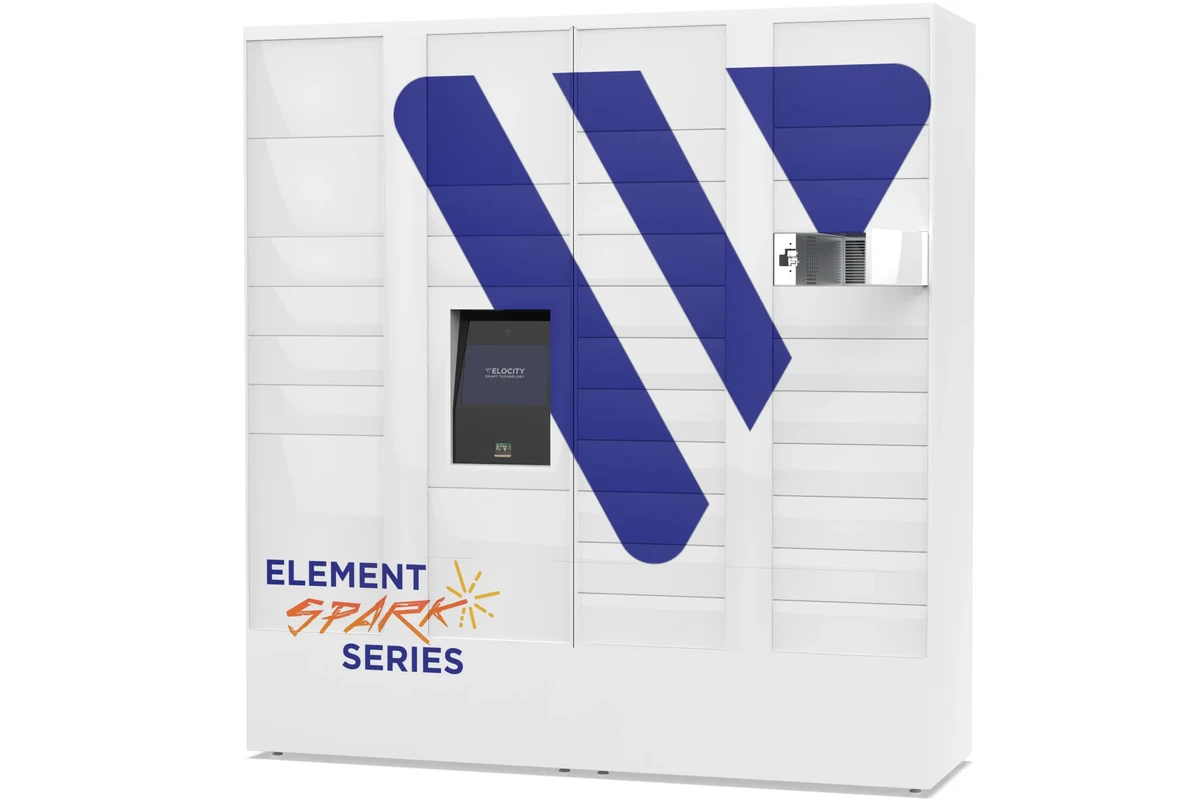
In practical terms, a ServiceNow smart locker is a connected storage system that uses ServiceNow workflows to manage reservations, approvals, access, alerts, and audit trails. Instead of relying on paper sign-outs or ad hoc handoffs, the locker becomes part of a controlled process that can be linked to identity, ticketing, and asset management.
Quick answer: how a ServiceNow smart locker improves access, security, and workflow speed
The main benefit is that employees or visitors can reserve, unlock, pick up, and return items with less waiting and fewer manual steps. Security improves because access can be limited to approved users, while workflow speed improves because status changes and logs happen automatically in the system.
Why 2026 workplaces are adopting smart locker systems for hybrid teams and asset control
Hybrid schedules make it harder to predict when people will be in the office, which is why shared storage and self-service access have become more attractive. Many organizations also want clearer accountability for devices and supplies, especially when assets move between departments, locations, and remote workers.
How a ServiceNow Smart Locker Works in Daily Operations
The exact setup varies by vendor and deployment model, but most systems follow the same basic pattern: a user requests access, the system verifies eligibility, the locker opens, and the activity is recorded. The strength of the system depends on how well the hardware, identity tools, and ServiceNow workflows are configured together.
Core workflow: reservation, authentication, pickup, return, and audit trail
A typical workflow starts with a reservation or ticket in ServiceNow. After authentication, the locker assigns a compartment, sends a pickup notification, and records the event when the door opens and closes.
On return, the same process can confirm the item was placed back in the correct compartment, update inventory status, and trigger a notification if something is overdue. That audit trail is useful for IT assets, visitor badges, shared lab gear, and other items that need accountability.
The user submits a request through a portal, ticket, or workflow.
The system checks identity, approval status, time window, or asset assignment.
The assigned locker opens through the approved method, such as badge, PIN, QR code, or app-based access.
The system records pickup, return, timestamps, and any exceptions for reporting.
Typical hardware and software pieces to verify before buying or deploying
Before deployment, confirm the locker cabinet, compartment layout, controller, lock mechanism, touchscreen or reader, power requirements, and any sensors used to detect open or closed status. On the software side, verify the ServiceNow workflow app or integration layer, identity provider support, notification tools, and reporting options.
- Check compartment count, sizing, and whether the locker fits the items you plan to store.
- Confirm authentication methods, identity integrations, and notification channels.
- Review power, network, mounting, and installation requirements with facilities or IT.
- Verify warranty coverage, support response times, and software update terms.
Connectivity, app access, and admin dashboard requirements
Most smart locker systems depend on reliable network connectivity, though some features may continue locally during outages depending on the model. Admins should confirm how the system behaves if Wi-Fi, Ethernet, or cloud services are interrupted, because offline behavior can affect access, logging, and alerts.
For users, app access should be simple enough that people can complete a pickup without confusion. For administrators, the dashboard should make it easy to assign lockers, review logs, manage permissions, and troubleshoot failed access attempts.
Feature names, app behavior, and integration depth vary by vendor, ServiceNow module, and firmware version. Always check the current compatibility list and deployment documentation before planning a rollout.
Who a ServiceNow Smart Locker Fits Best
This kind of system is not for every workplace. It makes the most sense when multiple people share valuable items and you need a reliable way to control access without adding more staff time.
Ideal use cases for offices, IT teams, HR, facilities, and coworking spaces
IT teams often use smart lockers for laptops, peripherals, chargers, and loaner devices. HR and facilities teams may use them for badges, keys, uniforms, forms, or office supplies, while coworking spaces can use them to support member access and temporary storage.
They are also a strong fit for offices that run on hybrid schedules, because users may arrive at different times and still need the same item access process. For workplaces that already rely on ServiceNow for requests and asset tracking, the locker can become a natural extension of existing workflows.
When a smart locker is not the right fit: small teams, low-traffic spaces, or simple storage needs
If a team is small, onsite at the same time, and only needs basic storage, the added software and hardware may be unnecessary. In those cases, a standard cabinet or keyed storage solution may be simpler and easier to maintain.
It can also be a poor fit when there is little turnover in stored items or no real need for audit logging. If the locker would only replace a shelf, the return on complexity may be too low.
Key Specifications and Decision Criteria to Compare
Because smart locker systems are sold in many configurations, the best comparison is based on fit, workflow, and support rather than a single universal spec sheet. The goal is to match the locker to the items, users, and security requirements you actually have.
Locker dimensions, compartment sizes, and capacity planning
Compartment size is one of the first things to verify. A locker that works for badges and small accessories may not fit a laptop, tablet, headset, or bundled kit, so buyers should map the largest item first and then plan around it.
Capacity planning should also consider turnover. A system with enough compartments for peak demand will usually be easier to run than one that is constantly full and forcing manual workarounds.
Integration needs: ServiceNow workflows, identity tools, and notification systems
The locker should work with your ServiceNow processes, not sit beside them as a separate system. Confirm whether it can trigger approvals, update tickets, sync asset records, and send notifications through the channels your team already uses.
Identity integration matters just as much. If your workplace uses single sign-on, badge systems, or another identity platform, verify that the locker can support it without awkward manual steps.
Security features, access methods, and compliance considerations
Security features may include access logs, compartment-level permissions, tamper alerts, and role-based administration. Different models may also support different authentication methods, so buyers should choose the one that best fits their security policy and user flow.
Compliance requirements vary by organization and region, especially when lockers store employee records, devices with sensitive data, or regulated materials. It is smart to confirm how logs are retained, who can view them, and whether the system supports your internal privacy rules.
Warranty, support terms, and service-level details to verify
Support quality matters because smart lockers combine physical hardware with software and network dependencies. Before buying, confirm warranty length, what parts are covered, whether on-site service is included, and how software updates are handled.
It is also worth checking escalation paths for lock failures, network issues, and access problems. A great feature set is less useful if the vendor cannot support the system promptly when it is part of daily operations.
Real-World Benefits for Modern Workplaces
The best argument for a ServiceNow smart locker is not novelty; it is operational efficiency. When the handoff process is repetitive, time-sensitive, and shared across teams, the locker can remove friction and improve accountability at the same time.
Faster handoffs for devices, keys, badges, and office supplies
Instead of waiting for a person to be present, users can retrieve or return items on a schedule that fits their day. That is especially helpful for IT loaners, visitor badges, conference supplies, and other items that need quick turnover.
Reduced front-desk workload and fewer lost-item disputes
Automated access can reduce interruptions for reception, facilities, and support teams. It also makes disputes easier to resolve because the system can show who accessed a compartment and when, which is more reliable than memory or handwritten logs.
Better accountability through timestamps, logs, and reporting
Audit trails are one of the strongest benefits of a ServiceNow-connected locker. Timestamps, user identities, and return status can help managers spot overdue items, repeated exceptions, or workflow bottlenecks.
Smart locker systems are often most effective when paired with clear return deadlines and automated reminders, not just access control.
Space efficiency and improved employee experience in hybrid offices
Shared lockers can reduce clutter at desks and help hybrid offices make better use of limited space. They also improve the employee experience when people know they can get what they need without asking multiple people or waiting for a manual handoff.
For readers exploring related workplace automation, our guides on smart light switches, smart lights for home automation, and Google Home-compatible smart lights show how connected systems can simplify daily routines in different settings.
Limitations, Trade-Offs, and Common Mistakes
Smart lockers can be very useful, but they are not low-maintenance by default. Buyers should think through cost, deployment effort, and how much ongoing administration the system will require.
Upfront cost, installation complexity, and ongoing admin overhead
Compared with a basic cabinet, a connected locker usually costs more to buy, install, and support. You may also need IT, facilities, and security teams involved in setup, which adds planning time and administrative overhead.
Connectivity dependence, software configuration errors, and access delays
If connectivity or configuration is wrong, users may face delays at the exact moment they need the locker most. That is why it is important to test access methods, notification timing, and fallback behavior before full deployment.
Common buyer mistakes: undersizing compartments, skipping integration checks, and ignoring support coverage
One common mistake is choosing a locker based on the number of compartments instead of the size of the items. Another is assuming the ServiceNow connection will be simple without confirming workflow mapping, identity support, and notification behavior.
Support coverage is easy to overlook until something breaks. If the locker is going to be part of everyday operations, the service plan matters almost as much as the hardware.
Evidence limitations: why vendor claims should be validated against real workflow needs
Vendor materials may highlight convenience, security, and automation, but the real question is whether the system fits your actual process. Since features vary by model, firmware, region, and integration stack, readers should validate claims against their own workflow requirements before committing.
Stop using damaged electronics, swollen batteries, frayed cables, overheating chargers, or unstable equipment and follow the manufacturer’s guidance before redeploying stored assets.
Safe Use, Maintenance, and Long-Term Care
Long-term reliability depends on routine inspection and sensible operating conditions. A smart locker is still a physical device, so it needs the same kind of care you would give to other workplace hardware.
Daily inspection checklist for locks, screens, power, and door alignment
Staff should check for obvious issues such as doors that do not close cleanly, screens that are unresponsive, lock mechanisms that stick, or power indicators that look abnormal. Small problems are easier to fix before they become access failures.
Cleaning, storage, and environmental conditions to keep in mind
Keep the locker clean according to the manufacturer’s instructions and avoid harsh chemicals that could damage finishes, sensors, or displays. Placement matters too: heat, moisture, dust, and direct sunlight can all affect durability and reliability.
User safety, emergency override procedures, and secure handling practices
Make sure authorized staff know the emergency override procedure and when it should be used. Users should never force a stuck door or try to bypass access controls, because that can damage the hardware and create safety risks.
If the locker uses batteries, power adapters, or backup modules, follow the rated power and charging instructions exactly. Do not use damaged cables, wet equipment, or improvised adapters.
Replacement guidance for worn components, batteries, cables, or damaged modules if applicable
Replace worn parts according to the vendor’s maintenance schedule and only with approved components when required. If the system uses modular hardware, ask whether replacement parts are available separately and how long support is expected to continue for that model.
- A ServiceNow smart locker is best when it improves a real workflow, not just storage.
- Fit, integration, and support are more important than a generic feature list.
- Routine inspection and clear fallback procedures help keep access reliable.
Final Recommendation: Is a ServiceNow Smart Locker Worth It in 2026?
For workplaces that manage shared devices, keys, badges, or high-turnover supplies, a ServiceNow smart locker can be a strong investment in efficiency and accountability. It is especially compelling for IT, facilities, HR, and coworking environments where self-service access and audit trails solve real daily problems.
Best-value scenarios and best-fit workplace profiles
The best fit is usually a mid-size or larger organization with repeat handoffs, hybrid schedules, and existing ServiceNow workflows. These teams are more likely to benefit from automation, logging, and reduced front-desk workload.
Alternatives to consider if you need lower cost, simpler access, or less software dependency
If your storage needs are simple, a traditional locker, keyed cabinet, or basic asset checkout process may be enough. Those options can be easier to deploy when you do not need audit trails, app-based access, or workflow integration.
Transparent verdict on value, scalability, and long-term practicality
A ServiceNow smart locker is worth considering when the workflow savings justify the hardware, integration, and support effort. If your team is already operating inside ServiceNow and needs controlled access to shared items, the locker can scale well; if not, the added complexity may outweigh the benefit.
Before you deploy, confirm the current compatibility list, support terms, and workflow requirements with the vendor and your internal IT team.
Frequently Asked Questions
It is used to control access to shared items like laptops, keys, badges, and supplies through ServiceNow workflows. The system helps track pickup, return, and approval activity in one place.
IT, facilities, HR, coworking spaces, and hybrid offices usually benefit most. These teams often need controlled handoffs and better accountability for shared assets.
Check compartment size, power and network needs, identity integration, notification support, and warranty terms. Also confirm how the locker behaves if connectivity goes down.
Often yes, because users can complete pickups and returns with less manual help. That can reduce interruptions and make access available outside normal desk hours.
The main trade-offs are higher upfront cost, more setup complexity, and ongoing admin work. Connectivity or configuration issues can also delay access if the system is not planned carefully.
Inspect locks, screens, power, and door alignment regularly, and clean the unit according to the manufacturer’s instructions. Replace worn parts with approved components and follow emergency override procedures for authorized staff.