8 Best Smart Key Lock Box Picks for Secure, Easy Access
Affiliate disclosure: As an Amazon Associate, Gadget Makers Blog may earn from qualifying purchases. This does not change the price you pay.
Choosing a smart key lock box can feel more complicated than it should. Some models focus on simple app access for a spare key, while others add fingerprint entry, temporary codes, and weather-resistant housing for rentals or outdoor use.
This guide compares eight smart key lock box picks for shoppers who want easier access without giving up control. I’m Ethan Walker, and the roundup below focuses on the supplied specs, ratings, and use cases so you can match the right box to your home, rental, or property-management needs.
If you want a smart key lock box for everyday access, the SFW Smart Lock Box with fingerprint, Bluetooth app control, and passcode support is the most balanced starting point here. If you need rental-friendly sharing and stronger outdoor focus, the Master Lock 5441EC and the Airbnb-oriented Bluetooth app models are worth a closer look.
Quick Product Comparison
| Product | Image | Best For | Check Price |
|---|---|---|---|
| 1. SFW Smart Lock Box | 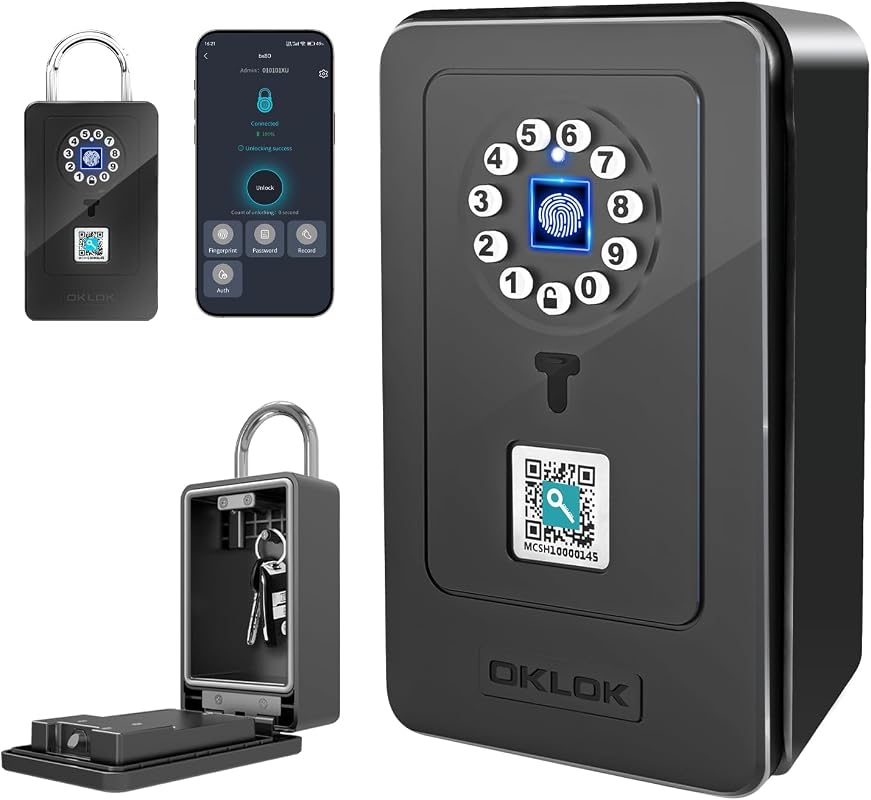 | Flexible everyday access with fingerprint and app control | Check Price |
| 2. Smart Key Lock Box | 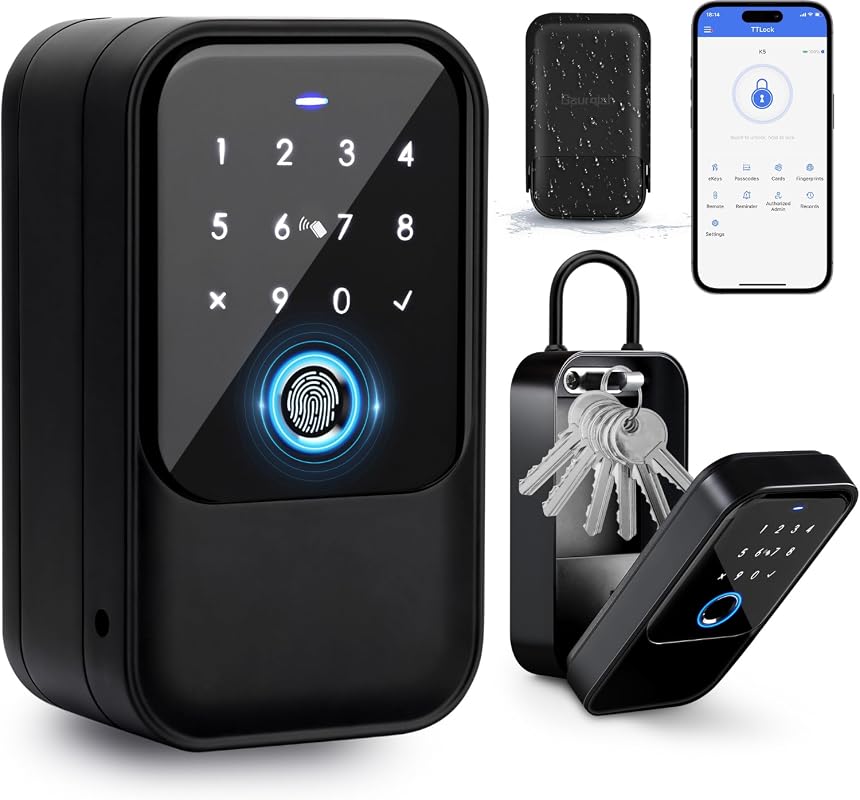 | Airbnb and rental access management | Check Price |
| 3. Master Lock 5441EC Key Lock Box | 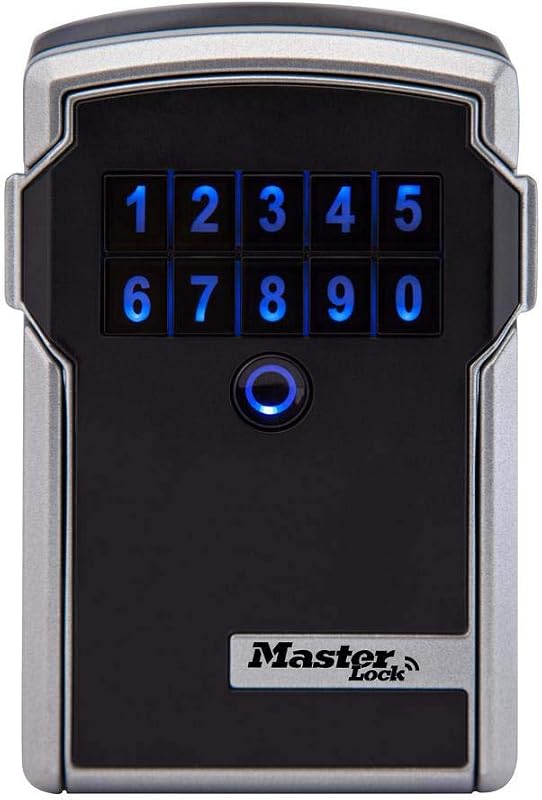 | Established rental and property-management use | Check Price |
| 4. Smart Key Lock Box | 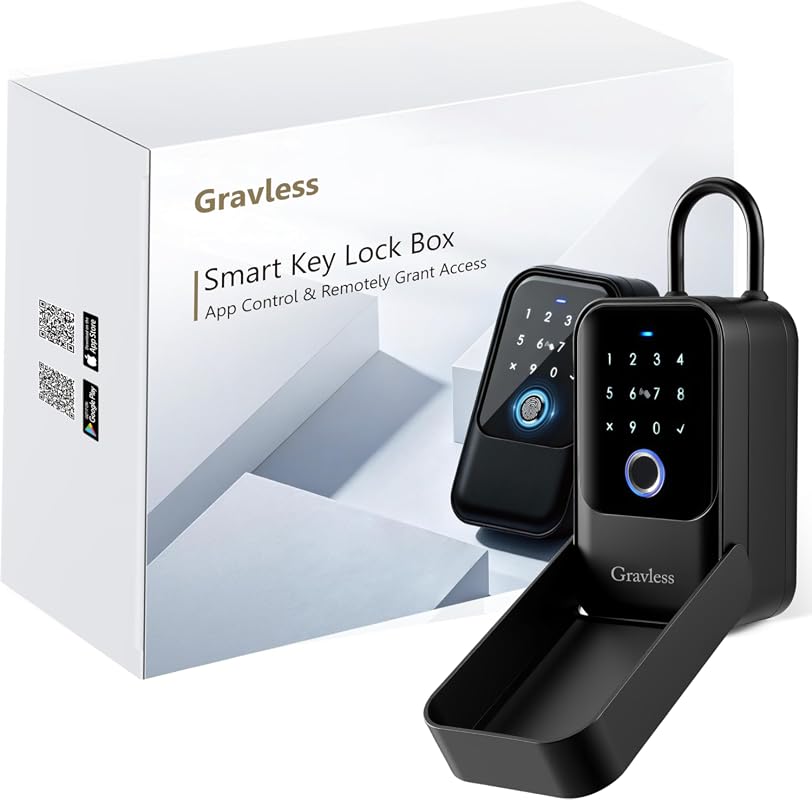 | High-flexibility access for hosts and agents | Check Price |
| 5. Smart Key Lock Box | 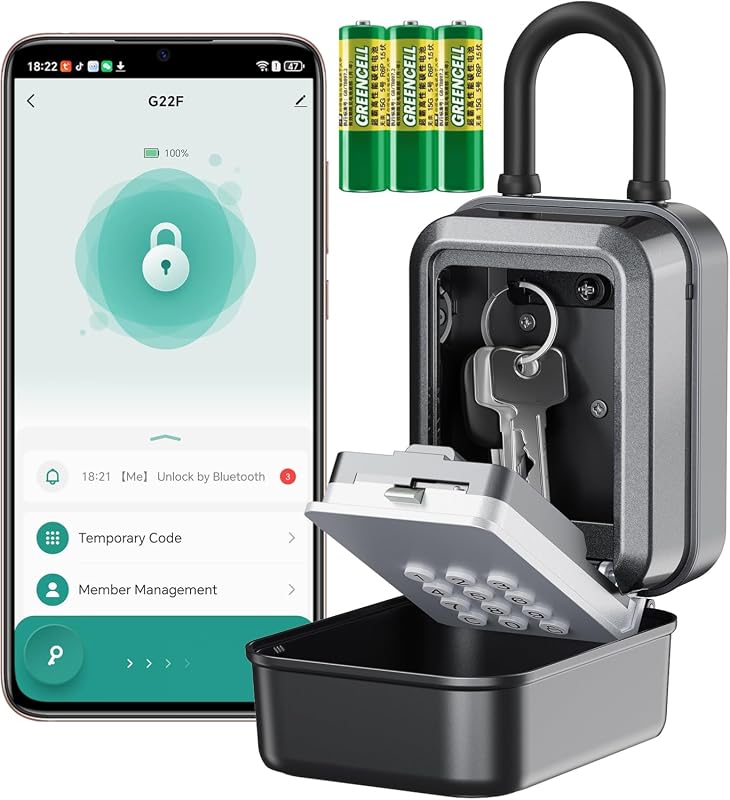 | Budget-friendly Tuya app access | Check Price |
| 6. SFW Smart Lock Box | 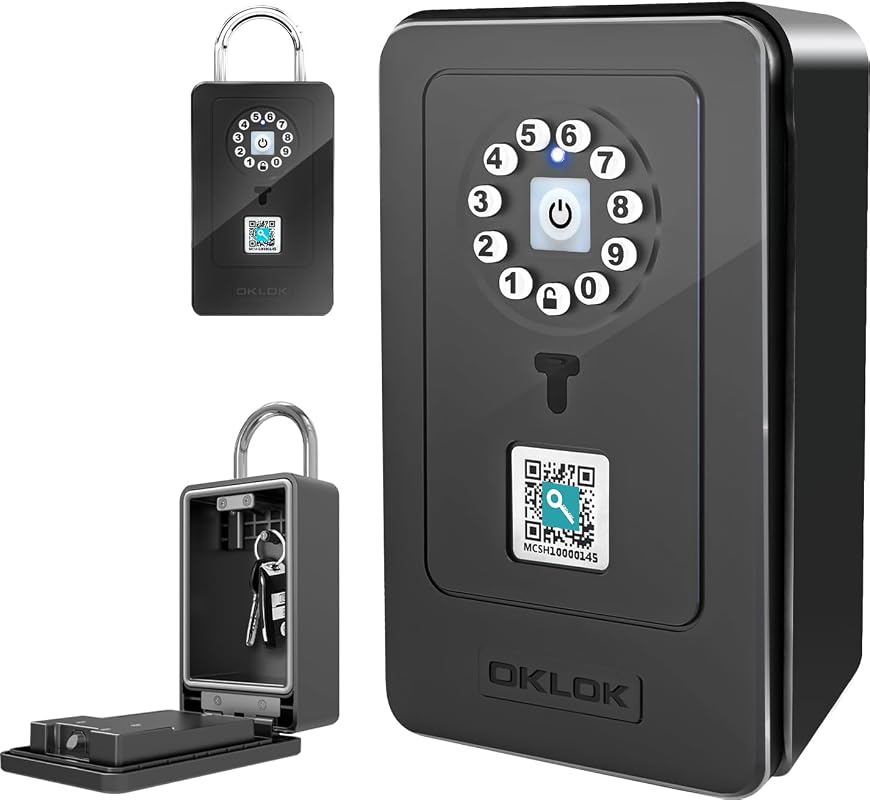 | Low-cost app-controlled backup access | Check Price |
| 7. Smart Key Lock Box | 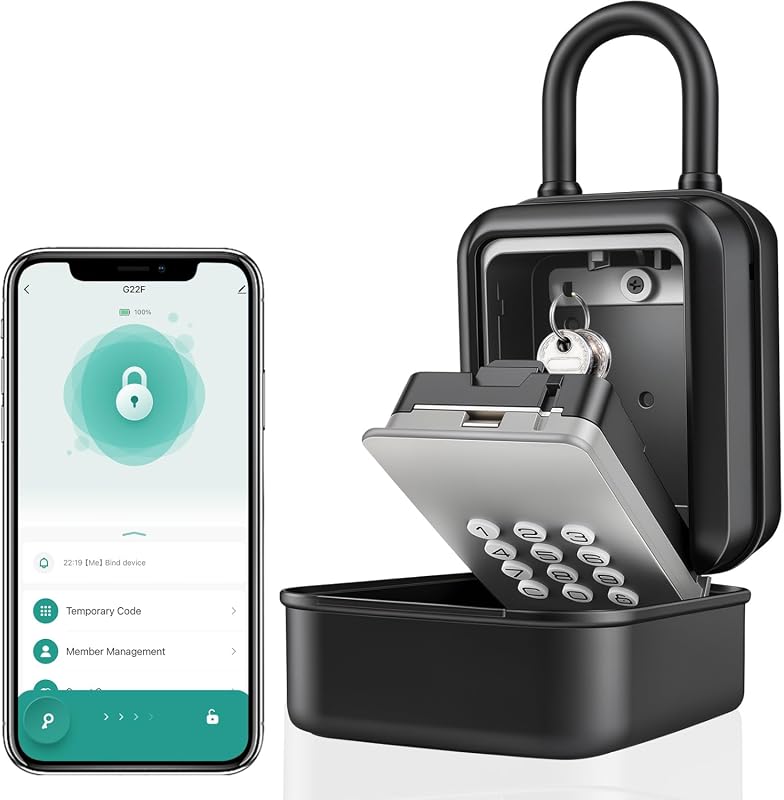 | Compact key sharing for homes and offices | Check Price |
| 8. Populife Smart Fingerprint Lock Box | 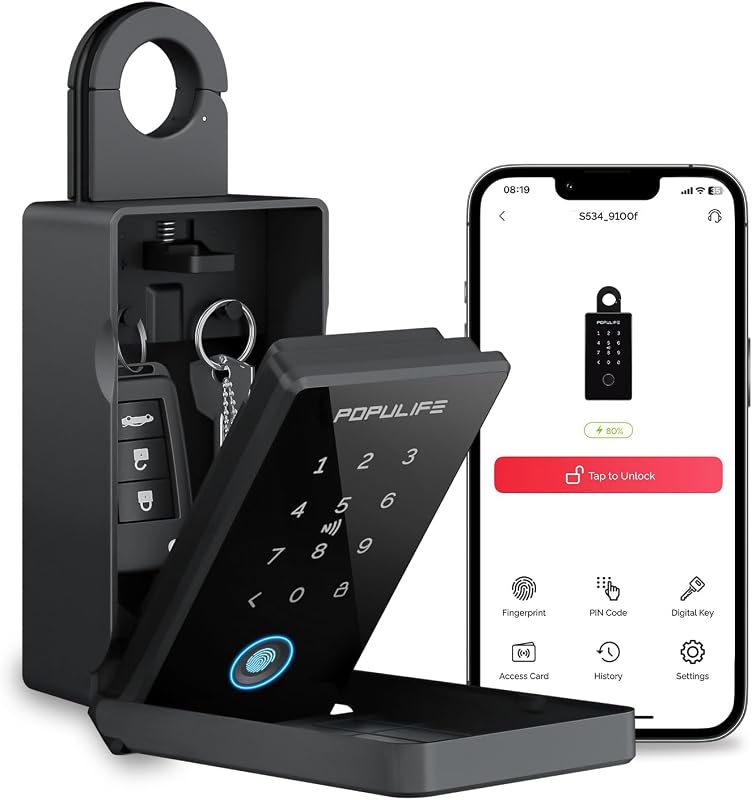 | Business-style access control with offline remote options | Check Price |
What to Look for in a Smart Key Lock Box
Unlock methods that fit your routine
Look for a smart key lock box that matches how you actually share access. Fingerprint, PIN, Bluetooth app control, NFC, access cards, and mechanical backup each solve different access problems.
Remote sharing and temporary access
If you manage guests, cleaners, tenants, or contractors, check whether the box can generate one-time, timed, recurring, or permanent codes. Also verify whether remote features need a gateway or work directly in the app.
Weather resistance and installation style
Outdoor use calls for clearer protection details. Review the listing for water resistance claims, mounting options, and whether the box can be wall-mounted, hung on a handle, or secured with a shackle.
Power backup and lockout recovery
Battery-powered access is convenient, but backup power matters. Confirm battery type, low-battery alerts, and whether the unit supports USB-C emergency power or a mechanical key override.
App ecosystem and device compatibility
Some models use TTLock, Tuya, Master Lock Vault, or POPULIFE. Check the app listing, phone OS support, and whether your access-sharing workflow depends on Bluetooth, Wi-Fi, or an optional gateway.
Storage capacity and real-world fit
Not every box holds the same mix of keys, fobs, and cards. Verify the interior capacity if you plan to store multiple house keys, access cards, or a car key fob.
- Before buying, match the access method to the person who will use it most often; a simple PIN workflow can be easier for guests than app-based access.
- Check the current Amazon listing and app notes for gateway requirements, battery type, and backup access details, since those can affect setup more than the headline feature list.
Our Top 8 Smart Key Lock Box Picks and Reviews
1. SFW Smart Lock Box with Fingerprint, Bluetooth App Control, Passcode, Waterproof Wall-Mounted Security
This SFW smart key lock box combines fingerprint entry, passcode access, Bluetooth, and app control in a single package. The listing also highlights 3M adhesive mounting, screw mounting, and temporary password sharing for visitors.
Key Features That Stand Out
- Multiple unlocking methods, including fingerprint, password, Bluetooth, and app control, for flexible access sharing.
- Stores up to 60 fingerprints, which can help households or trusted visitors use the box without repeated code sharing.
- Flexible installation with 3M adhesive, hook-style hanging, or screw mounting depending on the setup.
- IP54 waterproof, windproof, and dustproof design for more dependable outdoor placement.
- Backup power support with built-in AAA batteries and included Type-C cable for emergency power.
Why It Stands Out
It covers the broadest range of everyday use cases without pushing into a high price tier. The combination of fingerprint access, app-based temporary codes, and backup power makes it easy to adapt for family access or occasional guests.
Best For
Pros and Cons
- Multiple access methods cover different user preferences.
- Temporary password generation is useful for guest access.
- Backup power support reduces lockout concerns.
- App behavior and setup details should be confirmed on the current listing.
- IP54 is useful, but buyers needing harsher outdoor exposure may want to compare higher-rated options.
2. Smart Key Lock Box with Fingerprint, Passcode, Bluetooth App, IP65 Waterproof for Airbnb
This lock box is built around rental-friendly access control. The listing calls out one-time, timed, permanent, and recurring passcodes, plus eKeys and unlock records in the TTLock app.
Key Features That Stand Out
- Rental-focused passcode options for guests, tenants, cleaners, and contractors.
- Five unlocking methods, including fingerprint, passcode, access card, Bluetooth app control, and two mechanical keys.
- Remote sharing of passcodes and eKeys without requiring a gateway for basic credential creation.
- Wall mount or removable shackle installation for doors, gates, or railings.
- IP65-rated housing with a protective cover for outdoor key storage.
Why It Stands Out
This model is especially relevant if your main need is managing access for multiple people. The TTLock workflow and broad code options make it a strong fit for short-term rentals and recurring property access.
Best For
Pros and Cons
- Strong rental-oriented access management options.
- IP65 rating is a useful outdoor signal.
- Mechanical keys add independent backup access.
- 4 AAA alkaline batteries are not included.
- Live remote tap-to-unlock needs a compatible G2 gateway sold separately.
3. Master Lock 5441EC Digital Key Lock Box with Bluetooth App and Sharable Codes
The Master Lock 5441EC is a higher-priced option with a long track record and a large review base. It supports temporary or permanent access via Bluetooth or keypad code and is positioned for indoor or outdoor storage.
Key Features That Stand Out
- Indoor or outdoor wall-mount design with weather resistance to -40°.
- Temporary or permanent access sharing by Bluetooth or keypad code.
- Activity monitoring plus tamper and low-battery alerts.
- Designed for Airbnb, VRBO, real estate, and remote locations.
- Replaceable CR123A battery included.
Why It Stands Out
If you value a well-known brand and broad app ecosystem support, this model is easy to consider. It also stands out for business-oriented features that go beyond basic key storage.
Best For
Pros and Cons
- Strong feature set for property access management.
- Large review count gives shoppers more feedback to compare.
- Weather resistance and alerts support outdoor use.
- Higher price than many alternatives in this roundup.
- App/platform details should still be checked for your exact workflow.
4. Smart Key Lock Box with Fingerprint, 5 Unlock Methods, IP65 Waterproof Outdoor Key Safe
This Gravless smart key lock box emphasizes flexibility. It supports app access, PIN codes, fingerprints, NFC cards, and a physical key, along with remote generation of Bluetooth keys or random PIN codes.
Key Features That Stand Out
- Five unlock methods including app, PIN, fingerprint, NFC card, and physical key.
- Remote access creation for Bluetooth keys or random PIN codes.
- Supports one-time, time-limited, permanent, and recurring password types.
- Wall or hanging installation for real estate, rental, or car-rental use.
- IP65 waterproof outdoor design.
Why It Stands Out
This is a good fit when you want more than one backup path for access. The NFC option and physical key backup make it easier to plan for different users and edge cases.
Best For
Pros and Cons
- Very broad unlock flexibility.
- Permission types fit short-term and recurring access needs.
- IP65 rating supports outdoor placement.
- Remote PIN codes cannot be edited after creation, per the listing note.
- Buyers should verify the app workflow before relying on it for frequent guest turnover.
5. Smart Key Lock Box with Bluetooth Tuya App, PIN Code, IP65 Weatherproof, Holds 5 Keys
This Tuya-based smart key lock box is aimed at shoppers who want app control without moving into the highest price bracket. The listing highlights virtual codes, weatherproofing, and USB-C emergency charging.
Key Features That Stand Out
- Free TUYA app support with virtual codes and time-limited access.
- IP65-rated zinc alloy body for outdoor use.
- USB-C power bank support for emergency access when batteries run low.
- Low-battery alerts in the app.
- Interior capacity for 5 keys, 3 access cards, and 1 car key fob.
Why It Stands Out
The Tuya app ecosystem may appeal to shoppers already using smart-home accessories in that environment. It also offers a practical mix of storage capacity and backup power for everyday access.
Best For
Pros and Cons
- Lower price than several rental-focused options.
- Tuya app support may fit existing smart-device routines.
- USB-C emergency power is a useful backup.
- The listing text includes setup details that shoppers should verify carefully.
- No mechanical key backup is listed in the supplied facts.
6. SFW Smart Lock Box with Bluetooth App Control and Passcode, Waterproof Wall-Mounted Security
This SFW version keeps the price low while still offering app control, passcode access, and backup power support. It is a straightforward pick if you want a simpler smart key lock box without a long feature list.
Key Features That Stand Out
- Password input, Bluetooth connection, and app control.
- Stores up to 60 fingerprints according to the supplied feature text.
- 3M adhesive, hook hanging, or screw mounting options.
- IP54 waterproof, windproof, and dustproof construction.
- Built-in AAA batteries plus included Type-C cable for backup power.
Why It Stands Out
The price is the main draw here, especially for buyers who want app-based access and basic weather protection. It is a clean fit for a secondary entry point or low-friction spare-key setup.
Best For
Pros and Cons
- Low price compared with many app-controlled models.
- Multiple mounting options make placement easier.
- Backup power support is included in the feature set.
- Rating is based on a very small review count.
- Outdoor durability is listed as IP54 rather than higher outdoor ratings.
7. Smart Key Lock Box with Bluetooth App, Remote Code Sharing, PIN Unlock, IP65 Zinc Alloy
This model focuses on simple Bluetooth and PIN-based access with remote sharing. The listing also calls out a roomy interior and USB-C emergency power, which helps it serve as a compact shared-access box.
Key Features That Stand Out
- Bluetooth app access or backlit keypad PIN entry.
- One-time, recurring, or permanent PIN codes in the app.
- Remote eKey sharing and revocation.
- Interior space for up to eight house keys, five access cards, or two to three car key fobs.
- USB-C emergency power and low-battery alerts.
Why It Stands Out
For shoppers who want a straightforward access-sharing box, this one keeps the feature set focused. The combination of PIN entry, remote sharing, and a compact body makes it easy to place in everyday settings.
Best For
Pros and Cons
- Good mix of app and keypad access.
- Roomy interior for keys, cards, or fobs.
- USB-C emergency power adds practical backup.
- No built-in Wi-Fi capability is listed.
- Three AAA alkaline batteries are not included.
8. Populife Smart Fingerprint Lock Box with Code, Wireless Remote Access, Offline Key Safe
The Populife K4 targets buyers who want business-style access management and offline remote access options. It supports five unlock modes and app-based controls for permissions, logs, and timing settings.
Key Features That Stand Out
- Five unlock modes: PIN, app, fingerprint, NFC card, and mechanical key.
- App controls for access permissions, logs, voice guidance, and auto-lock timing.
- Remote access generation that works offline for PINs or Bluetooth keys.
- Type-C power support for emergency opening.
- Mechanical key backup for lockout recovery.
Why It Stands Out
This is one of the more management-focused options in the roundup. If you need logs, timing controls, and offline credential generation, it offers a more structured workflow than simpler key safes.
Best For
Pros and Cons
- Broad access control features in the app.
- Offline remote access can be useful in low-connectivity situations.
- Mechanical key backup adds redundancy.
- Higher price than many entry-level models.
- Some remote PIN editing details depend on Bluetooth or gateway connection.
Before mounting any smart key lock box outdoors, confirm the wall surface, shackle fit, battery access, and app setup steps on the current listing or manual. If you plan to use remote access for rentals or guests, also verify app permissions, account security, and any gateway requirement before relying on it for time-sensitive entry.
Complete Roundup for Smart Key Lock Box
Best for simple spare-key access, basic app control, and lower upfront cost when you do not need every remote-sharing feature.
Fits buyers who want broader unlock options, outdoor protection, and better rental-friendly controls without moving into premium pricing.
Suited to hosts and managers who want logs, stronger ecosystem support, and more advanced access workflows for shared properties.
- Choose the unlock method that matches the least technical user who will need access.
- Verify whether the app needs Bluetooth only, a gateway, or an internet connection for remote features.
- Check battery type and backup options before mounting the box in a hard-to-reach location.
- Do not assume every “remote access” feature works the same way across brands.
- Do not skip the product manual when setting temporary codes or access permissions.
- Do not place an outdoor box where water, direct abuse, or poor mounting could affect operation.
- If you manage rentals, keep a backup entry method available so a dead battery or app issue does not delay check-in.
- For homes, a simpler PIN or fingerprint workflow may be easier than a full property-management app stack.
- Compare the current listing photos and manual to confirm how the box mounts and how much space it really has for keys or fobs.
Match the lock box to your phone’s operating system, the app ecosystem named in the listing, and any gateway requirement before you buy. If you need remote sharing for guests, confirm whether the model supports Bluetooth-only control, app-based code generation, or live remote unlocking.
- SFW Smart Lock Box #1 is the most balanced all-around pick for mixed household access.
- Airbnb-focused Smart Key Lock Box #2 is the strongest rental-management alternative.
- Master Lock 5441EC #3 is the established option for property workflows and broader platform support.
- Gravless Smart Key Lock Box #4 gives you the widest mix of unlock methods.
- Tuya-based Smart Key Lock Box #5 is a practical lower-cost app-controlled choice.
- SFW Smart Lock Box #6 is the simplest budget-minded app and passcode model.
- Bluetooth/PIN Smart Key Lock Box #7 is a compact fit for shared everyday access.
- Populife Smart Fingerprint Lock Box #8 is best for organized access control and offline remote use.
- Always verify battery requirements and backup entry methods before installation.
- Check app and gateway needs so remote access works the way you expect.
Frequently Asked Questions About Smart Key Lock Box
For most shoppers, the most useful feature is flexible access sharing. That usually means PIN codes, app control, or fingerprint entry with a backup method in case the battery runs low.
Not always. Several models here use Bluetooth for local control and can generate access codes without Wi-Fi, but remote functions may need a gateway or internet connection.
The Airbnb-oriented model with TTLock features is the most directly aligned with rentals. The Master Lock 5441EC is also a strong choice for hosts who want a more established platform.
Fingerprint access is convenient for frequent users, while PIN access is easier to share with guests or contractors. Many buyers prefer a box that offers both, plus a backup key or emergency power option.
Yes, if the listing supports outdoor use and the mounting setup is appropriate. Check the IP rating, temperature range, and weather claims on the current product page before installing it outside.
Verify battery type, app name, mounting method, backup access, and any gateway requirement. It is also smart to check whether your phone and operating system are supported by the companion app.
For most shoppers, the best smart key lock box is the one that fits the way access is actually shared. That could mean a simple PIN workflow for occasional visitors, or a more capable app-based system for rentals and property management.
If you want the most balanced starting point, the top SFW model is the easiest all-around pick to compare first. If your needs lean toward rentals, remote access logs, or stronger outdoor protection, one of the more specialized options in this guide may be a better fit.
This roundup is based on the supplied product records only, including titles, feature bullets, prices, ratings, review counts, images, and affiliate links. No first-hand testing evidence was available, so the recommendations use evidence-based editorial language and focus on visible specs, stated use cases, and practical buyer fit. When a detail was not supplied, we treated it as something shoppers should verify on the current Amazon listing, manufacturer page, app listing, or product manual.