How to Reset Kasa Outdoor Smart Plug Easily and Fast
If you need how to reset kasa outdoor smart plug, the fastest fix is usually a manual reset with the button on the plug, then adding it back in the Kasa Smart app. In most cases, a reset is the right move when the plug stops responding, won’t join Wi-Fi, or needs to be handed off to a new account.
- Reset first: Use the physical button when the plug is stuck, offline, or moving to a.
- Check the LED: A pairing blink pattern usually confirms the reset worked.
- Verify setup: Recheck Wi-Fi band, app access, and account login before re-adding the device.
- Inspect safety: Do not reuse a plug with moisture, cracks, overheating, or frayed wiring.
- Follow the manual: Button timing and LED behavior can vary by model or firmware.
How to Reset Kasa Outdoor Smart Plug: Quick Answer and When You Need It
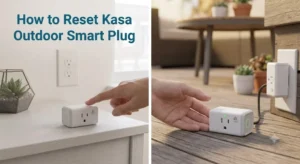
Resetting a Kasa outdoor smart plug clears its saved network and app connection so you can set it up again from scratch. That is different from simply power-cycling the outlet or restarting your router, which may fix a temporary glitch without erasing the plug’s pairing information.
If you are troubleshooting other connected devices too, it can help to compare the issue with broader smart-home setup steps, like smart light switch setup basics or general smart home compatibility checks. The same logic applies: confirm the app, Wi-Fi band, and account are all aligned before assuming the hardware is faulty.
What the Kasa Outdoor Smart Plug Does and How the Reset Process Works
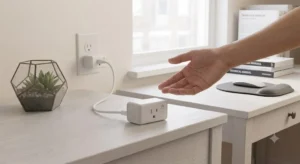
The Kasa outdoor smart plug is designed to let you control outdoor lights, decor, pumps, or other approved devices through the Kasa app and compatible voice platforms, depending on the exact model and region. Because it stores network and account information, a reset wipes that stored connection and returns the plug to a setup state.
That setup state is what makes re-pairing possible after a router change, phone change, account transfer, or repeated connection failure. The exact reset behavior can vary slightly by model and firmware, so the official manual should always be the final reference if your plug behaves differently.
Soft Reset vs. Factory Reset: Which One You Actually Need
People often use “reset” to mean two different things. A soft reset usually means unplugging the device or restarting the app/router, while a factory reset means clearing the plug’s saved settings so it can be added again.
Use a soft reset first if the plug is only temporarily offline. Use a factory reset if the app cannot find it, the plug is still linked to another account, or the Wi-Fi credentials need to be replaced.
How the LED Indicators and Button Behavior Confirm a Successful Reset
Most smart plugs use the status light to show whether they are ready to pair. After a successful reset, the LED typically changes to the pairing pattern described in the manual, which often means blinking in a repeated sequence rather than staying solid.
If the light never changes, the plug may not have received the reset command, may be in a protection state, or may have a hardware issue. In that case, check power, button timing, and the manual before trying again.
Step-by-Step Guide to Resetting the Kasa Outdoor Smart Plug
The reset process is simple, but it works best when you prepare the app, power source, and network first. Taking one minute to check those basics can save several failed pairing attempts later.
Before You Start: Power, App Access, and Safety Checks
Make sure the plug is connected to a safe, working outlet and that the device you plan to control is disconnected if needed. If the plug is outdoors, inspect it for moisture, frayed insulation, dirt in the socket area, or signs of heat damage before touching the button.
Also open the Kasa Smart app on your phone and confirm you can sign in. If you changed phones, reinstalled the app, or forgot your account password, handle that first so the plug can be added back immediately after the reset.
Manual Reset Using the Physical Button
Most Kasa outdoor smart plugs reset with the physical control button on the device. The usual process is to press and hold the button until the LED indicates pairing or reset mode, then release and wait for the light pattern to change.
- If the button seems unresponsive, unplug the plug, wait briefly, then reconnect and try again.
- Keep the outlet area dry and avoid pressing the button with wet hands.
- Use the model’s manual for the exact LED pattern, since it can vary by firmware.
Reconnecting the Plug in the Kasa Smart App
After the reset, open the Kasa Smart app and choose the option to add a new device. Follow the prompts to connect the plug to your Wi-Fi network, then name it clearly so you can identify it later by location or purpose.
For outdoor devices, a simple name like “Front Porch Lights” or “Patio Pump” is usually easier to manage than a generic label. If you use voice assistants or routines, reconnect those automations only after the plug is visible and stable in the app.
Key Specs and Setup Requirements to Verify Before Re-Adding the Plug
Before you pair the plug again, confirm the setup requirements that matter most: outdoor rating, Wi-Fi compatibility, app access, and physical placement. These details affect whether the plug reconnects cleanly and whether it remains reliable after setup.
Outdoor Ratings, Power Limits, and Outlet Compatibility
Outdoor smart plugs are not all built for the same conditions. Check the exact environmental rating, the maximum electrical load, and whether your outlet location supports the plug’s shape and spacing needs.
This matters because outdoor use can expose the device to rain, splash, dust, sunlight, and temperature swings. If the plug sits behind a cover, in a tight box, or near other large adapters, it may not fit securely or may run hotter than expected.
Wi-Fi Band Requirements, App Version, and Account Setup
Many smart plugs are picky about Wi-Fi setup, especially during pairing. Confirm whether your plug requires a 2.4 GHz network, whether your router uses separate bands, and whether guest networks or enterprise-style settings are blocking discovery.
Also verify that you are signed into the correct Kasa account. If the plug was previously owned by someone else, it may need to be removed from that account before it can be added to yours.
For more general device setup issues, the same troubleshooting logic used for budget charger safety checks applies in spirit: confirm the official requirements first instead of forcing a connection that the hardware may not support.
Dimensions, Cord Length, and Placement Considerations
Physical placement affects both convenience and reliability. Confirm the plug’s dimensions, cord length if applicable, and how much slack you need so the device is not pulled tight or exposed to standing water.
Good placement also improves app performance. A plug tucked behind metal furniture, dense walls, or outdoor equipment may have weaker signal stability than one mounted in a more open area.
Common Reset Problems and How to Troubleshoot Them
When a reset does not go as expected, the issue is usually one of four things: the button timing was off, the plug never entered pairing mode, the app is on the wrong account, or the Wi-Fi setup is not compatible. Start with the least invasive checks first.
Plug Not Entering Pairing Mode
If the LED never changes, try a full power cycle, then hold the button again for the time suggested in the manual. Make sure the plug is fully powered and that you are pressing the actual control button, not a nearby seam or weather cover.
If the device still does nothing, inspect for debris, moisture, or physical damage. A plug that remains completely unresponsive may need manufacturer support rather than repeated reset attempts.
App Cannot Find the Device After Reset
If the plug shows pairing mode but the app cannot find it, check your phone’s permissions, Bluetooth or local network access if required by the app, and your Wi-Fi band selection. Many pairing failures come from using the wrong network or from router settings that block device discovery.
It can also help to move the phone closer to the plug during setup. Once the device is added successfully, you can usually move it back to its normal outdoor position.
Connection Drops, Sync Errors, and Firmware Issues
If the plug connects but keeps dropping offline, the problem may be router distance, signal interference, or outdated firmware. Check the app for any official update prompt and review the router placement before assuming the plug is defective.
Do not try unofficial firmware workarounds or unsupported app tricks. Those steps can create security risks, void support expectations, or make the device less stable.
Safe Use, Maintenance, and Storage After Reset
Once the plug is working again, the best way to avoid another reset is regular care. Outdoor smart plugs last longer when they stay clean, dry, and within their rated limits.
Weather Exposure, Inspection, and Cleaning Best Practices
Check the plug after heavy rain, snow, wind, or seasonal yard work. Look for dirt buildup, moisture around the outlet face, and any discoloration that could suggest overheating or corrosion.
Clean only according to the manufacturer’s instructions. In general, that means using a dry or lightly damp cloth on safe exterior surfaces and avoiding sprays, solvents, or soaking.
Cord, Housing, and Outlet Safety Checks to Prevent Damage
Inspect the cord, housing, and outlet connection regularly. If you see cracks, loose parts, exposed conductors, melted areas, or repeated tripping behavior, stop using the plug and replace or service it according to the manufacturer’s guidance.
Storage Tips for Off-Season Use and Long-Term Reliability
If you remove the plug for the season, store it in a dry indoor location with the cord loosely coiled and the unit protected from dust. Before the next use, inspect it again and recheck the app connection rather than assuming the old pairing is still valid.
Good storage is especially helpful for devices that live outdoors part of the year. Keeping them clean and dry reduces the chance of corrosion and pairing issues when you bring them back into service.
Who the Kasa Outdoor Smart Plug Fits Best in 2026
This type of smart plug is a strong fit for people who want simple outdoor automation without a complicated setup. It works best for users who are comfortable checking Wi-Fi compatibility, using a mobile app, and doing occasional maintenance.
Ideal Use Cases for Outdoor Lighting, Decor, and Seasonal Devices
It is a practical choice for porch lights, holiday decorations, landscape accents, and other scheduled outdoor devices that stay within the plug’s electrical limits. It can also be useful for homeowners who want remote control while traveling or for routines that turn devices on at set times.
If you are building out a larger outdoor setup, pairing the plug with other compatible smart-home gear can make scheduling easier. For inspiration, see how different lighting setups are handled in our guide to smart lights for home automation.
Limitations, Common Mistakes, and Alternatives to Consider
The biggest limitation is that outdoor smart plugs still depend on a stable network and a weather-safe installation. Common mistakes include using the wrong Wi-Fi band, overloading the outlet, placing the plug where water can pool, or assuming a reset will fix a failing router.
If you need deeper automation, multiple outlets, or more advanced energy management, another smart-home device may fit better. But for straightforward on/off control outdoors, resetting and re-adding the Kasa plug is often the simplest way to restore normal operation.
Final Verdict: Is Resetting the Kasa Outdoor Smart Plug Worth It?
Yes—resetting the Kasa outdoor smart plug is worth doing when the device is offline, mispaired, or tied to the wrong account. The process is usually quick, and it often solves the kind of connection problem that a simple restart cannot fix.
The key is to reset it safely, confirm the Wi-Fi and app requirements before re-adding it, and inspect the hardware if anything looks damaged. If the plug still will not pair after those checks, the issue is more likely to be environmental, account-related, or hardware-related than something you can fix with repeated button presses.
Resetting the Kasa outdoor smart plug is a practical first step for most setup and connectivity problems. It is best for homeowners who want a simple re-pairing fix, but not for devices that show physical damage, moisture intrusion, or repeated hardware failure.
Frequently Asked Questions
The LED should switch to the pairing pattern described in the manual, which usually means it is ready to be added again. If the light does not change, the reset may not have completed.
You can usually reset the plug with its physical button, but you need the app to add it back afterward. Make sure you can sign in before starting.
Common causes include the wrong Wi-Fi band, app permission issues, router settings, or pairing from the wrong account. Move closer to the plug and confirm the official setup requirements.
Yes, if the plug is rated for outdoor use and the housing, cord, and outlet are dry and undamaged. Resetting does not change the device’s weather rating or safety limits.
Verify the outdoor rating, maximum load, Wi-Fi compatibility, app version, and physical placement. Also inspect for moisture, cracks, frayed cords, or overheating.
Try a safe power cycle and check the manual for the correct hold time and LED behavior. If the device stays unresponsive, stop using it and contact the manufacturer for support.