Anker 20W vs Anker 65W Charger: Which Is Better?
Anker 20W vs Anker 65W charger is a simple choice once you know what you need. The Anker Nano 20W is best for basic phone charging, while the Anker 735 Nano II 65W gives you more power, more ports, and better support for tablets, laptops, and multi-device charging.
Choose the Anker Nano 20W if you mainly charge one phone or another small USB-C device. Choose the Anker 735 Nano II 65W if you want one charger for a phone, tablet, compatible USB-C laptop, power bank, and other accessories. The 65W charger has three ports, while the 20W charger keeps things simple with one USB-C port.
For simple phone charging, the Anker 20W makes more sense. For a phone, tablet, laptop, power bank, or several USB devices, the Anker 65W is the better long-term choice. The extra wattage does not automatically make every phone charge faster. Its biggest advantage is flexibility.
Anker 20W vs Anker 65W: What Is the Main Difference?
The main difference is not just 20W versus 65W.
The Anker Nano 20W focuses on simple single-device charging. It has one USB-C port and can supply up to 20W.
The Anker 735 Nano II 65W is designed for a wider range of devices. It has two USB-C ports and one USB-A port. It can provide up to 65W when a compatible device uses a supported USB-C port by itself.
That means this comparison is really about simple phone charging versus flexible multi-device charging.
Anker Nano 20W Overview
The Anker Nano 20W is the easy option. You connect one USB-C cable and charge one device.
I see this type of charger as a good fit for people who mainly charge a smartphone. You are not carrying extra ports or unused charging capacity.
Its 20W output is suitable for many common phone-charging situations. It can also charge smaller USB-C devices such as earbuds and other accessories.
Best use: Everyday charging for one phone or another small USB-C device when you do not need several ports.
Why the 20W Design Makes Sense
Simple chargers still have a place.
If your main device cannot use the extra power from a 65W charger, buying the larger charger only for that phone may not improve charging speed.
This is one of the biggest mistakes I see when people compare chargers. A bigger watt number does not always mean a faster result.
Anker 735 Nano II 65W Overview
The Anker 735 Nano II 65W takes a very different approach.
It gives you two USB-C ports and one USB-A port. That makes it useful for phones, tablets, compatible USB-C laptops, power banks, and older USB-A accessories.
The charger also uses GaN technology. GaN chargers can provide high power from relatively compact designs.
The 65W model also supports modern USB-C charging features, including USB Power Delivery. Compatible devices can request the level of power they support.
Do not choose the 65W charger just because 65W sounds faster. Choose it when you need laptop charging, several ports, or one adapter for multiple devices.
Anker 20W vs Anker 65W Charger Comparison
| Feature | Anker Nano 20W | Anker 735 Nano II 65W |
|---|---|---|
| Maximum Rated Output | 20W | Up to 65W |
| USB-C Ports | 1 | 2 |
| USB-A Ports | None | 1 |
| Multi-Device Charging | No | Yes |
| Phone Charging | Great fit | Great fit |
| Tablet Charging | Works with compatible devices | More flexible |
| USB-C Laptop Charging | Not the main use case | Suitable for many compatible laptops |
| GaN Technology | Depends on exact Nano version | Yes |
| Travel Use | Best for simple setups | Best for several devices |
| Best For | One phone or small device | Phones, tablets, laptops, and several devices |
Is the Anker 65W Charger Faster?
Not always.
This is the most important point in the Anker 20W vs Anker 65W charger comparison.
A 65W charger has more power available. It does not automatically push 65W into every device.
With compatible USB Power Delivery charging, the charger and device communicate. The device requests a supported level of power.
You can learn more about USB Power Delivery from the USB-IF.
If your phone can only use a lower charging rate, connecting it to a 65W charger will not suddenly turn it into a 65W-charging phone.
The watt rating tells you how much compatible power the charger can make available. Your device, charging protocol, cable, battery level, and temperature help determine how much power is actually used.
Anker 20W vs 65W for iPhone
If you only need a charger for an iPhone, the Anker 20W may already provide everything you need.
The Anker 65W can also charge compatible iPhones. However, its biggest advantage appears when you also want to charge another device.
For example, you could use one charger for an iPhone, an iPad, and another USB device rather than carrying several adapters.
You should still check the charging guidance for your exact iPhone model on Apple Support.
Did You Know? A higher-wattage USB-C charger does not mean a compatible phone must consume the charger’s full rated wattage. The device requests supported power.
Anker 20W vs 65W for Android Phones
Android charging can be more complex.
Different phone brands may support different charging systems. Some use USB Power Delivery. Some support PPS. Others may use their own fast-charging technology.
The 65W charger gives you more available power, but the phone still needs to support the right charging standard to reach its best speed.
If your Android phone only needs modest USB-C power and you charge one device at a time, the 20W option may still be enough.
Which Is Better for Tablets?
For tablets, I would usually lean toward the Anker 65W.
Many tablets can use more charging power than a basic phone. The extra capacity also gives you room to charge another device from the same adapter.
The 20W charger can still work with compatible tablets. It simply has less available power and only one charging port.
Which Is Better for a Laptop?
This is where the difference becomes much larger.
The Anker 65W is the clear choice between these two if you plan to charge a compatible USB-C laptop.
Many laptops need far more power than 20W. A low-power adapter may charge slowly, show a low-power warning, or fail to keep up while the laptop is being used.
Do not assume every USB-C laptop works best with a 65W charger. Check the laptop maker’s recommended power. High-performance laptops may require more than 65W.
Real-World Use Case Comparison
| Use Case | Anker 20W | Anker 65W |
|---|---|---|
| One smartphone | Excellent choice | Works, but extra capacity may go unused |
| Phone + earbuds | One at a time | Better choice |
| Phone + tablet | One at a time | Better choice |
| Phone + laptop | Not ideal | Much more useful |
| Compatible USB-C laptop | Not recommended as the main solution | Good fit for many compatible laptops |
| Travel with one phone | Simple and practical | More capacity than some users need |
| Travel with several devices | Limited | Better choice |
| Desk setup | Simple single-device setup | Better multi-device flexibility |
Device Compatibility
Compatibility depends on your exact device, cable, and charging standard. A USB-C connector alone does not guarantee maximum charging speed.
Single-Device vs Multi-Device Charging
The Anker 20W keeps power management simple.
It has one USB-C port. One device connects at a time.
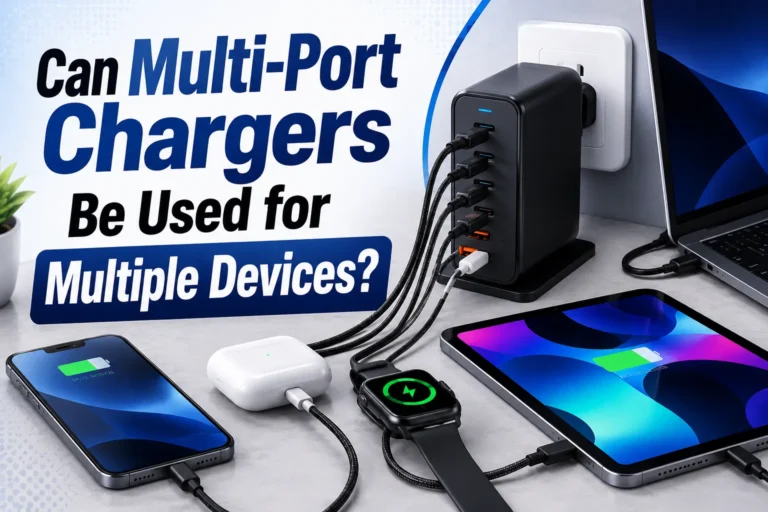
The Anker 65W works differently because it has three charging ports.
When one compatible device uses a supported USB-C port, the charger can provide high output. When several devices are connected, the charger’s available power is shared.
This means a laptop may receive less power when you add a phone or another device.
If charging suddenly becomes slower after you connect another device, the charger may simply be redistributing its available power. Disconnect the extra device and test again.
Will a 65W Charger Damage Your Phone?
Using a higher-wattage compatible charger does not mean the charger automatically sends its full rated power into your phone.
Modern USB-C charging systems can negotiate supported power between the charger and device.
That is why the same USB-C charger can often power devices with very different needs.
Your phone controls how much supported charging power it accepts. A 65W charger provides additional capacity, but the phone does not have to use all of it.
Charging Safety Comparison
| Safety Factor | Anker 20W | Anker 65W |
|---|---|---|
| Power Negotiation | Works with compatible USB-C charging | Works with compatible USB-C charging |
| Maximum Available Power | 20W | Up to 65W |
| Multiple Devices | Not supported at once | Power can be shared between ports |
| Cable Importance | Important | Especially important for higher-power devices |
| Heat | Some warmth can be normal | Some warmth can be normal under load |
Stop using any charger or cable if you notice melting, cracked plastic, exposed wires, damaged prongs, smoke, sparks, a burning smell, or unusual extreme heat.
Is It Normal for These Chargers to Get Warm?
Some warmth is normal during charging.
A charger converts wall power into the voltage and current your device needs. That process creates some heat.
Higher loads can also create more heat.
I would pay attention if a charger becomes unusually hot, smells strange, makes unusual sounds, changes color, or starts charging devices on and off.
Keep the charger uncovered. Do not place it under bedding, clothes, cushions, or other materials that trap heat.
Your USB-C Cable Matters Too
The charger is only one part of the system.
Your cable can also limit charging performance.
This becomes especially important when charging laptops or other higher-power devices.
When I troubleshoot charging problems, I check the cable early. People often replace a charger while keeping the same weak or damaged cable. Make sure the cable supports the power level and charging standard your device needs.
Anker 20W Pros and Cons
- Simple single-device charging.
- Good fit for many phones.
- One USB-C port keeps setup easy.
- No shared-power concerns.
- Good choice when laptop charging is not needed.
- Only one charging port.
- Limited for higher-power laptop use.
- Less flexible for several devices.
Anker 65W Pros and Cons
- Up to 65W available for supported charging.
- Two USB-C ports.
- One USB-A port.
- Supports multi-device charging.
- Useful for many compatible USB-C laptops.
- Better for larger travel setups.
- More long-term flexibility.
- Extra power may not help if you only charge one phone.
- Available power is shared when several ports are active.
- Cable and port choice matter more for high-power charging.
Who Should Choose the Anker 20W?
Choose the 20W charger if your setup is simple.
- Mainly charge one phone.
- Only need one USB-C port.
- Do not need laptop charging.
- Prefer a simple charging setup.
- Rarely charge several devices at once.
Who Should Choose the Anker 65W?
The Anker 65W makes more sense when you have several devices or greater power needs.
- Charge a phone and tablet.
- Own a compatible USB-C laptop.
- Need more than one charging port.
- Travel with several gadgets.
- Use USB-C and USB-A accessories.
- Want one charger that can cover more future devices.
How to Choose Between Anker 20W and 65W
Write down every phone, tablet, laptop, power bank, and accessory you normally charge.
Look at the recommended charging power for your main devices.
If you normally charge one device, one USB-C port may be enough. If you charge two or three devices, the 65W charger is more practical.
If you need to charge a USB-C laptop, check its power requirement. Between these two models, the 65W charger is the more suitable option.
Use cables that support the charging power and standard required by your devices.
If you may add a tablet, laptop, or large power bank later, the extra ports and power of the 65W charger may be useful.
Common Charging Problems and Fixes
| Problem | Likely Cause | What to Do |
|---|---|---|
| Phone charges slowly | Device limit, cable, protocol, or battery conditions | Check device charging specs and try a suitable cable. |
| Fast charging does not start | Unsupported cable or charging standard | Check charger, device, and cable compatibility. |
| Laptop charges slowly | Available charger power may be too low | Check the laptop maker’s recommended wattage. |
| Laptop will not charge from 20W | 20W may be below the laptop’s required input | Use a charger that meets the laptop’s power needs. |
| 65W charger becomes slower with two devices | Available power is being shared | Disconnect another device or review port power distribution. |
| Charger feels warm | Normal power conversion may create heat | Keep it uncovered and watch for extreme heat or damage. |
| Charging stops and starts | Cable, connector, outlet, or device problem | Inspect the connections and test another compatible cable. |
Why Is My 65W Charger Not Giving 65W?
This can be completely normal.
The 65W figure is the maximum available output under supported conditions. Your device may need far less.
Power can also be divided when several ports are being used.
Your battery level may change charging speed too. Many devices reduce charging power as the battery fills.
Temperature can also affect charging.
Do not judge a charger only by its watt number. The best charger is the one that matches the actual needs of your device.
Which Anker Charger Is Better for Travel?
It depends on your travel setup.
If you carry one phone and a small accessory, the 20W charger keeps things simple.
If you carry a phone, tablet, compatible USB-C laptop, power bank, or several accessories, the 65W charger becomes much more useful.
One multi-port charger can also reduce the number of adapters you need to pack.
Which Charger Is Better for a Desk?
The 65W model is the more flexible desk charger.
Its two USB-C ports and one USB-A port make it easier to keep several devices powered.
If your desk only needs a single phone charger, the 20W model may be all you need.
Which One Offers Better Long-Term Value?
For flexibility, the Anker 65W wins.
The Anker 20W solves one common job very well. The 65W model covers a much wider range of devices.
This matters if your setup changes over time.
You may have one phone today but add a tablet, laptop, handheld gaming device, or larger power bank later.
Final Verdict: Anker 20W vs Anker 65W Charger
Best for one phone: Anker Nano 20W.
Best for several devices: Anker 735 Nano II 65W.
Best for compatible USB-C laptops: Anker 65W.
Best for a simple setup: Anker 20W.
Best for long-term flexibility: Anker 65W.
The 65W model is not automatically faster for every phone. Its real advantage is the ability to handle more demanding devices and several charging jobs from one adapter.
Related Charging Guides
- Can I Use a 65W Charger for iPhone?
- 20W vs 65W Charger: Which Wattage Do You Need?
- 30W vs 65W Charger for iPhone
- Best 65W Chargers for iPhone and MacBook
- 65W vs 100W Charger: Which One Should You Choose?
- USB-C PD vs PPS Charger: What Is the Difference?
Frequently Asked Questions
The Anker 65W is better for people who need several ports, charge compatible USB-C laptops, or use several devices. The Anker 20W can be the better choice if you mainly need a simple charger for one phone.
Not necessarily. Your phone controls how much supported power it can use. If the phone cannot use more than the power available from the 20W charger, moving to a 65W charger may not make charging faster.
Yes. You can use the Anker 65W charger with a compatible iPhone and the correct cable. The phone requests supported charging power rather than automatically receiving the charger’s full 65W output.
A properly working compatible USB-C charging setup does not force the full 65W into a phone. The device and charger negotiate supported power. Always use suitable chargers and cables and stop using damaged equipment.
Some USB-C laptops may accept low-power charging, but 20W is below the preferred input of many laptops. Check your laptop maker’s recommended charging wattage. The Anker 65W is the more suitable choice between these two for many compatible USB-C laptops.
The Anker 735 Nano II 65W has two USB-C ports and one USB-A port for multi-device charging. When several devices are connected, the available power is shared between the active ports.
The Anker 20W is a good fit for light travel with one main device. The Anker 65W is more useful when you travel with a phone, tablet, compatible laptop, power bank, or several accessories.
You need a USB-C cable that supports the charging power and standard required by your device. Cable capability becomes especially important when charging higher-power devices such as laptops.
Conclusion
The Anker 20W vs Anker 65W charger decision becomes much easier when you focus on your devices rather than the biggest watt number.
The 20W charger is the straightforward choice for one phone or another small USB-C device.
The 65W charger is more useful when you need extra ports, a compatible laptop charger, or one adapter for several devices.
Higher wattage does not mean your phone will automatically charge faster. A compatible USB-C device requests the level of power it supports.
For beginners, I suggest listing every device you charge before choosing. If one phone is the whole job, 20W may be enough. If your setup includes tablets, laptops, power banks, or several devices, 65W gives you much more flexibility.
- The Anker Nano 20W is best for simple single-device charging.
- The Anker 65W is better for multi-device setups.
- The 65W model is more suitable for many compatible USB-C laptops.
- A higher wattage charger does not automatically make every phone charge faster.
- Your device controls how much supported charging power it uses.
- Your USB-C cable can affect charging performance.
- Stop using any charger or cable that shows signs of serious damage or extreme heat.
Choose the Anker 20W if you mainly need a simple charger for one phone. Choose the Anker 65W if you want more ports, laptop support, and room for several devices. Match the charger to your real charging needs instead of choosing based only on the higher watt number.