Best 240w Usb-c Cable
The best 240W USB-C cable is a USB-IF certified EPR cable with clear 240W support and solid build quality. If your device does not need that much power, a lower-rated certified cable is usually the better value.
If you need the best 240W USB-C cable, look for one that is USB-IF certified, supports USB Power Delivery Extended Power Range (EPR), and is clearly rated for full 240W charging. For most buyers, the right cable is the one that matches your charger, your device, and your daily setup without adding unnecessary bulk or compatibility risk.
- Certification matters: USB-IF certification and EPR support are the most important checks for true 240W compatibility.
- Match the whole chain: Your charger, cable, and device all need to support the same power level.
- Data is separate: A cable can support high wattage without offering fast data transfer or display output.
- Build quality counts: Reinforced connectors, strain relief, and a durable jacket help with long-term reliability.
Best 240W USB-C Cable: What It Is and Who Actually Needs One
Quick answer: the best 240W USB-C cable is the one that is USB-IF certified, supports EPR (Extended Power Range), and is rated for full 240W charging without compromising build quality.
A 240W cable is mainly for people using newer high-power USB-C devices that can actually accept that level of power. If your laptop, dock, or accessory tops out below that, you may still benefit from a well-made cable, but you do not need to pay extra for the highest wattage rating.
Why 240W matters in 2026 for laptops, tablets, docks, and high-power accessories
240W USB-C charging matters because more devices now rely on USB-C for both power and data, including larger laptops, some workstation-class systems, and multiport docks. A properly rated cable can reduce the need to carry a separate barrel charger for certain setups, which is especially useful for travel, shared workspaces, and clean desk builds.
That said, 240W support only helps when the charger, cable, and device all support it. A 240W cable does not force a device to charge faster than its own design allows.
How a 240W USB-C Cable Works
USB-C power delivery basics: voltage, current, and EPR support
USB Power Delivery negotiates how much power can safely move between the charger and the device. With EPR support, USB-C can reach much higher power levels than standard charging cables, but only if every part of the chain is built for it.
In simple terms, the cable is not just a wire; it is part of the safety and communication system that tells the charger what it can deliver. If the cable is not designed for EPR, the setup may fall back to a lower power mode.
How cable construction affects charging speed, heat, and signal stability
Better cable construction helps control resistance, heat buildup, and signal stability. That matters because higher power means more stress on the cable, especially during long charging sessions or when the cable is bent, coiled, or routed behind a desk.
Connector quality also matters. A loose plug, weak strain relief, or poor shielding can shorten cable life and create unreliable charging behavior, even if the wattage rating looks impressive on the box.
Why not every USB-C cable can safely carry 240W
Many USB-C cables are designed for lower power levels, and some are charging-only or limited to older USB Power Delivery standards. A cable that works fine for a phone may be a poor choice for a high-wattage laptop.
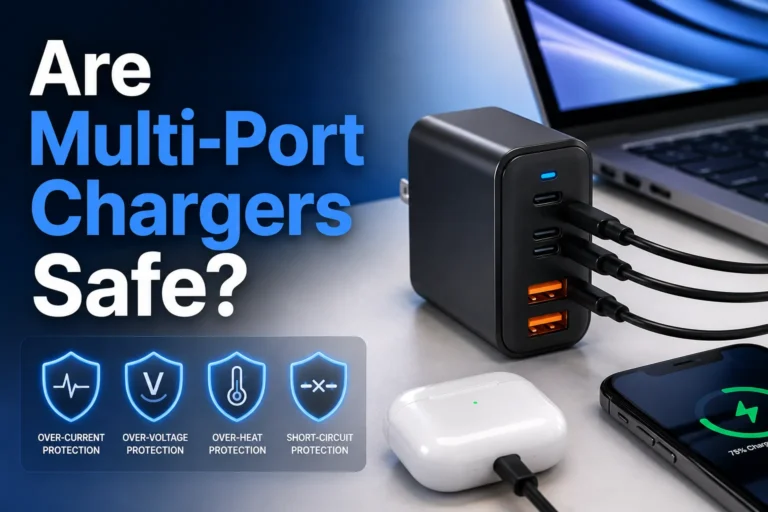
Do not assume a cable is safe for 240W just because the listing says “fast charge” or “high power.” Use the cable only within its verified rating and stop using it if you notice heat, melted plastic, discoloration, or intermittent charging.
Key Specs to Check Before You Buy
Power rating, USB-IF certification, and EPR compatibility
The first thing to verify is whether the cable explicitly supports 240W and USB PD EPR. USB-IF certification is a strong sign that the cable has been built and tested to meet the relevant USB standard, though you should still confirm the exact model details on the manufacturer page or packaging.
- Check the exact wattage rating, not just marketing terms like fast charging
- Confirm USB-IF certification and EPR support if you need full 240W
- Match the cable to your charger’s output and your device’s input limit
- Review warranty terms, return policy, and any model-specific compatibility notes
Connector quality, cable gauge, and durability features
Look for reinforced connector housings, good strain relief, and a cable jacket that feels sturdy without being overly rigid. Thicker cables can handle more power more comfortably, but they may also be less flexible and less convenient in a bag or on a crowded desk.
Durability features matter most if you plug and unplug frequently, travel often, or use the cable in a shared office or family space. A strong outer jacket is helpful, but the connector ends are usually the first place to wear out.
Data transfer speed vs charging-only cables
Not every 240W cable is meant for fast data. Some are built primarily for charging, while others also support USB data transfer, display output, or dock connectivity depending on the spec.
If you plan to connect a laptop to a monitor, dock, or external drive, verify the cable’s data standard separately from its power rating. Charging power and data speed are related, but they are not the same specification.
Length choices: portability, desk setup convenience, and power loss trade-offs
Shorter cables are often easier to pack and may reduce clutter, while longer cables are more convenient for couch use, bedside charging, and larger desks. As cable length increases, practical convenience often improves, but flexibility and neatness can get worse.
Choose the shortest cable that still fits your real setup. For a desk charger, that may mean keeping cable slack under control; for travel, it may mean a compact cable that stores cleanly without tight bends.
Best Use Cases: Which Devices Fit a 240W USB-C Cable
High-wattage laptops, gaming notebooks, and workstation-class USB-C devices
The clearest fit for a 240W cable is a laptop or workstation that supports very high USB-C charging input. These systems benefit most from a cable that can handle the full power envelope without forcing you to carry a second charger type.
Gaming notebooks and creator laptops are common examples, but compatibility varies by model. Always check the device manual or official spec sheet before assuming USB-C charging can replace the original adapter.
Tablets, handheld gaming devices, power banks, and USB-C docks
Tablets, handheld gaming devices, and many power banks may not need 240W, but they can still use a high-quality USB-C cable for reliable charging. USB-C docks can also benefit from a sturdy cable, especially when the dock powers a laptop and several peripherals at once.
For these devices, the cable’s build quality and data support may matter more than the maximum wattage number. In many cases, a lower-rated cable from a reputable brand is enough if the device itself does not draw extreme power.
Who does not need 240W and may be better served by a lower-cost cable
If you charge a phone, earbuds, a standard tablet, or a laptop that only accepts moderate USB-C power, a 240W cable may be overkill. You can often save money by choosing a cable rated for the power level your devices actually use.
The best 240W USB-C cable is ideal for buyers who need maximum USB-C charging headroom, strong build quality, and verified compatibility with EPR devices. If your gear does not support high-wattage charging, a lower-rated certified cable is usually the smarter value.
Real-World Benefits and Practical Trade-Offs
Faster charging potential, fewer cable swaps, and cleaner travel kits
A good 240W cable can simplify your setup by covering more devices with one accessory. That can mean fewer cables in your bag, fewer wall-wart combinations to remember, and a cleaner workspace at home or in the office.
It also gives you more future-proofing if you upgrade to a more demanding USB-C laptop later. Even so, the device and charger still control the final charging behavior.
Portability vs thickness, stiffness, and bag storage concerns
High-power cables are often thicker than basic phone cables, which can make them less flexible. That is not a flaw by itself, but it can be inconvenient if you want a cable that wraps tightly around a charger or slips into a small pouch.
- Can support demanding USB-C laptops and accessories
- Reduces the need for multiple cable types
- Often built with stronger materials and better strain relief
- May be thicker and less flexible than lower-power cables
- Can cost more than basic USB-C options
- May offer more power than many devices can use
How cable length and build affect heat management and everyday convenience
Longer or lower-quality cables can be less convenient if they tangle easily or create extra clutter near a charger. Heat is also worth watching, especially when charging a high-wattage laptop for long periods or using the cable near soft surfaces that trap warmth.
For everyday use, a well-made cable with the right length is often more satisfying than the one with the biggest number on the package.
Common Mistakes When Buying or Using a 240W USB-C Cable
Confusing wattage claims with actual device support
A common mistake is assuming a 240W cable automatically means 240W charging. In reality, the charger and the device both have to support that level, and many devices will charge at a lower rate by design.
Mixing up charging-only cables, USB 2.0 cables, and full-featured cables
Some cables are built mainly for charging and may not support the data speeds or display output you expect. Others may support basic data but not the full feature set needed for docks or monitors.
Manufacturer listings can be inconsistent, especially across retailers. If you need both power and data, verify the exact USB standard, not just the headline wattage claim.
Ignoring charger wattage limits, device limits, and port compatibility
A cable cannot make a low-power charger act like a high-power one. Likewise, if your laptop’s USB-C port is limited to a lower input level, the cable will not override that limit.
Assuming all “240W” cables are equally safe or well-made
Some cables may advertise the same wattage but differ in materials, internal design, or quality control. Certification, clear labeling, and a trustworthy warranty policy are more useful than vague marketing language.
Stop using any cable that runs unusually hot, shows frayed insulation, has bent or loose connectors, or causes charging to cut in and out. Replace damaged cables promptly and follow the manufacturer’s safety guidance.
Safe Use, Inspection, and Care Guide
How to spot wear, fraying, bent connectors, and overheating signs
Check the cable ends regularly for cracked housings, exposed wire, looseness, or discoloration. Also watch for intermittent charging, which can signal internal damage even when the outside looks fine.
Replacement guidance: when a cable should be retired immediately
Retire the cable right away if you see melting, burning smells, sparking, severe fraying, or repeated connection failures. If a cable behaves unpredictably with a high-power device, it is safer to replace it than to keep troubleshooting it.
Best storage habits for travel, desk setups, and drawer organization
Store the cable loosely coiled rather than tightly wrapped around a charger. Avoid placing heavy objects on top of it in a bag or drawer, and keep it away from sharp edges that can slowly cut into the jacket.
- Use a loose coil or cable tie that does not pinch the jacket
- Keep connectors clean and dry before plugging in
- Do not yank the cable by the cord; pull from the connector body
- Inspect the cable after travel if it was packed tightly or bent sharply
Cleaning, handling, and avoiding tight bends that reduce lifespan
Wipe the cable with a dry or slightly damp soft cloth if it picks up dust. Avoid harsh cleaners, excess moisture, and repeated tight bends near the connector ends, since those areas usually wear fastest.
Final Verdict: How to Choose the Best 240W USB-C Cable for Your Setup
Best value pick criteria for most buyers
The best value choice is usually a USB-IF certified 240W EPR cable from a reputable brand with clear labeling, solid connector reinforcement, and the right length for your setup. That combination gives most buyers the best balance of safety, compatibility, and everyday convenience.
Best premium choice criteria for heavy daily use and high-wattage laptops
If you plug and unplug constantly, travel often, or charge a demanding laptop every day, a premium cable should prioritize durability, reliable certification, and strong strain relief over flashy extras. Extra flexibility can be a bonus, but not if it comes at the expense of build quality.
Transparent recommendation based on safety, certification, durability, and compatibility
For most people, the smartest pick is the cable that is clearly certified, honestly rated, and matched to the device’s actual charging limit. If your setup does not need full 240W, choose a lower-cost certified cable instead; if it does, verify the cable, charger, and device all support EPR before you buy.
Frequently Asked Questions
Most buyers need one only if they charge a high-wattage laptop, workstation, or other USB-C device that supports EPR. Phones and smaller accessories usually do not need that much power.
Check the exact wattage rating, USB-IF certification, and EPR support. Also confirm your charger and device can both use that power level.
No. The device and charger decide the actual charging speed, so a higher-rated cable only helps when the rest of the setup supports it.
Inspect it for fraying, bent connectors, discoloration, looseness, or heat during charging. If you notice damage or unstable charging, replace it.
If you connect docks, displays, or external drives, yes, because charging and data capabilities are not always the same. Verify the USB data standard separately from the wattage rating.
A USB-IF certified 240W EPR cable with solid build quality and the right length for your setup is the safest all-around pick. If your device does not support high power, a lower-rated certified cable may be better value.