

What Is the Best Video Doorbell for Your Home
The best video doorbell is the one that fits your wiring, Wi‑Fi, and storage needs, not just the one with the highest resolution. For most homes, a reliable model with strong alerts, clear video, and compatible app support is the safest choice.
If you want the best video doorbell for most homes, choose the model that matches your wiring, Wi‑Fi strength, and whether you want to avoid subscriptions. The “best” option is usually the one that gives you reliable alerts, clear video, and a setup your home can actually support.
- Start with power: Wired and battery models fit different homes, so choose based on your existing setup.
- Check the app: Compatibility, smart-home support, and subscription terms can matter more than camera specs.
- Focus on reliability: Strong Wi‑Fi, motion tuning, and night vision usually determine daily satisfaction.
- Verify storage: Confirm whether local recording is available or if cloud history needs a paid plan.
- Measure the entryway: Installation space, weather exposure, and chime compatibility can affect the final choice.
What Is the Best Video Doorbell in 2026? Quick Answer and Top Pick Criteria
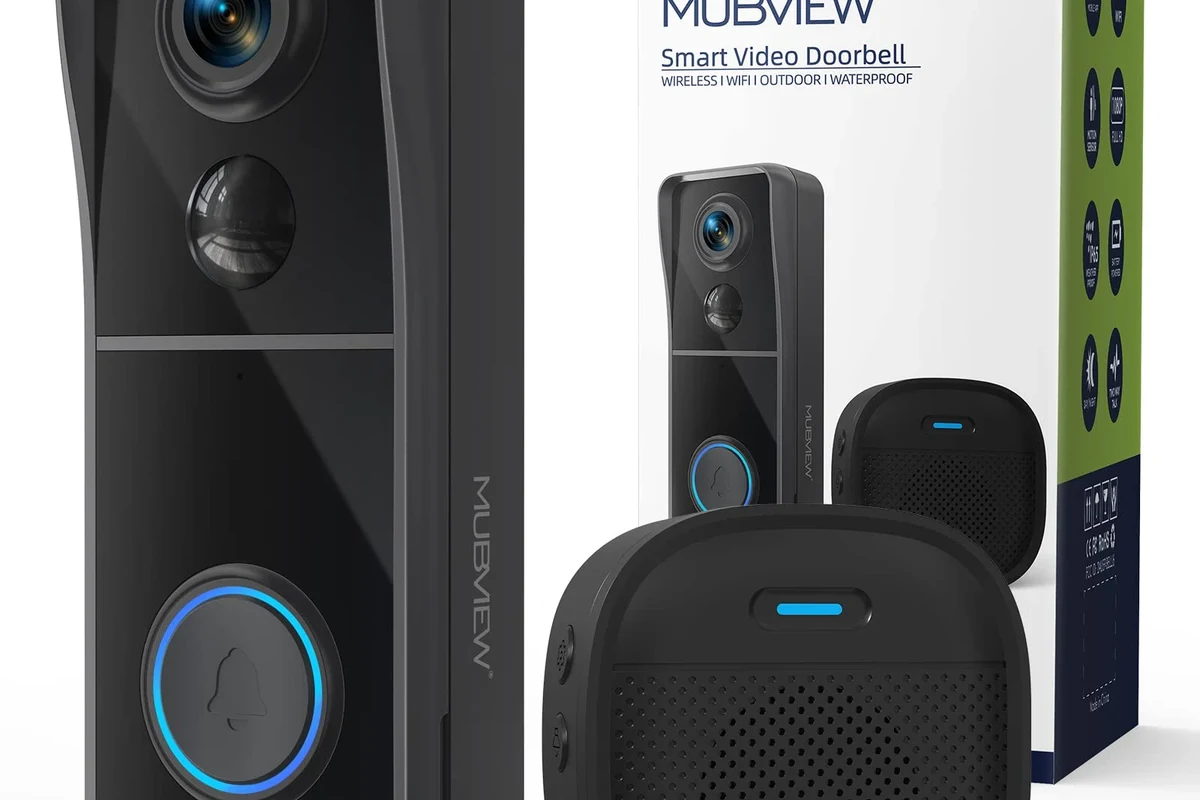
There is no single best video doorbell for every buyer, because the right choice depends on power, app ecosystem, and how much storage or smart-home integration you need. For most homes, the best pick is a well-supported model with dependable motion alerts, solid night vision, and a power setup that fits your door.
In practical terms, the best video doorbell is the one that balances video quality, reliable connectivity, privacy controls, and low ongoing costs. If you are comparing models in 2026, verify the current app requirements, whether local storage is supported, and whether key features are locked behind a subscription.
How a Video Doorbell Works: Core Features, Power Options, and Connectivity
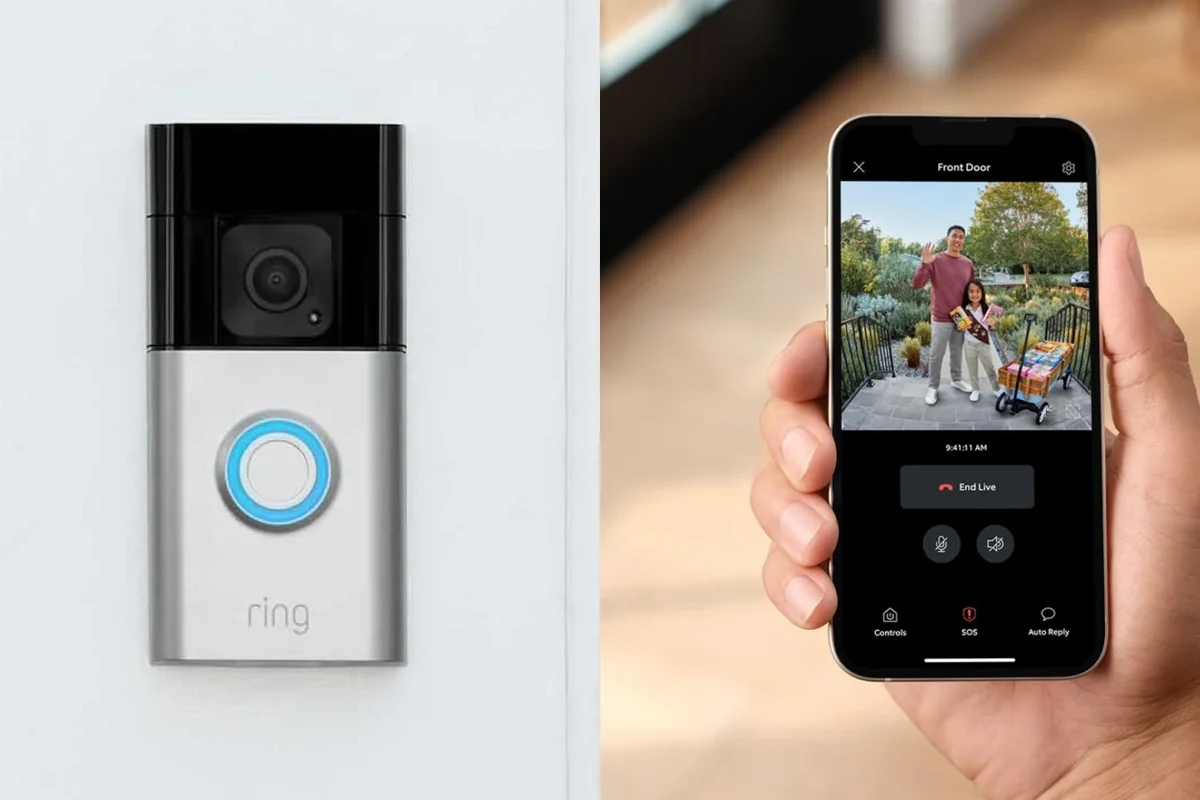
A video doorbell combines a doorbell button, camera, microphone, speaker, motion sensor, and smartphone app. When someone presses the button or triggers motion detection, the device sends an alert to your phone and streams live or recorded video depending on the model and your storage setup.
Wired vs. Battery-Powered Models: Which Setup Fits Your Home?
Wired video doorbells are usually best if your home already has compatible doorbell wiring and you want fewer charging interruptions. Battery-powered models are easier to install in rentals, homes without existing wiring, or places where running a wire would be inconvenient.
Before buying, check whether your existing chime, transformer, and wiring meet the doorbell maker’s compatibility list. If they do not, the model may still work, but you may need an adapter, a separate chime accessory, or a different power plan.
Battery models are flexible, but battery life varies widely with motion settings, temperature, traffic near the door, and how often you view live video. Wired models can be more consistent, but they may require installation that is best handled carefully and according to the manufacturer’s instructions.
Wi‑Fi, App Requirements, and Smart Home Compatibility
Most video doorbells rely on 2.4 GHz or dual-band Wi‑Fi, plus a companion app on your phone. Strong signal quality matters because poor connectivity can cause delayed alerts, failed live views, or choppy video, especially if the doorbell sits far from the router.
Compatibility can change by model, firmware, region, and app version. Always confirm support for your phone, smart display, voice assistant, or home hub before you buy.
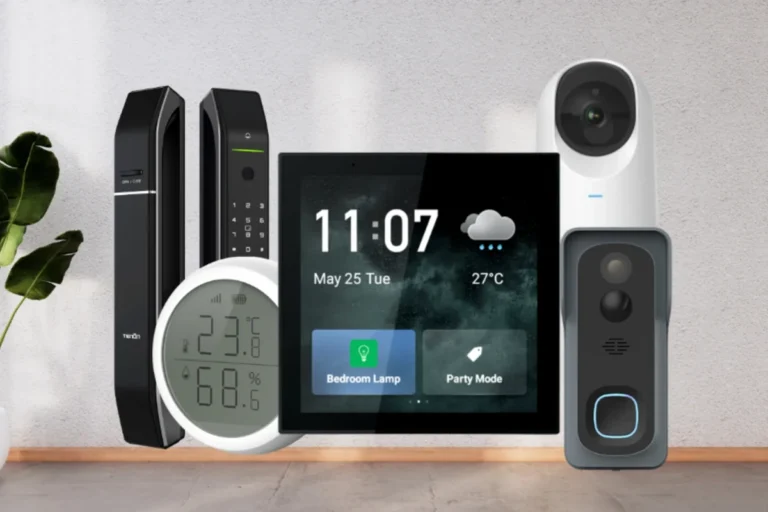
If you use a smart home platform, verify whether the doorbell works with the ecosystem you already own. For example, some buyers care most about integration with smart displays, while others only need reliable phone alerts and cloud recording. If you are also comparing home security accessories, you may find it helpful to review smart home devices that integrate cleanly and other connected devices with strong app support for a sense of how ecosystem fit affects daily use.
Who Should Buy a Video Doorbell? Best Fit by Home Type, Budget, and Use Case
Video doorbells are most useful when you want to see who is at the door, catch package drop-offs, or reduce missed visitors. They are less useful if your Wi‑Fi is weak, your entryway faces a public sidewalk with constant motion, or your building rules restrict exterior devices.
Apartment Renters, Single-Family Homes, and Multi-Entry Properties
Apartment renters usually benefit most from battery-powered models or options that do not require permanent wiring changes. Single-family homes often have the most flexibility, especially if they already have a doorbell circuit and a compatible chime.
Multi-entry properties need more planning. If you have a front door, side door, or gate, consider whether one camera covers the area you care about or whether you need multiple devices. The best video doorbell for a larger property is often the one that lets you manage several entry points without making the app confusing.
Homes that need one reliable front-door camera with straightforward alerts, clear visibility, and manageable ongoing costs. If your entry area is complex or your building has restrictions, an alternative setup may be a better fit.
Privacy-Conscious Buyers, Families, and Frequent Travelers
Privacy-conscious buyers should look closely at app permissions, cloud storage terms, and how long recordings are retained. Families may care more about easy sharing, named user access, and quick alerts for deliveries or visitors. Frequent travelers often want dependable remote access, strong motion notifications, and a battery or wiring setup that will keep working while they are away.
- Lets you see and speak to visitors from anywhere
- Can improve package awareness and entryway monitoring
- Works well for households that want remote alerts
- May require a subscription for full recording features
- False alerts can happen in busy outdoor areas
- Performance depends heavily on Wi‑Fi quality and placement
Key Specifications That Decide the Best Video Doorbell
Specs matter because video doorbells are only as useful as their image quality, alert reliability, and power stability. A model with flashy marketing but weak motion detection or poor app support can be frustrating in everyday use.
Video Quality, Field of View, Night Vision, and Motion Detection
Look for clear video resolution, but do not stop there. A wider field of view can help you see packages on the ground and people standing close to the door, while night vision matters if your front porch is dim or only lit by a distant streetlight.
Motion detection is one of the most important features to compare. Some models use customizable zones, person detection, package alerts, or activity filtering, but the quality of those features can vary by firmware and subscription tier. The best video doorbell for motion alerts is usually the one that lets you tune sensitivity so you get fewer false notifications.
Many false alerts come from moving trees, street traffic, or shadows near the camera rather than from the doorbell hardware itself.
Power, Battery Life, Weather Rating, and Installation Dimensions
Battery life is highly dependent on usage, temperature, and motion settings, so manufacturer estimates should be treated as a starting point rather than a guarantee. If your doorbell faces direct sun, heavy rain, snow, or freezing temperatures, check the weather rating and operating range listed in the official manual.
Installation dimensions matter more than many buyers expect. Measure the area around your doorframe, trim, and siding so you know whether the unit fits without blocking the door swing, peephole, or existing hardware. If you plan to replace an older unit, confirm that the mounting plate and angle kit options work with your entryway.
Subscription Costs, Local Storage, and Warranty Details to Verify
Subscription pricing, recording history, and advanced alerts vary by brand and sometimes by region. If you want to avoid recurring fees, confirm whether the model supports local storage, on-device recording, or basic live viewing without a plan.
Warranty terms matter because doorbells live outdoors and are exposed to heat, moisture, and frequent button presses. Check the length of coverage, what counts as normal wear, and whether accessories such as chimes, batteries, or mounts are covered separately.
- Check compatibility with your door wiring, Wi‑Fi band, and phone app
- Confirm the storage model, subscription terms, and recording limits
- Verify weather resistance, dimensions, and mounting hardware needs
- Review warranty coverage, return policy, and privacy settings
Real-World Benefits and Trade-Offs: What Video Doorbells Do Well and Where They Fall Short
Video doorbells are genuinely useful, but they are not magic security devices. They are best understood as visibility and communication tools that can improve awareness at the front door.
Security, Package Monitoring, and Visitor Management
For many households, the biggest benefit is simple convenience: you can see who is outside, talk to delivery drivers, and check on unexpected visitors without opening the door. Package monitoring can also help you notice when a parcel arrives or when someone lingers near the entryway.
Some users also like the peace of mind that comes from remote access while traveling or working late. If you spend a lot of time away from home, the ability to answer the door from your phone can be more valuable than any single camera spec.
Common Limitations: False Alerts, Latency, and Subscription Lock-In
False alerts are common when the camera faces a busy street, trees, or a walkway with frequent movement. Latency can also be a problem, especially if your network is weak or the app takes time to wake the live feed.
Do not install or power a doorbell in a way that conflicts with the manufacturer’s instructions. If you see damaged cables, swelling in a battery pack, overheating, water intrusion, or unstable mounting, stop using the device and follow the official support guidance.
Subscription lock-in is another real trade-off. A doorbell may still function without a plan, but the features that matter most to you—such as video history, smart detection, or advanced alerts—may require ongoing payment. That is why the best video doorbell for one buyer may be a poor value for another.
How to Choose the Right Model: Comparison Framework for 2026
Instead of searching for a universal winner, compare models by use case. This makes it easier to separate marketing claims from features that will actually matter at your front door.
Best for Budget Buyers, Best for No-Subscription Use, and Best for Smart Home Integration
Best for budget buyers: choose a model with the essentials—reliable alerts, decent video, and simple installation—without paying for advanced extras you will not use. Budget models can be a smart choice if you mainly want live viewing and basic notifications.
Best for no-subscription use: prioritize local storage, on-device features, or a plan-free setup that still gives you useful day-to-day functionality. These models are especially attractive if you dislike recurring fees or want more control over recordings.
Best for smart home integration: look for support with the platform you already use most, whether that is a voice assistant, smart display, or home automation hub. If your household relies on a connected ecosystem, integration quality may matter more than a small difference in resolution.
| Option | Best For | Key Consideration |
|---|---|---|
| Budget-focused model | Basic front-door monitoring | Check whether important features require a paid plan |
| No-subscription model | Users avoiding recurring fees | Verify local storage and recording limits |
| Smart-home-friendly model | Connected households | Confirm platform support before purchase |
What Evidence to Trust: Specs, User Feedback, and Review Limitations
When you compare models, trust verified specifications first, then current manual and app documentation, then consistent user feedback about setup and reliability. Be cautious with star ratings that do not explain whether the reviewer used the product in a similar home, with similar Wi‑Fi conditions, or with the same subscription tier.
User reviews can still be helpful, especially for spotting recurring issues such as delayed alerts, weak battery life, or confusing app setup. But reviews are most useful when they describe the buyer’s home type, door location, and network conditions, because those factors strongly affect performance.
If a feature sounds important—such as package detection, facial recognition, or cloud history—confirm exactly which version of the app or plan includes it. Those details can change over time.
Setup, Safe Use, and Maintenance Guide for Long-Term Reliability
A good video doorbell can last a long time if it is installed correctly and maintained regularly. The basics are simple: stable mounting, strong Wi‑Fi, clean optics, and timely updates.
Installation Basics, Chime Compatibility, and Network Strength Checks
Start by confirming that your mounting location gives the camera a clear view of the entry path. Avoid positions that point directly into bright sunlight, reflective glass, or a spot where rainwater can pool on the lens area.
Review the official manual for wiring, transformer, chime, and mounting requirements before opening the box.
Make sure your router signal is strong enough where the doorbell will live, not just near the router itself.
If you want indoor ringing, verify that the device works with your existing chime or its included accessory.
Cleaning the Lens, Battery Care, Firmware Updates, and Replacement Guidance
Clean the lens gently with a soft, non-abrasive cloth when dirt or pollen starts to affect image clarity. Avoid harsh cleaners unless the manufacturer specifically allows them, because coatings and seals can be damaged.
If your model uses a removable battery, follow the charging and storage guidance in the manual. Do not use a swollen, cracked, or unusually hot battery pack. Keep firmware and app updates current, since updates may improve stability, security, or compatibility.
Stop using damaged electronics, swollen batteries, frayed cables, overheating chargers, or unstable mounts and follow the manufacturer’s guidance for replacement or service.
Final Verdict: The Best Video Doorbell for Most Homes and When to Pick an Alternative
The best video doorbell for most homes is the one that fits your power setup, has dependable app support, and gives you the recording and alert features you will actually use. For many buyers, that means prioritizing compatibility and reliability over the longest feature list.
If you want the simplest answer, choose a model with strong Wi‑Fi support, clear video, useful motion controls, and a storage plan that matches your budget. Pick an alternative if you need a no-subscription setup, live in a rental, have unusual wiring, or rely heavily on a specific smart-home platform.
The best video doorbell is the one that works cleanly with your home, your app ecosystem, and your privacy preferences. Verify the current specs, storage terms, and compatibility details before you buy, because those details often matter more than marketing claims.
Frequently Asked Questions
The best video doorbell is usually the one that fits your wiring, Wi‑Fi strength, and storage preferences. Look for reliable alerts, clear video, and an app you are comfortable using every day.
Choose wired if you already have compatible doorbell wiring and want less charging maintenance. Choose battery-powered if you rent, lack wiring, or want a simpler install.
Not always, but many models lock recording history or advanced alerts behind a plan. Check whether the model supports local storage or useful no-subscription features before buying.
Focus on video quality, field of view, night vision, motion detection, Wi‑Fi reliability, and weather resistance. Battery life, dimensions, and app compatibility also matter a lot in real homes.
Check the manufacturer’s compatibility list for wiring, chime, transformer, Wi‑Fi band, and app support. Also confirm mounting space and whether your smart-home platform is supported.
Keep the lens clean, update the app and firmware, and monitor battery health if your model uses one. Replace damaged cables, swollen batteries, or loose mounts right away and follow the official manual.




10 Comments