What Is the Best PoE Video Doorbell for Your Home
The best PoE video doorbell is the one that matches your wiring, app needs, and smart home setup. For most homes with Ethernet already in place, a stable, well-supported PoE model is the most dependable choice.
If you want the most dependable video doorbell for a wired home, the best PoE option is usually the one that matches your entryway, app ecosystem, and installation comfort—not just the highest camera spec. For most buyers, the right choice is a PoE doorbell with solid video quality, reliable app support, clear motion alerts, and verified compatibility with your existing network and doorbell setup.
- Best fit: PoE doorbells are ideal for homes with existing Ethernet and users who want low-maintenance.
- Top priorities: Verify PoE standard, app support, motion features, and weather resistance before buying.
- Main trade-off: You gain stability, but installation is less flexible than Wi-Fi or battery models.
- Smart home use: Check compatibility with your preferred platform, NVR, or local recording setup.
- Long-term value: Firmware support, warranty terms, and cable quality matter as much as camera specs.
What Is the Best PoE Video Doorbell for Your Home? Quick Answer and Top Pick Criteria
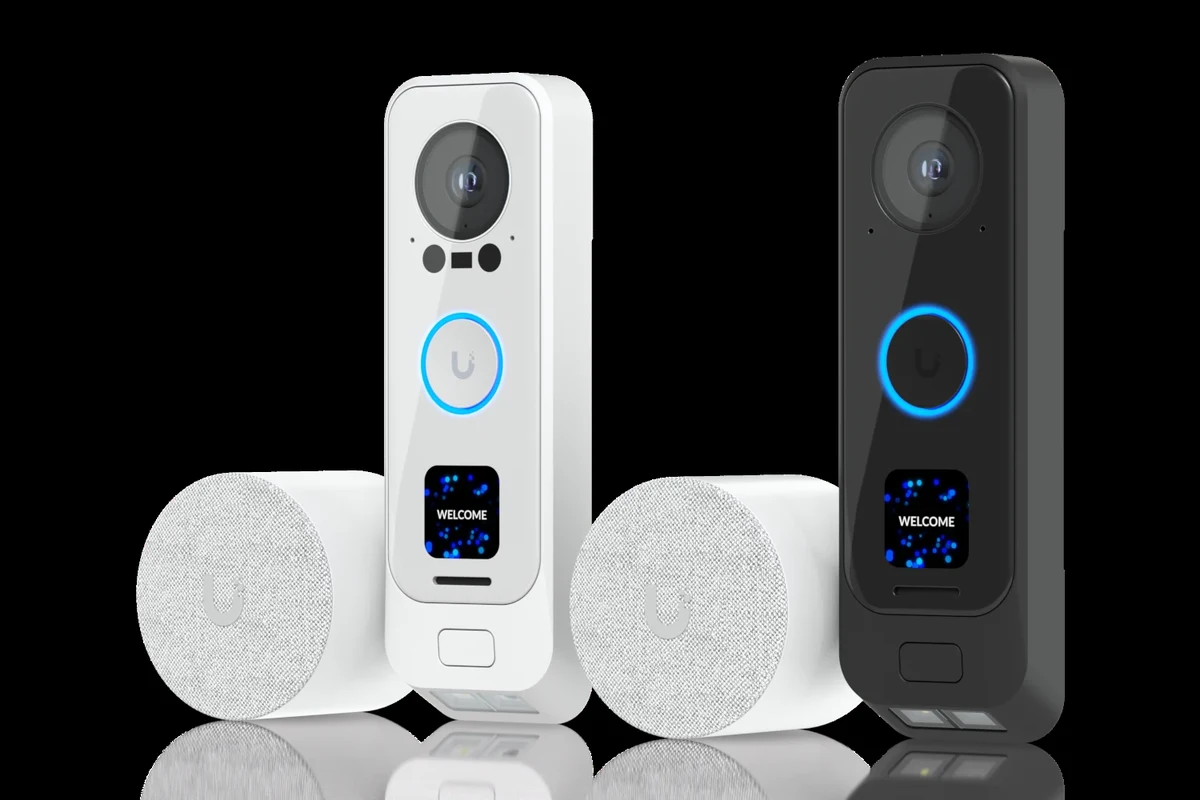
PoE, or Power over Ethernet, is a simple idea: one Ethernet cable can provide both power and data to the doorbell. That makes PoE video doorbells appealing for homeowners who want a steadier connection than Wi-Fi models and fewer charging hassles than battery models.
Because product availability and firmware features vary, the “best” PoE video doorbell in 2026 is the one that gives you the right balance of resolution, field of view, app reliability, and installation fit. If you already have structured wiring or a network switch with PoE support, PoE is often the cleanest long-term setup. If you are still comparing power options, you may also find our guides on choosing the right wall charger and what charger you need for an iPhone useful for understanding compatibility and power basics in other device categories.
How PoE Video Doorbells Work and Why They Matter in 2026
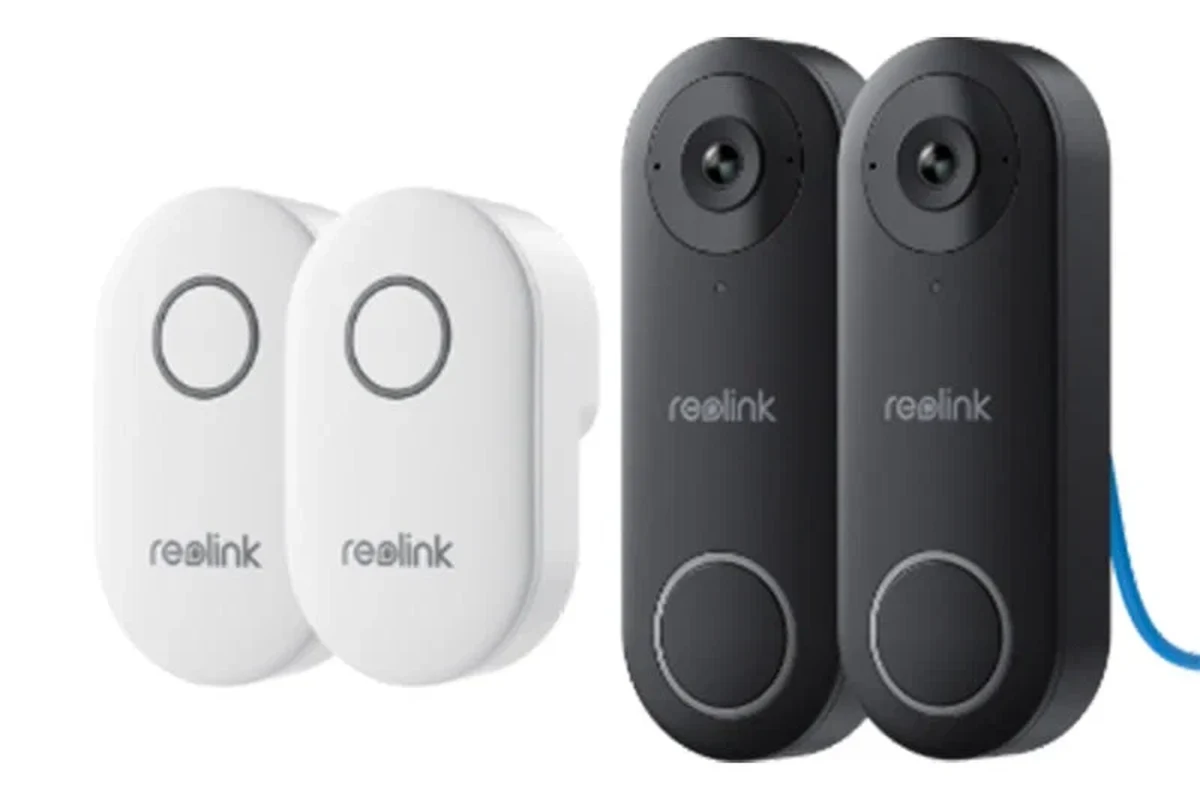
A PoE video doorbell connects through an Ethernet cable instead of relying on a removable battery or a separate low-voltage transformer. In many setups, a PoE switch or PoE injector sends power over the same cable that carries video and network data, which can reduce the number of failure points in the system.
That matters because doorbells sit at one of the most exposed spots on a home. Wi-Fi signal can weaken at the front door, batteries need charging, and some wireless systems become frustrating if your router, walls, or mesh nodes are not placed well. A PoE setup can feel more stable, especially if your home already has network cabling or you are planning a wired security upgrade.
PoE support is not identical across all models. Some doorbells need standard PoE, some need a proprietary power adapter, and some use Ethernet only for data while still requiring separate power. Always confirm the exact model’s manual and wiring requirements before buying.
In 2026, the main appeal of PoE doorbells is less about novelty and more about consistency. Buyers often choose them for lower maintenance, cleaner wiring, and better network reliability. The trade-off is that installation can be more demanding than a battery model, and not every home has the right cable path already in place.
PoE can simplify both power and networking by using a single cable, but the exact power budget depends on the switch, injector, cable quality, and the device’s own requirements.
Who a PoE Video Doorbell Fits Best: Home Types, Users, and Use Cases
PoE video doorbells are a strong fit for homeowners who want a more permanent security setup and do not want to think about recharging a device every few weeks or months. They also make sense for people who already have Ethernet runs near the front door, network-savvy users building a smart home stack, and anyone who values a wired connection over convenience-first battery hardware.
They can be especially practical for:
- Detached homes with a network closet or structured cabling
- Townhomes and condos where the entry point is close to the router or switch location
- Remote workers who want reliable package alerts and visitor notifications
- Gamers, creators, and busy households that would rather avoid battery maintenance
- Multi-unit or commercial-style entries that need consistent uptime
PoE is less ideal if you rent, cannot run cable cleanly, or want a quick DIY install without network gear. It is also not the best choice if you need a flexible mount location far from existing wiring. For buyers comparing home security setups, it can help to think about how much maintenance you want over time. If you are still deciding between device categories, our article on which cordless vacuums are the best shows a similar trade-off between convenience and long-term performance in another everyday gadget category.
Key Specs to Compare Before You Buy
Before choosing a PoE video doorbell, focus on the details that affect daily use, not just headline marketing. The best model for you should be compatible with your network, fit your mounting space, and deliver the kind of video and app experience you will actually rely on.
- Check the exact model number, PoE standard, and whether a switch, injector, or separate power accessory is required
- Confirm app support, motion features, storage options, warranty terms, and weather rating with the manufacturer
- Verify cable routing, mounting depth, and whether your home already has usable Ethernet near the entry
Video quality, field of view, and night vision
Video quality is usually the first spec buyers notice, but it is not the only one that matters. A sharp image helps identify visitors, packages, and movement near the door, while a wider field of view can reduce blind spots around steps, porches, and side yards.
Look for a doorbell that balances resolution with practical viewing angles. A very high-resolution sensor is useful only if the app, compression, and lighting are all good enough to preserve detail. Night vision also matters a lot, especially if your porch lighting is weak or your front entry faces a darker side of the house.
When comparing models, check whether the manufacturer shows both the vertical and horizontal field of view. A wide image can still miss faces if the camera is mounted too high or angled incorrectly.
Power delivery, cable quality, and installation requirements
PoE sounds simple, but the details matter. Some models need standard PoE, some need PoE+ or another power profile, and some may have specific cable or distance limits. The cable itself should be in good condition and appropriate for the installation environment.
Installation also depends on where your network switch or injector lives. If the cable has to travel through walls, attics, or exterior areas, plan for safe routing, weather protection, and proper strain relief. If you are not comfortable with network cabling or low-voltage work, a professional installer can be worth considering.
Do not use damaged Ethernet cables, exposed connectors, or makeshift outdoor routing. Follow the manufacturer’s installation instructions and local electrical or building guidance, especially if the doorbell shares space with existing wiring.
App support, smart home compatibility, and connectivity
The app is where most of the real experience lives. Check whether the doorbell works with the phone you use, whether it supports motion zones, visitor notifications, two-way talk, local recording, or cloud storage, and whether any features require a subscription.
Smart home compatibility is another major decision point. Some PoE doorbells work well with popular platforms, while others are better suited to a specific ecosystem. If you use Alexa, Google Home, Apple Home, Home Assistant, or a dedicated NVR system, verify compatibility before buying. App behavior can also vary by firmware version, so it is smart to review the official product page, app store listing, and current support notes.
Durability, weather resistance, and warranty details to verify
A front-door camera has to survive heat, rain, humidity, dust, and seasonal temperature swings. Look for a weather rating that matches your climate, but also read the warranty terms carefully because coverage can vary by region and retailer.
Durability is not just about the shell. It also includes the mounting system, the seal around the cable entry, and how well the device handles long-term exposure. If the manufacturer offers firmware updates and a clear support policy, that is a good sign that the product is intended to stay usable over time.
Stop using any doorbell or cable setup that shows cracking, corrosion, overheating, water intrusion, or loose mounting. Confirm warranty coverage and replacement steps through the manufacturer before attempting any repair.
Best PoE Video Doorbell Options by Buyer Priority
Because exact models, firmware features, and regional availability change often, the most useful way to choose is by buyer priority. That keeps the recommendation grounded in real-world needs instead of one-size-fits-all marketing claims.
| Option | Best For | Key Consideration |
|---|---|---|
| Best overall value | Most homes with existing network wiring | Balanced app support, video quality, and installation effort |
| Best for advanced smart home setups | Users with NVRs, automation platforms, or structured cabling | Compatibility and local control matter more than flashy extras |
| Best for simple, reliable security | People who want fewer moving parts and stable uptime | Prioritize dependable connectivity and clear alerts |
| Best for multi-unit or commercial-style entry points | Apartment lobbies, shared entrances, and business doors | Mounting, access control, and durability become more important |
Best overall value
The best overall value is usually a PoE doorbell that delivers dependable video, a stable app, and straightforward installation without requiring a complex ecosystem. For most households, that means looking for a model with solid motion detection, a clear night view, and enough smart-home flexibility to avoid being locked into one platform.
Homeowners who want the strongest mix of reliability, features, and long-term practicality. The main limitation is that value depends on whether your home already has usable Ethernet near the door.
Best for advanced smart home setups
If you already run home automation, local storage, or a network video recorder, the best PoE doorbell is the one that integrates cleanly with your existing setup. In that case, compatibility, local access, and firmware support often matter more than a fancy app interface.
Advanced users should verify stream format support, recording options, notification behavior, and whether the device works with the rest of their security stack. This is the category where details in the manual matter most, because features can differ significantly from one model to another.
Best for simple, reliable security
Some buyers do not want a complicated smart home setup. They want a doorbell that works consistently, sends alerts, and does not require frequent charging or constant troubleshooting. For that user, a simpler PoE model with a strong reputation for stability is often the smartest choice.
Look for easy mounting, dependable two-way audio, and a clean app experience. Fewer advanced features can actually be an advantage if your priority is day-to-day reliability.
Best for multi-unit or commercial-style entry points
Shared entrances need more than a standard home-friendly design. A multi-unit or commercial-style entry often benefits from a more robust mount, better weather resistance, clearer labeling, and support for broader access-control workflows.
In these environments, the best PoE doorbell is the one that can handle heavier use and integrate with building management or security hardware if needed. Confirm whether the model supports your access method, since some features are intended for residential use only.
- More stable than many Wi-Fi doorbells
- One cable can handle power and data
- Good fit for permanent security setups
- Installation is less flexible
- Requires compatible network hardware
- Features vary widely by model and app
Real-World Benefits and Trade-Offs of Choosing PoE Over Wi-Fi or Battery Models
The biggest benefit of PoE is consistency. A wired network connection can reduce the chance of signal drops, and you do not have to remember to charge a battery. That makes PoE attractive for homes where the front door is far from the router or where reliability matters more than convenience.
PoE also tends to work well for people who prefer a cleaner setup. One cable can simplify the install, especially in homes already built with Ethernet. In the right house, that can look neater and feel more permanent than a battery-powered unit on a wall.
The trade-offs are real, though. PoE requires planning, compatible hardware, and a willingness to route cable properly. If your entryway does not already support Ethernet, a Wi-Fi or battery model may be easier and cheaper to install. Battery models also win when flexibility matters, since you can place them more freely and move them later if your needs change.
For many buyers, the decision comes down to maintenance versus flexibility. If you want a set-it-and-forget-it device and already have cabling, PoE is compelling. If you want the simplest install or live in a rental, a wireless option may be the better fit.
Common Setup Mistakes, Safety Checks, and Maintenance Tips
Many PoE doorbell problems come from installation shortcuts rather than the device itself. Taking a little extra time upfront can prevent connection issues, mounting problems, and unnecessary wear later.
Mounting, cable routing, and power limits
Mount the doorbell at the height recommended by the manufacturer, since camera angle affects face recognition, package visibility, and motion detection. If the camera is too high or tilted awkwardly, the image may look clear but still miss important details.
Make sure the cable path is secure and protected from sharp bends, moisture, and strain. Use only the power method the manufacturer specifies, and confirm that your switch or injector provides the correct PoE standard. If the cable run is long or routed through harsh conditions, verify that the cable rating is suitable for the environment.
- Label the Ethernet run at the switch so future troubleshooting is easier
- Test network connectivity before fully sealing the mount
- Keep the cable entry protected from rain and direct splash zones
Inspection, cleaning, firmware updates, and replacement guidance
Routine care is simple but important. Wipe the lens gently with a soft, clean cloth when needed, and avoid abrasive cleaners that can damage coatings or seals. Check the app periodically for firmware updates, since those can improve stability, motion handling, or compatibility.
It is also worth reviewing your notification settings after updates, router changes, or app reinstallations. If the doorbell starts missing events, disconnecting, or showing strange behavior, compare the issue against the official troubleshooting guide before assuming the hardware is failing.
If the unit shows physical damage, water intrusion, overheating, or repeated power loss, stop using it and contact the manufacturer or retailer for guidance. For older units, replacement may be smarter than continued troubleshooting if support or firmware updates are no longer available.
Final Verdict: The Best PoE Video Doorbell for Different Homes and Budgets
The best PoE video doorbell for your home is the one that matches your wiring, app needs, and long-term maintenance expectations. For most homeowners with existing Ethernet, the best overall choice is a reliable PoE model that offers strong video quality, stable alerts, and clear compatibility with your preferred smart home or recording system.
If you want the most practical answer to what is the best poe video doorbell, choose a model that fits your network setup first and your feature list second. Advanced users should prioritize local integration and app control, while simpler households should favor reliability, weather resistance, and easy maintenance over extra features.
Before you buy, verify the exact PoE standard, mounting fit, app requirements, and warranty terms on the current product page or official manual. That extra check is especially important because features and compatibility can change by model, firmware, and region.
Frequently Asked Questions
A PoE video doorbell is best for homes with existing Ethernet wiring, users who want stable connectivity, and buyers who prefer less maintenance than battery models. It is also a strong fit for advanced smart home setups and multi-unit entries.
Check the exact PoE standard, mounting requirements, app support, weather resistance, and whether your network switch or injector is compatible. Also confirm warranty terms and any subscription requirements before you buy.
PoE can be more reliable than Wi-Fi because it uses a wired connection for both power and data. Wi-Fi may still be better if you need easier installation or more flexible placement.
Many PoE doorbells require a compatible PoE switch or injector, but the exact requirement depends on the model. Always check the manufacturer’s manual to confirm the power standard and cable needs.
Keep the lens clean, inspect the cable and mount for wear, and install firmware updates through the official app or support tools. If the unit shows water damage, overheating, or repeated disconnects, stop using it and contact the manufacturer.
The biggest drawbacks are less flexible placement and a more involved installation than battery or Wi-Fi models. You also need compatible network hardware and should verify support details before buying.