What Is the Most Private Video Doorbell for Home Security
The most private video doorbell is usually a local-storage-first model with strong encryption and minimal cloud reliance. If you want the best balance of privacy and convenience, choose a hybrid model only if its account, retention, and sharing controls are clearly documented.
If you want the most private video doorbell, the best choice is usually a model that supports local storage, strong encryption, and limited cloud dependence. For most homes, that means prioritizing a privacy-first doorbell with on-device motion detection and clear app controls over the one with the most features.
- Local storage helps privacy: It reduces dependence on cloud servers and gives you more control over recordings.
- Account rules matter: A doorbell can still collect data even if video is stored locally.
- Security features are essential: Use two-factor authentication, strong passwords, and official firmware updates.
- Hybrid models can be a good compromise: They offer convenience if cloud tools are optional and transparent.
What Is the Most Private Video Doorbell? Start With the Best Privacy-First Pick
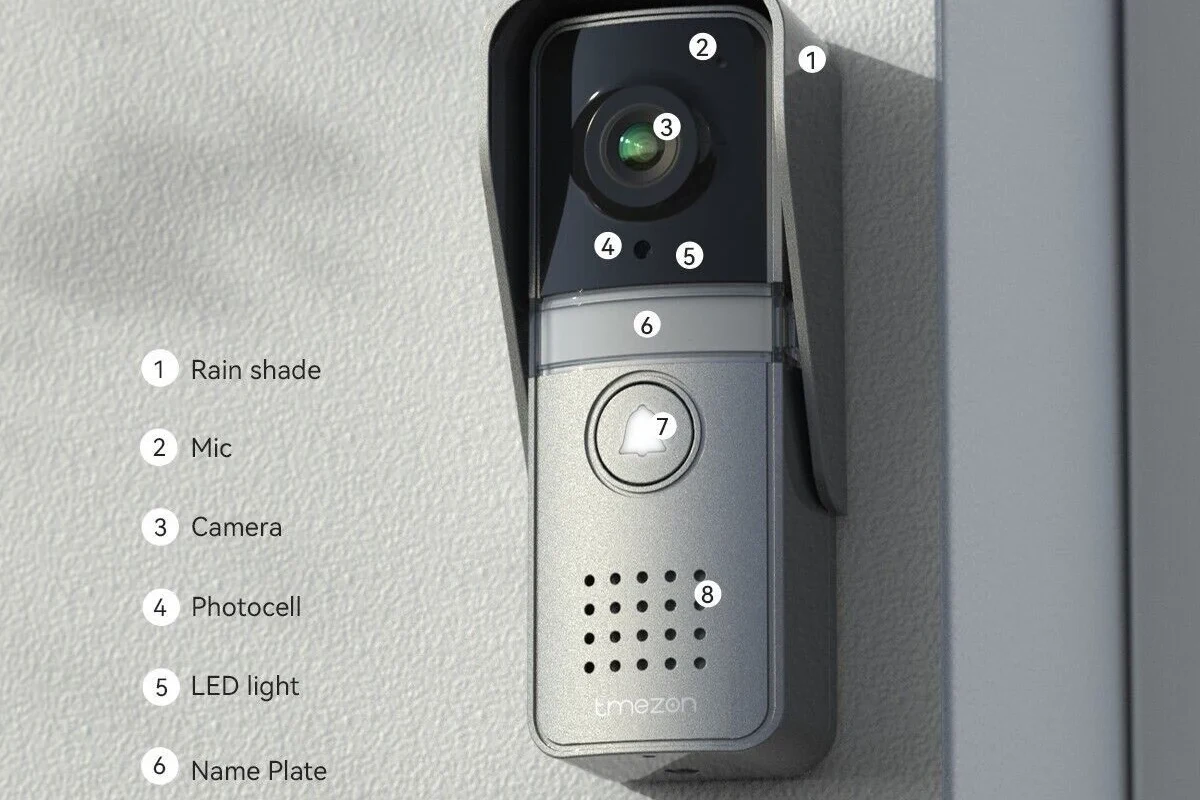
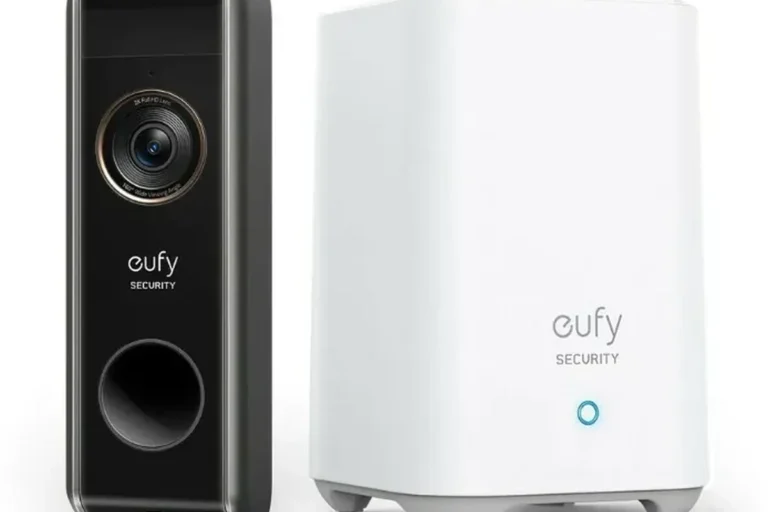
The most private video doorbell is the one that gives you the most control over where video is stored, who can access it, and how much data is shared with the manufacturer. In practical terms, that often means a doorbell that can record locally to a hub, microSD card, or home base, while still letting you decide whether any cloud backup is enabled.
A privacy-first buyer who wants the least cloud reliance and the most direct control over recordings. The trade-off is that setup, storage management, and remote access may be less seamless than on cloud-first models.
If you are asking “what is the most private video doorbell,” the safest answer is not a single brand for every home. It is the model category that minimizes data exposure, avoids unnecessary account sharing, and keeps core functions working even if you choose not to subscribe to extra cloud services.
How “Private” Video Doorbells Work in 2026
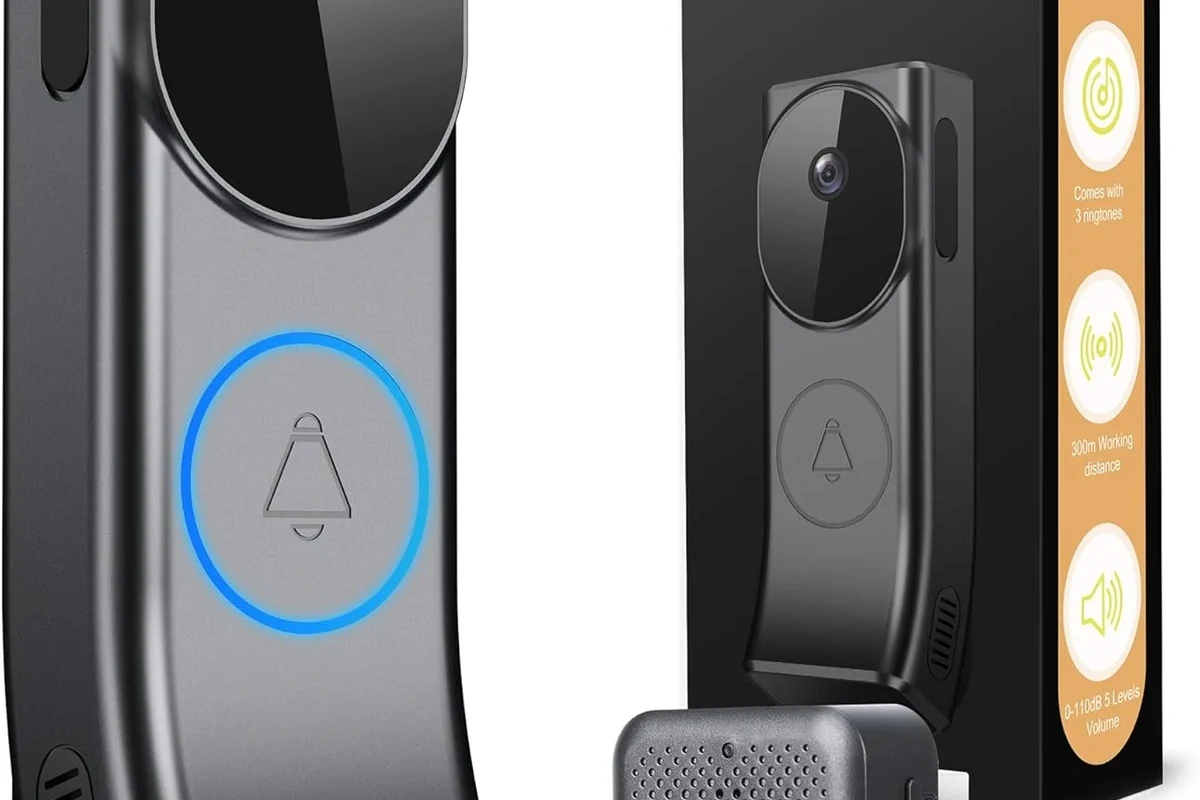
Privacy in a video doorbell is mostly about data flow. The more video, device information, and account data that leave your home and travel to third-party servers, the more you need to trust the vendor’s policies, security practices, and retention settings.
Local Storage vs. Cloud Storage: What Changes for Privacy
Local storage usually keeps recordings inside your home on a base station, onboard memory, or removable storage. That can reduce dependence on a subscription and limit how much footage lives on external servers, which is why local-first models are often the best answer for privacy-conscious buyers.
Cloud storage can be convenient for remote viewing, sharing clips, and recovering footage if the device is damaged or stolen. But it also means your recordings may be processed, stored, or backed up outside your home, so you should review retention periods, deletion controls, and any default sharing settings before you buy.
“Local” does not always mean “no cloud at all.” Some models still require an account, app login, or limited server communication for notifications, firmware updates, or remote access. Always check the current privacy policy and setup flow for the exact model.
Encryption, Motion Detection, and On-Device Processing
Encryption helps protect video and account data while it is stored or transmitted. For buyers, the key question is not just whether encryption exists, but whether the manufacturer clearly explains how it is used, where keys are managed, and what data can be accessed through the app.
Motion detection can also affect privacy. Models that do more processing on the device may send less raw video to the cloud, while models that rely heavily on server-side analysis may transmit more data before alerts are generated. If you want to compare privacy features with other connected gadgets, our guide to how wireless chargers work is a good example of why the underlying architecture matters as much as the headline feature.
Some smart devices can still collect metadata such as device status, app usage, and network information even when the main content stays local. That is why privacy-minded buyers should check both recording storage and account data policies.
Wired vs. Battery Models and How Power Affects Privacy Features
Wired doorbells often support more consistent recording and faster motion response because they have continuous power. That can be helpful if you want always-available privacy settings, richer detection options, or fewer interruptions from charging cycles.
Battery models can be easier to install in apartments or rental homes, but some save power by limiting preview length, motion sensitivity, or advanced processing. Privacy is not automatically better or worse on battery power; the difference is how the model handles recording, wake-up behavior, and app connectivity when power is constrained.
Always follow the manufacturer’s electrical instructions for wired installation. If the existing doorbell wiring, transformer, or chime setup is damaged or unclear, stop and consult a qualified professional instead of guessing.
Key Privacy Criteria to Compare Before You Buy
Before choosing a private video doorbell, compare the features that affect control, security, and long-term support. A polished app is not enough if the company makes account deletion difficult or limits your ability to manage recordings.
Data Collection, Account Requirements, and App Permissions
Start with the account model. Some doorbells require a full cloud account before they will even show live video, while others allow more limited local operation with optional sign-in for remote access. If you care about privacy, read the app store listing, permission prompts, and privacy policy before installation.
- Check whether the doorbell requires a cloud account for basic use or only for optional features
- Review app permissions for location, contacts, microphone, and notifications
- Confirm whether you can disable nonessential data sharing in the app settings
Video Retention, Sharing Controls, and Guest Access
Retention settings matter because privacy is not only about capture, but also about how long clips remain available. Look for clear controls over clip length, deletion, export, and sharing links, especially if multiple family members will use the system.
Guest access is another overlooked issue. A strong privacy-first doorbell should let you assign limited access to housemates, caregivers, or trusted neighbors without handing over the main account password. If you also manage other connected home devices, our article on why a smart light can become unresponsive with Alexa shows how account and permission sprawl can create avoidable problems.
Connectivity, Smart Home Compatibility, and Firmware Support
Privacy-focused buyers often want fewer dependencies, but they still need reliable connectivity. A local-first doorbell should work well on your Wi-Fi band, router placement, and home layout, and it should receive firmware support for security fixes over time.
Smart home compatibility can be useful without being invasive. If you use voice assistants, routines, or home hubs, verify exactly what data is shared with each platform. A doorbell that supports local automations or limited integrations may be a better privacy fit than one that pushes everything through a large cloud ecosystem.
Who a Private Video Doorbell Is Best For
Privacy-first doorbells are not just for security enthusiasts. They can be a smart fit for renters, families, remote workers, and anyone who wants a clearer boundary between home security and cloud services.
Apartment Residents, Families, and Privacy-Conscious Homeowners
Apartment residents often need a doorbell that is easy to install, easy to remove, and respectful of shared spaces. Families may want multiple users with different access levels, while privacy-conscious homeowners may care most about limiting how much footage leaves the property.
For these users, the best model is usually one with flexible mounting, simple account controls, and a storage setup that does not require constant subscription management. If you are comparing privacy-focused household tech, our guide to choosing the right bedroom air purifier size is another example of how fit and placement matter as much as features.
Users Who Want Fewer Cloud Dependencies
If you prefer to avoid recurring fees or cloud-first ecosystems, a local-storage doorbell can feel much more straightforward. You can often keep core recording functions running without depending on a vendor’s server uptime or changing subscription terms.
This is especially appealing for people who already manage smart-home devices carefully and do not want another app that constantly asks for permissions. A privacy-first model may also be attractive for remote workers, creators, and gamers who want a secure front door without adding another always-listening cloud service.
When a Privacy-First Model May Not Be the Best Fit
Privacy-first is not always the best choice if you want the most polished remote features, the simplest sharing tools, or the broadest ecosystem support. Some cloud-based doorbells offer faster setup, easier clip sharing, and more advanced person detection, but those gains come with more data exposure.
If you rely heavily on family sharing, delivery alerts, or cross-platform automation, you may decide that a hybrid model is the better compromise. The right answer depends on whether you value convenience more than data minimization.
Top Privacy-Focused Video Doorbell Options Compared
Because specifications and privacy policies change, the most useful comparison is by category rather than by a single fixed winner. Below is a practical way to think about the strongest privacy-oriented options.
| Option | Best For | Key Consideration |
|---|---|---|
| Local-storage first model | Users who want minimal cloud reliance | Confirm storage capacity, export options, and whether remote viewing needs an account |
| Hybrid model with strong controls | Families who want flexibility | Check whether cloud features are optional and whether retention can be shortened |
| Smart-home friendly privacy model | Users who want integrations without oversharing | Verify what data is shared with each platform and whether local automations are supported |
Best for Local Storage and Minimal Cloud Reliance
The best local-storage option is the one that records to hardware you control and still gives you reliable notifications. Look for a model with clear export tools, a sensible retention workflow, and a setup process that does not force unnecessary cloud enrollment.
Buyers who want the strongest privacy posture and are willing to trade a little convenience for more control over recordings. Verify whether the device can function well if the internet connection drops.
Best for Strong App Controls and Account Security
Some buyers are comfortable with a cloud-connected doorbell as long as the app is transparent and secure. In that case, prioritize two-factor authentication, clear user management, activity logs, and easy access to privacy settings.
This type of model can be a good balance for households that want remote access, shared notifications, and straightforward clip management without giving up all privacy protections. For broader device-care context, see our guide to why an iPhone may charge slowly, which shows how app behavior, cables, and settings can affect everyday reliability.
Best for Smart Home Integration Without Over-Sharing Data
If you want routines, alerts, or home hub support, the best choice is a doorbell that limits what it shares with third-party platforms. Check whether integrations can be enabled selectively and whether the manufacturer documents local processing or minimal data transfer.
That balance is ideal for households that want convenience but still prefer a smaller privacy footprint than a fully cloud-dependent ecosystem.
Real-World Benefits and Trade-Offs of Privacy-First Doorbells
A privacy-first doorbell can improve peace of mind, but it is still a connected camera at your front door. The goal is not perfect secrecy; it is sensible control.
What You Gain: Control, Transparency, and Reduced Exposure
The biggest benefit is control over where your footage lives and who can reach it. That can reduce exposure if you are concerned about account breaches, policy changes, or unnecessary data sharing.
Privacy-first models also tend to make you think more clearly about permissions and access, which is helpful if multiple people live in the home. When you know exactly how the system works, it is easier to manage alerts, storage, and sharing on your terms.
What You Give Up: Convenience, Remote Features, or Subscription Tools
The main trade-off is convenience. Local-first systems may take a little more setup, and some cloud-only perks such as searchable history, advanced AI alerts, or easy guest sharing may be reduced or unavailable.
That does not make them worse. It simply means the best private doorbell is usually the one that matches your tolerance for setup complexity and your comfort with managing storage yourself.
Evidence Limits: What Specs Reveal and What Marketing Does Not
Manufacturer marketing often highlights encryption, AI, or “privacy mode,” but those labels do not tell the whole story. You still need to verify the actual storage path, retention rules, account requirements, and firmware support.
Before you buy, review the manual, app listing, warranty terms, and current update notes. If the privacy policy is vague or the company will not explain data handling clearly, choose a more transparent model.
Safe Setup, Maintenance, and Common Mistakes to Avoid
Even the best private video doorbell can become less secure if it is installed poorly or left unmaintained. A careful setup routine matters as much as the product itself.
Installation Checks, Wi-Fi Strength, and Placement for Better Privacy
Place the camera so it covers your entryway without capturing more of the street or neighbors’ property than necessary. Good placement improves both privacy and usefulness, especially when motion detection is tuned to the right zone.
- Mount the doorbell at the recommended height in the manual so motion zones work correctly
- Use a stable Wi-Fi signal to avoid dropped clips and repeated reconnect prompts
- Adjust activity zones to reduce unnecessary recording of sidewalks or shared hallways
App Setup, Password Hygiene, Two-Factor Authentication, and Updates
Use a unique password and turn on two-factor authentication if the app supports it. Then review every permission prompt, because location, contacts, microphone, and notification settings can affect how much data the app can access.
Firmware updates are important for security, but install them through the official app or manufacturer instructions only. Avoid third-party tools or unofficial workarounds, since those can weaken security and void support.
Routine Care, Storage Considerations, and When to Replace Components
Keep the lens clean according to the manual, and check the mount, wiring, and weather seal periodically. Dirt, moisture, or loose hardware can reduce image quality and affect motion detection, which can make a privacy-focused system less reliable.
For battery models, monitor charging behavior and replace a battery only with a manufacturer-approved part if the device supports replacement. If you notice swelling, overheating, fraying, or unstable performance, stop using the device and follow the manufacturer’s guidance.
Do not continue using damaged cables, swollen batteries, or overheated power equipment. If a component looks or smells wrong, disconnect it safely and contact the manufacturer or a qualified technician.
Final Verdict: The Most Private Video Doorbell for Most Homes
The most private video doorbell for most homes is a local-storage-first or hybrid model with strong encryption, limited cloud dependence, and clear account controls. That combination gives you the best balance of privacy, usability, and long-term flexibility.
Best Overall Recommendation by Use Case
If privacy is your top priority, choose the model that keeps recordings local by default and only uses cloud services when you explicitly enable them. If convenience matters more, pick a hybrid doorbell with strong app security and transparent retention controls rather than a fully cloud-dependent system.
Transparent Buying Advice and Value Verdict
The best value is not the cheapest doorbell or the one with the most features. It is the one whose privacy settings, storage model, and support policy match how you actually want to manage your front-door video.
For most buyers, the most private video doorbell is a local-storage-first model with optional cloud features, strong app security, and clear firmware support. If you want maximum convenience, a well-controlled hybrid model is the better compromise, but always verify the current privacy policy, account requirements, and storage rules before buying.
Frequently Asked Questions
A private video doorbell gives you control over storage, access, and sharing. Local storage, strong encryption, and limited cloud dependence usually improve privacy.
Usually, yes, because it can reduce how much footage leaves your home. But you should still check whether the app requires an account or whether any metadata is shared with the vendor.
Most do, because Wi-Fi is needed for alerts, setup, and remote access. The difference is how much data is sent to cloud servers and how recordings are stored.
Check storage type, account requirements, retention settings, app permissions, firmware support, and smart home compatibility. Confirm the current manual and privacy policy for the exact model.
Not necessarily. Privacy depends more on storage and data handling than on power type, though battery models may limit some features to save energy.
Use a unique password, enable two-factor authentication, review app permissions, and install official firmware updates. Also check your motion zones and sharing settings regularly.