Can Ring Video Doorbell 2 Be Hardwired Easily Explained
Yes, Ring Video Doorbell 2 can be hardwired in compatible homes, but it still uses its battery as part of the power system. The key is verifying low-voltage wiring, transformer support, and chime compatibility before installation.
If you’re asking can Ring Video Doorbell 2 be hardwired, the short answer is yes—if your home has compatible low-voltage doorbell wiring and the right transformer setup. Hardwiring can keep the battery topped up, but it does not always mean the doorbell runs like a purely wired model.
- Compatibility first: Hardwiring only works well if the existing doorbell circuit and transformer meet Ring’s requirements.
- Battery still matters: Wiring usually helps recharge the battery instead of replacing it completely.
- Installation risk: Loose, corroded, or outdated wiring can cause charging and chime issues.
- Best use case: Homeowners with existing doorbell wiring and frequent motion alerts get the most benefit.
Can Ring Video Doorbell 2 Be Hardwired? The Short Answer and What It Means
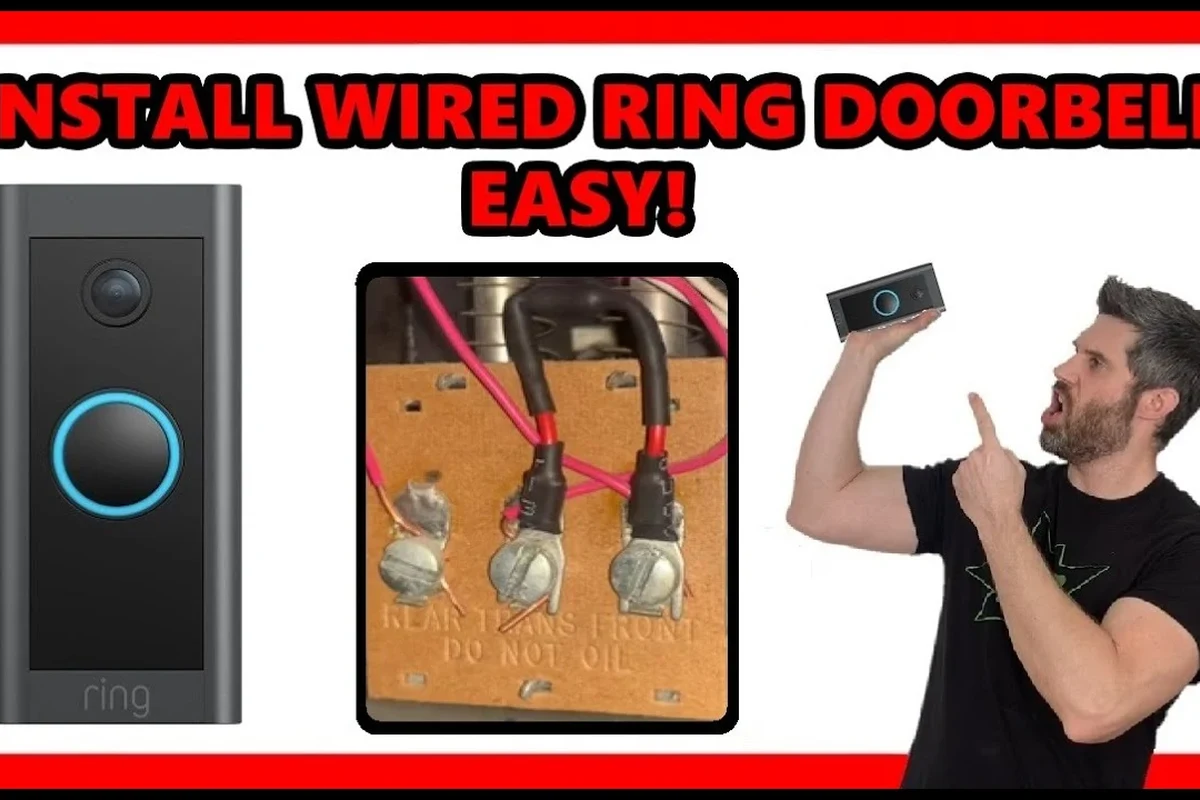
Ring Video Doorbell 2 is designed to work with a rechargeable battery, and it can also be connected to existing doorbell wiring for continuous trickle charging in supported setups. That means hardwiring is usually about reducing manual charging, not replacing the battery in the same way a fully wired doorbell does.
The practical question is less “can it be wired at all?” and more “is your home’s wiring compatible, safe, and actually useful for this model?” In many homes, the answer is yes, but the details matter: voltage, transformer condition, chime compatibility, and the quality of the existing wiring all affect results.
How the Ring Video Doorbell 2 Power System Works
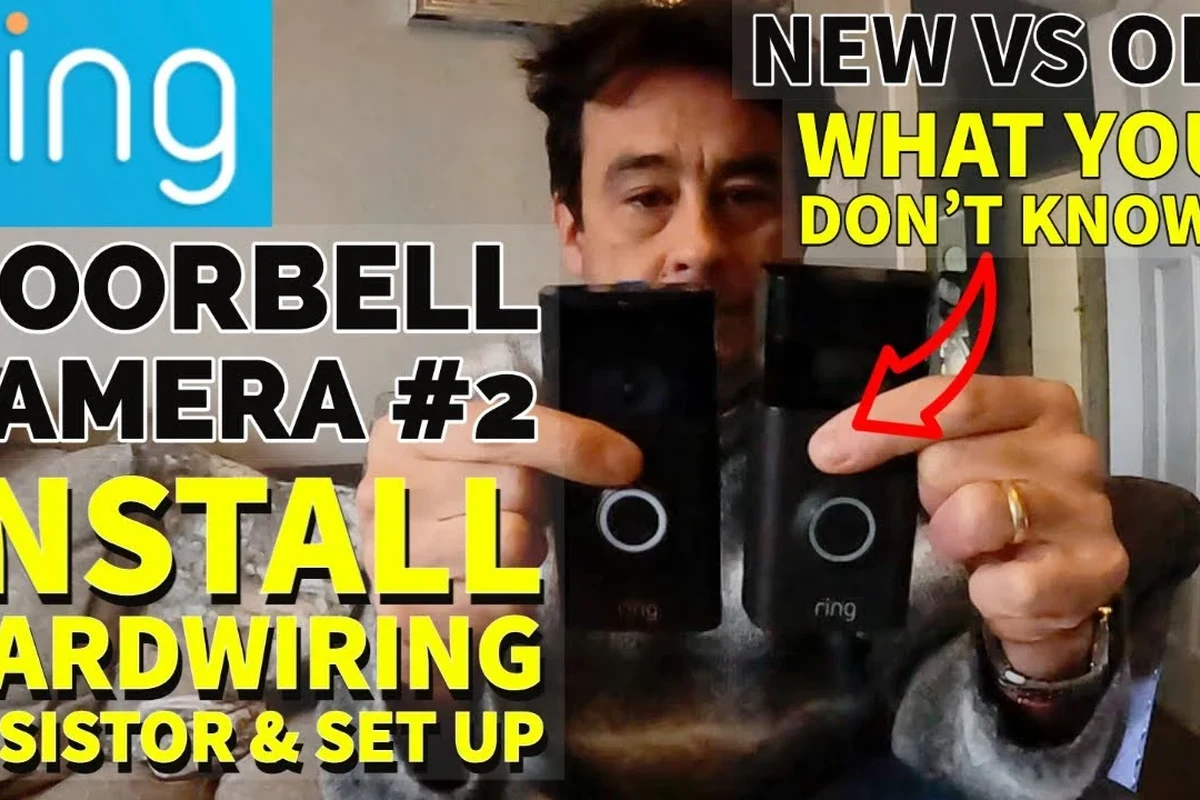
To understand hardwiring, it helps to know how this doorbell is powered. The device uses a rechargeable battery as its core power source, while the wired connection can supplement or recharge that battery when the electrical setup is compatible.
Battery-first design vs. continuous charging
Battery-first design means the doorbell is built to keep working even if wiring is absent or temporarily unavailable. In other words, the battery is not just backup power; it is part of the normal operating design.
When hardwired, the doorbell can draw small amounts of power from the existing circuit to help maintain charge. But the exact charging behavior can vary based on usage, motion frequency, Wi-Fi strength, temperature, and how much power the transformer can supply.
What hardwiring actually does in real use
Hardwiring mainly reduces how often you need to remove the doorbell and recharge it manually. For homes with frequent motion alerts, live view use, or colder weather that drains batteries faster, that convenience can be significant.
However, hardwiring does not guarantee that the battery will stay at 100% all the time. If the wiring is weak, the transformer is undersized, or the chime circuit is incompatible, the battery may still drain over time.
Ring specifications and compatibility details can change by model revision, region, firmware, and accessory package. Always confirm the current official manual and compatibility guidance before installing.
Compatibility Check: When Hardwiring Is Possible and When It Is Not
Before planning an install, check whether your home has a traditional low-voltage doorbell circuit. If you are replacing an older wired doorbell, you may already have the basic infrastructure needed.
Required voltage range and transformer considerations
Ring doorbells generally require a compatible low-voltage doorbell transformer. The exact acceptable range should be verified in the official Ring documentation for your specific model, because the correct range and chime requirements can differ across generations and accessories.
If the transformer is too weak, the doorbell may not charge reliably. If it is outdated, damaged, or not matched to the system load, you can see intermittent chime behavior, power warnings in the app, or repeated battery drain.
If you are unsure about transformer voltage, wiring condition, or breaker isolation, stop and consult a licensed electrician. Doorbell circuits are low voltage, but incorrect wiring can still cause damage, overheating, or unreliable operation.
Existing doorbell wiring, chime setup, and home layout factors
Hardwiring is easiest when your home already has a standard wired doorbell and a compatible mechanical or digital chime setup. If the wiring was removed, damaged, or bypassed during a previous renovation, installation may be more complicated.
Home layout matters too. Long wire runs, corroded terminals, loose splices, or outdoor exposure at the mounting point can all reduce reliability. If the wiring is old, brittle, or poorly labeled, a simple install can turn into a troubleshooting project.
- Confirm the exact Ring Video Doorbell 2 model and current compatibility requirements
- Verify transformer voltage, chime type, and wiring condition before installation
- Check the Ring app requirements, update support, warranty terms, and return policy
Setup Guide: How to Hardwire a Ring Video Doorbell 2 Safely
Installation should follow the official Ring manual for your exact device and home wiring setup. If anything about the circuit seems unclear, get help before connecting wires.
Tools, wiring basics, and pre-install inspection
At minimum, you usually need a screwdriver, the included mounting hardware, and a way to confirm the doorbell circuit is powered down before touching any wires. A basic inspection should include checking for frayed conductors, corrosion, loose terminal screws, and signs of water intrusion near the old button or junction points.
It is also smart to inspect the chime box and transformer label if accessible. Those parts often reveal whether the circuit is likely to be compatible without guesswork.
Step-by-step installation flow and app setup requirements
Use the proper breaker or disconnect method for your home, then verify that the circuit is inactive before handling wires.
Look for corrosion, damaged insulation, or loose wire ends that could interfere with a stable connection.
Follow Ring’s wiring diagram exactly and secure the connections firmly without over-tightening.
Once attached, turn the circuit back on and confirm the unit powers up normally.
Follow in-app prompts for device pairing, power status checks, and chime configuration if supported by your setup.
After installation, check whether the app shows a healthy power status and whether the chime rings correctly. Some systems need a chime kit or specific app settings, so do not assume everything is complete just because the doorbell turns on.
Common setup mistakes that cause power or chime issues
One common mistake is assuming any doorbell wire will work. Another is leaving loose conductor ends or mixing up chime terminals, which can cause weak power delivery or no chime at all.
People also run into issues when they skip transformer verification. A doorbell may appear installed correctly but still fail to charge if the circuit cannot provide enough stable power.
- Label wires before disconnecting anything so you can restore the original layout if needed.
- Take a photo of the chime and transformer labels for future troubleshooting.
- Use the official Ring app instructions for your exact model rather than generic online diagrams.
Key Benefits of Hardwiring the Ring Video Doorbell 2
For the right home, hardwiring can make the doorbell much easier to live with. The biggest advantage is convenience, especially if your household gets a lot of motion alerts or uses live video often.
Reduced battery charging and fewer interruptions
With a compatible wired connection, you may not need to remove the doorbell as often for charging. That can be especially helpful for busy households, rental properties, or homes where the front door gets frequent traffic.
It also means fewer interruptions in coverage. While the battery is still important, a wired connection can reduce the chances that the device goes offline because someone forgot to recharge it.
Better convenience for frequent motion alerts and video use
If your doorbell is triggered often by people, pets, packages, or street activity, battery drain can happen faster than expected. Hardwiring can help offset that demand and reduce maintenance.
That said, convenience depends on the quality of the install. A poorly matched transformer or loose chime wiring can cancel out the benefit by creating alerts, charging complaints, or inconsistent performance.
Many battery-powered video doorbells use wiring as a charging aid rather than as the only power source, which is why compatibility checks matter so much.
Limitations, Safety Concerns, and When Hardwiring Is Not the Best Choice
Hardwiring is useful, but it is not the best answer for every home. Some users are better off staying battery-only, especially if the existing wiring is old, inaccessible, or questionable.
Power limits, transformer strain, and heat or wiring wear
If the transformer is undersized or already supporting an aging chime circuit, adding a smart doorbell can place extra strain on the system. That may show up as weak charging, buzzing, chime problems, or recurring app warnings.
Heat is another concern. Any electrical connection that is loose, corroded, or poorly installed can create unnecessary resistance and wear over time. If you notice unusual warmth, discoloration, or intermittent power, stop and inspect the setup.
Weather exposure, cable condition, and inspection guidance
Doorbell wiring near the exterior wall is exposed to moisture, temperature swings, and physical stress. If the cable insulation is cracked or the mounting area lets in water, hardwiring can become less reliable and less safe.
Before installation, check the wire condition carefully. After installation, inspect the mounting area seasonally for corrosion, water intrusion, and loose hardware, especially in climates with heavy rain, snow, or heat.
Stop using damaged cables, overheated transformers, or visibly corroded terminals until the issue is corrected. If the wiring looks unsafe, have a qualified professional evaluate it.
When a battery-only setup or newer model may be smarter
If your home has no existing doorbell wiring, or if the wiring is unreliable, battery-only may be the better choice. It is also a simpler option for renters and for people who do not want to deal with chime compatibility.
In some cases, a newer Ring model or a different brand may fit your needs better if you want features such as newer power options, broader smart-home compatibility, or a more straightforward install. If you are comparing options, it helps to review whether Ring is worth it for your home and compare it with other video doorbell alternatives.
Troubleshooting Power, Chime, and Connectivity Problems
If a hardwired Ring Video Doorbell 2 acts strangely, the issue is often not the app first—it is usually power, wiring, or chime compatibility. Start with the simplest checks before assuming the device itself is defective.
Why the doorbell may not charge while wired
The most common reasons are weak transformer output, loose wire connections, incorrect terminal placement, or a chime kit requirement that has not been met. In some homes, the doorbell will still run on battery but fail to receive enough wired power to charge properly.
Environmental factors can also matter. Extreme cold, frequent motion events, poor Wi-Fi signal, or long live-view sessions can drain the battery faster than the wired connection can replenish it.
How to diagnose weak voltage, loose connections, and app alerts
Start by checking the app for power-related warnings and comparing them with the physical setup. If the doorbell is mounted securely but the battery keeps falling, inspect the wire terminals, chime box, and transformer label if available.
You can also compare behavior after a reset or after reseating the wires. If problems persist, the issue may be outside the doorbell itself and tied to the home’s doorbell circuit.
Reset, replacement, and service checks to verify
If you have already confirmed wiring and app setup, follow Ring’s official reset and troubleshooting steps for the exact model. Do not bypass safety components or modify the transformer unless a qualified professional directs you to do so.
When the wiring is old or the transformer is suspect, replacement by a licensed electrician may be the most reliable fix. If the device is still under warranty, check the current terms before opening any service claim or replacing parts on your own.
- Ring Video Doorbell 2 can be hardwired, but only with compatible low-voltage wiring and a suitable transformer.
- Hardwiring mainly helps maintain charge and reduce manual battery charging; it does not eliminate battery dependence.
- Old wiring, weak transformers, and chime mismatches are the most common reasons the setup fails.
Value, Alternatives, and Final Recommendation for 2026 Buyers
For many homeowners, hardwiring Ring Video Doorbell 2 is worth considering if the wiring is already in place and in good condition. For others, the time and troubleshooting involved can outweigh the convenience.
Who this setup fits best and who should skip it
This setup fits best for homeowners with an existing working doorbell circuit, frequent front-door activity, and a desire to reduce battery charging. It also suits people who want a more hands-off routine and are comfortable verifying compatibility before installation.
Skip it if you are renting, if the wiring is unknown, if the transformer is inaccessible or outdated, or if you want the simplest possible setup. In those cases, a battery-only model is often easier to live with.
Comparison factors to verify before buying: compatibility, warranty, and ongoing maintenance
Before buying or installing, confirm the exact model support, current compatibility list, app requirements, and warranty terms. Also think about maintenance: even hardwired systems still need periodic cleaning, firmware updates, app permission checks, and occasional inspection of the mount and wiring.
If you are still shopping, it may help to compare overall cost and value with current Ring Video Doorbell pricing and broader category guidance like what kind of video doorbell fits your home.
Transparent verdict: is hardwiring worth it for most users?
Yes, if your wiring is compatible and in good condition, hardwiring Ring Video Doorbell 2 is a practical upgrade that can reduce battery hassle. No, if the wiring is questionable or you want a truly simple install, because the added complexity may not be worth the tradeoff.
For most buyers, the best approach is to verify compatibility first, then decide whether the convenience of fewer charge cycles is worth the extra setup work. If the answer is uncertain, a battery-only setup or a newer model designed around your home’s wiring may be the smarter long-term choice.
Frequently Asked Questions
Yes, it can be hardwired in compatible homes with the right low-voltage doorbell wiring and transformer. The battery still plays an important role, so the wired connection usually helps with charging rather than replacing the battery entirely.
The exact acceptable voltage range should be confirmed in the official Ring manual for your specific model. Transformer requirements can vary, and using the wrong setup may cause weak charging or chime problems.
Common causes include weak transformer output, loose wire connections, chime incompatibility, or a setup issue in the Ring app. Checking the wiring, transformer label, and power alerts is usually the best place to start.
Yes, for Ring Video Doorbell 2 the battery remains part of the power system. Hardwiring generally helps recharge the battery and reduce manual charging, but it does not always make the device fully battery-free.
It can be safe if you follow the official instructions, turn off power correctly, and verify that the wiring is in good condition. If the transformer, wiring, or chime setup is unclear, a licensed electrician is the safer option.
Hardwiring is a good option if your existing wiring is compatible and you want fewer battery charging interruptions. If your wiring is old, inaccessible, or incompatible, a battery-only setup or a newer model may be the better long-term choice.