Does iPhone 14 Pro Have Wireless Charging Explained
The iPhone 14 Pro does have wireless charging, and it supports both Qi and MagSafe charging. That means you can charge it on many wireless pads, but MagSafe gives you a better magnetic fit and faster, more reliable results. If you want simple, cable-free charging at home, at work, or on a nightstand, the iPhone 14 Pro is a strong pick.
- Point 1: Yes, the iPhone 14 Pro supports wireless charging out of the box.
- Point 2: It works with standard Qi chargers and Apple MagSafe chargers.
- Point 3: MagSafe offers a magnetic snap that helps align the phone for better charging.
- Point 4: Wireless charging is slower than wired charging, but it is more convenient for daily top-ups.
- Point 5: A good charger, proper case, and clean charging surface can improve results.
- Point 6: The iPhone 14 Pro is best for users who want a simple, clutter-free charging setup.
📑 Table of Contents
- Does iPhone 14 Pro Have Wireless Charging? The Short Answer
- How Wireless Charging Works on the iPhone 14 Pro
- iPhone 14 Pro Wireless Charging Specs and Features
- Real-World Use: When Wireless Charging Makes Sense
- Wireless Charging vs Wired Charging on iPhone 14 Pro
- Best Wireless Charging Setup for iPhone 14 Pro
- Should You Buy a Wireless Charger for iPhone 14 Pro?
- Final Verdict: Does iPhone 14 Pro Have Wireless Charging?
Does iPhone 14 Pro Have Wireless Charging? The Short Answer
Yes, the iPhone 14 Pro does have wireless charging. In fact, it supports two common wireless charging methods: standard Qi wireless charging and Apple MagSafe charging. So if you already own a wireless pad, there is a good chance it will work with the phone.
This is great news for people who are tired of plugging and unplugging cables all day. You can just place the phone on a charging pad and let it power up. If you want a cleaner desk, a calmer nightstand, or a simple way to top up your battery, the iPhone 14 Pro makes that easy.
Still, not all wireless charging is the same. The iPhone 14 Pro can charge wirelessly, but the speed, stability, and comfort of the experience depend on the charger you use. That is why it helps to know how the system works before you buy anything.
How Wireless Charging Works on the iPhone 14 Pro
Qi Wireless Charging Support
The iPhone 14 Pro works with Qi wireless charging. Qi is the common wireless standard used by many phone chargers, stands, and pads. If you place the phone on a Qi charger, it should begin charging as long as the charger is compatible and powered correctly.
Qi charging is simple and useful. It is the basic option for most homes and offices. It is also the easiest choice if you want to reuse an older wireless charger you already own.
MagSafe Charging Support
The iPhone 14 Pro also supports MagSafe. This is Apple’s magnetic charging system. MagSafe chargers snap into the right position on the back of the phone, which helps reduce bad alignment. That matters because bad alignment can slow charging or cause the phone to stop and start.
MagSafe is often the better choice if you want a smoother wireless charging experience. It feels more secure, especially on a desk, bedside table, or car mount. For many people, that magnetic click is the main reason to use it.
Wireless Charging Speed Notes
Wireless charging is convenient, but it is usually slower than wired charging. That is true for the iPhone 14 Pro too. If you need a fast boost before leaving the house, a cable is still the quicker option.
For daily use, though, wireless charging is often enough. Many users charge overnight or during work hours, so speed is less important than comfort. If that sounds like you, wireless charging is a very practical feature.
iPhone 14 Pro Wireless Charging Specs and Features
What the Phone Supports
The iPhone 14 Pro supports wireless charging through Qi and MagSafe. That gives you flexibility. You are not locked into one brand or one style of charger.
It also means you can use a wide range of accessories, from flat pads to upright stands and magnetic docks. If you are building a charging setup for your desk or bedroom, you have many choices.
Why MagSafe Stands Out
MagSafe is useful because it keeps the phone centered on the charger. That small detail can make a big difference. With standard wireless chargers, a phone placed slightly off-center may charge slowly or not at all.
MagSafe also works well with cases made for it. The phone stays in place more easily, which is helpful if you move your device around a lot. If you want a neat setup, this is one of the best features of the iPhone 14 Pro.
Case Compatibility Matters
Not every phone case works equally well with wireless charging. Thick cases, metal plates, and poorly made accessories can interfere with charging. If you use MagSafe, choose a MagSafe-compatible case for the best result.
In daily use, a slim case is usually the safest choice. It protects the phone while still letting wireless charging work as expected. If you want to learn more about the power side of the device, see our guide on what charger the iPhone 14 uses.
Real-World Use: When Wireless Charging Makes Sense
At Home
Wireless charging is ideal for home use. You can place the iPhone 14 Pro on a nightstand charger and wake up to a full battery. You can also keep a pad in the kitchen, living room, or home office for quick top-ups.
This setup reduces cable clutter. It also makes charging feel more natural. You do not need to hunt for a cable every time the battery gets low.
At Work
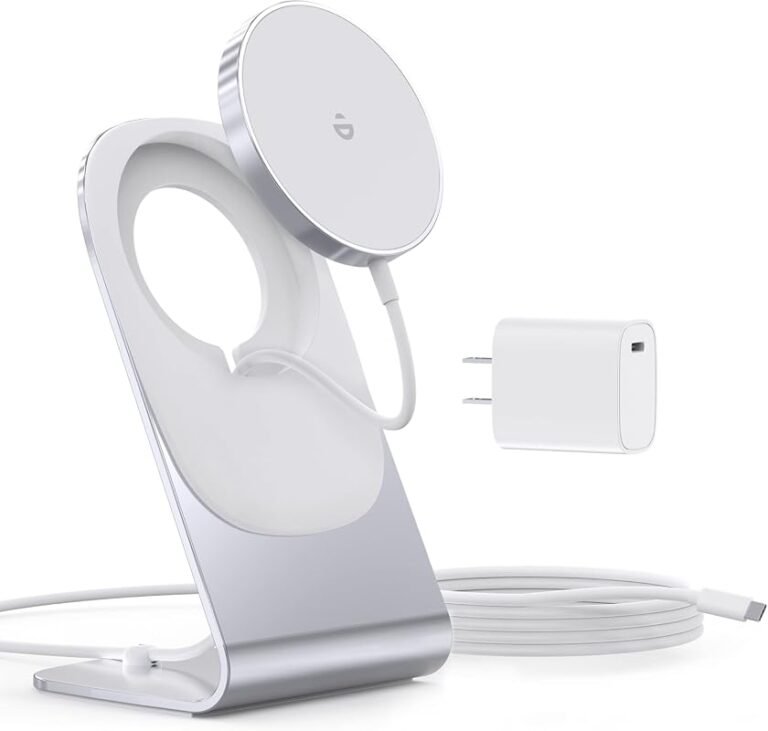
On a desk, wireless charging is very handy. You can set the phone down during meetings or while typing and let it charge in the background. A MagSafe stand is especially useful here because it keeps the screen visible.
That means you can glance at notifications, use standby-style views, or keep the phone ready without touching cables. It is a small upgrade that makes a workspace feel cleaner and more modern.
On the Go
Wireless charging also works well in cars and travel setups. A MagSafe car mount can hold the phone and charge it at the same time. That is great for navigation, music, and hands-free calls.
If you travel often, you may also want a portable battery that supports wireless output. For more ideas, check our guide on what MagSafe power banks work with iPhone. That can help you stay powered without carrying extra cables.
Wireless Charging vs Wired Charging on iPhone 14 Pro
Speed
Wired charging is faster. That is the biggest difference. If your battery is very low and you need a quick refill, plugging in is still the best move.
Wireless charging is better for slower, steady charging. It is perfect for overnight use, desk use, or times when the phone sits still for a while.
Convenience
Wireless charging wins on convenience. There is no cable to plug in, no port to wear out, and no need to fumble in the dark. Just place the phone down and let it charge.
That convenience is why many users end up using wireless charging more than they expected. Once you get used to it, it becomes part of your routine.
Heat and Efficiency
Wireless charging usually creates a bit more heat than wired charging. That is normal. But too much heat can reduce charging efficiency, so it is smart to use a quality charger and keep the phone on a flat surface.
If your phone gets warm often, check the case, charger, and room temperature. A bad charger or a thick case can make things worse. If you want to avoid charging problems, our article on why an iPhone charges slow is worth a look.
Best Wireless Charging Setup for iPhone 14 Pro
Choose the Right Charger
For the best experience, use a charger from a trusted brand. A good Qi pad is fine for basic charging. A MagSafe charger is better if you want stronger alignment and a more premium feel.
If you want a desk-friendly setup, a stand is often better than a flat pad. It keeps the phone easy to see and easier to grab.
Pick the Right Case
Use a thin case or a MagSafe-compatible case. This helps the magnets work well and keeps charging stable. A bulky case may still work, but it can reduce comfort and performance.
If you use a wallet attachment or magnetic accessory, make sure it is designed for MagSafe. That way you keep charging smooth and reliable.
Think About Daily Habits
Wireless charging works best when the phone stays still. If you toss the phone around while it is charging, it may stop charging or shift out of place. Try to use it in one spot, like a bedside table or office desk.
For more general advice on keeping your battery healthy, see our guide to the best charging habits for iPhone. Good habits can help the battery stay strong over time.
Should You Buy a Wireless Charger for iPhone 14 Pro?
Buy One If You Want Convenience
If you like simple, cable-free charging, then yes, a wireless charger is a smart buy. The iPhone 14 Pro is built for it, and the experience is smooth when you use the right gear.
This is especially true if you charge your phone in the same places every day. A bedside charger and a desk charger can make life easier very quickly.
Skip It If You Need Maximum Speed
If charging speed matters more than convenience, a cable is still the better choice. Wireless charging is useful, but it is not the fastest way to power the iPhone 14 Pro.
Many people use both. They keep a wireless pad at home and a cable in a bag or car. That gives them the best of both worlds.
Best Value Advice
If you are buying your first wireless charger, start with a MagSafe-compatible model if your budget allows it. It is the most user-friendly option and usually gives the cleanest experience.
If you want a lower-cost option, a standard Qi charger is still fine. It will charge the phone, and for many users, that is all they need. If you are comparing accessory options, our guide on budget chargers that work with iPhone can help you choose wisely.
Final Verdict: Does iPhone 14 Pro Have Wireless Charging?
Yes, the iPhone 14 Pro does have wireless charging, and it does it well. It supports both Qi and MagSafe, which gives you plenty of flexibility for home, office, and travel use. If you want a simple way to keep your battery topped up without plugging in a cable every time, this phone is a great fit.
My recommendation is simple. If you already own a wireless charger, try it first. If you are buying new, choose MagSafe for the best overall experience. It is more reliable, more convenient, and better suited to daily use.
So, does iPhone 14 Pro have wireless charging? Absolutely. And for most users, it is one of the most useful features the phone offers.
Frequently Asked Questions
Yes, the iPhone 14 Pro supports wireless charging. It works with both standard Qi chargers and Apple MagSafe chargers, so you have more than one option.
In most cases, yes. MagSafe gives better alignment thanks to the built-in magnets, which can make charging more stable and easier to use.
You can use many Qi wireless chargers, but not all are equal. For the best results, choose a trusted charger that is made for phone charging and supports proper alignment.
No, normal wireless charging does not damage the battery. Like all charging methods, it is best to use quality accessories and avoid excess heat.
Slow charging can happen if the phone is not centered, the case is too thick, or the charger is low quality. Heat and weak power input can also slow things down.
If you want the easiest and most reliable wireless charging experience, a MagSafe charger is a smart buy. If you only need basic charging, a standard Qi charger can still work well.

Tech & Gadget Reviewer
Ethan Walker is a tech enthusiast and gadget reviewer with over 8 years of hands-on experience testing consumer electronics, smart home devices, and cutting-edge accessories. He helps readers make smarter buying decisions through honest, in-depth reviews.