Honeywell Room Air Purifier with HEPA Filter Review Guide
If you’re looking for a straightforward way to clean bedroom, office, or living-room air, a Honeywell room air purifier with HEPA filter is usually chosen for its simple operation, replaceable filters, and focus on particle removal. The best fit depends on room size, noise tolerance, and how much ongoing filter maintenance you’re comfortable with.
- Best fit: Good for bedrooms, home offices, and other single-room spaces.
- Top priority: Match the purifier’s room coverage to your actual floor plan.
- Ongoing cost: Check replacement filter pricing and availability before purchase.
- Daily trade-off: Higher fan speeds usually mean more noise.
- Limit: HEPA helps with particles, but odor control and whole-home cleaning may need more than.
Honeywell Room Air Purifier with HEPA Filter: Quick Verdict and Who It’s Best For
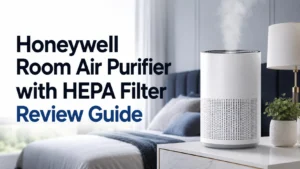
A Honeywell room air purifier with HEPA filter is generally a sensible pick for buyers who want a no-fuss purifier for dust, pollen, pet dander, and similar airborne particles. It is especially worth considering if you prefer a conventional plug-in appliance over a smart device with app setup or cloud features.
It’s best for people who want practical air cleaning in a single room and are willing to replace filters on schedule. If you need whole-home coverage, very quiet night operation, or app-based automation, you may want to compare it with other purifier styles before buying.
How the Honeywell HEPA Air Purifier Works to Clean Room Air
Most Honeywell HEPA room purifiers clean air by pulling room air through a filter system and pushing the cleaned air back out into the room. That process is simple, but the result depends on airflow, filter quality, and whether the unit is sized correctly for the space.
True HEPA Filtration, Pre-Filters, and What They Capture
A true HEPA filter is designed to capture very small airborne particles, which is why it is commonly recommended for allergy-prone households. In practical terms, that means it can help reduce common irritants such as dust, pollen, pet dander, and some smoke-related particles, though it is not a cure-all for every air quality issue.
Many room purifiers also use a pre-filter to catch larger debris before it reaches the HEPA stage. That can help extend the life of the main filter, but the exact filter stack varies by model, so confirm the replacement part numbers and filter stages in the official manual.
Air Changes, Room Coverage, and CADR as Buying Criteria
When comparing air purifiers, room coverage and CADR matter more than brand name alone. CADR, or Clean Air Delivery Rate, is a useful way to estimate how quickly a purifier can clean a room of a given size, but the exact number and the room rating should always be checked on the product page or manual for the specific model you are considering.
For buyers, the key question is not just “Does it have HEPA?” but “Can it move enough air for my room layout?” A purifier placed in a cramped corner, behind furniture, or too far from the main breathing zone may perform worse than the spec sheet suggests.
Key Specs to Check Before You Buy in 2025
Before buying, focus on specifications that affect daily use rather than marketing language. The most useful details are room coverage, physical size, noise, power draw, replacement filter availability, and whether the controls match your preference for simple buttons or smart features.
Room Size, Dimensions, Weight, and Placement Needs
A purifier that is technically powerful enough can still be inconvenient if it is too large for a nightstand, desk, or narrow hallway. Check the footprint and height so you know whether it can sit with enough clearance for airflow and whether it fits where you actually plan to use it.
Weight matters less than it does for portable gadgets, but it still affects moving the unit between rooms or lifting it for cleaning. If you expect to move it often, look for handles, a manageable shape, and a cord length that reaches the outlet without creating a trip hazard.
Noise Levels, Power Use, and Filter Replacement Costs
Noise is one of the biggest day-to-day factors for a room purifier. Bedroom users often prefer a unit with a genuinely quiet low setting, while living-room users may accept more fan noise if the unit cleans air faster.
Power use is usually modest compared with larger appliances, but it still varies by fan speed and model design. Replacement filter cost also matters because a purifier with affordable upfront pricing can become expensive if filters are hard to find or need frequent replacement.
Because prices and filter availability change by retailer and region, confirm current replacement part numbers before buying. If a model uses multiple filter types, check whether each one needs separate replacement and whether third-party filters are officially supported.
Warranty, Controls, and Smart Features to Verify
Warranty terms can differ by model, seller, and region, so do not assume every Honeywell purifier has the same coverage. Read the official warranty page and keep the purchase receipt in case you need service later.
Controls are another practical detail. Some buyers want simple fan-speed buttons and a filter indicator, while others want timers, auto modes, or app-based controls if the model supports them. If a smart feature is important to you, verify the exact model number and app requirements before purchase.
- Check the exact model number, room-size rating, and filter type
- Confirm replacement filter availability, warranty terms, and control options
- Verify placement clearance, cord length, and noise expectations for your room
Real-World Benefits: What You Can Expect in Daily Use
In everyday use, a Honeywell room air purifier with HEPA filter is mainly about reducing airborne particles in one room at a time. That can make a noticeable difference for people sensitive to dust, seasonal pollen, pet hair, or general indoor stuffiness, but the effect depends on how consistently the purifier runs and how well the room is sealed.
Allergy Relief, Dust Reduction, and Odor Control
For allergy relief, the biggest value usually comes from reducing particles that circulate through the air and settle on surfaces. Many users also notice less visible dust buildup over time, although results vary with pets, HVAC use, open windows, and how often the room is cleaned.
Odor control is more limited. HEPA filtration is excellent for particles, but odors often require activated carbon or a similar odor-reducing layer, and not every model includes an effective one. If odor reduction matters to you, check the filter design instead of assuming all HEPA purifiers handle smells equally well.
- Run the purifier consistently in the room where you spend the most time.
- Keep windows and doors closed when possible for better particle control.
- Vacuum and dust regularly so the purifier is not doing all the work alone.
Best Use Cases for Bedrooms, Living Rooms, and Home Offices
Bedrooms are often the best fit because users spend many continuous hours there and tend to notice noise and air quality changes more quickly. Home offices are another strong use case, especially for remote workers who want a quieter, cleaner-feeling space during long work sessions.
Living rooms can also benefit, but larger open layouts may need a higher-capacity purifier or more than one unit. If you’re trying to clean a shared area with hallways, open stairs, or high ceilings, verify whether the model’s coverage rating still makes sense for your actual floor plan.
Limitations and Trade-Offs to Consider
No room purifier is perfect, and Honeywell HEPA models are no exception. The main trade-offs usually involve noise at higher speeds, recurring filter costs, and the fact that effectiveness drops if the unit is undersized for the room or placed poorly.
Where a Honeywell HEPA Purifier May Fall Short
If you want strong odor removal, a basic HEPA-only unit may not be enough. If you want whole-home air cleaning, a single room purifier can help in one space but will not replace HVAC filtration or a multi-room strategy.
Some buyers also expect a purifier to solve every indoor air issue, but humidity, ventilation, mold sources, and cleaning habits all matter. A purifier can support better air quality, yet it cannot fix leaks, moisture problems, or poor room maintenance on its own.
Evidence Limits: What Reviews Can and Cannot Prove
Reading reviews can help you understand usability, but reviews cannot replace verified specifications or official documentation. A user’s experience with noise, airflow, or filter life may reflect room layout, fan setting, maintenance habits, or even a different revision of the same model.
That is why the most trustworthy buying process combines owner feedback with the manual, the manufacturer’s spec sheet, and current warranty terms. If a retailer listing conflicts with the official product page, trust the official source first.
Setup Guide: Getting the Purifier Running Safely
Setup is usually simple, but safe placement and correct filter installation matter more than most people expect. Taking a few minutes to position the purifier well can improve airflow, reduce noise, and help the unit work more efficiently.
Unboxing, Filter Installation, and Initial Placement
Start by checking the contents against the manual so you know whether the unit includes the filter already installed or packed separately. Remove any packaging materials, confirm the filter is seated correctly, and make sure any protective wrap is removed before powering the purifier on.
Place the purifier on a flat, stable surface with enough open space around the intake and outlet. Avoid corners, thick curtains, and locations where furniture blocks airflow.
- Purifier unit
- Installed or separate filter set
- Power cord and user manual
Power, Cord Safety, and Basic Operating Settings
Use the unit only with the power source and operating instructions listed by the manufacturer. Keep the cord away from walkways, heat sources, and places where it could be pinched behind furniture.
For first-time use, many buyers start on a medium setting and adjust based on noise and room conditions. If the unit has auto mode, timer, or sleep mode, confirm what each setting actually does in the manual so you do not rely on assumptions.
Maintenance, Cleaning, and Filter Replacement Guide
Maintenance is what keeps a room purifier useful over time. Even a good HEPA purifier loses effectiveness if the pre-filter is clogged, the main filter is overdue for replacement, or dust buildup restricts airflow.
How Often to Clean, Inspect, and Replace Filters
Cleaning and replacement intervals vary by model, room conditions, and how often the purifier runs. The safest approach is to follow the official filter schedule in the manual and inspect the pre-filter more often if you live with pets, heavy dust, or frequent window use.
If the purifier includes a filter indicator, treat it as a reminder rather than a perfect sensor. Indicators are helpful, but they are not a substitute for checking whether the filter looks dirty, airflow has dropped, or the unit is sounding strained.
Storage Tips, Common Mistakes, and When to Stop Using It
If you store the purifier for a season, unplug it, clean the exterior, remove or protect the filter as directed, and keep it in a dry location. Avoid storing it where it can collect moisture, dust, or pests.
Common mistakes include placing the purifier too close to walls, forgetting to replace the filter, and using the wrong replacement part. Stop using the unit if it becomes physically damaged, emits unusual odors, or no longer operates normally, and consult the official support channel or warranty process.
Final Recommendation: Is a Honeywell Room Air Purifier with HEPA Filter Worth It?
Yes, for many buyers it is worth considering, especially if you want a straightforward room purifier for allergy support, dust reduction, and everyday air cleaning without app dependency. The best value usually comes when the unit is correctly sized for the room and you are comfortable with ongoing filter replacement.
If you need advanced smart-home integration, very low noise at all speeds, or strong odor control, compare the exact Honeywell model against alternatives before deciding. For most practical home-gadget buyers, the right Honeywell HEPA purifier is the one whose room rating, filter cost, and placement fit your space—not just the one with the biggest marketing promise.
A Honeywell room air purifier with HEPA filter is a solid choice for simple, dependable particle filtration in a single room. Verify the exact model’s room coverage, noise, and replacement filter costs before you buy, and choose a different purifier if your priorities are smart features or heavy odor removal.
For readers comparing room-care gadgets, it can also help to think about how the purifier fits into the rest of your home setup. If your room already includes smart lighting or charging accessories, a simple appliance like this may be a better low-maintenance addition than another connected device.
Frequently Asked Questions
It is a strong fit for people who want simple particle filtration in a bedroom, office, or other single room. It is especially useful for allergy-prone households and buyers who prefer basic controls over app-heavy features.
Check the manufacturer’s recommended room coverage and compare it with your actual room size and layout. Open floor plans, high ceilings, and blocked airflow can reduce real-world effectiveness.
HEPA filters are best at capturing particles, not odors. If smell reduction matters, look for a model with an odor-reducing filter layer or activated carbon and verify what the specific model includes.
Replacement timing varies by model, room conditions, and run time. Follow the official manual and check the pre-filter more often if you have pets, dust, or frequent window use.
Confirm the exact model number, room coverage, noise level, replacement filter cost, warranty, and any smart features listed by the manufacturer. Also check whether the retailer bundle includes the filter or requires a separate purchase.
They clean one room at a time, and performance depends on placement, airflow, and proper maintenance. They also may not solve odor problems or larger indoor air quality issues on their own.