What Smart Lights Are Compatible With Google Home?
Many smart lights work with Google Home. Popular options include smart bulbs, light strips, smart lamps, and smart switches that support Google Assistant. Once connected, you can control lights with voice commands, routines, and the Google Home app.
Smart lights compatible with Google Home include most Wi-Fi, Matter-enabled, and Google Assistant-supported lighting products. These lights let you turn lights on or off, dim brightness, change colors, create schedules, and control rooms using voice commands through Google Home.
Google Home works with a wide range of smart lighting systems. For the best experience, choose lights that officially support Google Assistant or Matter. This gives you easy setup, reliable control, and better smart home automation.
Introduction
As someone who regularly tests smart home gadgets, I often get asked what smart lights are compatible with Google Home.
The good news is that Google Home supports many smart lighting platforms. You do not need special technical skills to get started.
With the right setup, you can say things like “Turn off the bedroom lights” or “Dim the living room lights to 50 percent” and Google Home handles the rest.
Types of Smart Lights That Work With Google Home
Google Home supports several categories of smart lighting devices.
| Smart Light Type | Works With Google Home | Main Features |
|---|---|---|
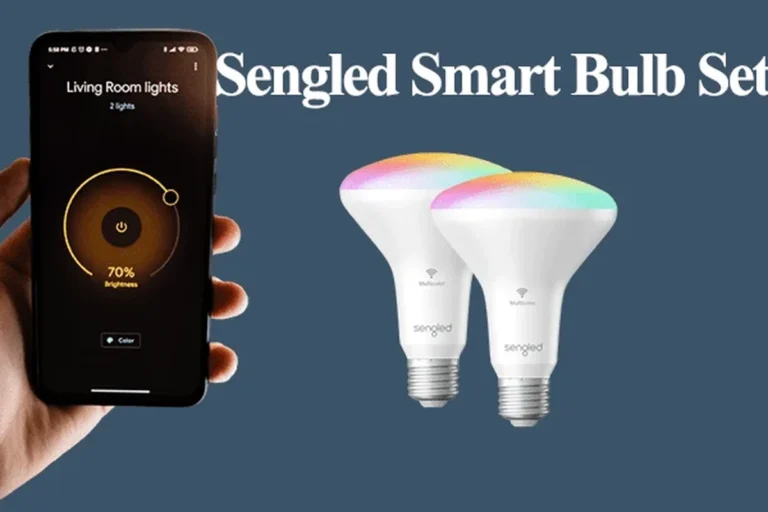
| Smart Bulbs | Yes | Dimming, colors, schedules |
| Light Strips | Yes | Accent lighting and scenes |
| Smart Lamps | Yes | Plug-and-play smart lighting |
| Smart Switches | Yes | Controls traditional bulbs |
| Smart Plugs With Lamps | Yes | Basic on/off control |
If you are building a new smart home, choose Matter-compatible lights. They offer broader compatibility and simpler device management.
How Google Home Controls Smart Lights
Google Home connects to supported lights through Wi-Fi, a smart hub, Matter, or cloud integrations.
After setup, you can:
- Turn lights on and off
- Adjust brightness
- Change colors
- Create schedules
- Build routines
- Control multiple rooms at once
Many newer smart lights connect directly to Wi-Fi and do not require a separate hub.
Compatibility Features to Look For
Before buying smart lights, check the product packaging or specifications for official Google Home support.
Google Home Smart Light Compatibility Comparison
| Feature | Basic Smart Bulb | Color Smart Bulb | Matter Light |
|---|---|---|---|
| Voice Control | Yes | Yes | Yes |
| Dimming | Yes | Yes | Yes |
| Color Changes | No | Yes | Varies |
| Schedules | Yes | Yes | Yes |
| Cross-Platform Support | Limited | Limited | Excellent |
Benefits of Using Smart Lights With Google Home
- Easy voice control
- Energy-saving schedules
- Remote access from anywhere
- Room-based automation
- Custom routines and scenes
- Some models need a hub
- Internet outages can affect control
- Setup varies by brand
- Advanced features differ between products
Do not install smart bulbs in fixtures that exceed the bulb’s recommended wattage or environmental limits.
Checklist Before Buying Smart Lights
- Supports Google Home or Google Assistant
- Compatible with your Wi-Fi network
- Supports dimming if needed
- Supports color control if desired
- Includes scheduling features
- Offers firmware updates
How to Connect Smart Lights to Google Home
Set up the smart light according to the manufacturer’s instructions.
Use the companion app to connect the light to your network.
Launch the Google Home app on your phone.
Select Add Device and follow the prompts.
Place the light in a room for easier voice commands.
Try turning the light on and off using Google Assistant.
When I test smart home devices, room naming is one of the biggest factors in voice control accuracy. Clear room names make daily use much easier.
Troubleshooting Google Home Smart Lights
| Problem | Possible Fix |
|---|---|
| Light not responding | Check power and Wi-Fi connection |
| Google Home cannot find device | Re-link the device account |
| Voice commands fail | Verify room assignment and device names |
| Device offline | Restart router and smart light |
| Delayed response | Improve Wi-Fi signal strength |
Safety Tips for Smart Lighting
| Safety Tip | Why It Matters |
|---|---|
| Keep firmware updated | Improves security and stability |
| Use strong passwords | Protects smart home accounts |
| Follow installation guides | Prevents electrical issues |
| Buy certified devices | Improves reliability |
| Check electrical ratings | Avoids overheating risks |
Did you know? Google Home can control groups of lights at the same time. You can create a single command that manages an entire room or floor.
Helpful Resources
For more information about smart home compatibility and device standards, visit Google Support, Apple Support, USB-IF, Battery University, FTC, and ENERGY STAR.
Frequently Asked Questions
No. Smart lights must officially support Google Home, Google Assistant, or Matter standards.
Yes. Google Home can dim compatible smart lights using voice commands or the Google Home app.
Not always. Many modern smart lights connect directly through Wi-Fi or Matter.
Yes. Most supported smart lights allow remote control through their apps and Google Home integration.
You can turn lights on or off, dim brightness, change colors, and activate lighting routines.
Yes. Matter improves compatibility between different smart home platforms and devices.
Yes. You can group lights by room and control them together using a single command.
Most smart LED lights use less energy than traditional bulbs and offer scheduling features that help reduce power usage.
Related Guides
- How to set up Google Home for beginners
- Matter vs Wi-Fi smart home devices
- Smart switches vs smart bulbs
- How to improve smart home Wi-Fi coverage
- Voice assistant security tips
Conclusion
So, what smart lights are compatible with Google Home? Any smart light that supports Google Assistant or Matter can generally work with Google Home.
Before buying, check compatibility details, verify network requirements, and make sure the features match your needs.
If you are new to smart homes, start with simple Google Home-compatible lighting and expand gradually. Always follow installation instructions and basic electrical safety practices.
- Google Home supports many smart lights
- Matter support improves compatibility
- Voice commands enable easy control
- Smart lights can dim, schedule, and automate
- Safety and proper setup remain important
Google Home works with a large range of smart lights. Choose devices that support Google Assistant or Matter, follow proper setup steps, and enjoy simple voice-controlled lighting throughout your home.