Best AHD Camera Guide for Clear Security Footage
An AHD camera is a solid choice if you want wired security footage, local DVR recording, and a practical upgrade path from older analog systems. It is best for users who value reliability and simple cabling more than advanced network features.
An AHD camera can be a smart choice if you want clearer-than-basic analog security footage, especially for a wired system that uses a DVR and coaxial cabling. It is often a practical middle ground for homeowners and small businesses that want dependable recording without moving fully to an IP-only setup.
- Best fit: AHD works well for wired home or small-business security with existing coaxial cable.
- Key check: Match the camera’s resolution, lens, and power needs to your DVR and layout.
- Real-world factor: Night vision, cabling quality, and installation height often matter as much as the spec.
- Main trade-off: AHD is simpler than many IP systems, but usually less flexible for remote and.
Best AHD Camera Guide for Clear Security Footage: What It Is and Whether It’s Right for You
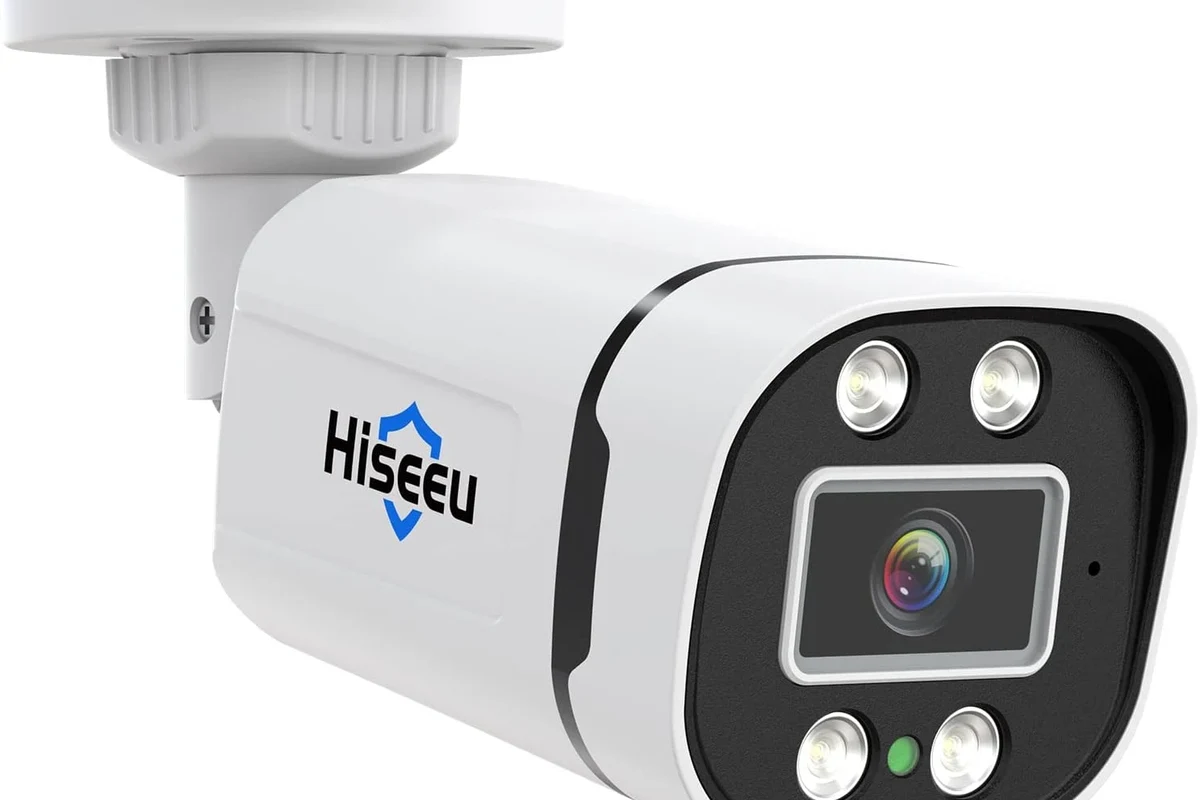
AHD stands for Analog High Definition. In plain English, it is a wired security camera format that sends HD video over coaxial cable to a compatible DVR, making it a useful option when you want simple cabling, local recording, and an upgrade path from older analog systems.
Quick answer: when an AHD camera makes sense for home security in 2026
An AHD camera makes sense when you already have coaxial wiring, want to reuse an older DVR setup, or prefer a system that records locally without depending on a cloud subscription. It is also a reasonable fit if you want lower network complexity than IP cameras and can live with the limits of a DVR-based system.
Who this guide is for: homeowners, renters, small businesses, and DIY installers
This guide is for people who want practical security coverage for entrances, garages, driveways, storage rooms, storefronts, or a multi-camera home. It is especially helpful for DIY installers who want to compare resolution, cable needs, night vision, and DVR compatibility before buying.
- Check camera format, DVR compatibility, cable type, and connector style before ordering
- Confirm outdoor rating, night vision range, power method, warranty terms, and app or remote-view support if needed
How an AHD Camera Works and Why It Still Matters
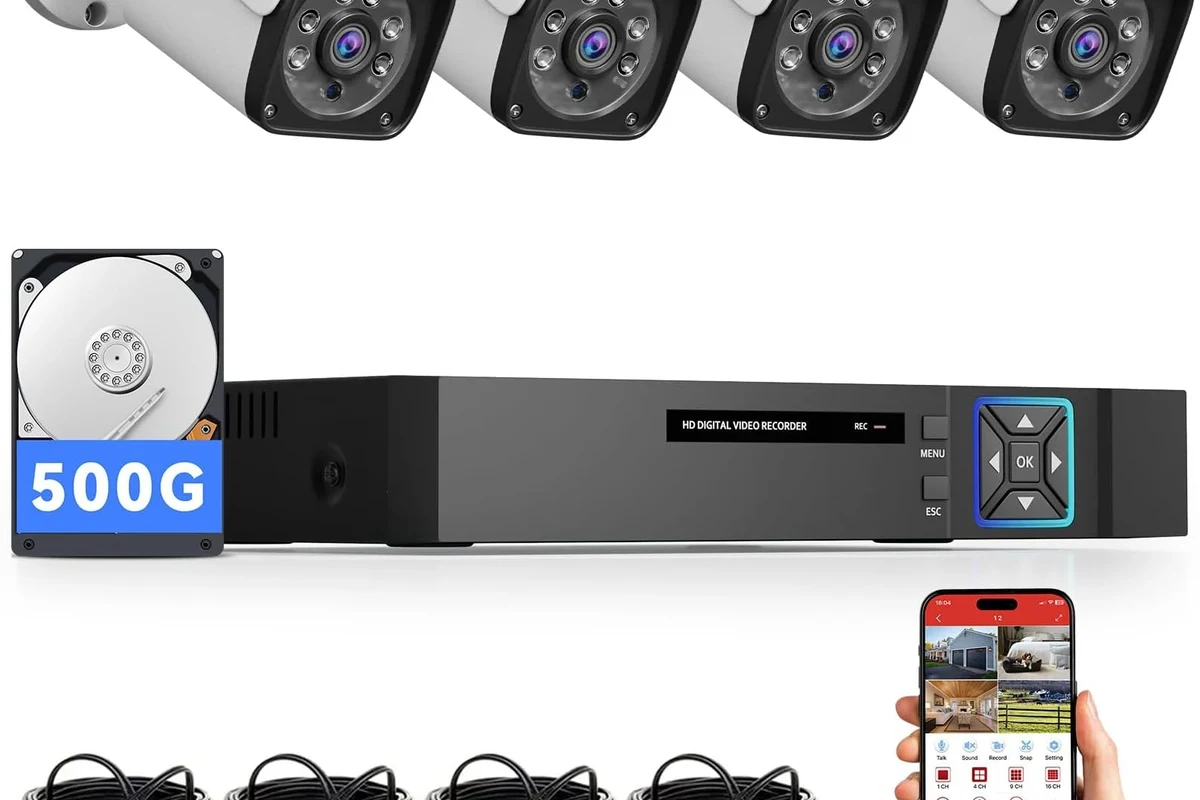
AHD systems remain relevant because they are straightforward to install, easy to understand, and often less dependent on network quality than Wi-Fi cameras. The trade-off is that the DVR, cabling, and camera format all need to match, so compatibility matters more than with many plug-and-play wireless products.
Analog HD explained: signal path, DVR dependency, and coaxial cabling
An AHD camera sends an analog video signal with HD detail over coaxial cable to a DVR, which then records and often converts the feed for viewing on a monitor or app. That means the camera alone is not the whole system; the DVR is part of the experience, and its supported resolution and format determine what you can actually use.
Image quality basics: resolution, frame rate, low-light performance, and latency
Resolution affects how much detail you can see, but it is not the only factor that matters. Frame rate influences motion smoothness, low-light performance depends on the sensor and infrared system, and latency is usually low because the signal path is direct and does not rely on home Wi-Fi in the same way wireless systems do.
Many security buyers still choose wired systems because stable cabling can reduce dropouts caused by weak wireless coverage or crowded networks.
How AHD compares with IP and wireless cameras in real-world use
Compared with IP cameras, AHD is usually simpler to wire and can be easier to retrofit into older buildings. Compared with wireless cameras, it avoids battery charging and many Wi-Fi dropouts, but it also gives you less flexibility for placement, remote features, and future expansion if your DVR is limited.
- Works well with existing coaxial runs
- Typically dependable for local recording
- Often easier to understand than networked camera systems
- Requires DVR compatibility
- Less flexible than many IP systems
- Remote features vary widely by model
Key Specifications to Compare Before You Buy
The best AHD camera for your space is not always the one with the highest headline resolution. You also need to think about lens angle, night vision, weather protection, power delivery, and whether your DVR can actually record the camera at its full supported quality.
Resolution options: 720p, 1080p, 4MP, 5MP, and 4K trade-offs
Higher resolution can reveal more detail, which helps with reading signs, recognizing faces at the right distance, or zooming into recorded clips. That said, higher resolution usually demands better DVR support, more storage, and cleaner cabling, so a modest resolution that records reliably can be a better real-world choice than a spec-heavy camera that strains the rest of the system.
Lens choice, field of view, and whether fixed or varifocal suits your space
A fixed lens is simpler and often cheaper, but it locks in a specific viewing angle. A varifocal lens is more flexible because you can adjust the field of view, which is useful if you are covering a driveway, gate, or storefront and need to balance width against detail.
Night vision range, IR cut filters, and outdoor weather ratings to verify
Night vision depends on more than the infrared LEDs. The camera’s sensor, IR cut filter behavior, mounting position, and nearby reflective surfaces all affect how usable the image will be after dark, so verify the manufacturer’s claimed range against your actual layout rather than assuming the longest number is guaranteed.
Outdoor ratings, night vision distance, and low-light behavior can vary by model, firmware, and installation height. Always confirm the official manual and spec sheet before placing a camera outdoors.
Power needs, DVR compatibility, cable quality, and connector standards
AHD cameras typically need a separate power source or a power-over-coax style setup supported by the system, depending on the model. For the cleanest installation, verify the connector type, cable condition, and DVR channel support, because a mismatched connector or degraded coax can cause noise, unstable video, or reduced clarity.
Best Use Cases and Ideal Setups for AHD Cameras
AHD is strongest where you want steady wired coverage and local recording with minimal network dependence. It is less compelling if you want a highly app-driven experience, frequent remote access, or a fully wireless setup with easy relocation.
Where AHD excels: garages, driveways, warehouses, shops, and multi-camera homes
AHD cameras are a good fit for areas where cable runs are practical and reliability matters more than portability. They are especially useful in garages, storage spaces, workshops, and homes with multiple fixed camera points because the wired structure can support consistent recording over time.
When AHD is not the best fit: remote access-heavy users and fully wireless setups
If your main priority is checking live video from anywhere, sharing clips quickly, or integrating deeply with smart-home apps, an IP or hybrid system may be a better match. AHD can still offer remote viewing on some systems, but those features vary a lot by DVR, app, and firmware.
AHD is best for buyers who want dependable wired recording, already have coaxial cabling, and do not need a heavily cloud-based camera experience. The main limitation is that system flexibility depends on the DVR and the camera format you choose.
Choosing the right camera count, viewing angles, and storage capacity for your property
Start with the spaces that matter most: entrances, side doors, parking areas, and any blind spots where someone could approach unseen. Then estimate how many cameras you need, how wide each view should be, and how much storage your DVR can hold at the resolution and frame rate you plan to use.
| Option | Best For | Key Consideration |
|---|---|---|
| Few cameras, wider lenses | Small homes and apartments | Good coverage, but less detail at distance |
| Several fixed cameras | Homes with multiple entry points | More wiring and storage planning needed |
| Varifocal cameras | Driveways, gates, and shop fronts | More setup flexibility, usually at a higher cost |
Setup Guide: Installing an AHD Camera System the Right Way
Good installation matters as much as the camera itself. Placement, cable routing, power stability, and DVR settings all affect whether the footage is truly usable when you need it.
Planning the layout: mounting height, coverage zones, and blind-spot reduction
Mount cameras high enough to reduce tampering but not so high that faces become too small to identify. Think in zones: front door, driveway, garage, backyard access, and any path between them, then position each camera to overlap coverage and reduce blind spots.
Before drilling, sketch the property and mark where people naturally enter, pause, or turn. Those are usually the best places to place an AHD camera.
Cable runs, power adapters, and safe installation practices for indoor and outdoor use
Use the cable type and power method recommended by the manufacturer, and keep outdoor wiring protected from moisture, abrasion, and sharp bends. If a cable must pass through a wall or ceiling, follow local safety rules and avoid running it where it can be pinched, stepped on, or exposed to heat.
Do not use frayed cables, loose power adapters, or damaged enclosures. If you see heat, corrosion, cracked insulation, or water intrusion, stop using the equipment and follow the manufacturer’s guidance.
DVR setup, monitor connection, app or remote-view requirements, and network basics
After wiring, confirm that the DVR recognizes each channel, records at the expected resolution, and displays a stable image on the monitor. If you want remote viewing, check the DVR’s app requirements, account setup, router settings, and privacy permissions in the official manual rather than assuming every model works the same way.
Common installation mistakes that reduce image quality or reliability
The most common problems are mismatched camera and DVR formats, undersized or poor-quality cabling, weak power delivery, and mounting angles that point too high or too low. Another frequent issue is ignoring storage settings, which can result in overwritten footage sooner than expected.
- Test each camera before final mounting so you can adjust angle and focus more easily
- Use the official DVR settings to confirm resolution, frame rate, and overwrite behavior
- Label cables during installation to make future maintenance simpler
Safety, Maintenance, and Long-Term Care
An AHD camera system can last longer and perform better when you inspect it regularly and keep the recording setup maintained. Small issues like dust, loose connectors, or a failing hard drive can quietly reduce reliability over time.
Inspecting cables, connectors, housings, and power supplies for wear or heat
Check for cracked insulation, bent connectors, loose fittings, and any signs of overheating around the power supply or DVR. If a component looks damaged or behaves inconsistently, replace it rather than trying to force continued use.
Cleaning lenses and keeping weather seals, brackets, and enclosures in good condition
Clean the lens gently with a soft, non-abrasive cloth and avoid harsh cleaners that could damage coatings or seals. For outdoor units, inspect brackets, seals, and housings after heavy weather so moisture does not slowly compromise the camera.
Storage and recording upkeep: hard drive checks, overwrite settings, and backup habits
Because most AHD systems rely on a DVR with local storage, the hard drive is a key maintenance point. Confirm overwrite settings, check for recording gaps, and make a backup plan for important clips if you need to preserve evidence or store footage longer than the default retention period.
Warranty details to verify before purchase and when replacement is the smarter choice
Warranty terms vary by manufacturer and retailer, so verify coverage length, exclusions, and support process before buying. If a camera repeatedly loses signal, shows persistent image artifacts, or fails after basic cable and power checks, replacement may be more practical than repeated troubleshooting.
Stop using damaged electronics, swollen batteries, frayed cables, overheating chargers, or unstable appliances and follow the manufacturer’s guidance.
Limitations, Trade-Offs, and Common Buying Mistakes
AHD cameras can be a strong value, but only if you understand the system-level trade-offs. The biggest mistake is focusing on the camera alone and forgetting that the DVR, storage, cabling, and installation quality all shape the final result.
Evidence limitations: why performance depends on lighting, installation, and DVR quality
Security camera performance is highly situational. A model that looks sharp in a bright showroom-style image may perform very differently in a dark driveway, a backlit doorway, or a long cable run, so you should compare the official specs with your actual environment.
Typical mistakes: mismatched resolution, undersized storage, weak power delivery, and poor cabling
Common buying errors include choosing a higher-resolution camera than the DVR can support, forgetting that better image quality uses more storage, and underestimating how much cable quality affects signal stability. Another frequent issue is using the wrong power adapter or an unreliable splitter that cannot consistently support all cameras.
Value check: upfront cost vs. long-term reliability, upgrade flexibility, and maintenance effort
AHD can offer good value when you want a stable wired system and already have the right infrastructure. If you expect to expand often, want more advanced app features, or prefer easier camera-by-camera upgrades, an IP or hybrid system may be a better long-term investment.
Final Recommendation: Which AHD Camera Type Fits Your Needs Best in 2026
Choose an AHD camera if you want wired security, local recording, and a straightforward path for upgrading an older analog setup. For many homes and small businesses, the best results come from matching a sensible resolution to a reliable DVR, solid cabling, and careful placement rather than chasing the highest spec on the box.
Best overall choice for most buyers
The best overall AHD camera is usually a balanced model with 1080p to 4MP-class resolution, a lens that fits your coverage area, and verified outdoor support if it will face the weather. That combination tends to offer a practical mix of clarity, storage efficiency, and compatibility.
Best budget option, best outdoor option, and best upgrade path from older analog systems
For budget buyers, a basic fixed-lens model can be enough if the DVR and cabling are already in good shape. For outdoor use, prioritize weather protection, stable mounting, and verified night vision; for older analog systems, the best upgrade path is usually the camera format your current DVR supports without forcing a full system replacement.
Transparent verdict: when to choose AHD, and when to consider IP or hybrid alternatives
Pick AHD when reliability, wired recording, and retrofit convenience matter most. Consider IP or hybrid alternatives when you want more flexible remote features, easier future expansion, or a system that is built around networked smart-home integration rather than DVR-first recording.
Frequently Asked Questions
AHD is a good fit for homeowners, renters, and small businesses that want wired recording and simple installation. It is especially useful if you already have coaxial cabling or an older DVR setup.
Verify DVR compatibility, resolution support, connector type, power requirements, and outdoor rating if the camera will be exposed to weather. Also confirm that the lens and night vision range match your space.
AHD can be better for simple wired setups and local recording, especially in retrofit projects. IP and wireless systems usually offer more flexibility, but they may require more network setup or ongoing cloud features.
Storage needs depend on resolution, frame rate, motion settings, and how many cameras you record. Check the DVR’s storage limits and overwrite settings before buying so you do not run out of space too quickly.
Inspect cables, connectors, mounts, and power supplies regularly, and clean the lens gently when needed. Also check the DVR hard drive, recording settings, and any firmware or app updates from the manufacturer.
Choose another option if you need advanced remote access, easy wireless placement, or deeper smart-home integration. IP or hybrid systems are often better when flexibility and future expansion matter more than DVR-based simplicity.