Can You Use Eneloop with Blink Cameras Safely and Well
Yes, Eneloop batteries can work with many Blink cameras that use AA cells, but you should confirm your exact model’s battery guidance first. They are usually best for lower-traffic indoor setups, while outdoor or high-motion cameras may need a longer-lasting battery option.
If you’re asking can you use Eneloop with Blink cameras, the short answer is: often yes, but only if your specific Blink model supports standard AA batteries and the batteries fit the camera’s power expectations. Eneloop rechargeables can be a practical choice for many Blink setups, yet battery life, cold-weather behavior, and app reporting can vary by model and usage pattern.
That matters because Blink cameras are designed around low-power operation, and not every rechargeable AA behaves the same way as a disposable lithium AA or alkaline cell. If you want a broader smart-home battery strategy, it can also help to understand how your accessories and ecosystem fit together, like in our guide to smart lights with Google Home and our overview of smart lights for home automation.
- Compatibility first: Check whether your Blink model supports AA rechargeable batteries before buying Eneloops.
- Best use case: Eneloops tend to work best in indoor or moderate-use cameras with stable Wi‑Fi.
- Battery life varies: Motion activity, signal quality, and cold weather can shorten runtime.
- Use the right charger: Charge Eneloops only with a NiMH-compatible charger.
Can You Use Eneloop with Blink Cameras? Quick Answer for 2026

In many cases, yes—Eneloop AA batteries can work in Blink cameras that accept AA cells, especially when the camera model is designed for user-replaceable batteries. The catch is that performance is not identical to every other AA battery type, so you should confirm model compatibility in the official Blink manual or support pages before relying on them for security coverage.
Compatibility can vary by Blink camera model, firmware, app version, and battery chemistry. If Blink’s documentation for your model recommends a specific AA type, follow that guidance first.
For most homeowners, renters, and apartment users, Eneloops make the most sense when you want rechargeable convenience and lower long-term waste. For users who need the longest possible runtime between changes, especially outdoors or in very cold conditions, a different battery type may be the safer fit.
How Eneloop Batteries Work in Blink Cameras
Battery chemistry, voltage, and why Blink compatibility matters
Eneloop batteries are nickel-metal hydride (NiMH) rechargeables. That chemistry is different from alkaline AA batteries and from lithium primary AA batteries, so the voltage curve and discharge behavior are not exactly the same.
Most Blink cameras rely on very low standby power and wake up only when motion or events occur. That design is friendly to batteries in general, but it also means the camera’s battery gauge may react differently depending on the chemistry inside. Some users see stable performance with Eneloops, while others notice earlier low-battery warnings than they would with disposables.
NiMH batteries often hold up well in low-drain devices, but their voltage profile can make battery percentage estimates less predictable than with some disposable cells.
That is why compatibility is not just about “will it turn on?” It is also about whether the camera reports battery status accurately, stays online as expected, and delivers the runtime you need for a security device.
What Blink cameras expect from AA batteries
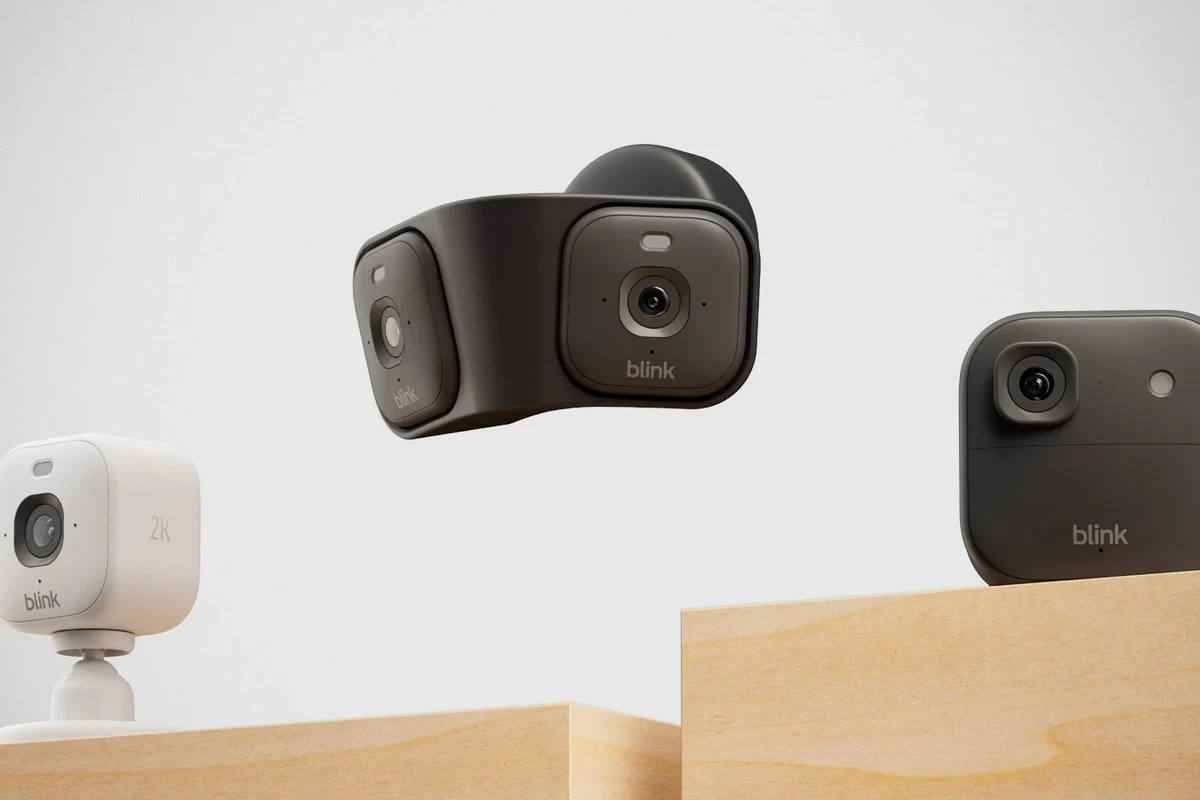
Blink cameras that use AA batteries are built to run on a specific number of cells in a specific size and orientation. The battery compartment, spring tension, and contact points all matter, especially if you are using slightly different rechargeable cells or battery brands.
In practical terms, Blink expects batteries that fit cleanly, make solid contact, and can deliver enough current during motion events, Wi‑Fi wake-ups, and infrared usage. If you are comparing power options for smart devices, the same “match the device’s expectations first” rule applies to other gear too, such as when people ask about multi-port chargers for iPhone or whether Samsung chargers work with iPhone.
- Confirm your Blink model uses AA batteries and supports rechargeables
- Check whether the manual names preferred battery types
- Verify the batteries fit without forcing the compartment
- Review camera placement, temperature exposure, and motion activity level
Best Blink Camera Models for Eneloop Use
Indoor, outdoor, and doorbell models: fit and power demands
Not every Blink camera has the same power demand. Indoor cameras usually face less weather stress, while outdoor models may deal with colder temperatures, more wake-ups, and heavier motion activity. Video doorbells can be even more demanding because they often see more frequent triggers and interaction.
As a general rule, Eneloops are most appealing for cameras with moderate activity in controlled indoor environments. Outdoor and high-traffic locations can still work, but battery life may be shorter and more variable.
If your camera is mounted in a hallway, living room, office, or other low-traffic area, Eneloops are more likely to feel convenient. If the camera watches a driveway, yard, or busy front porch, the battery drain can rise quickly regardless of battery brand.
Which setups are most likely to perform well
The best candidates are Blink cameras in places with limited motion, decent Wi‑Fi signal, and moderate temperatures. A camera that wakes less often and does not have to fight weak connectivity usually gets better battery results.
Eneloop is usually the best fit for Blink users who want rechargeables in indoor or lower-traffic cameras and are comfortable checking battery status more often than they would with lithium disposables.
Setups that may struggle include cold outdoor installs, cameras pointed at roads or busy sidewalks, and locations with weak Wi‑Fi. In those cases, you may still use Eneloops, but you should expect more frequent charging cycles and more battery-management attention.
Key Specs to Check Before You Buy or Swap Batteries
Capacity, discharge behavior, and cold-weather performance
Battery capacity is only part of the story. Two batteries with similar labeled capacity can behave differently in real use because of discharge curves, internal resistance, and temperature sensitivity.
For Blink cameras, the most important practical question is not just how much energy the battery stores, but how consistently it can deliver power during wake events. Cold weather can reduce effective runtime for many rechargeable batteries, so outdoor users should be extra cautious.
- Use the battery chemistry Blink recommends for your exact model whenever possible
- Expect shorter runtime in cold weather, especially outdoors
- Watch for sudden battery drops after repeated motion triggers
- Keep a spare charged set ready if the camera protects a critical entrance
Battery count, dimensions, and contact fit
Even when a battery is technically the right size, slight differences in shell shape or terminal contact can matter. Some rechargeable AA cells are a touch different in fit than disposables, so the battery door should close without force and the contacts should feel secure.
If a camera behaves erratically after a swap, the issue may be physical fit rather than battery chemistry. Check for proper polarity, clean contacts, and a fully latched compartment before assuming the batteries are bad.
Stop using damaged batteries, swollen cells, cracked wrappers, or any battery that overheats during charging or operation. Follow the manufacturer’s guidance for disposal and replacement.
Charger ratings, cable quality, and safe charging limits
Eneloops should be charged only with a charger designed for NiMH cells. The charger’s instructions matter more than marketing claims, and you should avoid improvising with unknown adapters or low-quality power bricks.
Look for a charger with clear cell-size support, proper charging indicators, and safe thermal behavior. If the charger uses a cable, make sure the cable is in good condition and the adapter matches the charger’s input requirements. For broader power guidance, our article on charging an iPhone with an iPad charger explains why matching the right power source to the device matters.
Real-World Benefits and Trade-Offs of Using Eneloop
Rechargeable value, convenience, and long-term cost savings
The biggest advantage of Eneloop is convenience over time. If you rotate batteries across multiple household devices, rechargeables can reduce waste and cut down on repeated store runs for disposables.
They also make sense for users who already maintain a battery routine. If you keep a charged spare set ready, a Blink camera can go back into service quickly without waiting for a retail battery order or emergency run.
- Reusable for many charge cycles
- Good fit for low-drain smart-home devices
- Convenient if you already own a NiMH charger
- Runtime may be shorter than some disposable lithium AA options
- Battery percentage readings can be less predictable
- Cold-weather performance can be weaker
Limitations: motion alerts, battery life, and low-temperature use
Battery life in Blink cameras depends heavily on how often the camera wakes up. Frequent motion, poor Wi‑Fi, repeated live-view sessions, and colder temperatures can all shorten runtime.
That means Eneloop may be perfectly fine in one home and only so-so in another. A camera covering a quiet nursery or storage room may run acceptably, while a porch camera with lots of foot traffic may need more attention.
If your Blink camera is draining batteries too quickly, first reduce unnecessary wake-ups by reviewing placement, motion zones, and signal quality before blaming the batteries alone.
How to Set Up Eneloop Batteries in a Blink Camera Safely
Installation steps, polarity checks, and app setup requirements
Start by powering down or removing the camera according to the Blink manual. Open the battery compartment, insert the Eneloops with the correct polarity, and make sure the door closes cleanly without forcing it.
Confirm your Blink camera accepts AA batteries and that rechargeables are allowed for that model.
Match the plus and minus ends to the markings inside the compartment and avoid mixing old and new cells.
Open the Blink app and allow the camera to sync so battery status and connectivity can update.
Do not mix battery chemistries in the same device unless the manufacturer explicitly allows it. Also avoid combining cells with different ages or charge levels, since that can create uneven performance.
How to verify battery status and connectivity after installation
After installation, check the camera in the Blink app for battery status, signal strength, and recent activity. If the app shows a low battery warning right away, recheck the battery orientation and contact fit before assuming the cells are depleted.
It is also smart to trigger a test event, if the app and model allow it, and confirm that motion detection and notifications still work normally. If the camera is slow to wake or drops offline, weak Wi‑Fi or battery compatibility may be part of the problem.
Common Mistakes, Maintenance, and Storage Tips
Charging, inspection, and replacement guidance
A common mistake is charging NiMH batteries with the wrong charger or leaving them in a charger that is not intended for that chemistry. Another is assuming all AA batteries are interchangeable just because they fit.
Inspect batteries regularly for swelling, leaks, corrosion, or damaged wrappers. If a battery looks suspicious, retire it rather than trying to squeeze extra use from it.
Do not use batteries that are hot, leaking, dented, or physically damaged. Remove them from service and follow the battery maker’s disposal instructions.
Storage conditions, rotation habits, and avoiding deep discharge
Store spare Eneloops in a cool, dry place and keep them organized so older sets get used first. A simple rotation habit helps prevent one set from sitting unused for too long while another set is repeatedly cycled.
Try not to leave depleted batteries sitting in a camera for extended periods. Even though NiMH batteries are rechargeable, deep discharge and long storage in a drained state can make maintenance harder over time.
- Use Eneloop only if your exact Blink model supports AA rechargeables.
- Expect best results in moderate-temperature, lower-traffic camera locations.
- Match the charger to NiMH batteries and inspect cells regularly.
- Check the Blink app after installation to confirm battery status and connectivity.
Final Verdict: Who Should Use Eneloop with Blink Cameras?
Best-fit users, safer alternatives, and the most practical recommendation
Eneloop is a solid option for Blink users who want rechargeables, already own a proper NiMH charger, and can tolerate a little more battery management. It is especially appealing for indoor cameras, secondary cameras, and homes where convenience and lower waste matter more than maximum runtime.
If your camera guards a critical outdoor entry, sits in a very cold location, or burns through batteries quickly because of heavy motion activity, a higher-end disposable AA option may be more practical. The safest recommendation is to verify your exact Blink model, follow the official battery guidance, and choose the battery type that best matches your camera’s location and workload.
Which setups are most likely to perform well
For most everyday users, the best setup is a Blink camera with good Wi‑Fi, moderate motion activity, and Eneloop batteries charged in a compatible NiMH charger. That combination gives you a balanced mix of convenience, reusability, and dependable operation without pushing the camera beyond what it was designed to handle.
Frequently Asked Questions
Often yes, if your Blink model accepts AA rechargeable batteries. Check the official manual for your exact model before swapping batteries.
Not always. Runtime depends on camera model, motion activity, Wi-Fi quality, and temperature, so disposable lithium AA cells may last longer in some setups.
No. Use a charger made for NiMH batteries and follow the charger’s instructions for cell type, heat, and charging limits.
The issue may be battery fit, polarity, contact quality, or the camera’s battery gauge reading NiMH cells differently. Recheck installation and app status first.
Indoor or lower-traffic cameras in moderate temperatures are usually the best fit. High-motion outdoor locations may drain rechargeables faster.
Choose another option if you need the longest runtime, have a cold outdoor install, or want fewer battery changes. Always follow Blink’s official guidance for your model.