What Kind of Video Doorbell Should I Buy for Home Security
Choose a wired video doorbell if you already have compatible wiring and want the most dependable long-term setup. Choose battery-powered if you need easy installation, and consider hybrid or solar-assisted models if you want less charging maintenance.
If you’re asking what kind of video doorbell you should buy, the short answer is this: choose a wired model if your home already has doorbell wiring and you want the most dependable power, choose a battery model if you want the easiest installation, and consider a hybrid or solar-assisted model if you want less charging maintenance. The best choice depends less on brand hype and more on your wiring, Wi‑Fi, and how much upkeep you’re willing to handle.
- Power first: Wiring compatibility is the biggest factor in choosing the right doorbell type.
- Battery is easiest: Battery models suit renters, apartments, and homes without existing wiring.
- Wi-Fi matters: Weak signal strength can cause delays, missed alerts, and poor video uploads.
- Features vary: Resolution, motion zones, storage, and app support matter more than marketing claims.
- Check the fine print: Verify warranty, subscription terms, compatibility, and return policy before buying.
What Kind of Video Doorbell Should I Buy? Start With the Best Match for Your Home
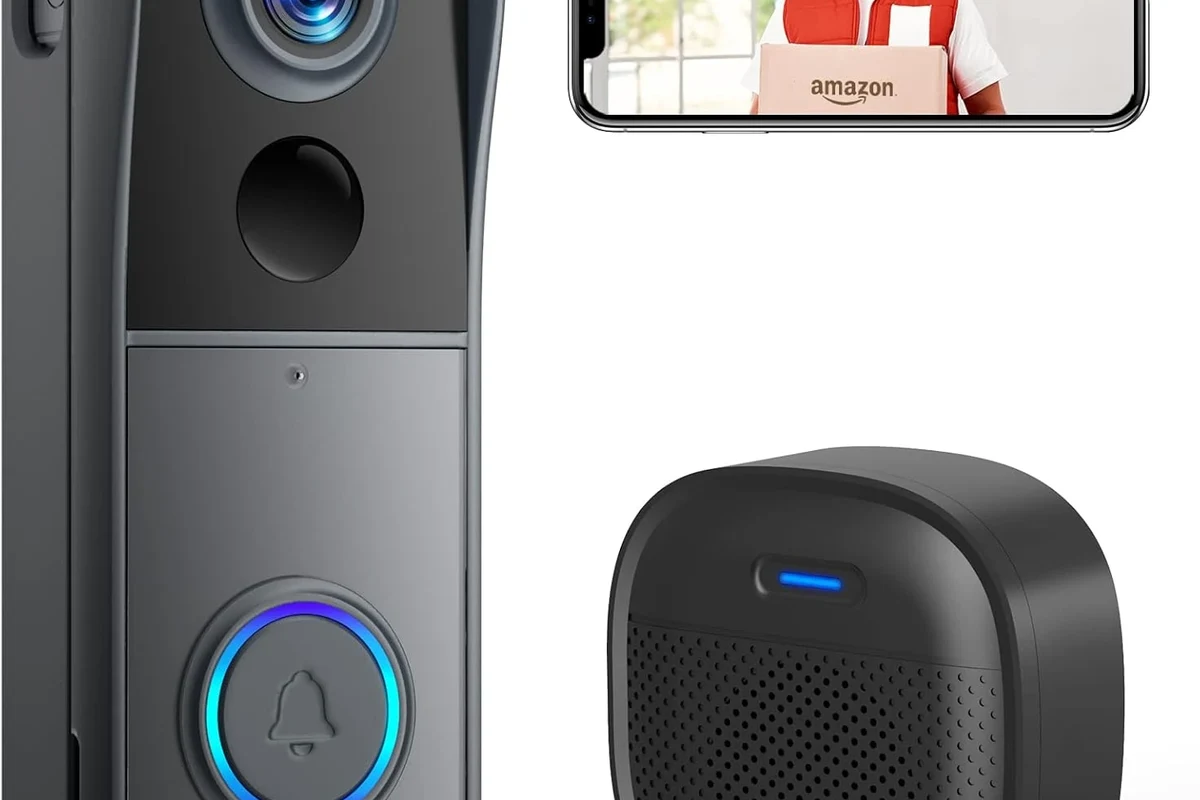
The right video doorbell is the one that fits your home’s power setup, internet reliability, and living situation. A great-looking spec sheet does not help much if the unit cannot stay powered, cannot connect to your network, or is awkward to remove when you move.
Quick answer: choose wired for reliability, battery-powered for easy installation, and solar-assisted or hybrid models if you want lower maintenance
Wired doorbells are usually the best fit for homeowners who already have a compatible chime and wiring. Battery-powered models are the most flexible for renters, apartments, and homes without existing wiring. Hybrid and solar-assisted designs sit in the middle, giving you more convenience than a pure battery model but usually with some trade-offs in mounting, sunlight exposure, or feature availability.
How to decide in under 5 minutes based on wiring, Wi-Fi strength, and rental vs. owned home
Start by checking whether your current doorbell is wired and whether the transformer and chime are compatible with the model you’re considering. Next, look at your Wi‑Fi signal at the front door; a weak signal can cause lag, missed notifications, or poor video uploads. Finally, ask whether you own the home or need a removable setup. If you rent, battery power is often the simplest path. If you own the home and want fewer interruptions, wired is usually the smarter long-term buy.
- Check wiring, transformer compatibility, and chime support if you want a wired model
- Confirm Wi‑Fi strength at the front door and whether the app requires a subscription for key features
- Review return policy, warranty length, firmware support, and privacy settings before installation
How Video Doorbells Work and What Features Actually Matter in 2026
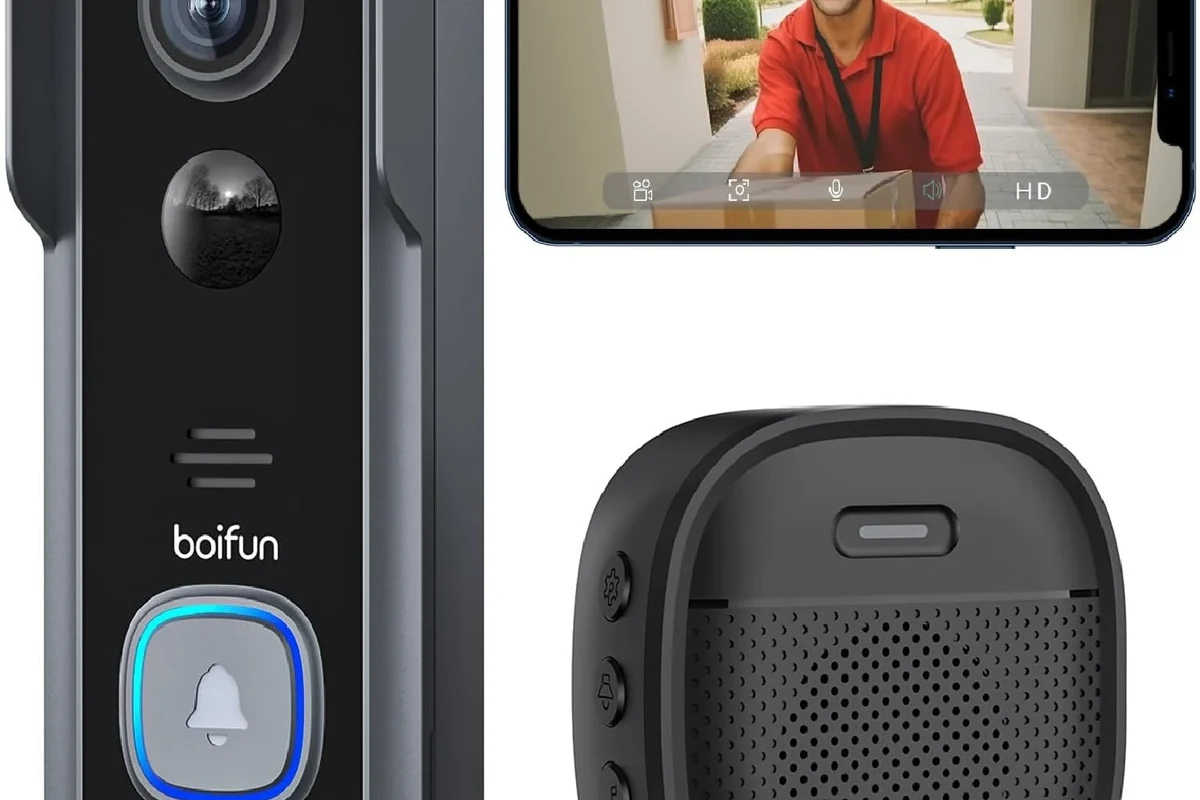
Most video doorbells combine a camera, motion sensor, microphone, speaker, and phone app so you can see and talk to visitors from anywhere. Some save clips to cloud storage, while others offer local storage or both. The useful part is not the gadget itself but how well those pieces work together in your home.
Core components: camera, motion sensor, microphone, speaker, app, and cloud or local storage
The camera captures the video feed, the motion sensor decides when to wake the device, and the microphone and speaker let you talk to visitors. The app is where you get alerts, review clips, and adjust settings. Storage varies by model: some rely mostly on cloud plans, some support local recording, and some offer both. That choice matters because it affects privacy, clip history, and ongoing cost.
Key specs to compare: resolution, field of view, night vision, HDR, motion zones, and two-way audio
Resolution helps with detail, but it is not the only thing that matters. A wider field of view can help you see packages and people standing close to the door, while HDR can improve visibility in harsh sunlight or strong backlight. Night vision quality varies by sensor and lighting conditions. Motion zones are especially useful because they let you ignore sidewalks, passing cars, or busy streets. Two-way audio should also be clear enough for normal conversation, not just basic alerts.
App requirements, smart home compatibility, and connectivity: Wi-Fi bands, Bluetooth setup, and ecosystem support
Before you buy, confirm which phone operating systems and smart home platforms the doorbell supports. Some models work best with Alexa, Google Home, or Apple Home features, but support can vary by firmware, region, and subscription tier. Wi‑Fi band support matters too. A 2.4 GHz connection may reach farther, while 5 GHz can offer more speed at shorter range. Bluetooth is often used only for initial setup, not for daily operation. If you’re comparing ecosystem fit, our guide to smart devices that work with Apple Home can help you think through platform compatibility in a broader home setup.
App features, smart home integrations, and subscription requirements can change after firmware updates or vary by country. Always check the current manufacturer specs and app store listing before buying.
Which Type Fits Your Home: Wired, Battery, Wireless, or Hybrid
The biggest decision is usually power. Once you know how the doorbell will stay powered, the rest of the purchase becomes much easier to narrow down.
Wired models: best for continuous power, faster alerts, and fewer charging interruptions
Wired doorbells are a strong choice if you want a set-it-and-forget-it setup. They can be more convenient for busy households because you do not need to remember charging cycles. In many homes, wired power also helps the doorbell stay ready for frequent motion events and repeated live view use. The main catch is compatibility: the wiring, transformer, and chime all need to be within the model’s allowed range.
Battery models: best for apartments, renters, and homes without existing doorbell wiring
Battery models are the easiest to install and remove, which makes them ideal for temporary residents and anyone who does not want to deal with electrical wiring. They are also useful when the front door location makes hardwiring impractical. The trade-off is maintenance: battery life depends on motion activity, weather, Wi‑Fi strength, live-view frequency, and app settings. If you want a battery-powered setup, our guide on choosing a budget charger for everyday devices is a useful reminder to verify safe charging habits and compatible accessories for any rechargeable gear in the home.
Hybrid and solar-assisted models: who benefits most and what trade-offs to expect
Hybrid models can work with wiring and battery power, which gives you flexibility if your wiring is limited or inconsistent. Solar-assisted models can reduce charging frequency, but only if the panel gets enough light and the doorbell is positioned well. These options are best for buyers who want less manual upkeep but still need some flexibility. They are not always the simplest choice, and the fine print matters because solar performance and hybrid behavior vary widely by model.
Wired models are usually the best overall choice for homeowners who want the most reliable power and the least maintenance, as long as their existing wiring is compatible.
Buying Criteria That Matter Most Before You Spend
Feature lists can make video doorbells look similar, but the details that affect daily use are usually power, video quality, storage, and privacy controls. Those are the areas worth checking first.
Power and installation checks: transformer compatibility, voltage limits, cable condition, and safe setup boundaries
If you are buying a wired model, check the manufacturer’s required voltage range and transformer compatibility before ordering. Inspect the existing wiring for wear, corrosion, or loose connections, and stop if anything looks damaged or unsafe. If you are not comfortable working with electrical connections, follow the official installation instructions or hire a qualified professional. Never guess on voltage or force a mismatch just to make the unit fit.
Video and audio quality: resolution, aspect ratio, low-light performance, and speaker clarity
Resolution is helpful, but the full picture matters more. A doorbell with a tall aspect ratio may show visitors from head to toe and make package monitoring easier. Low-light performance affects how clearly you can identify faces at dusk or at night, and speaker clarity affects whether the person at the door can actually hear you. The best model is the one that stays understandable in real-world conditions, not just on a spec sheet.
Mounting height can affect motion detection, facial framing, and package visibility. Check the manufacturer’s recommended height and angle before drilling holes.
Storage and subscription value: local recording, cloud plans, clip length, and retention limits
Some doorbells are usable without a subscription, but many reserve important features like longer clip history, person detection, package alerts, or advanced event filtering for paid plans. Local storage can reduce ongoing costs, but it may depend on a hub, compatible chime, or memory card support. Before buying, ask how long clips are stored, whether the camera records before motion is fully detected, and what happens if Wi‑Fi is down. This is where the true value of a doorbell often shows up.
Privacy and security: encryption, two-factor login, account sharing, and data handling
Privacy settings should be part of the buying decision, not an afterthought. Look for two-factor authentication, clear account-sharing controls, and a privacy policy that explains how video is handled. Keep the app updated, use a strong password, and review permissions after setup. If the brand offers optional cloud storage, read the retention and deletion rules carefully so you know what happens to your clips.
Stop using damaged electronics, swollen batteries, frayed cables, overheating chargers, or unstable devices and follow the manufacturer’s guidance. If a doorbell or battery becomes unusually hot, swollen, cracked, or unreliable, replace it rather than trying to repair it yourself.
Who Each Kind of Video Doorbell Is Best For
Different buyers need different priorities. A model that is perfect for a homeowner with a wired chime may be a poor fit for a renter or a family that gets frequent package deliveries.
Homeowners who want the most dependable option
If you own the home and already have compatible wiring, a wired model usually makes the most sense. It tends to be the least annoying over time because you are not managing battery swaps or frequent recharging. It is also a better match for people who want a stable setup for years, especially if the doorbell is part of a larger smart home system.
Renters and temporary residents who need easy removal
Battery-powered models are usually the safest bet for renters because they are easier to install and take down without changing the building’s wiring. They also make sense for temporary housing, dorm-style living, or anyone who may move soon. Just remember that easy installation can come with more maintenance later, so check battery access and charging convenience before you buy.
Families, frequent travelers, and package-heavy households
Families and travelers often benefit most from reliable alerts, strong motion filtering, and clear package visibility. If your front door gets lots of foot traffic, motion zones and adjustable sensitivity become especially important. For households that receive many deliveries, a wider view and better low-light performance can be more useful than headline resolution alone. If your home security setup also includes lighting automation, you may find it useful to compare platform support with our guide to smart devices that work with Alexa.
Budget buyers versus users willing to pay more for advanced detection and smarter alerts
Budget buyers should focus on dependable power, decent video, and a plan that does not force expensive subscriptions for basic use. Buyers willing to spend more can look for smarter motion detection, package alerts, better app controls, and stronger smart home integration. The key is to avoid paying for features you will never use. A simpler model with good reliability is often better than a feature-packed one that feels cluttered or inconsistent.
Real-Use Benefits and Limitations to Consider
Video doorbells are useful, but they are not magic. They work best when the installation, network, and settings are tuned to your home.
Benefits: package monitoring, visitor screening, motion alerts, and deterrence
A good doorbell can help you screen visitors before opening the door, keep an eye on deliveries, and get alerted when someone approaches. Even when you cannot answer immediately, the visible camera can act as a deterrent. For many households, the biggest benefit is convenience: you get a better sense of what is happening at the front door without constantly checking outside.
Limitations: false alerts, Wi-Fi dropouts, subscription costs, battery swaps, and blind spots
Motion alerts can become annoying if the sensitivity is too high or the camera sees a busy sidewalk, street, or tree branch. Weak Wi‑Fi can delay notifications or reduce clip quality. Battery models need periodic charging, and some useful features may require a subscription. Blind spots can also happen if the camera is mounted too high, too low, or at the wrong angle.
Common mistakes: poor mounting height, weak signal placement, ignoring chime compatibility, and overreliance on default motion settings
Many buyers mount the doorbell without checking the recommended height, then wonder why faces are cropped or package detection is poor. Others place the router too far away and blame the camera for connection issues. Wired buyers sometimes forget to confirm chime compatibility. And default motion settings are rarely ideal out of the box, so it is worth adjusting zones and sensitivity after installation.
- Helps monitor visitors and deliveries
- Improves awareness at the front door
- Can deter casual porch theft or unwanted visits
- May need a subscription for full features
- Battery and Wi‑Fi issues can affect reliability
- Poor placement can create blind spots and false alerts
Setup, Safety, and Maintenance Guide for Long-Term Reliability
A video doorbell is only as good as its installation and upkeep. Small maintenance habits can make a big difference in reliability over time.
Safe installation steps: power shutoff for wired units, mounting height, weather exposure, and secure fasteners
For wired units, shut off power at the appropriate breaker before touching any existing doorbell wiring, and follow the manufacturer’s setup instructions exactly. Use the recommended mounting height and choose secure fasteners that match your wall surface. Make sure the unit is rated for outdoor exposure and installed where rain, direct sun, and temperature swings are within the device’s supported range. If the manual recommends a specific chime kit, transformer, or wedge mount, use it rather than improvising.
Battery care: charge cycles, replacement guidance, inspection for swelling or damage, and safe storage limits
Battery care depends on the model, but the basic rule is to follow the official charging and storage instructions. Do not continue using a battery that appears swollen, cracked, or unusually hot. If you remove the device for storage, keep it within the temperature range listed by the manufacturer and avoid leaving it discharged for long periods. When the battery no longer holds a useful charge, replace it with the approved part if the model supports replacement.
Do not puncture, crush, disassemble, or expose rechargeable batteries to water or extreme heat. If a battery looks damaged or behaves abnormally, stop using it and follow the manufacturer’s disposal guidance.
Maintenance: lens cleaning, firmware updates, checking seals, reviewing notifications, and testing audio/motion zones
Keep the lens clean with a soft, dry microfiber cloth so video stays clear. Check seals and mounts after storms or seasonal weather changes. Install firmware updates through the official app when available, since those updates may improve stability or security. It also helps to review notification settings every so often, especially if your household routine changes or the camera starts catching too much background motion.
Troubleshooting basics: connection resets, delayed alerts, chime issues, and when to replace the unit or battery
If alerts are delayed, start with the basics: confirm Wi‑Fi strength, restart the router if needed, and check the app for update prompts. If a wired doorbell does not ring the chime, verify compatibility and wiring according to the manual. If a battery model drains too quickly even after settings adjustments, the battery may be aging or the motion activity may simply be too high for that setup. Replace the unit or battery if the device becomes unreliable, physically damaged, or unsupported by the app.
After setup, test the doorbell at different times of day and from different distances. That helps you catch motion-zone problems, Wi‑Fi weak spots, and audio issues before you depend on it daily.
Final Recommendation: The Best Video Doorbell Type for Most Buyers in 2026
For most homes, the best video doorbell type is the one that matches your power situation first and your feature wish list second. If you already have compatible wiring, a wired model is usually the strongest all-around choice because it reduces maintenance and tends to be more dependable. If you rent or want the easiest install, a battery model is the safer, simpler pick. If you want less charging but still need flexibility, a hybrid or solar-assisted model can make sense, as long as you verify the mounting and sunlight requirements.
Transparent verdict based on value, convenience, and security needs
Value comes from matching the device to your home instead of buying the most feature-heavy option. Convenience matters if you want fewer charging chores or easier removal, while security needs matter if you care most about dependable alerts and clear footage at the front door. There is no single best doorbell for everyone, but there is a best type for your wiring, Wi‑Fi, and daily routine.
Best overall choice for most homes, best budget choice, and best choice for renters or low-wiring setups
Best overall for most homeowners: wired. Best budget-friendly path for simple installation: battery. Best choice for renters and homes without usable wiring: battery or hybrid, depending on whether you want maximum flexibility or less maintenance. If you are still comparing ecosystems and accessories, it can also help to think about how your doorbell fits with other smart-home gear, much like choosing the right setup in our guide to smart devices that work with Google Home.
What to verify before buying: warranty length, replacement parts, app support timeline, and return policy
Before you check out, confirm the warranty terms, whether replacement batteries or mounts are available, how long app support is expected to continue, and how the return policy works if the doorbell is not compatible with your home. Those details matter more than marketing claims, especially for a device you may rely on every day.
Choose wired if you want the most dependable long-term option, battery if you want the easiest install, and hybrid or solar-assisted if you want a middle ground with less upkeep. The best purchase is the one that fits your wiring, Wi‑Fi, and maintenance tolerance, not just the one with the longest feature list.
Frequently Asked Questions
Choose wired if your home already has compatible doorbell wiring and you want less maintenance. Choose battery if you rent, lack wiring, or want the easiest installation.
Focus on power, Wi-Fi reliability, video quality, motion zones, night performance, audio clarity, and storage options. App support and privacy controls also matter because they affect daily use.
It depends on the model. Some basic features may work without a subscription, but cloud recording, clip history, and advanced alerts often require a paid plan.
Check the manufacturer’s required voltage range, transformer compatibility, and chime support before buying. If you are unsure, confirm the details in the manual or with a qualified installer.
They can be a good fit if you want less charging maintenance but still need flexibility. Just verify sunlight exposure, mounting requirements, and whether the model still needs periodic charging.
Confirm warranty length, return policy, app support, storage terms, and current compatibility with your phone and smart home platform. It is also smart to check for any recent firmware notes or recall notices.