Is Ring Video Doorbell 2 Wireless Find Out Now
Yes—Ring Video Doorbell 2 is wireless for everyday use because it can run without existing doorbell wiring. It still needs Wi‑Fi and periodic battery charging, so it is not completely maintenance-free.
If you’re asking is Ring Video Doorbell 2 wireless, the short answer is yes in the everyday sense: it can run on its internal battery and connect to your home Wi‑Fi, so it does not require a hardwired doorbell connection to operate. It can also be hardwired for charging support, which is why the word “wireless” can mean two different things here.
That distinction matters because buyers often mean “no existing doorbell wiring needed,” while others mean “no cables at all.” The Ring Video Doorbell 2 sits in the middle: wireless for installation and operation, but still dependent on battery charging, Wi‑Fi, and the Ring app for full use.
- Wireless meaning: It can install and operate without a hardwired doorbell connection.
- Still required: Wi‑Fi, the Ring app, and battery charging are part of normal use.
- Best fit: Renters, homeowners with limited wiring, and users who want easier installation.
- Main trade-off: More convenience upfront, but ongoing battery and network upkeep.
- Buy smart: Confirm the exact model, power method, and subscription needs before ordering.
Is Ring Video Doorbell 2 Wireless? Quick Answer and What “Wireless” Really Means
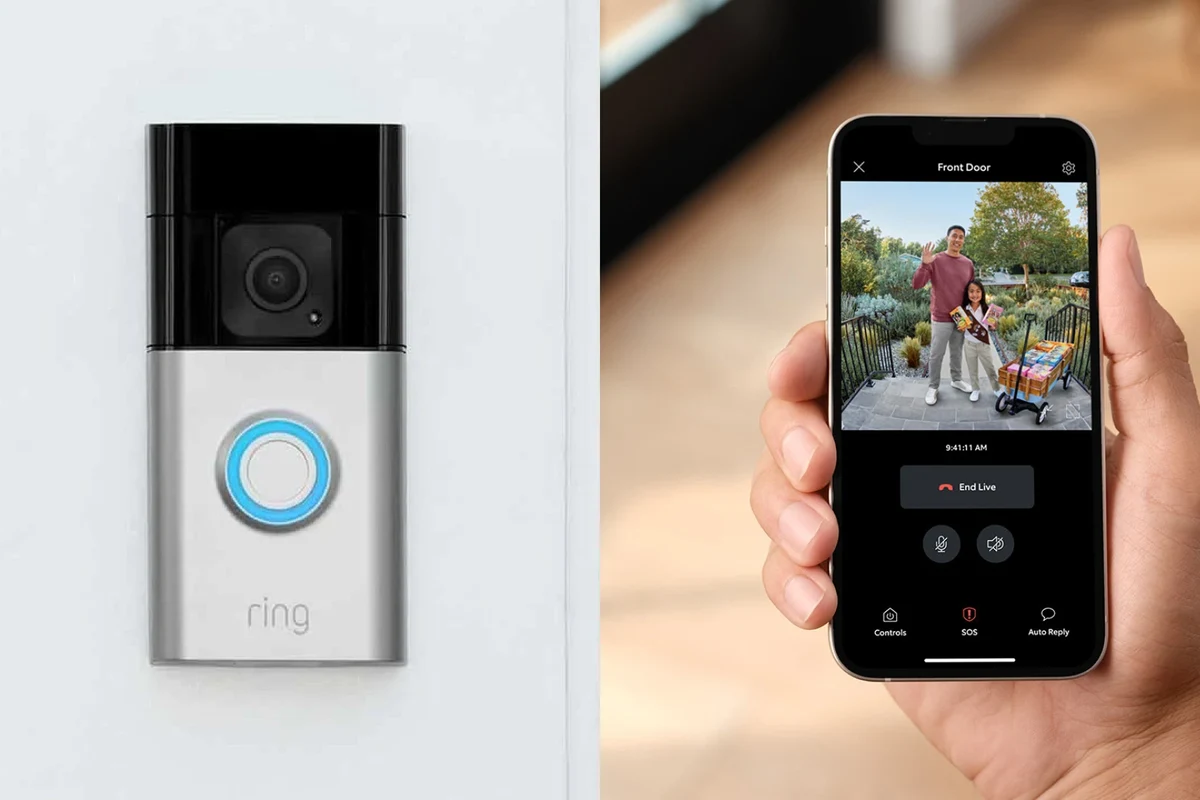
Ring Video Doorbell 2 is generally considered a wireless video doorbell because it can work without connecting to your home’s doorbell wiring. In practical terms, that makes it a good fit for homes and rentals where running new low-voltage wiring is inconvenient or not allowed.
However, “wireless” does not mean “completely cable-free forever.” You still need to charge the battery periodically, and the device still relies on a stable Wi‑Fi network and the Ring mobile app to send alerts, view video, and change settings. If you want a broader sense of whether the platform still makes sense, see our guide on whether Ring Video Doorbell is worth it in 2026.
How Ring Video Doorbell 2 Works: Power Options, Connectivity, and App Setup
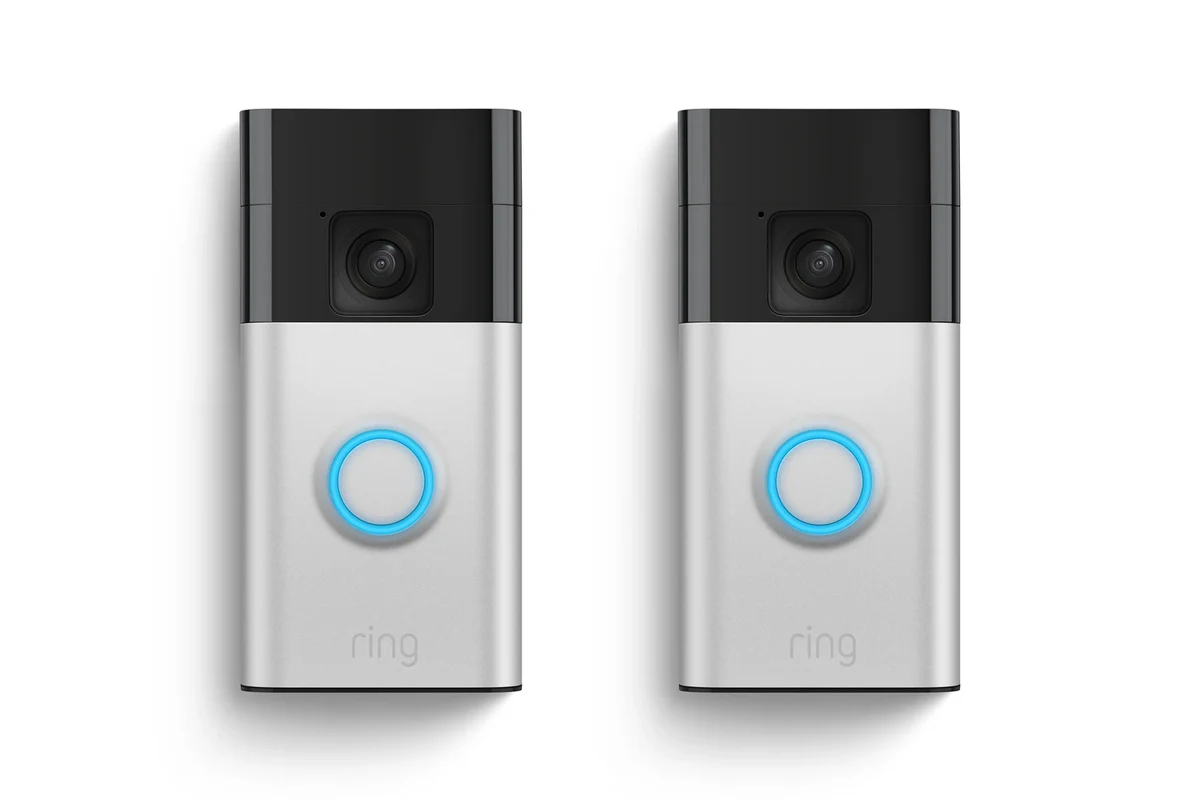
Before buying, it helps to separate power, connectivity, and software. The device’s battery powers the camera and motion features, Wi‑Fi carries the video and notifications, and the Ring app is where you manage setup, alerts, and connected devices.
Battery-Powered Operation vs. Hardwired Support
The most important reason people call this model wireless is its battery-powered operation. That means you can mount it without relying on an existing doorbell transformer or indoor chime wiring.
Some Ring doorbell models and installations can also use hardwired support for trickle charging or to work with a compatible existing doorbell circuit, but that depends on the exact product configuration and installation instructions. Always confirm the official manual for your specific unit before assuming how it powers or charges.
Power behavior can vary by model revision, included kit, region, and firmware. If you are replacing an older doorbell, verify whether your wall wiring is compatible rather than assuming all Ring units behave the same way.
Wi‑Fi Connection Requirements and Ring App Compatibility
Ring Video Doorbell 2 needs a compatible Wi‑Fi connection to send motion alerts, live video, and recorded clips. Like most smart home devices, performance depends on router placement, signal strength at the front door, and network congestion inside the home.
The Ring app is also essential for initial pairing and ongoing use. You will typically need a supported smartphone or tablet, a Ring account, and updated app software. For shoppers comparing ecosystems, our article on which video doorbell works best with Apple in 2026 may help if you use an iPhone or other Apple devices.
Before installing any video doorbell, stand near your front door and check Wi‑Fi signal strength on your phone. If the signal is weak there, a wireless doorbell may still connect, but the live feed and notifications may be less reliable.
Key Specs to Check Before You Buy
For a wireless video doorbell, the useful specs are not just camera features. You should also check size, mounting style, battery handling, and how the device fits your entryway and routine.
Dimensions, Mounting Style, and Placement Considerations
Ring Video Doorbell 2 mounts at the doorframe or wall area near your entrance, so placement matters for both visibility and motion detection. If the unit is too low, too high, or aimed at a busy sidewalk, you may get unnecessary alerts or miss visitors.
Because exact dimensions and included accessories can vary by package or retailer listing, confirm the current product page or manual before buying accessories like wedges, corner kits, or replacement mounts. This is especially important for apartments, older homes, and narrow doorframes where space is tight.
Video, Motion Detection, and Night Vision Features
Video doorbells are judged by more than whether they are wireless. Look closely at resolution, field of view, motion detection options, and night vision behavior, because those factors determine how useful the camera is at the front door.
Ring’s motion alerts can be helpful for packages, guests, and unexpected activity, but their usefulness depends on your placement and settings. If the camera faces a street, you may need to adjust motion zones or sensitivity to reduce false alerts. Night performance also depends on porch lighting and the exact camera hardware in your unit.
For many video doorbells, the mounting angle can matter as much as the camera itself. A better angle often improves face detection, package visibility, and motion accuracy more than a simple settings change.
Battery Life, Charging Method, and Replacement Guidance
Battery life is one of the biggest user-dependent factors with any wireless doorbell. How long a charge lasts depends on motion frequency, weather, live-view usage, notification settings, and how often people ring the bell.
Charging is usually straightforward: remove the battery or device as directed by the manual and recharge it with the approved method. Use only the charger or cable specified by Ring or a clearly compatible replacement from a trusted source. If the battery or charging cable is damaged, swollen, excessively hot, or unreliable, stop using it and follow the manufacturer’s guidance.
Do not use damaged batteries, frayed charging cables, or overheating adapters. For any rechargeable smart-home device, follow the official charging instructions and keep the battery away from water, heat, and child or pet access while charging.
Who the Ring Video Doorbell 2 Fits Best
This model is most appealing to people who want an easier installation path than a fully wired doorbell. It also suits users who value flexibility over the absolute lowest-maintenance setup.
Best Use Cases for Renters, Homeowners, and Busy Households
Renters often appreciate wireless doorbells because they are easier to install and easier to remove later. Homeowners may like them too, especially if the front door wiring is old, missing, or inconvenient to access.
Busy households can benefit from motion alerts and quick phone notifications, but they should be realistic about battery upkeep. If no one wants to monitor charging cycles, a wired or power-over-ethernet option may be a better fit. For shoppers comparing categories, our guide to the best wireless video doorbells in 2026 is a useful place to start.
When a Wireless Doorbell Is the Better Choice
A wireless doorbell is usually the better choice when installation simplicity matters most. That includes apartments, homes with limited wiring access, and situations where you want to avoid altering the existing doorbell circuit.
Wireless also helps if you may move in the near future, since the device can often be removed and reinstalled elsewhere. The trade-off is that you take on battery charging and Wi‑Fi dependence, so the “better” choice depends on whether convenience or maintenance matters more to you.
Real-World Benefits and Practical Trade-Offs
Wireless video doorbells are popular because they reduce installation friction. Still, the same design choices that make them flexible can also create small but recurring maintenance tasks.
Installation Simplicity, Flexibility, and Portability
The biggest benefit is that you can usually install the doorbell without hiring an electrician or dealing with existing chime wiring. That makes the product approachable for first-time smart-home buyers and people who want a quick setup.
Portability is another plus. If you move, you may be able to take the doorbell with you, provided the new location has compatible mounting conditions and Wi‑Fi. That flexibility is one reason many buyers compare it with other battery-powered options, including our roundup of the best battery-operated video doorbell.
- No existing doorbell wiring required for basic use
- Good fit for rentals and flexible installation
- Easier to relocate than many wired models
- Battery charging is an ongoing task
- Performance depends heavily on Wi‑Fi quality
- Some features may require a subscription or app-based management
Limitations: Wi‑Fi Dependence, Charging Downtime, and Subscription Considerations
A wireless doorbell still needs a solid internet connection. If your router is far from the front door or your network is unstable, notifications can lag or video may load slowly.
Charging downtime is another practical limitation. Even if the battery is easy to remove, the doorbell is less convenient while it is off the wall or charging. Also, some video storage, event history, or advanced features may depend on a paid plan, so confirm current Ring plan terms before buying. If pricing is part of your decision, our guide to Ring Video Doorbell cost in 2026 can help you budget more accurately.
Setup Guide: Safe Installation, App Pairing, and Connection Checks
Setting up a wireless video doorbell is usually simple, but the best results come from careful placement, a charged battery, and a solid network check before you mount everything permanently.
Mounting, Battery Inspection, and Cable Quality for Charging
Make sure the battery, mount, screws, and charging cable are in good condition before installation. If anything looks damaged or missing, contact the seller or manufacturer first.
Fully charge the battery using the approved cable and adapter so you do not need to remove the device soon after installation.
Confirm that your phone can maintain a stable connection where the doorbell will sit. If the signal is weak, consider a Wi‑Fi extender or a different mounting location.
Common Setup Mistakes and How to Avoid Them
One common mistake is mounting the device before checking the viewing angle. Another is ignoring Wi‑Fi strength and assuming the app will fix a weak signal.
People also sometimes overlook battery habits, such as letting the battery drain completely too often or using an unverified charging accessory. Follow the official setup guide, update the app, and review motion settings after installation so you can fine-tune alerts instead of living with constant false notifications.
- Confirm the exact Ring model and whether it is battery-powered, hardwired support, or both
- Check Wi‑Fi strength at the front door and verify Ring app compatibility with your phone
- Review mounting hardware, battery charging method, and any subscription features you may want
- Read the official manual, warranty terms, and current software update or recall information
Maintenance, Safety, and Long-Term Care
Wireless doorbells are low-maintenance compared with many home security devices, but they still need periodic cleaning, battery care, and a quick check for weather or wear issues.
Cleaning, Weather Exposure, and Battery Storage Tips
Use a soft, dry cloth to clean the exterior and avoid harsh chemicals unless the manufacturer says they are safe. Because the unit sits outdoors, check that the mount remains secure after heavy wind, rain, or seasonal temperature swings.
If you remove the battery for storage, keep it in a cool, dry place and follow the official storage guidance. Do not leave rechargeable batteries in extreme heat, and never store them where they can be crushed, punctured, or exposed to moisture.
When to Replace the Battery or Check the Charger
Replace or service the battery if you notice much shorter runtimes, failure to hold a charge, swelling, unusual heat, or charging errors. Those are signs that the battery or charger may no longer be healthy.
Also check the cable and power adapter if charging becomes inconsistent. A worn cable can mimic battery failure, so it is worth inspecting the entire charging path before assuming the doorbell itself is broken. If the device stops charging or behaves unpredictably, consult Ring support and the manual before continuing to use it.
Stop using any smart-home battery or charger that runs hot, looks swollen, has cracked insulation, or shows repeated charging failures. Replace only with manufacturer-approved or clearly compatible parts.
Value, Alternatives, and Final Recommendation
Whether this doorbell is a smart buy depends less on the word “wireless” and more on how much maintenance you are willing to accept for the convenience of easier installation.
How It Compares to Other Wireless Video Doorbells
Compared with other wireless video doorbells, Ring Video Doorbell 2 is attractive if you already like the Ring ecosystem and want a familiar app-based experience. If you want better privacy controls, different storage options, or a stronger fit for a specific platform, it is worth comparing alternatives before deciding.
For a broader shopping view, our guide to what video doorbell is better than Ring can help you compare options by app, ecosystem, and features. If your main priority is overall value rather than brand loyalty, you may also want to read best value video doorbell for a wider market perspective.
Transparent Verdict: Is Ring Video Doorbell 2 Wireless Worth It in 2026?
Yes, Ring Video Doorbell 2 is wireless in the way most shoppers mean it: it can run without existing doorbell wiring and is designed for flexible installation. It is worth considering if you want an easier setup, use the Ring app already, and are comfortable managing battery charging and Wi‑Fi dependence.
If you want the lowest-maintenance option, a fully wired model may be a better long-term fit. But if convenience, portability, and simple installation matter most, Ring Video Doorbell 2 remains a practical wireless choice—as long as you verify current specs, app support, and plan requirements before you buy.
Frequently Asked Questions
Ring Video Doorbell 2 is wireless in the sense that it can operate without existing doorbell wiring. It still depends on Wi‑Fi and periodic battery charging.
Yes. Wi‑Fi is needed for alerts, live view, app control, and video features.
Some configurations may support hardwired charging or connection to existing doorbell wiring, but you should confirm the exact model and official manual first. Power behavior can vary by version and region.
Battery life varies widely based on motion activity, temperature, live-view use, and alert settings. Check current manufacturer guidance and expect real-world results to depend on your home setup.
Yes, it can be a good fit for renters because it does not require existing doorbell wiring for basic use. Just confirm your lease rules and mounting options before installing.
Verify the exact model, power method, app compatibility, Wi‑Fi strength, mounting hardware, charging method, and any subscription features you want. Also review warranty terms and current software or recall notices.