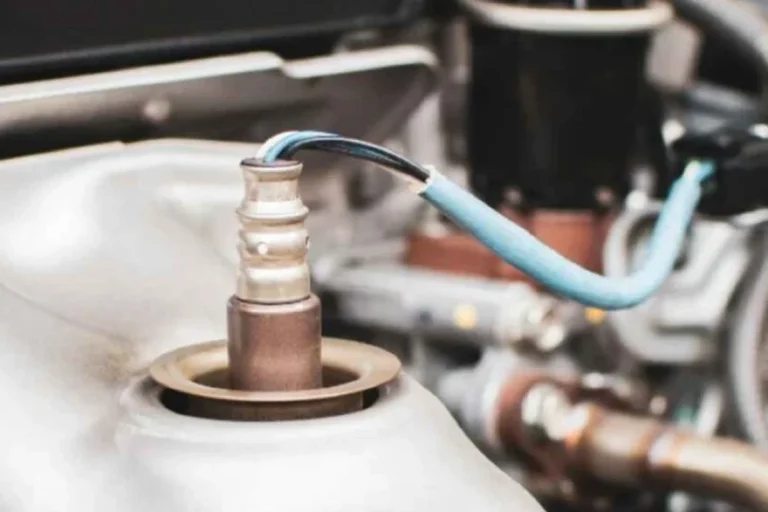
Can a Map Sensor Get Wet
Yes, a MAP sensor can get wet, and even small moisture exposure can cause rough running or a check engine light. Dry and inspect the connector first, then verify live data before deciding whether the sensor needs replacement.
A MAP sensor can get wet, but even a small amount of moisture can cause bad readings, rough running, or a check engine light. If the sensor or its connector has been exposed to water, the safest move is to inspect, dry, and verify it before driving long enough to see whether the problem clears.
- Moisture risk: The connector and pins are often more vulnerable than the sensor housing.
- Common symptoms: Rough idle, hesitation, stalling, and unstable MAP readings can follow water exposure.
- Safe response: Dry, inspect, and clean carefully before restarting the engine.
- Diagnosis matters: Wiring, vacuum leaks, and contamination can mimic a bad sensor.
Can a MAP Sensor Get Wet? Quick Answer and What It Means for Your Engine
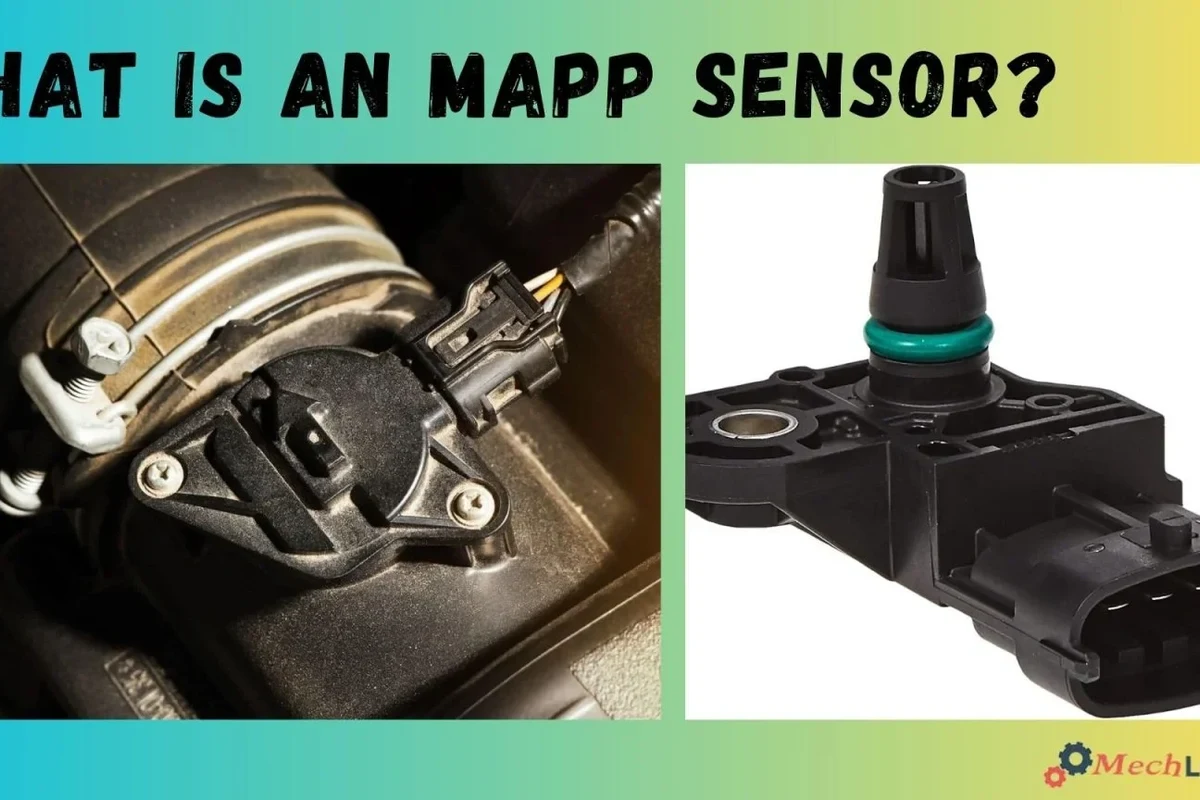
Yes, a MAP sensor can get wet, but “wet” does not always mean it is ruined. Some sensors survive brief splash exposure, while others develop immediate electrical issues if water reaches the connector, pins, or internal electronics.
The practical risk is not the moisture itself alone. It is what that moisture does to the sensor’s signal, the wiring, and the engine computer’s ability to calculate load correctly.
What a MAP Sensor Does and Why Moisture Matters
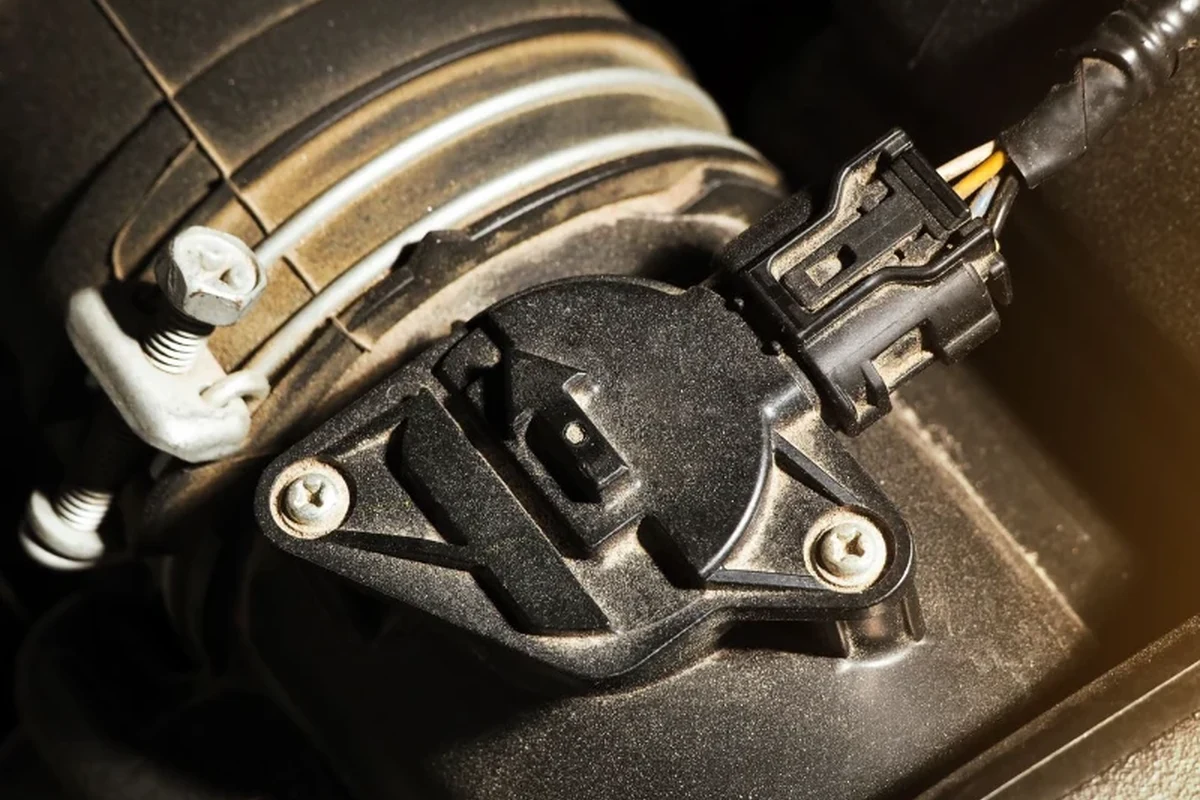
A MAP sensor measures manifold absolute pressure inside the intake system. The engine control module uses that reading, along with other data, to estimate how much air is entering the engine and how much fuel to deliver.
How manifold pressure readings affect fuel delivery and drivability
When the MAP reading is accurate, the engine usually starts, idles, accelerates, and shifts more smoothly. If the reading is wrong because of water intrusion, the computer may overfuel, underfuel, or make timing decisions that feel like hesitation, stumbling, or loss of power.
That is why a moisture problem can look like a fuel issue, a vacuum leak, or a bad throttle response. The symptom is often the same even when the root cause is different.
Why the sensor’s electrical connector is often more vulnerable than the housing
The sensor body is often built to sit in a hot, dusty engine bay, so the outer shell may tolerate splashes better than the pins and seal. The connector is usually the weak point because water can sit inside it, bridge terminals, or start corrosion around the contacts.
Even if the outside of the sensor looks dry, moisture inside the plug can still distort the signal. That is why connector inspection matters as much as checking the sensor itself.
Exact MAP sensor placement varies by vehicle. On some engines it mounts directly to the intake manifold, while on others it may be connected by a short hose or integrated with another pressure sensor assembly.
What Happens When a MAP Sensor Gets Wet
Water exposure can cause anything from a temporary drivability glitch to a lasting sensor failure. The outcome depends on how much water entered the connector, how long it stayed there, and whether the water carried dirt, salt, coolant, or oil vapor residue.
Temporary symptoms: rough idle, hesitation, stalling, and check engine lights
A damp sensor may send unstable readings for a short time. Drivers may notice rough idle, hesitation during acceleration, hard starting, stalling at stops, or a check engine light that appears after the engine computer sees an implausible pressure signal.
Sometimes the symptom improves once the connector dries out. That does not guarantee the sensor is healthy, though, because moisture can leave behind residue that causes the problem to return later.
When water exposure causes short circuits, corrosion, or sensor drift
If water bridges the terminals, the sensor may briefly short out or send erratic voltage. If moisture remains trapped, corrosion can form on the pins and slowly raise resistance, which can make the sensor read inaccurately even after it looks dry.
Longer exposure can also damage the internal electronics and create sensor drift. In that case, the sensor may still produce a signal, but it may be consistently wrong enough to cause recurring drivability issues.
Stop using damaged electronics, swollen batteries, frayed cables, overheating chargers, or unstable appliances and follow the manufacturer’s guidance.
Common Ways MAP Sensors Get Exposed to Water or Contaminants
Most MAP sensor moisture problems come from the environment around the engine rather than from the sensor “getting wet” in the rain by itself. Splash, pressure washing, leaks, and condensation are the most common sources.
Engine bay splash, rain intrusion, and pressure washing
Road spray can reach the engine bay after heavy rain or driving through standing water. A missing cover, loose intake duct, bad seal, or broken connector lock can make it easier for water to reach the sensor area.
Pressure washing is a bigger risk because forceful spray can push water into connectors and seals that would normally resist light moisture. If the engine bay is cleaned, the MAP sensor and nearby connectors should be treated as sensitive electrical parts.
Oil vapor, coolant leaks, and condensation that mimic water damage
Not every wet-looking MAP sensor has been splashed with plain water. Oil vapor from crankcase ventilation, coolant seepage, or normal condensation can leave a film that attracts dirt and behaves like moisture damage.
This matters because residue can change the electrical contact quality and confuse diagnosis. A sensor that seems “wet” may actually be contaminated, which often needs cleaning or replacement rather than simple drying.
If the sensor area is oily or crusted, inspect nearby hoses, intake seals, and coolant passages. Replacing the sensor without finding the source can lead to the same failure again.
How to Inspect a Wet MAP Sensor Safely
Inspection should be careful and low-risk. The goal is to check for obvious moisture, corrosion, damaged seals, and loose connections without forcing anything or creating a new electrical problem.
Signs to check on the sensor body, connector pins, and wiring harness
Look for water droplets, grime, green or white corrosion, cracked plastic, bent pins, loose locking tabs, and brittle wiring insulation. Also check whether the connector feels secure and whether the harness has been rubbing against hot or moving parts.
If the sensor is mounted with a vacuum hose, inspect the hose for splits, kinks, or liquid inside it. A hose problem can create symptoms that look like a wet sensor even after the connector is dry.
What to avoid: aggressive cleaning, probing pins, and starting the engine too soon
Do not scrape the pins with metal tools or probe them aggressively. That can spread corrosion, damage the terminals, or create a worse electrical issue than the moisture did.
Also avoid repeatedly starting the engine while the connector is still wet. If the signal is unstable, the engine may run poorly and the fault code may become harder to interpret.
Do not spray cleaners directly into sensitive connectors unless the product label and vehicle manual say it is safe. Use only products intended for automotive electrical contacts and keep ignition components dry.
Drying, Cleaning, and Reinstalling the Sensor the Right Way
If the exposure was minor, careful drying and cleaning may be enough. If the sensor was soaked, contaminated, or already showing corrosion, replacement is often the smarter long-term fix.
Safe drying methods, contact cleaner use, and when replacement is smarter
Begin by disconnecting power according to the vehicle’s service guidance if needed, then unplug the connector carefully. Let the part air-dry, and use a lint-free cloth to remove visible moisture from accessible surfaces.
Electrical contact cleaner can help remove residue from connector pins when used as directed on the product label. If the pins are corroded, the plastic is cracked, or the sensor continues to misread after drying, replacement is usually more reliable than repeated cleaning.
Connector care, seal inspection, and preventing repeat moisture intrusion
Check the connector seal, O-ring, and locking tab before reinstalling. A seal that no longer fits tightly can let moisture return after the next rain, wash, or engine-bay cleaning.
Make sure the harness routes away from hot components and places where water can pool. A small routing issue can be the reason a sensor keeps failing after every wet-weather drive.
- Take a quick photo of the connector before unplugging it so reassembly is easier.
- Use only automotive contact cleaner that is safe for plastics and electrical contacts.
- Replace damaged connector seals instead of trying to stretch or reuse them.
- If water came from coolant or oil, find the leak source before installing a new sensor.
How to Know Whether the Sensor Is Still Good
A dry sensor is not automatically a good sensor. The best way to judge it is by looking at live data, comparing it with the engine’s behavior, and checking whether the fault points to the sensor or to another system.
Reading live data, comparing manifold pressure values, and spotting out-of-range behavior
With a scan tool, compare the MAP reading to expected engine conditions. At key-on, engine-off, the reading should usually reflect local barometric pressure closely, while at idle it should drop to a lower manifold pressure consistent with engine vacuum.
If the value jumps around, stays fixed, or does not change in a believable way as engine speed changes, the sensor or wiring may still be faulty. Be aware that exact numbers vary by engine, altitude, and scan tool interpretation, so compare against the service information for that vehicle.
When a diagnostic code points to wiring, vacuum issues, or the sensor itself
A MAP-related code does not automatically mean the sensor is bad. The problem could be a damaged connector, a broken wire, a vacuum leak, restricted intake plumbing, or even a separate engine management issue that affects the reading.
If the code returns after drying and reconnecting everything, the next step is usually to inspect wiring continuity, connector fit, and the intake system before replacing parts again. The official service manual is the best source for the proper test sequence.
MAP stands for manifold absolute pressure, and the sensor’s job is to help the engine computer estimate load rather than simply measure “airflow” directly.
Prevention Tips, Value, and Final Recommendation for Drivers
The best outcome is preventing moisture from reaching the connector in the first place. That usually costs less than repeated diagnosis, especially when the real issue is a seal, hose, or wiring problem rather than the sensor body itself.
Best practices for protecting the MAP sensor during washes and repairs
Before washing the engine bay, check the vehicle manual for approved cleaning methods and avoid directing high-pressure spray at sensors, connectors, or intake openings. If repairs require unplugging the MAP sensor, make sure the connector is fully seated and locked afterward.
During routine maintenance, inspect nearby vacuum hoses, intake boots, and harness clips. Preventing leaks and loose connections is often the easiest way to keep the sensor dry and accurate.
- Check the exact sensor part number and connector style for your vehicle
- Confirm whether the issue is moisture, corrosion, a vacuum leak, or wiring damage
- Review the service manual for safe cleaning and diagnostic steps
- Replace damaged seals, locks, or connectors before reinstalling the sensor
When to repair, replace, or have a mechanic diagnose the issue
If the sensor only got lightly damp and the problem disappears after drying, monitoring may be enough. If the connector is corroded, the sensor reads out of range, or the engine keeps setting the same code, replacement or professional diagnosis is the better choice.
For drivers who are not comfortable checking live data or tracing wiring, a mechanic can confirm whether the MAP sensor is truly the failure point. That is often faster and cheaper than replacing parts at random.
A MAP sensor can get wet and sometimes recover, but moisture inside the connector or corrosion on the pins can create lasting drivability problems. If drying and inspection do not restore normal readings, verify the wiring and intake system next, then replace the sensor if the fault follows it.
Frequently Asked Questions
Yes, light moisture or a brief splash may not damage it right away. The bigger risk is water in the connector, which can cause bad readings or corrosion.
Common symptoms include rough idle, hesitation, stalling, hard starting, and a check engine light. These can also happen with vacuum leaks or wiring faults, so diagnosis matters.
Yes, if the sensor or connector is visibly wet, dry and inspect it first. Starting the engine too soon can create unstable readings and make the problem harder to diagnose.
Contact cleaner can help remove moisture and residue from the connector when used as directed on the label. Avoid aggressive cleaning or metal tools that could damage the pins.
Use live data to see whether the pressure reading is plausible and stable. If the reading stays out of range after drying, the sensor, wiring, or intake system may need further testing.
Replace it if the connector is corroded, the housing is cracked, or the sensor keeps reading incorrectly after cleaning and drying. If you are unsure, follow the service manual or have a mechanic diagnose it.