Best Cameras to Film Movies for Stunning Cinematic Results
The best cameras to film movies are usually mirrorless models for most creators and cinema cameras for more demanding productions. Pick the camera that fits your lenses, audio gear, recording needs, and budget—not just the highest specs.
If you’re shopping for cameras to film movies, the best choice depends on your shooting style, budget, and how much post-production flexibility you need. For most filmmakers, a mirrorless camera is the most practical starting point, while a cinema camera makes sense when reliability, audio, and a production-ready workflow matter more than portability.
- Best overall fit: Mirrorless cameras suit most indie filmmakers because they balance quality, portability, and cost.
- Best pro workflow: Cinema cameras are better for long takes, monitoring, and rigged production setups.
- Most important extras: Lenses, audio, batteries, and media often matter more than the body alone.
- Watch for limits: Recording caps, heat, and battery life can affect real-world filmmaking more than spec sheets.
Best Cameras to Film Movies: What to Choose in 2026
Quick answer: the best camera type for your movie style and budget
The “best” camera for movie-making is usually the one that gives you the right mix of image quality, lens options, and workflow support. If you want the simplest path to cinematic footage, look for a camera with a large sensor, strong low-light performance, log or flat color profiles, 10-bit recording if available, and dependable autofocus.
For beginners and small teams, a mirrorless camera is often the best value. For more controlled productions, a cinema camera is the better long-term tool because it is built for longer recording sessions, monitoring, rigging, and consistent color management.
Who this guide is for: indie filmmakers, content creators, and small production teams
This guide is for people who want practical advice, not just spec-sheet comparisons. That includes indie filmmakers, YouTube creators, wedding shooters, documentary teams, students, and anyone building a compact video setup for narrative work, interviews, or branded content.
It also helps if you are choosing a camera for mixed use, such as filming movies on weekends and creating everyday video content during the week. In that case, flexibility matters as much as raw image quality.
How Movie Cameras Work and What Matters Most
Sensor size, dynamic range, and low-light performance
Sensor size affects how much light the camera can capture and how much control you have over depth of field. Larger sensors often make it easier to get a shallow, cinematic background blur, though lens choice and distance from the subject matter too.
Dynamic range is the camera’s ability to hold detail in bright highlights and dark shadows at the same time. For movie work, that matters because scenes often include windows, practical lights, or mixed lighting where clipped highlights can look harsh and distracting.
Low-light performance is equally important for indoor scenes, night exteriors, or run-and-gun shooting. A camera with clean high-ISO performance can reduce noise, but the lens aperture and lighting setup still play a major role.
Manufacturer specifications can describe sensor size and recording modes, but low-light quality and dynamic range can vary by model, firmware, lens, and shooting profile. Always check the current manual and sample footage from trusted review sources before you buy.
Resolution, frame rates, and codec choices for cinematic footage
Resolution affects how much detail you can capture and how much room you have for cropping or stabilizing in post. 4K is common for modern filmmaking, but 1080p can still work well for smaller projects, especially when the final delivery is online.
Frame rate influences motion style. Traditional cinema is usually associated with 24 frames per second, while higher frame rates can be useful for smooth motion or slow-motion effects. The right choice depends on the look you want and the platform where the film will be shown.
Codec choice matters because it affects file size, editing flexibility, and color grading headroom. If a camera offers 10-bit recording or a more edit-friendly codec, that can make post-production easier, especially for projects with heavy grading.
Many “cinematic” looks come from lighting, lens choice, and color grading more than from resolution alone. A well-lit 1080p image can look more polished than an unplanned 4K shot.
Autofocus, stabilization, and color science explained simply
Autofocus helps when you are shooting solo, moving quickly, or working with unpredictable subjects. For narrative work, many filmmakers still prefer manual focus for more control, but reliable autofocus can save time on interviews, B-roll, and documentary scenes.
Stabilization can come from the camera body, the lens, or post-production tools. It is helpful for handheld shooting, though it should not replace a tripod, gimbal, or proper camera support when the shot needs to be steady.
Color science is the camera’s approach to rendering skin tones, contrast, and color transitions. It is partly technical and partly aesthetic, which is why two cameras with similar specs can still produce different-looking footage.
Top Camera Types for Filmmaking and the Trade-Offs
Mirrorless cameras for versatility and portability
Mirrorless cameras are the most flexible option for many filmmakers because they balance size, image quality, lens choice, and price. They are easy to carry, easy to rig, and often better suited to mixed photo-and-video use than larger cinema bodies.
They can be a smart choice if you need one camera for short films, travel scenes, interviews, and everyday content. The trade-off is that some models have shorter recording limits, smaller batteries, or more menu-driven workflows than dedicated cinema cameras.
Creators who want a compact, flexible camera that can handle both filmmaking and general content creation without requiring a large rig.
Cinema cameras for professional workflows and reliability
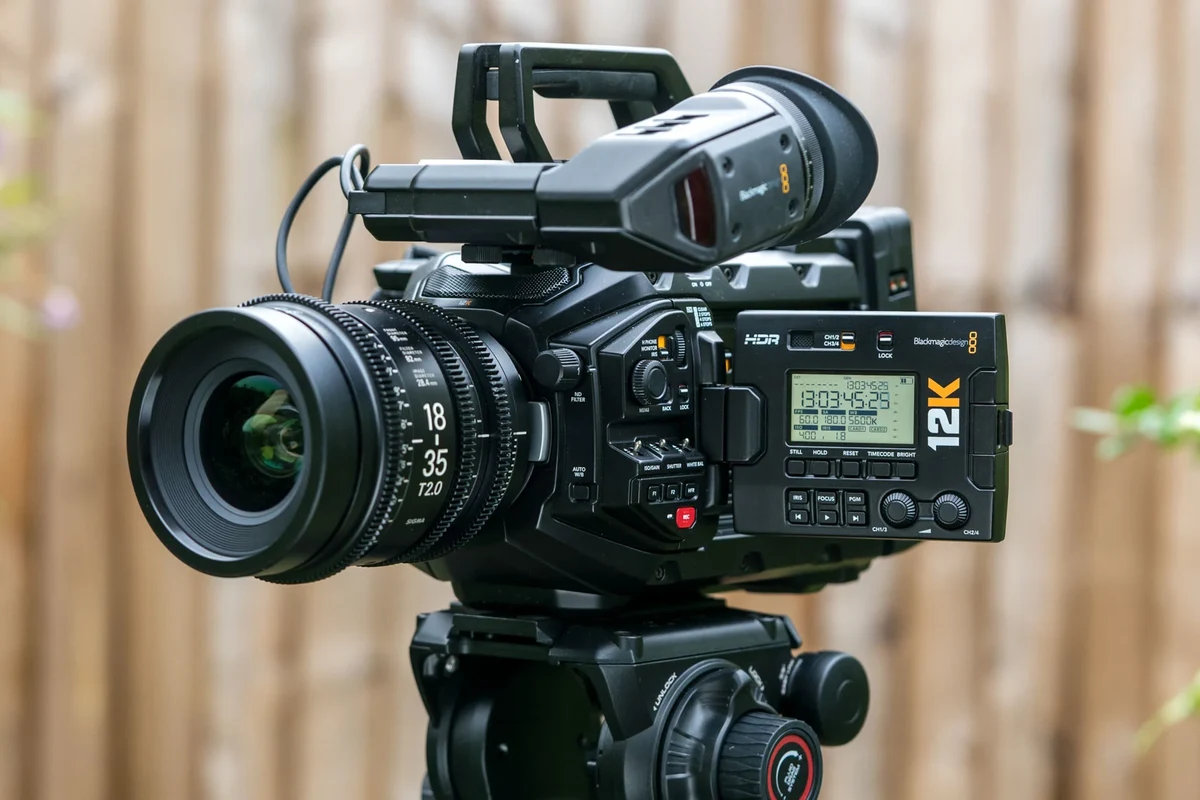
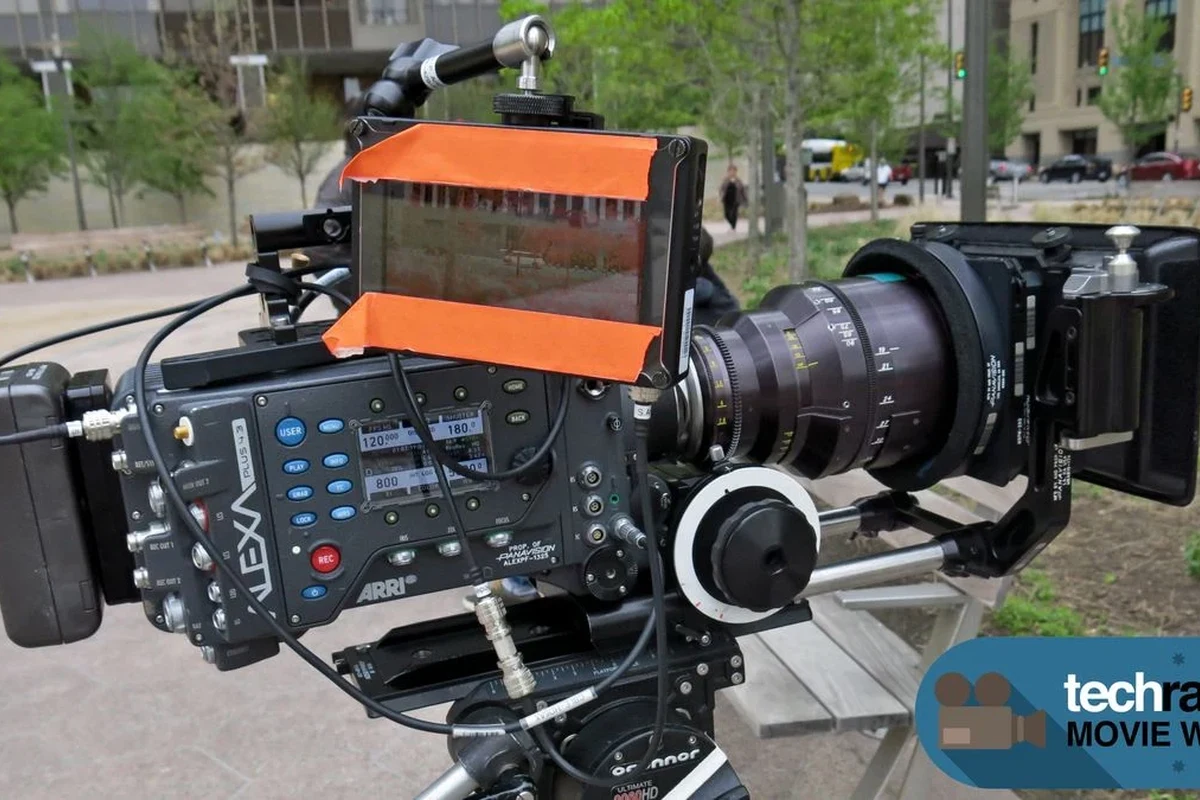
Cinema cameras are designed around filmmaking first. They often offer better monitoring tools, more robust video menus, stronger cooling, pro audio options, and body designs that work well on rigs, cages, and tripods.
They are especially useful for narrative productions, interviews, commercial work, and any project where the camera may roll for long takes. The downside is that they can cost more once you add batteries, media, lenses, audio gear, and support accessories.
- Built for long recording sessions and production workflows
- Often includes better pro video tools and monitoring options
- Usually higher total system cost
- Less convenient for casual or hybrid photo/video use
DSLRs, action cameras, and smartphones: when they still make sense
DSLRs can still be useful if you already own compatible lenses or need a lower-cost entry point, though many newer filmmakers now prefer mirrorless systems. Action cameras make sense for POV shots, sports, car mounts, and rugged secondary angles where size matters more than shallow depth of field.
Smartphones are also valid filmmaking tools, especially for social-first projects, previsualization, behind-the-scenes clips, and travel content. They are limited by smaller sensors and lens flexibility, but they can still produce surprisingly polished results with careful lighting and stabilization.
If you are building a first movie setup, prioritize lens compatibility and audio support before chasing the highest resolution. Good sound and usable lenses usually improve the final result more than a spec bump alone.
Key Buying Criteria Before You Compare Models
Budget, lens ecosystem, and accessory compatibility
When comparing cameras to film movies, the camera body is only part of the total cost. You also need to think about lenses, memory cards, batteries, microphones, monitors, cages, tripods, and potentially a gimbal or follow-focus system.
The lens ecosystem matters because it affects your future upgrade path. A camera with strong native lens support can save money and make it easier to find the focal lengths you need for wide shots, close-ups, and portraits.
- Check compatibility, model number, app requirements, dimensions, ports, wattage, and intended use
- Confirm safety guidance, warranty, return policy, privacy settings, and update support
Battery life, media recording limits, and overheating concerns
Battery life varies widely by model, screen brightness, recording settings, autofocus use, and whether you are shooting indoors or outdoors. For movie work, spare batteries or external power options can matter as much as the camera itself.
Media recording limits also deserve attention. Some cameras stop at file-size thresholds, some have clip-length limits, and some may slow down or stop recording if heat builds up during long takes.
If your work involves interviews, events, or long scenes, check the manufacturer’s thermal guidance and media requirements before committing to a body.
Use only manufacturer-approved batteries, chargers, and power adapters. Stop using any battery or charger that shows swelling, unusual heat, odor, frayed cables, or physical damage.
Ports, monitoring options, and rigging support for production use
For filmmaking, ports can matter more than many buyers expect. HDMI or SDI output, microphone input, headphone monitoring, USB-C power or data options, and remote control support can all affect how smoothly a camera fits into production.
Monitoring tools such as focus peaking, waveform, false color, zebras, and clean HDMI output help you expose and focus more accurately. Rigging support also matters if you plan to add a cage, matte box, external recorder, or top handle.
Best Use Cases: Which Camera Fits Which Filmmaker?
Best for beginners making short films and YouTube-style projects
Beginners usually benefit most from a mirrorless camera with dependable autofocus, a flip screen, and simple manual controls. That combination makes it easier to learn exposure, framing, and lens selection without getting buried in a complicated workflow.
If you are just starting out, choose a camera that encourages you to shoot often. A smaller, easier-to-carry system is more likely to get used consistently than a heavier setup that stays on the shelf.
Best for run-and-gun shooting, travel, and documentary work
For travel and documentary work, portability, battery strategy, and autofocus consistency matter a lot. A compact mirrorless body or a high-end smartphone rig can be ideal when you need to move quickly and shoot in changing environments.
Stabilization and good audio options also become important here. If you are working alone, a camera that is easy to mount, charge, and monitor can save time and reduce missed moments.
Best for narrative films, interviews, and controlled studio setups
For narrative scenes and interviews, a cinema camera often gives you the most predictable workflow. These cameras usually integrate better with external monitors, dedicated audio, and long-form recording, which is helpful when the set is controlled and you can take advantage of the extra tooling.
That said, a strong mirrorless body can still be excellent for these jobs if it has clean output, reliable color profiles, and enough recording flexibility for your needs. The right answer depends on how much of your production is built around the camera versus the rest of the set.
| Option | Best For | Key Consideration |
|---|---|---|
| Mirrorless camera | Most creators and indie filmmakers | Balance of price, size, and lens choice |
| Cinema camera | Professional sets and long shoots | Workflow tools and higher total system cost |
| Smartphone rig | Travel, social video, and backup capture | Smaller sensor and limited lens flexibility |
Real-World Benefits, Limitations, and Common Mistakes
Why cinematic image quality depends on more than the camera body
A camera body is only one part of the final image. Lens character, lighting design, subject movement, set dressing, and color grading all shape the look of a movie more than a spec list can show.
This is why some modest cameras produce excellent results in the right hands, while expensive models can still look flat if the scene is poorly lit or framed.
Common mistakes with exposure, frame rate, lenses, and audio setup
One common mistake is choosing the wrong frame rate for the project, which can make motion feel unnatural. Another is using a lens that is too slow for the lighting conditions, which forces the ISO higher than needed and can add noise.
Exposure errors are also common, especially when shooting log profiles without understanding how they should be monitored. Audio is the other major weak point: a great image with poor sound still feels amateurish, so a proper microphone and clean recording chain are essential.
Before filming an important scene, do a short test with your chosen frame rate, white balance, and audio setup. That quick check can prevent problems that are hard to fix later in editing.
Evidence limits: why specs do not always guarantee better results
Specifications are useful, but they do not tell the whole story. Manufacturer claims may look impressive on paper while real-world performance depends on firmware, heat management, autofocus tuning, lens pairing, and how you actually shoot.
That is why it helps to compare current manuals, compatibility lists, and recent sample footage before buying. If a feature is important to your workflow, verify that it works the way you need on the exact model and firmware version you plan to use.
Setup, Care, and Safe Use for Long-Term Performance
Initial setup checklist: cards, batteries, firmware, and menu settings
Start by confirming that your memory cards meet the camera’s speed requirements for the recording modes you plan to use. Then charge batteries fully with the correct charger, install the latest official firmware if the manufacturer recommends it, and set date, time, resolution, frame rate, and color profile before the first shoot.
Use the camera’s own menu to format new cards so the file system is prepared correctly.
Match resolution, frame rate, and codec to your editing workflow before you start shooting.
Check microphone input, headphone monitoring, and exposure tools in a short test clip.
Storage, cleaning, and handling to protect sensors and lenses
Keep cameras and lenses in a clean, dry place when not in use. Use lens caps, body caps, and a protective case or bag to reduce dust and accidental impact.
For cleaning, follow the manufacturer’s guidance and use appropriate tools for sensors and optics. If you are unsure about sensor cleaning, it is safer to rely on a professional service than to risk damage.
Stop using damaged electronics, swollen batteries, frayed cables, overheating chargers, or unstable appliances and follow the manufacturer’s guidance.
Power and heat safety: charger quality, battery inspection, and replacement timing
Heat is a normal part of camera operation, but excessive heat can shorten recording sessions or affect long-term reliability. Keep vents clear, avoid covering the body during use, and follow the manufacturer’s instructions for safe operating conditions.
Inspect batteries regularly for swelling, damage, or unusual behavior, and replace them according to the manufacturer’s guidance. If you use external power, confirm that the adapter, cable, and power source match the camera’s requirements.
Final Verdict: Best Value Picks and Recommendation Strategy
Best overall choice, best budget option, and best upgrade path
For most people, the best overall choice is a mirrorless camera with strong autofocus, solid low-light performance, good lens support, and reliable video features. It gives you the broadest mix of flexibility and value without locking you into a heavy production setup too early.
The best budget option is often the camera you can afford while still leaving room for a lens, microphone, memory cards, and lighting. The best upgrade path is a system that lets you grow into better lenses, monitoring, and audio gear instead of forcing a full replacement later.
Transparent recommendation based on filming needs, not hype
If you need a single camera for many kinds of projects, choose versatility first. If your work is mostly narrative, interview, or commercial production, a cinema camera may be the smarter long-term tool even if the upfront system cost is higher.
Either way, the smartest purchase is the one that matches your shooting style, your editing workflow, and the accessories you can realistically support. Confirm current specifications, compatibility, and warranty terms before you buy, since those details can vary by model, region, and firmware version.
Frequently Asked Questions
For most filmmakers, a mirrorless camera is the best balance of image quality, portability, and price. Cinema cameras are better when you need longer recording times, pro monitoring, and a production-focused workflow.
No, 4K is useful but not required for every project. A well-lit and well-shot 1080p image can still look cinematic, especially when paired with good lenses and sound.
Lenses affect sharpness, depth of field, low-light performance, and the overall look of the image. A strong lens can improve results more than a body upgrade alone.
Autofocus is very helpful for solo creators, documentaries, and fast-moving shoots. For narrative films, many filmmakers still prefer manual focus for precise control.
Check lens compatibility, battery life, media speed requirements, recording limits, audio inputs, and heat management. Also confirm warranty terms and the current manual for the exact model.
Yes, smartphones can work well for travel scenes, social content, and backup angles. They are limited by smaller sensors and lens flexibility, so they are best for simpler setups or as part of a larger production kit.