Does Arlo Make a Wireless Video Doorbell for Home Security
Yes, Arlo makes wireless video doorbells, typically in battery-powered forms that do not need doorbell wiring. They still rely on Wi‑Fi, the Arlo app, and periodic charging.
Arlo does make wireless video doorbells, and in Arlo’s lineup that usually means battery-powered models that do not need a doorbell wire to function. If you are shopping for a front-door camera that is easier to install than a traditional hardwired unit, Arlo is one of the brands worth checking.
- Wireless means battery-powered: Arlo’s wireless doorbells usually skip doorbell wiring but still need Wi‑Fi and app setup.
- Check the exact model: Features, storage, and subscription requirements can vary by region and firmware.
- Battery upkeep matters: Plan for periodic charging and inspect cables, ports, and heat during use.
- Best for flexible installs: They suit renters, busy homes, and doors where wiring is inconvenient.
Does Arlo Make a Wireless Video Doorbell? Quick Answer for Home Security Shoppers
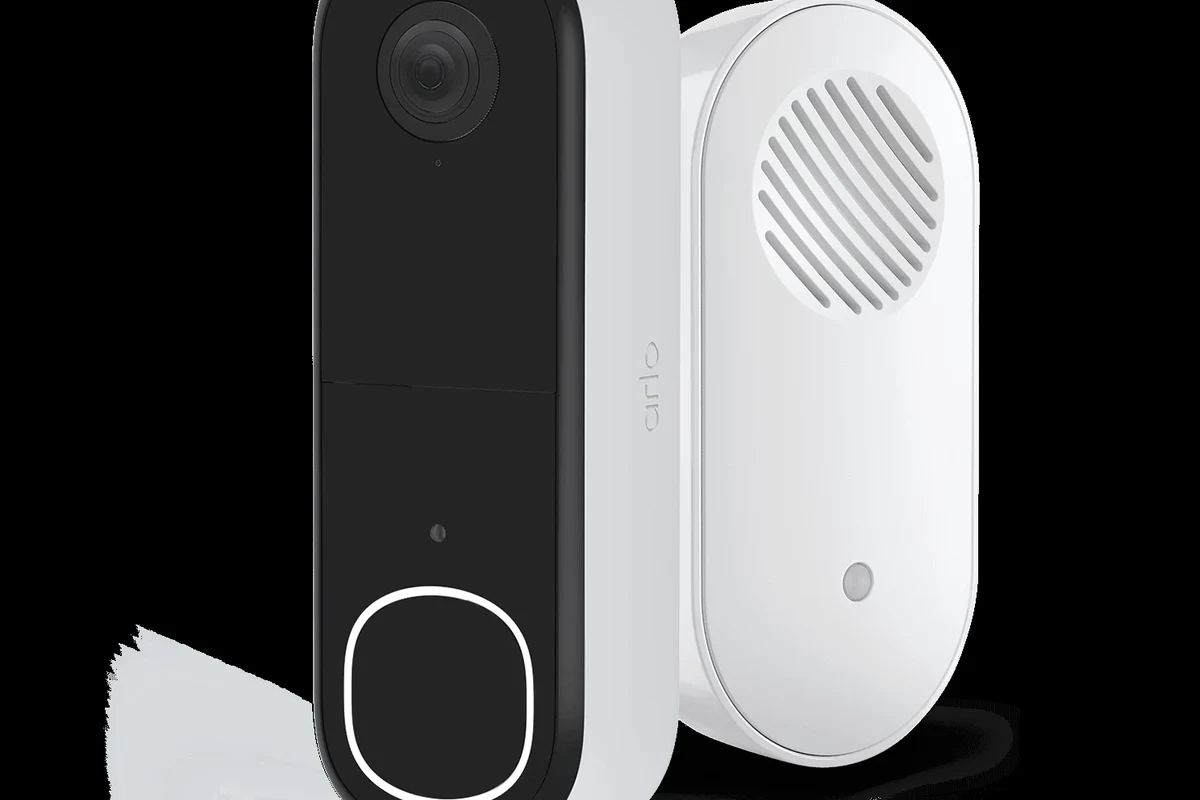
Yes—Arlo offers wireless video doorbell options that are designed to run on battery power rather than a fixed doorbell wire. That makes them appealing for renters, homes without existing wiring, and anyone who wants more flexible placement.
The key detail is that “wireless” can mean two different things in this category: no doorbell wiring and no video cable, but still dependent on Wi‑Fi, a mobile app, and regular charging. Before buying, confirm the exact model name, whether it is battery-powered or hardwired, and which features require a subscription.
What Arlo Wireless Video Doorbells Are Available in 2026
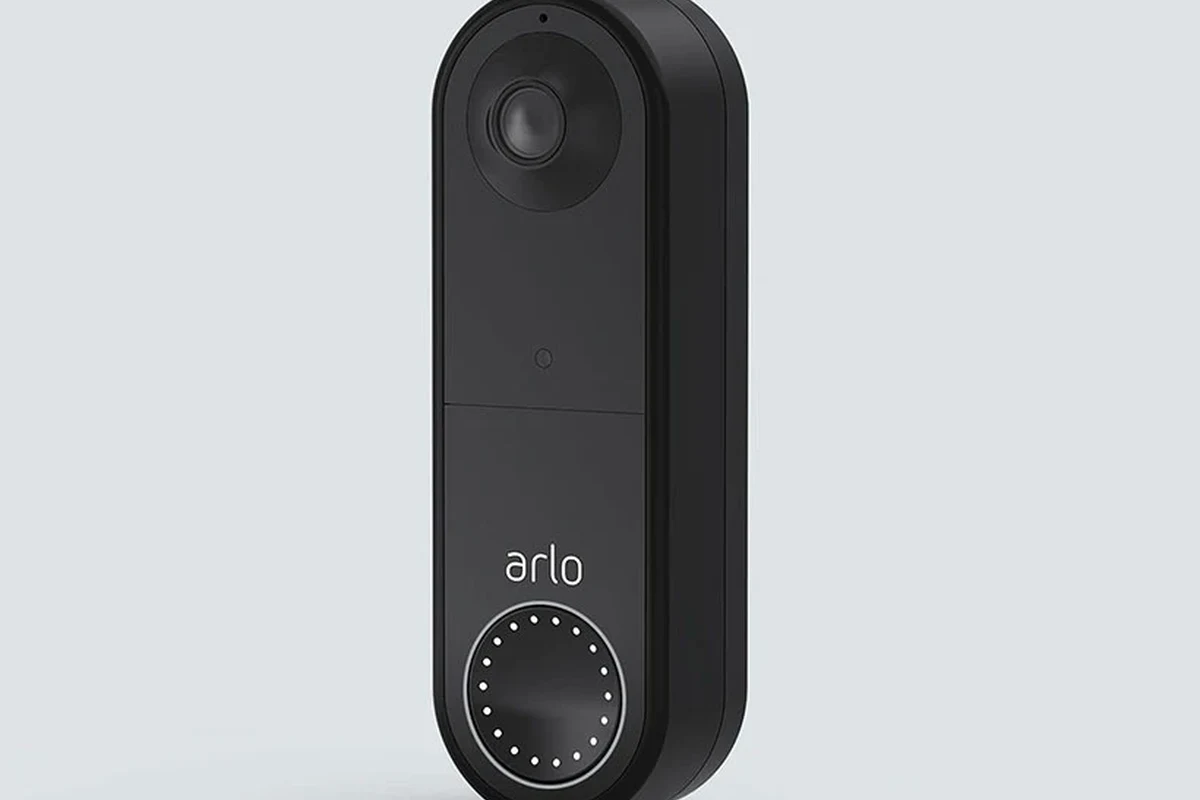
Arlo’s current doorbell lineup can change by region, retailer, and firmware support, so the safest approach is to verify the exact model on Arlo’s official product pages and compatibility notes. In general, shoppers will see battery-powered video doorbells positioned as the wireless option, while some homes may also support a hardwired installation path depending on the model.
Current Arlo doorbell models and where they fit in the lineup
Arlo has historically offered video doorbells in battery-powered and wired categories, with wireless models aimed at easier installation and more placement flexibility. If you are comparing options, focus less on marketing names and more on whether the unit is battery-powered, whether it supports existing chime wiring, and whether the app features match your needs.
For buyers comparing brands, it can help to look at the broader market too. Our guide to the best wireless video doorbells of 2026 is useful if you want to see how Arlo stacks up against other battery-powered options.
Wireless meaning: battery-powered vs. hardwired options
In home security shopping, “wireless” usually means the doorbell does not require a hardwired power connection at the door. That is different from “cordless” in a general sense, because the device still communicates through Wi‑Fi and often through a smartphone app.
Some doorbells can be both battery-powered and optionally hardwired, while others are battery-only. Always check the exact product page and manual, because features can vary by model and region.
If your home already has a wired doorbell, a wired unit may reduce charging chores. If you do not have wiring, or you want to avoid electrical work, a battery-powered Arlo doorbell can be the simpler path.
How an Arlo Wireless Video Doorbell Works
An Arlo wireless video doorbell is basically a smart camera with a button, motion sensing, and two-way audio. When someone presses the button or triggers motion detection, the doorbell sends an alert to your phone through the Arlo app so you can see and speak to the visitor.
Power source, charging, and battery-life expectations
Battery-powered doorbells need to be charged on a routine that depends on motion activity, video quality settings, temperature, Wi‑Fi strength, and how often live view is used. Manufacturer battery-life claims are usually based on ideal conditions, so real-world results often vary widely.
That is why it is smart to think of battery life as “usage-dependent” rather than fixed. A quiet apartment entryway may need less frequent charging than a busy front porch that records package deliveries, guests, and passing traffic.
Use only the charging method, cable, and adapter specified by the manufacturer. Stop using any battery or charger that becomes unusually hot, damaged, swollen, or frayed.
Wi-Fi, app setup, and smart home connectivity requirements
Wireless doorbells still rely on a stable home Wi‑Fi connection. If the signal at your front door is weak, you may see delays, dropped notifications, or lower-quality live video, so router placement and mesh coverage matter.
Setup usually involves creating or signing in to an app account, adding the doorbell, connecting it to Wi‑Fi, and adjusting notification preferences. Smart home compatibility can vary by model and firmware, so check whether the doorbell supports your preferred ecosystem before buying.
If you care most about Apple ecosystem support, you may also want to compare it with video doorbells that work best with Apple devices.
Video, motion detection, and two-way audio basics
Most Arlo doorbells offer live video, motion alerts, and two-way talk so you can answer the door remotely. Some models may also include packages of detection features, activity zones, or advanced alerts, but those extras can depend on the model and subscription tier.
Battery-powered video doorbells often trade some convenience for more maintenance, because they need periodic charging even when they are “wireless.”
Key Specs and Buying Criteria to Check Before You Choose
When you are deciding whether an Arlo wireless video doorbell fits your home, the most important specs are the ones that affect visibility, installation, and day-to-day upkeep. The right choice depends on your doorway layout, Wi‑Fi strength, and how much maintenance you are willing to handle.
Video resolution, field of view, night vision, and aspect ratio
Look at the resolution and field of view together, not separately. A sharper image is useful, but a wide angle matters if you want to see visitors, packages, and the ground near the door in the same frame.
Night vision also matters more than many buyers expect, especially for porches with little ambient light. If your front door is under a deep overhang or in a shaded entry, verify how the camera handles low-light scenes and whether the aspect ratio captures faces at the right height.
Dimensions, mounting options, and doorframe fit
Doorbell size matters more than many shoppers realize. A large unit may look awkward on a narrow trim board, block a screen door, or sit too close to a wall edge for a clean camera view.
Before ordering, measure the mounting area and compare it with the product’s dimensions, bracket style, and recommended clearance. If your entryway is tight, check whether the kit includes angle mounts or alternate brackets that help the lens face outward instead of toward the wall.
App requirements, subscription features, and storage options
Many smart doorbells work best when paired with a subscription, but that is not always mandatory for basic operation. The important question is what you get without a plan versus what is locked behind one, such as longer video history, richer alerts, or advanced detection features.
Also confirm whether the doorbell stores clips in the cloud, locally, or both. If you prefer local storage or want to avoid recurring fees, that decision may steer you toward a different brand or model.
For a broader budgeting view, our guide to how much a video doorbell costs in 2026 can help you compare upfront and ongoing expenses.
Battery replacement, charging cable quality, and safe use limits
Some battery-powered devices use a removable battery, while others require the whole unit to be charged. Check which design Arlo uses for the exact model you are considering, because that affects convenience, downtime, and long-term maintenance.
Review the charging port, cable, and battery area regularly. If you see corrosion, loose fit, damage, or heat during charging, follow the manufacturer’s guidance and stop using the device until it is inspected or replaced.
Who an Arlo Wireless Video Doorbell Fits Best
Arlo’s wireless approach is best for people who want simple installation and flexible placement more than they want a fully wired setup. It is especially attractive when you want front-door monitoring without hiring an electrician or changing existing wiring.
Best for renters, busy households, and front-door package monitoring
Renters often like battery-powered doorbells because they are easier to remove when moving out. Busy households can also benefit from the convenience of app alerts, especially if packages are delivered while no one is home.
It can also work well for families, remote workers, and pet owners who want a quick way to check who is at the door without opening it. If package visibility is a priority, make sure the camera angle captures the ground area where deliveries are left.
Who may want a different doorbell: hardwired homes, local storage users, or budget buyers
If you already have reliable doorbell wiring, a hardwired model may be better because it reduces charging tasks and may fit your home more naturally. Buyers who want local storage or minimal subscription dependence may also prefer a different brand.
Budget shoppers should compare not just the purchase price, but also possible subscription costs, accessory costs, and any extra charging gear they may need. If you are still deciding between categories, our article on what kind of video doorbell you should buy can help narrow the field.
Real-World Benefits and Practical Trade-Offs
Arlo’s wireless doorbells offer convenience first, but convenience always comes with a few trade-offs. Understanding those trade-offs before you buy is the best way to avoid disappointment later.
Convenience, installation flexibility, and security visibility
The biggest benefit is flexibility. You can usually place the unit without running new wiring, which makes the install simpler for many homes and lets you update or move the doorbell more easily if your entry changes.
For security visibility, a good doorbell camera can help you see visitors, check deliveries, and review motion around the front door. That does not replace a full security system, but it can be a useful first layer of awareness.
Limitations: battery charging, Wi-Fi dependence, and subscription costs
The main downside is upkeep. A battery doorbell needs charging, and if you forget to maintain it, the device can go offline at the worst time.
Wi‑Fi dependence is another important limit. If your network is weak at the front door, the camera may not perform as smoothly as expected. Subscription costs can also change the long-term value, so compare the total cost of ownership before deciding.
- Easy installation without doorbell wiring
- Flexible placement for renters and many homes
- Useful alerts, video, and two-way talk for front-door monitoring
- Needs periodic charging
- Depends on reliable Wi‑Fi
- Some features may require a subscription
Common mistakes to avoid during setup and daily use
One common mistake is mounting the doorbell too high, too low, or too close to a wall, which can hurt motion detection and video framing. Another is skipping Wi‑Fi checks before installation and then assuming the camera itself is faulty.
- Test Wi‑Fi strength at the door before final mounting.
- Review motion settings after installation so alerts are useful, not overwhelming.
- Keep the charging cable and mount in a safe place for future maintenance.
Setup, Maintenance, and Safe Long-Term Use
Most of the long-term success with a wireless video doorbell comes from good setup and routine maintenance. A few minutes of checking placement, power, and app settings can prevent many common frustrations.
Installation steps, app pairing, and connectivity checks
Choose a mounting location with a clear view of the walkway and enough Wi‑Fi strength for stable alerts and video.
Follow the official setup flow, connect the device to your account, and update app permissions and notification settings.
Walk through the detection area and press the button to confirm that alerts, audio, and video are working as expected.
Charging routine, inspection of ports and cables, and heat awareness
Plan a charging routine that fits your household. If the doorbell gets heavy daily use, check it more often so it does not run low unexpectedly.
Inspect the charging port and cable during each charge. Heat is a warning sign in electronics, so if something feels unusually warm or shows physical damage, stop using it and follow the manufacturer’s instructions.
Cleaning, weather exposure, storage guidance, and warranty details to verify
Outdoor devices collect dust, pollen, and grime, which can reduce image quality over time. Clean the exterior gently according to the manual, and avoid harsh chemicals or abrasive cloths that could damage the finish or seals.
Also verify the device’s weather rating, storage temperature guidance, and warranty terms before you rely on it year-round. Those details can vary by model and region, and they matter if your doorway gets direct sun, heavy rain, freezing temperatures, or extreme heat.
- Check the exact Arlo model, power type, and mounting size
- Confirm Wi‑Fi strength, app requirements, and subscription features
- Review charging guidance, weather limits, and warranty terms
Verdict: Is an Arlo Wireless Video Doorbell Worth It in 2026?
Arlo does make wireless video doorbells, and they make the most sense if you want easier installation, flexible placement, and front-door monitoring without wiring work. The trade-off is that you will need to stay on top of charging, Wi‑Fi quality, and any subscription-dependent features.
If your home already has doorbell wiring, a hardwired model may be more convenient long term. If you are choosing between brands, compare Arlo with other battery-powered options and confirm current specs, app support, and storage policies before you buy.
Best alternatives to consider if Arlo is not the right fit
If you want the strongest battery-life focus, compare Arlo with other video doorbells known for battery life. If you want a wider market comparison, our best video doorbell guide for 2026 can help you narrow down the right style for your home.
Final recommendation based on home type, budget, and security goals
Choose Arlo if you want a wireless doorbell that is relatively easy to install and your home has dependable Wi‑Fi at the front door. Choose a different option if you want local storage, fewer subscriptions, or a hardwired setup that reduces maintenance.
Arlo’s wireless video doorbells are a strong fit for renters, busy households, and homeowners who value installation flexibility. Just verify the exact model, app requirements, and subscription costs before you commit, because those details can change the total value a lot.
Frequently Asked Questions
Yes. Arlo offers wireless video doorbell options that are designed to run on battery power rather than a fixed doorbell wire. Always verify the exact model because features and power options can vary.
In this category, wireless usually means battery-powered and not dependent on existing doorbell wiring. The doorbell still needs Wi-Fi, the Arlo app, and periodic charging.
Some features may work without a subscription, but cloud storage, extended history, or advanced alerts can depend on the model and plan. Check the current product page and plan details before buying.
Battery life varies by motion activity, video settings, Wi-Fi strength, temperature, and how often live view is used. Manufacturer claims are based on ideal conditions, so real-world results can differ.
Yes, that is one of the main reasons people choose a wireless model. You still need a good mounting location, a stable Wi-Fi signal, and a routine for recharging the device.
Check the exact model, power type, dimensions, app requirements, storage options, and whether important features require a subscription. It is also smart to confirm Wi-Fi strength at the door and review the warranty and weather limits.