Does Arlo Chime Work with Video Doorbell Guide
Yes, Arlo Chime can work with supported Arlo video doorbells when the models are compatible and set up in the Arlo app. If the model, firmware, or network does not match, the chime may not ring reliably.
If you’re asking, “does arlo chime work with video doorbell,” the short answer is yes—when the chime is compatible with your specific Arlo video doorbell model and set up through the Arlo app. The catch is that compatibility, power source, firmware, and app settings can all affect whether it rings reliably.
For many buyers, the real question is not just whether it works, but whether it works in the way they expect: as a loud indoor alert, a backup to phone notifications, or part of a larger smart home setup. If you’re also comparing doorbell options, our guides on choosing the best video doorbell and video doorbell costs can help you narrow down the right system before you buy.
- Compatibility first: The exact Arlo doorbell and chime models must be supported together.
- App setup matters: Pairing usually happens in the Arlo app, not by universal plug-and-play.
- Network quality affects reliability: Weak Wi-Fi can cause delays or missed chimes.
- Best for audible alerts: It’s useful when you want a loud indoor ring instead of only phone notifications.
Does Arlo Chime Work with Video Doorbell? Quick Answer and Compatibility Overview
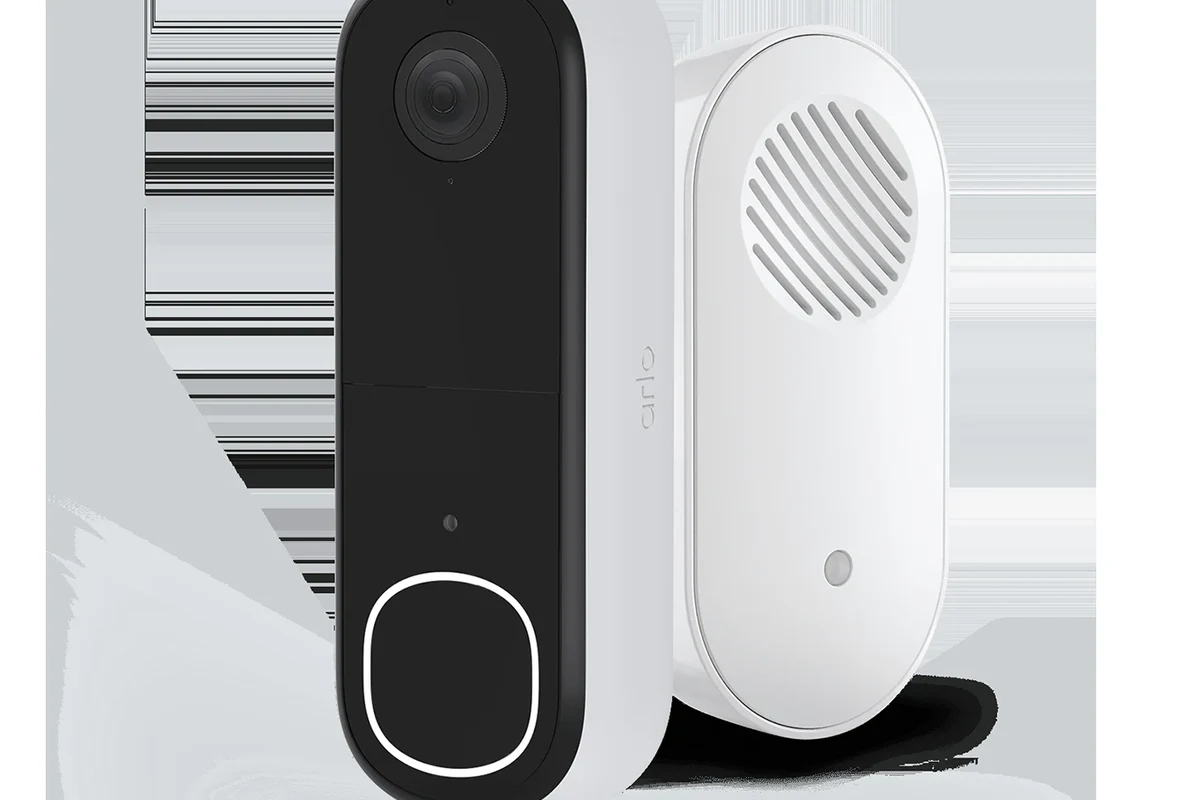
Arlo Chime is designed to work with supported Arlo video doorbells, but not every Arlo doorbell or accessory combination behaves the same way. In practice, the pairing is usually straightforward if your devices are on the compatibility list and both are updated in the Arlo app.
What matters most is the model match. Some Arlo doorbells use battery power, some support wired power, and some features may vary depending on whether you use a chime, base station, or only app notifications. If you want a broader buying perspective, see whether video doorbells are worth it for home security before deciding on the whole setup.
How Arlo Chime Connects to an Arlo Video Doorbell
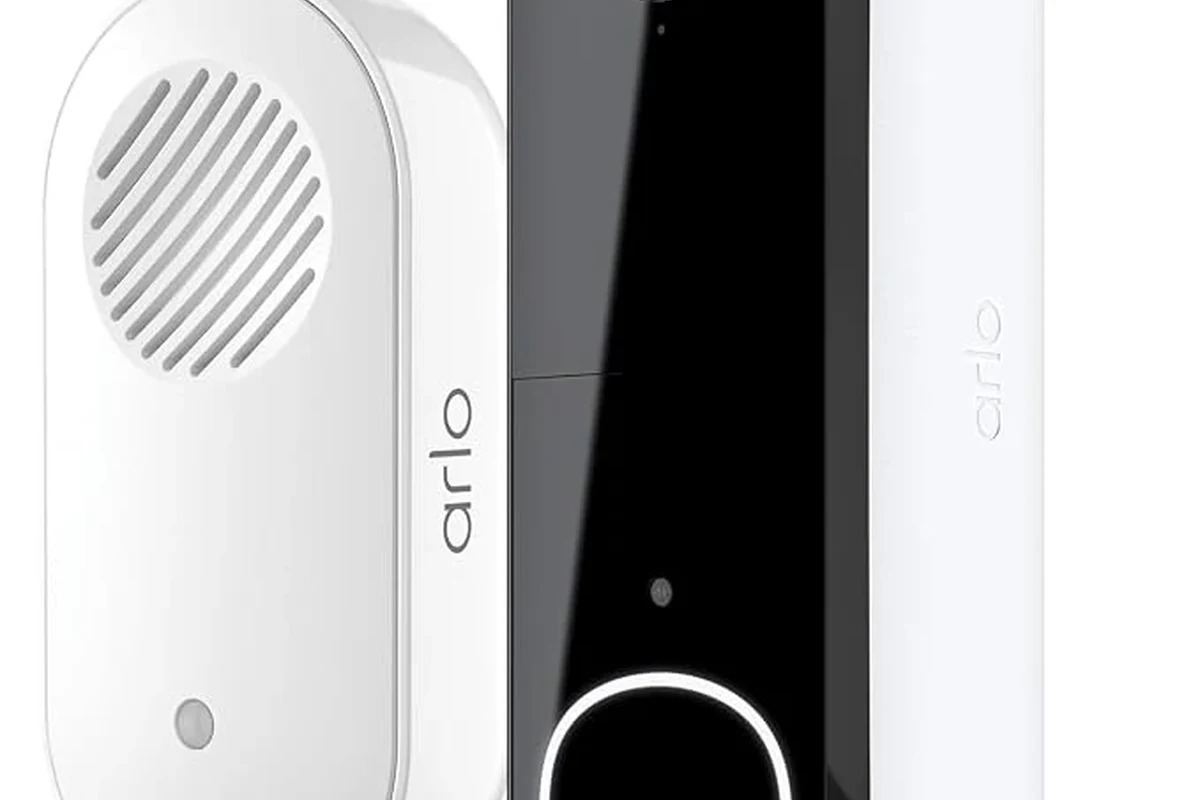
Arlo Chime typically connects through the Arlo app rather than through a simple universal plug-and-play process. That means the app acts as the control center for pairing, alert settings, volume, and device naming.
Once connected, the chime listens for the doorbell event from the Arlo system and plays an indoor alert when someone presses the button. The exact behavior can vary by firmware version, alert settings, and whether your doorbell is online at the time of the press.
Supported connection methods and app setup requirements
Most Arlo chime setups depend on the official Arlo mobile app and a compatible account. You generally need the doorbell and chime on the same account, with the devices added to the same home or location inside the app.
Compatibility can change with firmware updates, app updates, and regional product variants. Always confirm the current support list in Arlo’s official app or help center before buying accessories.
Wi-Fi stability also matters. Even if the chime itself is simple, it depends on the doorbell sending the alert through a reliable connection. If your home network is weak near the front door, delay or missed chimes can happen even when the hardware is technically compatible.
What the chime actually does when the doorbell is pressed
When a visitor presses the doorbell, the system sends a notification event to the app and to the chime if that function is enabled. In a good setup, you get an audible indoor ring that helps you hear the doorbell without checking your phone.
That said, the chime is not a substitute for all notifications. It does not replace push alerts, and it may not solve issues caused by poor Wi-Fi, low battery, or a doorbell that is temporarily offline.
If you rely on the chime for everyday use, test it after setup by pressing the doorbell button from the app and then from the physical unit, so you can confirm both paths behave as expected.
Which Arlo Video Doorbells and Chimes Are Compatible in 2026
Compatibility is the biggest factor in 2026 because Arlo’s ecosystem has multiple doorbell generations and accessory combinations. The safest approach is to verify the exact model number on the product page, packaging, or device label before purchasing a chime.
As a general rule, supported Arlo doorbells are the ones listed by Arlo as working with the chime accessory in the current documentation. If you are still deciding on a doorbell itself, our guide to the best battery-operated video doorbells can help you compare power and convenience tradeoffs.
Compatibility checks to verify before buying
Before you buy, confirm four things: the exact doorbell model, the chime model, the app version, and the power setup. If any one of those is off, pairing may fail or the chime may only work inconsistently.
- Check the exact Arlo doorbell and chime model numbers
- Confirm current app and firmware support
- Verify power source, Wi-Fi coverage, and home/location setup
- Review return policy in case the accessory is not supported
When older models, hubs, or subscriptions may affect performance
Older devices may still function, but not always with the same feature set as newer models. In some smart home systems, older hubs or base stations can affect how fast alerts arrive, whether the chime rings consistently, or whether advanced features are available.
Subscriptions can also influence what you see in the app, especially for cloud-based event history or richer alert features. The chime itself is usually about local audible notification, but the overall experience still depends on the broader Arlo ecosystem.
In many smart home setups, the “accessory” is only as reliable as the app account, firmware, and network behind it—not just the hardware label on the box.
Setup Guide: Pairing an Arlo Chime with a Video Doorbell
Pairing is usually app-led, so the most important part is following the setup flow in the Arlo app rather than trying to force a manual workaround. If the app does not recognize the chime, the issue is usually model mismatch, account mismatch, or network trouble—not the button on the accessory itself.
Step-by-step pairing flow in the Arlo app
Check the current Arlo compatibility list for your exact doorbell and chime models before starting.
Make sure the doorbell and chime are in the same home or location inside the app.
Use the in-app instructions to add the chime, then assign it to the doorbell event if prompted.
Press the doorbell and confirm the chime sounds at the desired volume and location.
Common setup mistakes and how to avoid them
The most common mistake is using the wrong account or location in the app. Another is assuming any Arlo accessory will work with any Arlo camera or doorbell, which is not always true.
Also check your Wi-Fi and power conditions. If the doorbell is struggling to stay online, the chime may seem faulty even when the accessory is fine. For homes that want a broader smart home setup, it can also help to review video doorbells that work best with Apple devices if you use iPhone or HomeKit-centered workflows.
Do not open, modify, or rewire doorbell power circuits unless you are following the manufacturer’s instructions and you are qualified to do so. If a device is damaged, overheating, or showing corrosion, stop using it and contact support.
Real-World Benefits, Limitations, and Who This Setup Fits Best
An Arlo chime is most useful when you want a louder, more immediate indoor alert than a phone notification alone can provide. That makes it especially helpful for families, home offices, people who keep phones on silent, and anyone who may miss push alerts during the day.
It can also be a practical choice for renters or apartment dwellers who want an easy audible alert without adding a full smart speaker routine. That said, the chime is not a universal fix for every home layout or every smart home platform.
Best use cases for homes, apartments, and larger properties
In smaller homes or apartments, a single chime may be enough to cover the main living area. In larger homes, you may need careful placement or more than one notification path so the alert can be heard upstairs, in a basement, or at the far end of the house.
For pet owners, light sleepers, and people working from home, the chime can be more dependable than trying to notice a phone vibration. For travelers, it is less about portability and more about whether the system remains easy to manage when you are away.
Limitations around range, alerts, and smart home integrations
The biggest limitation is that the chime depends on the doorbell’s connection to the Arlo ecosystem. If the network is unstable, the chime may lag or miss an event.
Smart home integration can also vary by platform and model. If you want voice announcements, routines, or cross-platform automation, confirm those features before you buy rather than assuming the chime will do everything on its own.
- Provides a simple indoor audible alert
- Useful when phone notifications are easy to miss
- Fits well into a basic Arlo-centered setup
- Compatibility depends on the exact model
- Performance can be affected by Wi-Fi and firmware
- Not a full replacement for all smart home alerts
Key Buying Criteria: Dimensions, Power, Connectivity, and App Support
Because this is an accessory rather than a standalone gadget, the best buying criteria are practical rather than flashy. Focus on whether it fits your space, stays connected reliably, and is supported by the app version you already use.
What specifications to verify before purchase or installation
If you are still comparing options, it may help to look at broader shopping guidance on where to buy a video doorbell so you can check support, return terms, and accessory bundles before purchase.
Noise level, placement, and maintenance considerations
The ideal chime is one you can hear without it becoming annoying. Placement matters because the sound can be muffled in hallways, behind closed doors, or in rooms with heavy background noise.
Maintenance is usually light, but you should still keep the unit clean, check for app updates, and occasionally retest the alert after router changes or firmware updates. If the chime runs on replaceable power or plugs into an outlet, inspect the cable and plug for wear the same way you would with any small home electronic.
Place the chime in the room where you spend the most time, not just near the router. The goal is to hear the doorbell where real life happens.
Troubleshooting Arlo Chime and Video Doorbell Issues
If the chime is not working, start with the simplest explanations first: model mismatch, account mismatch, weak Wi-Fi, and outdated firmware. Those are more common than a truly defective accessory.
Fixes for pairing failures, delayed chimes, and missed notifications
If pairing fails, remove the accessory from the app, confirm the model number again, and try setup from the correct account. If the chime is delayed, test the doorbell signal strength and move the router or chime only if that is safe and practical for your home layout.
Missed notifications can also happen if app permissions are limited on your phone. Check notification settings, background app permissions, and any Do Not Disturb or focus modes that may silence alerts.
Stop using damaged electronics, swollen batteries, frayed cables, overheating chargers, or unstable appliances and follow the manufacturer’s guidance.
When to check firmware, Wi-Fi strength, or device replacement
Firmware should be checked whenever the app suggests an update or when a previously working setup becomes unreliable. If the doorbell or chime behaves inconsistently after updates, restart the devices and review Arlo’s official support notes before assuming the hardware is bad.
If the issue continues after you verify compatibility, power, Wi-Fi, and settings, replacement may be the practical next step. At that point, compare the warranty terms and return window rather than repeatedly resetting a device that may not suit your home.
Final Recommendation: Is Arlo Chime Worth It for Your Video Doorbell?
Arlo Chime is worth considering if you already use an Arlo video doorbell and want a straightforward indoor alert without relying only on phone notifications. It is especially appealing for homes where visitors are easy to miss, but the right purchase depends on exact model compatibility and stable app support.
Best-value verdict based on convenience, reliability, and system fit
The best value comes from buying the chime only after confirming your doorbell model is supported and your home network is strong enough to keep alerts timely. If you want a simple, low-friction alert system, it can be a good fit; if you need deeper smart home automation or platform flexibility, you may want to compare alternatives first.
Before you decide, it is smart to review the current Arlo manual, app listing, and support pages for your exact device. That final check is the easiest way to avoid a mismatch and get the convenience you are actually paying for.
Frequently Asked Questions
No, it depends on the exact doorbell and chime model. Always verify compatibility in the current Arlo app or official support pages before buying.
Pairing is usually done in the Arlo app by adding the chime to the same account and home or location as the doorbell. Then test the alert to confirm the ring works as expected.
Delayed or missed chimes are often caused by weak Wi-Fi, outdated firmware, app permission issues, or a model mismatch. Start by checking compatibility, network strength, and update status.
The chime itself is usually about local audible alerts, but subscription needs can vary for app features and event history. Check Arlo’s current plan details for your region and device.
Place it where you spend the most time and can hear it clearly, such as a living room, kitchen, or home office. Avoid locations that are too far from your daily activity or blocked by heavy background noise.
Check the exact model number, app requirements, power source, Wi-Fi coverage, and return policy. Also confirm the latest compatibility list and firmware support before purchase.