Nanit Camera Quality Review Is It Worth the Hype
Nanit camera quality is best for parents who want a premium smart nursery monitor with clear video, app access, and sleep-related features. It is less ideal if you want a simple monitor that works well without strong Wi-Fi or subscription-based extras.
When people search for nanit camera quality, they usually want to know whether the image is clear enough to trust for nursery monitoring, whether night vision holds up, and whether the app experience feels polished. In short: Nanit is generally positioned as a premium smart baby monitor, but its real value depends on your room layout, Wi-Fi stability, and whether you want smart sleep insights as much as video.
- Video quality matters most with placement: A good mount angle and clear crib view can matter as much as the.
- App experience is part of the product: Nanit’s usefulness depends on notifications, live streaming, and network stability.
- Best for smart-monitor buyers: It suits families who want remote access and shared caregiver viewing.
- Not ideal for everyone: Buyers who prefer local-only, low-maintenance monitoring may want a simpler monitor.
Nanit Camera Quality Review: Is It Worth the Hype?
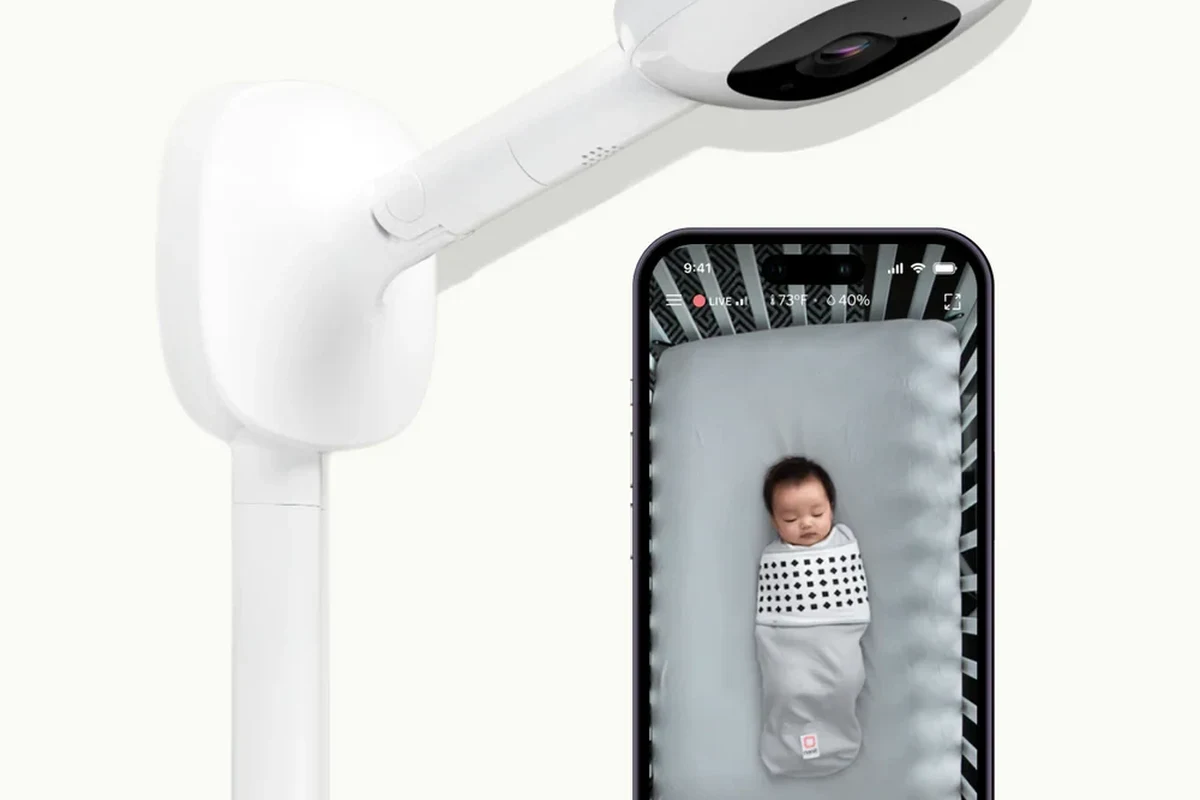
Nanit’s appeal is not just the camera sensor itself. It is the combination of video clarity, app-based monitoring, motion and sleep insights, and remote access that shapes the overall experience.
That matters because a nursery camera is judged differently from a standard security cam. Parents and caregivers usually care about whether they can quickly see breathing movement, check a sleeping child without disturbing them, and get a reliable view at night without constant app frustration.
What “Nanit Camera Quality” Really Means in 2026
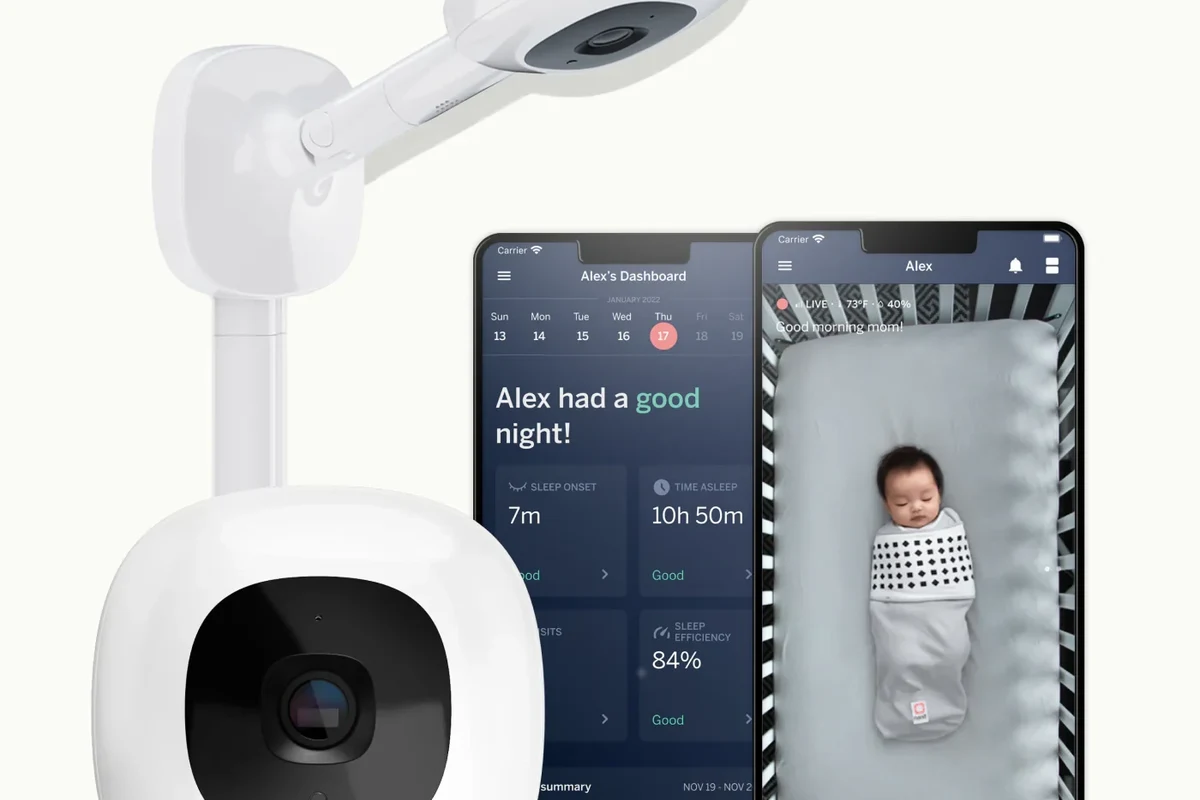
In 2026, camera quality is about more than resolution numbers. Buyers should think in terms of clarity, app responsiveness, low-light performance, and how consistently the system delivers usable video in a real nursery.
Resolution, night vision, and image clarity in real-world use
Manufacturers often highlight resolution, but the practical question is whether faces, blankets, and small movements are easy to distinguish at a glance. For nursery use, that also includes how well the camera handles dim rooms, changing light from a hallway, and the distance between the crib and the mount.
Night vision is especially important because many parents check the monitor after bedtime. Even a camera with strong specs can look less useful if the room is too far away, the lens is partially blocked, or the camera is pointed at an awkward angle.
Exact image quality can vary by Nanit model, app version, firmware updates, phone screen quality, and your home network. Always verify the current product page and app listing before buying.
How the app and smart features affect the viewing experience
With Nanit, image quality is tied closely to the app. A sharp camera feed is less helpful if the app loads slowly, notifications arrive late, or the live stream stutters on a weak connection.
Smart features can improve the experience by making it easier to review sleep patterns or get alerts, but they can also add complexity. Families who only want a simple live video feed may find the app layer unnecessary, while others will see it as the main reason to buy.
Who the Nanit Camera Is Best For
Nanit is best for buyers who want a nursery-focused system with video plus data-driven monitoring. It tends to make the most sense for parents who value app access, caregiver sharing, and sleep-related insights more than a bare-bones monitor.
Ideal parent profiles, nursery setups, and monitoring needs
The system is a strong fit for households that want to check a baby from another room, another floor, or while traveling. It is also appealing for families that like organized app alerts and the ability to share access with another caregiver.
Nurseries with a stable Wi-Fi network, a predictable camera mounting spot, and a clear view of the crib are usually the best environment for this kind of monitor. If you already rely on phone-based smart-home tools, the app-first design may feel natural.
When a different baby monitor may be the better fit
If you want a monitor that works without a strong internet connection, a simpler standalone screen, or a lower-maintenance setup, another option may be better. Families who prefer local-only monitoring or minimal app use should compare carefully before committing.
It is also worth looking elsewhere if you do not plan to use sleep analytics or remote sharing. In that case, you may be paying for features you will not use.
Families who want a premium smart nursery camera with app-based monitoring, remote access, and sleep-related features. Less ideal for buyers who want a simple plug-and-play monitor with no app dependence.
Key Specs and Setup Details to Verify Before Buying
Before you buy, confirm the exact model, mounting style, app requirements, and power setup. These details matter because they affect placement, image quality, and whether the monitor fits your room.
Camera dimensions, mounting options, and room placement
Room placement has a direct impact on how good the feed looks. A nursery camera mounted too low, too high, or too far from the crib may create a narrow view or make it harder to see the child clearly.
Check whether your chosen Nanit model supports the mounting style you need and whether the camera’s footprint works in your space. If you are using a floor stand, wall mount, or flexible accessory, confirm the required clearance and the official installation instructions.
App requirements, Wi-Fi connectivity, and subscription considerations
Because Nanit is app-centered, you should verify which phone operating systems are supported and whether any features require a paid subscription. Some smart-monitor features may be limited without an active plan, so confirm what is included before purchase.
Wi-Fi stability matters too. Even a high-quality camera can feel unreliable if your router is overloaded, the nursery is far from the access point, or your network drops at bedtime.
- Check the exact Nanit model, mounting method, and room-fit requirements
- Confirm app support, subscription needs, and Wi-Fi compatibility
- Review the current manual, warranty, and safety guidance
Power adapter, cable quality, and safe-use limits
Because this is a nursery device, cable placement matters as much as image quality. Follow the manufacturer’s instructions for routing cords, keeping cables out of reach, and using only the recommended power adapter.
Do not use damaged cables, loose adapters, or makeshift mounting solutions. If a cord is frayed, the adapter runs unusually hot, or the unit appears unstable, stop using it and follow the manufacturer’s guidance.
How Nanit Camera Quality Holds Up in Everyday Use
Day-to-day performance is where smart monitors earn their reputation. A camera can look impressive on a product page but still disappoint if the live feed lags, alerts are inconsistent, or the nursery setup is awkward.
Daytime video, low-light performance, and audio clarity
In normal daytime use, buyers generally want crisp enough video to see posture, movement, and whether the child is awake or asleep. At night, the main test is whether the image remains usable without making the room bright or distracting.
Audio quality matters too, because many parents rely on sound before opening the app. Clear audio can help you decide whether a noise is a brief stir or a real reason to check the nursery.
Motion alerts, sleep tracking, and tracking reliability
Smart alerts are helpful only if they are timely and not overly noisy. Too many false notifications can make a monitor feel stressful, while missed alerts reduce trust in the system.
Sleep tracking and movement-related features are useful, but they are not the same as medical monitoring. Treat them as convenience tools for observation, not as a substitute for medical advice or a safety device unless the manufacturer clearly states otherwise.
Many smart home cameras depend on both the lens quality and the app software to deliver the final viewing experience, so firmware updates can matter as much as hardware specs.
Noise, heat, and long-run operation in a nursery environment
A nursery monitor should run quietly and stay unobtrusive. If a camera emits distracting noise, gets warm, or requires frequent repositioning, it can become more annoying than helpful.
Long-run use also depends on your environment. Heat, dust, weak Wi-Fi, and unstable mounting surfaces can all reduce the practical reliability of the camera over time.
Benefits That Make Nanit Stand Out
Nanit stands out because it tries to solve more than one problem at once. It combines video monitoring, remote access, and sleep-related insights in a single ecosystem.
Smart insights, remote access, and multi-caregiver convenience
For many families, the biggest advantage is not the image alone but the way the app organizes information. Remote viewing can help caregivers check in from another room, and shared access can make it easier for two parents or other approved caregivers to stay informed.
This can be especially useful in busy households where one adult is handling bedtime while another is away from home. Instead of relying on a single screen, the app-based model can make monitoring more flexible.
Why image quality matters for sleep monitoring and peace of mind
Good camera quality is not just about looking “sharp.” It helps reduce uncertainty during late-night checks, when a quick glance can tell you whether the baby is settled, stirring, or fully awake.
That peace of mind is the main reason many buyers are willing to pay more for a premium smart monitor. If the feed is clear and the app is dependable, the system can feel much more reassuring than a basic audio-only monitor.
Limitations, Trade-Offs, and Common Mistakes
No smart baby monitor is perfect, and Nanit’s strengths come with trade-offs. The biggest ones usually involve app reliance, network dependence, and setup precision.
Subscription dependence, connectivity issues, and app lock-in
Some of Nanit’s most attractive features may depend on a subscription, so check what you get without one and what requires ongoing payment. That matters if you want long-term value rather than just a good first impression.
Connectivity is another practical concern. If your home network is inconsistent, you may experience delays, dropped streams, or trouble accessing the feed when you need it most.
Placement mistakes that reduce camera quality
One of the most common mistakes is assuming the camera alone determines quality. In reality, poor placement can make even a good sensor look average.
Obstructions, glare, weak Wi-Fi, and a bad angle can all reduce the usefulness of the video. Before you blame the camera, check the mounting height, crib position, and whether the lens has a clean, direct view of the sleep area.
- Place the camera so it has a clear, stable view of the crib without obstructions
- Keep the nursery router setup as strong as possible or use a better access point if needed
- Review app permissions and notification settings after setup so alerts are useful, not overwhelming
What evidence is still limited in public reviews and specs
Public product pages often emphasize features, but they may not fully show how the camera performs across different rooms, phones, routers, and firmware versions. That is why it is wise to read the current manual, app store listing, and warranty terms before buying.
Also, avoid relying on a single anecdotal review. A camera that works well in one nursery may behave differently in another because of distance, lighting, and network conditions.
Safety, Maintenance, and Long-Term Value
A nursery camera should be treated like a long-term household device, not a one-time purchase. Regular checks can help preserve both image quality and safety.
Cleaning, cable inspection, and nursery safety checks
Keep the lens clean using the manufacturer’s recommended method so dust does not soften the image. Also inspect cables and mounts regularly, especially if the device is positioned near a crib or in a room with active children or pets.
Stop using any camera or power accessory that shows damage, overheating, loose mounting, or frayed wiring. Follow the official safety instructions and replace parts only with approved components.
Storage, replacement guidance, and warranty details to confirm
If you move the nursery setup, store the camera and accessories in a dry place with the original protective packaging if available. Before packing it away, check whether the manufacturer recommends any special storage or cleaning steps.
It is also smart to confirm warranty length, support options, and replacement part availability before purchase. Those details matter more for a premium smart monitor than for a basic camera because the system depends on both hardware and software support.
Final verdict: who should buy Nanit in 2026
Nanit is a strong choice for families who want a smart nursery monitor with good video quality, app convenience, and useful sleep-related features. It is less compelling for buyers who want the simplest possible monitor, do not want subscription-based features, or need a setup that works well without dependable Wi-Fi.
If your nursery layout is compatible and you are comfortable with app-first monitoring, Nanit can be a worthwhile premium option. If not, a simpler baby monitor may give you a better experience for less complexity.
Frequently Asked Questions
Nanit is generally positioned as a premium nursery monitor with strong video and app-based viewing. Final quality depends on your room layout, Wi-Fi stability, and the exact model you choose.
Some features may require a subscription, while basic functionality can vary by model and app version. Check the current product page and subscription terms before buying.
Placement, lighting, Wi-Fi strength, phone quality, and firmware updates can all affect how the camera looks in daily use. A clear mount angle and stable network usually matter as much as the camera itself.
It can be better if you want remote access, shared caregiver viewing, and sleep-related insights. A basic monitor may be better if you want a simpler setup with less app dependence.
Verify the exact model, mounting options, app requirements, Wi-Fi compatibility, subscription needs, and warranty details. Also confirm that the camera placement will give you a clear view of the crib.
Use only approved power accessories, keep cords out of reach, inspect the mount and cable regularly, and follow the manufacturer’s safety instructions. Stop using the device if it overheats, has damaged wiring, or becomes unstable.