7 Best Commercial Door Smart Lock Picks for Smart Home Security
Affiliate disclosure: As an Amazon Associate, Gadget Makers Blog may earn from qualifying purchases. This does not change the price you pay.
Choosing a commercial door smart lock is a little different from shopping for a typical home lock. Business entrances, shared spaces, and high-traffic doors usually need simpler access control, more durable hardware, and a setup that matches the door you already have.
This guide compares seven smart lock options for smart home and security shoppers in 2026, with a focus on keypad entry, card access, app control, and commercial-style durability. If you want a practical shortlist before you compare specs, start with the quick answer below.
The best commercial door smart lock for most buyers is the Kwikset SmartCode 955 Pembroke Lever because it combines keypad access, long battery life, and high-traffic durability in a simple light-commercial format.
Quick Product Comparison
| Product | Image | Best For | Check Price |
|---|---|---|---|
| 1. Kwikset SmartCode 955 Pembroke Lever | 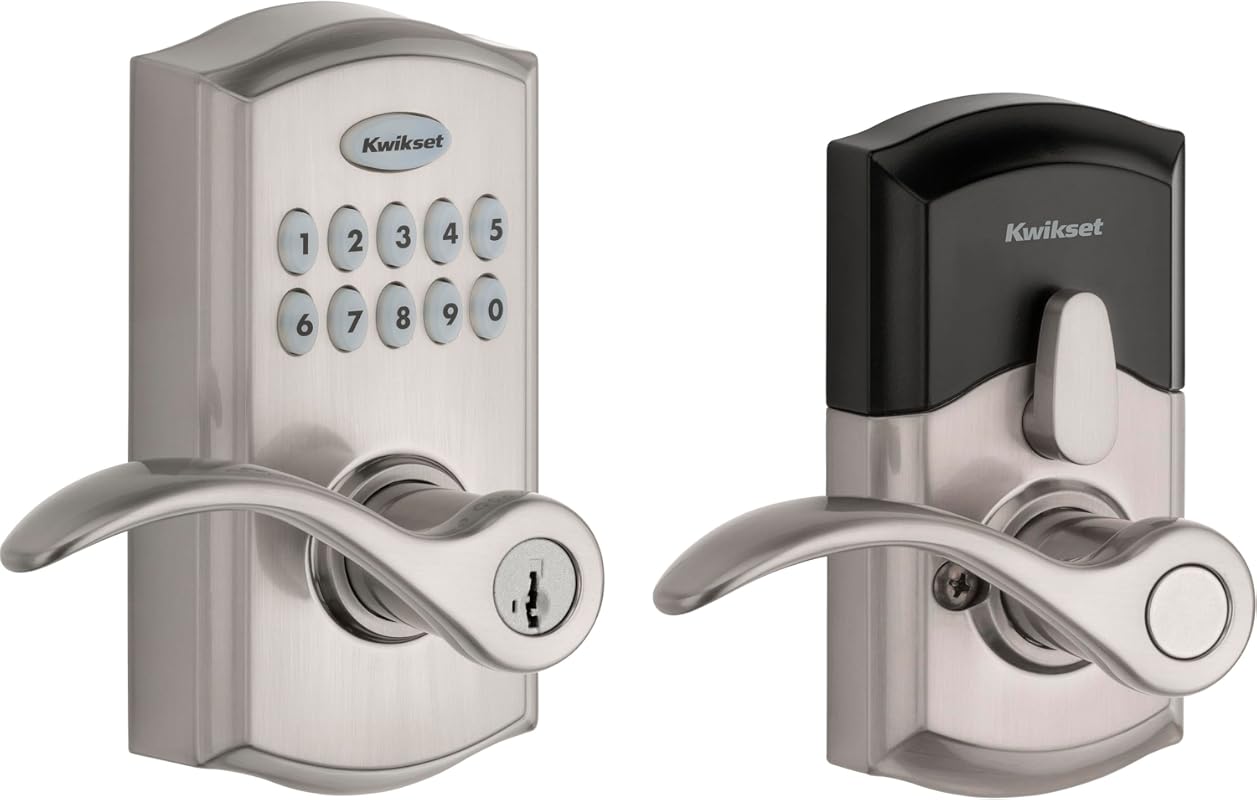 | High-traffic keypad entry for light commercial doors | Check Price |
| 2. Hicarer Commercial Keypad Door Lock | 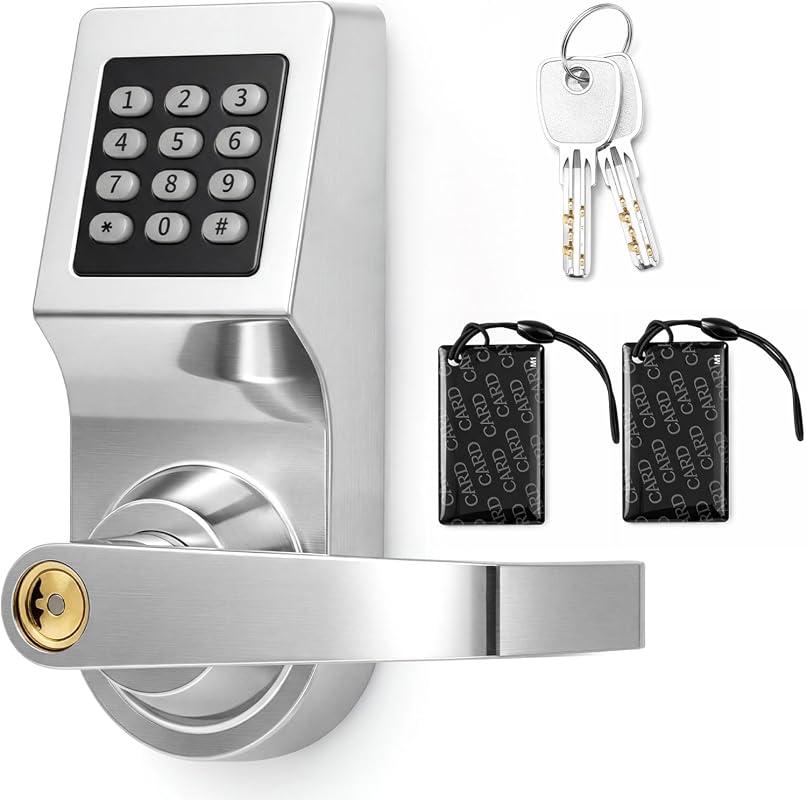 | Standalone card, password, and key access for interior business spaces | Check Price |
| 3. Kwikset SmartCode 955 Kingston Lever | 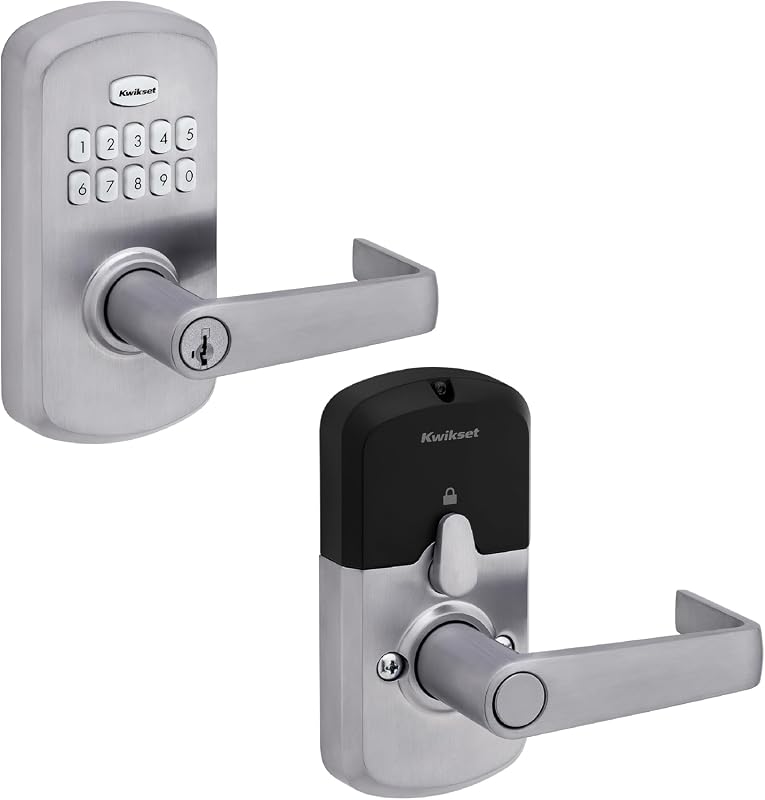 | Value-minded keypad lever for small businesses and bathrooms | Check Price |
| 4. Eseesmart Sliding Door Smart Lock | 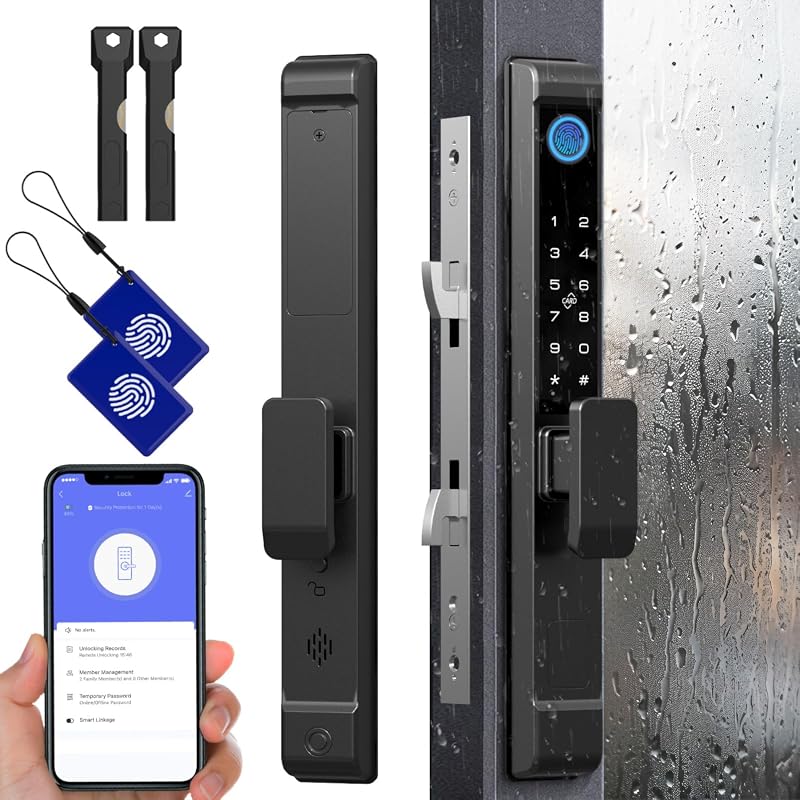 | Sliding glass or patio doors that need app, fingerprint, and RFID access | Check Price |
| 5. Smart Fingerprint Door Lock | 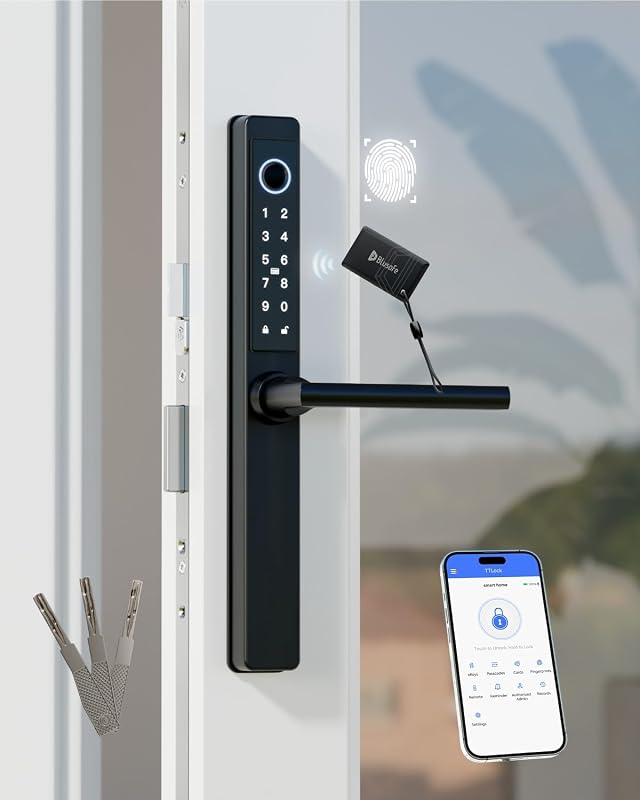 | Front doors and multipoint locks needing app-managed access | Check Price |
| 6. WiFi Smart Magnetic Lock Kit | 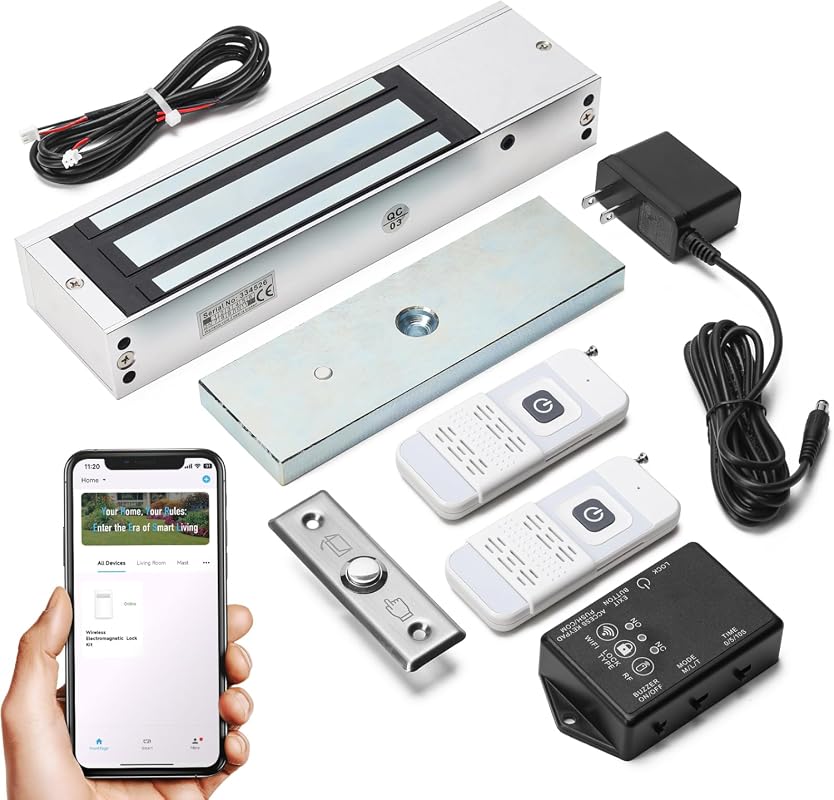 | Remote-controlled access for wood, glass, or metal doors | Check Price |
| 7. Electronic Smart Door Lock NDL302 | 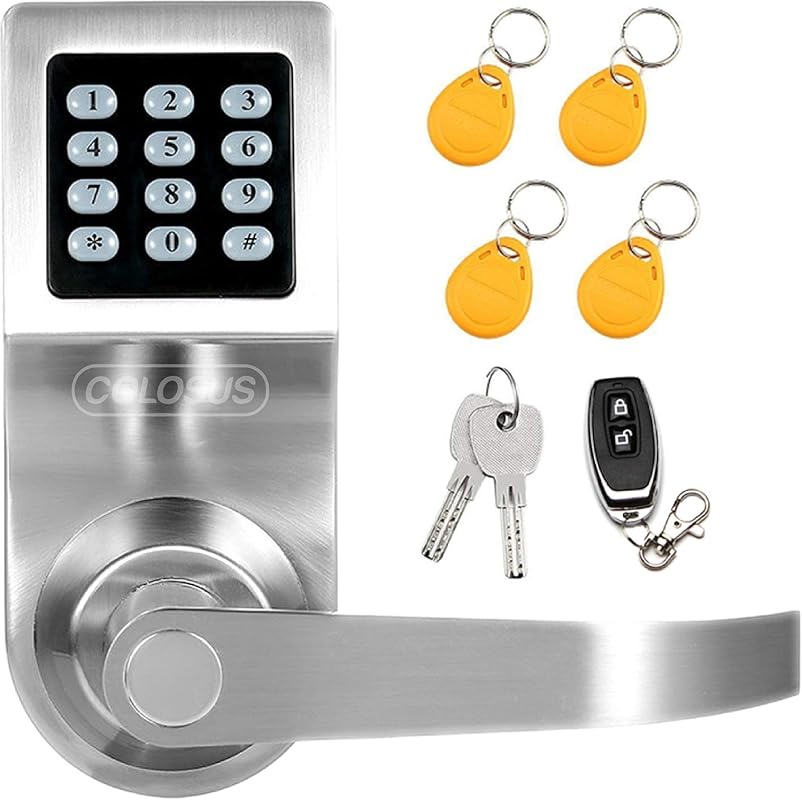 | Budget-friendly keyless entry for light commercial use | Check Price |
What to Look for in a Commercial Door Smart Lock
Access method and daily workflow
Think about who needs to enter the space and how often. A keypad is simple for staff turnover, while card, fingerprint, remote, or app access may fit shared rooms or managed entries better.
Door compatibility and hardware fit
Commercial doors vary a lot, so check thickness, backset, bore hole, latch size, swing direction, and whether the door is sliding, multipoint, or standard lever style. If the listing does not clearly match your door, verify it on the current Amazon page or the manufacturer instructions.
Traffic durability and power plan
For busy doors, look for strong cycle ratings, battery life claims, and low-battery alerts. A lock that is easy to power and easy to maintain is usually a better fit for offices, restrooms, rentals, and shared entry points.
Control style: standalone or connected
Some buyers want a simple standalone keypad lock with no app dependency. Others want Wi-Fi or Bluetooth control for remote management, access logs, or guest codes. If app control matters, confirm the app ecosystem and network requirements before buying.
Security features and access management
Useful features include one-time codes, timed codes, user limits, auto-lock, passage mode, and backup keys. For shared spaces, the ability to add or remove users without replacing hardware can save time.
Weather and environment fit
If the lock will face rain, dust, or temperature swings, check whether the listing mentions weather resistance and the intended installation location. Indoor-only hardware should stay indoors.
- Match the lock to the door first, then compare features. A strong feature list does not help if the handle direction, bore size, or door type is wrong.
- For businesses and rentals, keep a written code-management process so you can update access quickly when staff or tenants change.
- If you want remote access or app features, verify the app name, phone compatibility, and network needs on the current listing before ordering.
Our Top 7 Commercial Door Smart Lock Picks and Reviews
1. Kwikset SmartCode 955 Pembroke Light Commercial Keypad Lever, Keyless Entry, 3-Year Battery Life, Satin Nickel
This light commercial keypad lever is built for simple access control, long battery life, and busy entryways. It suits shoppers who want a familiar, low-maintenance smart home-style control experience without app complexity.
Key Features That Stand Out
- Keypad entry supports secure, keyless coming and going.
- 3-year battery life helps reduce replacement frequency.
- Tested to 500,000 cycles for high-traffic entryways.
- Up to 30 user codes plus one-time and programming codes.
- Auto-Lock and Passage modes add flexibility for shared spaces.
Why It Stands Out
The combination of keypad access, long battery life, and high-cycle durability makes this a strong fit for light commercial doors that need straightforward daily use. The code-management options are especially useful when multiple people need access.
Best For
Pros and Cons
- Clear, keypad-based access management.
- Long battery life claim for lower upkeep.
- Useful for high-traffic doors.
- Light commercial format may not suit every door style.
- Shoppers should verify lever fit and door prep before ordering.
2. Hicarer Commercial Keypad Door Lock with Handle, 3-in-1 Card and Password Entry, Stainless Steel Electronic Lever
This lock is a strong pick for interior business spaces where password, card, and backup key access are all useful. It is a good fit for buyers who want a standalone solution and may also be comparing broader smart access setups alongside connected home systems.
Key Features That Stand Out
- 3-in-1 entry options: password, access card, or backup key.
- Standalone operation works without Wi-Fi or app setup.
- Reversible handle can be adjusted for left- or right-handed doors.
- Stainless steel lock body with zinc alloy panel.
- Includes cards, keys, screwdriver, and mounting hardware.
Why It Stands Out
The appeal here is flexibility without added software complexity. For offices, storage rooms, clinics, or rental interiors, a standalone lock can be easier to manage than a connected system, especially when access needs stay local.
Best For
Pros and Cons
- Multiple access methods in one lock.
- No Wi-Fi or app requirement.
- Reversible handle adds installation flexibility.
- Fit requirements need careful verification before purchase.
- Very limited review volume, so long-term feedback is sparse.
3. Kwikset SmartCode 955 Kingston Light Commercial Keypad Lever, Keyless Entry, 3-Year Battery Life, Satin Chrome
This model mirrors the practical appeal of the Pembroke lever but at a slightly higher price point and with a smaller review base. It still looks like a sensible option for buyers comparing a dependable commercial door smart lock with familiar keypad operation.
Key Features That Stand Out
- Keypad entry supports keyless locking and unlocking.
- 3-year battery life claim with one 9V battery included.
- Tested to 500,000 cycles for high-traffic entryways.
- Up to 30 user codes plus one-time and programming codes.
- Auto-Lock and Passage modes support different door-use patterns.
Why It Stands Out
The Kingston lever gives you the same broad access-management idea as the other SmartCode 955 option, which makes it attractive if the finish or styling suits your door better. It is a practical fit for spaces that need simple code-based control.
Best For
Pros and Cons
- Long battery-life claim.
- High-cycle durability for busy areas.
- Flexible user-code management.
- Fewer reviews than the Pembroke version.
- Shoppers should confirm lever fit and door compatibility.
4. Eseesmart Sliding Glass Door Smart Lock, Fingerprint Keypad RFID App Bluetooth Key Entry, Keyless Patio Door Handle
This is the most specialized pick in the roundup. It is aimed at sliding glass, patio, and aluminum alloy doors, so it makes sense for spaces where a standard lever lock is not the right format.
Key Features That Stand Out
- Five unlock options: fingerprint, passcode, mobile app, RFID card, and backup key.
- Supports up to 300 users.
- Reversible handle works for left- and right-opening doors.
- IP65 waterproof rating and wide temperature range.
- Includes low-power alerts and power-bank backup support.
Why It Stands Out
The access variety is the main advantage here, especially for shared or guest-facing spaces. The door-type flexibility also makes it more relevant for patios, storefront-style interiors, or other sliding door applications.
Best For
Pros and Cons
- Very flexible access methods.
- Built for sliding and patio-style doors.
- Weather resistance is clearly stated.
- Installation fit depends heavily on door thickness and swing direction.
- App and Bluetooth details should be confirmed on the current listing.
5. Smart Fingerprint Door Lock with Keypad, IC Card, App Control, Mechanical Key, Child-Proof Front Door Security
This lock is geared toward front doors and multipoint hardware, with a broad feature set that includes app control and multiple backup methods. It is a good candidate for shoppers who want more access options than a basic keypad lever.
Key Features That Stand Out
- Five unlocking options including fingerprint, passcode, IC card, TTLock app, and mechanical keys.
- Stores up to 100 fingerprints, 250 passcodes, and 1000 cards.
- Designed for 90% of lift-up handle multipoint locks.
- IP65 waterproof and dustproof rating.
- Type-C emergency charging and low-battery alerts.
Why It Stands Out
The user capacity and access flexibility make this a strong option for households, rentals, or managed entry points that need more than one way in. The multipoint compatibility note is especially important for shoppers with less standard front-door hardware.
Best For
Pros and Cons
- Large capacity for users and cards.
- Multiple backup access methods.
- Weather-resistant construction is listed.
- Compatibility depends on multipoint lock fit.
- Wi-Fi remote control requires an optional bridge sold separately.
6. WiFi Smart Magnetic Door Lock Kit, 1200lbs Holding Force, App Remote Control, 4 Modes, Sound Alerts
This magnetic lock kit is aimed at buyers who want remote control and a stronger holding-force style of access hardware. It stands out for Wi-Fi access and mode-based control, which can be useful in busy workplaces or connected entry setups.
Key Features That Stand Out
- App, wireless remote, and exit button unlocking.
- Works with 2.4GHz Wi-Fi and the GeniLife app.
- Four control modes including Instant, Lock, Switch, and Timer.
- Up to 1200 lbs of holding force.
- Compatible with wood, glass, and metal doors.
Why It Stands Out
The mix of Wi-Fi control, remote access, and configurable modes makes this a flexible option for users who want more than a simple keypad. The sound alerts also add a bit of status feedback, which can help in active environments.
Best For
Pros and Cons
- Wi-Fi and app control are built in.
- Multiple operating modes add flexibility.
- Strong holding-force claim for added security.
- Requires 2.4GHz Wi-Fi for app use.
- Magnetic-lock format may not match every door or use case.
7. Electronic Smart Door Lock NDL302, Keyless Entry with Keypad, Key Fobs, Remote Control, Keys, Silver
This is the budget-friendly option in the roundup, and it covers the basics well for light commercial or residential-adjacent use. It is a sensible entry point if you want keyless access without moving into a more advanced connected lock.
Key Features That Stand Out
- Four entry modes: PIN code, RFID card, remote control, and physical key.
- Built with a zinc alloy lock body.
- Designed for everyday residential and light commercial applications.
- Door thickness requirement is listed as 35mm to 60mm.
- Includes standard latch, key fobs, remote control, and metal keys.
Why It Stands Out
The NDL302 keeps things simple and affordable while still offering multiple ways to unlock. It is best viewed as a basic access-control solution for users who do not need app control or advanced smart-home integration.
Best For
Pros and Cons
- Lowest-cost option in this roundup.
- Multiple entry methods are included.
- Works for light commercial use cases.
- Not waterproof, so outdoor exposure is a concern.
- Not compatible with every commercial door configuration.
Before ordering any commercial door smart lock, confirm door thickness, backset, bore hole, latch size, swing direction, and whether the door is standard, sliding, or multipoint. Several locks in this roundup also require indoor-only use or specific Wi-Fi/app conditions, so check the current listing and installation guide carefully.
Complete Roundup for Commercial Door Smart Lock
Best for simple access control and light commercial doors when you want basic keypad or card entry without advanced networking.
Best for buyers who want stronger access management, more unlock methods, or app features while still watching fit and installation details.
Best for specialized doors or higher-feature setups that need app control, multi-user access, or more advanced hardware options.
- Verify door measurements and mounting style before you buy.
- Choose the access method that matches the people using the door.
- Do not assume a commercial lock will fit every pre-drilled door.
- Do not buy app-connected hardware without checking the app, Wi-Fi, and power requirements.
- For staff or tenant turnover, prioritize easy code deletion or access revocation.
- If the door gets heavy daily use, favor models with clear durability or cycle claims.
- For outdoor or semi-exposed doors, confirm weather resistance and operating temperature limits on the listing.
- Keep backup access methods available, especially for rentals, offices, or shared spaces.
Match the lock to your exact door type first: standard lever, sliding glass, multipoint, or magnetic setup. If the listing mentions door thickness, backset, or handle direction, compare those details against your current door before adding the lock to your cart.
- Kwikset SmartCode 955 Pembroke: best all-around pick for light commercial keypad access.
- Hicarer commercial lock: strongest standalone option for card-and-password interior spaces.
- Kwikset SmartCode 955 Kingston: similar durability-focused choice with a different finish.
- Eseesmart sliding lock: best match for sliding glass and patio doors.
- Smart Fingerprint Door Lock: strong fit for multipoint front doors and app-managed access.
- WiFi Smart Magnetic Lock Kit: best for Wi-Fi-based remote control and magnetic locking setups.
- NDL302: lowest-cost option for simple keyless entry in light commercial spaces.
- Always verify fit and power details before ordering, especially for nonstandard doors.
Frequently Asked Questions About Commercial Door Smart Lock
Commercial models usually focus more on code management, durability, and easier access sharing. Many also support higher-traffic use or more specialized door types.
Pick the method that fits the people using the door most often. Keypads are simple for staff rotation, while cards, fingerprints, and apps can be better for managed access or guest control.
Check the door thickness, backset, bore hole, latch size, and handle direction on the current listing. If your door is sliding, multipoint, or pre-drilled in a unique way, verify compatibility carefully.
No. Several options in this roundup are standalone locks that work without Wi-Fi or app setup. Wi-Fi is only needed when the product specifically lists remote control or app-based features.
Yes, but only if the listing clearly supports outdoor or weather-exposed use. If a model says it is not waterproof or is meant for indoor use, keep it inside.
Check access-sharing controls, backup entry methods, and how quickly you can remove users. It is also smart to confirm local rules, privacy settings, and any app account security options.
If you want the most balanced choice, start with the Kwikset SmartCode 955 Pembroke for a simple commercial keypad setup. It offers the clearest mix of durability, battery life, and easy code management in this group.
For specialized doors, choose based on fit first and features second. A sliding door, multipoint front door, or Wi-Fi-managed entry point may need a very different lock style than a standard office lever.
This roundup is based on the supplied product records only: title, price text, rating, review count, and extracted feature bullets for all seven products. Because no verified first-hand testing evidence is available, the recommendations use evidence-based editorial judgment rather than claims of personal installation, ownership, or benchmark testing. Compatibility guidance is limited to what the listings state, so shoppers should confirm door fit, app requirements, and installation details on the current Amazon listing, manufacturer page, app listing, or product manual before buying.