Digital Surveillance Technology Drone Thermal Camera Dashboard Guide
A drone thermal camera dashboard is most useful when you need mobile thermal coverage and a single place to review live feeds, maps, and alerts. It is a strong fit for larger properties, but buyers should verify app support, battery handling, storage limits, and privacy rules before choosing one.
A digital surveillance technology drone thermal camera dashboard gives you a live, organized view of thermal drone data so you can spot heat signatures, track movement, and review events more efficiently. For smart home buyers, it makes the most sense when you need broader property awareness than fixed cameras can provide, but it is not a simple plug-and-play upgrade for every home.
- Best use case: Large properties, perimeter checks, and blind spots that fixed cameras cannot cover well.
- Key specs: Thermal resolution, refresh rate, stabilization, field of view, and app compatibility matter most.
- Big limitation: Thermal imaging is affected by weather, surface heat, and weak contrast.
- Ownership factor: Battery care, firmware updates, and storage limits affect long-term satisfaction.
Digital Surveillance Technology Drone Thermal Camera Dashboard: What It Does and Who Needs It
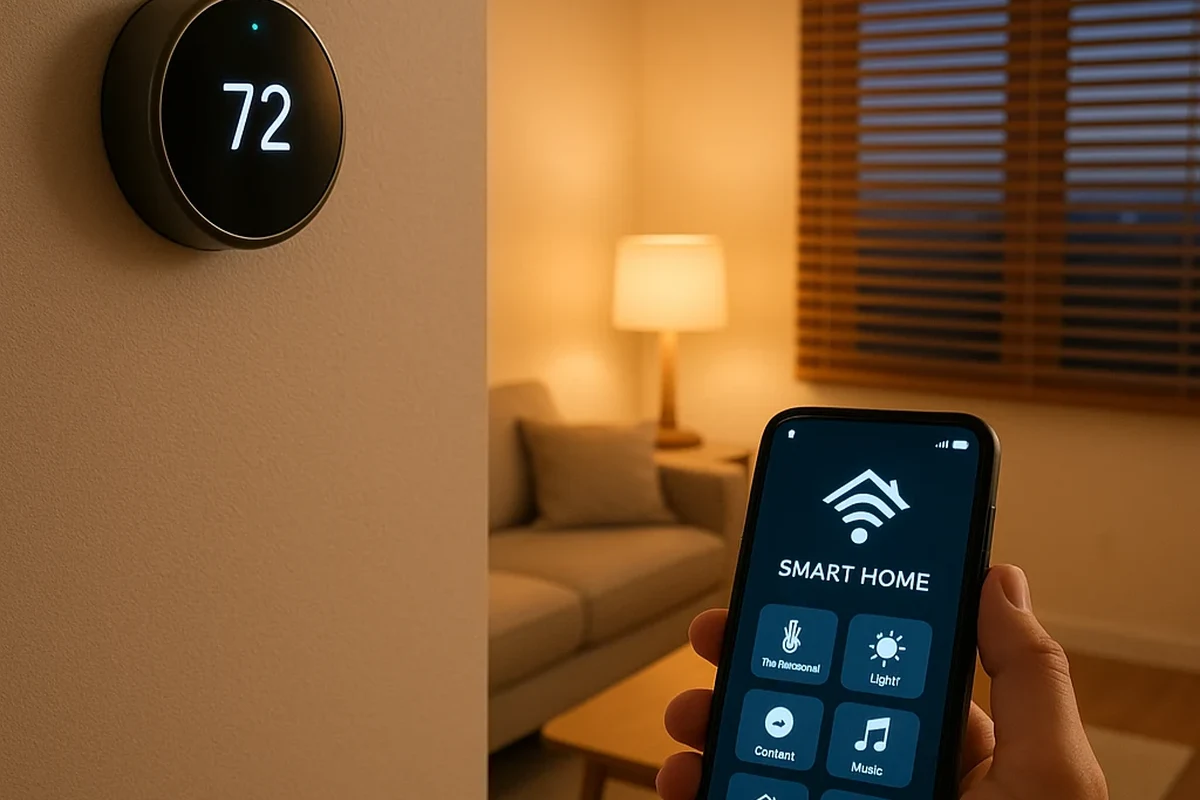
At a practical level, this setup combines a drone, a thermal sensor, and a control dashboard that displays live video, thermal overlays, map data, and alerts in one place. The main benefit is context: instead of looking at a single camera feed, you can see where activity is happening, how it moves, and whether the heat pattern is worth a closer look.
Quick answer: when a drone thermal camera dashboard is worth using in 2026
It is worth considering if you manage a large yard, rural property, multi-structure home, or a perimeter where fixed cameras leave gaps. It is less compelling if you only need basic indoor monitoring, because the cost, setup complexity, and privacy considerations are usually higher than a standard smart camera system.
Best-fit users for smart home monitoring, perimeter checks, and property oversight
This kind of system can make sense for homeowners who want to check driveways, backyards, sheds, detached garages, or long fence lines without walking the full property every time. It may also appeal to remote workers, travelers, or pet owners who want a broader situational view during unusual activity, though the exact usefulness depends on local layout, weather, and app quality.
Best for homeowners with larger properties or blind spots who want thermal awareness and mapping in one dashboard. It is not the best choice if you only need a simple indoor security camera or a low-maintenance starter system.
How a Drone Thermal Camera Dashboard Works in Real Time
The dashboard is the part that turns raw drone footage into something easier to interpret. Good software can combine thermal views, visible-light video, GPS or map position, event markers, and recording tools so you can review what happened instead of guessing from a single feed.
Core components: drone, thermal sensor, live feed, control panel, and alert logic
The drone provides mobility, the thermal sensor detects temperature differences, the live feed shows what the camera sees, and the control panel lets you manage flight and viewing options. Alert logic varies by model, but it may flag motion, heat anomalies, geofenced movement, or pre-set zones that deserve attention.
How thermal imaging differs from standard video for low-light and obscured viewing
Standard video depends on visible light, while thermal imaging tracks heat differences, which can help in darkness, light fog, or partially obscured scenes. That said, thermal cameras do not magically see through walls, and their usefulness drops when temperature contrast is weak or the subject is masked by reflective surfaces, heavy rain, or dense materials.
Thermal cameras detect infrared energy, not visible color, so the image is a temperature-based representation rather than a normal photo.
Dashboard data flow: mapping, overlays, event markers, and recording options
In a well-designed system, the drone sends video and sensor data to the app or dashboard, which then layers it over a map, flight path, or event timeline. Recording options may include local storage, cloud storage, or export tools, but availability and limits depend on the model and software plan.
Before buying, check whether the dashboard can show thermal and visible feeds side by side, because that makes it easier to confirm whether a heat signature is a person, pet, vehicle, or warm surface.
Key Specifications to Compare Before You Buy
Specs matter more in this category than in many other smart-home devices because performance depends on both the drone hardware and the software that interprets the data. If either side is weak, the system may look impressive on paper but feel limited in actual use.
Thermal resolution, refresh rate, and detection range
Thermal resolution affects how much detail you can see in the heat image, while refresh rate influences how smooth moving subjects appear on screen. Detection range is especially important for perimeter checks, but it should be treated carefully because manufacturer claims can depend on target size, weather, contrast, and line of sight.
Camera stabilization, zoom, and field of view
Stabilization helps keep the image readable when the drone moves or faces wind, and zoom can help inspect a specific area without flying too close. Field of view also matters: a wider view is useful for scanning, while a narrower view may help with detail but can leave more blind spots.
- Compare thermal resolution and visible-camera quality separately, not as one blended marketing claim.
- Look for stabilization that keeps overlays readable during hover and slow movement.
- Check whether zoom is optical, digital, or a mix, since the result affects detail and image quality.
Battery life, rated power, charging wattage, and safe cable quality
Battery life varies widely by drone size, payload, wind, temperature, and flight behavior, so published runtime should be treated as a best-case estimate unless the manufacturer states otherwise. Charging wattage and cable quality also matter: use only the charger, adapter, and cable type approved by the manufacturer, and replace damaged cords immediately.
Do not use swollen batteries, frayed cables, hot chargers, or damaged charging ports. Follow the drone maker’s charging instructions and stop using any component that overheats, smells unusual, or shows visible damage.
Dashboard compatibility, app requirements, connectivity, and storage limits
Some systems rely on a mobile app, others support desktop software, and a few offer both. Before buying, confirm operating system support, account requirements, Wi-Fi or controller connectivity, offline behavior, and whether storage limits or subscription tiers affect recording, alerts, or map history.
- Check compatibility, model number, app requirements, dimensions, ports, wattage, and intended use
- Confirm safety guidance, warranty, return policy, privacy settings, and update support
Smart Home Use Cases and Real-World Benefits
The strongest value of a drone thermal camera dashboard is coverage. It can help you inspect more area in less time, especially when fixed cameras cannot see around corners, over long driveways, or into side yards and outbuildings.
Home perimeter monitoring, driveway checks, and large-yard visibility
For larger properties, a drone can cover the driveway, fence line, detached garage, and back corners that are otherwise hard to monitor. Thermal imaging can also help identify warm vehicles, people, or animals after dark, though results depend on environmental conditions and the heat contrast of the scene.
Integrating with alarms, cameras, and automation routines
Some dashboards can complement existing smart-home gear by helping you verify an alert from a door sensor, outdoor camera, or perimeter alarm. In a broader automation setup, the drone system may be useful as a verification layer rather than the primary security tool, which keeps the workflow more practical and less dependent on one device.
Why a dashboard can improve response time and situational awareness
A dashboard can reduce confusion by putting the live feed, map position, and event history in one place. That makes it easier to decide whether to ignore a false alarm, investigate a pet’s movement, or escalate to a more serious response, which is often the real advantage over basic camera apps.
Limitations, Trade-Offs, and Common Buying Mistakes
Thermal drone systems are useful, but they are not perfect and they are not the simplest smart-home option. Buyers often focus on the drone itself and overlook the software, support, and real-world constraints that determine whether the whole system stays useful.
Thermal imaging blind spots, weather effects, and false positives
Thermal cameras can miss details when the subject blends into the background temperature, when rain or humidity interferes, or when reflective and heat-retaining surfaces distort the scene. False positives can also happen if the software mistakes warm pavement, vents, exhaust, or sun-heated materials for a person or animal.
Why range claims, battery claims, and AI alerts need careful scrutiny
Range and battery claims are often measured under ideal conditions that do not match everyday use. AI alerts can be helpful, but they may also vary by firmware version, app settings, scene complexity, and the quality of the training model, so they should be treated as assistance rather than proof.
Common mistakes: ignoring app support, storage needs, and repairability
One common mistake is buying hardware with weak software support, especially if the app store listing shows poor update history or limited device compatibility. Another is forgetting about storage and repairability: if parts, batteries, cables, or mounts are difficult to replace, long-term ownership becomes more frustrating and expensive.
Stop using damaged electronics, swollen batteries, frayed cables, overheating chargers, or unstable accessories and follow the manufacturer’s guidance.
Safety, Privacy, and Legal Use in Residential Settings
Because this category combines flight, imaging, and residential monitoring, safety and privacy deserve as much attention as image quality. The best setup is the one that works within your local rules, your property layout, and your neighbors’ reasonable expectations.
Safe flight practices, line-of-sight awareness, and obstacle management
Use the official manual, keep the drone within your ability to control it, and stay aware of trees, power lines, roofs, pets, and people. If the system depends on automatic flight or obstacle detection, remember that those features can reduce risk but do not eliminate it.
Privacy boundaries, neighbor considerations, and local compliance checks
Check local rules before using a drone for residential surveillance, especially if the camera could capture neighboring windows, backyards, or public spaces. A good practice is to aim only at your own property when possible, limit recording to legitimate security needs, and review privacy settings in the official app.
Heat management, inspection routines, and replacement guidance for batteries and cables
After use, let batteries cool before charging if the manufacturer says to do so, and store them according to the official guidance. Inspect cables, ports, propellers, and mounts regularly, and replace anything that shows wear, because small failures can affect both safety and reliability.
Setup, Maintenance, and Storage Best Practices
Most problems with smart drone systems come from rushed setup or poor maintenance, not from the idea itself. A careful first setup and a simple care routine can make the dashboard easier to trust over time.
Initial setup checklist: firmware, app pairing, permissions, and calibration
Start by updating firmware through the official app or software, then pair the drone, controller, and dashboard account according to the manual. Confirm permissions for location, storage, and camera access, and run any calibration steps the manufacturer recommends so thermal and visible data align properly.
Install official firmware and app updates before relying on live monitoring or alerts.
Connect the drone, controller, and dashboard account using the manufacturer’s setup flow.
Verify thermal alignment, map accuracy, and alert zones before first use.
Routine care: lens cleaning, sensor protection, battery storage, and moisture control
Clean lenses only with approved materials, protect the sensor from dust and scratches, and store batteries in the condition the manufacturer recommends. Keep the drone and accessories dry, because moisture can affect sensors, charging contacts, and long-term reliability.
Noise, consumables, warranty details to verify, and when to service or replace components
Drone noise can matter in quiet neighborhoods, so it is worth considering if you plan to fly often near homes or shared spaces. Before buying, verify warranty terms, replacement-part availability, and service options, because batteries, propellers, cables, and mounts are normal wear items that may need periodic replacement.
- Thermal drone dashboards are best for larger properties, perimeter checks, and situations where fixed cameras leave blind spots.
- Specs, app support, battery handling, and storage limits matter as much as the drone hardware itself.
- Privacy, local rules, and safe flight practices should be reviewed before relying on the system.
Final Recommendation: Who Should Choose a Drone Thermal Camera Dashboard in 2026
If you want broader property awareness and can handle the setup, maintenance, and privacy responsibilities, a drone thermal camera dashboard can be a strong smart-home upgrade. If you only need simple motion alerts, indoor monitoring, or a low-maintenance security solution, a fixed camera system will usually be easier and more practical.
Best-value buyer profile and situations where a simpler setup is better
The best value usually goes to homeowners with large yards, detached structures, or hard-to-see perimeter areas who will actually use the dashboard to verify alerts and check activity. A simpler setup is better for apartment dwellers, small homes, or anyone who wants a basic system with less charging, fewer app dependencies, and fewer legal and privacy questions.
Transparent verdict on performance, convenience, and long-term value
The category offers real convenience when coverage and thermal awareness matter, but the long-term value depends on software support, battery care, and how well the dashboard fits your home. Confirm compatibility, warranty terms, and update support before buying, because those details often decide whether the system feels dependable after the novelty wears off.
Frequently Asked Questions
It is best for homeowners with large yards, detached structures, or hard-to-see perimeter areas. It is less useful for small homes or anyone who only needs basic indoor monitoring.
Thermal resolution, refresh rate, detection range, stabilization, field of view, battery handling, and app compatibility are the main specs to verify. Storage limits and update support also matter because they affect long-term use.
No, thermal imaging cannot see through walls. Rain, humidity, reflective surfaces, and weak temperature contrast can also reduce clarity and create misleading results.
Follow the official manual, update firmware through the manufacturer’s app, and verify permissions, calibration, and storage settings. Keep the drone clear of obstacles and stay within local flight and privacy rules.
Clean lenses gently, protect the sensor, store batteries as instructed, and keep moisture away from the drone and charging gear. Inspect cables, propellers, mounts, and batteries regularly for wear or damage.
A simpler system is better if you only need indoor monitoring, basic motion alerts, or a low-maintenance setup. It is also a better fit if you want fewer app dependencies, less charging, and fewer privacy concerns.