Best RC Heli with Camera for Stunning Aerial Footage
The best RC heli with camera is usually the one with stable flight, easy controls, and reliable replacement parts. If you want usable footage, prioritize balance and battery support over the biggest advertised camera number.
If you want an rc heli with camera, the best choice is usually the one that balances stable flight, easy controls, and a camera system you can realistically use. For most buyers, that means prioritizing flight stability and battery reliability first, then treating the camera as a bonus rather than expecting drone-level footage.
- Stability first: A steady frame and gyro matter more than a flashy camera spec.
- Check support: Spare blades, batteries, and manuals are important for long-term value.
- Expect limits: Wind, short battery life, and modest footage quality are common.
- Verify setup: App requirements, charging steps, and pairing order vary by model.
Best RC Heli with Camera in 2026: Quick Answer and Top Picks
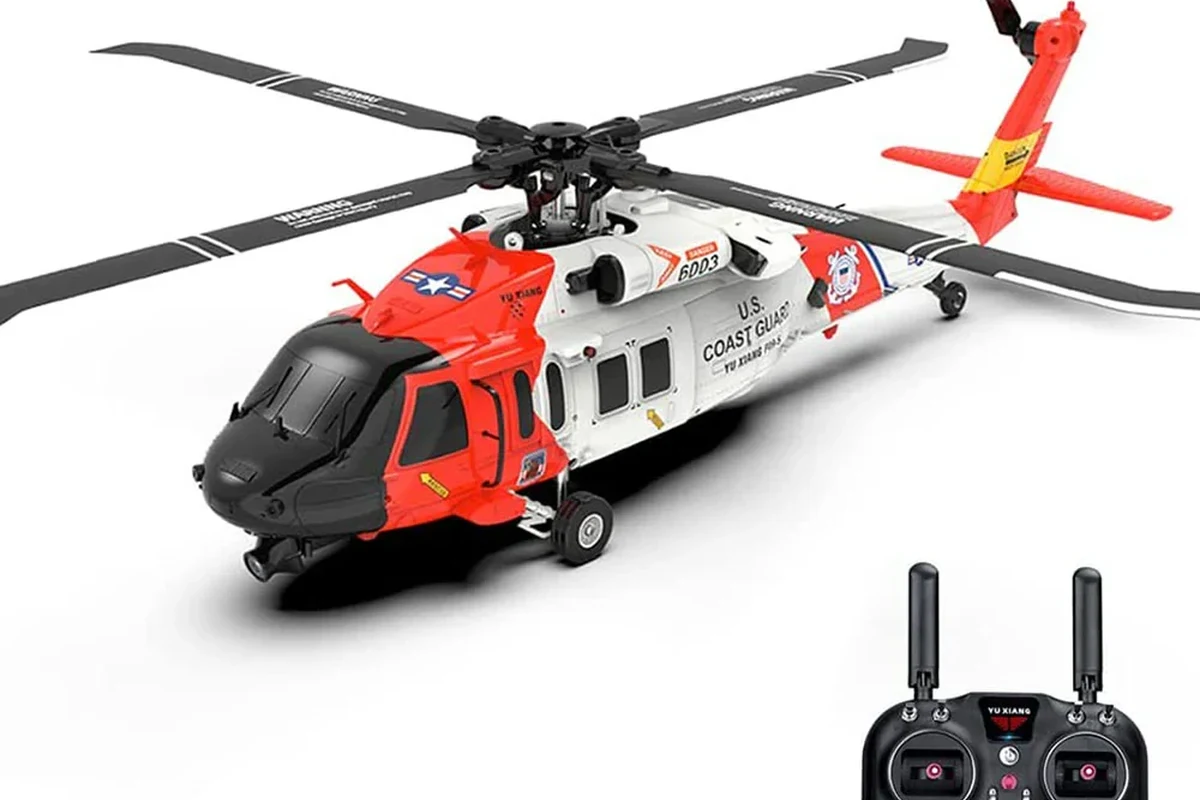
Camera-equipped RC helicopters are still appealing because they feel more hands-on than drones and can be a fun way to capture simple aerial clips indoors or in calm outdoor spaces. The right pick depends on whether you want beginner-friendly handling, the cleanest possible video, or the lowest-cost entry point.
What makes an RC heli with camera worth buying this year
In 2026, the most worthwhile models are the ones that combine a steady gyro, a dependable transmitter connection, and a camera module that is easy to access through the manufacturer’s app or onboard recording system. The camera itself is only part of the story; a shaky airframe or weak battery can ruin the experience faster than a modest camera sensor can help it.
Quick guidance: choose stability and replacement-part availability before chasing a higher advertised resolution. If a model has poor spare-part support, it may become disposable after a minor crash.
Best for beginners, best for video quality, and best budget option
Best for beginners: look for a coaxial or very stable single-rotor design with auto-hover features, simple trimming controls, and a lightweight frame that can survive bumps.
Best for video quality: prioritize the model with the most consistent live view, the least vibration, and the clearest recording workflow, even if the raw camera resolution sounds modest on paper.
Best budget option: choose a basic model with easy battery swaps, accessible replacement blades, and a transmitter layout you can learn quickly.
Beginners and casual users should usually choose the most stable, easiest-to-repair model rather than the one with the highest advertised camera number. That approach gives you a better chance of getting usable footage and a longer product life, though it may not satisfy advanced hobby pilots.
How an RC Heli with Camera Works
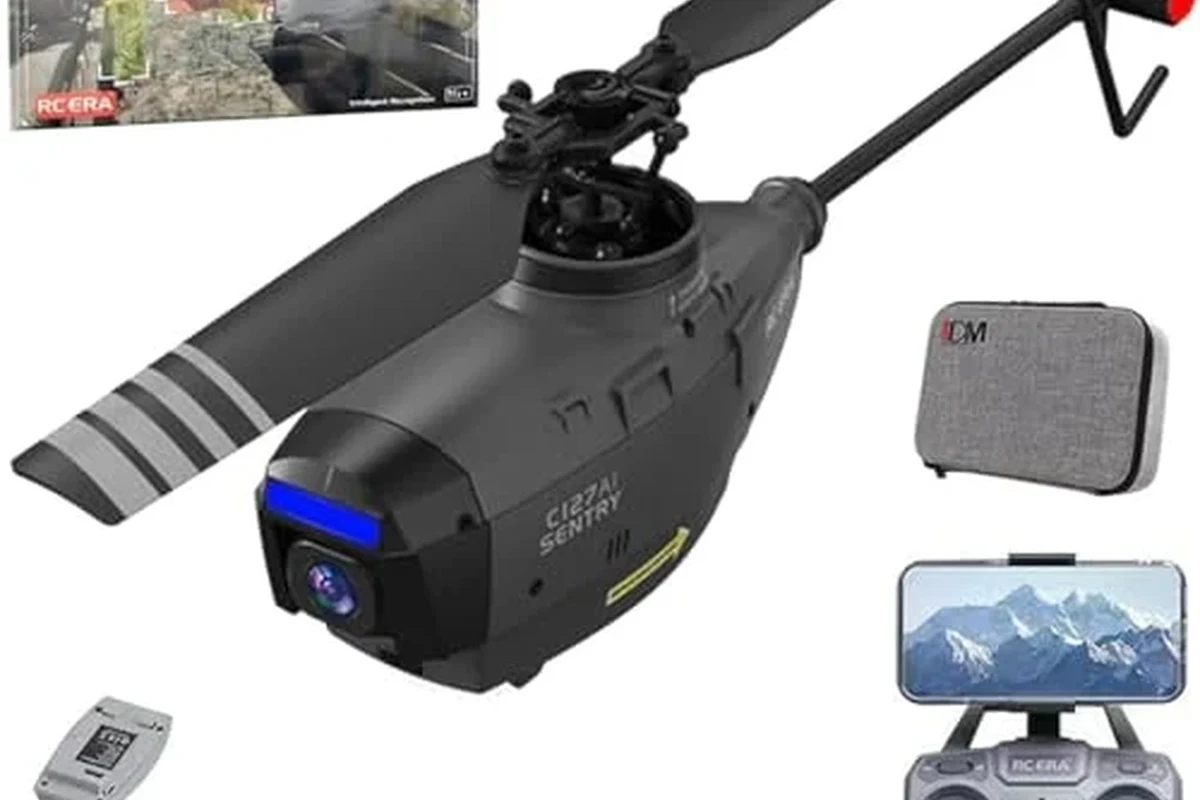
An RC helicopter with a camera is a small radio-controlled aircraft that uses spinning rotors to lift off, a stabilization system to keep it manageable, and a camera module to capture stills or video. The experience is different from flying a drone because the helicopter-style controls often feel more sensitive and more dependent on trim and balance.
Core flight components: rotors, gyro stabilization, camera module, and transmitter
The rotors generate lift, while the gyro stabilization system helps reduce unwanted spinning and drifting. On many entry-level models, the gyro is not as advanced as what you would find in more expensive aerial platforms, so it can help with steadiness but will not eliminate all movement.
The camera module may be built into the nose, mounted underneath, or integrated with a small recording card or live-view system. The transmitter is the handheld controller that sends your commands to the helicopter, and its layout varies by model, so the manual matters more than assumptions.
Camera resolution, stabilization behavior, and control range can vary widely by model and firmware. Always check the exact product page and manual before comparing one unit to another.
App control, live view, and recording: what to expect from modern models
Some models offer phone app control, live video, or onboard recording, but those features are not guaranteed to work the same way across brands. App performance can depend on your phone, operating system version, wireless interference, and whether the helicopter uses Wi-Fi, a dedicated receiver, or a memory card.
If a model includes app-based viewing, confirm the app store listing, permissions, and update support before you buy. For more on app-connected gear, it helps to compare how devices handle wireless control in everyday use, much like checking whether smart lighting is compatible with Alexa before adding it to a home setup.
If live view matters to you, verify whether the feed is for framing only or also records usable video. Some models show a preview that looks fine but save lower-quality footage on the device.
Who This Type of RC Helicopter Fits Best
RC helis with cameras are best for people who want a playful flying experience, simple aerial clips, or an indoor-friendly aircraft that does not require the planning of a larger drone. They are less suited to users who expect smooth cinematic footage or strong wind performance.
Beginners, hobby flyers, kids, and casual aerial content creators
Beginners usually benefit from a forgiving control system and a crash-tolerant frame. Kids may enjoy the novelty of seeing a camera view from the air, but adult supervision is important because rotors and batteries both deserve careful handling.
Casual creators can use these helicopters for simple room sweeps, pet videos, or backyard clips when conditions are calm. Hobby flyers may care more about mechanical feel, spare parts, and repairability than about the camera itself.
- Check the exact model number and camera type
- Confirm app requirements, battery type, and replacement part availability
- Review the manual for trim, charging, and safe flight limits
- Verify warranty terms and return policy before ordering
When an RC heli is better than a drone, and when it is not
An RC heli can be better than a drone if you want a more traditional flying feel, a smaller indoor footprint, or a toy-like experience that is easy to pick up quickly. It can also be a better fit if you mainly want short, simple clips and do not need advanced navigation features.
A drone is usually the better choice if you want stronger camera performance, more stable hovering, longer flight time, or easier aerial framing. If your main goal is reliable footage, a drone generally wins; if your goal is fun, maneuvering, and a lighter learning curve for casual flight, an RC heli can still be satisfying.
Key Specs to Compare Before You Buy
Because these products vary so much, the smartest comparison method is to focus on a few practical specs instead of the marketing headline. The most useful details are camera performance, battery behavior, range, build quality, and part support.
Camera resolution, frame rate, and image stabilization limits
Resolution alone does not tell you how good the footage will look. A higher number may still produce soft, shaky video if the camera vibrates, the lens is basic, or the recording pipeline compresses the image heavily.
Frame rate matters too, especially if you want smoother motion. Still, the best-looking footage from an RC heli often comes from a stable airframe and careful flying rather than from a spec sheet that focuses only on megapixels.
Flight time, battery type, charging wattage, and safe charging practices
Flight time is one of the biggest reality checks with small RC aircraft. Manufacturer claims can vary based on throttle use, wind, temperature, battery age, and whether the camera is recording during flight.
Battery type and charging method matter just as much as runtime. Confirm the battery chemistry, included charger, input wattage, and whether the charger is meant only for the supplied battery pack.
Use only the charger and cable recommended by the manufacturer. Stop using any battery that is swollen, hot, damaged, or physically deformed, and never charge a pack unattended if the manual advises against it.
Range, connectivity type, build quality, spare parts, and replacement availability
Control range can be affected by interference, room layout, and the wireless system used by the helicopter. Models that rely on app-based Wi-Fi control may behave differently from those using a dedicated transmitter, and that difference can matter more than a printed range number.
Build quality is especially important because even a light crash can crack a canopy, bend a shaft, or damage a rotor. Before buying, check whether the brand sells replacement blades, batteries, and other wear items individually.
| Option | Best For | Key Consideration |
|---|---|---|
| Stable beginner model | First-time flyers | Easy controls and better crash tolerance |
| Camera-focused model | Simple aerial clips | Footage quality depends on vibration control |
| Budget model | Casual use | Check part availability before buying |
Real-World Benefits and Practical Trade-Offs
These helicopters are fun because they combine motion, camera viewing, and a more tactile flying experience than a phone-controlled toy. They are especially appealing when you want something small enough for indoor practice but still capable of capturing a quick overhead shot.
Why camera-equipped RC helis are fun for indoor and light outdoor use
Indoors, an RC heli can be entertaining in a living room, garage, or open basement if the space is clear and the propeller area is kept away from people and pets. Outdoors, calm weather makes it easier to get a stable hover and a more usable video clip.
For casual content, these models can be a nice fit for pet owners, students, and hobby users who want a lightweight way to document a room, a desk setup, or a backyard scene. They are also a good match for anyone who enjoys the hands-on learning curve of manual flight.
Common limitations: wind sensitivity, shorter battery life, and modest footage quality
The biggest trade-off is that small helicopters are often sensitive to wind and turbulence. Even a gentle breeze can make the aircraft drift, which reduces footage quality and makes the controls feel less predictable.
Battery life is usually limited, and the camera can reduce it further. Footage quality is often acceptable for sharing casually, but it usually falls short of what people expect from a modern action camera or a well-stabilized drone.
- Fun, hands-on flying experience
- Good for indoor practice and calm-weather clips
- Often simpler and cheaper than advanced aerial platforms
- More wind-sensitive than many drones
- Video quality is usually modest
- Crash parts and batteries may wear out quickly
Evidence limits: what product specs can and cannot tell you
Specifications can tell you what the manufacturer claims, but they cannot fully predict how the helicopter will behave in your room, your yard, or your hands. Real usability depends on trim, signal quality, battery condition, and how well the frame handles vibration.
That is why it is smart to read the official manual, app-store notes, and warranty terms before purchasing. If you are comparing connected gadgets in general, the same principle applies to accessories like multi-port chargers and other devices whose compatibility depends on the exact model and power needs.
Setup, Calibration, and First Flight Guide
A careful setup routine makes a bigger difference than most buyers expect. Even a simple RC heli can feel difficult if the battery is loose, the trim is off, or the app pairing step is skipped.
Battery installation, transmitter pairing, and app setup requirements
Start by reading the manual for the battery orientation and the correct transmitter sequence. Many models require the helicopter to be powered on first, then paired with the controller, and then connected to the app if one is used.
Make sure the pack sits correctly and the lead is not pinched or strained.
Follow the manufacturer’s order exactly, since pairing steps vary by model.
Confirm permissions, Wi-Fi connection steps, and any required firmware or app updates.
Pre-flight inspection: blades, cable condition, battery swelling, and motor noise
Before every flight, look for cracked blades, loose screws, damaged cables, and any sign of battery swelling. Listen for unusual motor noise, which can signal a worn motor, debris in the rotor path, or a part that needs attention.
If anything looks damaged, stop and consult the manual or replacement guide. Do not force a flight when the frame, battery, or motor sounds abnormal.
Stop using damaged electronics, swollen batteries, frayed cables, overheating chargers, or unstable components and follow the manufacturer’s guidance.
Safe takeoff, landing, and first-hover checklist
Use a clear area with no people, pets, hanging cords, or fragile objects nearby. Start with a low hover, keep your inputs gentle, and practice landing before trying more advanced movement.
- Hover a few feet away from walls to reduce turbulence
- Make small control inputs instead of sudden stick movements
- Land early if the helicopter starts drifting or the battery weakens
Safety, Maintenance, and Storage Best Practices
Small flying toys still deserve careful handling because the rotors can cause injury and batteries can overheat if abused. Good maintenance also helps the camera stay cleaner and the frame last longer after minor crashes.
Safe flying distance, propeller hazards, and indoor flight precautions
Keep a safe distance from faces, hands, hair, curtains, and pets. Indoor flying is safest in an open room with enough clearance above and around the helicopter so the rotor wash does not pull it into furniture.
Children should fly only with age-appropriate supervision and according to the product’s guidance. If the helicopter is large, powerful, or difficult to control, it may not be suitable for a crowded home environment.
Cleaning the camera lens, checking fasteners, and protecting the frame after crashes
Use a soft, dry cloth to clean the camera lens and avoid pressing hard on the module. After a crash, inspect the landing gear, blades, and frame for cracks or loosened fasteners before flying again.
If the canopy or frame is bent, the aircraft may vibrate more and produce worse footage. Replacing worn parts early is usually cheaper than waiting until a small issue becomes a bigger repair.
Battery storage, heat limits, charger inspection, and when to replace worn parts
Store batteries according to the manufacturer’s instructions, away from heat and direct sunlight. Check the charger and cable regularly for damage, and never keep using a charger that runs unusually hot or shows frayed insulation.
Replace batteries that no longer hold charge well, swell, or heat up excessively during normal use. For many buyers, battery health is the difference between a fun toy and a frustrating one.
Final Verdict: Best Value and Final Recommendation
The best value in an rc heli with camera is usually the model that gives you the most stable flight, the easiest setup, and the most reliable spare-part support. If you want the safest purchase, choose the version with the clearest manual, a trustworthy app or transmitter workflow, and replacement batteries that are easy to verify before checkout.
Best overall choice by use case and budget
For most shoppers, the best overall choice is a beginner-friendly model with stable hovering, simple controls, and a camera that records cleanly enough for casual sharing. If your budget is tight, prioritize repairability and battery availability over flashy camera claims.
What to prioritize if you want the most reliable purchase in 2026
Before you buy, confirm the exact camera setup, battery type, and support for replacement parts. That one habit will help you avoid the most common disappointment: a helicopter that looks good in photos but is hard to fly, hard to charge safely, or hard to repair after a minor crash.
Choose a stable, easy-to-service RC heli with camera if you want a fun, low-pressure way to capture simple aerial footage. Skip the flashy specs if the model lacks spare parts, clear charging guidance, or dependable control behavior.
Frequently Asked Questions
Yes, if you choose a stable model with simple controls and clear setup instructions. Beginners should prioritize easy hovering, spare parts, and a forgiving frame over high camera specs.
Resolution, frame rate, and vibration control matter most, but the camera is only part of the result. A stable helicopter often produces better footage than a higher-resolution camera on a shaky frame.
Battery life varies by model, flying style, temperature, and whether the camera is recording. Always check the manufacturer’s estimate and expect real-world runtime to change with usage.
Many small models can be flown indoors in a clear, open room. Keep away from people, pets, curtains, and fragile items, and only fly within the manufacturer’s guidance.
Confirm the exact model number, connector type, and voltage or battery specification listed by the manufacturer. Also verify that blades, landing gear, and other wear parts are actually sold for your helicopter.
Stop using it if the battery is swollen, the charger overheats, the frame is cracked, or the motor sounds abnormal. Follow the manual and replace damaged parts before flying again.