How Much Does a Video Doorbell Cost in 2026
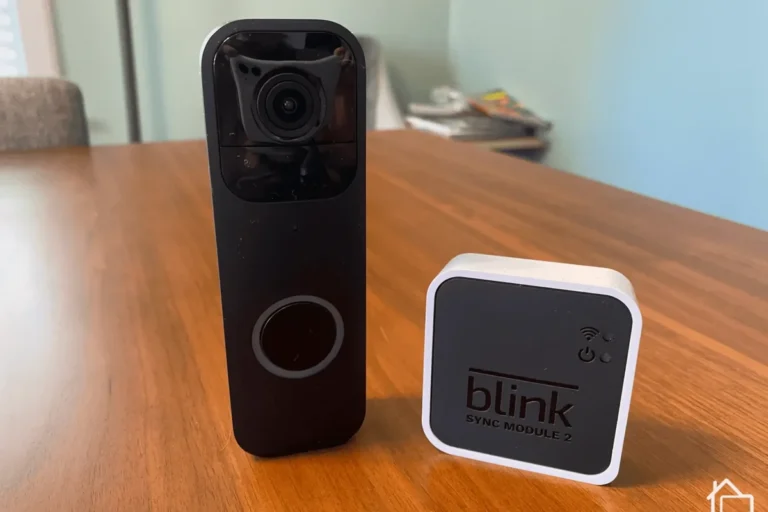
A video doorbell can cost a little at checkout but more over time if you add installation or subscriptions. The best value depends on your wiring, Wi-Fi, and which features you actually plan to use.
If you’re asking how much does a video doorbell cost, the short answer is that most buyers spend somewhere between budget-level pricing for a basic model and a much higher total once you add installation and optional subscriptions. The real cost depends on whether you want simple motion alerts or a more complete smart-home security setup.
- Total cost matters: Device price, installation, and subscriptions can change the real budget a lot.
- Wi-Fi and power matter: Weak signal or incompatible wiring can make even a good doorbell frustrating.
- Features raise price: Better video, smarter alerts, and cloud storage usually cost more.
- Fit the home first: Rentals, apartments, and wired homes all have different best options.
How Much Does a Video Doorbell Cost in 2026? A Quick Answer Up Front
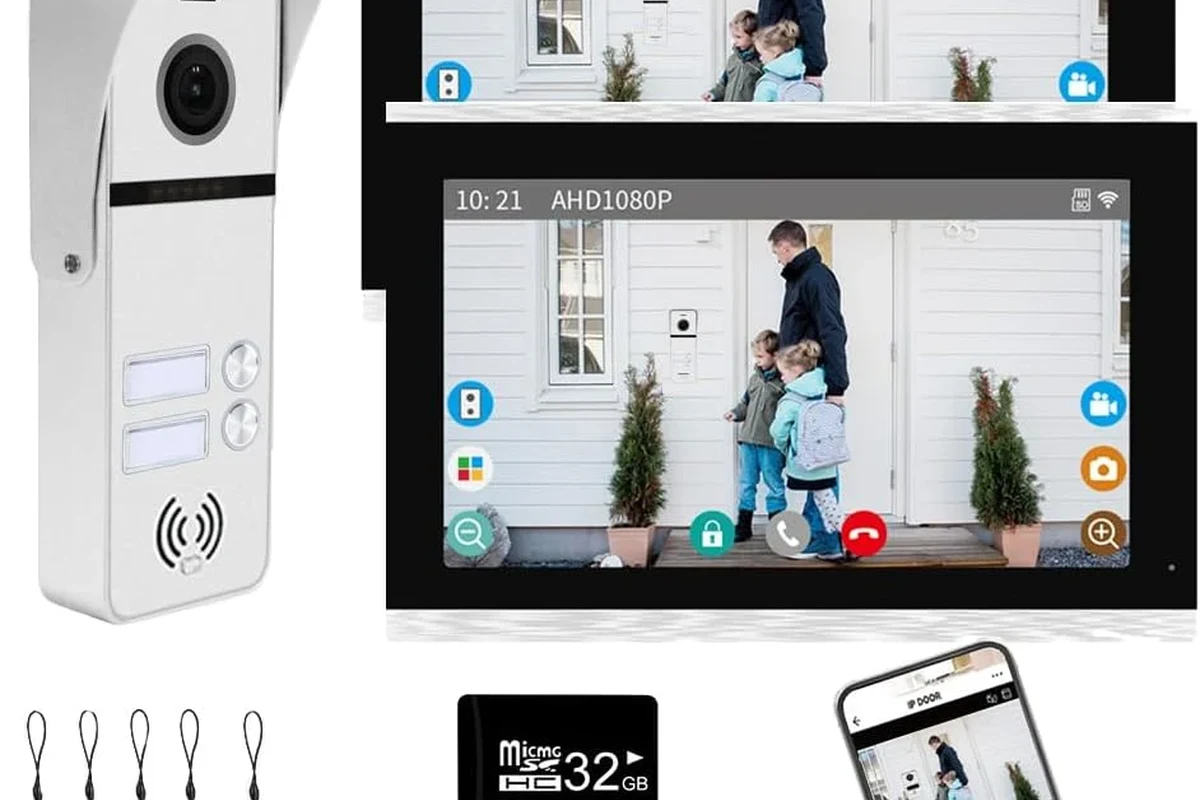
For many homes, the upfront price of a video doorbell is only part of the story. A low-cost model may be enough for basic door monitoring, while a better camera, smarter alerts, or cloud recording can raise the total over time.
The most useful way to budget is to separate the purchase into three buckets: the device itself, installation, and ongoing service. That gives you a clearer picture of what you’ll actually pay and helps you avoid surprise fees later.
What You’re Actually Paying For: Hardware, Installation, and Subscription Costs
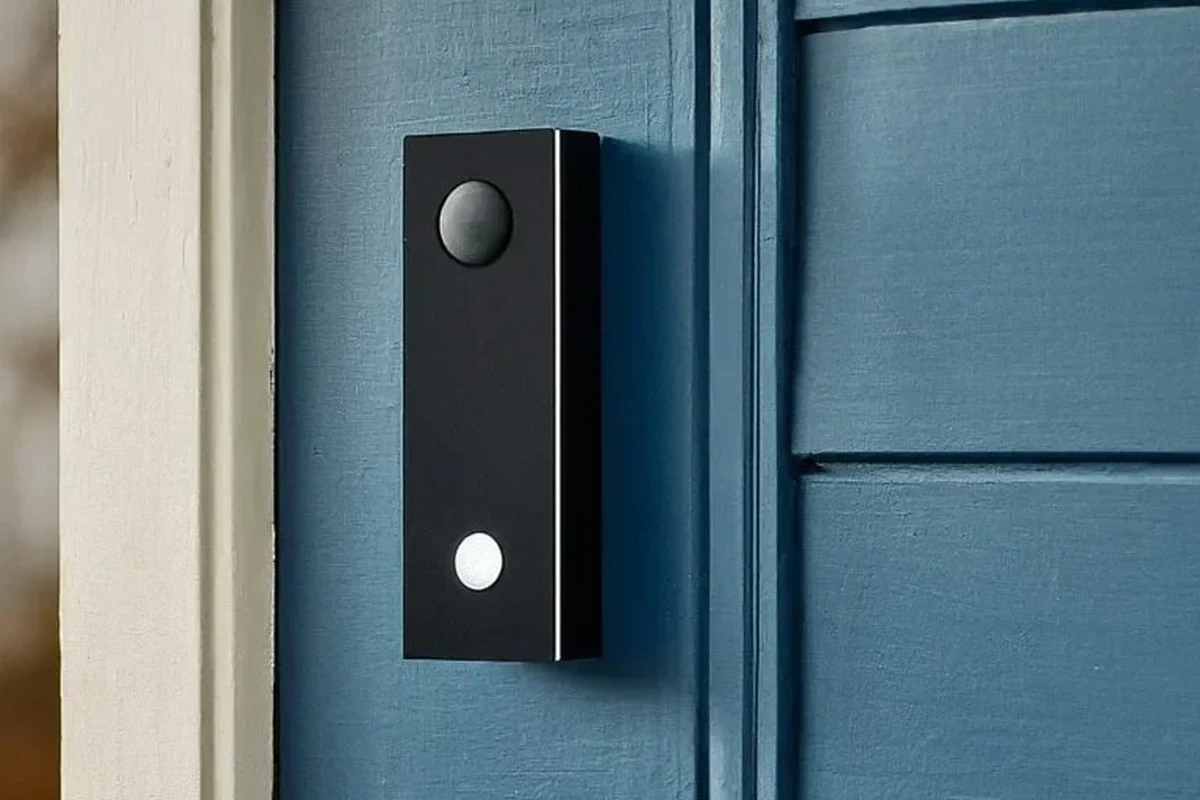
Video doorbell pricing is shaped by more than the camera on the front of the box. You may also need mounting hardware, a compatible chime, a transformer upgrade, or a paid plan for video history and smart alerts.
Device price ranges: budget, midrange, and premium models
Budget models are usually the entry point for buyers who mainly want live video, motion alerts, and two-way talk. Midrange options tend to add better image quality, smarter detection, and more reliable app features, while premium models often focus on advanced AI alerts, wider views, or stronger integration with a broader smart-home system.
Because pricing changes by retailer, region, bundle, and promotions, it’s better to think in tiers than in a single fixed number. Check the current listing, and compare what is included in the box before deciding whether a lower sticker price is really the better value.
Professional installation vs. DIY setup costs
DIY installation is often the cheapest route if your existing wiring, chime, and Wi-Fi setup are already compatible. Many battery models are designed to be easier to install, but even wired models can be straightforward if you are replacing a similar device and following the manufacturer’s instructions.
Professional installation may make sense if you’re not comfortable working near door wiring, if the transformer needs attention, or if the doorbell location is awkward. That added labor can be worth it for homeowners who want a cleaner result or who are unsure about compatibility.
Before buying, confirm whether your current doorbell wiring, chime, and transformer match the model’s requirements in the official manual. If you’re unsure, look up the exact model number rather than guessing.
Optional cloud storage, AI alerts, and monitoring subscriptions
Many video doorbells work without a subscription for live viewing and basic alerts, but features like cloud video history, package detection, familiar-face alerts, and richer event filtering may require a paid plan. That means two people can buy the same doorbell and end up with very different total costs depending on how they use it.
If you want to understand how subscription value fits into a home security setup, it can help to compare the doorbell with other connected devices in your home. For example, our guide on how smart plugs work shows how app-based features can be useful without always requiring a complex installation.
Subscription features vary widely by brand, app version, region, and firmware. Always confirm the current plan details before you buy, especially if cloud storage is important to you.
How Video Doorbells Work and Which Features Change the Price
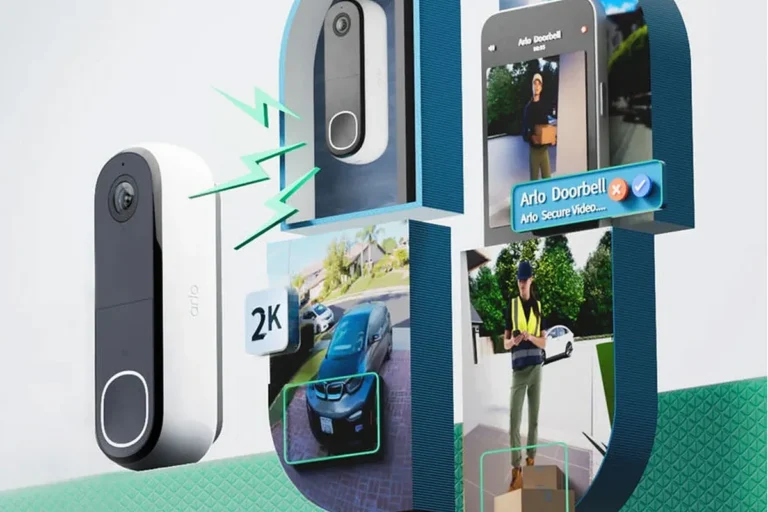
A video doorbell is basically a small camera, microphone, speaker, motion sensor, and network connection in one device. The more advanced those parts are, the more the price usually rises.
Wired vs. battery-powered designs
Wired models are typically powered through existing doorbell wiring, which can be convenient if your home already has compatible infrastructure. Battery-powered models are often more flexible for renters or homes without usable wiring, but they may need periodic charging or battery replacement.
Wired options can be more dependent on transformer compatibility, while battery models shift the cost toward convenience and maintenance. Which is better depends on whether you prefer a lower-maintenance setup or a more flexible installation.
Use only the charger, cable, and installation method recommended by the manufacturer. If a battery, cable, charger, or mount is damaged, stop using it and follow the brand’s safety guidance.
Video quality, field of view, and night vision
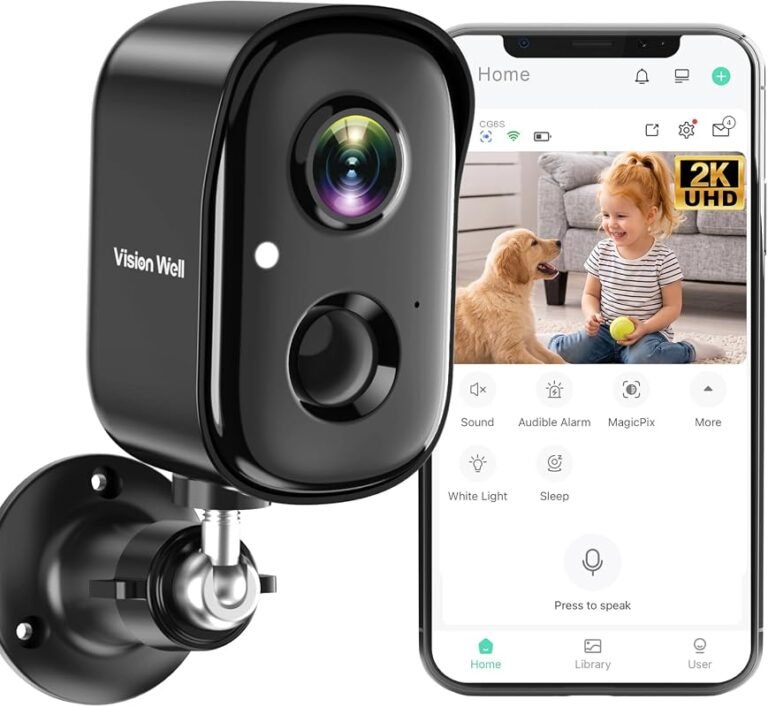
Higher-resolution cameras and wider fields of view usually cost more because they can capture more detail and cover a larger area. That matters if you want to see faces clearly, monitor packages, or reduce blind spots near the doorstep.
Night vision also affects price and usefulness. A doorbell with better low-light performance may be more helpful for front porches, shaded entryways, and homes with limited exterior lighting.
Smart detection, package alerts, and two-way audio
Smart detection features can help the doorbell tell the difference between a person, a vehicle, and general motion. That can reduce unnecessary alerts, but the accuracy depends on the camera angle, app settings, Wi-Fi stability, and the manufacturer’s software.
Two-way audio is common, but the clarity of the microphone and speaker can vary. Package alerts and AI-based notifications are often part of the higher-priced experience, especially when they are tied to a paid plan.
Power requirements, transformer compatibility, and rated wattage considerations
For wired models, the power setup matters more than many first-time buyers expect. Some doorbells need a specific voltage range or transformer capacity, and the exact requirements differ by model.
Check the rated wattage, voltage, and wiring guidance in the manual before purchase. If your existing transformer is underpowered or incompatible, the doorbell may behave unpredictably, disconnect, or fail to ring the chime properly.
Stop using damaged electronics, swollen batteries, frayed cables, overheating chargers, or unstable appliances and follow the manufacturer’s guidance.
Who a Video Doorbell Fits Best: Home Size, Entry Type, and Smart Home Setup
The best video doorbell is not the same for every home. Entry layout, Wi-Fi quality, and whether you rent or own can matter as much as the camera specs.
Best use cases for apartments, single-family homes, and rentals
Apartment residents often benefit most from battery-powered models or options that do not require permanent wiring changes. Single-family homes usually have more flexibility, especially if the property already has doorbell wiring and a compatible chime.
Renters should pay close attention to mounting method, lease rules, and whether the device can be removed without leaving damage. If you want to compare a related home security cost category, our guide to smart locker system costs is a useful example of how hardware and service fees can stack up in connected-home products.
Compatibility with Alexa, Google Home, and Apple Home
Smart-home compatibility can increase the value of a video doorbell if you already use voice assistants or a connected home ecosystem. Some devices support live viewing on smart displays, voice announcements, or automation routines, but the exact features vary by brand and platform.
Do not assume every doorbell works the same way with every ecosystem. Check the compatibility list, app store listing, and current support notes before buying, especially if you want Apple Home, Alexa, or Google Home integration.
Wi-Fi strength, app requirements, and connectivity trade-offs
Video doorbells depend on stable Wi-Fi, and weak signal strength can lead to delays, dropped clips, or missed notifications. If your front door is far from the router, you may need a mesh node or another network improvement before the doorbell performs well.
App quality also matters. A cheaper doorbell with a clunky app can be less satisfying than a slightly more expensive model with cleaner alerts, better event history, and easier settings management.
Key Buying Criteria to Compare Before You Spend
Once you know your budget, compare the details that affect daily use. The goal is not just to buy a camera, but to buy one that fits your entryway, your network, and your privacy expectations.
Resolution, aspect ratio, and motion detection accuracy
Resolution helps determine how sharp the image looks, but aspect ratio can matter just as much for seeing packages and visitors at the door. A taller view may be more useful for an entryway than a narrow horizontal frame.
Motion detection accuracy is also more important than many shoppers realize. A slightly less sharp camera with better event detection may be more practical than a high-resolution model that sends too many false alerts.
Storage options: local recording vs. cloud plans
Some doorbells store clips locally, while others rely more heavily on cloud storage. Local storage can reduce recurring costs, but cloud plans may offer easier access, longer history, and more advanced search or alert features.
When comparing value, consider how often you expect to review footage and whether you want access from multiple phones or locations. If you travel often or manage a busy household, cloud access may be worth the extra cost.
Weather resistance, operating temperature, and build quality
Outdoor electronics need to handle rain, heat, cold, and direct sunlight. The exact weather rating and operating temperature range vary by model, so check the official specifications rather than assuming all video doorbells are equally rugged.
Build quality also affects long-term value. A sturdier mount, better sealing, and clearer installation guidance can matter as much as a flashy feature list.
Dimensions, mounting fit, and doorframe clearance
Before you buy, check the physical size of the device and how it fits near your door trim. Some homes have narrow frames, decorative molding, or screen doors that can interfere with the camera angle or button access.
Measuring the space around the existing doorbell location can prevent returns and awkward installation problems. This is especially important if the model includes a wedge kit or angled mount that changes the final footprint.
- Check the exact model number, power method, app requirements, and mounting dimensions
- Confirm Wi-Fi strength, subscription terms, warranty coverage, and return policy
- Review privacy settings, firmware support, and compatibility with your smart-home platform
Real-World Value: Benefits, Limitations, and Common Mistakes
Video doorbells can be genuinely useful, but they are not magic security devices. Their value comes from visibility, convenience, and timely alerts, not from replacing every other layer of home security.
Security, convenience, and package monitoring benefits
The biggest everyday benefit is knowing who is at the door without opening it. That helps with deliveries, visitors, service calls, and general peace of mind when you are away from home.
Package monitoring is another major reason people buy these devices. Even a basic model can help you check whether a parcel arrived, but better placement and smarter alerts can make the experience much more useful.
Many false motion alerts are caused by placement issues, such as pointing at a busy street, a waving tree, or a reflective surface.
Limits of safe use, privacy concerns, and false alerts
Video doorbells can raise privacy questions if they capture shared walkways, neighboring property, or public areas. It’s smart to review local rules, building policies, and your own device settings before placing the camera.
False alerts are also common when the camera sees too much activity. Adjusting motion zones, sensitivity, and notification settings often helps more than replacing the device.
Common buying mistakes: weak Wi-Fi, wrong power setup, and hidden fees
One of the most common mistakes is buying a model that does not match the home’s wiring or transformer. Another is assuming the cheapest product will stay cheap after adding cloud storage or extra accessories.
Weak Wi-Fi is the other major issue. If the signal is poor at the front door, even a good doorbell may feel unreliable, so network quality should be part of the purchase decision.
Setup, Maintenance, and Troubleshooting Basics
Good setup habits make a video doorbell last longer and work more consistently. Most problems come from placement, power, or app setup rather than the camera hardware itself.
Installation checklist and app setup steps
Check the manual for power requirements, mounting style, and whether the device needs a chime kit or specific transformer.
Place the camera so it covers faces and packages without pointing too high, too low, or directly into glare.
Use the official app, connect to the correct Wi-Fi band if required, and review motion, privacy, and notification settings.
Cable quality, battery care, inspection, and replacement guidance
Use the manufacturer-recommended charging cable and power adapter for battery models. Avoid damaged cables, loose connectors, or chargers that run unusually hot, and replace worn accessories promptly.
Battery care varies by model, but it is usually best to follow the brand’s charging instructions instead of letting the battery sit discharged for long periods. If the battery no longer holds charge well, check the warranty and replacement options before forcing continued use.
Cleaning the lens, checking mounts, and keeping firmware updated
Dust, pollen, rain spots, and spider webs can all affect video quality. A soft, dry cloth is usually enough for the lens, while mounts and screws should be checked occasionally to make sure the device has not shifted.
Firmware updates matter because they can improve stability, fix bugs, and sometimes change app behavior. Keep the device updated through the official app and review release notes when available.
Fixing common problems: offline status, lag, charging issues, and poor video
If the doorbell goes offline, start with the basics: Wi-Fi strength, router status, power supply, and app permissions. Lag can come from network congestion, weak signal, or motion settings that are too aggressive.
Poor video quality may be caused by dirty glass, low light, poor placement, or compression settings in the app. If charging is slow or inconsistent, inspect the cable, adapter, and battery contacts before assuming the device is faulty.
Best Value Recommendations by Budget and Need
The best value depends on whether you want the lowest upfront cost, the best all-around balance, or the most advanced smart-home features. Start with your home setup, then choose the tier that fits it.
Best cheap pick for simple door monitoring
A budget model is best for buyers who mainly want live video, motion notifications, and basic two-way talk without paying for a premium feature set. The trade-off is that storage, detection, and app experience may be more limited.
Best midrange option for most households
A midrange video doorbell is usually the sweet spot for families and busy households because it often balances image quality, smart alerts, and overall ease of use. It is the safest choice when you want strong value without overpaying for extras you may never use.
Best premium choice for advanced smart-home users
A premium model makes sense if you care about deeper smart-home integration, better detection, or a more polished app experience. The main limitation is that some of the best features may still depend on a subscription or a specific ecosystem.
Final verdict: how much to spend based on your home and security goals
If you only need basic front-door awareness, spend enough to get a reliable camera and stable app support, then skip the extras. If you want fewer false alerts, better package visibility, and smarter notifications, paying more for a stronger midrange model is often the best move.
For advanced users, the right price is the one that matches your wiring, Wi-Fi, and smart-home platform without forcing you into hidden monthly costs. In other words, the best video doorbell is not simply the cheapest or the most expensive one—it is the one whose total cost fits your home and your routine.
Frequently Asked Questions
The cheapest route is usually a basic model with DIY installation and no paid subscription. Just make sure it still works with your wiring, Wi-Fi, and mounting space.
Not always, but many brands charge for cloud history, package alerts, or advanced AI features. Check the plan terms before you buy so you know what is included without a subscription.
Wired models can be better for low-maintenance use if your home already has compatible wiring. Battery models are often easier to install, which can save money upfront for renters or homes without usable wiring.
Higher resolution, better night vision, wider viewing angles, smarter detection, and stronger smart-home integration usually raise the price. Subscription-based features can also increase the total cost over time.
Check the model’s power requirements, mounting dimensions, and compatibility with your chime and transformer. Also confirm that your Wi-Fi signal is strong enough at the front door.
Verify the exact model number, app requirements, storage options, warranty, and current subscription terms. It is also wise to review privacy settings, firmware support, and any official compatibility lists.