Does Blink Video Doorbell Have a Chime Explained
Blink video doorbell alerts usually come through the app, and indoor chime behavior depends on the exact model and accessories. If you want a traditional ring inside the home, verify Sync Module and external chime compatibility before buying.
If you’re asking does Blink video doorbell have a chime, the short answer is: it can alert you, but it does not rely on a traditional built-in indoor chime the way some wired doorbells do. Your alerts usually come through the Blink app, and depending on your setup, a Sync Module or a compatible smart speaker can help create an audible ring inside the home.
That means the real question is not just whether it “has” a chime, but what kind of ringing experience you want. For some homes, app alerts are enough; for others, an external chime or smart-home integration is the better fit.
- Direct answer: Blink doorbells are app-first, so a built-in traditional chime is not the default experience.
- Indoor sound: You may need a Sync Module, smart speaker, or external chime for audible alerts.
- Best fit: Works well for users who want flexible smart alerts and don’t mind adding accessories.
- Important check: Verify the exact model, app support, and accessory compatibility before purchase.
- Main trade-off: Simpler setup and lower friction, but less “classic doorbell” behavior out of the box.
Does Blink Video Doorbell Have a Chime? Quick Answer and What It Means
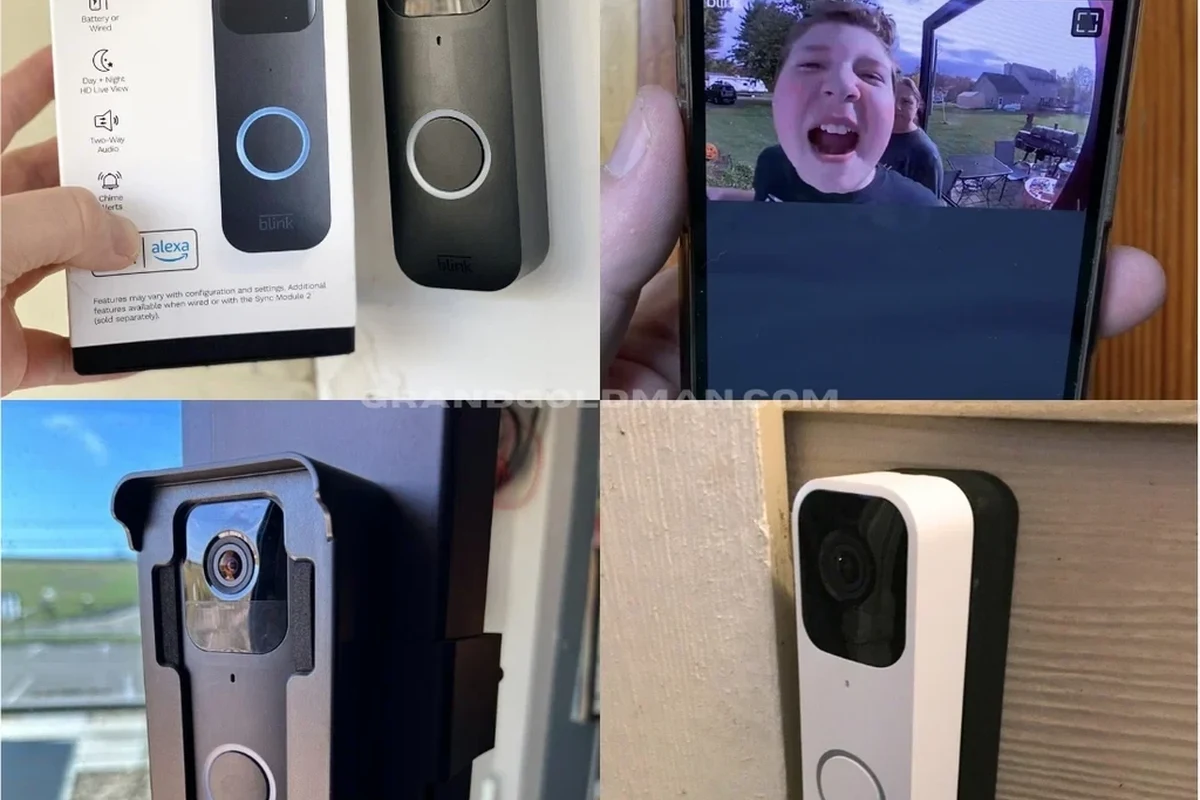
Blink video doorbells are designed around phone-based alerts and connected-device notifications rather than a built-in mechanical chime. In practical terms, that means you should expect the doorbell press or motion event to reach your phone, tablet, or paired smart home device first.
If you are replacing an older doorbell, this is an important distinction. A traditional doorbell usually rings inside the house through wiring and a chime box, while a Blink setup may need extra hardware or app settings to create a similar sound indoors. If you are comparing options, it can help to review broader video doorbell buying basics before choosing a model.
How the Blink Video Doorbell Alerts You: App Notifications, Sync Module, and Ringing Options
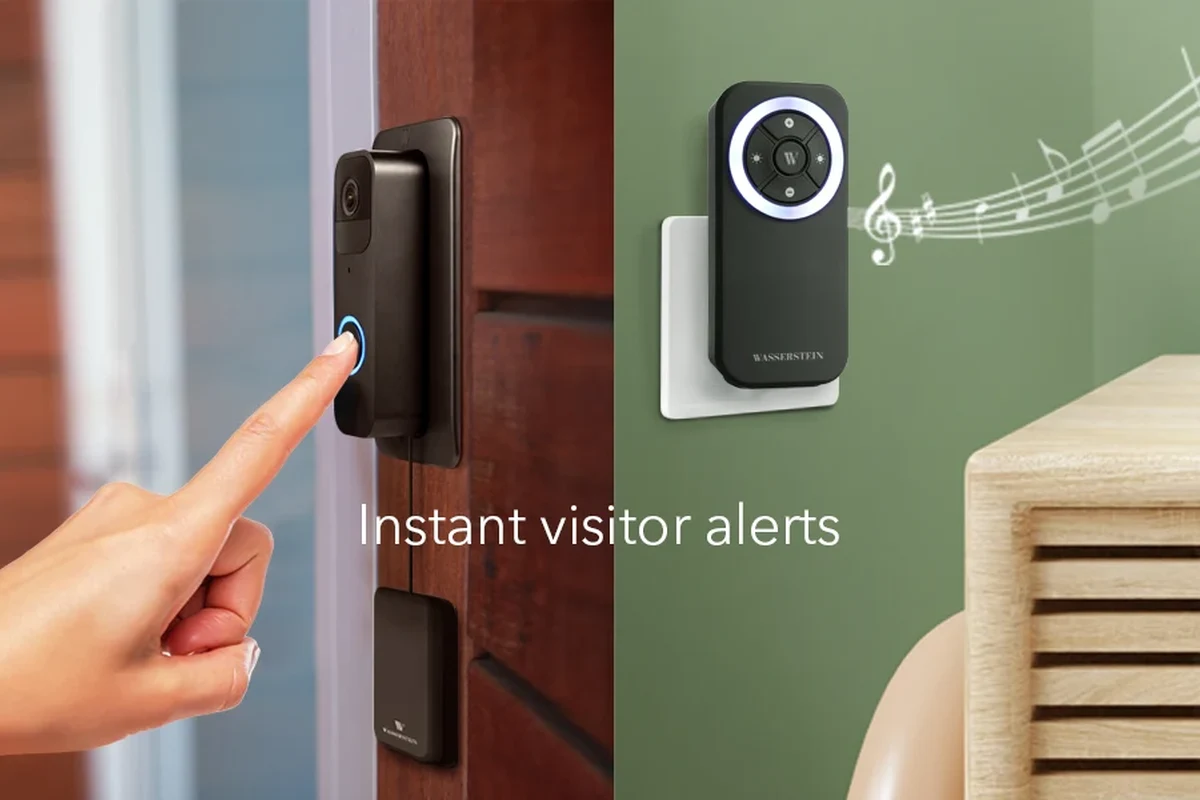
The Blink system is built to push alerts through software and connected accessories. That makes it flexible, but it also means the experience depends on how you configure the account, the home’s Wi‑Fi, and any add-ons you use.
Using the Blink app for motion and doorbell alerts
The Blink app is the main way many users receive notifications. When someone presses the doorbell or motion is detected, the app can send a push alert to your phone or tablet, assuming notifications are enabled and your device settings allow them.
This is convenient for remote workers, students, pet owners, and travelers who may not be near the front door. It is also the simplest path for renters or first-time smart home users because it does not require a complex wiring setup. The trade-off is obvious: if your phone is silent, out of reach, or the app is not allowed to send notifications, you may miss the alert.
Before relying on any video doorbell, check the app’s notification permissions, sound settings, and battery-saver restrictions on your phone. A working device can still feel unreliable if the phone is muting alerts in the background.
How the Sync Module changes chime behavior
For many Blink setups, the Sync Module is the accessory that changes how the system behaves indoors. Depending on the model and current app support, it can help connect the doorbell to a local chime device or support broader system functions such as storage or device coordination.
Because Blink hardware and app features can vary by model, region, and firmware version, it is smart to verify the current compatibility notes in the official Blink app or support pages before buying. If you want indoor ringing, do not assume every Blink package includes the same chime behavior out of the box.
Chime support and accessory compatibility can change with firmware updates, app versions, and product bundles. Confirm the exact doorbell model and Sync Module version before assuming a specific ringing feature is included.
When you need an external chime or smart speaker
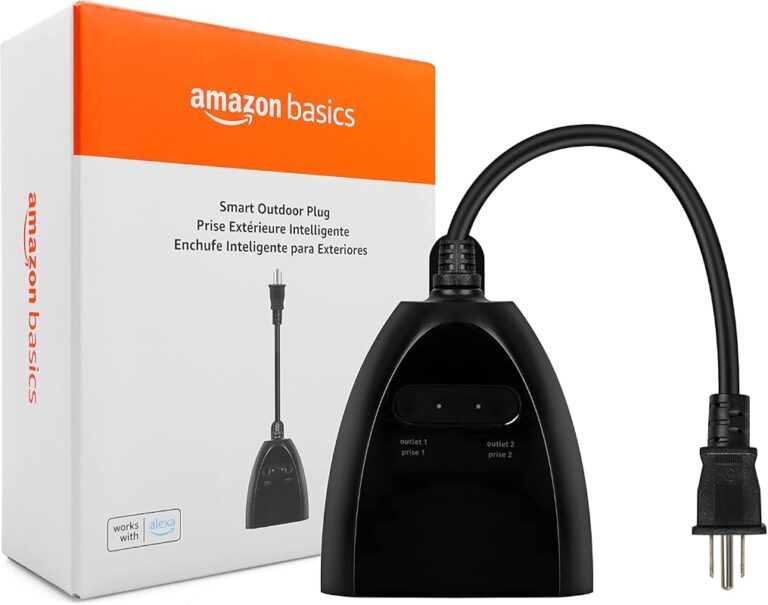
If you want a sound inside the home, you may need an external plug-in chime or a compatible smart speaker setup, depending on the Blink model and the features available in your region. That is especially useful in larger homes, homes with thick walls, or places where phone notifications may not be heard quickly enough.
For many users, a smart speaker is the easiest workaround because it can announce visitors in a central room. For others, a dedicated plug-in chime is preferable because it is simple, predictable, and does not depend on a phone being nearby. If you are still comparing brands, our guide to whether video doorbells are worth it for home security can help frame the trade-offs.
How the Blink Video Doorbell Fits Different Homes and Setups
Whether Blink is a good fit depends less on the chime question alone and more on how you live. A doorbell that depends on app alerts may be perfect for one household and frustrating for another.
Who it works best for: apartments, houses, renters, and first-time smart home users
Blink often makes the most sense for users who want a lower-complexity smart doorbell experience. Apartments and rentals can benefit because installation is often simpler than a full hardwired system, though you still need to confirm building rules before mounting anything outside.
Single-family homes can also benefit, especially if the homeowner wants mobile alerts and is comfortable adding a chime accessory or smart speaker later. First-time smart home users tend to appreciate the straightforward app-based setup, but they should be prepared to spend a little time on notification settings and Wi‑Fi stability.
- Simple app-centered alerts
- Flexible for renters and first-time users
- Can work with added indoor alert options
- May not include a traditional built-in chime
- Indoor ringing can depend on extra hardware
- Alert reliability depends on phone and Wi‑Fi settings
Wired vs. battery-powered installation considerations
Some Blink doorbell setups can be wired, while others are used with battery power depending on the model and installation plan. That difference matters because wired installation may support more consistent operation in some homes, while battery-powered use can be easier to place but may require periodic charging or replacement.
Before buying, check whether your existing doorbell wiring is compatible, whether the transformer is within the supported range listed by the manufacturer, and whether your home’s layout makes battery access convenient. If the doorbell is mounted in a hard-to-reach spot, battery maintenance becomes more important than the product listing may make it seem.
Space, mounting, and placement factors to verify before buying
Placement affects both video quality and chime practicality. If the camera points too high, too low, or too far from the walkway, you may get poor visitor framing or delayed motion detection. If it is placed where the indoor sound is hard to hear, you may also need a second alert source.
- Check whether your home needs a built-in chime, a Sync Module, or a smart speaker for indoor alerts
- Confirm wiring compatibility, Wi‑Fi strength, and mounting clearance near the front door
- Verify app support, notification permissions, and battery access if the model is battery-powered
Key Specs and Decision Criteria to Check Before You Buy
If your main concern is chime behavior, don’t stop at the product name. A good purchase decision depends on power, app support, connectivity, and the video features that make the doorbell useful day to day.
Power source, battery life expectations, and charging or replacement needs
Battery-powered models are attractive because they are easier to install and relocate, but battery life varies widely with motion frequency, temperature, Wi‑Fi strength, and how often live view is used. Manufacturer claims are typically based on ideal conditions, so real-world results can differ.
Wired models reduce the need for battery charging, but they still need compatible wiring and a stable installation. If you do not want to think about charging schedules, wired may be better. If you want flexibility and a simpler install, battery-powered may be worth the trade-off.
Connectivity requirements, app compatibility, and Wi‑Fi stability
For a smart doorbell, Wi‑Fi is not optional. Weak signal at the front door can delay alerts, reduce live-view responsiveness, and make the whole system feel less dependable than it should.
Also confirm that your phone or tablet supports the current Blink app version and that your household is comfortable using the app as the primary alert method. If your internet drops often, any app-first doorbell will feel less useful, even if the hardware itself is fine. If you are still comparing ecosystem fit, see our guide on video doorbells that work best with Apple devices.
Video, field of view, audio, and motion detection features that affect value
Chime support is only one part of the value equation. Video resolution, field of view, two-way audio, motion detection zones, and night performance all influence whether the doorbell feels helpful or annoying in daily use.
For example, a doorbell with strong motion detection but poor placement can generate too many alerts. A doorbell with good audio but weak Wi‑Fi can make live conversations awkward. The best fit is the one that balances alerting, visibility, and reliability for your specific entryway.
Real-Use Benefits of a Blink Doorbell Without a Built-In Chime
Not having a traditional built-in chime is not always a drawback. In some homes, it actually makes the system cleaner and more flexible.
Convenience for mobile alerts and smart home integration
A chime-light design can be convenient because your alerts follow you. If you are in the backyard, upstairs, or away from home, the app can still notify you. That is useful for creators waiting on deliveries, parents juggling household tasks, and remote workers who do not want to depend on a single indoor chime location.
Some households also prefer smart speaker announcements because they can place the alert where people actually gather. That can be more practical than a single wall chime in a hallway that nobody hears.
Security advantages for monitoring visitors and package deliveries
Video doorbells are often used less for “ringing” and more for awareness. A good alert system helps you see who is at the door, check package drop-offs, and respond to visitors without opening the door immediately.
That can be especially helpful for people who travel often or receive deliveries while they are not home. If your goal is monitoring rather than old-school doorbell noise, Blink’s app-first approach can be enough.
Cost and simplicity trade-offs compared with chime-equipped rivals
Doorbells with built-in chimes or bundled indoor chime hardware can be more straightforward, but they may also be more expensive or less flexible. A Blink setup can keep the system simpler at the start, but you may need to add accessories later if you want a more traditional sound.
If budget is part of your decision, it helps to compare the total setup cost, not just the doorbell itself. Our overview of video doorbell pricing can help you think through the full purchase, including add-ons and installation needs.
Limitations, Common Mistakes, and Safety Considerations
Most complaints about smart doorbells are not about the camera alone. They are about missed alerts, weak Wi‑Fi, bad placement, or assuming the system works like a traditional doorbell when it does not.
Why some users miss alerts and how to avoid it
Missed alerts usually come from phone settings, notification permissions, low battery, poor signal, or app restrictions in the background. If the doorbell is installed correctly but alerts still seem inconsistent, start with the phone and network before blaming the hardware.
Test the full alert path after setup: press the doorbell, confirm the push notification, listen for any indoor chime or speaker announcement, and check the event history in the app.
Power, wiring, and installation mistakes to avoid
Do not assume every home’s existing wiring is suitable just because a doorbell was already there. Confirm compatibility with the manufacturer’s installation instructions, especially if the system uses wiring, a transformer, or a Sync Module accessory.
Also avoid mounting the device where it can be hit by direct water spray, blocked by a screen door, or shaded in a way that hurts visibility. A poor install can make even a good product feel unreliable.
Follow the manufacturer’s installation guide for wiring, charging, and weather exposure. Stop using damaged cables, cracked housings, or any device that overheats, shows battery swelling, or behaves unpredictably.
Safe use, inspection, and maintenance guidance for long-term reliability
Keep the lens clean, check the mount periodically, and review firmware or app update prompts when they appear. Smart home devices often improve with software updates, but only if you keep the app and connected accessories current.
If the doorbell is battery-powered, inspect the battery and charging accessories regularly and replace anything that shows wear. If it is wired, verify that the connection remains secure and that the unit is still seated correctly after weather changes or seasonal temperature swings.
Comparing Blink’s Chime Setup With Alternatives
When people ask whether Blink has a chime, they are usually really asking whether it behaves like a normal doorbell. The answer is that it can cover the job, but the experience depends on which alert method you choose.
External plug-in chimes vs. smart speakers vs. other video doorbells
An external plug-in chime is the most traditional-feeling option. It is simple, loud enough for many homes, and easy to understand for guests and family members.
Smart speakers are better if you already use a connected home ecosystem and want voice announcements in multiple rooms. Other video doorbells may offer a built-in chime or a more complete indoor alert package, which can be appealing if you want fewer accessories. For a broader market view, you can also compare the best video doorbell options before deciding.
Which option offers the best balance of price, convenience, and coverage
If you want the easiest setup, app alerts alone are the simplest. If you want dependable indoor sound, a plug-in chime is usually the clearest improvement. If you want flexibility across rooms, smart speakers may be the best compromise.
For many households, the best balance is not “one perfect chime,” but a layered setup: phone alerts plus one indoor sound source. That gives you a backup if your phone is muted or out of reach.
Evidence limits, compatibility caveats, and what to verify in 2026
Because Blink hardware bundles, firmware, and app features can change, always verify the exact model page, current support documentation, and accessory compatibility before buying. Do not rely on older forum posts or outdated retail listings when chime behavior is the main decision point.
Compatibility can change by model, app version, and accessory package. Confirm the current Blink support documentation and app-store listing before assuming a specific indoor chime setup will work.
Final Recommendation: Is the Blink Video Doorbell a Good Fit If You Need a Chime?
Blink is a good fit if you are comfortable with app-based alerts and you are willing to add an external chime or smart speaker when needed. It is less ideal if you want a doorbell that behaves like a classic wired system right out of the box.
If your priority is simple monitoring, flexible placement, and a lower-fuss smart home setup, Blink can make sense. If your top priority is a guaranteed built-in indoor chime, verify the exact model’s alert options first and consider a chime-equipped alternative if that feature is non-negotiable.
Frequently Asked Questions
In most Blink setups, the doorbell is centered on app alerts rather than a built-in indoor chime. If you want sound inside the home, you may need an accessory or smart speaker depending on the model.
You can hear it through push notifications on your phone or tablet, and sometimes through connected indoor devices. The exact alert path depends on your settings, Wi‑Fi, and hardware.
Not every basic alert depends on it, but the Sync Module can affect how Blink works in your home. Check the current Blink documentation for your exact model and bundle.
Yes, especially if you want a simpler smart doorbell setup and your building allows mounting. Battery access, Wi‑Fi strength, and installation rules are the main things to verify first.
Check power source, indoor alert options, Wi‑Fi requirements, app compatibility, and whether you need extra accessories. Also review the current warranty and support information.
It can be, but only if you are comfortable adding an external chime or using another indoor alert method. If you want a built-in chime with minimal setup, compare alternatives first.