Does Blink Video Doorbell Need Sync Module Explained
No, the Blink Video Doorbell does not usually need a Sync Module for basic use. You only need one if you want compatible local storage, broader Blink system management, or a more complete multi-device setup.
If you’re asking, does Blink video doorbell need sync module, the short answer is no: the doorbell can work without one for standard video doorbell use. A Sync Module becomes useful when you want local storage, better system management, or a larger Blink setup.
- Basic use: The doorbell can often work on Wi-Fi without a Sync Module.
- Local storage: Sync Module 2 matters most if you want supported local clip saving.
- Setup fit: Strong Wi-Fi, correct app setup, and proper mounting matter more than extra hardware.
- Buyer check: Confirm model compatibility, subscription rules, and power requirements before purchase.
Does Blink Video Doorbell Need a Sync Module? Quick Answer and Bottom Line
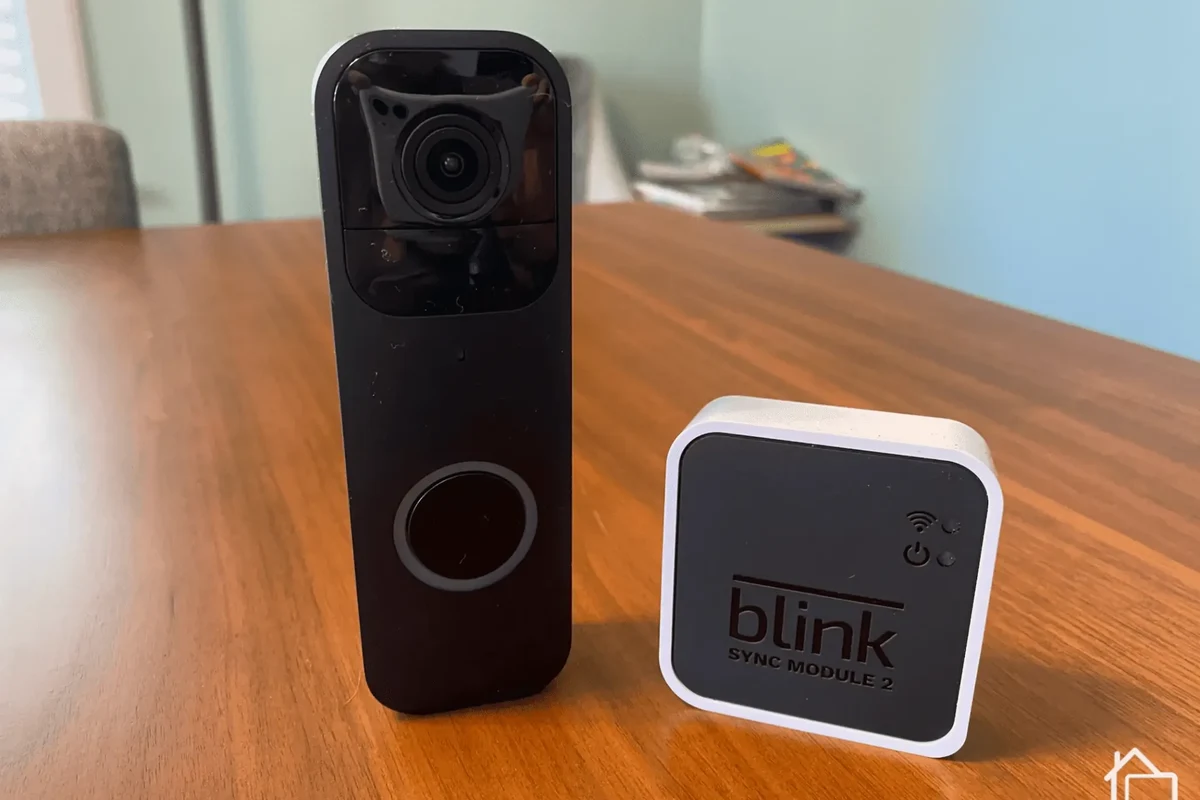
For most buyers, the Blink Video Doorbell can operate on its own over Wi-Fi and through the Blink app. That means you can get motion alerts, live view, two-way talk, and cloud-based features without automatically needing a separate module.
The Sync Module is not a universal requirement, but it can change how the system stores clips and how well it fits into a broader Blink camera setup. If you’re comparing options and budgeting for a new system, it can help to read a broader video doorbell buying guide alongside Blink-specific details.
How the Blink Video Doorbell Works Without a Sync Module
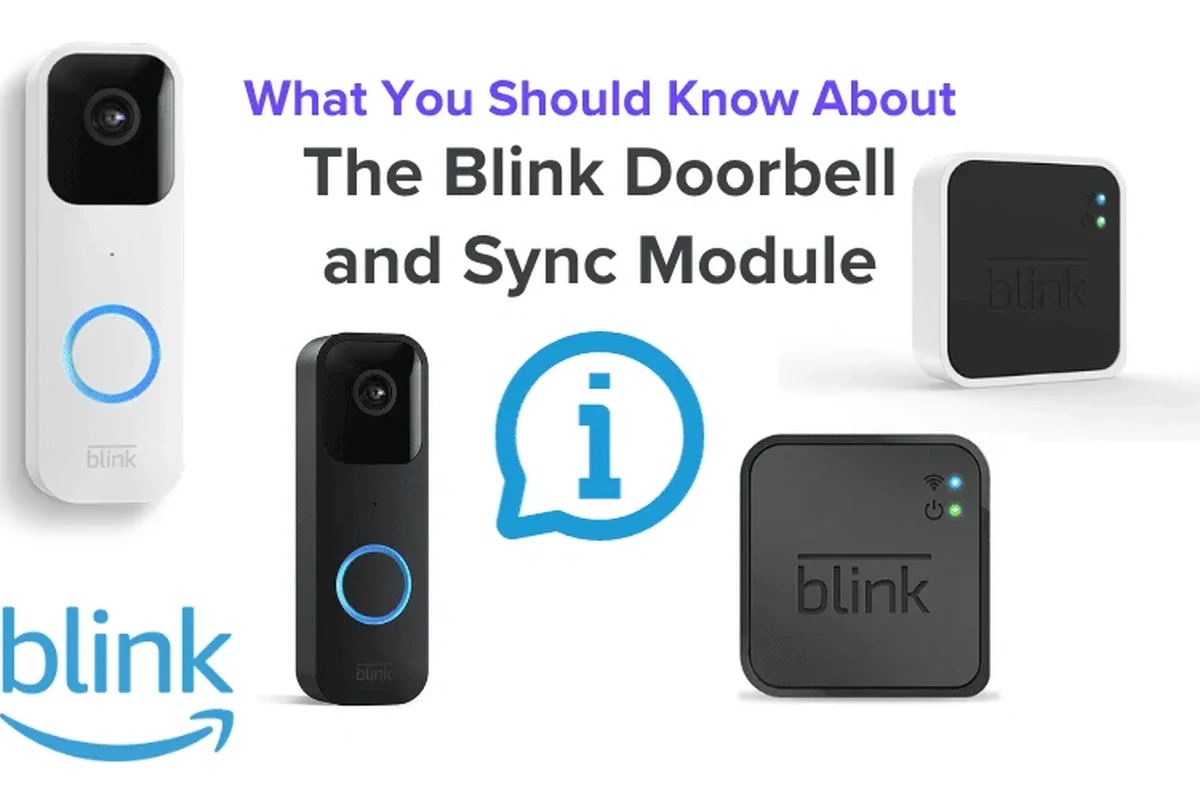
Blink’s doorbell is designed to be usable without extra hardware in many setups. In practical terms, the doorbell connects to your home Wi-Fi and sends notifications through the app, while cloud features depend on your account setup and current Blink plan options.
Wi-Fi connection, cloud features, and what the doorbell can do on its own
Without a Sync Module, the doorbell still relies on wireless networking and the Blink app for setup and daily use. Typical core functions include motion detection alerts, live view, and speaking through the doorbell, though exact behavior can vary by model, firmware, and subscription status.
This is why the answer to the sync module question is often “not required,” but not “irrelevant.” If your goal is simple front-door monitoring, standalone use is often enough. If you want to compare image and motion performance across brands, our video doorbell picture quality guide can help frame what matters most.
Feature availability can vary by Blink model, app version, region, and subscription plan. Always confirm the current official specifications before buying.
Where the Sync Module adds value: local storage, range, and system expansion
The Sync Module matters most when you want a more flexible Blink ecosystem. On supported setups, it can enable local storage with a USB drive on Sync Module 2, and it may help organize multiple Blink cameras in one place.
It can also be helpful in homes where device grouping, placement convenience, or network stability is a concern. That does not mean it replaces a strong Wi-Fi signal, but it may make the overall system easier to manage. Buyers who care about value should also consider total system cost, not just the doorbell itself; our best value video doorbell guide can help with that comparison.
- Check whether your preferred Blink doorbell model supports local storage through a Sync Module 2.
- Confirm whether your household needs one doorbell only or a larger camera network.
- Review Blink’s current subscription and storage terms before deciding.
When You Do Need a Sync Module with Blink Video Doorbell
There are specific cases where adding a Sync Module is the smarter choice. The most common reason is storage: if you want local clip saving on compatible hardware, the module becomes much more important.
Use cases that depend on a Sync Module 2 for local video storage
Many buyers choose Blink because they want a simple, lower-maintenance doorbell setup. But if you prefer local recording rather than relying only on cloud-based access, Sync Module 2 is the version to look at for supported local storage features.
That can matter for households that want another layer of control over where clips are stored. It may also appeal to users who want to reduce ongoing subscription dependence, though you should still verify exactly which features remain tied to cloud services, app access, or account status.
- Check the exact Blink doorbell model and whether it supports Sync Module 2 local storage.
- Confirm app, Wi-Fi, and subscription requirements for the features you want.
- Review storage limits, clip access rules, and account settings before installation.
Multi-device Blink setups and when the module improves reliability
If you plan to use multiple Blink cameras, the Sync Module can make the system easier to coordinate. It may also help centralize device management so you are not juggling every camera as a separate setup task.
That said, a module is not a fix for poor internet service or dead zones in the home. If your Wi-Fi is weak at the front door, the better solution may be a stronger router, mesh node, or a more suitable mounting location rather than assuming the module alone will solve the problem.
For many smart home devices, the quality of your Wi-Fi signal and router placement can affect performance as much as the device itself.
Setup Requirements, App Needs, and Compatibility Checks
Before buying, it helps to think beyond the module question and look at the whole installation picture. Power source, mounting space, app requirements, and wireless compatibility all affect how smoothly the doorbell will work.
Power source options, mounting basics, and installation space considerations
Blink doorbells may support different power arrangements depending on the model and your home setup, so check the official manual for the specific wiring or battery requirements. Some users want a simple battery-powered install, while others prefer a wired connection or existing doorbell wiring if supported.
Mounting space also matters. Make sure the doorbell has enough clearance for the angle you want, that the front door area can handle weather exposure, and that the camera view will not be blocked by trim, screens, or a wall edge. If you are comparing battery models specifically, our best battery operated video doorbell guide is a useful companion.
Follow the manufacturer’s installation instructions for wiring, batteries, and mounting. Do not modify electrical connections or use damaged cables, swollen batteries, or unstable mounts.
Blink app, Wi-Fi band support, and account requirements to verify before buying
The Blink app is central to setup and daily use, so make sure your phone or tablet is compatible with the current app version. You should also verify whether your router settings, Wi-Fi band support, and network security setup match Blink’s current requirements.
Account setup is another important step. Many smart home devices require a valid account, app permissions, and occasional firmware updates to function correctly. If you want to keep the system simple, confirm these requirements before purchase rather than discovering them during installation.
Key Specifications and Decision Criteria to Compare
When deciding whether to buy with or without a Sync Module, focus on the features that affect daily use. The most useful comparison points are video quality, alerts, audio, battery expectations, dimensions, and storage options.
Video quality, motion alerts, field of view, and two-way audio
These are the features most people notice first. Video resolution, night performance, motion detection behavior, and field of view all influence how useful the doorbell is at your front door, while two-way audio affects how well you can talk to visitors or delivery drivers.
Because these details can vary by model and firmware, the best move is to compare the current official spec sheet rather than assuming all Blink doorbells behave the same. If privacy and home visibility are top concerns, you may also want to compare alternatives in our most private video doorbell home security guide.
Battery life expectations, doorbell dimensions, and weather resistance
Battery life is highly usage-dependent. Frequent motion, cold weather, weak Wi-Fi, and lots of live-view sessions can all shorten runtime, so avoid relying on a single advertised number without checking the usage assumptions behind it.
Doorbell dimensions matter too, especially for narrow trim, apartment entries, or older homes with limited mounting space. Weather resistance is equally important for outdoor durability, but you should confirm the exact rating and installation guidance for your specific model before exposing it to rain, sun, or freezing conditions.
If your entryway gets heavy traffic or strong sun, choose a mounting location that reduces glare and keeps the camera and battery area easier to inspect.
Storage choices, subscription costs, and warranty details to confirm
Storage is one of the biggest reasons people ask whether a Blink Video Doorbell needs a Sync Module. Some users are happy with cloud-based features, while others want local storage or a setup that reduces recurring costs.
Before buying, confirm the current subscription terms, whether local storage needs Sync Module 2, and what warranty coverage applies in your region. Pricing, plan details, and warranty length can change by retailer and market, so it is best to verify them directly rather than relying on old listings or forum posts.
- Standalone use is usually enough for basic doorbell monitoring.
- Sync Module 2 becomes more useful for local storage and multi-camera setups.
- Verify app, Wi-Fi, power, and subscription requirements before purchase.
Real-World Benefits, Limitations, and Common Mistakes
In everyday use, the best setup is usually the one that matches your home layout and expectations. A Blink doorbell without a module can be very practical, but the trade-offs become clearer once you think about storage, reliability, and placement.
Convenience, budget value, and smart-home fit for renters and homeowners
For renters, students, and homeowners who want a simple front-door camera, the module-free route can be appealing because it keeps the setup smaller and easier to manage. It can also be a sensible choice if you only need alerts and occasional live checks.
For smart-home users, Blink can fit into a broader ecosystem, but the value depends on how many devices you plan to add and how much automation you expect. If you are still deciding whether a video doorbell is worth the effort at all, our video doorbell value guide is a helpful next read.
Limitations of no-module use, cloud dependence, and signal strength issues
The main limitation of skipping the module is that you may miss out on local storage or a more centralized Blink setup. You may also become more dependent on cloud access and whatever subscription or account rules are active at the time you use the device.
Another issue is signal strength. If the doorbell is too far from the router, performance can suffer regardless of whether you own a Sync Module. That can show up as delayed alerts, poor live view, or clips that do not upload as expected.
Common setup mistakes that cause missed alerts or weak performance
Many problems come from simple installation oversights rather than defective hardware. Common mistakes include weak Wi-Fi at the door, incorrect motion settings, poor camera angle, blocked view of the walkway, and ignoring firmware or app updates.
- Simple setup for basic front-door monitoring
- Can fit budget-conscious buyers who do not want extra hardware
- Works well when Wi-Fi and placement are strong
- Local storage may require a Sync Module 2
- Cloud or account dependence may still apply
- Poor Wi-Fi can reduce reliability regardless of module use
Safe Use, Maintenance, and Long-Term Care
Like any outdoor smart device, a Blink doorbell needs occasional checks to stay dependable. Basic maintenance is usually simple, but it matters for battery health, weather exposure, and long-term app performance.
Battery inspection, replacement guidance, and charging best practices
If your model uses a removable battery, inspect it regularly for swelling, damage, or unusual heat. Follow the official charging instructions and use only approved charging methods and accessories for that model.
Do not keep using a battery or charger that looks damaged, runs excessively hot, or behaves unpredictably. For battery-powered home devices, safety and reliability should always come before convenience.
Stop using damaged electronics, swollen batteries, frayed cables, overheating chargers, or unstable mounts and follow the manufacturer’s guidance.
Weather exposure, mounting checks, cleaning, and periodic app updates
Outdoor devices need occasional physical checks. Make sure the mount stays secure, wipe away dirt or spider webs that could block the lens, and confirm that rain or sun exposure has not loosened the installation.
App updates also matter because they can affect notifications, device pairing, and feature availability. After updates, it is smart to confirm that motion alerts, live view, and clip access still work the way you expect.
Make sure the doorbell is secure, level, and not blocked by trim or decorative hardware.
Look for wear, heat, or looseness and follow the official replacement or charging guidance.
Confirm notifications, motion zones, and firmware updates after installation or major app changes.
Final Recommendation: Who Should Buy With or Without the Sync Module
The best choice depends on what you want the Blink doorbell to do. If you only need a straightforward video doorbell for alerts, live view, and visitor talk, buying without a Sync Module is often the simplest path.
Best choice for basic doorbell use, local storage seekers, and budget-focused buyers
Buy without the module if you want a smaller, lower-complexity setup and do not need local storage. Choose a Sync Module 2 if you want compatible local clip storage, plan to expand into multiple Blink devices, or prefer more centralized system management.
Transparent verdict on value, trade-offs, and the most practical setup in 2026
In 2026, the most practical Blink setup for many households is still the one that matches the home’s Wi-Fi quality, storage preference, and installation comfort. The Sync Module is useful, but it is an add-on for specific needs rather than a mandatory part of every Blink Video Doorbell purchase.
If you want the simplest setup, the Blink Video Doorbell can usually work without a Sync Module. If local storage, broader device management, or a more complete Blink ecosystem matters more, Sync Module 2 is the better fit—provided you confirm current compatibility and feature support before buying.
Frequently Asked Questions
Yes, it can work without a Sync Module for core doorbell features like alerts, live view, and two-way talk. Exact features can vary by model, app version, and subscription status.
A Sync Module can add local storage on supported setups, help manage multiple Blink devices, and make the system feel more centralized. It does not replace a strong Wi-Fi signal.
Local storage support is tied to compatible hardware and current Blink feature rules, so Sync Module 2 is the version to check first. Confirm the official specs before buying because support can vary.
In many setups, yes, motion alerts still work without the module. Notification timing and reliability depend on Wi-Fi strength, placement, and app settings.
Check model compatibility, app requirements, Wi-Fi support, power options, storage rules, and warranty terms. It is also wise to confirm current subscription details and any region-specific limitations.
Weak Wi-Fi, poor mounting angle, blocked camera view, and outdated app or firmware settings are common causes of missed alerts or weak performance. A module will not fix every connection problem.