Aoqee Cameras Review for Better Home Security Today
Aoqee cameras can be a sensible choice for basic smart home monitoring if the exact model’s app, storage, and Wi‑Fi requirements fit your setup. They are best for small spaces and everyday check-ins, not for buyers who need advanced security features or large-property coverage.
If you’re looking at Aoqee cameras for home security, the short answer is that they can make sense for basic monitoring if the model’s specs, app support, and storage options fit your setup. They are best approached as value-focused smart home cameras, which means the details matter more than the brand name alone.
- Best fit: Small homes, apartments, entryways, nurseries, garages, and other focused monitoring spots.
- Verify first: Resolution, motion detection, night vision, storage type, app compatibility, and any subscription fees.
- Main trade-off: Wi‑Fi quality and app stability can affect real-world performance more than the camera listing.
- Watch for: Indoor vs. outdoor rating, cable length, mount type, and firmware update support.
Aoqee Cameras Review: The Short Answer on Whether They’re Worth It for Home Security
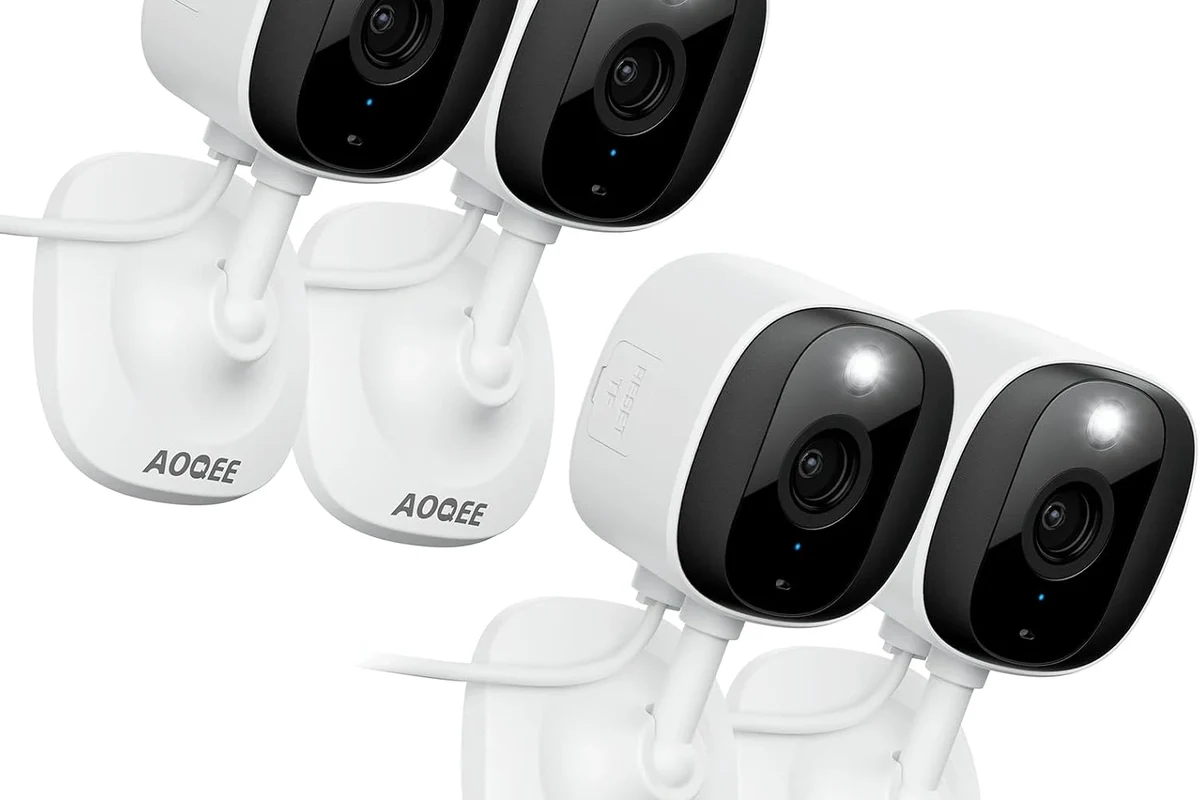
Aoqee cameras are worth considering if you want straightforward home monitoring for spaces like entryways, apartments, nurseries, garages, or a small backyard area and you do not need a premium, deeply integrated security ecosystem. The main buying question is not just “Does it have a camera?” but whether the exact model supports the resolution, detection, storage, and app experience you actually need.
Because Aoqee products can vary by model and retailer listing, buyers should verify the exact version before assuming features such as local storage, pan/tilt, color night vision, or smart alerts. That matters in smart home gear, where app compatibility, Wi‑Fi requirements, and firmware support can change the real experience more than a spec sheet headline.
What Aoqee Cameras Are and How They Work in a Smart Home Setup
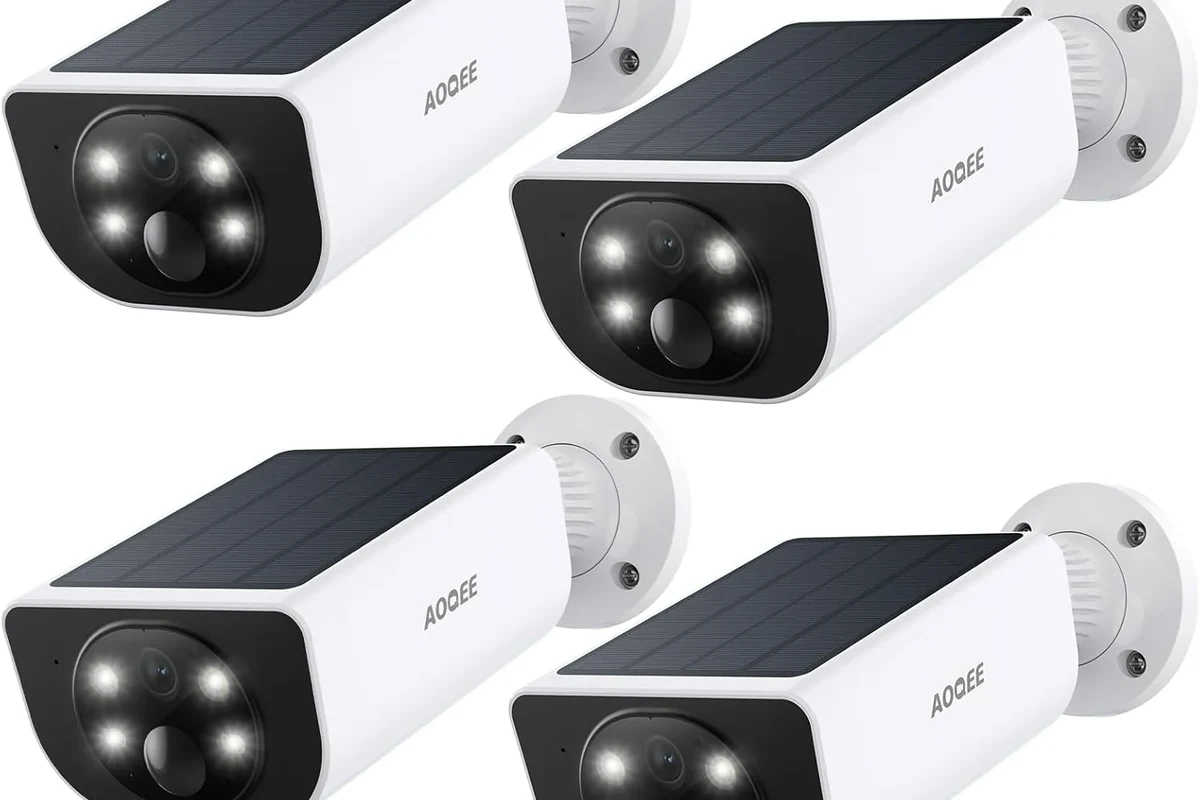
Aoqee cameras are consumer security cameras designed to send live video and motion alerts to a phone app, usually over home Wi‑Fi. In a typical smart home setup, they help you check on doors, pets, children, packages, or activity in a room without being physically present.
Most buyers will use them as part of a simple monitoring system rather than a full professional security network. That makes setup and app reliability especially important, since the camera is only useful if it stays connected, records when needed, and sends alerts you can trust.
Core features to verify: video quality, motion detection, night vision, storage, and app control
Before buying, confirm the resolution and field of view for the exact model. Higher resolution can help with facial detail or package monitoring, but the real result also depends on lens angle, room lighting, and how far the subject is from the camera.
Motion detection is another feature to check carefully. Some cameras use simple motion alerts, while others offer person detection, zone-based alerts, or sensitivity controls; those options can reduce false notifications from pets, fans, shadows, or passing cars.
Night vision is equally important for after-dark monitoring. Infrared night vision is common, but performance varies by range, room size, and glare from windows or reflective surfaces.
Storage deserves close attention because it affects both convenience and cost. Some models support cloud recording, some offer local storage such as a memory card, and some do both; always verify whether any subscription is required for playback, event history, or smart alerts.
- Check the exact model number and supported app
- Confirm resolution, storage method, and motion features
- Review privacy settings, update support, and warranty terms
Connectivity and setup basics: Wi‑Fi requirements, power source, and mounting options
Most Aoqee cameras depend on stable home Wi‑Fi, so signal quality matters as much as the camera itself. If the camera is far from the router or placed behind thick walls, you may see lag, disconnects, or delayed alerts.
Also verify whether the camera is wired, battery-powered, or uses a power adapter. Power choice affects placement flexibility, maintenance, and whether the camera is better suited for a fixed indoor spot or a more flexible outdoor location.
Mounting options can range from tabletop placement to wall or ceiling installation, but the exact hardware and angle range vary by model. Check what is included in the box and whether you have enough space for the cable route, bracket, and camera rotation if it pans or tilts.
App features, storage access, and smart alerts may differ by model, phone operating system, firmware version, and region. Confirm the current app listing and manual before purchase.
Who Aoqee Cameras Fit Best in 2026
Aoqee cameras are a good fit for buyers who want practical, everyday visibility without stepping into a more expensive or complex security platform. They are usually most appealing when the goal is to monitor a few important areas rather than cover a large property with multiple advanced devices.
Ideal users: apartments, entryways, nurseries, garages, and budget-conscious homeowners
These cameras make the most sense in apartments and smaller homes where one or two well-placed units can cover the main traffic areas. Entryways and package drop zones are especially common use cases because motion alerts and live view can be useful without requiring a full alarm system.
They can also work for nurseries, home offices, garages, and pet monitoring if the chosen model offers the right angle, low-light performance, and app controls. Budget-conscious buyers may appreciate a simpler setup as long as they are comfortable verifying the features rather than assuming every listing includes the same hardware or software.
Homeowners and renters who want affordable, basic smart monitoring for a few key rooms or entry points, with the understanding that app and storage details must be checked first.
Who may want a different option: advanced security users, large properties, or privacy-first buyers
If you need advanced security features such as multi-camera management, pro-grade integrations, long retention history, or more robust outdoor coverage, a different brand may be a better fit. Large properties often benefit from a broader ecosystem with stronger networking tools and clearer accessory support.
Privacy-first buyers may also want to compare alternatives more carefully. Any connected camera should be reviewed for account security, data handling, sharing controls, and the ability to disable features you do not want.
Key Specifications and Buying Criteria to Check Before You Buy
When evaluating Aoqee cameras, the most important step is separating marketing language from the actual model specifications. The right choice depends on how you plan to place the camera, what you need to see, and whether you want local recording or cloud-based access.
Resolution, field of view, pan/tilt range, and low-light performance
Resolution affects how much detail appears in the video, but it should be considered alongside field of view. A wider view may cover more of a room, while a narrower view can make faces or small objects easier to recognize at a distance.
If the camera includes pan and tilt, check the range and speed of movement rather than assuming it can cover an entire room perfectly. Mechanical movement can help with flexibility, but it does not replace smart placement.
Low-light performance is especially useful for hallways, porches, and garages. Look for the manufacturer’s stated night vision range and remember that reflective glass, bright headlights, or a nearby lamp can affect clarity.
Dimensions, indoor vs. outdoor rating, cable length, and installation space
Physical size matters more than many buyers expect. A compact camera may fit on a shelf or high corner, while a larger unit may require more clearance for rotation, cable routing, and stable mounting.
Confirm whether the exact model is intended for indoor use, outdoor use, or both. Outdoor suitability depends on the product’s stated weather resistance, sealing, and temperature limits, so do not assume a camera can handle rain or direct sun unless the specification clearly says so.
Cable length also affects where you can place the camera. If the adapter cord is too short, you may need a nearby outlet or a safe extension solution that follows the manufacturer’s guidance.
App requirements, cloud vs. local storage, subscription costs, and warranty details to verify
The app is part of the product, not an afterthought. Check whether the camera works with your phone’s operating system, what permissions it requests, and whether account creation is required for live view or recording access.
Storage and subscription terms can change the total cost of ownership. Some cameras are inexpensive upfront but depend on paid cloud plans for event history or advanced alerts, while others let you record locally with no recurring fee.
Warranty details also matter because support quality can vary by seller, region, and model. Read the current warranty terms, return policy, and update support information before you buy so you know what happens if the app, hardware, or power adapter develops a problem.
Real-World Benefits of Aoqee Cameras for Everyday Home Monitoring
For everyday use, the value of Aoqee cameras usually comes from convenience rather than complex security automation. They can help you stay aware of what is happening at home without needing to constantly check in person.
Convenience features: phone alerts, two-way audio, shared access, and activity zones
Phone alerts are one of the biggest practical benefits because they let you react quickly to motion or sound events. If the camera supports activity zones, you can focus alerts on the areas that matter most and reduce noise from irrelevant movement.
Two-way audio can be useful for speaking to family members, delivery drivers, or pets, though microphone and speaker quality vary. Shared access is another helpful feature for households, but it should be managed carefully so only trusted people can view the camera feed.
Place the camera where it can see the main approach to a room, not just a corner wall. Good angle selection often matters more than a small jump in resolution.
Practical value: deterrence, remote check-ins, and coverage for busy households
Visible cameras can discourage casual intrusion or unwanted behavior, especially near entryways and garages. Even when they are not part of a full alarm system, they can still provide useful evidence of activity and timing.
Remote check-ins are also valuable for busy households, students, travelers, and remote workers who want to confirm that a door is closed, a child is settled, or a pet is safe. The biggest advantage is simple awareness, especially when you are away from the room or away from home entirely.
In many smart cameras, motion alerts are only as good as the placement, sensitivity settings, and Wi‑Fi stability. A well-positioned basic camera often performs better than a feature-rich one placed poorly.
Limitations, Trade-Offs, and Common Mistakes Buyers Make
Like many budget-friendly smart home devices, Aoqee cameras come with trade-offs. Understanding those limitations before purchase helps avoid disappointment later.
Potential drawbacks: Wi‑Fi dependence, app stability, privacy concerns, and storage limits
Because these cameras depend on Wi‑Fi, weak network coverage can lead to delayed notifications or dropped video. If your router is overloaded or too far away, the camera may not behave reliably enough for serious security use.
App stability is another variable that buyers should not ignore. The camera may be fine, but if the app is slow, confusing, or inconsistent across devices, day-to-day use becomes frustrating.
Privacy is also worth reviewing carefully. Check account security options, permission settings, and whether the vendor provides clear guidance on data handling and firmware updates.
Storage limits can matter if you want longer event history or frequent playback. Local storage may be convenient, but it can fill quickly; cloud plans may offer more history, but they can add recurring cost.
Common setup mistakes: weak signal placement, poor angle selection, and ignoring update prompts
One common mistake is placing the camera where the Wi‑Fi signal is marginal. Before mounting permanently, test the live feed and alert speed in the intended spot.
Another mistake is aiming the lens too high, too low, or directly at reflective surfaces. A small adjustment in angle can make the difference between useful footage and a blurry view of ceiling or glare.
Finally, do not ignore update prompts. Firmware and app updates often include stability fixes, compatibility improvements, and security patches, so they are part of responsible ownership.
Safe Use, Maintenance, and Long-Term Care for Aoqee Cameras
Good maintenance helps the camera stay useful and reduces avoidable problems. Most care tasks are simple, but they matter over time, especially for devices mounted in dusty, warm, or outdoor-exposed locations.
Cleaning, lens care, firmware updates, mounting checks, and weather exposure limits
Clean the lens gently with a soft, dry microfiber cloth. Avoid sprays, solvents, or rough fabrics that can damage the coating or leave residue.
Check the mount occasionally to make sure the camera has not shifted. Even a small movement can change the view, especially after vibration, cleaning, or seasonal temperature changes.
Keep firmware up to date using the official app or manufacturer instructions. If the camera is outdoors, confirm the weather limits in the manual and do not assume it can handle conditions beyond its stated rating.
Stop using damaged electronics, swollen batteries, frayed cables, overheating chargers, or unstable mounts and follow the manufacturer’s guidance.
Power and cable safety: inspect adapters, avoid damaged cords, and replace worn accessories promptly
Inspect power adapters and cables regularly for cuts, bends, exposed wires, loose plugs, or heat damage. If anything looks worn or runs unusually hot, replace it with a manufacturer-approved or clearly compatible accessory.
Avoid routing cables where children, pets, or doors can pull on them. Keep cords away from water exposure and do not modify adapters or connectors to force a fit.
Do not use a camera, adapter, or cable that shows signs of damage, overheating, or instability. For outdoor setups, use only weather-rated equipment and follow the manual’s installation instructions closely.
Final Verdict: Should You Buy Aoqee Cameras in 2026?
Aoqee cameras can be a smart buy if you want simple, budget-conscious home monitoring and you are willing to verify the exact model’s specs before purchasing. They are most compelling for smaller homes and focused use cases where a well-placed camera can cover a key entry point, room, or garage area.
Best-value recommendation based on feature set, limitations, and overall home security fit
Choose Aoqee cameras if your priority is practical monitoring, easy app-based viewing, and basic motion alerts rather than a premium security ecosystem. Skip them if you need advanced multi-camera management, strong outdoor coverage across a large property, or a privacy-first setup with very specific platform requirements.
The best decision comes from checking the exact model, storage method, app support, and mounting needs before you buy. If those details line up with your home and your expectations, Aoqee cameras can be a reasonable value-focused option for everyday smart home security.
Aoqee cameras are a solid fit for basic, budget-minded home monitoring when the exact model’s app, storage, and Wi‑Fi requirements match your setup. If you need advanced security features or broader property coverage, compare alternatives before deciding.
Frequently Asked Questions
They can be a practical fit for apartments and smaller homes because one or two cameras may cover the main entry points or rooms. Check the exact model’s Wi‑Fi, storage, and app requirements before buying.
Confirm resolution, field of view, motion detection, night vision, storage type, and app compatibility. Also check whether any subscription is needed for recordings or smart alerts.
Most smart cameras in this category rely on Wi‑Fi for live view, alerts, and app control. If your signal is weak, performance can suffer, so placement and router range matter.
Only if the exact model is rated for outdoor use and the manual confirms weather exposure limits. Do not assume indoor models can handle rain, heat, or direct sun.
Keep the lens clean, check the mount occasionally, and install firmware updates through the official app. Inspect cables and adapters for wear and replace damaged accessories promptly.
Common trade-offs include Wi‑Fi dependence, app stability differences, privacy considerations, and possible storage or subscription limits. Those factors can matter more than the headline specs.