What Budget Chargers Do I Need for My Laptop Guide
If you are asking, “what budget chargers do i need for my laptop,” the answer starts with your laptop’s power needs, plug type, and safety features. A low-cost charger can work well if it matches the right voltage, wattage, and connector. This guide shows you how to choose wisely and avoid common mistakes.
What Budget Chargers Do I Need for My Laptop Guide
If you have ever searched what budget chargers do i need for my laptop, you are not alone. Laptop chargers can feel confusing, especially when you want to save money and still buy something safe. The good news is that you do not need the most expensive charger on the shelf. You just need the right one for your laptop.
A budget charger can be a smart buy when you know what to look for. The trick is to match the charger to your laptop’s needs, not just its price. If you skip that step, you may end up with slow charging, battery issues, or a charger that does not work at all.
In this guide, we will break it down in plain language. You will learn what specs matter, which charger types are worth buying, and how to avoid cheap chargers that cause more trouble than they solve. If you want a deeper look at general charger matching, you may also find what laptop charger do I need helpful.
Key Takeaways
- Match the specs first: Your laptop charger must fit the correct voltage, wattage, and connector type.
- USB-C is often the easiest option: Many newer laptops support USB-C charging, which makes budget options more flexible.
- Cheap does not mean unsafe: A budget charger can be fine if it has proper safety protection and a trusted build.
- Wattage matters: A charger with too little power may charge slowly or not at all.
- Check your laptop brand rules: Some brands are more strict about charger compatibility than others.
- Travel and daily use need different features: Small, light chargers are best for travel, while home use may favor multi-port models.
- Read labels and reviews: Clear specs and real user feedback help you avoid bad budget chargers.
📑 Table of Contents
- Start With Your Laptop’s Power Needs
- Know Which Budget Charger Type Fits Your Laptop
- What Makes a Budget Charger Safe
- How to Match a Budget Charger to Your Laptop Brand
- Smart Ways to Save Money Without Buying a Bad Charger
- Common Mistakes to Avoid When Buying Budget Chargers
- Best Budget Charger Features to Look For
- Conclusion
Start With Your Laptop’s Power Needs
Check the voltage first
The most important rule is simple: the charger must match your laptop’s voltage. This is usually printed on the laptop, the old charger, or near the charging port. If the voltage is wrong, the charger may not work well, and it can even damage the device.
Most laptops use a set voltage range, such as 19V or 20V. A budget charger should match that number closely. Do not guess. Always check the label.
Choose the right wattage
Wattage tells you how much power the charger can deliver. If your laptop needs 65W, a 45W charger may be too weak. It might charge very slowly, or only while the laptop is off. If your laptop supports 65W, buying a 65W or higher budget charger is usually the safer move.
Higher wattage is often okay if the voltage matches and the charger is made for your laptop type. Your laptop will only draw the power it needs. Still, do not go far below the required wattage.
Look at the connector type
Some laptops use a round barrel plug. Others use USB-C. A few use brand-specific plugs. This matters a lot. Even if a charger has the right power rating, it will not help if the plug does not fit.
If your laptop supports USB-C charging, that can open the door to many budget chargers. If you are unsure about charger compatibility, this guide on are laptop chargers interchangeable can help clear things up.
Know Which Budget Charger Type Fits Your Laptop
USB-C chargers for newer laptops
USB-C chargers are often the best budget choice for modern laptops. They are compact, easy to carry, and often work with other devices too. Many newer Windows laptops, Chromebooks, and MacBooks support USB-C charging.
When buying a budget USB-C charger, check for Power Delivery, often called PD. This is the charging standard most laptops use over USB-C. A PD charger with the right wattage can give you a good mix of price, speed, and convenience.
Barrel plug chargers for older laptops
Older laptops often use barrel plug chargers. These are still common, and there are many budget options available. The challenge is that barrel plugs are less universal than USB-C. You need the right plug size and the right power output.
If you buy one, double-check the tip size and the polarity. A small mismatch can stop the charger from working. This is one reason many people prefer to buy model-specific chargers instead of “almost fits” options.
Multi-port chargers for simple setups
Some budget chargers come with more than one port. These can be useful if you charge a laptop, phone, and tablet from one outlet. They are great for desks, dorm rooms, and travel bags.
Just remember that total power gets shared between ports. A charger may say 100W, but that does not always mean every port gets 100W at once. For a better look at this type of charger, see USB-C wall chargers for multiple devices.
What Makes a Budget Charger Safe
Look for basic protection features
Cheap should not mean risky. A good budget charger should have overcurrent protection, overvoltage protection, short-circuit protection, and temperature control. These features help prevent damage to your laptop and the charger itself.
These safety parts are easy to ignore when the price looks good. But they matter a lot. A charger that runs too hot or delivers unstable power can wear down your battery over time.
Check the build quality
Good budget chargers usually feel solid. The cable should not feel loose at the ends. The plug should fit firmly. The housing should not rattle or bend too much. If the charger feels cheap in a bad way, trust that feeling.
It also helps to avoid chargers with vague labels. A clear brand name, clear wattage, and clear certification marks are better signs than a random product with no details.
Read real reviews, not just ratings
Five-star ratings can be misleading. Read the comments. Look for people who mention heat, charging speed, fit, and how long the charger lasted. If many users say the charger stopped working after a few weeks, skip it.
If safety is your biggest concern, you may want to read are budget chargers safe to use before you buy.
How to Match a Budget Charger to Your Laptop Brand
Brand rules can be strict
Some laptop brands are easy to shop for. Others are more picky. Dell, HP, and MacBook models can all have different charging needs, even within the same brand family. That is why one charger is not always a fit for another.
For example, one Dell laptop may use USB-C, while another uses a barrel plug. One MacBook may need 30W, while another needs 67W or more. Always check the exact model number, not just the brand name.
Use model-based searches
When you know your laptop model, search for that exact model plus “charger.” This is often the fastest way to find a budget charger that fits. It also reduces the chance of buying the wrong plug or wattage.
If you own a Dell machine, our best laptop chargers for Dell guide can help you narrow down the options. Mac users can also check best laptop chargers for MacBook for more targeted picks.
Think about how you use the laptop
The right budget charger depends on your routine. A student may want a light charger that fits in a backpack. A remote worker may want a reliable desk charger with extra ports. A traveler may want a small charger that works in tight spaces.
That is why “best” is not one-size-fits-all. The best budget charger is the one that matches your laptop and your life.
Smart Ways to Save Money Without Buying a Bad Charger
Do not pay for power you do not need
Many buyers overspend by choosing a charger with way more wattage than their laptop needs. That is not always wrong, but it is often unnecessary. If your laptop needs 45W, a solid 45W or 65W charger may be enough.
Buying only what you need can save money and keep the charger smaller and lighter. That is especially useful for travel.
Watch for bundle traps
Some sellers include extra cables, adapters, or “bonus” accessories to make a charger look like a better deal. Sometimes that is useful. Other times, it is just clutter.
Focus on the charger itself. A clean, simple charger with the right specs is better than a bundle full of weak extras.
Buy from sellers with returns
Even when you do everything right, a charger can still be a bad fit. That is why return policy matters. A budget charger is much less risky if you can send it back when it does not work as expected.
This is especially helpful with USB-C chargers, where compatibility can depend on both wattage and charging standards.
Common Mistakes to Avoid When Buying Budget Chargers
Buying by plug shape only
A charger can look right and still be wrong. The plug shape is only one part of the puzzle. You also need the correct voltage, wattage, and charging standard.
Ignoring heat
If a charger gets very hot during normal use, that is a warning sign. Some warmth is normal. Too much heat is not. Overheating can shorten the charger’s life and stress your laptop battery.
Choosing the cheapest option every time
The lowest price is not always the best value. A very cheap charger may fail fast, charge poorly, or lack safety features. A slightly better budget charger often saves money in the long run.
If you want to know whether low-cost chargers are worth it, read are budget chargers really worth it for a closer look.
Best Budget Charger Features to Look For
Fast charging support
If your laptop supports fast charging, look for a charger that matches that standard. For USB-C laptops, this usually means Power Delivery. Fast charging is great for busy days when you need a quick top-up.
Compact size
A smaller charger is easier to carry, especially if you move between home, work, and school. Compact chargers are also easier to pack with cables and other gear.
Good cable length
Some budget chargers come with short cables that are annoying to use. A longer cable can make a big difference at a desk or in a hotel room. Just make sure the cable is also rated for the power your laptop needs.
Multi-device support
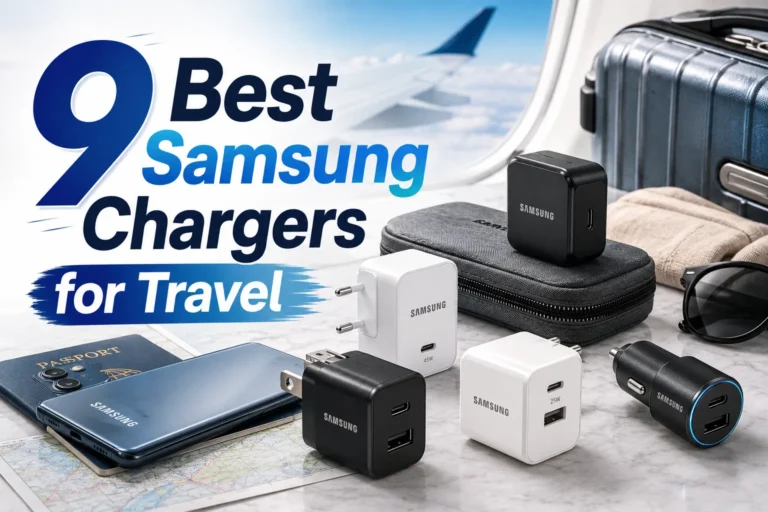
If you use more than one device, a charger with extra ports can be a smart buy. It can cut down on clutter and reduce the number of chargers you need to carry. For more ideas, check out best laptop chargers for travel if you are often on the move.
Conclusion
So, what budget chargers do i need for my laptop? The short answer is: the one that matches your laptop’s voltage, wattage, plug type, and charging standard. Once you know those details, you can shop with confidence and avoid wasting money on the wrong charger.
A budget charger can be a great choice if it is safe, well built, and made for your device. You do not need the most expensive option. You just need a charger that fits your laptop and your daily routine. Take a minute to check your laptop model, compare the specs, and read a few real reviews before you buy.
That small bit of care can save you from slow charging, dead batteries, and frustrating returns. In the end, the best budget charger is the one that works well, lasts long, and keeps your laptop powered without stress.
Frequently Asked Questions
How do I know what wattage charger my laptop needs?
Check the label on your old charger or the bottom of your laptop. It will usually list the wattage, voltage, and amperage. If you are still unsure, search your exact laptop model online.
Can I use a higher wattage charger on my laptop?
In many cases, yes, as long as the voltage and connector type are correct. Your laptop will only draw the power it needs. Still, it is best to stay within the manufacturer’s recommended range.
Are cheap laptop chargers safe?
Some are safe, but not all. A good budget charger should have safety features like short-circuit and overheat protection. Always check reviews and product details before buying.
Is USB-C better for budget laptop chargers?
Often, yes. USB-C chargers are more flexible and can work with many newer laptops and devices. They are also easier to replace because the standard is more common.
What should I do if my charger gets hot?
A little warmth is normal, but extreme heat is not. Unplug it and stop using it if it feels too hot to touch. A hot charger may be poorly made or overloaded.
Can one budget charger work for my laptop and phone?
Yes, if it supports multiple devices and has the right ports. A USB-C charger with Power Delivery is often the easiest choice. Just make sure it can deliver enough power for your laptop.