How Long Ring Video Doorbell Battery Last in Real Use
Ring Video Doorbell battery life can range from weeks to several months depending on motion, Wi‑Fi, and app usage. Busy front doors and frequent live-view checks shorten runtime the most.
If you’re asking how long Ring Video Doorbell battery last, the practical answer is that it can range from a few weeks to several months depending on motion activity, Wi‑Fi quality, settings, and how often you open the app. In a quieter home, battery life is usually much longer than in a busy entryway with frequent alerts and live-view checks.
- Battery life varies: Home traffic, Wi‑Fi strength, and settings matter more than the doorbell alone.
- Motion is the biggest drain: More alerts and more live view usually mean faster battery loss.
- Battery models fit flexible installs: They are best for renters and homes without wiring.
- Wired alternatives reduce maintenance: They suit busy entryways and users who want fewer charging breaks.
How Long Does a Ring Video Doorbell Battery Last in Real Use?
Quick answer: what most owners can expect in 2026
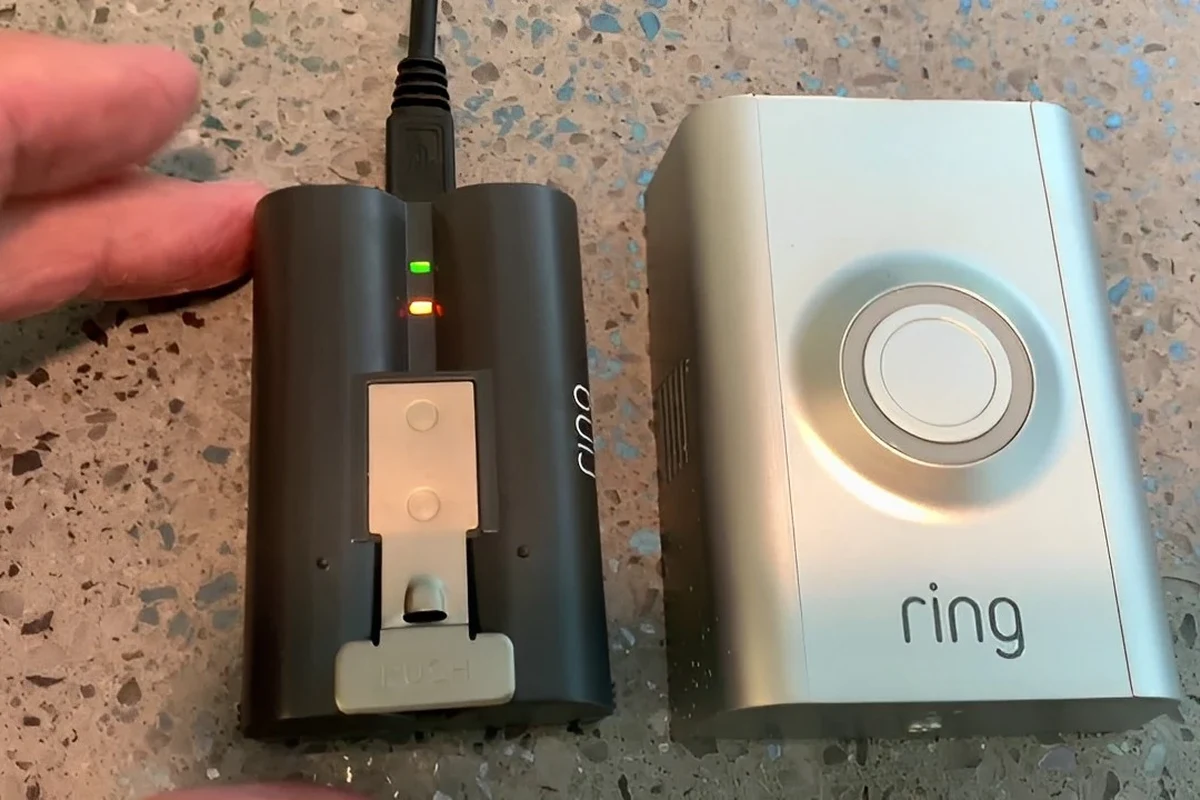
There is no single battery-life number that fits every Ring battery doorbell. Real-world runtime depends heavily on how often the camera wakes up, how strong the Wi‑Fi signal is, and whether you use features like motion alerts, live view, and night vision often.
For many households, the battery may last long enough to feel convenient between charges, but it is not a “set it and forget it” device in a high-traffic location. If you want to compare battery-powered models more broadly, our guide to the best battery operated video doorbell is a useful place to start.
Why battery life varies so much from one home to another
The same Ring doorbell can behave very differently in two homes. A quiet apartment entry with a strong router nearby may use far less power than a porch facing a sidewalk, street, driveway, or shared hallway where motion events happen all day.
Battery usage also changes with app habits. Frequent live-view checks, repeated notifications, and multiple household members opening the feed can all shorten runtime. In other words, battery life is not just about the product; it is about how you use it.
How the Ring Video Doorbell Battery Works
Battery type, charging method, and typical capacity ranges
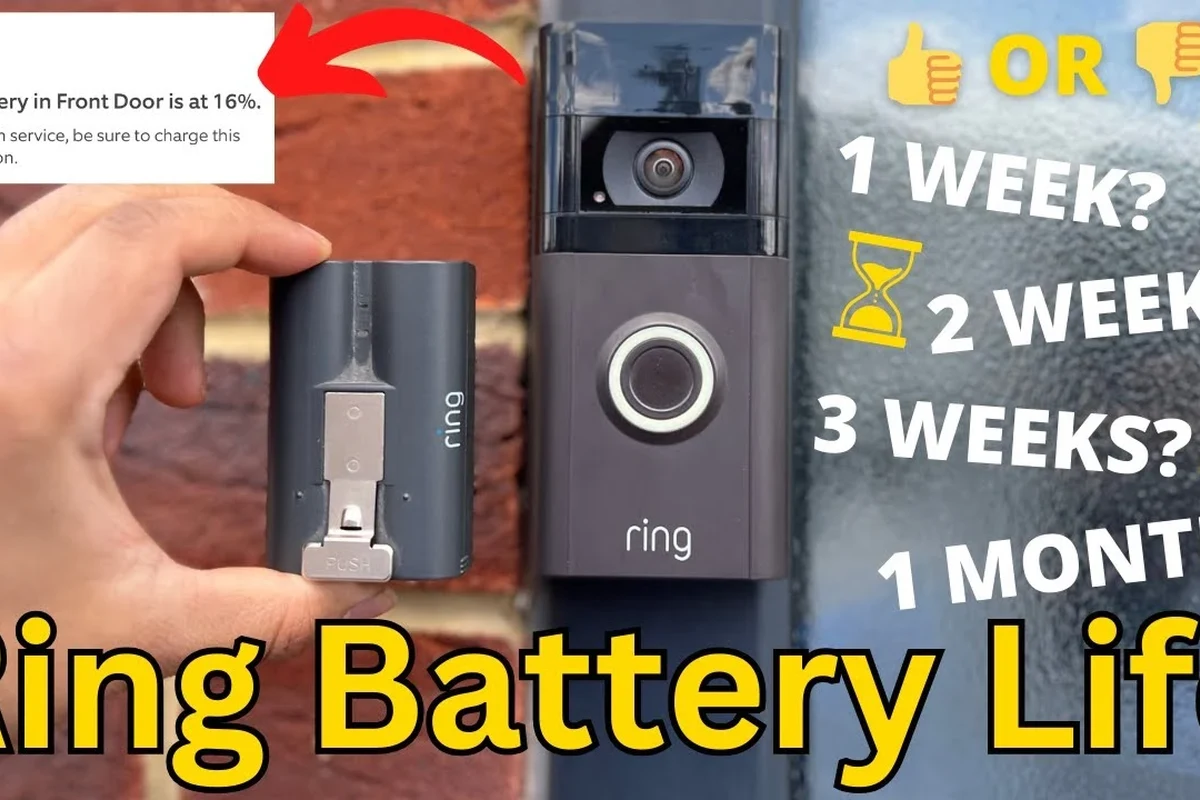
Ring battery doorbells use a rechargeable internal battery rather than replaceable disposable cells. Charging is typically done by removing the battery or charging the unit according to the model’s design and the official instructions in the manual.
Battery capacity varies by model, so it is best to verify the exact specifications before buying. If you are also weighing total ownership cost, our article on Ring Video Doorbell cost can help you think through the broader value picture.
Battery capacity, removal method, charging time, and included accessories can differ by Ring model and by region. Always confirm the exact product page and manual for the specific doorbell you plan to buy.
What features drain power the fastest: motion alerts, live view, and night vision
Motion detection is usually the biggest everyday power user because it wakes the camera many times. Live view can drain even more quickly because it keeps the camera active while you watch in real time.
Night vision, two-way talk, and frequent cloud recording events can also add to battery use. The more often the doorbell has to wake, process, connect, and record, the faster the battery will drop.
Real-World Battery Life Factors That Matter Most
Motion frequency, Wi‑Fi strength, and camera settings
Front-door activity is the biggest variable. Packages, pets, passing cars, sidewalk traffic, and neighbors walking by can all create extra events that wake the camera and consume power.
Wi‑Fi strength matters because a weak connection forces the doorbell to work harder to stay online. Camera settings such as motion sensitivity, recording length, and alert zones can make a meaningful difference, especially in busy locations.
- Use motion zones to ignore sidewalks, streets, or busy shared spaces when possible.
- Lower sensitivity only enough to reduce false alerts, not so much that you miss visitors.
- Place your router or mesh node so the doorbell has a stable signal without constant reconnects.
Weather, door placement, and traffic patterns at the front door
Outdoor temperature can affect battery performance, especially in very cold or very hot conditions. Battery-powered electronics often lose efficiency in extreme weather, so runtime may drop when the climate is harsh.
Door placement matters too. A shaded porch, a door facing a busy street, or a mount that sees lots of movement will usually drain faster than a protected entry with limited foot traffic.
Battery-powered video doorbells usually save power by sleeping most of the time and waking only when motion, a button press, or a live-view request occurs.
How app usage, notifications, and shared users affect runtime
Battery life can drop when many people in the household check the camera frequently. Each live-view session and some notification workflows may wake the device or keep it active longer than you expect.
Shared access is convenient, but it can increase total usage. If multiple users are curious about every alert, the battery may need charging more often than a single-user setup.
Who the Ring Battery Doorbell Fits Best
Best for renters, homes without existing wiring, and flexible installs
A battery model is usually the easiest choice for renters and for homes where running doorbell wiring is difficult or unwanted. It is also attractive for people who want a simpler install and the flexibility to move the doorbell later.
If you are still deciding whether a Ring doorbell is the right category at all, our overview of whether Ring Video Doorbell is worth it can help frame the trade-offs.
Choose the battery model if you want a flexible install, do not have existing wiring, and can accept periodic charging as part of normal ownership.
Who should consider wired or hybrid alternatives instead
Homeowners with a busy front door, long daily commutes, or a strong preference for minimal maintenance may prefer wired or hybrid options. Those setups can reduce charging chores and may be better for higher-traffic entrances.
Wired models are also worth considering if your existing doorbell wiring is already in place and compatible. For a broader comparison, our guide to best wired video doorbell home guide is a helpful companion read.
Key Specs and Setup Details to Check Before Buying
Dimensions, mounting options, and installation clearance
Before buying, check the exact dimensions and whether the mount fits your door frame, siding, or wall surface. Some homes need a wedge or corner mount to get the right viewing angle and avoid blind spots.
Installation clearance matters too. Make sure the door can open fully, the camera has a clear field of view, and the location is protected enough for the device to stay secure.
- Confirm the exact Ring model and battery design
- Check mounting angle, clearance, and door swing
- Verify whether your wall surface needs anchors or special hardware
- Review the official manual for charging and installation steps
App requirements, Wi‑Fi compatibility, and smart home integration
Ring doorbells typically rely on the official mobile app for setup, alerts, and settings. Before buying, confirm that your phone, operating system, and home network meet the current requirements listed by the manufacturer.
Smart home compatibility can vary by model and ecosystem. If you care about broader platform fit, check the current compatibility list rather than assuming every feature works the same way across every Ring doorbell.
Battery charging time, replacement guidance, and warranty details to verify
Charging time depends on the model, charger, battery state, and power source. It is best to verify the official charging guidance rather than guessing based on generic USB expectations.
Also confirm whether the battery is user-removable, what replacement parts are supported, and what the warranty covers. For a buying context, our article on how much a video doorbell costs can help you compare features against budget.
Use only the charging method and accessories approved by the manufacturer. Stop using the battery or charger if you notice swelling, overheating, damage, unusual odor, or frayed cables.
How to Maximize Battery Life Without Sacrificing Security
Recommended motion settings, zones, and alert schedules
The best way to extend battery life is to reduce unnecessary wake-ups, not to disable useful security features. Start by trimming motion zones so the camera watches only the areas that matter most, such as your porch and walkway.
Alert schedules can also help if your household has predictable patterns. For example, you may not need the same alert behavior during the day as you do overnight, as long as the setup still protects the entryway you care about.
Maintenance habits: cleaning the lens, checking seals, and inspecting the mount
Regular maintenance can support both image quality and battery efficiency. A dirty lens or obstructed sensor area may lead to poor detection behavior, while a loose mount can create alignment issues that affect motion coverage.
Check seals, screws, and the mounting surface periodically, especially after heavy rain, temperature swings, or repeated door slams. Small physical issues can turn into bigger battery or connectivity problems if ignored.
If battery life suddenly gets worse, review recent changes first: new motion zones, a router move, firmware updates, or more frequent app checks are often easier to spot than a hardware failure.
Safe charging practices, cable quality, and heat limits for battery care
Charge the battery exactly as the manual instructs and use a cable and adapter that are in good condition. Avoid charging in direct sun, on hot surfaces, or in places where heat builds up around the battery.
Never use damaged accessories or improvise with questionable adapters. Good battery care is mostly about following the maker’s instructions, keeping heat in check, and inspecting the charging gear regularly.
Common Mistakes That Shorten Battery Life
Overusing live view and sensitivity settings that trigger too many events
One of the fastest ways to drain a battery doorbell is to treat live view like a casual camera feed. It is useful, but repeated long sessions can reduce runtime quickly.
Another common mistake is setting motion sensitivity too high. That often creates a flood of alerts from cars, trees, pets, or people passing by, which makes the doorbell wake constantly.
Poor Wi‑Fi placement, weak signal, and repeated reconnects
A weak or unstable Wi‑Fi signal can shorten battery life because the doorbell spends more effort staying connected. If the signal is poor, the device may reconnect repeatedly, and that extra work adds up.
Before blaming the battery, check router placement, mesh coverage, and interference near the front door. In many homes, improving the network is more effective than changing the doorbell itself.
Ignoring battery health signs, swelling risks, or damaged charging accessories
Do not ignore warning signs like rapid charging failure, unusual heat, visible swelling, or a battery that will not hold a charge. Those are signs to stop using the device and review the manufacturer’s safety guidance.
Charging cables and adapters matter too. If the accessory is bent, frayed, loose, or runs hot, replace it rather than trying to keep using it.
Stop using damaged electronics, swollen batteries, frayed cables, overheating chargers, or unstable appliances and follow the manufacturer’s guidance.
Value, Alternatives, and Final Recommendation
When the battery model offers the best balance of convenience and cost
The battery version makes the most sense when flexibility matters more than avoiding occasional charging. It is often the easiest path for renters, first-time buyers, and households that cannot or do not want to use existing wiring.
If you are comparing overall value, also look at the cost of accessories, subscription features, and how much maintenance you are willing to accept. For a broader decision framework, our guide on what kind of video doorbell you should buy can help narrow the field.
Trade-offs versus wired Ring models and competing video doorbells
The biggest trade-off is convenience versus maintenance. Battery models are easier to install, but they require charging, and high-traffic homes may need attention more often than expected.
Wired Ring models and some competing video doorbells may be better for users who want fewer charging interruptions, while other brands may offer different app experiences, local storage options, or platform compatibility. The right choice depends on your home layout, traffic level, and preferred ecosystem.
Transparent verdict: what kind of user should buy it in 2026
A Ring battery doorbell is a smart buy for people who want a flexible install, do not have wiring, and are comfortable managing battery charging as part of normal use. It is less ideal for busy entryways, users who hate maintenance, or anyone who wants the least possible upkeep.
In short, choose the battery model for convenience and install flexibility; choose wired or hybrid alternatives if your front door sees heavy traffic or you want the most hands-off experience.
Frequently Asked Questions
Battery life varies widely by home, motion activity, Wi-Fi strength, and settings. Many owners see anything from weeks to several months in normal use.
Frequent motion alerts, repeated live view sessions, and unstable Wi-Fi are common battery drainers. Busy doorways and high sensitivity settings can shorten runtime quickly.
Yes. Use motion zones, reduce false alerts, improve Wi-Fi stability, and avoid unnecessary live view use while keeping the camera aimed at the areas that matter most.
Yes, it is often a strong fit for renters and homes without existing doorbell wiring. The flexible install is a major advantage, as long as you are okay with periodic charging.
A wired model may be better if your front door gets a lot of traffic or you want less maintenance. It is also worth considering if compatible wiring is already in place.
Check the exact model, mounting clearance, app requirements, Wi-Fi compatibility, charging method, and warranty terms. Also confirm current specs and features on the official product page or manual.